

- Reversing some malware?
- Tired of eyeballing string dumps for hardcoded creds?
- Short on time?
Look no further!
malsnitch is a CLI tool meant to assist RE workflows by scanning artifacts like string dumps, FLOSS output, or Binja exports. It extracts embedded secrets malware authors put in their binaries.
- C2 creds
- crypto keys
- API tokens
- exfil channel configs
- more!
TO BE CLEAR - this is not another developer secrets scanner. Tools like TruffleHog or Gitleaks catch API keys being committed to legitimate repos. malsnitch gets the RC4 key buried in .rdata or the SMTP password to a random C2 server.
(Also, I'm proud of myself for not shoehorning in "Go" anywhere in the title.)
Features
- Detects embedded crypto keys (AES-128, AES-256, RC4)
- Detects C2 infrastructure
- Detects exfil channel creds (Discord webhooks, Telegram bot tokens)
- Detects hardcoded credentials (SMTP, FTP, HTTP, etc)
- Detects API keys (GitHub PATs, AWS, Stripe, Slack, SendGrid, Mailgun)
- Memory dump scanner
- Auto deduplication and substring suppression
- Structured JSON output to stdout
- Supports multiple input formats:
text: raw strings dump (e.g. strings.exe or FLOSS raw output)floss: FLOSS JSON outputbinja: Binary Ninja export JSON (via the includedbn_export.py)
Usage
- Clone the repo OR install the Go package:
git clone https://github.com/grepstrength/malsnitch.git
cd malsnitch
OR
go install github.com/grepstrength/malsnitch@latest
- Build:
go build -o malsnitch.exe .
- Run against a strings dump:
.\malsnitch.exe -file strings_output.txt -type text
- Run against FLOSS JSON output:
.\malsnitch.exe -file floss_report.json -type floss
- Run against a Binary Ninja export:
.\malsnitch.exe -file bn_export.json -type binja
- Run against a memory dump:
.\malsnitch.exe -file memdump.bin -type memdump
- Pipe JSON output to a file:
.\malsnitch.exe -file sample_strings.txt > <FILENAME>.json
- Save the results to a CSV:
.\malsnitch.exe -file sample_strings.txt -type text -output csv > <FILENAME>.csv
Examples
Try It Yourself
.\malsnitch.exe -file examples\test_strings.txt -type text
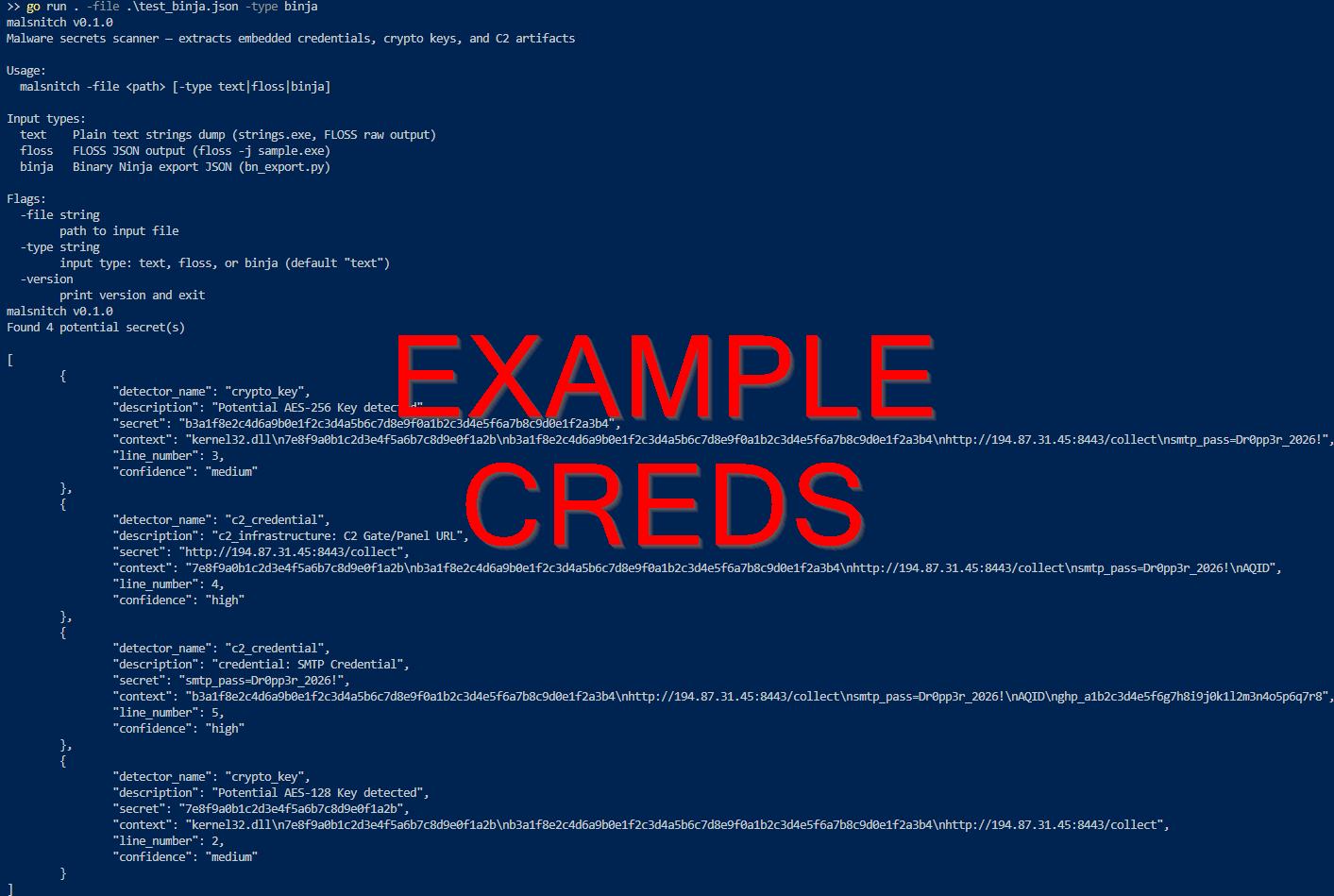
.\malsnitch.exe -file examples\test_binja.json -type binja
.\malsnitch.exe -file examples\test_floss.json -type floss
.\malsnitch.exe -file examples\test_memdump.bin -type memdump
Output
Binary Ninja Plugin
A python export script is included in scripts/bn_export.py. You can run this inside Binja's script console or headless:
python bn_export.py sample.exe output.json
This produces the JSON format that malsnitch consumes with -type binja.
Exit Codes
| Code | Meaning |
|---|---|
| 0 | Secrets found |
| 1 | Error (bad input, missing file, etc.) |
| 2 | Clean scan, no secrets detected |
Future Roadmap
- PCAP input
- MITRE ATT&CK mapping
Comments