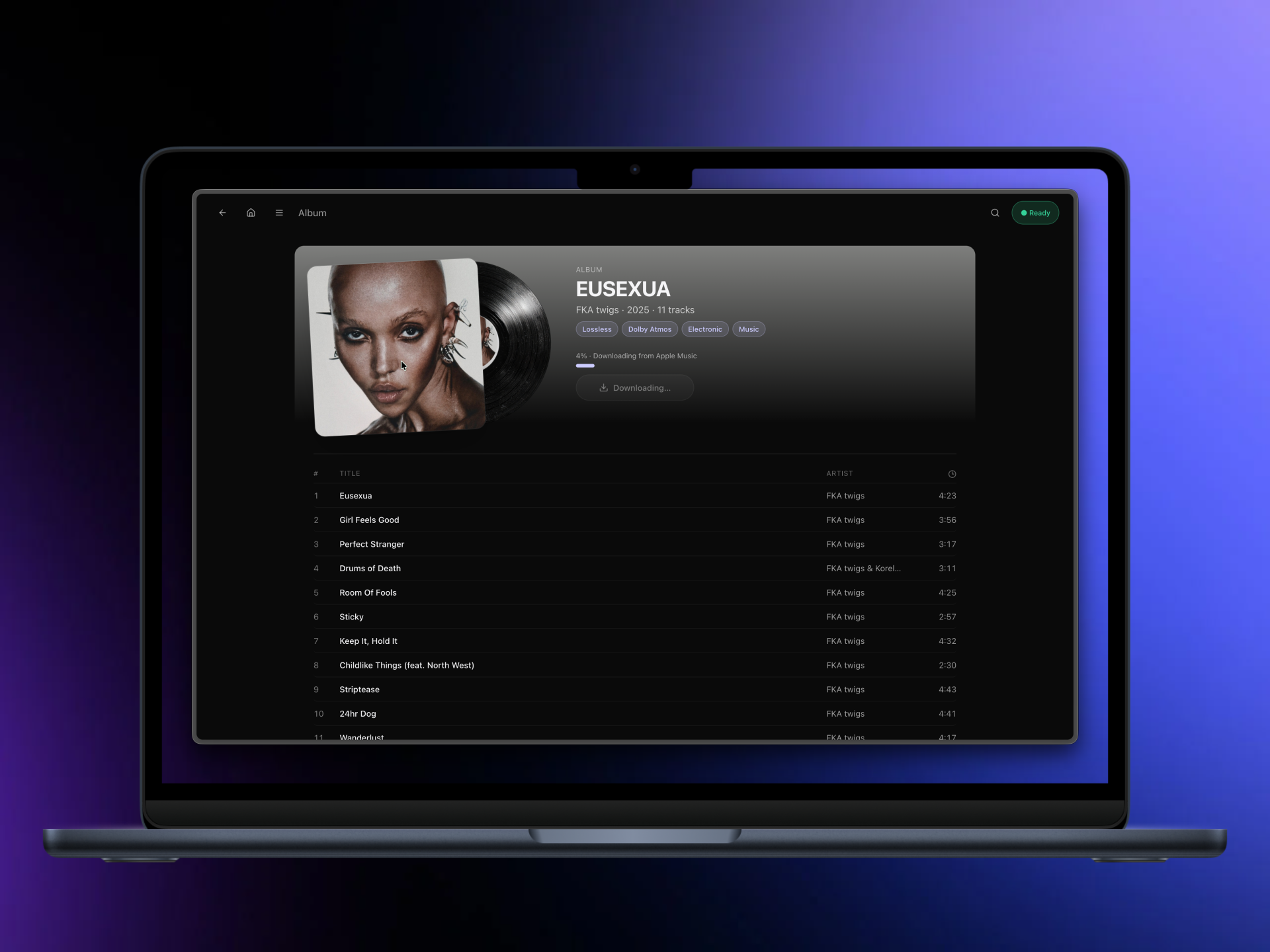
ALACarte is a self-hosted application that downloads lossless audio from Apple Music, converts it to FLAC, and organizes the output into a standard music library structure. It is built for users who maintain local music collections and want lossless, metadata-rich files without relying on third-party cloud services or desktop-only tools. Unlike many Apple Music downloaders that run as CLI utilities or closed binaries, ALACarte provides a polished, responsive web interface—accessible from phones and desktops—with features like live queueing, duplicate detection, and lyrics support. It does not bypass Apple’s authentication: a valid Apple Music subscription is required, and credentials are stored locally and encrypted.
What it does
ALACarte handles the full pipeline from discovery to library ingestion:
- Search across Apple Music’s catalog, including albums, artists, and individual tracks
- Download ALAC streams, then convert them to FLAC with embedded artwork, full ID3/Vorbis metadata, and optional
.lrcsidecar files for synchronized lyrics - Queue intelligently: add single tracks, full albums, or filtered artist discographies (LPs, EPs, or Singles only)
- Prevent duplicates visually: the interface shows which albums or tracks already exist in your configured library path before downloading
- Respect explicit/clean preferences: settings let you filter search results to show only explicit, only clean, or both versions of masters
All output follows a predictable filesystem layout: /music/<Artist>/<Album>/01. Track.flac, or /music/<Artist>/Singles/ for standalone tracks. The UI updates in real time using Server-Sent Events (SSE), showing job status, download progress, and system health metrics.
Getting it running
ALACarte is distributed as a Docker Compose stack. It requires Docker and Docker Compose, and currently only supports linux/amd64. On Apple Silicon Macs, Docker Desktop handles emulation automatically via Rosetta. On native ARM64 Linux systems (e.g., Raspberry Pi or ARM-based VPS), you must enable qemu-user-static and binfmt_misc to run the amd64 containers.
The setup process is straightforward:
git clone https://github.com/sosjalapeno/ALACarte.git
cd ALACarte
cp .env.example .env
# Edit .env to set MUSIC_PATH to your local music folder, e.g. MUSIC_PATH=/home/user/music
docker compose up -d --build
Once running, visit http://localhost:7373. The first-time setup requires a one-time token, which appears in the logs:
docker compose logs alacarte-web | grep "setup token"
Enter that token along with a new username and password. Then go to Settings and provide your Apple ID email, password, and preferred storefront (e.g., US, GB). ALACarte stores credentials encrypted on disk and does not transmit them to external services.
Upgrading an existing instance requires only pulling the latest code and rebuilding:
git pull
docker compose up -d --build
No manual data migration is needed. Settings and encrypted credentials persist across updates.
Who this is for
ALACarte targets users who already run self-hosted media infrastructure—like Plex, Jellyfin, or Navidrome—and want to expand their local library with Apple Music content in a consistent, automated, and auditable way. It suits people comfortable managing Docker containers, editing .env files, and handling Apple ID credentials locally. The responsive UI makes it usable from mobile devices during browsing sessions, and the queue system supports batch operations without scripting.
It is not for users looking for a plug-and-play desktop app or those without an Apple Music subscription. The tool does not support offline mode: internet access is required for searching, authentication, and downloading. It also does not handle DRM removal for non-ALAC streams—the project relies on the same FairPlay wrapper used by other open Apple Music tools, and only targets lossless ALAC sources.
How it compares
ALACarte differs from CLI-focused tools like apple-music-downloader or am-dl by prioritizing usability and library hygiene over minimalism. While those tools offer fine-grained control via flags and configuration files, ALACarte replaces that with a visual queue, real-time status dashboard, and duplicate-aware browsing. It is also more opinionated about output structure than general-purpose downloaders—forcing a consistent folder hierarchy rather than offering flexible templating.
Compared to web-based alternatives like youtubedl-material, ALACarte is narrower in scope (Apple Music only) but deeper in domain-specific features: explicit/clean filtering, storefront selection, and lyrics fetching via Apple’s media-user-token. It does not support Spotify, YouTube Music, or other platforms. Its TypeScript frontend and Docker-first deployment also make it more approachable than Python- or Rust-based projects that require manual dependency management.
At 45 GitHub stars and actively maintained as of its latest commit, ALACarte sits in the mid-tier of niche self-hosted music tools—not widely adopted, but built with deliberate attention to UX and filesystem integrity.
ALACarte is available under the MIT License at https://github.com/sosjalapeno/ALACarte.
Comments