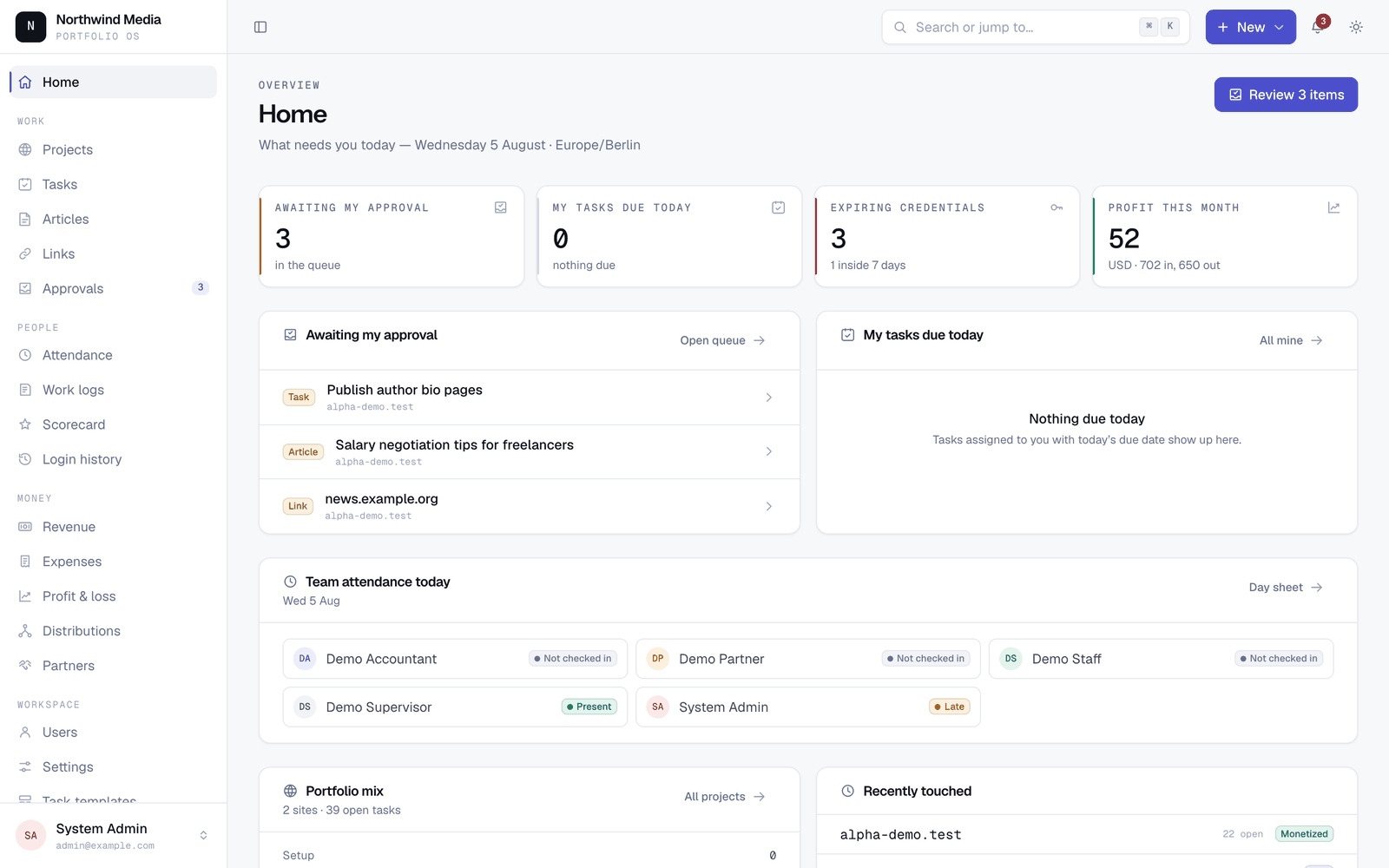
You run a bunch of websites with partners. Right now that probably means spreadsheets, a shared password doc, and a monthly “who is owed what?” argument.
Portfolio OS puts the sites, the passwords, the work, the people, and the money in one place — and it runs on plain PHP + MySQL shared hosting (the cheap kind with FTP and cron).
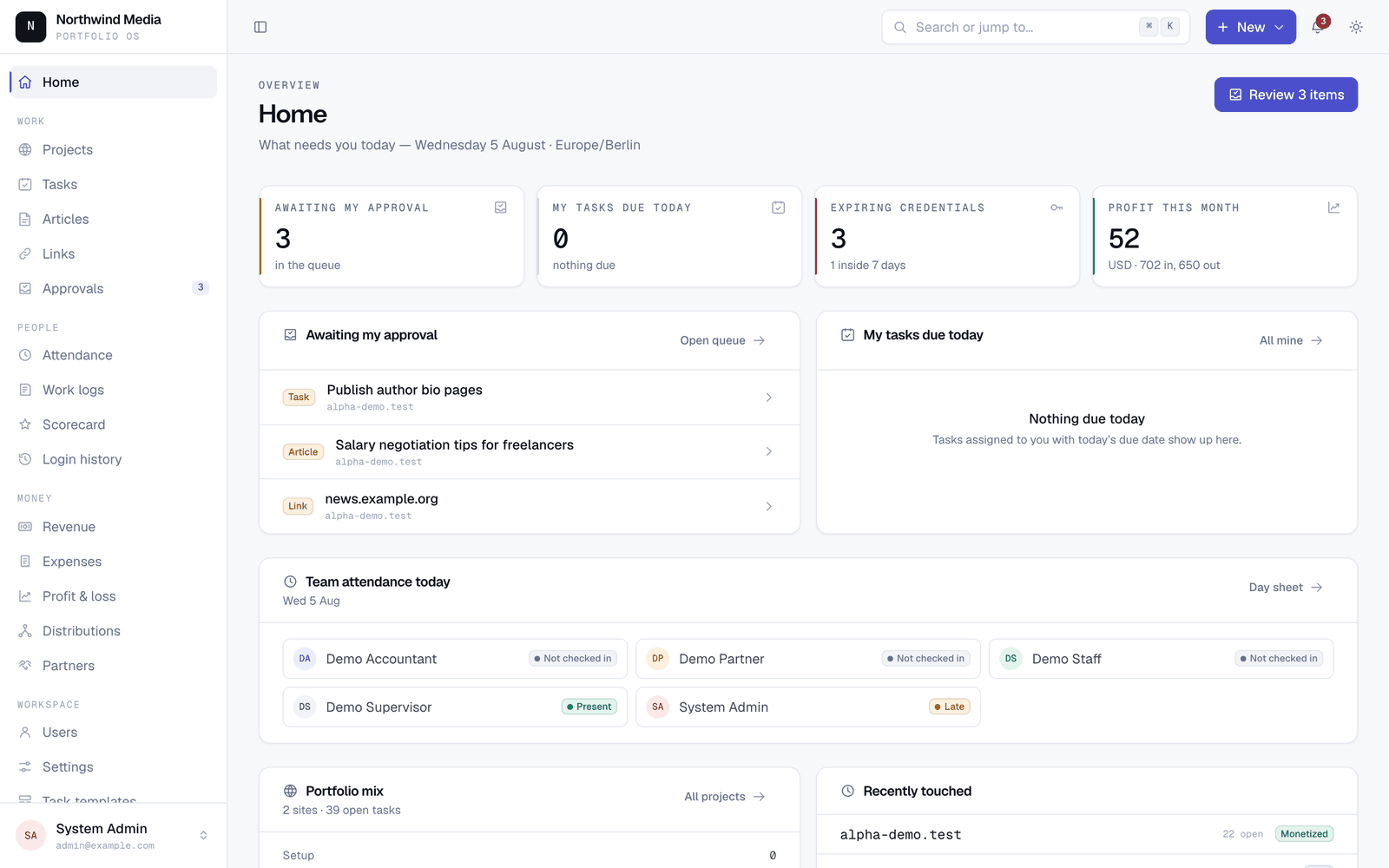
Clone it. Seed it. Click around for five minutes. If it clicks, you already know if it fits your partnership.
Try it in two minutes
You need PHP 8.3+, Composer, and Node (only to build CSS/JS on your laptop — nothing Node runs on the server).
git clone https://github.com/tnandla/portfolio-os.git && cd portfolio-os
composer install && cp .env.example .env && php artisan key:generate
touch database/database.sqlite && php artisan migrate --seed
npm install && npm run build
php artisan serve
Open http://127.0.0.1:8000 and sign in:
| Account | Password | What you’ll see |
|---|---|---|
admin@example.com |
password |
Everything |
partner@example.com |
password |
Money + ownership view |
supervisor@example.com |
password |
Approvals + team work |
staff@example.com |
password |
Assigned work only |
accountant@example.com |
password |
Revenue, expenses, P&L |
Switch accounts once. The app changes shape a lot depending on who is signed in — that’s the point.
Stuck? Full setup, MySQL, config and troubleshooting: docs/INSTALL.md.
Features
Projects & credentials
- Portfolio of every site: status, monetisation, ownership, open work
- Encrypted credential vault per project (hosting, CMS, registrar, ads, analytics…)
- Secrets only decrypt when someone with permission asks — every reveal is logged
- Expiry warnings before domains / certs / access lapse
Work
- Tasks with checklists, assignees, and recurring templates
- Article pipeline from brief → draft → published (with cost)
- Link-building log with per-project budgets
- One approval queue for tasks, articles, and links (
j/kmove,aapprove,rreject) - Approving an article or link can raise the matching expense for you
- ⌘K command palette to jump or create from anywhere
People
- Login counts as check-in (no separate punch clock)
- Late after a grace window you choose
- Monthly scorecards: tasks, articles, links — priced at each person’s rates
- Mixed pay is normal: salary and/or per article / link / task
Money
- Revenue by month (manual or CSV), with FX frozen per row
- Expenses and shared costs allocated across projects by revenue share
- P&L that partners can actually read
- Ownership per project, enforced to total 100%
- Partner distributions: preview → approve → locked forever (corrections are new entries)
- Every amount stored as integer minor units — no float rounding surprises
- Soft-delete only on financial records
Permissions that match real partnerships
- Roles are many-to-many (partner and supervisor is fine — one merged UI, no role switcher)
- 49 permissions across five seeded roles
- Project access enforced in queries, not “hidden in the view”
Optional AI (off by default)
- “Ask your data” box and drafted monthly summaries when
AI_API_KEYis set - Credentials, passwords, and bank details never go to the model
- No key → no nav, no route, no outbound call. The rest of the app is complete without it.
Built for shared hosting on purpose
- PHP + MySQL only — no Redis, no Node on the server, no websockets, no Docker
- Deploy with two zip files over FTP + two cron lines
- Sessions, cache, and queues on database or files
- Jobs safe to run late, out of order, or twice
Screenshots
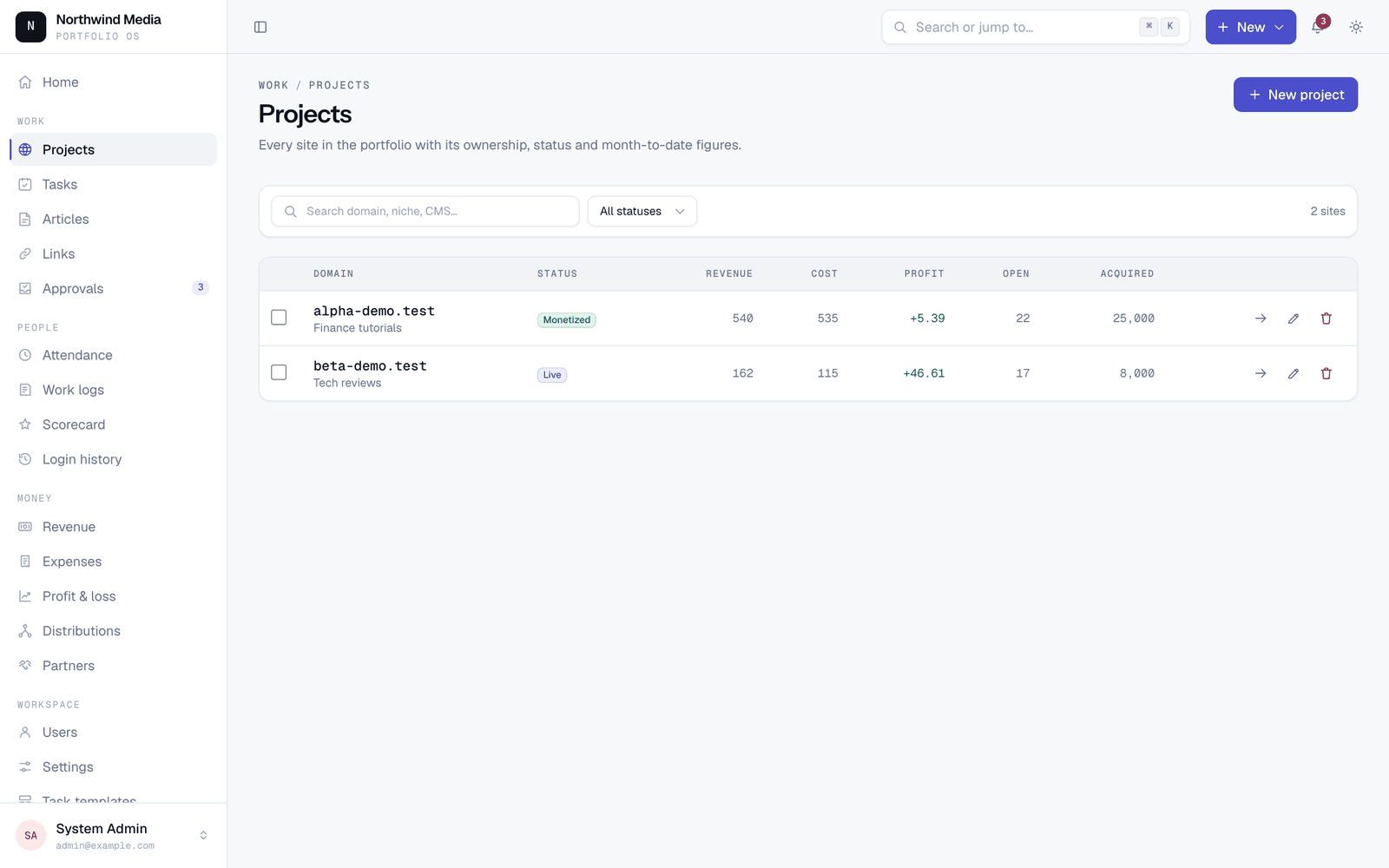 Portfolio — every site, status, monetisation and open work. |
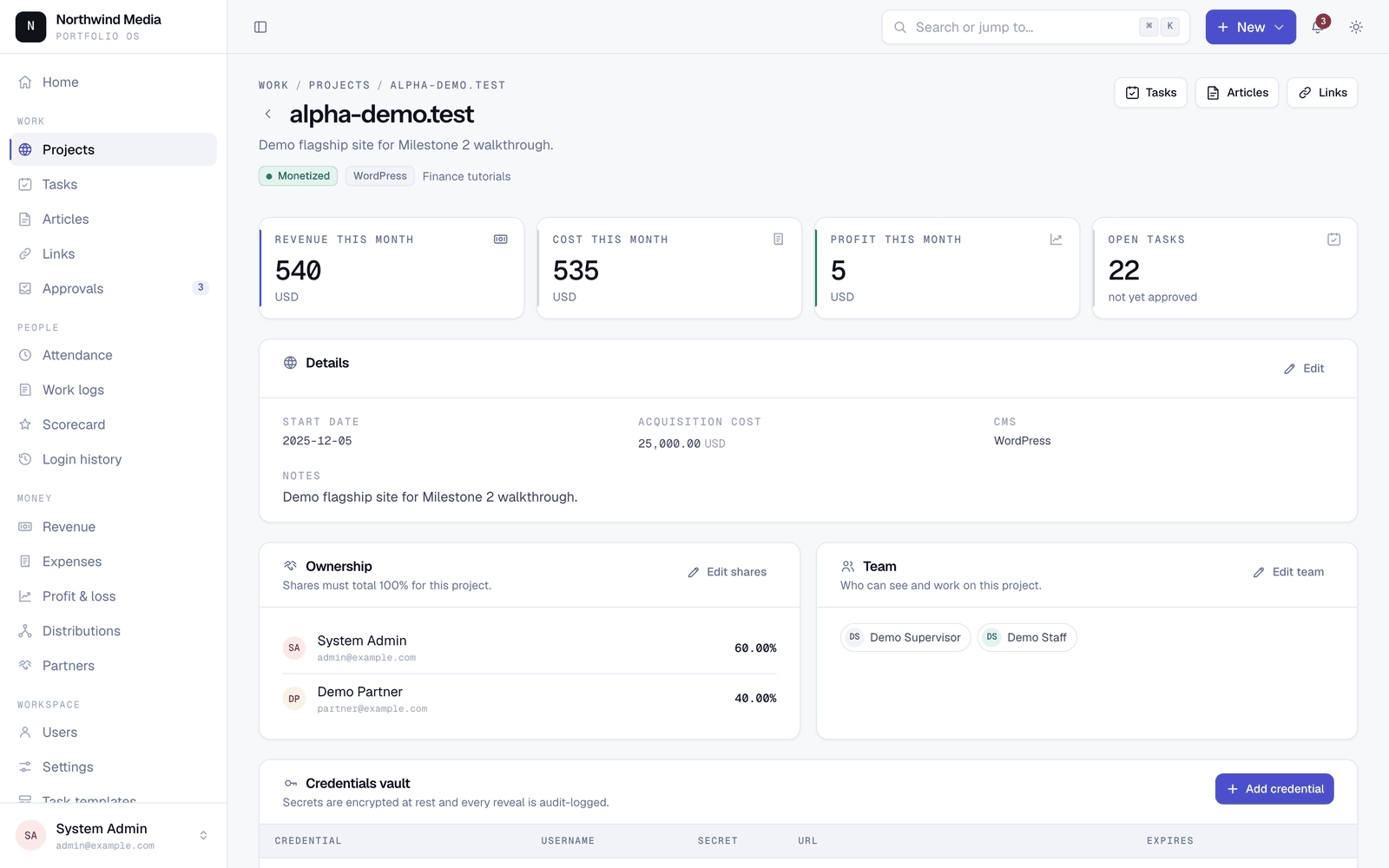 Project detail — ownership split, team, credential vault. |
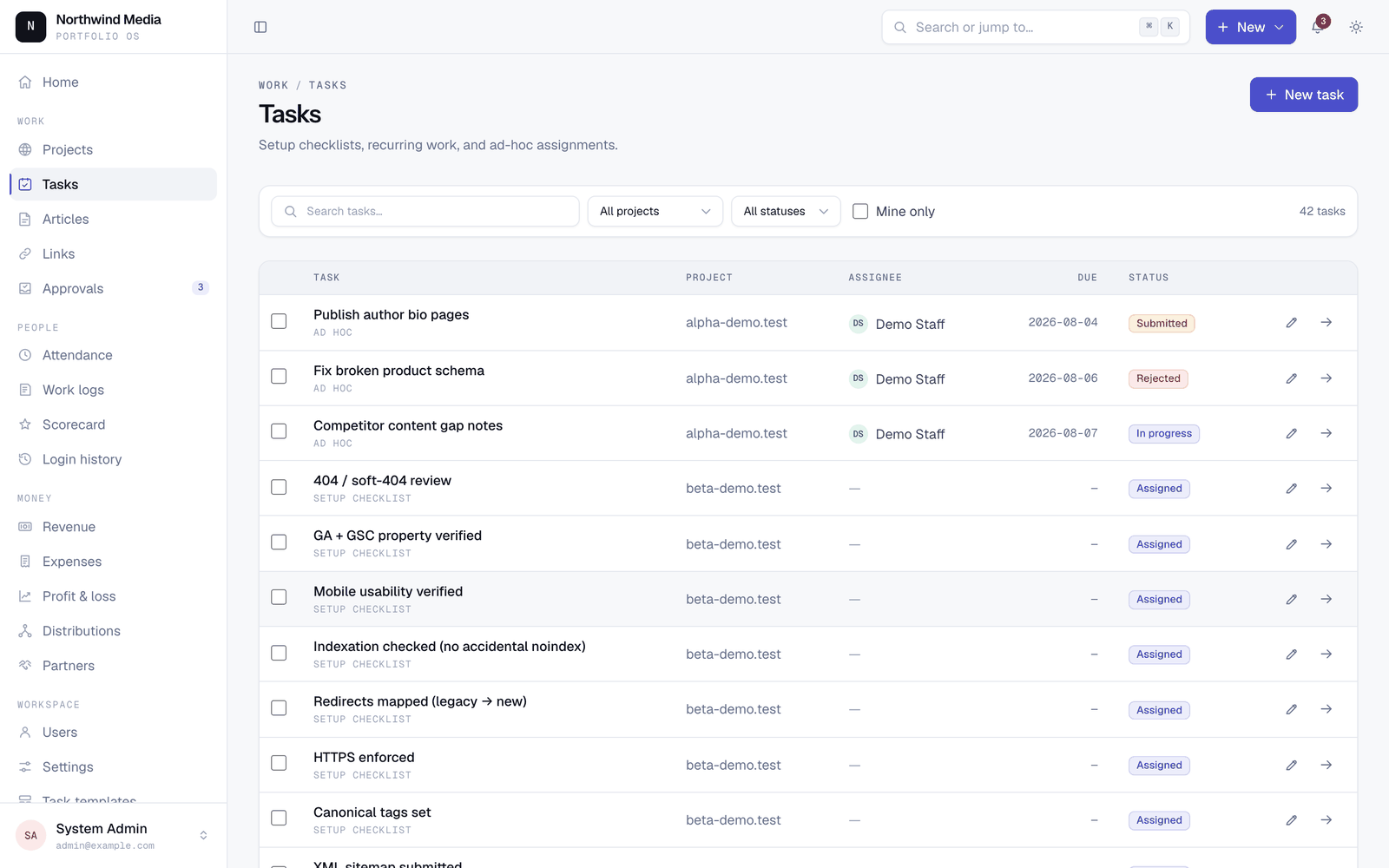 Tasks — checklists, recurring work, bulk assignment. |
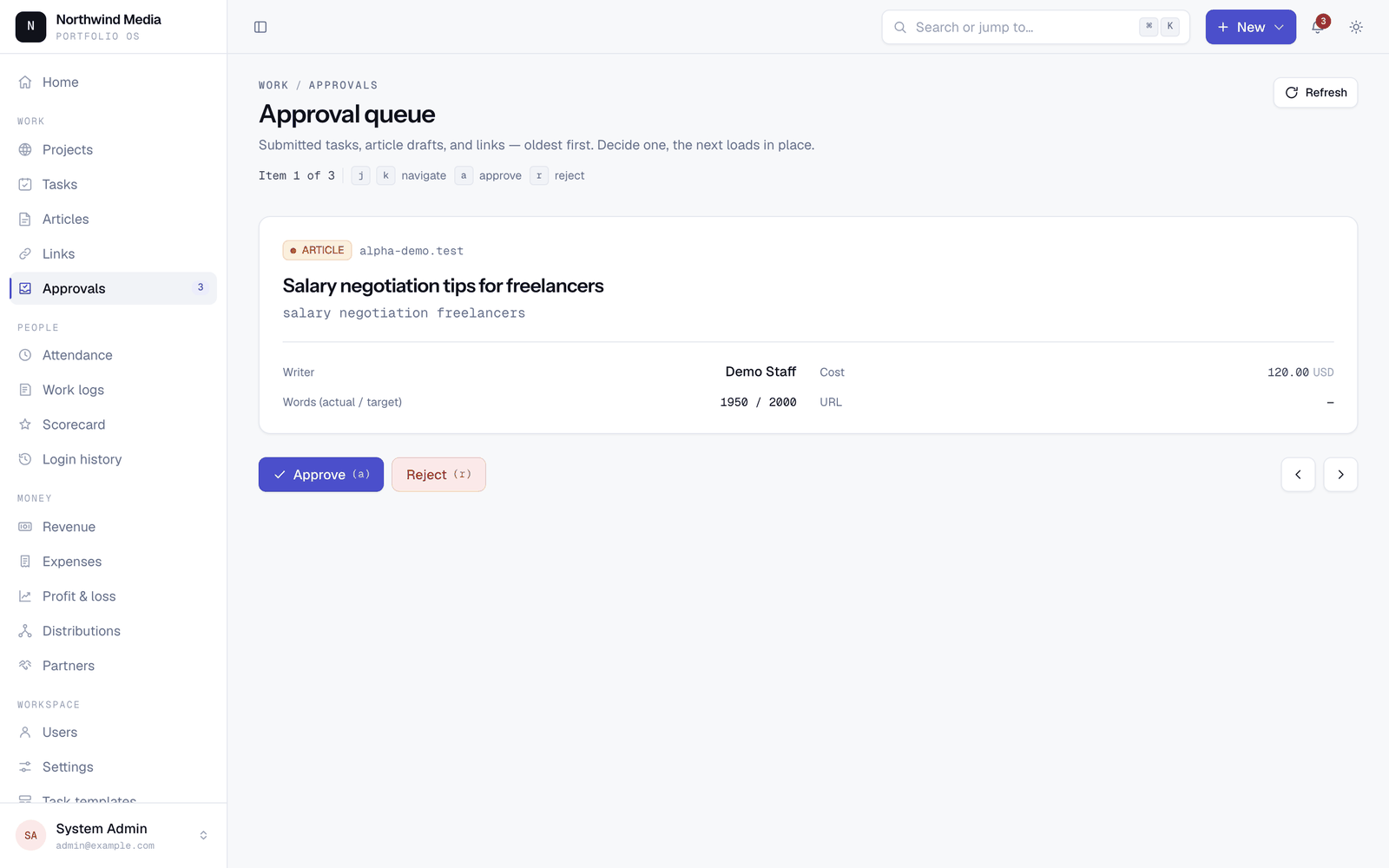 Approvals — one queue for tasks, drafts and links. |
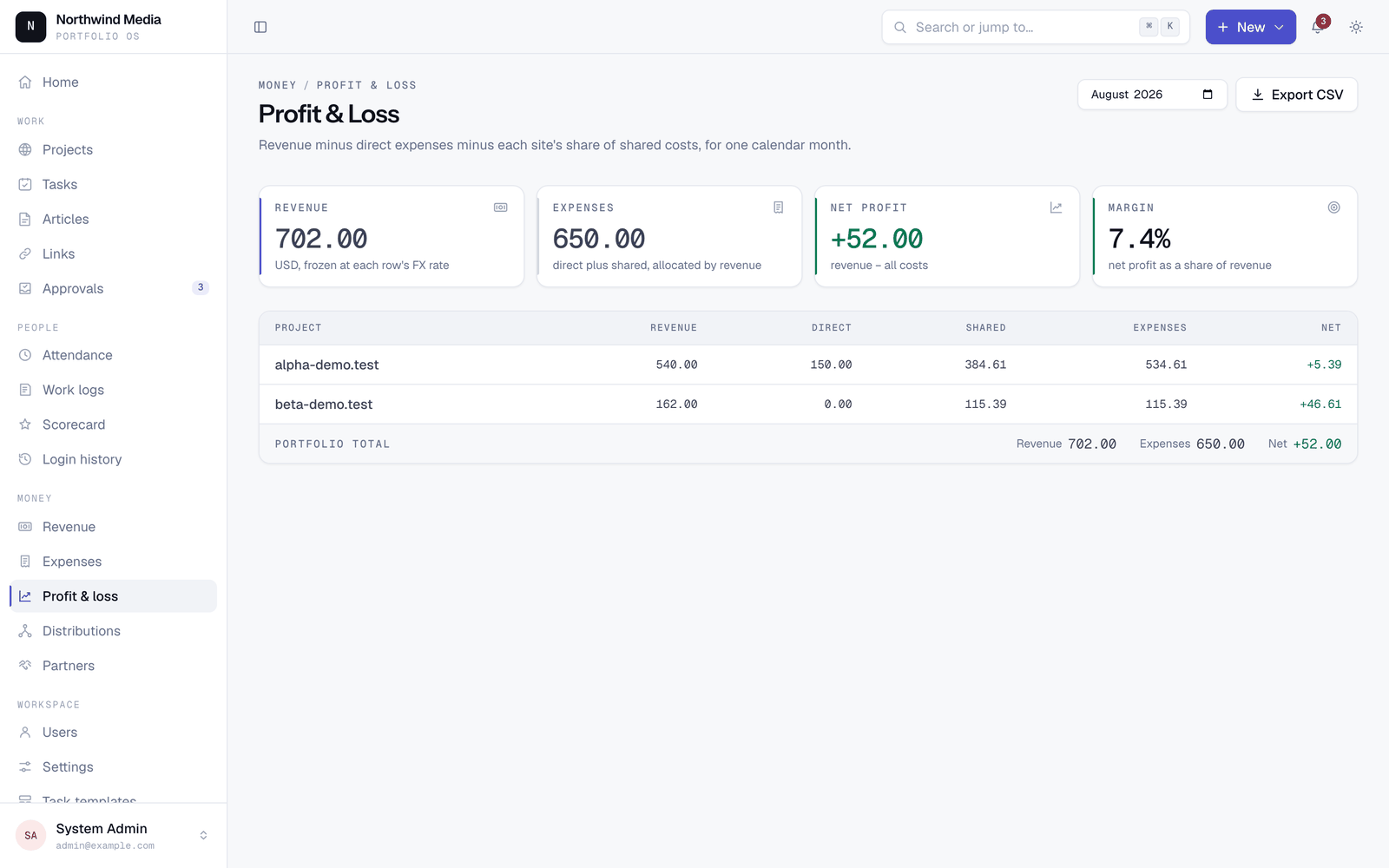 P&L — revenue, direct cost, allocated shared cost, net. |
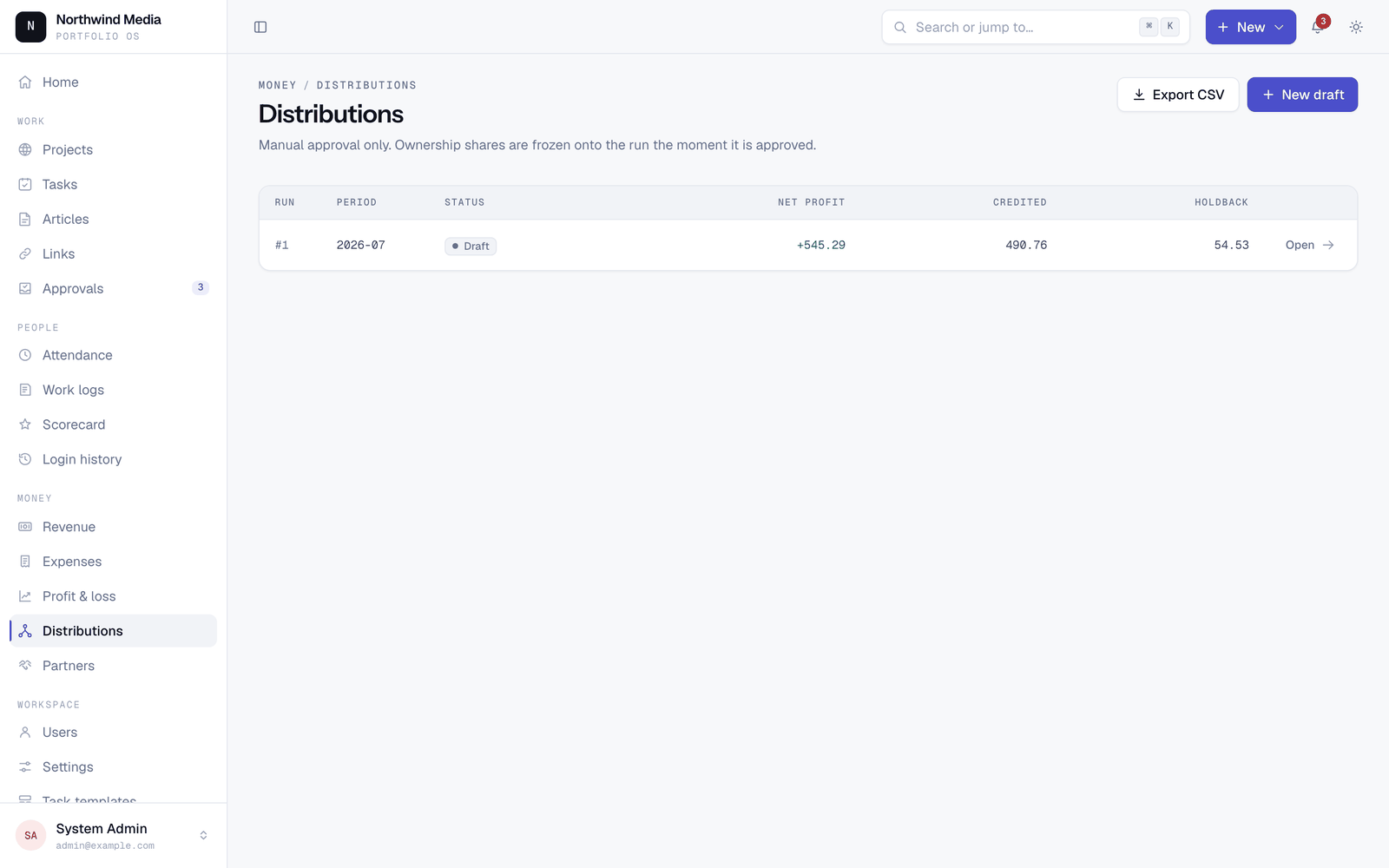 Distributions — profit splits by ownership, locked on approval. |
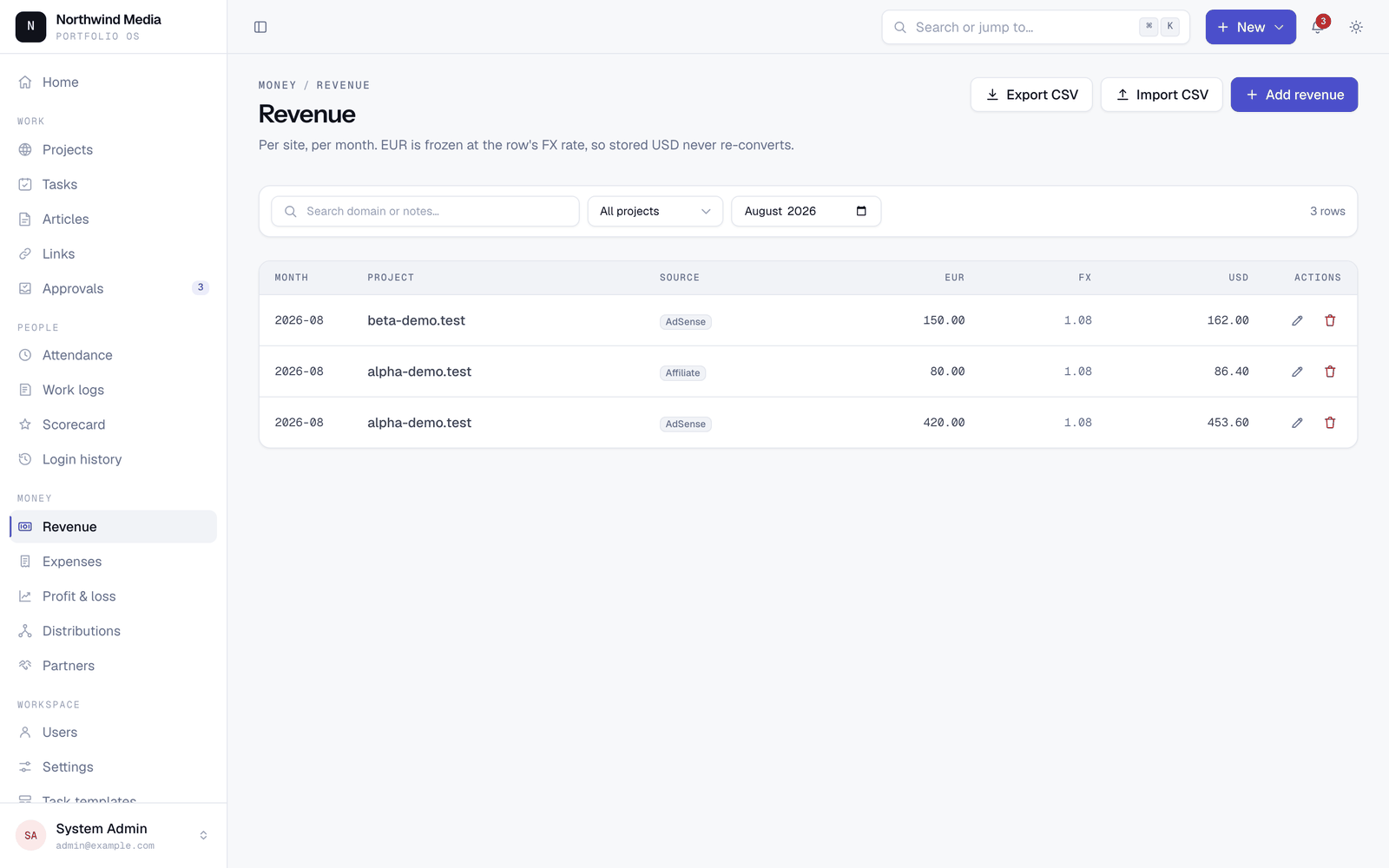 Revenue — monthly entry or CSV import, FX frozen per row. |
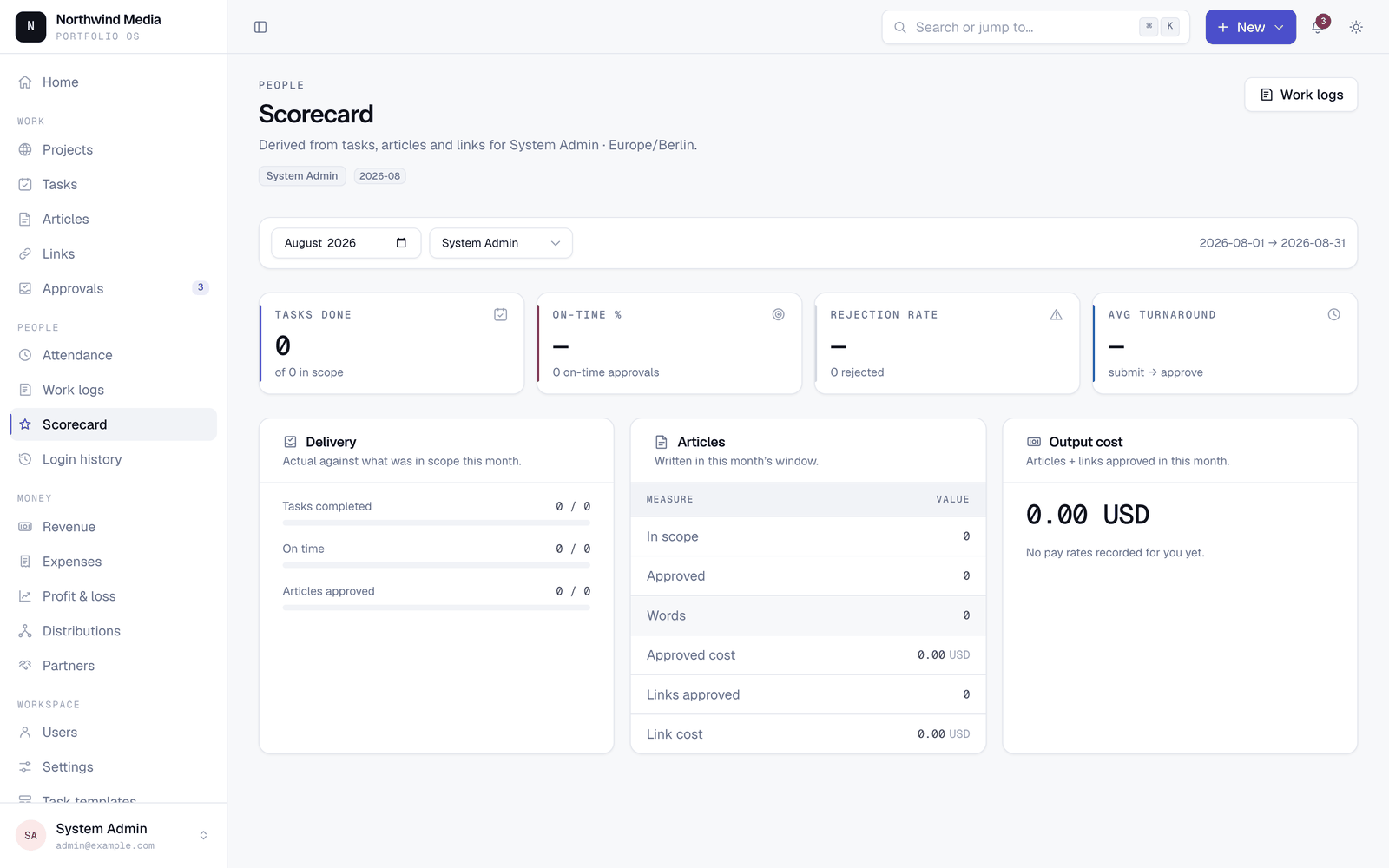 Scorecards — monthly output per person, priced. |
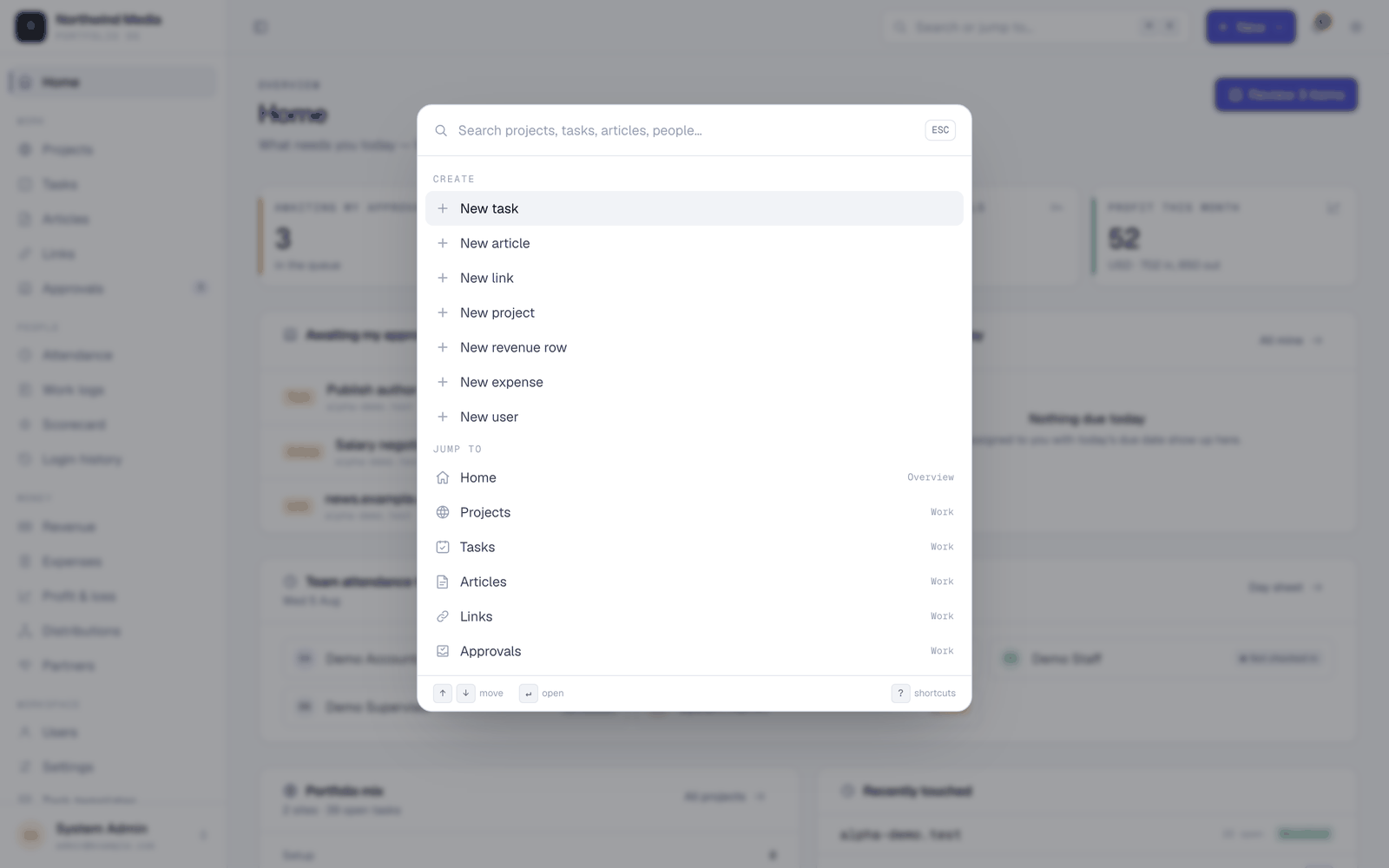 ⌘K — jump or create from anywhere. |
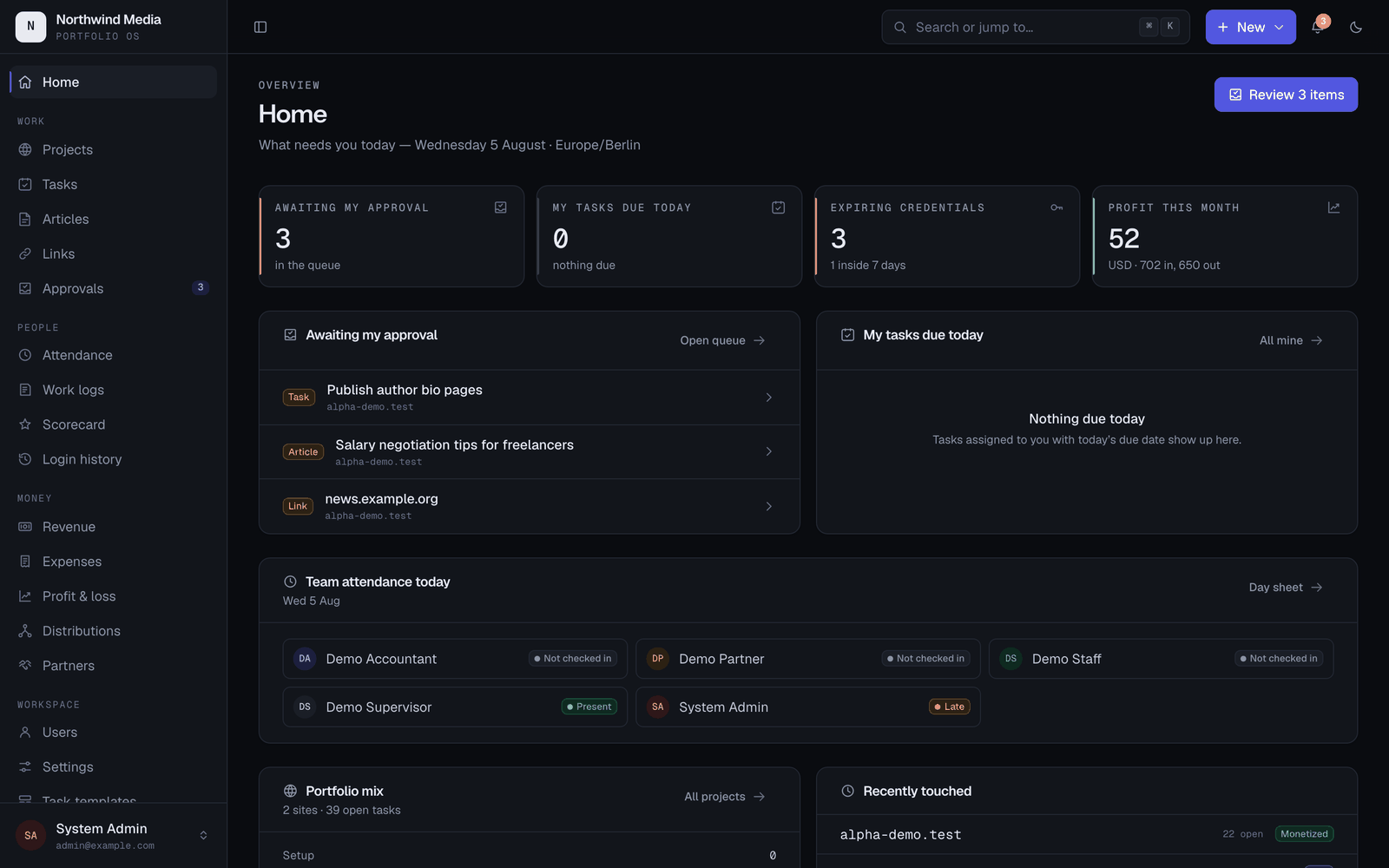 Dark mode — a full second token set, no flash. |
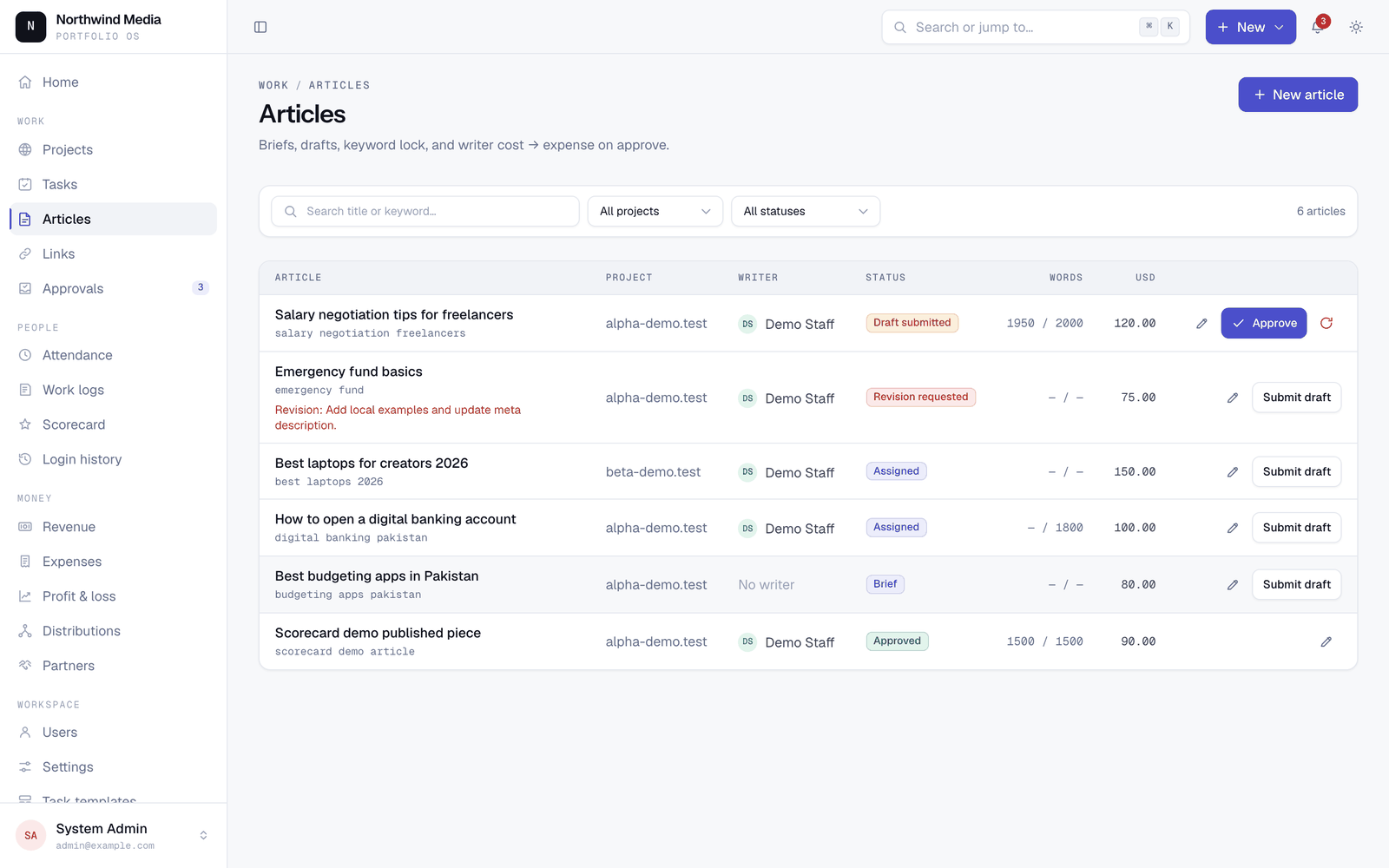 Articles — brief to published, with cost. |
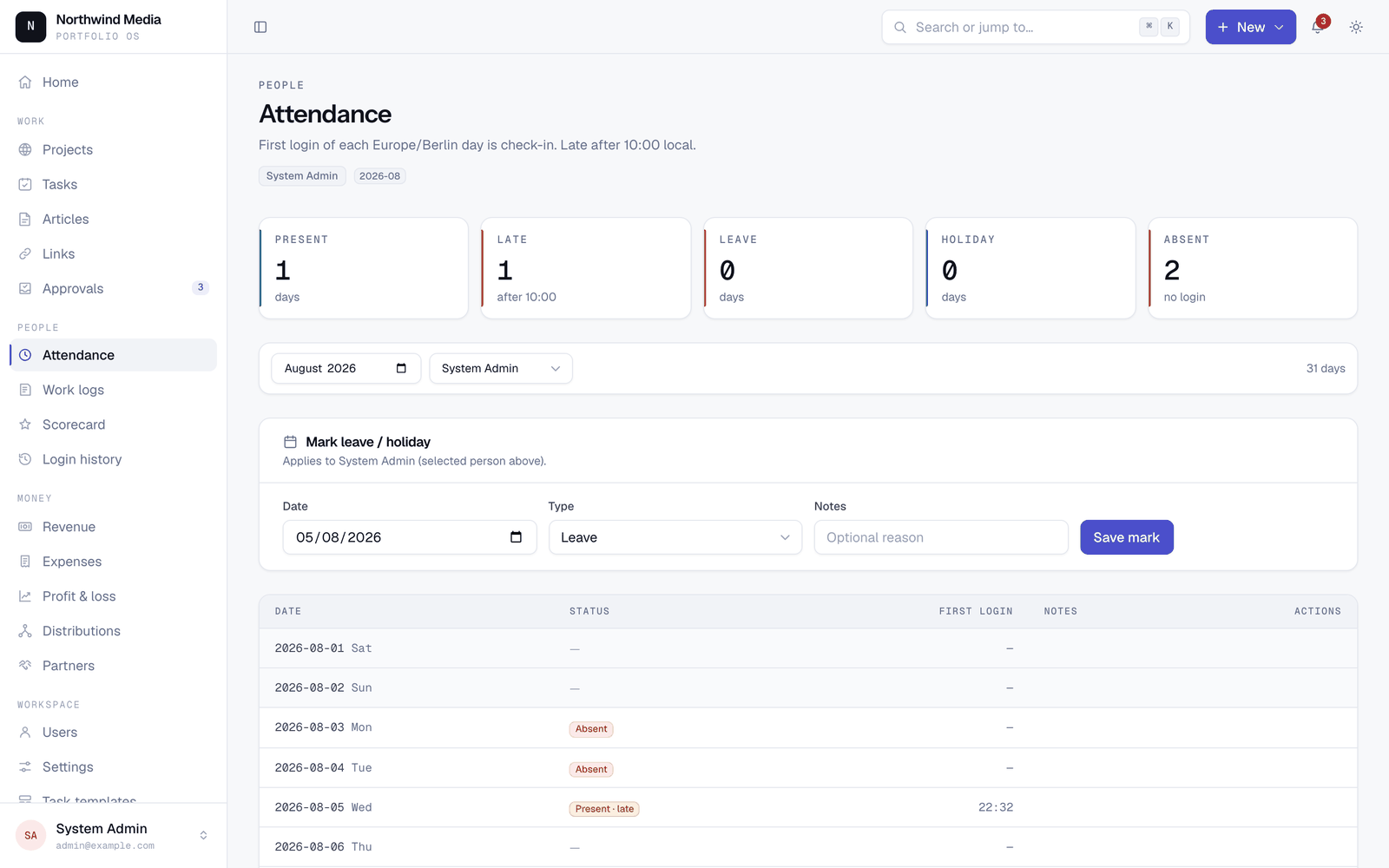 Attendance — derived from logins. |
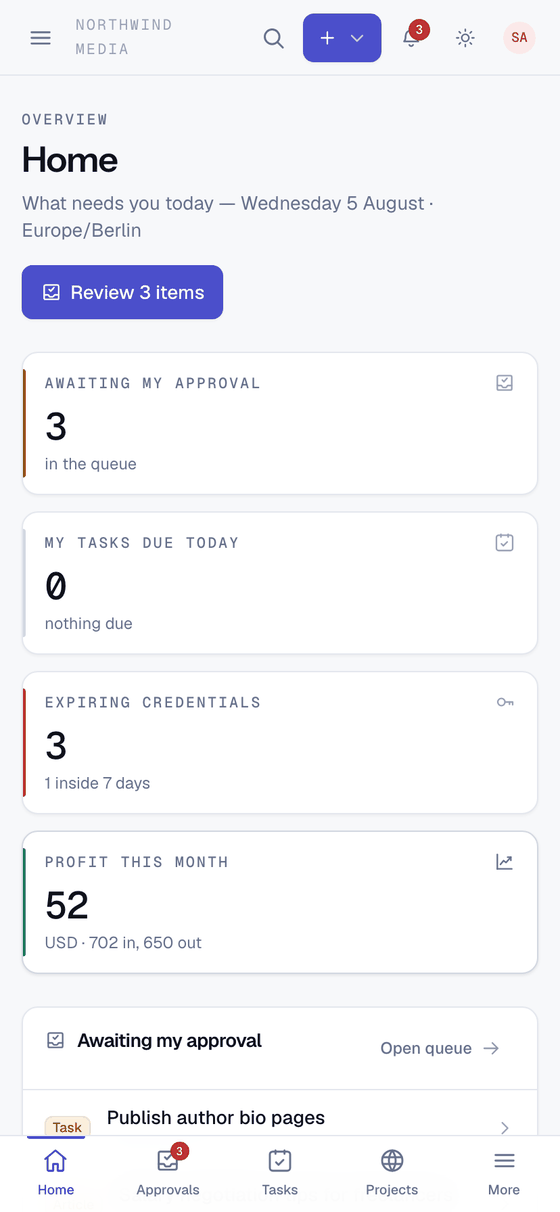
Mobile isn’t a cut-down app — same navigation:
Why shared hosting shaped this
The whole app runs on PHP and MySQL: no Node runtime on the server, no Redis, no queue daemon, no websockets, no container. Deployment is two zip files over FTP and a cron entry.
That constraint made a few good habits stick:
- Sessions, cache and queues run on the database or filesystem. Nothing assumes Redis.
- Every queued job is safe to run late, out of order, or twice — a cron drip does all three.
- No reliance on
exec(),proc_open()orsymlink(). Backups are a pure-PHP SQL export. - Assets are built locally and uploaded. Fonts are self-hosted WOFF2 — no CDN in the runtime path.
Deploy it to a normal VPS and none of this hurts you — you just have headroom you are not using.
Security posture
- Vault secrets are encrypted at rest with
APP_KEY. The key is the lock: back up your vault before rotating it. - Decrypted secrets are never stored in component state, so they are not re-sent to the browser on later interactions.
- Money mutations and every credential reveal are written to an audit log.
- Financial records are soft-deleted only. Approved distribution runs are immutable.
- The optional AI assistant is excluded from credentials in code, not by convention, and an LLM never generates SQL that gets executed — questions map onto a fixed whitelist of read-only reports.
/_ops/{action}is the sharp edge. It runs migrations and cache commands over HTTP for hosts with no SSH. It 404s whenOPS_TOKENis empty or shorter than 32 characters, compares tokens in constant time, is rate-limited per IP, and should be switched off the moment a deploy finishes.- Two-factor authentication is scaffold only: the database columns and a settings toggle exist, but there is no enrolment and no login challenge. Turning the toggle on protects nothing.
Report vulnerabilities privately — see SECURITY.md.
Stack
PHP 8.3+ · Laravel 13 · Livewire 4 · Alpine.js · Tailwind CSS 4 · Blade · MySQL 8 (SQLite locally) · Vite 8 · Pest 4 · Pint.
No React, no Vue, no Inertia, no SPA.
Tests
php artisan test        # 110 tests, SQLite in-memory
vendor/bin/pint --test  # code style
CI runs the suite on PHP 8.3, 8.4 and 8.5. Money calculations and approval flows require tests — see CONTRIBUTING.md.
Deploying
./deploy/package.sh # → deploy/dist/app.zip + public.zip
app.zip goes to laravel_app/ outside the web root, public.zip to public_html/. Migrations run through the token-gated ops route because there is no SSH. Two cron entries handle the scheduler and a queue:work --stop-when-empty drip.
Non-techie Hostinger checklist: docs/SHARED_HOSTING_FOR_BEGINNERS.md. Full technical walkthrough: DEPLOYMENT.md.
Status and known gaps
All seven planned milestones are done and the app is in production use. See CHANGELOG.md.
Honestly:
- Pick
MONEY_BASE_EXPONENTbefore entering data. Stored integers carry no scale, so changing it later reinterprets every amount. There is no migration for that. - Column names keep their original
_paisa/_pkr_paisasuffixes. They mean "minor units of the base currency" whatever currency you configure; renaming them would break existing installs for no functional gain. - Multi-currency is one base plus one optional input currency, not arbitrary per-project currencies.
- Reports are tables. No charting library.
- Wide financial tables scroll sideways on phones rather than reflowing into cards.
- Editing happens in modals and side forms, not inline.
- 2FA is scaffold only (see Security above).
Docs
| docs/INSTALL.md | Local setup, configuration, troubleshooting |
| docs/SHARED_HOSTING_FOR_BEGINNERS.md | Short Hostinger checklist for non-techies |
| docs/USER_GUIDE.md | What each role can do, and the short path to common tasks |
| DEPLOYMENT.md | Shared-hosting deploy, ops route, cron, backups |
| docs/DESIGN_AUDIT.md | The design system and its accepted gaps |
| CONTRIBUTING.md | Setup, non-negotiable constraints, PR process |
| SECURITY.md | Reporting vulnerabilities |
| CHANGELOG.md | Release history |
Comments