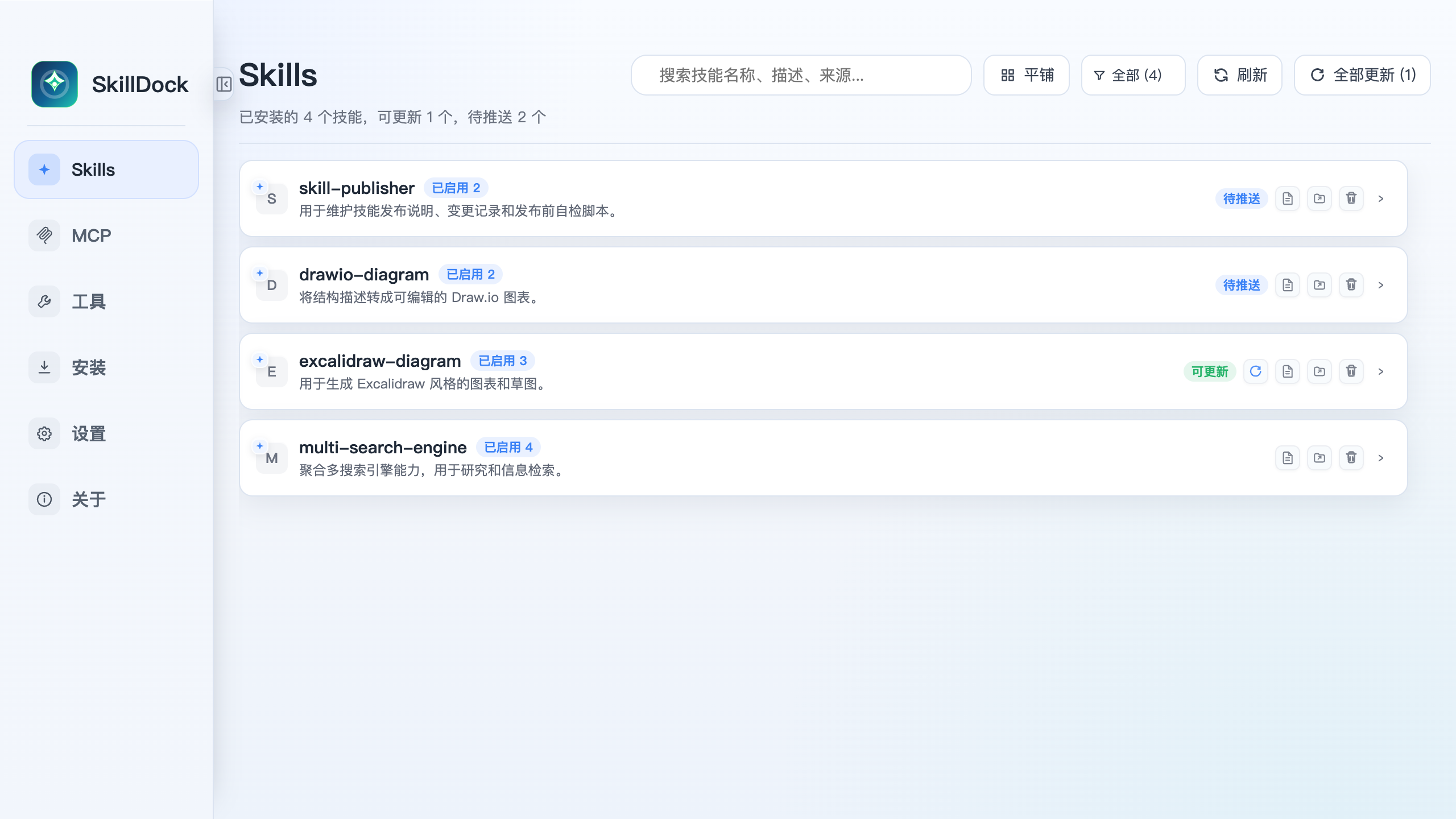
Managing AI skills and MCP servers has become a practical concern for developers running multiple AI-assisted coding tools. Tools like Claude Code, Cursor, and Windsurf each have their own ways of pulling in plugins or extensions. Some users maintain configuration files manually, others rely on plugin managers specific to one platform. The result is fragmentation: you update something in one tool and forget to propagate it elsewhere.
SkillDock attempts to consolidate that sprawl into a single desktop control center. Built by wanghuan9, the project is a purpose-built manager for AI Skills and MCP servers. It watches a Git repository for changes, pulls updates, and pushes configurations into several target tools at once. That includes Claude Code, Codex, Cursor, Windsurf, Gemini CLI, and GitHub Copilot.
What skill-manager does differently
The core idea is Git-aware updates. Rather than relying on each AI tool's proprietary plugin ecosystem, SkillDock treats the skill and MCP server definitions as version-controlled assets. When the tracked repository changes, the manager detects it and syncs downstream. This means you can manage one source of truth in a repo and let the control center distribute it.
The supported sync targets cover a wide range of popular AI coding assistants. If you use more than one of these tools, that overlap is where SkillDock earns its keep. Instead of editing config files in five different places, you edit once and let the manager handle propagation. The project explicitly lists Claude Code, Codex, Cursor, Windsurf, Gemini CLI, and GitHub Copilot as supported destinations.
It is worth noting the project is relatively new. With 71 GitHub stars at time of writing, it sits in early-adopter territory. The README describes the functionality clearly, but the surrounding ecosystem of tutorials or community discussion is still thin. This is a project you'd evaluate for yourself rather than adopt on reputation alone.
Quick start
The project's releases page is where you can find builds: https://github.com/wanghuan9/skill-manager/releases/latest. There is no pip install or go get command mentioned in the available information, so the typical path is grabbing the release artifact and running it locally. If you want the latest binary, that release page is the place to check.
Once installed, the workflow is: point SkillDock at your Git-tracked skill or MCP server definitions, let it monitor for changes, and configure which target tools should receive updates. The exact flags or config file format aren't detailed in the seed facts, so consult the repository's documentation after cloning or downloading.
Trade-offs
Pros: One place to manage definitions across multiple AI tools. Git-based tracking means you get version history and rollback for free. The supported tool list is broad enough that most people running AI-assisted editors will find at least two targets they use.
Cons: The project has no stated language in the seed facts, which makes it harder to gauge maintenance expectations or community contributions. At 71 stars, the user base is small. There is no mention of a plugin ecosystem, web UI, or cross-platform specifics in the provided details, so expectations should be modest. If you only use one AI tool, the overhead of running a separate management layer likely isn't worth it.
It is also heavier than manually editing config files for a single tool. If you have a simple setup with one editor and a handful of MCP servers, SkillDock adds an extra moving piece. For teams or power users juggling several AI assistants, the trade-off shifts in its favor.
The source is on GitHub.
Comments