Recensa
See what your agents actually did.
A self-hosted viewer for your Claude Code session transcripts — read, search,
replay, and audit every session you have ever run. Your transcripts stay on your
machine; nothing is uploaded anywhere.
Quick start · Tour · Why · Themes · Security · Architecture · Contributing
Every Claude Code session you run is written to disk as raw JSONL under
~/.claude/projects/ — the full conversation, every tool call, the model's thinking,
every subagent it spawned. Then it just sits there, unreadable. Want to know how you
fixed that bug last month? What that 40-minute agent run actually changed? Which of
your prompts sent it down a dead end? Good luck grepping.
Recensa indexes those transcripts into a local SQLite database and serves a
three-pane reader at http://localhost:7788. Reading never modifies your
transcripts, and the index is a disposable cache you can rebuild at any time.
Quick start
You need Docker (Docker Desktop on Windows/macOS; Docker Engine with Compose v2 on
Linux) and a ~/.claude directory with some sessions in it. Rootless Docker and
Podman work too — uid alignment is automatic. Give the container ~1 GB of memory
headroom for the first big index.
Try it — run the prebuilt image straight from Docker Hub:
docker run -d --name recensa -p 127.0.0.1:7788:7788 \
  -v "$HOME/.claude:/data/claude:z" \
  -v recensa-data:/app/backend/data \
  s40911120/recensa
On Linux, ~/.claude/projects is created owner-only (700/600) by the host CLI, so the
container needs a matching uid/gid to read it — it detects this on its own from the
mount, no flags required (override with -e PUID=... -e PGID=... if the mount's owner
isn't the account you want). The trailing :z relabels the mount for SELinux-enforcing
hosts (RHEL/Fedora/CentOS, Podman); it's a no-op everywhere else, so it's safe to
always include.
# Windows — use PowerShell, not Git Bash (MSYS rewrites the /data/... paths).
# In cmd.exe, replace $env:USERPROFILE with %USERPROFILE% and the backticks with ^.
docker run -d --name recensa -p 127.0.0.1:7788:7788 `
  -v "$env:USERPROFILE\.claude:/data/claude" `
  -v recensa-data:/app/backend/data `
  s40911120/recensa
Or with Compose, using the prebuilt image:
# compose.yaml
services:
  recensa:
    image: s40911120/recensa
    container_name: recensa
    ports:
      - "127.0.0.1:7788:7788"
    volumes:
      - type: bind
        source: /home/you/.claude        # your absolute .claude path
        target: /data/claude
        bind:
          selinux: z
      - recensa-data:/app/backend/data
    restart: unless-stopped
volumes:
  recensa-data:
Or from source:
git clone https://github.com/S40911120/recensa.git && cd recensa
cp .env.example .env             # set CLAUDE_HOME to your .claude path
docker compose up -d --build
Then open http://localhost:7788. The first index runs in a background worker and
can take minutes to tens of minutes depending on how many sessions you have — the UI
is usable while it runs, and progress shows in a floating pill in the corner. An empty
list while that pill is moving is normal; an empty list with no pill means the
mount points at the wrong place — check docker logs recensa (the container calls out
mount problems explicitly) and see Troubleshooting.
A tour
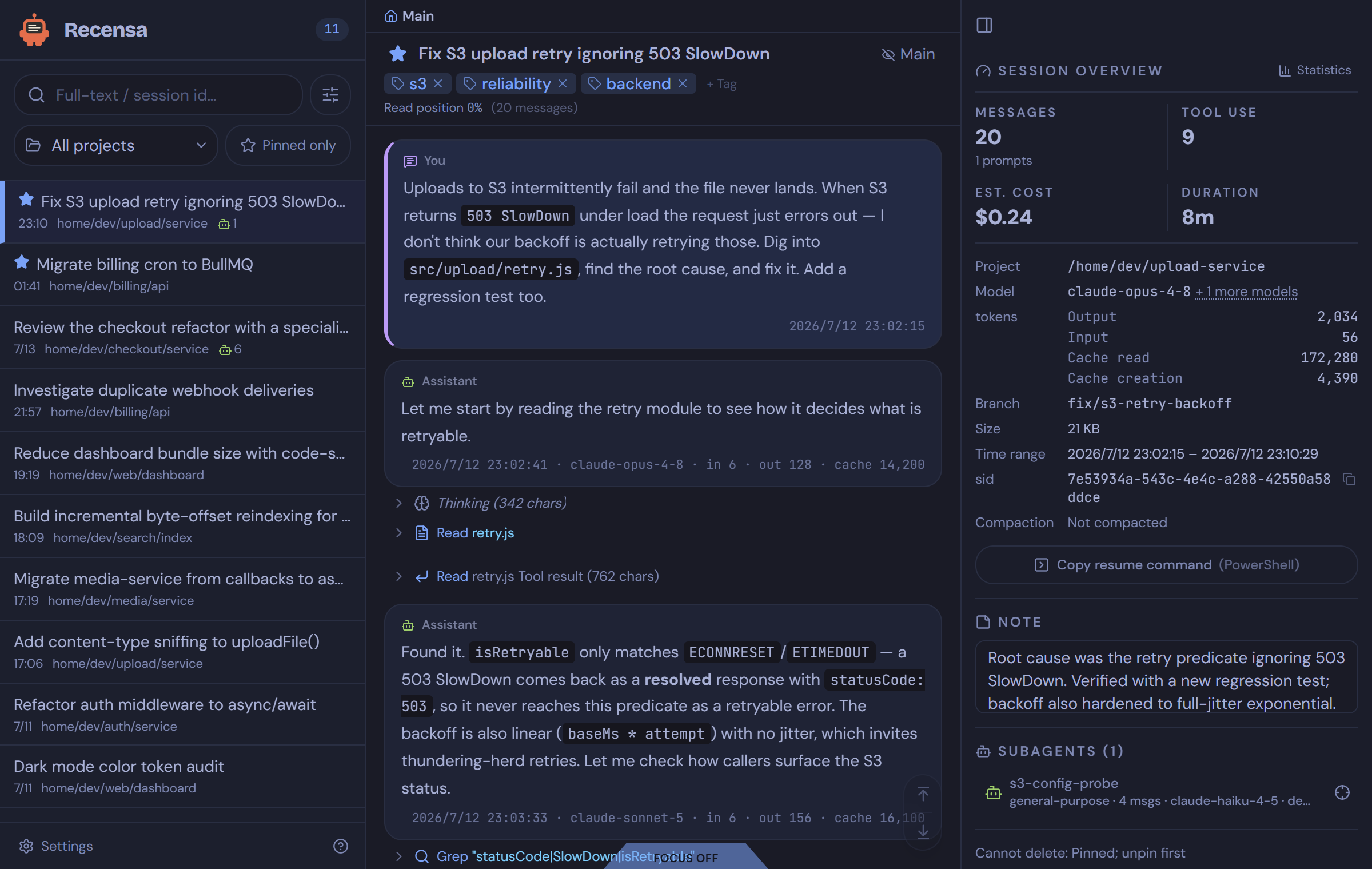
Search all of it, not the last five. Claude Code's resume picker shows a handful of recent sessions. Recensa's full-text search (SQLite FTS5, CJK-aware) covers every session you have ever run — "how did I fix that S3 retry bug?" is one query away.
Follow the conversation, not the noise. One session can hold thousands of tool
calls. God-view folds tools, thinking, and system noise into landmark rows you can
expand on demand. Async tool results are paired back to their call with a shared
colored rail, so a tool_result landing twelve messages later still reads as one
step.
Or cut the noise down two ways. The Main toggle (top right) folds every tool
call and thinking block away, leaving only your prompts and the model's replies.
Focus mode (the tab at the bottom) hides the app chrome itself — panels, header,
breadcrumb — for full-width, distraction-free reading. Esc exits.
See exactly what changed. Every Edit in a session renders as a real diff —
before in red, after in green, per-file, with timestamps. Audit an agent's changes
without leaving the reader.
Know what a session cost. Per-session statistics break down tool usage, files created / edited / deleted, model mix, token flow, and an estimated dollar cost.
Audit multi-agent runs. When a session spawns subagents or teammates, Recensa rebuilds the roster from the transcripts: every agent with its type, message count, and model in the info panel, a crosshair that jumps to the exact call site where it was spawned, and an "Open subagent transcript" deep-link into the agent's own conversation — and back.
Navigate compaction like it never happened. When Claude Code compacts a long session, the pre-compaction text is gone from the working context — but not from the transcript chain. Recensa marks every compaction point in the stream, lists them in a Compaction History panel so you can jump straight to any boundary, tracks your read position within the current compaction segment, and can reconstruct the full pre-compaction conversation, merged across the fork/resume chain, as a read-only view.
Keep your reading state. Pin, tag, rename, and annotate sessions. Your curation
lives in its own database (flags.db) that index rebuilds never touch. Live
sessions update in real time over WebSocket while Claude Code is still writing them.
Reads fine on a phone. The layout is responsive: on narrow screens the session list and the info panel become swipe-in drawers around the conversation, so checking what an agent did from the couch actually works.
Everything else
The smaller things you notice after a day of use:
- Advanced search filters — narrow a query by session-id prefix, model, or a date window; filter the session list by project or to pinned-only.
- Copy the resume command — one button in the info panel yields the exact
claude --resumeinvocation for the session, ready to paste into a terminal. - Rich tool rendering — TodoWrite checklists, AskUserQuestion choices, and Bash output render as structured blocks, not JSON dumps; Markdown and syntax highlighting throughout.
- Position that survives navigation — jumping into a subagent and back restores your exact scroll position; every session remembers how far you have read.
- Keyboard-friendly —
j/kwalk messages,/focuses search,g/Shift+Gjump to the ends,?shows the full palette; skip-links cover the reader and info panel. - Copy anything — per-message and per-code-block copy buttons.
- Custom titles, reading font size — rename cryptic sessions; tune the reader.
- Indexing that stays out of the way — first index runs in a worker with a progress pill; the UI stays responsive while it fills in.
Why Recensa
Claude Code gives you /context, /resume, and /compact; everything behind them
stays a black box — the raw JSONL, the token breakdown, the tool-call chains, the
point where a run looped or failed. A real run also spawns a team of subagents, and
none of that is visible in Claude Code or Claude Desktop. Recensa rebuilds the full
picture from the transcripts already on your disk:
- Raw JSONL is unreadable. Recensa renders it as a conversation you can follow.
- The resume picker only shows the last few. Full-text search covers all of them.
- Noise buries the signal. God-view folds thousands of tool calls into landmark rows and keeps the main line readable.
- You can't tell what a run cost. Stats break down tools, files, models, tokens.
- Fork and resume chains fragment history. Recensa reconstructs the full pre-compaction conversation across merged transcript files.
- One bad structural edit can brick a transcript (a permanent API 400). Recensa reads without side effects; structural repair is a separate, guarded tool (@recensa/claude-session).
Non-goals
- Not an editor. It never rewrites transcript content. The only write path to your transcripts is the explicit, guarded session delete described in Security and your data.
- Not a cloud service. No accounts, no telemetry, no external network calls.
- Not a Claude Code replacement. It reads the transcripts Claude Code already writes to disk.
- Not a general log viewer. Built for Claude Code session JSONL, not arbitrary logs.
- Not a multi-user or fleet service. One machine, one
~/.claude, one viewer. Kubernetes manifests, multi-host transcript aggregation, and public-internet exposure are out of scope by design.
Themes
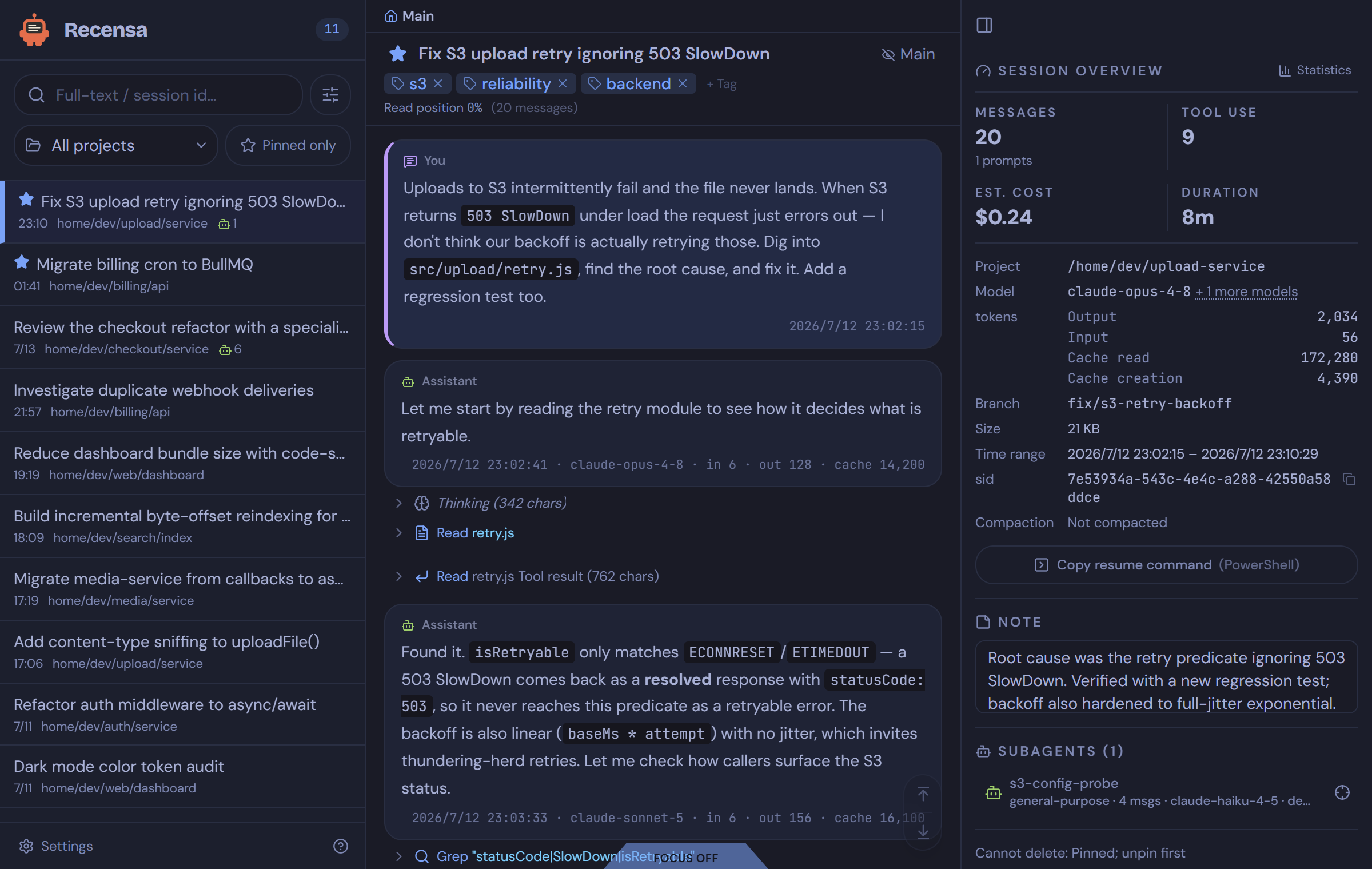
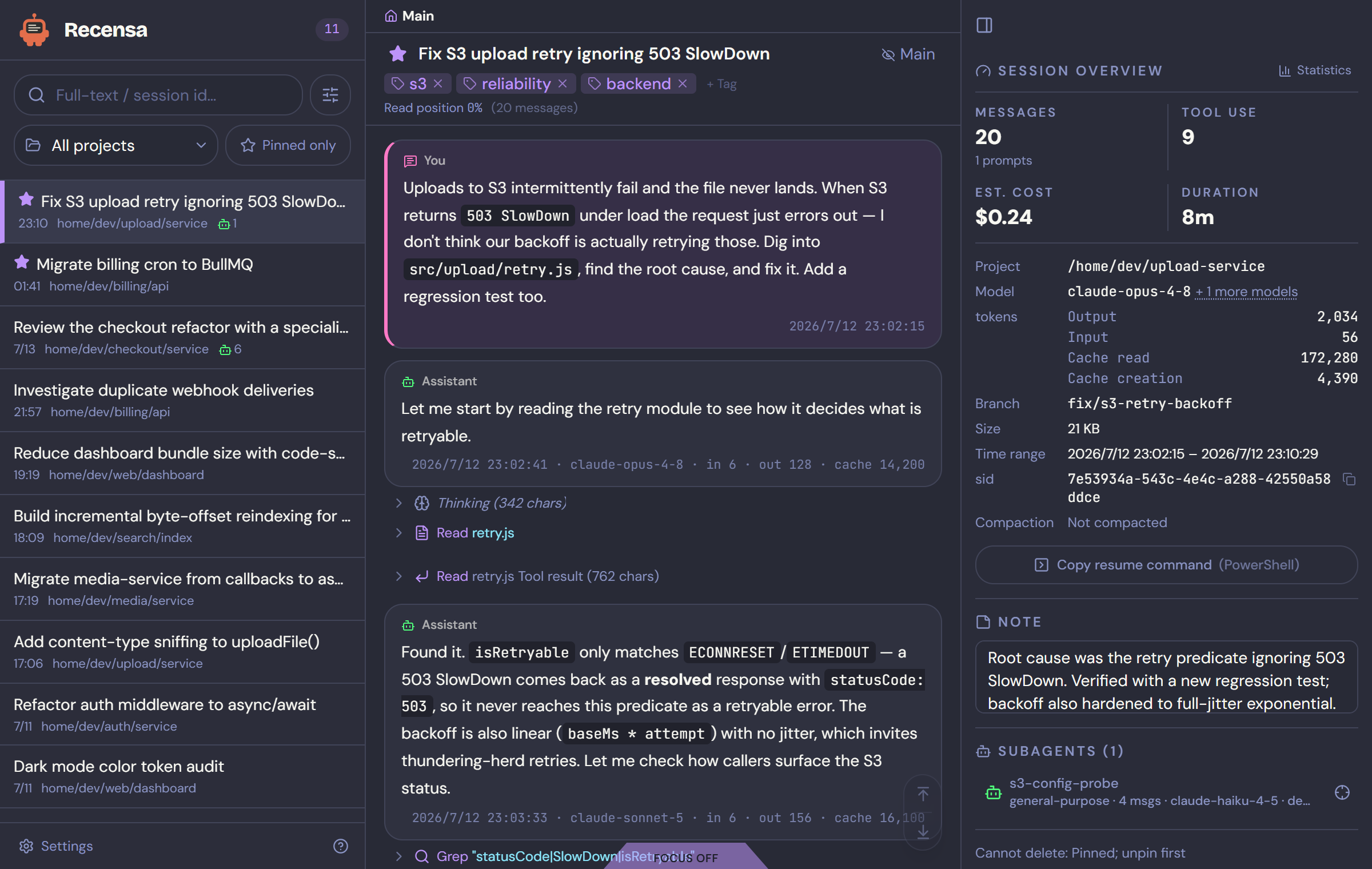
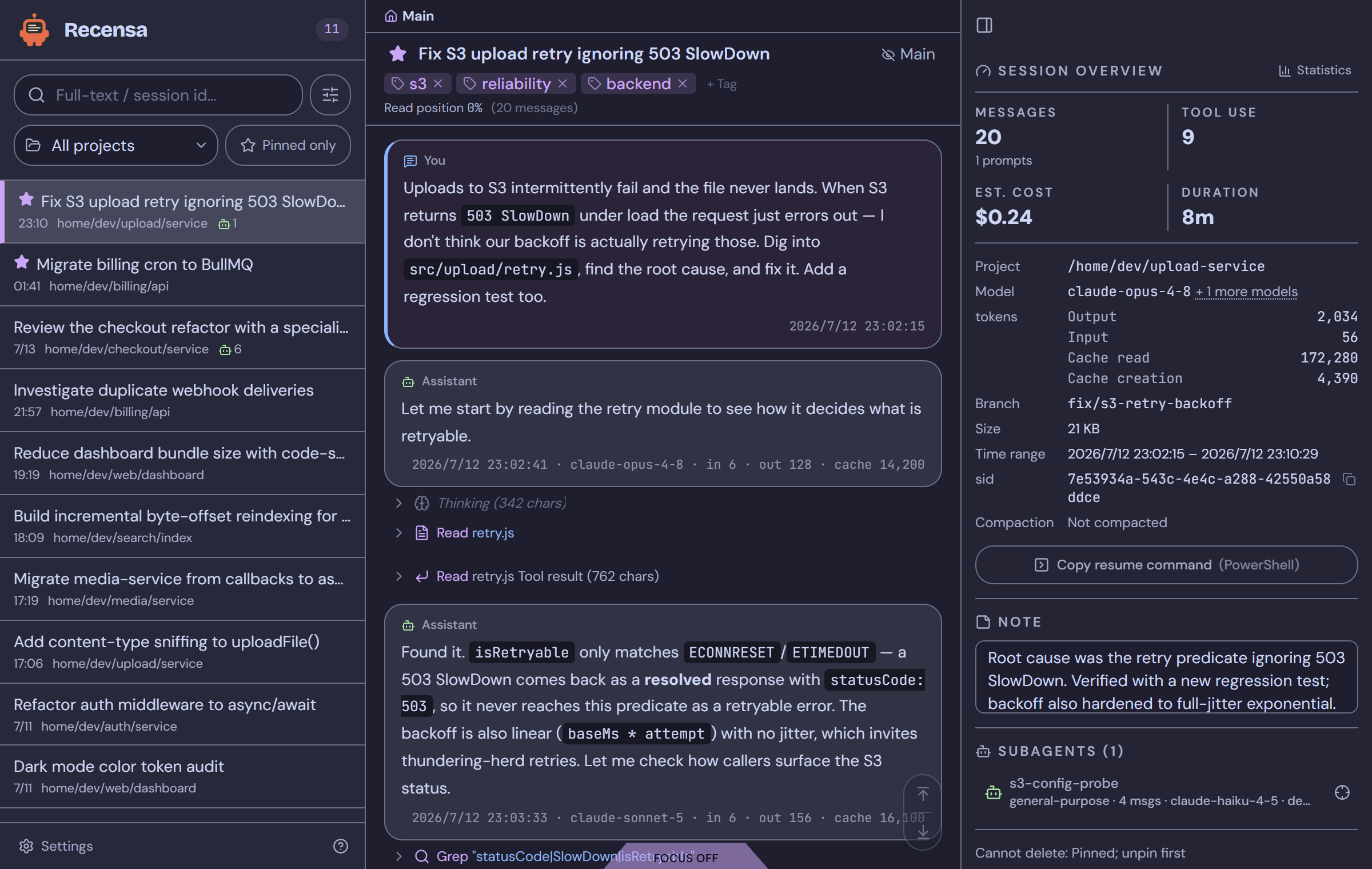
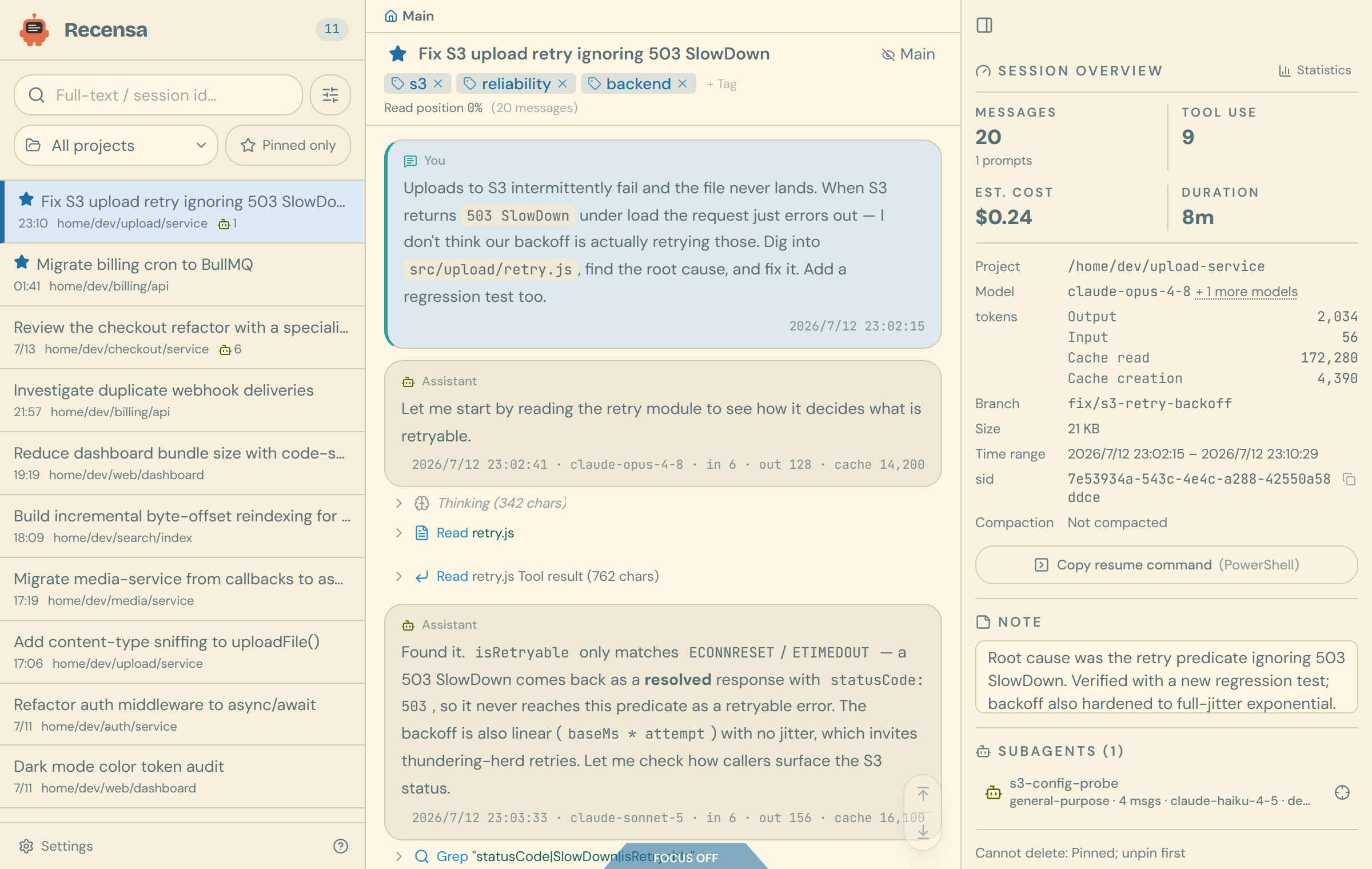
Fourteen themes — four light, ten dark — as color-scheme homages to classic editor palettes: Dracula, Tokyo Night, Nord, Gruvbox, One Dark Pro, Monokai, Catppuccin (Latte and Mocha), Solarized (Light and Dark), Rosé Pine, GitHub (Light and Dark), and the warm-light Classic. The active theme is injected server-side into the HTML, so there is no flash of the wrong theme on load.
 |
 |
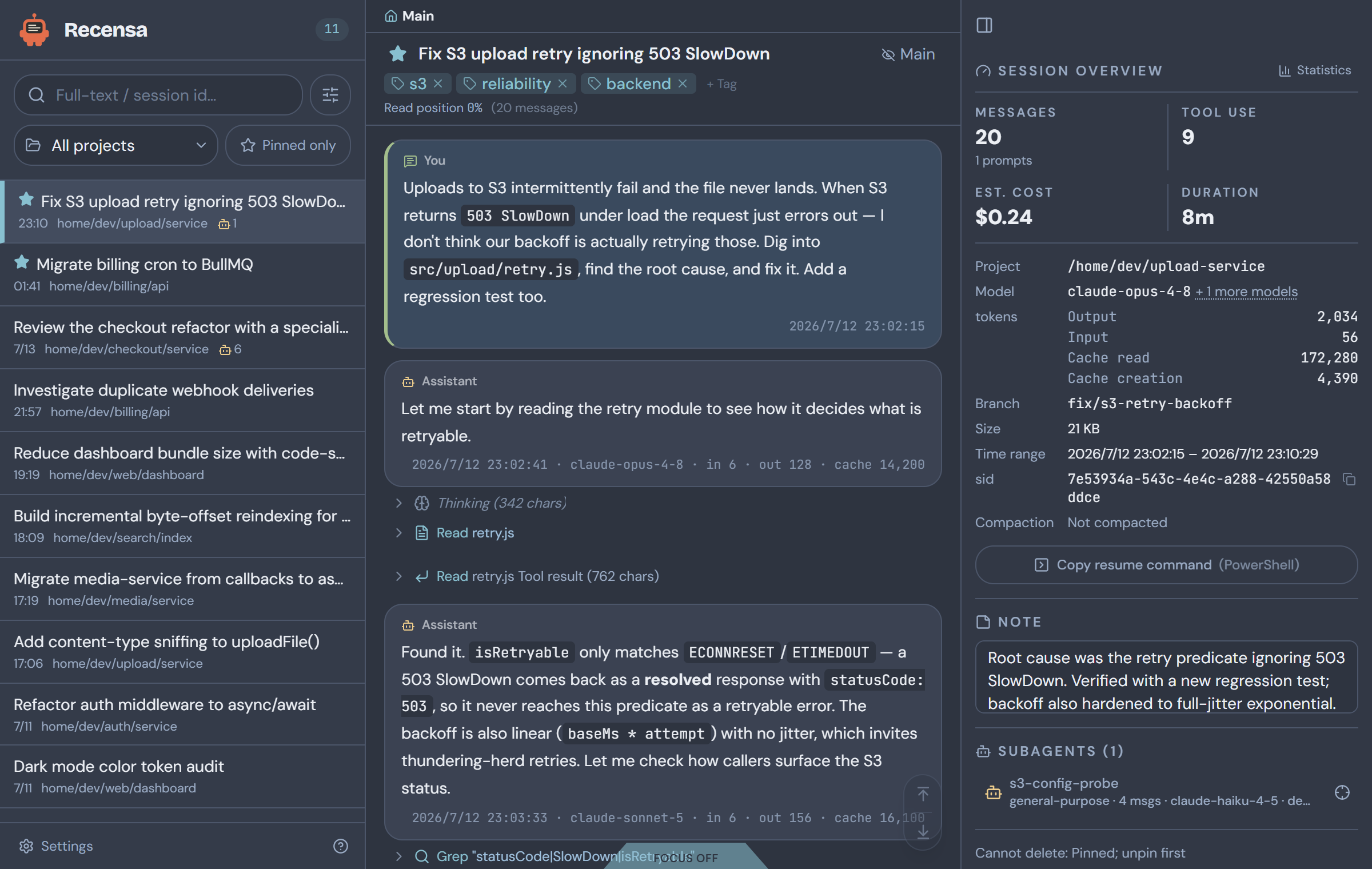 |
| Tokyo Night | Dracula | Nord |
 |
 |
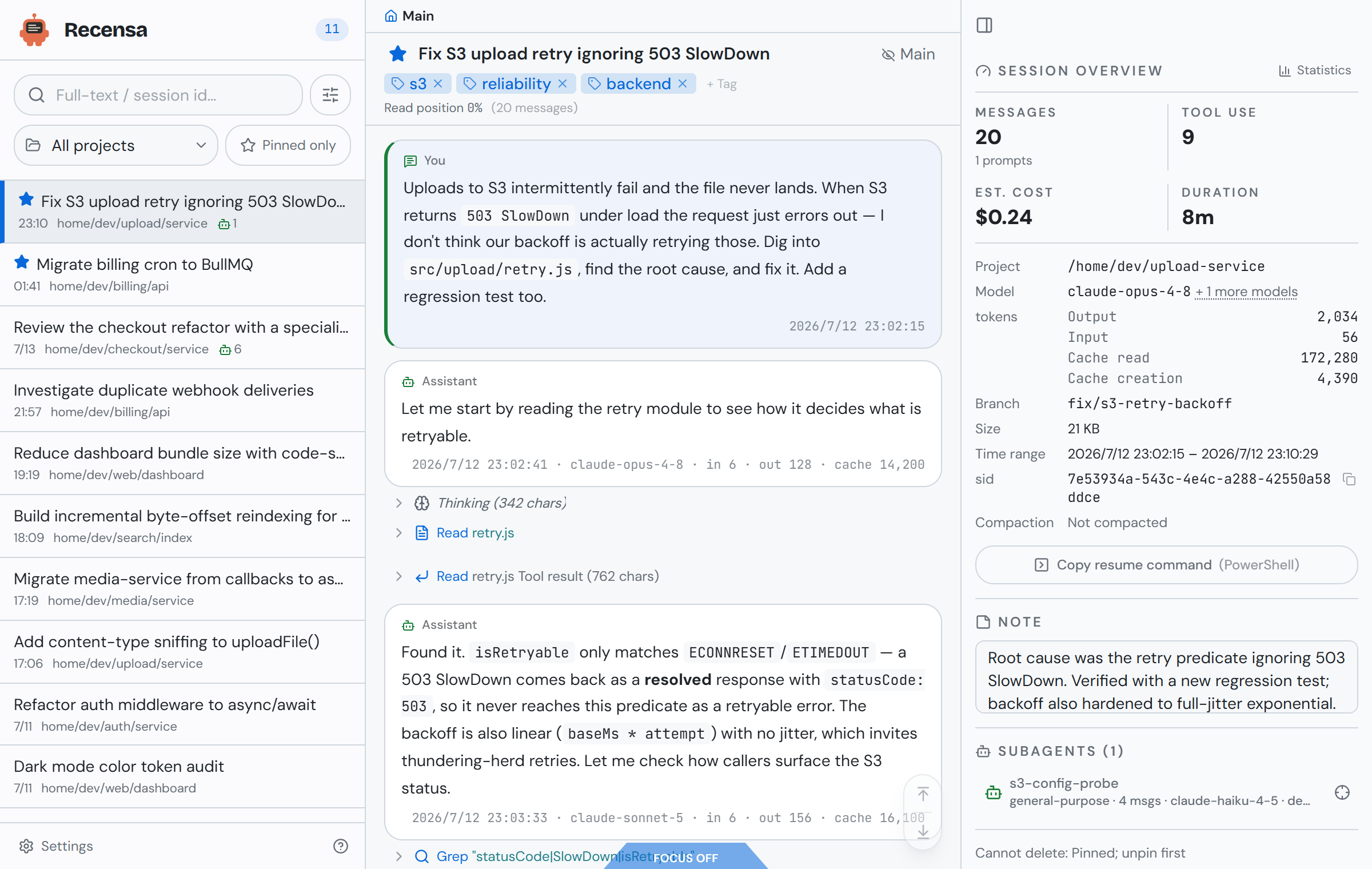 |
| Catppuccin Mocha | Solarized Light | GitHub Light |
Upgrading
The git tag is the source of truth; every release ships to Docker Hub as
s40911120/recensa:<version> and :latest (see VERSIONING and the
CHANGELOG). Your pins/tags/notes live in the recensa-data named
volume and survive upgrades untouched; the index cache rebuilds itself when needed.
# docker run path
docker pull s40911120/recensa
docker rm -f recensa
# ...then rerun the same `docker run` one-liner from Quick start

# compose path (prebuilt image)
docker compose pull && docker compose up -d

# compose path (from source)
git pull && docker compose up -d --build
Troubleshooting
The reader loads but the session list is empty, or the logs show an empty mount.
The mount points at the wrong place. Check docker logs recensa — the container
prints an explicit docker-entrypoint: ... does not exist line when the mounted
directory is missing. On the Compose-from-source path the usual cause is
CLAUDE_HOME: on Windows, Compose's ${HOME} fallback is typically unset under
PowerShell and cmd, so the bind mount comes up empty. Set CLAUDE_HOME explicitly in
.env to an absolute path with forward slashes (C:/Users/you/.claude), then rerun
docker compose up -d --build. If you used the docker run one-liner from Git Bash
instead of PowerShell, MSYS path rewriting is the likely culprit — rerun it from
PowerShell.
Some sessions are missing, and the logs show EACCES on individual files. A few
transcripts probably have a different owner than the rest — this happens when the CLI
was once run with sudo. The container warns about it at startup (resolved uid ... cannot read ...). Fix the ownership on the host: chown -R $(id -un) ~/.claude/projects.
Rootless Docker or Podman. Supported and automatic: under a rootless engine the
container detects it and runs as container root, which maps to your unprivileged host
user — that is what can read the owner-only mount. If you need to force it, set
-e PUID=0 explicitly.
docker compose up fails with "port is already allocated", or 7788 never
responds. Something else on the host already holds 7788. Publish on a free port
by setting RECENSA_HOST_PORT in .env, then rebuild:
RECENSA_HOST_PORT=7799
The container always listens on 7788 internally; only the host-side port changes,
so open http://localhost:7799. Running from source instead of Docker? Set
SESSION_VIEWER_PORT — that is the port the server process itself binds.
Custom hostname (optional). To reach it at, say, http://recensa.local:7788: add
127.0.0.1 recensa.local to your hosts file (as administrator), and add the name to
the allowlist with RECENSA_ALLOWED_HOSTS=recensa.local — without that second step
the server answers 403 (and logs which host it rejected).
Operations
Cloned the repo? All operations go through one entry point (requires Node 22+ on the host):
node backend/scripts/ops.js <command>
Running the prebuilt image without the repo? The native equivalents:
docker logs -f recensa (logs), docker rm -f recensa (down), docker restart recensa (restart).
| Command | What it does |
|---|---|
up |
Build the image and start the container (docker compose up -d --build) |
down |
Stop and remove the container |
restart |
Restart the running container |
logs |
Follow container logs |
status |
Container state and health |
smoke |
End-to-end smoke test (health / list / paging / host allowlist) |
check |
Type-check, lint, and unit tests, backend and frontend |
backfill-chain |
Recompute derived columns after a schema change (runs in the container) |
vacuum |
Shrink the DB file after large deletes or an FTS migration (runs in the container) |
Architecture
Two databases are kept deliberately separate. viewer.db is fully derived from the
JSONL and can be deleted and rebuilt at any time. flags.db holds your pins, tags,
and notes, which cannot be recomputed, so index rebuilds never touch it.
Session-JSONL parsing, verification, and reconstruction are delegated to @recensa/claude-session, a zero-dependency npm package that also works standalone as a CLI.
Data integrity is checked mechanically. An independent recompute of msg_count,
tokens, tool calls, and the model list against the raw JSONL matches the index across
sampled sessions, and the msg_count alignment invariant is locked by unit tests.
Configuration
Set these two in .env before the first run (Compose path):
| Env var | Default | Meaning |
|---|---|---|
CLAUDE_HOME |
(required) | Absolute host path to your .claude directory. Its projects/ subdirectory holds the session JSONL. Bind-mounted into the container. On Windows use forward slashes (C:/Users/you/.claude). |
RECENSA_HOST_PORT |
7788 |
Host port to publish. Override only if 7788 is already taken. The container always listens on 7788 internally. |
Advanced overrides (for running from source or remote self-hosting):
| Env var | Default | Meaning |
|---|---|---|
SESSION_VIEWER_PORT |
7788 |
HTTP/WS port the server listens on. |
SESSION_VIEWER_HOST |
127.0.0.1 |
Bind address. The container sets 0.0.0.0 so the published loopback port can reach it. |
RECENSA_PROJECTS_DIR |
~/.claude/projects |
Root of the session JSONL tree (shared with the recensa-session CLI). The image bakes in /data/claude/projects (the documented mount target), so Docker deploys don't need to set it. |
PUID / PGID |
(auto) | Linux only: the uid/gid the container runs as. Auto-detected from the mounted directory's owner; set explicitly only to override that (e.g. PUID=0 under an unusual rootless setup). |
RECENSA_ALLOWED_HOSTS |
(none) | Extra comma-separated hostnames added to the Host/Origin allowlist. Needed behind a reverse proxy or a custom hosts-file name (see Security). |
RECENSA_WATCH_MODE |
(auto) | Watch strategy: events (native fs events) or tick (polling). Auto-selects tick inside Docker (where bind-mount fs events are unreliable) or when RECENSA_PROJECTS_DIR is set. |
Security and your data
Recensa is built for single-machine, local use. It ships no authentication.
- Loopback bind is the boundary. By default the server binds
127.0.0.1and Docker Compose publishes the port to127.0.0.1only. On one machine, that loopback bind is what actually keeps the service private. - The Host/Origin allowlist does two jobs, and neither is a login. It is primarily
DNS-rebinding defense: it stops a malicious web page from using your browser to reach
the loopback server. It additionally gates cross-origin writes (next bullet). It is
still not access control: a non-browser client that can reach the port can forge the
HostandOriginheaders and walk past it. - Mutating requests require an allowlisted
Origin(CSRF write-gate). Every state-changing method (POST/PUT/DELETE/PATCH) must send anOriginheader that is present and on the allowlist; GET/HEAD keep it optional. A browser always attachesOriginto a same-origin mutating fetch and cannot forge it cross-site, so another site open in your browser cannot drive writes against your local server. This closes the cross-origin write path; it does not replace auth. - Do not expose Recensa on
0.0.0.0or a public interface without your own auth and a reverse proxy (TLS) in front of it. Adding names viaRECENSA_ALLOWED_HOSTSwidens the rebinding allowlist; it does not add access control.
Your transcripts:
- Reading never writes. The indexer, parser, and reconstruction paths only read your JSONL.
- One write path exists: deleting a session.
DELETE /api/session/:idphysically removes the session's JSONL file and its subagents directory from disk. This is irreversible. It is guarded: pinned sessions, sessions that belong to a fork/resume chain, and individual subagents are all refused. Nothing else writes to your transcripts. - Your curation is safe. Pins, tags, notes, and titles live in a separate
flags.dbthat index rebuilds never touch. Theviewer.dbindex is a disposable cache.
No secrets, no telemetry, no external network calls.
Backup and uninstall
Your pins, tags, notes, and titles live in flags.db, inside the Docker named volume
recensa-data. That data is not derived from the transcripts and cannot be
recomputed — one command backs it up any time (not just before uninstalling):
# with the container still present, copy flags.db out of the volume
docker cp recensa:/app/backend/data/flags.db ./flags.db.backup
Then stop and remove the container, and optionally the image:
node backend/scripts/ops.js down        # stop and remove the container
docker image rm s40911120/recensa       # optional: drop the pulled image
down leaves the recensa-data volume in place, so a later rebuild keeps your
curation. docker compose down -v also deletes that volume — which destroys
flags.db permanently. The viewer.db index in the same volume is a disposable
cache that rebuilds from your JSONL, so losing it only costs the next reindex. Your
transcripts under ~/.claude are never touched by uninstalling.
Comments