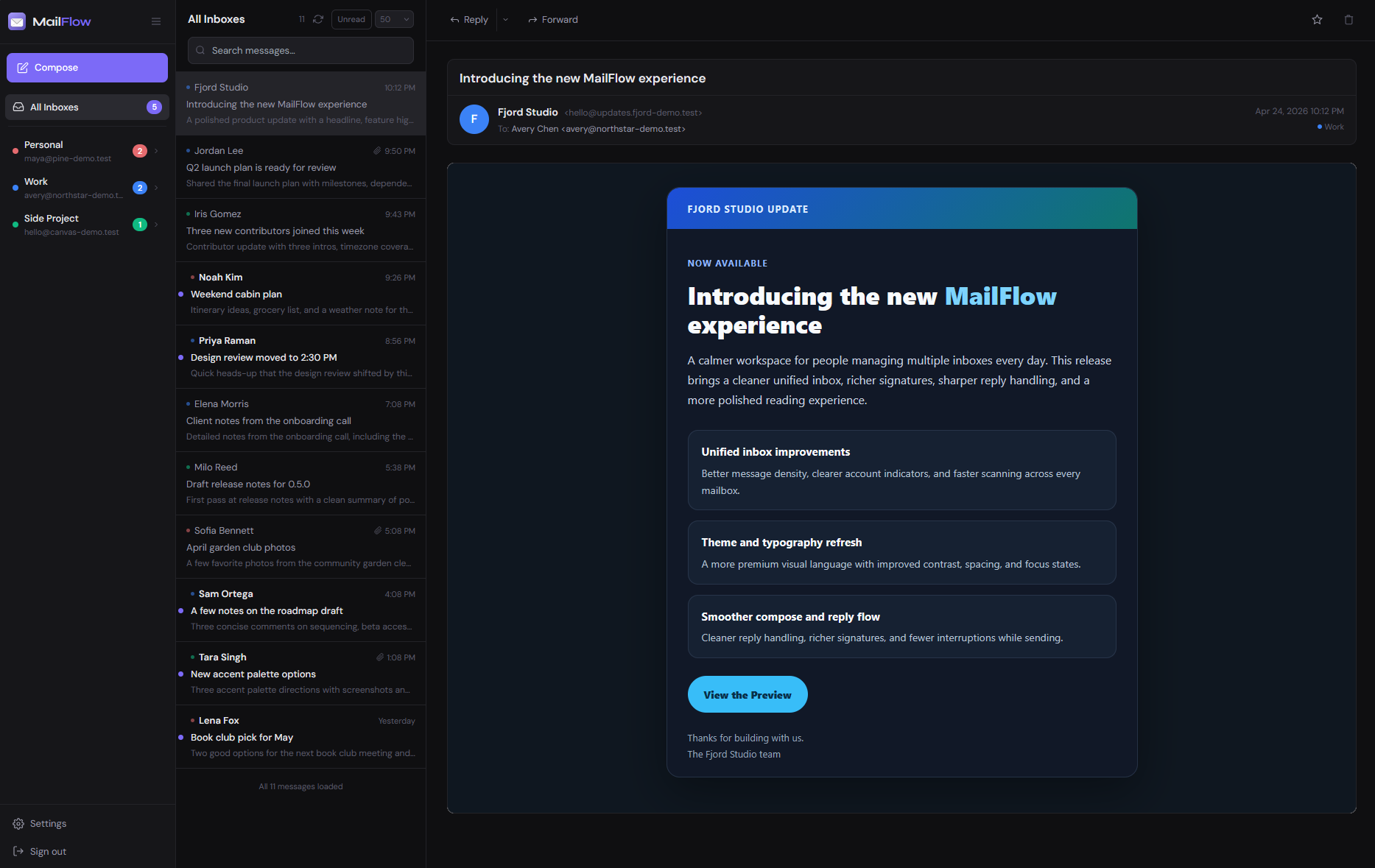
MailFlow is a self-hosted webmail client designed to consolidate multiple email accounts—Gmail, iCloud, Outlook, and custom IMAP/SMTP services—into a single, unified interface. It targets users who rely on several email identities but prefer not to juggle separate apps or browser tabs. Unlike traditional email clients, MailFlow runs entirely on your own infrastructure, giving you control over data, authentication, and appearance. The project is built with JavaScript and is currently in beta, with 42 stars on GitHub as of its latest public activity. Its official site, mailflow.sh, hosts documentation and links to the source repository at github.com/maathimself/mailflow.
Core features
MailFlow’s interface centers on aggregation and flexibility. It merges messages from all connected accounts into a single chronological inbox. Users can switch between layout modes—including classic, compact, wide reader, and vertical split—without reloading. Appearance is customizable with built-in themes: light, dark, Catppuccin, and Gruvbox, each shown in the project’s screenshot gallery. Full-text search spans every account at once, relying on local indexing rather than external APIs. New messages trigger real-time notifications using WebSocket connections. Message actions—reply, forward, compose, star, delete, mark as read—are synced back to the original IMAP servers. Account management includes a dedicated admin panel, invite-only registration, and support for Microsoft 365 via OAuth2, which is required for modern work accounts that no longer accept basic auth.
Getting it running
MailFlow recommends Docker for deployment. Two files are needed: a docker-compose.yml and a .env configuration. These are fetched directly from the repository:
curl -o docker-compose.yml https://raw.githubusercontent.com/maathimself/mailflow/main/docker-compose.ghcr.yml
curl -o .env               https://raw.githubusercontent.com/maathimself/mailflow/main/.env.example
The .env file requires four values: APP_URL (e.g., https://mail.example.com), SESSION_SECRET, DB_PASSWORD, and ENCRYPTION_KEY. All can be generated using openssl rand -hex N, with N being 32 for the first and third, and 16 for the database password. After editing .env, launch the stack:
docker compose up -d
By default, MailFlow starts on port 443 with a self-signed TLS certificate. To enable automatic HTTPS with Let’s Encrypt, set DOMAIN and ACME_EMAIL in .env, remove the ports: block under the frontend service in docker-compose.yml, then run:
docker compose --profile https up -d
The first user to register via the web interface becomes the admin. No separate initialization step is needed.
Who this is for
MailFlow suits individuals or small teams managing multiple personal or professional email accounts and who already maintain a Linux server with Docker. It works well for people who want a clean, unified inbox but prefer to avoid SaaS email aggregators or desktop clients with limited IMAP support. Its OAuth2 compatibility with Microsoft 365 makes it viable for small businesses or contractors using work-issued Outlook accounts. Because it stores credentials and messages locally (with encryption at rest), it appeals to users prioritizing data sovereignty—though it’s not designed for high-scale or multi-tenant enterprise deployment. The beta label means stability and edge-case handling (e.g., IMAP server quirks, large mailboxes, or concurrent folder syncs) should be tested before relying on it for mission-critical workflows.
How it compares
MailFlow sits between full-featured email suites like Mailu or Modoboa and lightweight frontend-only tools like RainLoop. Unlike Mailu—which includes its own SMTP/IMAP servers—MailFlow is a client only: it connects to existing mail services and does not host mail transport or storage itself. Compared to RainLoop, MailFlow adds multi-account support, OAuth2, and real-time sync, but lacks RainLoop’s broader IMAP server compatibility and long-term stability track record. It’s also heavier than minimalist options like SquirrelMail or Roundcube in terms of dependencies (Node.js, PostgreSQL, Redis), though it trades that complexity for modern UI features and unified search. There are no official mobile apps or offline sync modes—everything runs in-browser.
MailFlow is not suited for users who need built-in spam filtering, calendar or contact sync, or server-side rules. It does not replace an email provider or handle domain hosting, DNS, or TLS certificate generation beyond the optional Let’s Encrypt integration. It assumes familiarity with Docker, environment variables, and basic Linux administration. If you want to run a self-hosted webmail client that unifies multiple accounts with a modern UI—and you’re comfortable editing .env files and managing containers—it might fit. The project’s GitHub repository is at github.com/maathimself/mailflow, and its live demo is available at mailflow.sh.
Comments