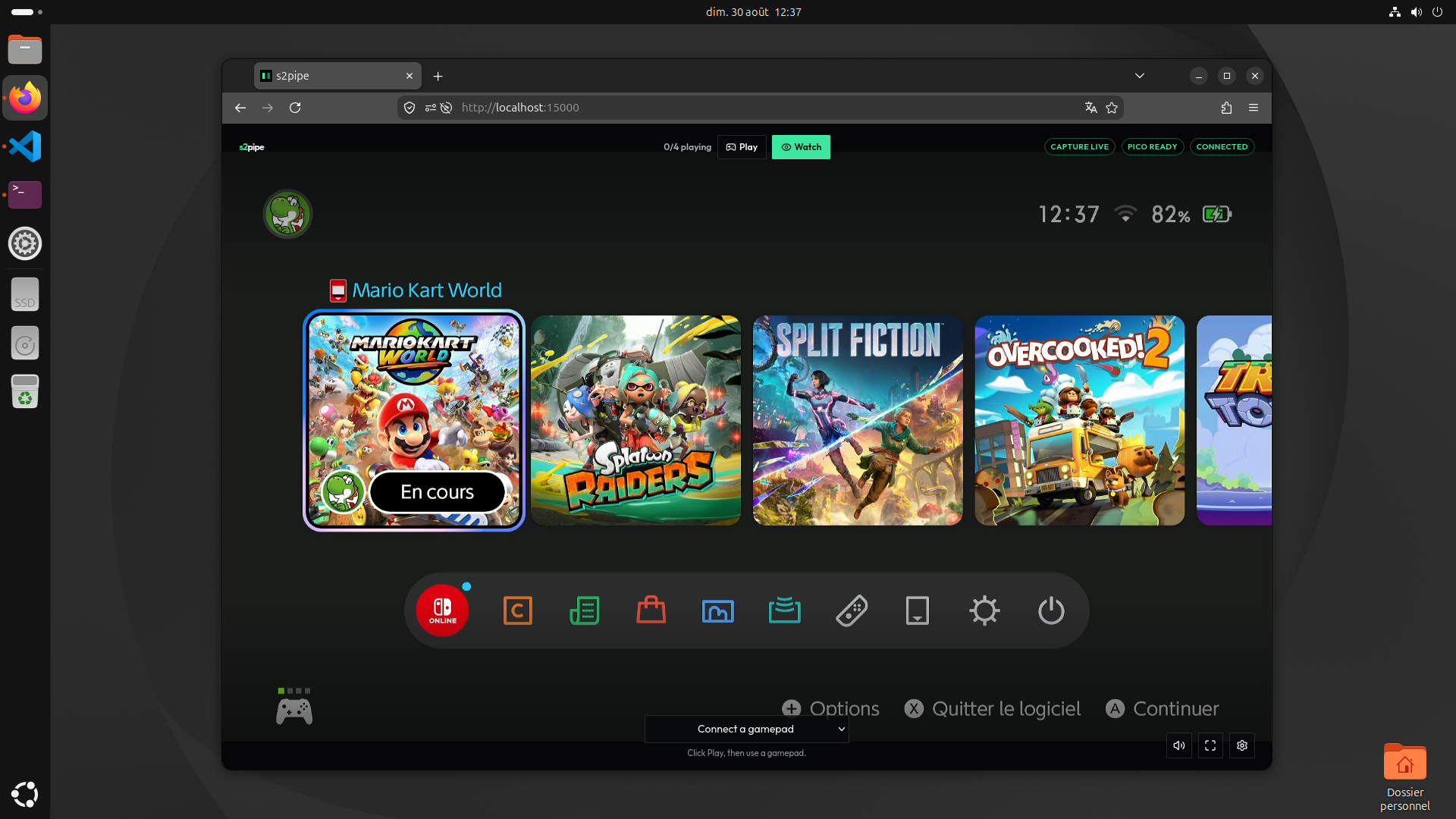
Self-hosted Switch 2 cloud play. The console stays on the Linux capture PC. Up to four browsers see the picture over WebRTC and play with a gamepad or keyboard. Inputs go to a Raspberry Pico that shows up on the Switch as 4 USB pads.
No cloud, no subscription, no client to install. No auth. Trusted LAN only. Do not expose this on the Internet.
Linux is the supported host. Plug the capture card and the Pico UART into the machine that runs Docker. Windows via usbipd is possible but discouraged (see Windows).
Switch 2 --HDMI--> capture --USB--> media (FFmpeg + MediaMTX)
                                         |-- ICE --> browsers
Browsers --WHEP + WebSocket--> node --UART--> Pico --USB--> Switch 2
| Piece | Path | Role |
|---|---|---|
| Media | docker/Dockerfile.media |
Encodes HDMI, serves WebRTC |
| Node | apps/node |
HTTP, WebSocket, Pico serial, WHEP proxy |
| Client | apps/client |
Browser UI |
| Firmware | firmware |
Pico: UART in, 4 USB pads out |
Result
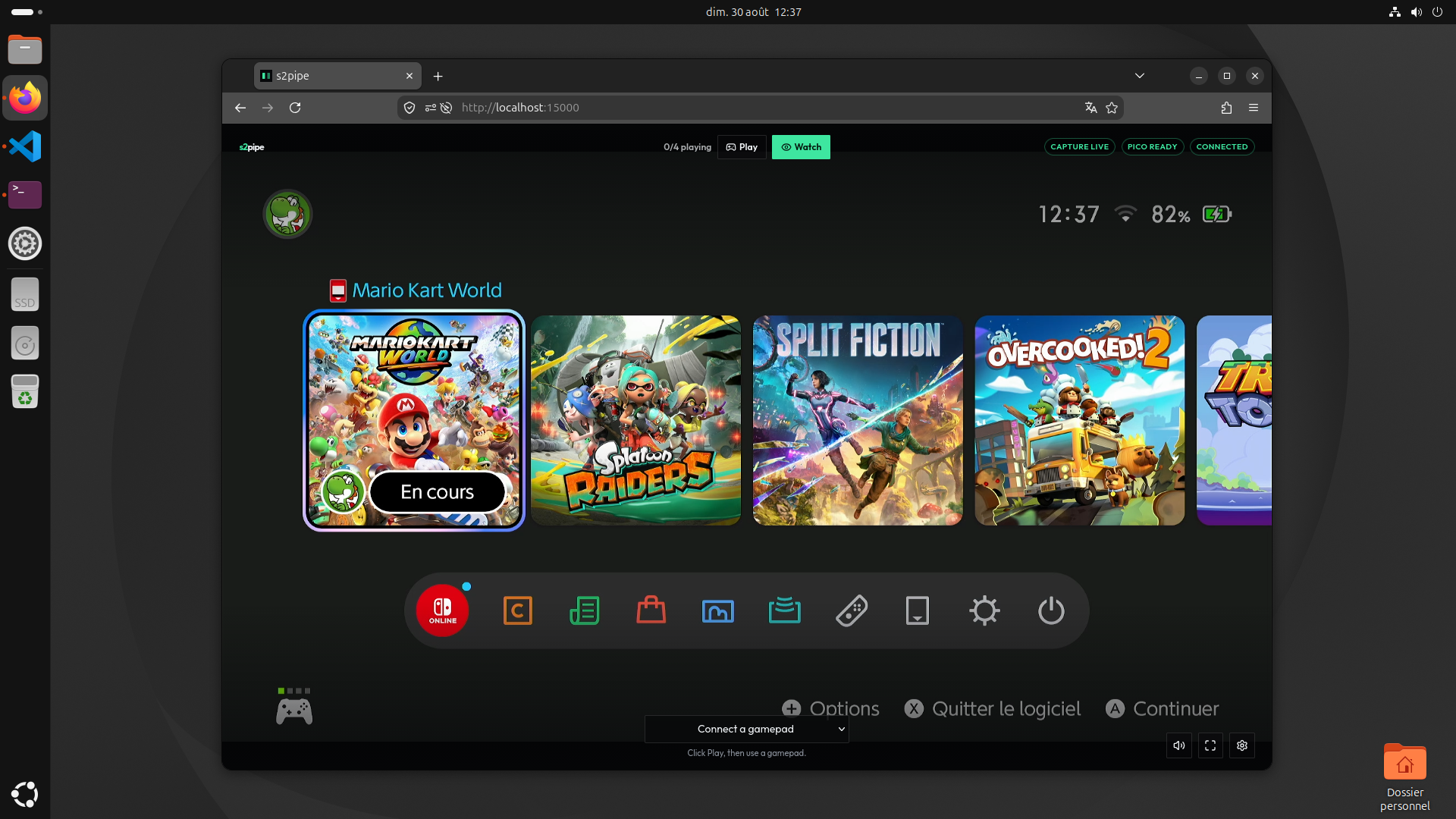
Anyone can Watch. Four Play seats. P1-P4 numbers are set on the Switch, not by s2pipe.
1. Tested hardware
Equivalents are fine.
- Raspberry Pico 2 W, board
pico2_w - CP2102 UART adapter HW-598, jumper 3.3 V, no VCC on the Pico (TX / RX / GND only)
- XIIXMASK HDMI USB 3.0 capture, UVC webcam, HDMI in + loop
- Switch 2 + dock, a Linux PC, Docker Engine + Compose
2. Flash the Pico
- Download
s2pipe_pico.uf2from Releases (no SDK needed). - Hold BOOTSEL, plug the Pico into the PC, drop the
.uf2. - Unplug. Pico USB -> Switch dock. UART -> PC.
Local build: firmware/README.md.
3. Wiring
One native USB: flash from the PC, then plug into the dock. Not a COM port and pads at the same time.
Node --UART 921600--> Pico GP5 RX / GP4 TX
Switch dock USB  --> Pico USB
| Pico | Goes to |
|---|---|
| USB | Switch 2 dock (USB-A or USB-C OTG) |
| GP4 (TX) | UART adapter RX |
| GP5 (RX) | UART adapter TX |
| GND | GND |
Power from Switch USB. Leave adapter VCC disconnected (5 V on a GPIO kills the Pico). CP2102 jumper on 3.3 V.
In-tree cp210x -> /dev/ttyUSB0. UART 921600 8N1. If the adapter cannot do 921600, set 500000 in both UART_BAUD
(firmware/main.c) and SERIAL_BAUD (apps/node/src/services/pico.ts).
4. Run
Install Docker Engine (not Desktop) and the Compose plugin.
cp .env.example .env
Edit .env:
.env |
|
|---|---|
| This PC only | leave localhost |
| Other LAN PCs | NODE_BASE_URL=http://192.168.1.20:5050 and MEDIA_ICE_IP=192.168.1.20 |
| HDMI | CAPTURE_SOURCE=v4l2, UVC webcam, ls /dev/video* (CAPTURE_DEVICE if not video0) |
| Color bars | leave CAPTURE_SOURCE=test |
| Pico | PICO_SERIAL=/dev/ttyUSB0 (ls /dev/ttyUSB*). No Pico = video only |
| HDMI audio | CAPTURE_AUDIO=hw:0,0 after cat /proc/asound/cards. Empty = silence |
| Sleep wake | §6, python3 scripts/wake-scan.py |
mjpeg in CAPTURE_FORMAT if USB drops uncompressed frames. The browser must reach NODE_BASE_URL and
MEDIA_ICE_IP:MEDIA_ICE_PORT (UDP). Click the video once if autoplay is blocked.
docker compose up --build
NVENC: host needs nvidia-smi, libnvidia-encode.so.1 (ldconfig -p | grep libnvidia-encode), and the
NVIDIA Container Toolkit:
sudo nvidia-ctk runtime configure --runtime=docker
sudo systemctl restart docker
Uncomment COMPOSE_FILE in .env, then the same docker compose up --build. Do not install encode packages inside the
image. FFmpeg loads the host driver.
.env sets COMPOSE_PROFILES=all. Media + node only: COMPOSE_PROFILES=node. Client only: COMPOSE_PROFILES=client.
Stop: Ctrl+C or docker compose down.
5. Play
Open http://localhost:5000. The client container uses NODE_BASE_URL and skips the connect
page.
Start in Watch. Play takes a Pico seat (max 4). Watch releases it. Pick a gamepad at the bottom. Esc = settings. The HUD stays on until fullscreen.
Pills: capture, Pico, WebSocket. n/4 playing is remote Pico seats, not Switch player numbers. Capture is live only
while MediaMTX has a /switch publisher. If FFmpeg or the UVC card wedges, the media container resets the USB device
and republishes. The play page shows a centered message until the stream is back.
Sleep wake (optional): §6.
6. Sleep wake
The Pico 2 W can pull the Switch 2 out of sleep (not a full power-off) while a browser is on the play page. Switch 1 Joy-Con / Pro Controller cannot wake a Switch 2. You need a Joy-Con 2 / Pro 2 / NSO GameCube already paired with that console. The console does not show its BT MAC in settings; the pad broadcasts it.
- Pair the pad with the Switch 2 once (normal Nintendo pairing).
- Put the Switch to Sleep. Detach the Joy-Con, or press a button on the Pro 2.
- Get the three lines for
.env:
This PC has Bluetooth
pip install bleak
python3 scripts/wake-scan.py
Phone (nRF Connect): copy the pad Address and the Manufacturer data hex, then:
python3 scripts/wake-scan.py --decode '02 01 06 1B FF 53 05 ...' --pad AA:BB:CC:DD:EE:FF
- Paste
SWITCH_BT_MAC,CONTROLLER_BT_MAC, andCONTROLLER_BT_PIDinto.env. Restart:docker compose up --build. - Flash a
pico2_wbuild. Open the play page (Watch is enough).
If the scanner prints SWITCH_BT_MAC empty, the pad was not advertising the console address. Sleep the Switch, detach
the pad, stand closer, retry. Hover the Pico pill if wake is not configured.
Environment
| Variable | Default | Role |
|---|---|---|
NODE_PORT |
5050 |
Node HTTP |
NODE_BASE_URL |
http://localhost:5050 |
URL the browser uses for the node |
MEDIA_ICE_IP / MEDIA_ICE_PORT |
127.0.0.1 / 8189 |
ICE (UDP) |
CAPTURE_SOURCE |
test |
test or v4l2 |
CAPTURE_DEVICE / CAPTURE_AUDIO |
/dev/video0 / empty |
V4L2; ALSA HDMI (hw:0,0) or silence |
CAPTURE_FORMAT |
yuyv422 |
yuyv422, or mjpeg if USB chokes |
CAPTURE_WIDTH / HEIGHT / FPS |
1920 / 1080 / 60 |
Encode size |
PICO_SERIAL |
empty | /dev/ttyUSB0 |
SWITCH_BT_MAC |
empty | From scripts/wake-scan.py |
CONTROLLER_BT_MAC |
empty | From scripts/wake-scan.py |
CONTROLLER_BT_PID |
0x2069 (Pro 2) |
From scripts/wake-scan.py |
CLIENT_PORT |
5000 |
UI |
| Port | What |
|---|---|
| 5000 | Client |
| 5050 | Node: health, WebSocket, WHEP proxy |
| 8189 UDP | WebRTC ICE / RTP |
Windows (discouraged)
Not optimized for Windows. Docker Desktop cannot see USB. usbipd-win can tunnel
the capture card and UART into WSL, but that extra hop adds video latency and jitter. The stock WSL kernel often has
no UVC, so /dev/video0 never appears. Use a Linux capture PC.
Development
Deno workspace: apps/node, apps/client, shared. Firmware is CMake.
deno fmt
deno check apps/node/src/index.ts
deno check apps/client/src/index.ts
Media: keep Compose. WHEP (8889) is not published. A host node needs 8889:8889 on media, or MediaMTX on the
machine (MEDIA_HOST, default 127.0.0.1).
Node: cd apps/node && cp .env.example .env && deno task dev (5050). PICO_SERIAL=/dev/ttyUSB0.
Client: cd apps/client && cp .env.example .env && deno task dev (5000). No NODE_BASE_URL -> connect page.
Firmware and packet: keep apps/node/src/utils/packet.ts in sync with firmware/packet.h.
Node API
| Route | What |
|---|---|
GET /health |
Capture, Pico, playing count |
GET /socket |
WebSocket |
POST /switch/whep |
Video WHEP; PATCH / DELETE /switch/whep/:session |
POST /switch-audio/whep |
Audio WHEP; PATCH / DELETE /switch-audio/whep/:session |
- Client:
{ op: "play" }/{ op: "watch" }/{ op: "pad", data: PadState } - Server:
{ op: "status", data: { capture, pico, playing } }on join and when seats change - Server:
{ op: "play", data: { playing: boolean } }after Play (falseif all four seats are taken)
Join is Watch. Play takes a seat; Watch or closing the socket releases it.
Comments