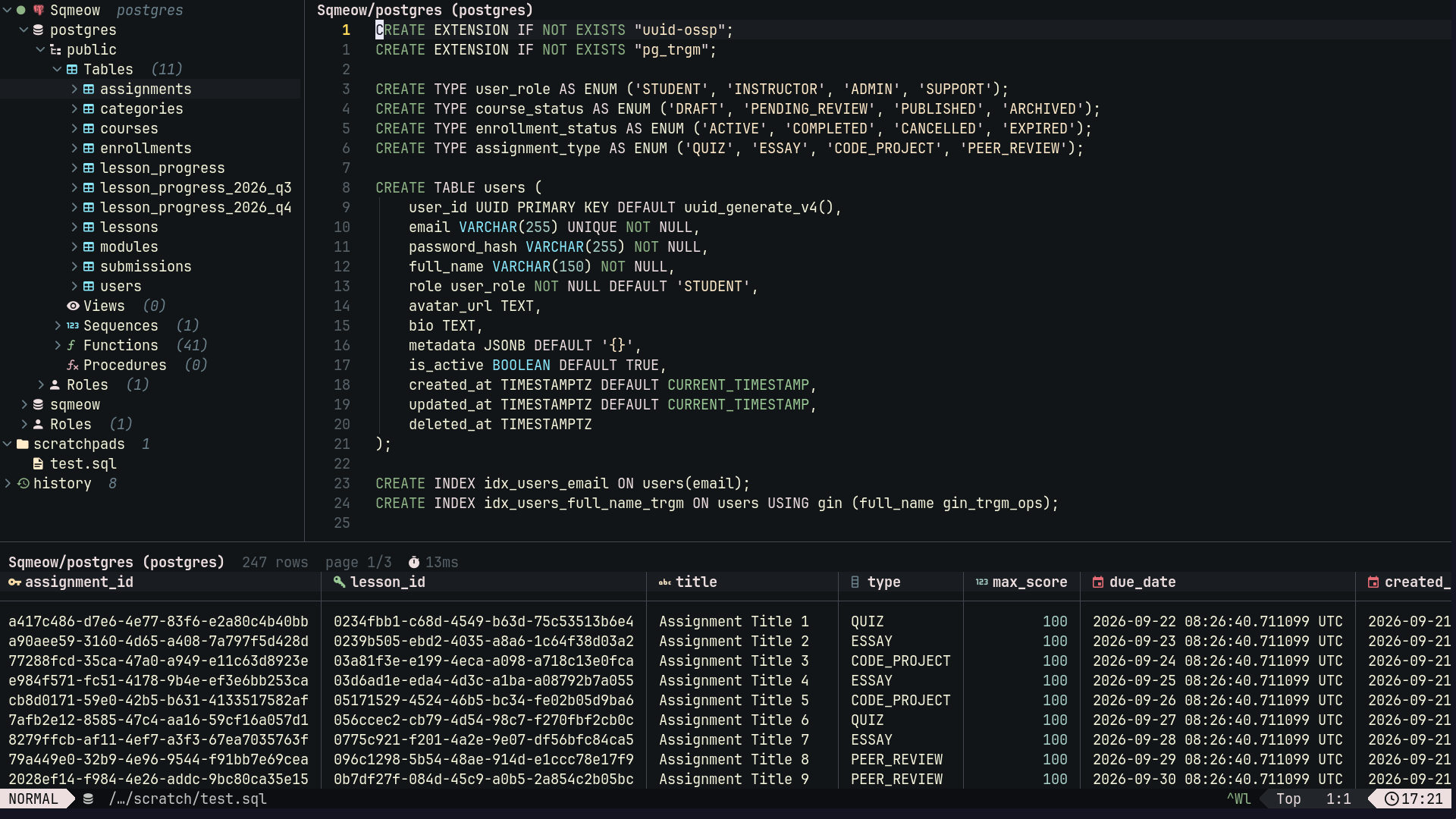
🐱 sqmeow.nvim
Query your database from your favorite editor — fast, keyboard-driven, and Rust-powered.
Features • Databases • Installation • Quick Start • Configuration • Contributing
✨ Features
- ⚡ Rust engine — queries run off the editor thread with paged results; large results never freeze Neovim.
- 🐘 Multiple connections — keep several databases open at once.
- 🌲 Schema drawer — browse schemas, tables, views, routines and columns with types and keys.
- 📄 Scratchpads — persistent query buffers; press
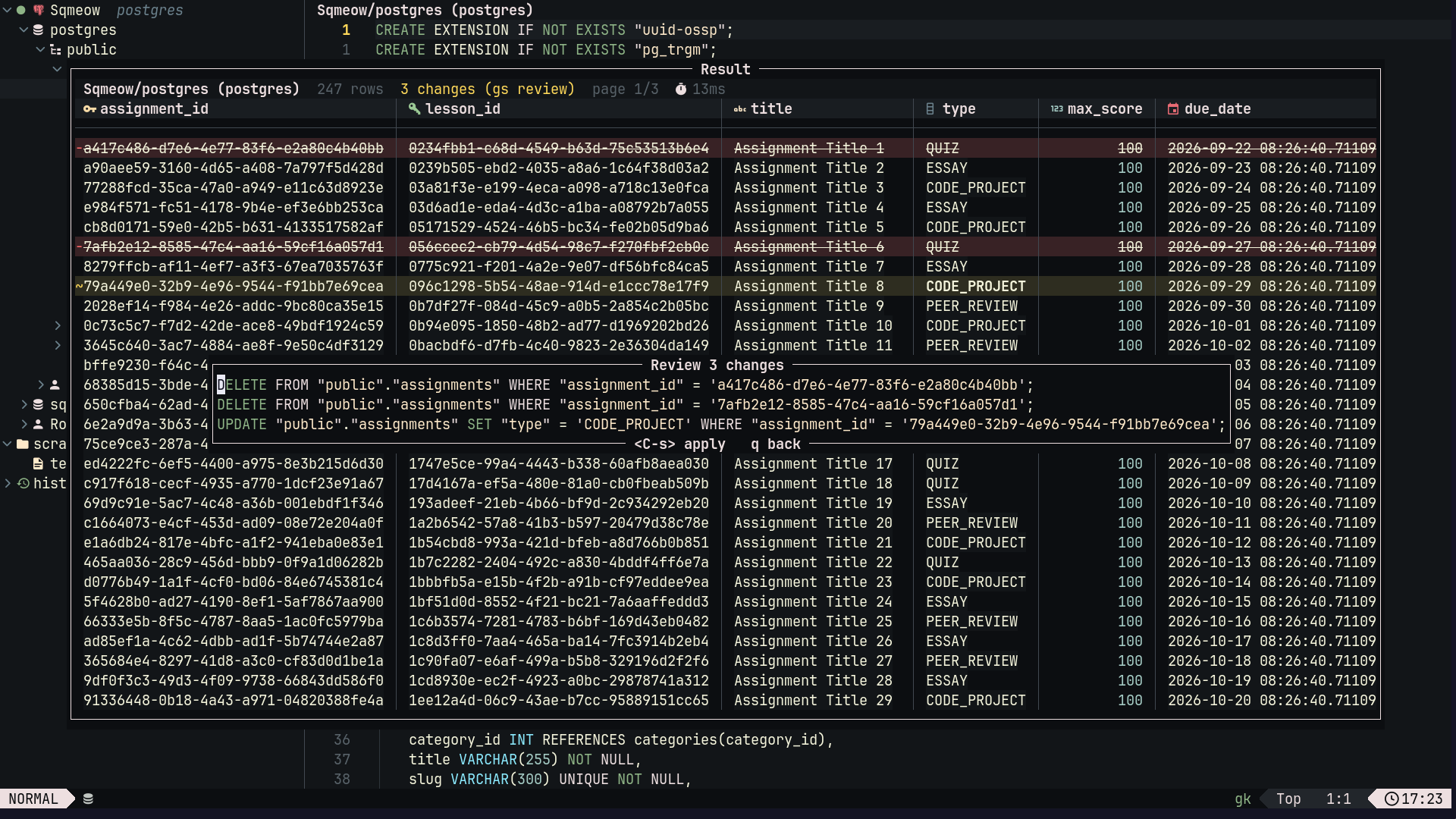
uon a connection to make it active. - ✏️ In-grid editing — edit cells, add or delete rows, review staged changes before applying.
- 🔎 Filter and sort —
WHERE/ORDER BYbar runs on the database (or in-memory for Redis/ScyllaDB/SurrealDB). - ▶️ Flexible execution — run the statement under the cursor, a visual selection, or the whole buffer.
- 🧭 EXPLAIN — query plans and errors render in the result window.
- 🕘 Query log — reopen any past result, even after restart.
- 📤 Export — to CSV, JSON or SQL
INSERT(single or batched, with optionalCREATE TABLE) — to file or clipboard. - 🔐 Secrets — passwords are masked; URLs can read
{{ env "VAR" }},{{ exec "cmd" }}or{{ file "path" }}. - ⌨️ Buffer-local keymaps — no global mappings;
<Plug>for everything worth a global key.
🗄️ Supported Databases
| Database | Notes |
|---|---|
| PostgreSQL / CockroachDB | Full support, including EXPLAIN, TLS, postgres:// |
| MySQL / MariaDB | Full support, mysql:// |
| SQLite | sqlite:// / file: — zero-config |
| DuckDB | duckdb: — local analytics |
| Redis / Valkey / Dragonfly | Keys grouped by type; redis://, rediss://, redis+cluster://, redis+sentinel:// |
| MongoDB | Extended JSON commands, mongodb:// / mongodb+srv:// |
| ScyllaDB / Cassandra | CQL via scylla:// / cassandra://, ?ssl=true |
| SurrealDB | SurrealQL via surrealdb:// / surrealdbs:// |
| ClickHouse | HTTP via clickhouse://, HTTPS via clickhouses://; results are read-only |
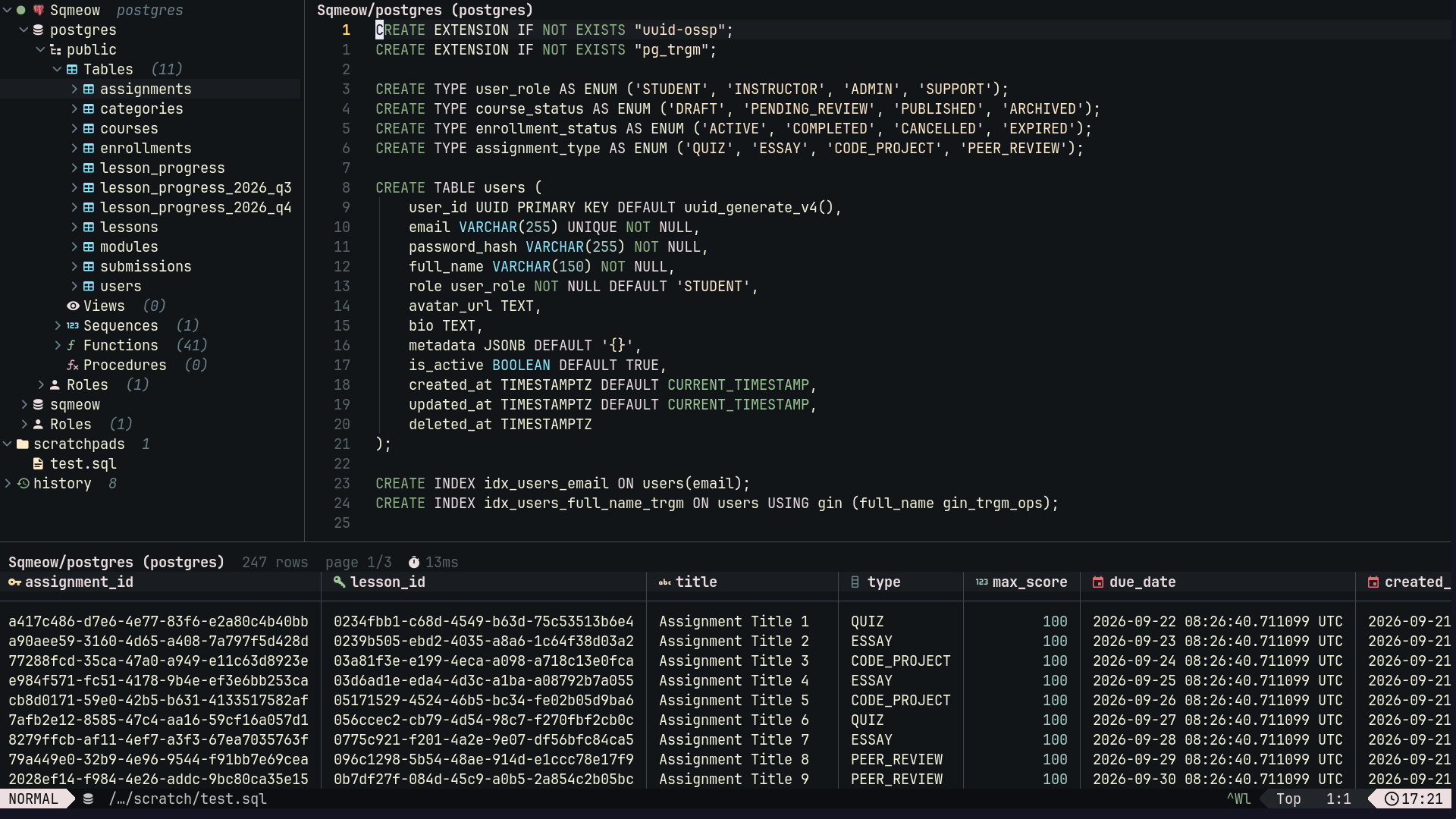
👀 Preview
✏️ In-grid editing
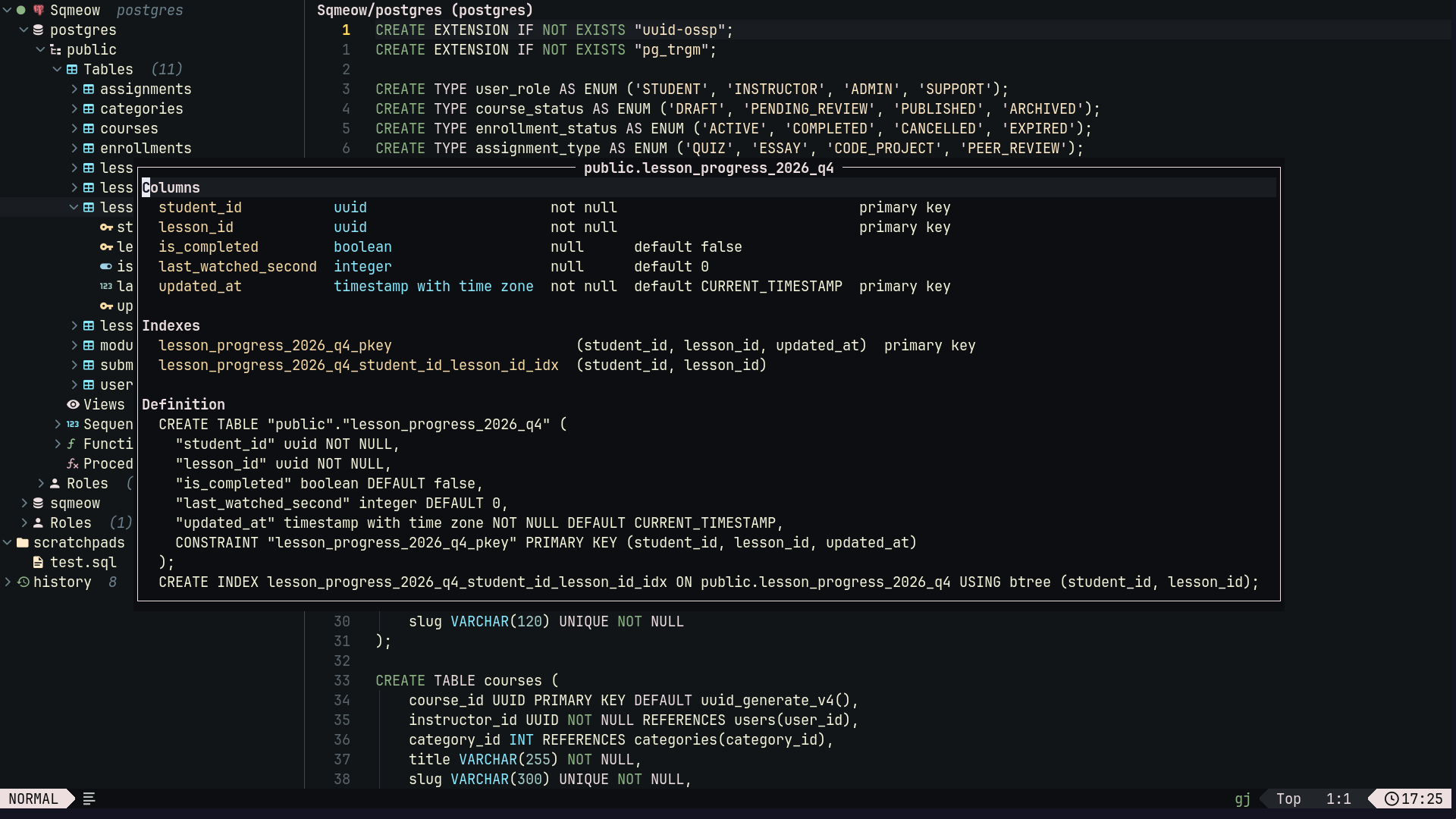
🔍 Table structure
🚀 Installation
Requirements: Neovim 0.10+ and nui.nvim.
With lazy.nvim:
{
  "2giosangmitom/sqmeow.nvim",
  dependencies = { "MunifTanjim/nui.nvim" },
  version = "*",
  build = function()
    -- Downloads the matching release binary; pass 'curl', 'wget', 'powershell' or 'cargo' to choose.
    require("sqmeow").install()
  end,
  opts = {},
  cmd = "Sqmeow",
  keys = {
    { "<leader>Dd", "<cmd>Sqmeow toggle<cr>", desc = "Toggle" },
    { "<leader>Dc", "<cmd>Sqmeow cancel<cr>", desc = "Cancel" },
    { "<leader>Da", "<cmd>Sqmeow add<cr>", desc = "Add Connection" },
    { "<leader>Ds", "<cmd>Sqmeow scratch<cr>", desc = "New Scratchpad" },
  },
}
[!NOTE] To track
master, removeversionand build withinstall('cargo')(needs Rust toolchain + DuckDB). Run:checkhealth sqmeowto verify.
⚡ Quick Start
:Sqmeowopens the drawer and result window.Ain the drawer (or:Sqmeow add) adds a connection.<CR>on a connection connects;acreates a scratchpad;umakes it active.- Write a query and press
<CR>to run the statement under cursor (or a visual selection).
[!TIP] Press
?in the drawer or result window to list its keymaps. See:h sqmeow-keymapsfor the full reference.
Dialect Notes
- SQL —
<CR>runs statement under cursor;<leader>Eruns whole buffer. - Redis — one command per line, e.g.
GET key. Drawer lists keys by type. Cluster:redis+cluster://host:7000,host:7001. Sentinel:redis+sentinel://host:26379,host:26380/mymaster/0. - MongoDB — database commands as Extended JSON, e.g.
{"find": "users"}.use db_nameswitches database. - ScyllaDB —
?ssl=truefor TLS,?sslrootcert=/path/ca.pemfor custom CA. - SurrealDB —
surrealdb://user:pass@host:8000/namespace/database; leave out the database to list every one in the namespace.surrealdbs://for TLS,?auth=namespaceor?auth=databasefor a non-root user,?sslrootcert=/path/ca.pemfor custom CA.USE DB nameswitches database. Scratchpads ending in.surqlget thesurqlfiletype.
SSH Tunnels
Fill SSH in the connection dialog or add "ssh": "user@bastion" (or user@bastion:2222) to a saved connection. Uses your own ssh, so keys, agent and ~/.ssh/config all apply, and the URL host is resolved from the bastion.
Environment Connections
Define connections in SQMEOW_CONNECTIONS:
export SQMEOW_CONNECTIONS='[{"name": "dev", "url": "postgres://app:{{ env \"PGPASSWORD\" }}@localhost/dev"}]'
Safety
- Tick Read only in the dialog or add
"read_only": trueto a connection (orconnections.json) to allow only reads. PostgreSQL, MySQL, ClickHouse, SQLite and DuckDB enforce it in the database session (a server that speaks the PostgreSQL protocol without read-only sessions falls back to the check below, with a warning); Redis, MongoDB, ScyllaDB and SurrealDB only check commands against a list of reads, so use a read-only database user where it matters. - Before
DELETE/UPDATEwithoutWHERE,DROP,TRUNCATE, or emptying a Redis/MongoDB database, sqmeow asks first. Setquery.confirm_destructive = falseto disable.
⌨️ Commands
| Command | Description |
|---|---|
:Sqmeow |
Open drawer and result window |
:Sqmeow toggle |
Show or hide schema drawer |
:Sqmeow drawer |
Show schema drawer |
:Sqmeow open / close |
Show / hide result window |
:Sqmeow add |
Add a connection |
:Sqmeow save |
Save connection for next time |
:Sqmeow edit [name] |
Edit a saved connection |
:Sqmeow remove <name> |
Delete a saved connection |
:Sqmeow use [name] |
Choose connection queries run against |
:Sqmeow bind <name|none> |
Tie current buffer to a connection, or untie it |
:Sqmeow disconnect |
Close current connection |
:Sqmeow scratch [name] |
Create a scratchpad |
:Sqmeow execute [sql] |
Run buffer, selection, or given SQL |
:Sqmeow statement |
Run statement under cursor |
:Sqmeow cancel |
Stop running query |
:Sqmeow next / prev |
Next / previous page |
:Sqmeow float |
Move result between split and float |
:Sqmeow review |
Review and apply staged edits |
:Sqmeow export <csv|json|sql> [path|clipboard] |
Export result to file or clipboard |
:Sqmeow log [clear] |
Reopen past result, or clear log |
:Sqmeow install [method] |
Install engine binary |
:Sqmeow start / stop / restart |
Start, stop or restart engine |
:Sqmeow messages |
Show engine log |
:Sqmeow health |
Run health check |
🗺️ Keymaps
Drawer
| Key | Action |
|---|---|
<CR>, o |
Expand or collapse node |
u |
Run queries against this connection |
p |
Preview relation's first page |
K |
Show table's or key's structure |
f |
Show only Redis keys matching a glob |
r |
Reload subtree |
y / s |
Yank qualified name / a SELECT |
a |
Create a scratchpad |
A / e |
Add / edit a connection |
R |
Rename connection or scratchpad |
d |
Delete connection/scratchpad, or clear log |
? / q |
Show keymaps / close drawer |
Result Window
| Key | Action |
|---|---|
L / H |
Next / previous page |
]H / [H |
Last / first page |
K |
Show row's details |
gK |
Show table's columns and indexes |
]r / [r |
Next / previous statement's result |
x |
Export result, or selected rows |
gf / go |
Open filter bar on WHERE / ORDER BY |
= |
Filter by cell's value |
s / S |
Sort by column / add to sort |
- / g- |
Hide column / show hidden columns |
R |
Clear filters, sort and hidden columns |
Z |
Move between split and float |
? / q |
Show keymaps / close result window |
Filter Bar
gf/go open a bar above the grid with WHERE and ORDER BY. The query reruns as a subquery; = adds cell value to WHERE, s fills ORDER BY. MongoDB takes filter/sort documents; Redis/ScyllaDB/SurrealDB and closed connections filter in-memory with AND/OR/NOT, IS NULL, LIKE/ILIKE, IN, BETWEEN.
| Key | Action |
|---|---|
<CR> |
Run query with bar's content |
q, <Esc> |
Close bar without filtering |
<C-p> / <C-n> |
Older / newer filter |
<C-x><C-o> |
Complete column name |
Editing Results
A column is editable when it is a plain table column and its table's whole primary (or unique) key is in the result. Joined rows update each table by its own key; deleted row removes from first editable column's table; rows only addable to single-table results.
| Key | Action |
|---|---|
i, <CR> |
Edit cell |
X |
Set cell to NULL |
g= |
Set cell to SQL expression, e.g. now() |
o / D |
Add row / copy row without primary key |
dd / d |
Delete row / selected rows |
u / U |
Undo last change / discard all |
gs, <C-s> |
Review staged changes; <C-s> in review applies |
<C-c> |
Stop changes being applied, or a running query |
Scratchpad
| Key | Action |
|---|---|
<CR> |
Run statement under cursor |
<CR> (visual) |
Run selection |
<leader>E |
Run whole buffer |
<C-c> |
Stop running query |
⚙️ Configuration
setup() is optional. Defaults:
require('sqmeow').setup({
  sources = { { type = 'file' }, { type = 'env' } }, -- where connections are loaded from
  core = {
    path = vim.fs.joinpath(vim.fn.stdpath('data'), 'sqmeow'), -- engine, connections, scratchpads, log
    log_level = 'warn',
  },
  ui = {
    drawer = { width = 36 },
    result = { height = 16, page_size = 100, max_column_width = 48, column_icons = true, null_text = 'NULL' },
    border = 'default', -- 'default' follows 'winborder'; or a nui style such as 'rounded'
    winbar = true,
    persist_session = false, -- reopen last session's connections and drawer nodes
  },
  query = {
    max_rows = 100000,
    timeout_ms = 0, -- 0 disables timeout
    history_size = 32, -- results kept in memory
    persist_history = true, -- save log and results to disk
    history_limit = 500,
    confirm_destructive = true, -- ask before destructive statements
  },
  icons = {}, -- Nerd Font glyphs; recolour via SqmeowIcon* highlight groups
  keymaps = {},
  redact_urls = true, -- mask passwords wherever a URL is shown
})
See :h sqmeow-config for every option.
🤝 Contributing
Toolchain is pinned with mise and tasks are just recipes:
mise install   # rust, just, stylua, selene, lua-language-server
just db-up     # start test databases in Docker
just           # lint, test and check help file, as CI does
just docs      # regenerate doc/sqmeow.txt
Commit messages follow Conventional Commits.
📜 License
MIT. Thanks to all contributors 💛
🎖️ Acknowledgments
Inspired by vim-dadbod, vim-dadbod-ui, and nvim-dbee.
Comments