English | 中文
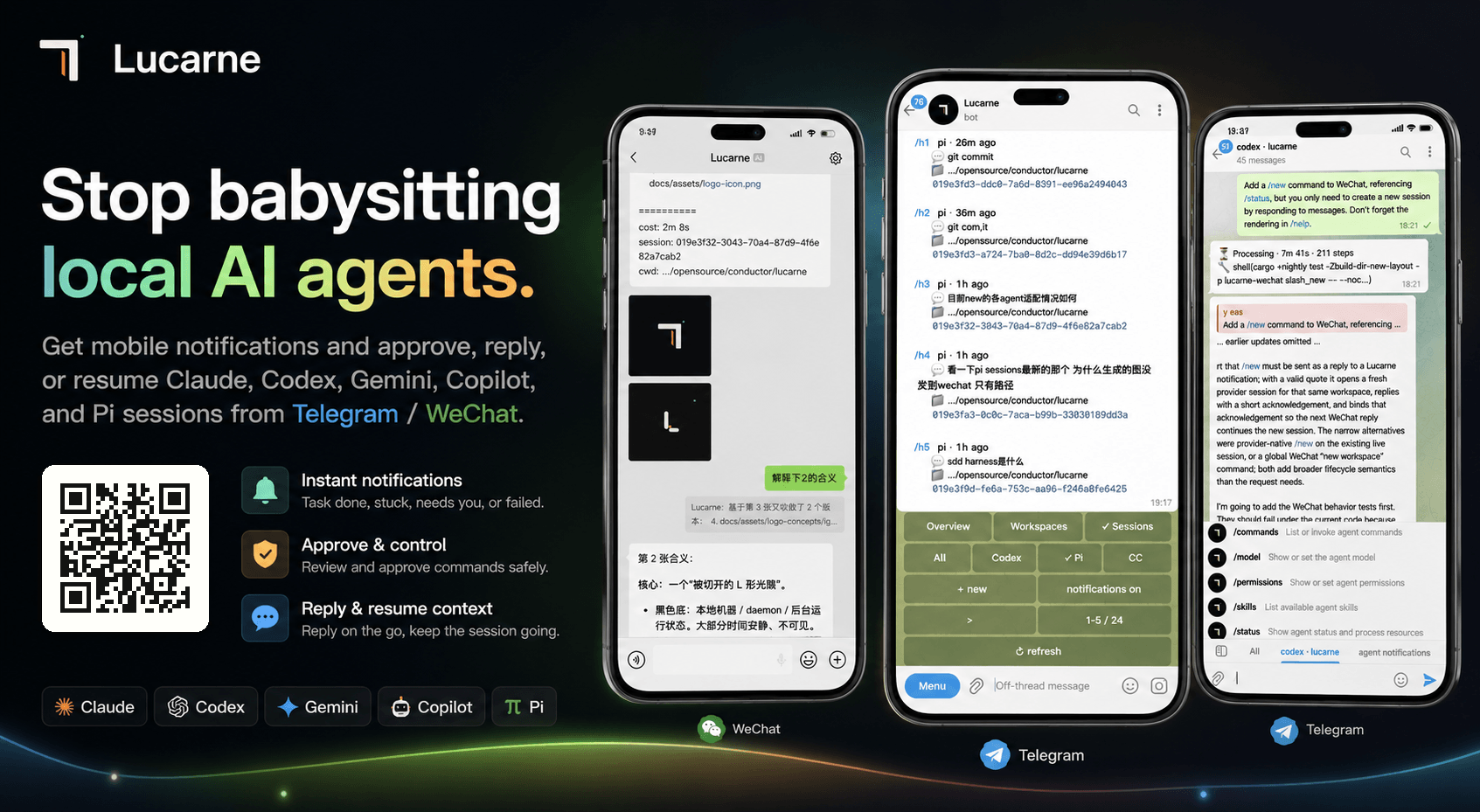
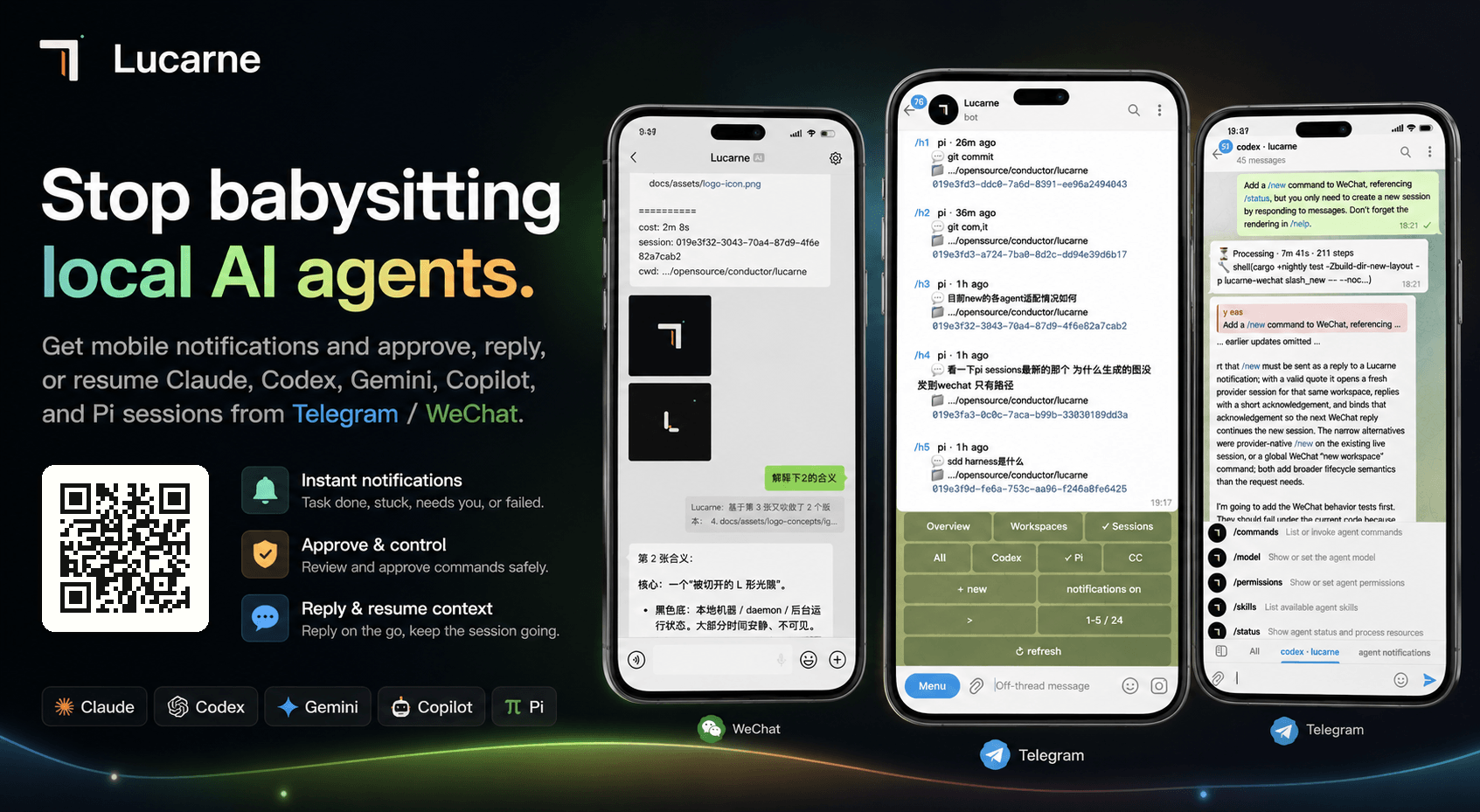
Stop babysitting your local AI agents.
- No new mobile app required; receive timely, secure notifications through existing channels
- Zero-intrusion setup: no hooks, no skills, no MCP, no project changes; scan a QR code and start using it in one step
- Agents run on your local computer, so you can step away while WeChat / Telegram keep you synced on key progress
- Permission approvals, clarifying questions, and failure notifications become actionable mobile events
- Scan a WeChat QR code to receive agent messages; quote a message to continue the matching context automatically
- Use the Telegram console to view all agents, workspaces, and historical sessions
- View local agent session history and agents currently running on this machine
- Lightweight resident process with high performance and low memory use; idle agents are released automatically
Quick Start
1. Install
macOS / Linux:
curl -LsSf https://github.com/tuchg/Lucarne/releases/latest/download/lucarned-installer.sh | sh
Windows PowerShell:
powershell -c "irm https://github.com/tuchg/Lucarne/releases/latest/download/lucarned-installer.ps1 | iex"
Homebrew (recommended) and release archives
Homebrew:
brew tap tuchg/Lucarne https://github.com/tuchg/Lucarne
brew install lucarned
Release archives are also available for macOS, Linux, and Windows on x86_64 and aarch64.
2. Initialize
lucarned init
Initialization guides you through:
- Selecting enabled agents:
claude,codex,copilot,gemini,pi - Configuring a Telegram Bot Token and entry chat (optional)
- Logging in to WeChat by QR code (optional)
- Generating the config file:
~/.lucarned/lucarned.yaml
3. Start the background service
lucarned autostart install --start
Homebrew service commands (recommended)
brew services start lucarned
brew services restart lucarned
brew services stop lucarned
Platform notes
lucarned autostart uses native user-level service managers:
- macOS: LaunchAgent
- Windows: Task Scheduler logon task
- Linux: systemd user service
Linux autostart requires systemd user services. Non-systemd Linux can run lucarned manually.
4. Open the Telegram panel (optional)
/panel
After the Lucarne panel appears, you can create workspaces, bind agents, resume historical sessions, and approve commands.
Common commands
lucarned doctor
lucarned paths
lucarned autostart status
lucarned autostart start
lucarned autostart stop
lucarned update
Homebrew service commands
brew update
brew upgrade lucarned
brew services start lucarned
brew services restart lucarned
brew services stop lucarned
macOS/Linux config: ~/.lucarned/lucarned.yaml
Windows config:     %LOCALAPPDATA%\lucarned\lucarned.yaml
Logs:               lucarned paths
Configuration Example
See the full example at examples/lucarned.yaml.
After initialization, the active config lives at: ~/.lucarned/lucarned.yaml.
You can also override settings with environment variables:
export TELEGRAM_BOT_TOKEN="123456:..."
export TELEGRAM_CHAT_ID="123456789"
export LUCARNE_AUTHORIZED_USER_IDS="111111,222222"
Usage
See the full command reference at docs/commands.md. This README keeps only the core paths.
WeChat: quote-to-route
- Lucarne pushes agent progress to WeChat.
- Quote a notification and reply; Lucarne automatically restores the matching agent session.
- Continue the conversation with the original context attached.
WeChat quote routing uses two strategies: it prefers message_id, then falls back to a quoted-text hash.
Telegram: mobile multi-agent console
- Send
/panelin the entry chat. - Tap
Newor send/aNto create an agent workspace. - Enter the workspace topic and assign tasks to agents like a normal chat.
- When an agent asks for permission, tap
[Approve]/[Deny]. - Send
/statusto inspect state,/interruptto stop work, or/forkto branch a session.
Telegram workspaces map to Forum Topics. One project gets one topic; one topic can bind one live agent session.
- Telegram supports every WeChat feature.
Architecture Overview
┌─────────────┐  ┌─────────────┐
│  Telegram   │  │   WeChat    │  ← User-facing channels
└──────┬──────┘  └──────┬──────┘
       │                │
   lucarne-         lucarne-
   telegram         wechat          ← Channel adapter (commands, notifications, queues, retries)
       │                │
       └───────┬────────┘
          lucarne-adapter           ← Plugin registry
               │
           lucarne                  ← Core: runtime bus, control plane, history, daemon
               │
         agent-sessions             ← Provider parse / discovery / watch
               │
    ┌──────┬──────┬──────┬──────┐
  Claude  Codex Gemini Copilot  Pi  ← Agent CLI processes
Agent Capability Matrix
| Capability | Claude | Codex | Gemini | Copilot | Pi |
|---|---|---|---|---|---|
| Reasoning / Thinking | ✅ | ✅ | ✅ | ✅ | ✅ |
| Tool calls | ✅ | ✅ | ✅ | ✅ | ✅ |
| Structured approval | ✅ | ✅ | ✅ | — | ✅ |
| AskUserQuestion | ✅ | ✅ | ✅ | — | — |
| Usage tracking | ✅ | ✅ | ✅ | ✅ | ✅ |
| Interrupt | ✅ | ✅ | ✅ | — | ✅ |
| Resume | ✅ | ✅ | ✅ | — | ✅ |
| Sub-agents | ✅ | ✅ | — | — | — |
| Native commands | ✅ | ✅ | ✅ | — | ✅ |
| Fork (create branched session) | ✅ | ✅ | — | — | ✅ |
Development
git clone https://github.com/tuchg/Lucarne.git
cd agents
cargo +nightly check -Zbuild-dir-new-layout
cargo +nightly test -Zbuild-dir-new-layout
Roadmap
- Linux support: installation docs, service management, release packages, and smoke tests
- Windows support: installation docs, background execution, path / process compatibility, and release packages
- Message modes: steer / queue
- Split
agent-sessionsinto an independent crate - Support remote agent environments
- More agent providers: Cursor, opencode, and more
- More channels: Discord, Slack, Feishu, DingTalk, Matrix, QQ, and more
- ....
Comments