Repo/service slug stays
os-vps(deploy paths, systemd unit, domain). "Topside" is the product name shown in the UI.
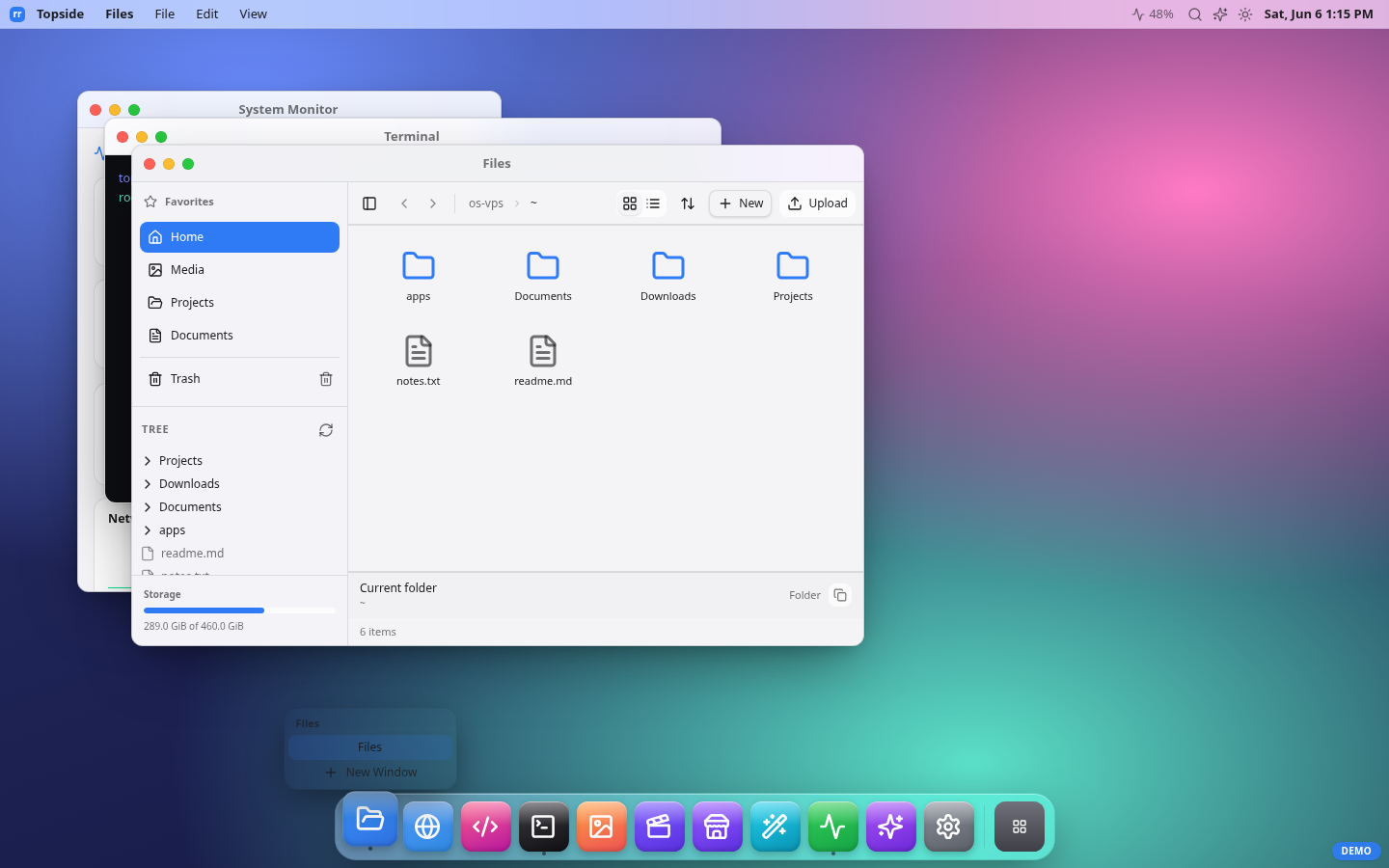
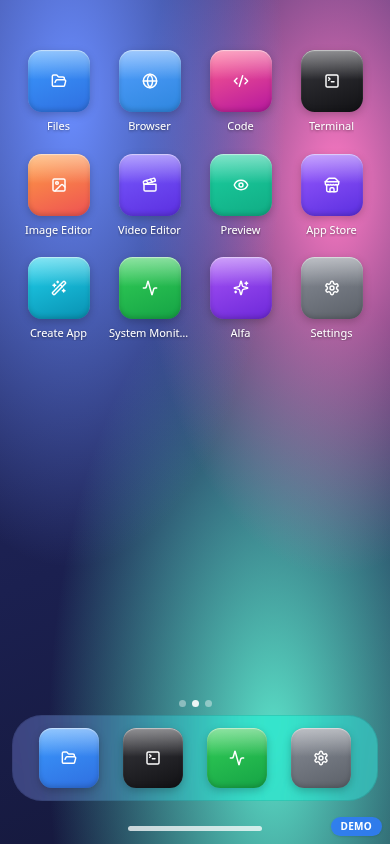
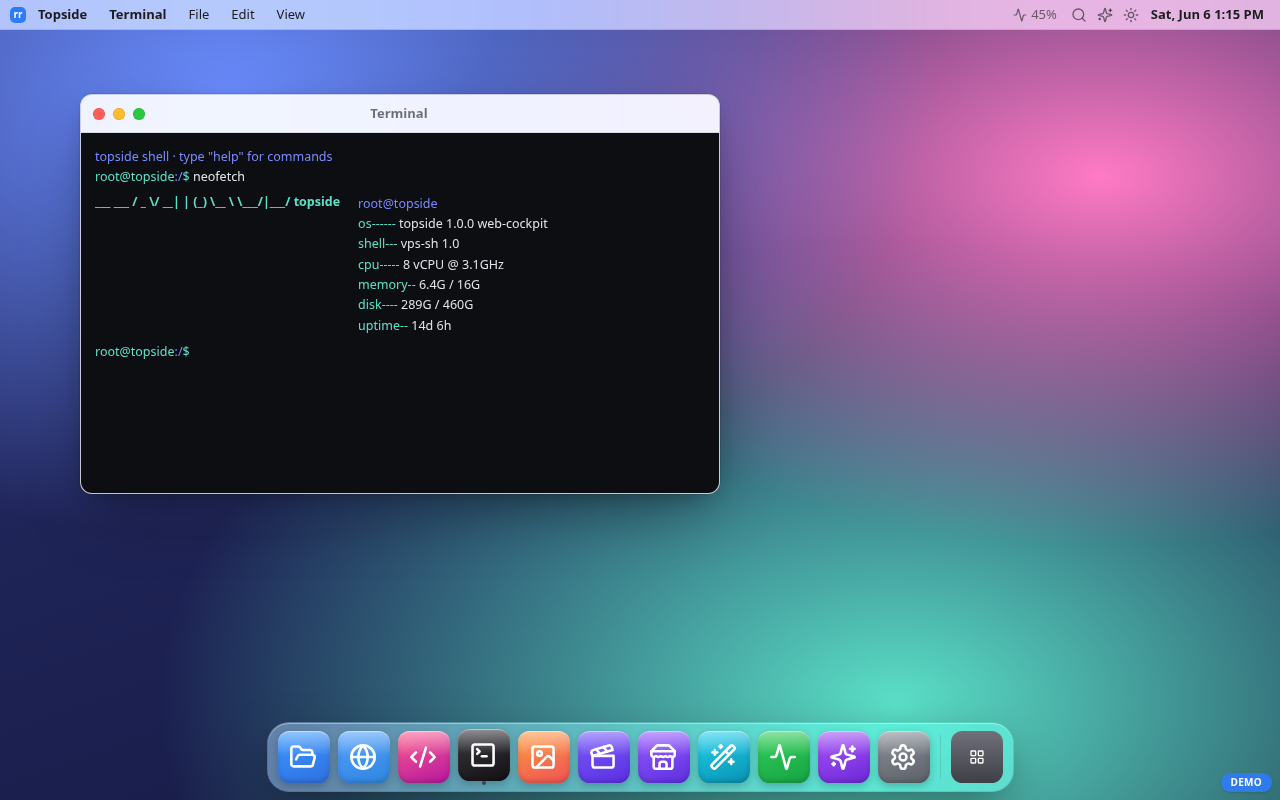
Terminal, file manager, system monitor, media preview and a real remote browser for your server — from any browser, especially a phone. It presents a desktop-style UI, but the value is utility: fast control of a headless box without the weight of XRDP / VNC.
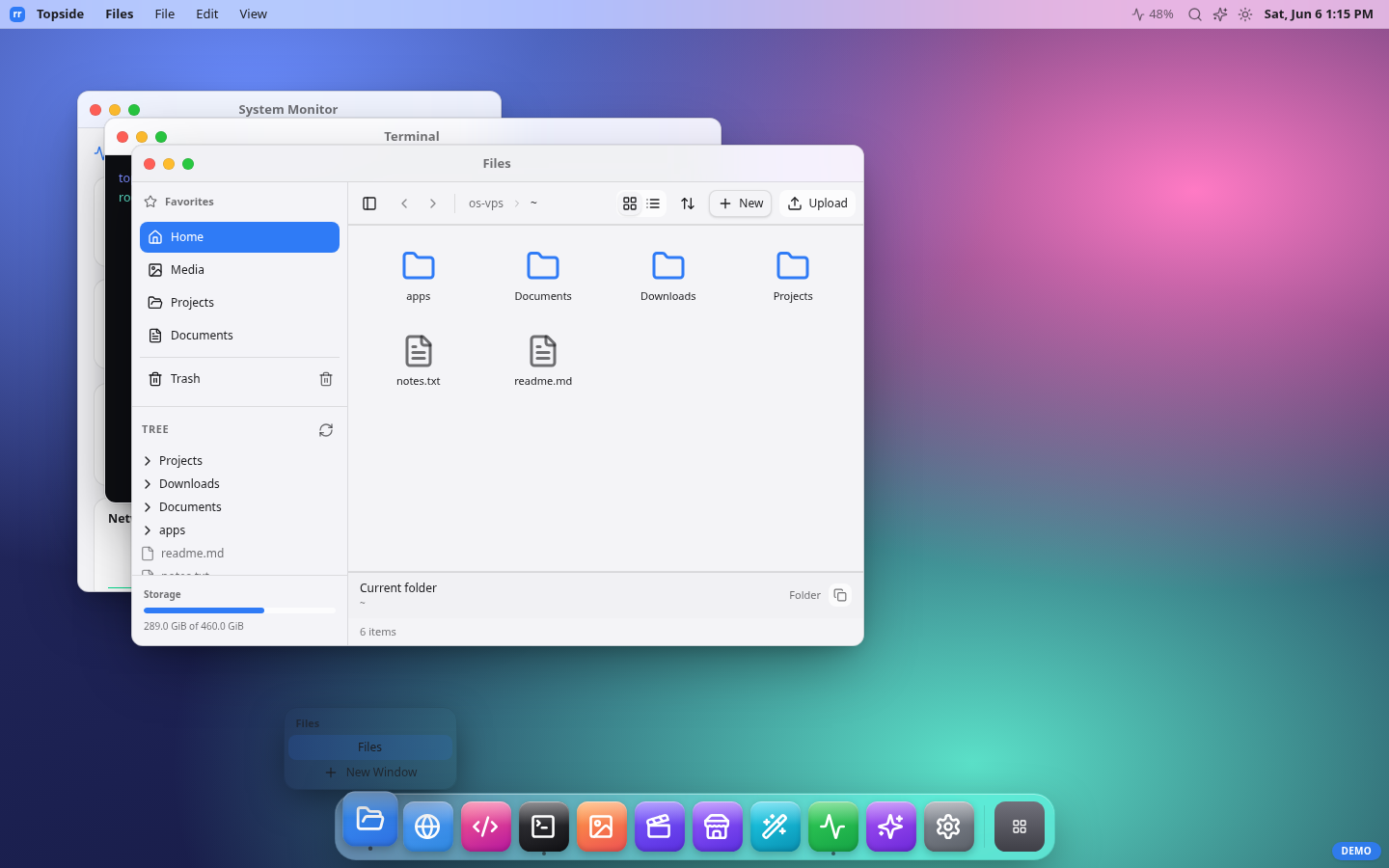
| Mobile-first | Terminal | Image editor |
|---|---|---|
 |
 |
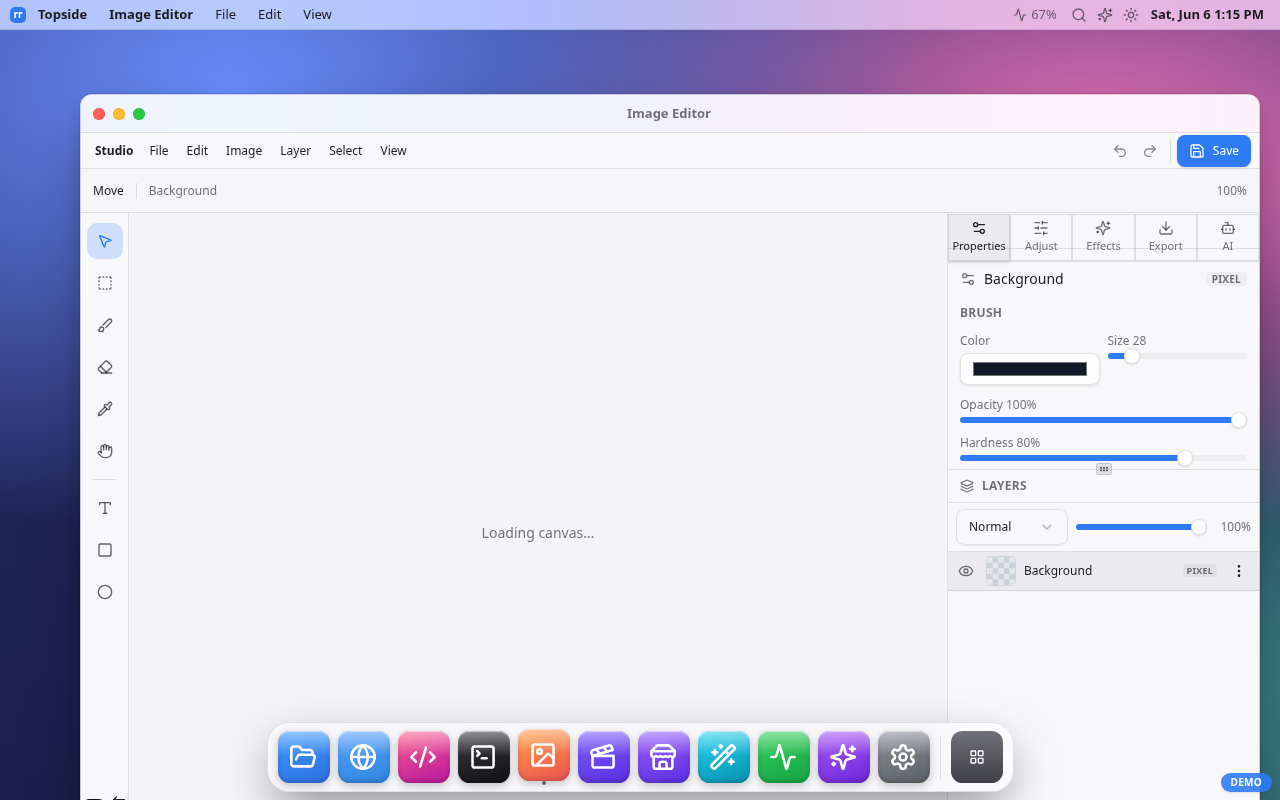 |
It runs on the server as a normal user process and talks to the machine directly. Single Next.js app — no database, no external agent.
phone / browser ──https──> os-vps (Next.js, :4005) ──┬── lib/host → Node fs / child_process (host, non-root)
                  signed-cookie auth (lib/auth)        └── os-browser (Playwright, :4002, loopback, optional)
What this is — and is NOT
IS: a lightweight, single-owner web control plane for one headless VPS you own. A faster, phone-friendly alternative to a remote desktop for everyday admin.
IS NOT: a real operating system, a Linux GUI replacement, a multi-user/ multi-tenant product, or a public SaaS. The macOS/iOS-style shell is a UI metaphor, not an OS.
It overlaps with Cockpit, ttyd, FileBrowser, Netdata and Tailscale SSH — each solves one piece. This stitches the common ones into a single mobile-first pane.
Threat model
- Trust boundary: an authenticated session = the owner. By design the owner can read files (within configured roots) and run shell commands as the process user. Treat a valid session like an SSH login.
- Assumptions: one owner; runs as a non-root user; reached over HTTPS; ideally behind a VPN / Tailscale, or a reverse proxy with TLS if exposed.
- What protects you: device-approval 2FA, HMAC-signed
httpOnly+Secure+SameSite=strictsession cookies, per-IP + global login rate limits, an exec burst limit, a filesystem jail (realpath-checked read/write roots), a destructive-command guard, and an append-only audit log. - What it does NOT do: it is not hardened for hostile public internet without a network boundary, and it is not a sandbox — within the FS roots the owner has real access. There is no second human to approve dangerous actions.
Security warning: an authenticated user has effective remote shell on this box. Run it behind Tailscale/VPN (or strict IP allowlist), keep the password strong, approve only your own devices, and review
~/.os-vps/audit.log.
Security model (mechanics)
- Login = shared password (
OS_LOGIN_PASSWORD, memorable factor) + device approval (the strong factor). A new device with the right password lands pending with no session until an approved device — orscripts/approve-device.js— promotes it. - Session = HMAC-signed cookie keyed by
OS_SESSION_SECRET(≥32 bytes, fail closed). Default lifetime 24h (SESSION_EXPIRY_HOURS). Sessions are stateless: revoking a device blocks future logins but does not invalidate an already-issued cookie — it stays valid until it expires. - Cookie requires HTTPS (
Secureis unconditional): over plain HTTP the browser silently drops it and login never completes. TLS is mandatory even behind a VPN. - CSRF is depth-2:
SameSite=Strictcookie plus aSec-Fetch-Site/Originsame-origin check inproxy.tson every mutating/apirequest. Clickjacking is blocked withframe-ancestors 'none'+X-Frame-Options: DENY. - Reads are bounded to
OS_FS_READ_ROOTS(default: home +~/projects). Even inside a root, the app's own credential files are denylisted —.env*in the app directory and everything under~/.os-vps/(device allowlist, BYOK key, browser profile) can never be read or written through the FS API, so a stolen session can't exfiltrateOS_SESSION_SECRETand mint cookies forever. - Writes are bounded to
OS_FS_WRITE_ROOTS(default: home +~/projects, narrower than reads; root dirs refused). Symlinks are realpath-resolved before the bounds check, so a link can't escape a root. - Exec runs one-shot bash as the process user, 30s timeout, 1 MiB output cap,
a per-device burst limit, and a destructive-command guard that refuses
rm -rf /,mkfs,ddto a block device, fork bombs, recursivechmod/chownon/, etc. (override withOS_EXEC_ALLOW_DESTRUCTIVE=1; do real disk work over SSH). - Audit log — every exec, file mutation, browser action and auth event is
appended as JSONL to
OS_AUDIT_LOG(default~/.os-vps/audit.log). Reads are not logged. - Remote browser — a Playwright headless Chromium (
os-browser/, optional) bound to loopback, reached server-to-server with a shared secret (constant-time compared) that never touches the client. It only acceptshttp(s)URLs (file://,chrome://etc. are refused) — but it is a real browser on your box: an authenticated owner can point it at LAN/internal addresses (including cloud metadata endpoints). That's by design; treat it with the same trust as the terminal.
Minimum security checklist (before serious use)
- Strong
OS_LOGIN_PASSWORD;OS_SESSION_SECRETfromopenssl rand -hex 32. - Reach it over a VPN/Tailscale, or a TLS reverse proxy + IP allowlist.
- Keep
OS_FS_READ_ROOTStight (do not set/on an exposed box). - Run as a non-root user (the provided systemd unit does).
- Keep
os-browseron loopback; firewall :4002 and :4005 from the public net. - Review
~/.os-vps/audit.logperiodically. - Never commit
.env.local(password + secrets live there).
Quickstart
pnpm install
cp .env.example .env.local      # set OS_LOGIN_PASSWORD + OS_SESSION_SECRET (openssl rand -hex 32)
pnpm build
pnpm start                      # serves on :3000 (or PORT)

# approve the device that will log in (id shown on the login screen):
node scripts/approve-device.js <deviceId> "my phone"
Run behind a reverse proxy with TLS (Caddy/nginx/Traefik) or as a systemd
service. The optional Browser app needs the Playwright service in
os-browser/ running with OS_BROWSER_URL/OS_BROWSER_SECRET.
Production setup (credentials, systemd, TLS, browser service, demo mode, updating): docs/INSTALL.md. Common questions: docs/FAQ.md. Something broken: docs/TROUBLESHOOTING.md.
Configuration
See .env.example for every variable. Key ones:
| Var | Default | Purpose |
|---|---|---|
OS_LOGIN_PASSWORD |
— | Login password (factor 1, min 6 chars) |
OS_SESSION_SECRET |
— | HMAC key for session cookie (≥32 bytes) |
SESSION_EXPIRY_HOURS |
24 |
Session lifetime |
OS_FS_READ_ROOTS |
~:~/projects |
Colon-separated readable roots |
OS_FS_WRITE_ROOTS |
~:~/projects |
Colon-separated writable roots |
OS_EXEC_ALLOW_DESTRUCTIVE |
unset | 1 to allow catastrophic commands |
OS_AUDIT_LOG |
~/.os-vps/audit.log |
Audit trail path |
OS_BROWSER_URL / OS_BROWSER_SECRET |
unset | Enable the remote Browser app |
Stack
Next.js 16 (App Router) · React 19 · Tailwind 4 · shadcn/ui · TypeScript.
Every feature is a self-contained vertical slice under frontend/slices/<slug>/.
Modular by design
The shell and the apps are decoupled three ways — this is what makes the project easy to extend and its pieces reusable:
- One manifest drives the shell.
frontend/slices/appshell/is a generic, brand-free desktop+mobile shell (window runtime, dock, launcher, Spotlight, responsive provider, pub/sub buses). os-vps is just its first consumer:os-shell/shell.manifest.tsdeclares the brand, the app list and the enabled features. Adding an app = one slice + one manifest entry — dock, launcher, search, URL routing and windowing pick it up with no surface edits. - Shell features are slices too. Search, inspector, notifications,
control-center, widgets and settings are independent
shell-*slices that contribute through the manifest, not hardcoded into the shell. - Apps talk to the host through seams. Each app's only coupling is a small
lib/host.ts(filesystem adapter, inspector bus, editor handoffs). Swap the seam and the same app runs anywhere — several apps (image editor, video editor, file explorer, media viewer, code editor) are published as copy-in slices at resource.rahmanef.com (npx rr add <slug>).
Deep dive: docs/ARCHITECTURE.md · slice index: docs/SLICE-CATALOG.md.
Docs
| Doc | What's in it |
|---|---|
| INSTALL.md | Production setup: credentials, systemd, TLS, browser service, demo mode, updating |
| FAQ.md | Security posture, device approval, modularity, reuse, costs |
| TROUBLESHOOTING.md | Error conditions + fixes (login, deploy, files, exec, browser, AI, service) |
| ARCHITECTURE.md | The AppShell framework, slices, seams, routing |
| SLICE-CATALOG.md | Every slice in the repo and what it does |
Status
Personal tool, alpha. Auth and FS jail are implemented and the host layer is bounded, but it has not had a third-party security audit. Use accordingly.
Comments