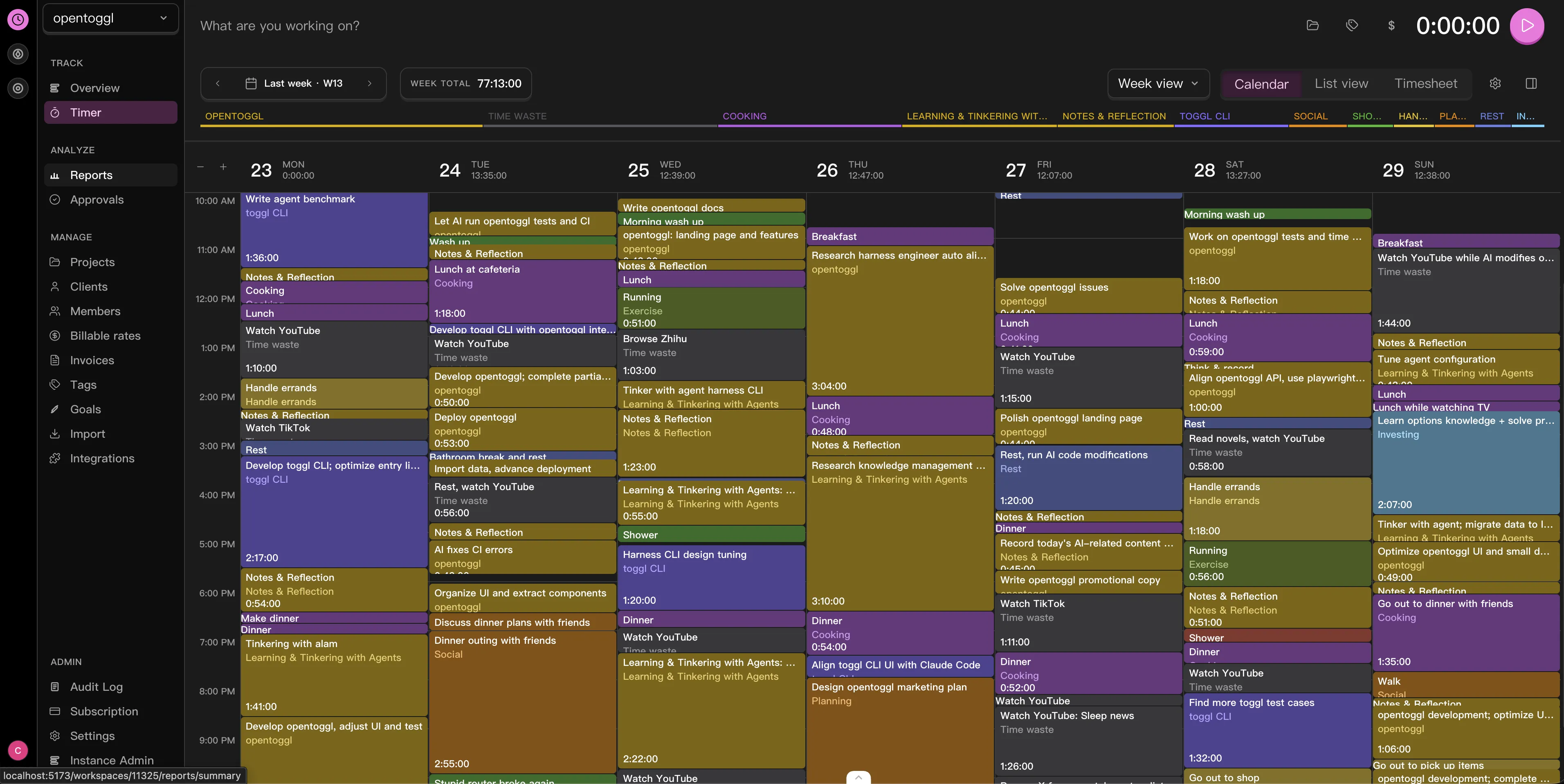
OpenTickly is a self-hosted time tracking application designed to be compatible with Toggl’s API and workflows. It emerged after the original repository—initially named to reflect its Toggl alignment—was taken down following a trademark complaint. The maintainer acknowledged the naming oversight and rebranded the project to OpenTickly. Its stated purpose is to offer a free, private-first alternative to Toggl Track, especially for users who want full control over their time data and need higher API limits than Toggl’s 30 requests/hour restriction. This matters for automation, scripting, and AI tooling: a single AI agent performing time-entry summarization or analysis can exhaust Toggl’s quota in seconds. OpenTickly aims to preserve existing habits—importing, exporting, and syncing time entries—while shifting ownership of data and infrastructure to the user.
What it does
- Implements full compatibility with Toggl’s Track v9 and Reports v3 APIs, enabling existing Toggl clients (web, desktop, CLI) to connect without modification
- Supports mobile PWA installation, with offline capabilities on iOS and Android—users can add the web interface to their home screen and run it like a native app
- Integrates with
toggl-cli, allowing terminal-based time tracking and enabling AI-driven workflows like Lyubishchev-style time analysis - Stores data in PostgreSQL, deployed via Docker Compose, with documented support for NAS platforms including Synology, TrueNAS, CasaOS, and ZimaOS
- Licensed under the AGPL v3, requiring source disclosure for modified networked deployments
Getting it running
The recommended setup uses Docker Compose. The project’s self-hosting documentation points to ./docs/self-hosting/docker-compose.md in the repository, though the README does not list the full docker-compose.yml inline. A minimal deployment starts with cloning the repo and running docker-compose up -d in the root directory—assuming the Compose file is present and configured. PostgreSQL is the only supported database, and the default configuration expects it to be available as a service in the same Compose stack.
For users deploying on Zeabur—a platform for cloud-hosted OSS apps—a one-click deploy button is available, preconfigured with the project’s template ID (4RM6JX) and a referral code. The web interface is served from apps/website/, built with TypeScript and deployed as a static site with backend API routes proxied to a separate service.
The CLI companion, toggl-cli, is distributed separately. It can be installed via npm install -g toggl-cli and configured to point to a self-hosted OpenTickly instance by setting the TOGGL_API_URL environment variable (e.g., export TOGGL_API_URL="https://your-opentickly.example.com/api/v9"). Authentication uses the same API token mechanism as Toggl Track, meaning existing tokens can be reused if the instance is properly exposed and secured.
Who this is for
OpenTickly suits users already invested in Toggl’s ecosystem but seeking more control or scalability. That includes developers running automation scripts, researchers tracking time across experiments, or small teams wanting shared time reporting without vendor lock-in. Its AI integration path—via CLI and structured API responses—makes it relevant for users building custom time-analysis agents or integrating time logs into larger knowledge management systems. The PWA support also makes it viable for field workers or freelancers who need quick, offline-capable access on mobile devices without installing native apps.
It is less suited for users who prefer managed services and don’t want to maintain infrastructure. There is no official cloud-hosted version—only self-hosted or Zeabur-deployed instances. The UI, while functional and responsive, does not yet match the full feature set of Toggl Track’s web interface (a goal marked “in progress” on the roadmap). Users needing advanced reporting dashboards, invoice generation, or team billing features will find those missing.
How it compares
Compared to other self-hosted time trackers, OpenTickly is narrowly focused on Toggl compatibility—not general-purpose time logging. It differs from Clockify, which offers a free tier and self-hosted option but diverges in API design and client tooling. It also differs from HammerTime, a lightweight CLI-first tracker with no web UI or Toggl API surface. OpenTickly’s closest functional peer is Toggl Track’s open-source fork attempts, but none are actively maintained or compatible with current Toggl API versions. At 34 GitHub stars (as of the project’s documented state), it is a small, early-stage effort—smaller in scope and community than mature alternatives like Kimai or Hermes, both of which support broader time-tracking use cases but lack native Toggl API mapping.
The project’s design decisions reflect its origin: it is built to be a drop-in infrastructure replacement, not a feature competitor. Its TypeScript codebase and Docker-first deployment path align with developer-operated environments, not enterprise IT workflows requiring LDAP, SAML, or audit logging—none of which are mentioned in the documentation.
OpenTickly is a functional, AGPL-licensed implementation of the Toggl Track API surface, built for users who value data ownership, CLI access, and AI extensibility over polished UIs or vendor-managed convenience. It is not intended for enterprise procurement, does not offer commercial support, and makes no claims about long-term feature parity beyond the API contracts it implements. Source code and documentation are available at https://github.com/CorrectRoadH/OpenTickly and https://opentoggl.com.
Comments