Turn links into a tidy local queue.
Inspect, format, and save media from a focused self-hosted web workspace.
LinkSift is a local-first media downloader powered by yt-dlp and ffmpeg. Paste one or more supported URLs, inspect the available metadata, choose MP4 or MP3, and follow each download from the same queue.
Built for personal, authorized use. Respect copyright law, platform terms, and creators' rights. LinkSift does not support DRM circumvention or bypassing access controls.
At a glance
| Deployment | Versioned GHCR image for normal use; source build and local launcher for contributors |
| Interface | Responsive browser UI with light, dark, and system themes |
| Formats | MP4 video or MP3 audio |
| Queue | Multiple URLs, quality selection, concurrency limit, live progress |
| Runtime | Python + Flask, yt-dlp, ffmpeg, Gunicorn, non-root container |
| Privacy model | Local by default; no built-in account, telemetry, or public service |
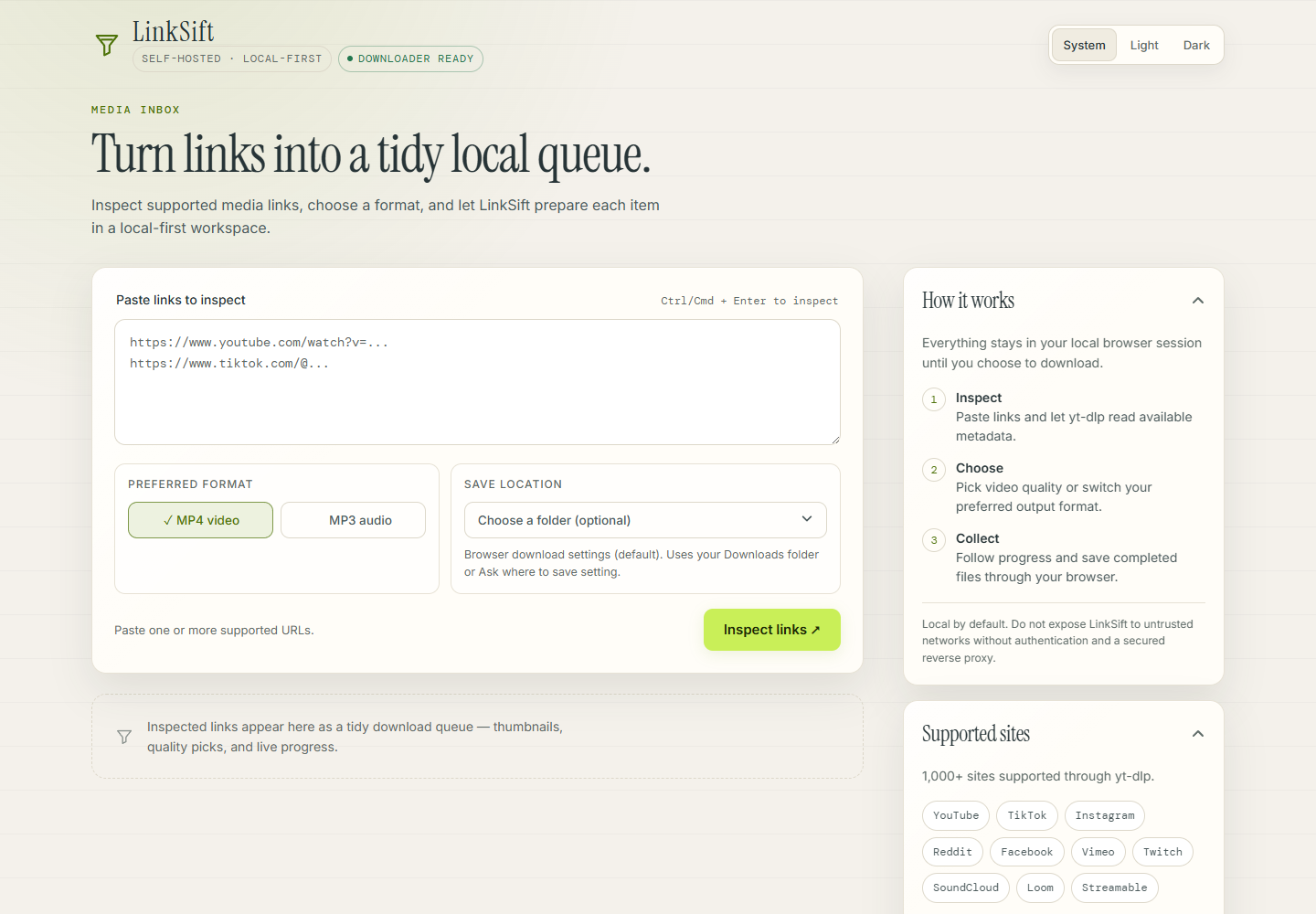
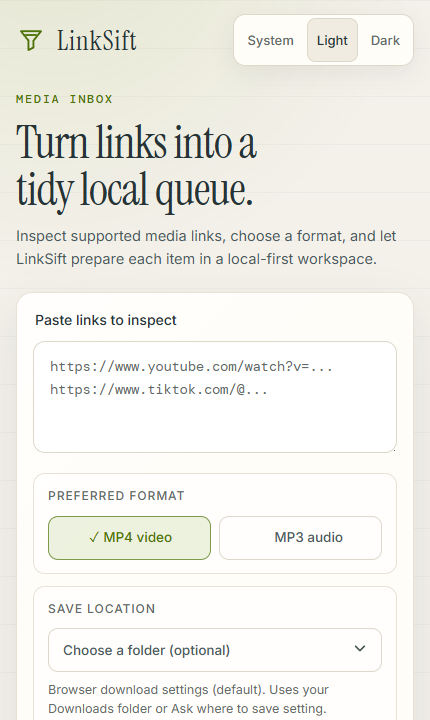
Screenshots
 desktop workspace"> desktop workspace"> |
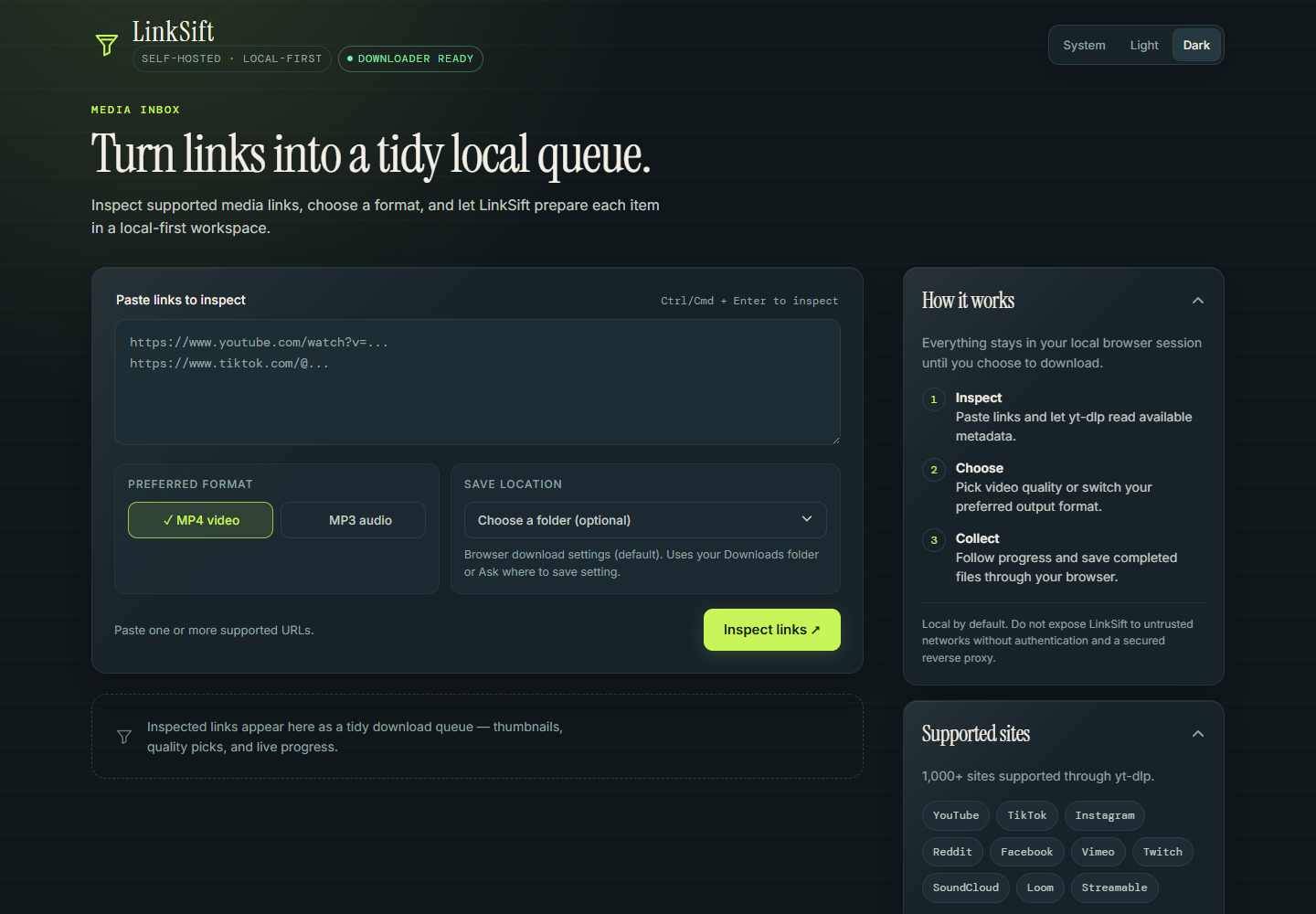 |
| Light theme - desktop workspace | Dark theme - desktop workspace |
 |
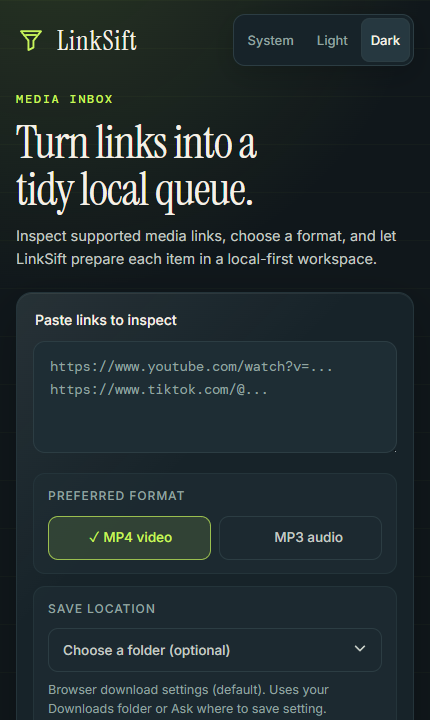 |
| Light theme - mobile | Dark theme - mobile |
The workflow
| 01 - Inspect Paste a URL or a batch of URLs. LinkSift asks yt-dlp for metadata without downloading the media first. |
02 - Choose Pick MP4 or MP3, then select an available video quality when the source provides one. |
03 - Collect Watch progress, speed, and ETA. Save completed files through the browser or an optional folder picker. |
What is included
- Local-first by design - Compose binds to
127.0.0.1:8899by default. - Batch-friendly queue - paste one or more supported URLs and process them in sequence.
- MP4 and MP3 output - choose a preferred format before inspection.
- Quality selection - choose from the available video heights returned by yt-dlp.
- Live progress - phase, percentage, downloaded bytes, speed, ETA, and final status.
- Browser save controls - use the default browser download flow or choose a folder in Chromium-based browsers.
- Predictable runtime - Docker includes Python, yt-dlp, ffmpeg, Gunicorn, and a non-root
linksiftuser. - Verifiable releases - version tags publish amd64/arm64 images with OCI metadata, an SBOM, and GitHub build-provenance attestations.
- Offline CI - regression tests mock external tools and never call media platforms.
Quick start
Docker is the supported end-user path. Install Docker Desktop, then start the published image:
docker run -d --name linksift --restart unless-stopped -p 127.0.0.1:8899:8899 -v linksift-downloads:/app/downloads ghcr.io/loveisbl1nd/linksift:latest
Open http://localhost:8899. You do not need Python, yt-dlp, ffmpeg, or a virtual environment on the host.
Downloads persist in the named linksift-downloads Docker volume. Pin a numbered image such as 0.1.0 instead of latest when reproducibility matters. Stop and remove the container with docker stop linksift followed by docker rm linksift; the volume remains intact.
To use Compose with the published image after cloning the repository:
docker compose -f compose.ghcr.yml up -d
To build the current source locally instead, run docker compose up --build -d.
Development
The local launcher is for contributors and requires Python 3.12, yt-dlp, and ffmpeg:
./linksift.sh
Before opening a pull request, run:
python -m unittest discover -s tests -v
python -m py_compile app.py
docker compose config
docker compose -f compose.ghcr.yml config
docker build -t linksift:local .
See CONTRIBUTING.md for the contributor workflow and pull request checklist.
Releases and image verification
Pushing a tag in the form vMAJOR.MINOR.PATCH runs the release pipeline. It repeats the offline validation suite, builds linux/amd64 and linux/arm64 images, publishes SemVer and latest tags to GHCR, attaches supply-chain metadata, and creates the matching GitHub Release.
After installing the GitHub CLI, verify that a published image was built by this repository's release workflow:
gh attestation verify oci://ghcr.io/loveisbl1nd/linksift:0.1.0 -R loveisbl1nd/linksift
Maintainers should follow RELEASING.md, including the one-time GHCR visibility check. An attestation establishes build origin; it does not replace source or dependency review.
Configuration
| Variable | Default | Purpose |
|---|---|---|
PORT |
8899 |
HTTP port used by the development server. |
HOST |
127.0.0.1 |
Bind address. Keep it local unless a protected reverse proxy is in front. |
LINKSIFT_DOWNLOAD_TIMEOUT |
3600 |
Maximum seconds allowed for one yt-dlp process. |
LINKSIFT_MAX_CONCURRENT_DOWNLOADS |
3 |
Maximum simultaneous downloads in the in-memory worker. |
LINKSIFT_JOB_TTL |
86400 |
Seconds a terminal job (done, error, timed_out, or cancelled) and its files are kept before automatic cleanup. Invalid, zero, or negative values fall back to the default. |
LINKSIFT_MAX_PLAYLIST_ITEMS |
200 |
Maximum playlist entries expanded per inspection. Longer playlists are truncated to the first N items. Invalid values fall back to the default. |
LINKSIFT_NO_UPDATE |
unset | Set to 1 to skip the startup yt-dlp update. |
Job state is held in memory. The Docker command therefore uses one Gunicorn worker; restarting the service clears active job status. Do not add workers until job state moves to shared storage.
Downloaded files and job status are a temporary cache, not an archive: LinkSift removes finished jobs and their files after LINKSIFT_JOB_TTL seconds and sweeps stale leftover files it created at startup and periodically while running. Active downloads are never touched by TTL cleanup. Save completed files through the browser before the TTL expires. Playlists larger than LINKSIFT_MAX_PLAYLIST_ITEMS only queue the first configured number of items; truncation is detected from the playlist size reported by yt-dlp, and unavailable or malformed playlist entries are skipped without failing the request.
Supported sites
LinkSift accepts the sites supported by yt-dlp, including YouTube, TikTok, Instagram, Reddit, Facebook, Vimeo, Twitch, SoundCloud, Loom, Streamable, Pinterest, Tumblr, Threads, LinkedIn, and many more.
The supported-site list changes with yt-dlp releases. LinkSift updates yt-dlp at container startup by default; set LINKSIFT_NO_UPDATE=1 to opt out.
Security and network exposure
LinkSift accepts URLs for yt-dlp to process and has no built-in authentication. Do not expose it directly to the internet or an untrusted LAN. If remote access is required, place it behind a reverse proxy with TLS, authentication, rate limiting, and egress controls that you operate.
For a vulnerability report, use GitHub Private Vulnerability Reporting instead of opening a public issue. See SECURITY.md for the disclosure policy.
Project layout
app.py                 Flask API, queue state, and download worker
templates/index.html   Responsive browser interface
static/                Favicon and static assets
assets/                README screenshots
Dockerfile             Production container image
docker-compose.yml     Local Docker deployment
compose.ghcr.yml       Deployment using the published GHCR image
linksift.sh            Contributor-only local launcher
tests/                 Offline regression suite
.github/               CI, issue forms, and pull request template
PROVENANCE.md           Verified source history and metrics boundary
THIRD_PARTY_NOTICES.md  Preserved licenses for inherited source
RELEASING.md            Tagged release and verification runbook
ROADMAP.md              Maintainer direction and contribution candidates
Project provenance
LinkSift began from an MIT-licensed ReClip source baseline and is now maintained independently with its own identity, history, releases, and adoption metrics. The exact upstream repository and commit, the scope of LinkSift's changes, and the history boundary are recorded in PROVENANCE.md. The inherited MIT notice is preserved in THIRD_PARTY_NOTICES.md; no upstream endorsement is implied.
Comments