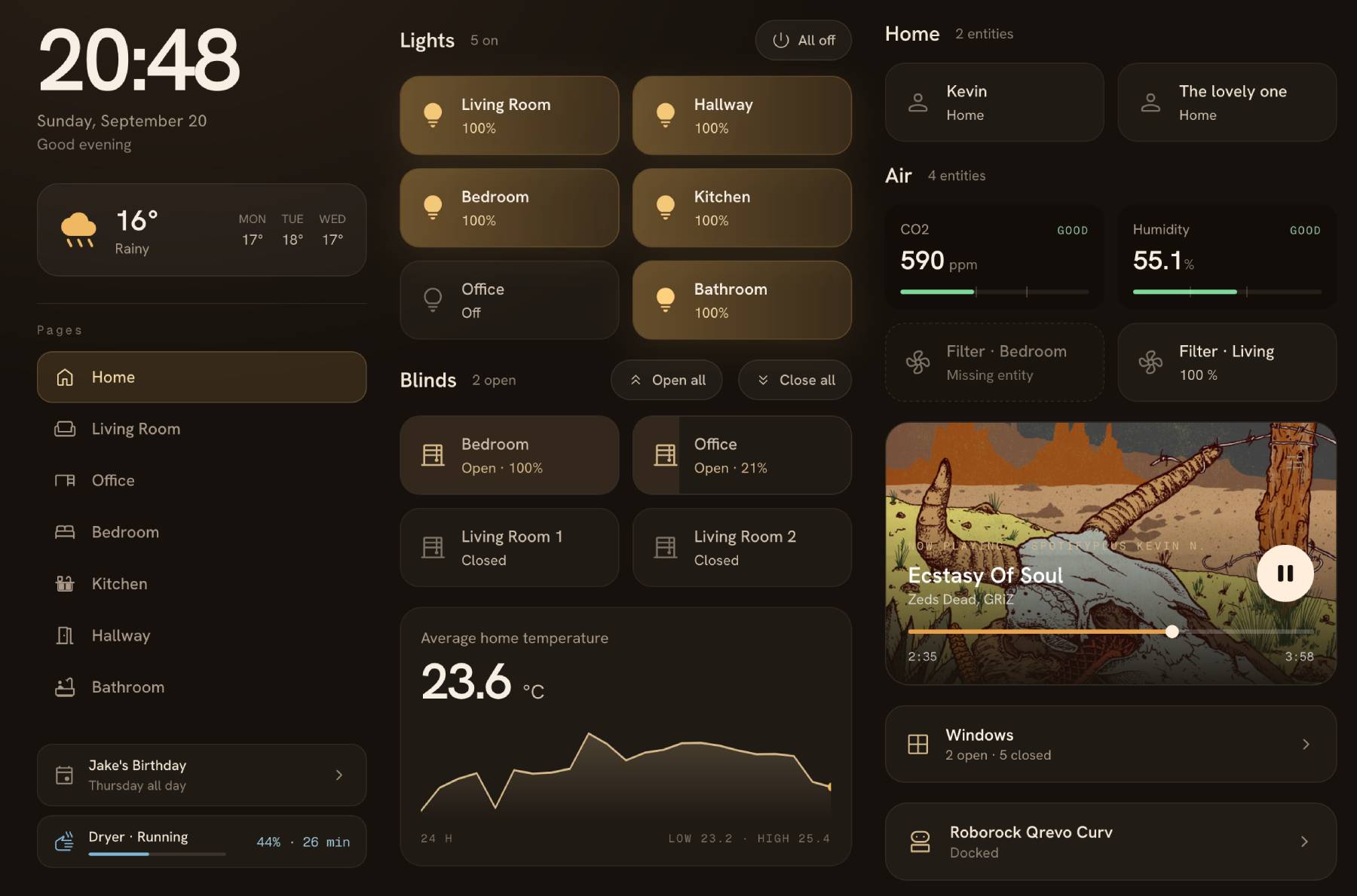
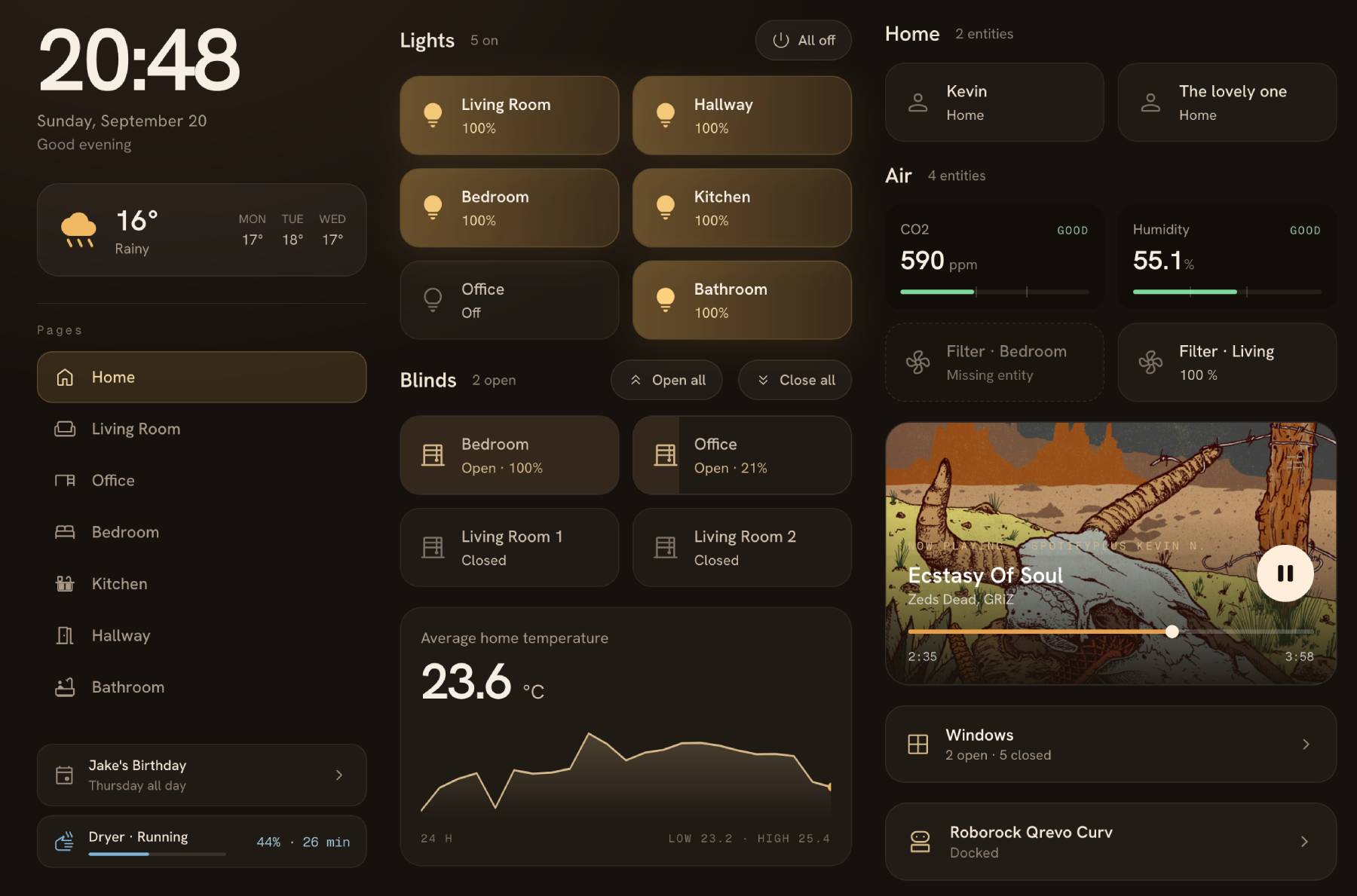
Hearth is a Home Assistant dashboard for wall tablets, phones and desktops. It brings your rooms, devices and daily information into a configurable interface with a visual editor, responsive layouts and day/night themes.
Hearth is an early-stage project and is actively evolving.
Home Assistant add-on
On Home Assistant OS or Supervised, install Hearth from its add-on repository:

To add it by hand, open Settings, Add-ons, Add-on Store, then Repositories from the overflow menu, and paste https://github.com/knowald/addon-ha-hearth. Install Hearth from the store once the repository is listed.
The add-on appears in the sidebar and is served over Ingress. Set a port in its configuration to expose it directly as well, which is what wall tablets should use. Dashboard configuration is stored on the add-on's own volume and survives updates.
The packaging lives in knowald/addon-ha-hearth. Each add-on version builds the ha-hearth tag of the same name.
Run locally
Requirements: Node.js 22 or newer and pnpm 10 or newer.
git clone https://github.com/knowald/ha-hearth.git
cd ha-hearth
pnpm install --frozen-lockfile
cp .env.example .env
pnpm dev
Set HASS_URL in .env to your Home Assistant URL, then open the address printed by Vite. Sign in through Home Assistant. The companion app can use a long-lived access token created in your Home Assistant profile.
For a production Node deployment:
pnpm build
HASS_URL=http://homeassistant.local:8123 PORT=5050 node server.js
HASS_URL is the server's Home Assistant proxy target. Browser authentication and WebSocket connections use the forwarded Home Assistant origin on Ingress (X-Forwarded-Proto and X-Forwarded-Host). For direct access they use HASS_PUBLIC_URL when set, otherwise HASS_URL.
For standalone deployments where HASS_URL is internal (for example, http://homeassistant:8123), set HASS_PUBLIC_URL to a Home Assistant URL reachable by the browser. Use an HTTPS URL when Hearth is served over HTTPS. Docker Compose accepts the same setting in .env.docker.
The first connection opens a setup wizard that proposes a dashboard using Home Assistant's areas, devices and entities. You can also start with an empty page and add cards and rail widgets yourself.
Docker
Build and run the project from this checkout:
cp .env.docker.example .env.docker
# Set HASS_URL in .env.docker before starting.
docker compose --env-file .env.docker up -d --build
The container listens on port 5050 and stores configuration under /app/data. Compose mounts ./data by default; DATA_PATH changes that location. Use docker compose logs to inspect server logs.
The publishing workflow targets ghcr.io/knowald/ha-hearth when a release is published. Local builds do not depend on an image already existing in the registry.
Configuration
data/hearth.yaml: pages, cards, rail widgets, themes and tablet settings.data/configuration.yaml: language, motion, touch feedback, optional access token and custom JavaScript setting.data/hearth-themes/: saved Hearth theme presets.data/backups/: the ten most recent revisions of each saved configuration document.
Persisted dashboard documents declare version: 5. Other versions are rejected with a visible load error; they are not automatically converted. A failed load locks dashboard editing to protect the source file. Save requests must include the revision that the client loaded. Conflicts require an explicit choice in the editor.
Custom CSS and opt-in JavaScript are available through application settings. Use --h-* tokens for styling. Keep the data directory private: it may contain an access token. Serve Hearth behind your trusted network or authenticated reverse proxy; it does not provide a separate user authentication system for configuration endpoints.
Interface
Hearth is served at /. ?room=<id> opens a page, ?theme=<preset> previews a built-in theme and ?menu=false hides the edit button. These are presentation options, not access controls.
Cards cover entities, headers, sensors, media, vacuums, cameras, images, climate, scenes, elapsed days and conditional media. Rail widgets include clocks, weather, navigation, search, energy, progress, calendars, status, entities, charts, templates, timers, notifications and web pages.
Camera playback supports HLS and WebRTC with a still-image fallback. Calendar widgets show upcoming events. Entity domains without specialized controls use a generic state, attributes and history sheet. Picture-elements editing, calendar editing, todo editing and GPS maps are outside the current feature set.
Touch feedback is off by default and vibrates on presses, long presses, slider steps, saves and failed commands. It needs both a browser that implements the Vibration API and a secure origin: Chrome on Android over https or localhost works, and the same page over plain http does not vibrate at all even though the call reports success. Firefox for Android does not provide the API. iOS Safari 18 has no Vibration API either and is driven through a switch toggle instead, which the browser only honors during the gesture that triggered it.
Development
pnpm check
pnpm lint
pnpm check:boundaries
pnpm check:style
pnpm check:hearth-a11y
pnpm test
pnpm build
pnpm check:bundle
pnpm test:e2e
pnpm matrix
Browser tests use a fake Home Assistant and fixture data. pnpm matrix generates screenshots and a review sheet. Actual device and live camera behavior also need testing against your installation.
See component conventions and releasing. The changelog follows Common Changelog. Changes use the hearth commit scope. Contributions are covered by the MIT license; retained copyright notices apply to included code.
Shoutout
Hearth is a rework of ha-fusion, originally created by matt8707. A big thank you to matt8707 for the project that made Hearth possible. You can also find a maintained continuation of the original project at knowald/ha-fusion.
Comments