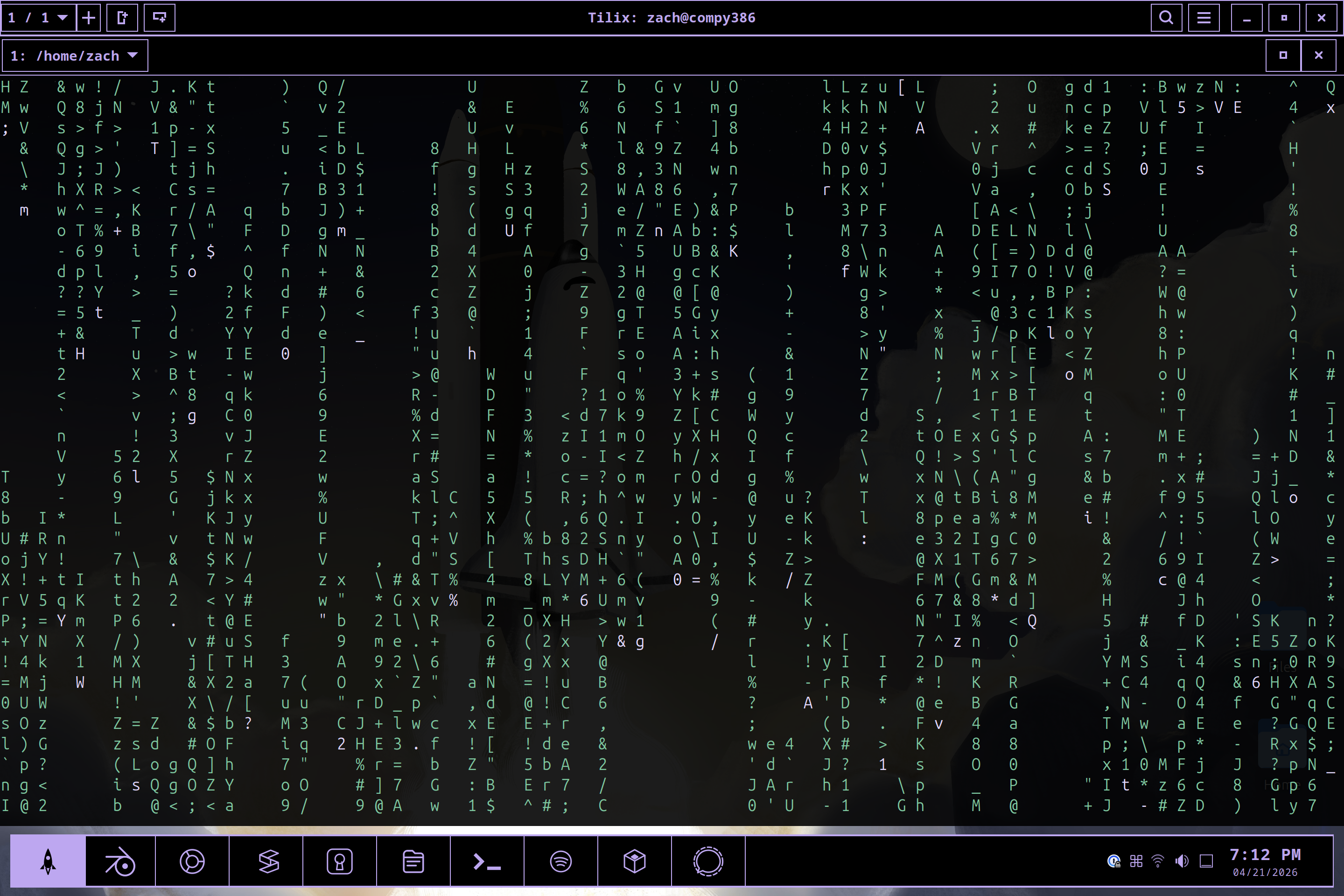
gnome-prism is a desktop theme for Ubuntu and other GNOME-based Linux distributions that prioritizes readability and visual clarity through a strict dark, high-contrast palette. It uses a near-black background (#000000), a deep charcoal surface (#191919), lavender accents (#BDA7F0), and a vivid orange highlight (#FF7447). The theme was designed with the Framework Laptop 13 Pro in mind—though it is not affiliated with or officially supported by Framework—suggesting an emphasis on legibility in varied lighting and on high-PPI displays. Its GitHub repository shows 71 stars and is written primarily in Shell, with installation and configuration handled through scripts rather than build tools or package managers.
What it does
- Applies a unified dark GTK3, GTK4, and GNOME Shell theme with matching icons, fonts, and wallpaper
- Configures Dash to Panel for a bottom-aligned taskbar layout by default
- Installs SVG and PNG icon overrides for over 100 applications—including GNOME core tools, browsers, dev editors (Cursor, VS Code), media players, and Framework-specific utilities
- Includes optional browser styling: a temporary Firefox extension for toolbar theming and a
userChrome.cssscript for deeper UI control; a separate script for Vivaldi CSS injection - Auto-applies cursor and editor settings: merges
gnome-prismcolor schemes and font preferences into~/.config/Cursor/User/settings.jsonand supports reuse in VS Code - Writes
~/.config/gtk-4.0/gtk.cssto ensure libadwaita apps like Files and Settings inherit the theme’s base colors
The theme does not modify system-wide files. All assets install to user directories (~/.themes, ~/.local/share/themes, ~/.config, etc.), and the uninstall script removes only those files.
Getting it running
Before installing, ensure GNOME Tweaks and the User Themes extension are enabled. The README lists these prerequisites:
sudo apt update
sudo apt install -y gnome-tweaks gnome-shell-extensions
Then, enable the User Themes extension via the Extensions app or browser.
Installation is a single script:
./scripts/install.sh
This command copies theme assets, applies gsettings for GTK, Shell, and icon themes, configures Dash to Panel, installs browser and editor tweaks, and sets the default wallpaper. It runs without sudo, as it writes only to the current user’s home directory.
If theme settings disappear after a GNOME update, re-running ./scripts/install.sh restores them. For manual reapplication, these three gsettings commands are sufficient:
gsettings set org.gnome.desktop.interface gtk-theme 'gnome-prism'
gsettings set org.gnome.shell.extensions.user-theme name 'gnome-prism'
gsettings set org.gnome.desktop.interface icon-theme 'gnome-prism'
Firefox and Vivaldi require extra steps. For Firefox, the script ./scripts/apply_firefox_userchrome.sh places a userChrome.css file in the profile directory. For Vivaldi, ./scripts/apply_vivaldi_theme.sh copies a CSS mod and opens Vivaldi’s internal mod path settings.
Who this is for
This theme suits users who want a consistent, high-contrast GNOME desktop without manually piecing together GTK, icon, shell, and app-specific themes. It’s especially relevant for people using the Framework Laptop 13 Pro—though it works on any GNOME 40+ system—and those who value readability over decorative subtlety. Developers using Cursor or VS Code may appreciate the preconfigured editor settings, and terminal users get a matching dark background and accent colors in the included Tilix screenshot.
It assumes familiarity with GNOME’s extension ecosystem and basic shell commands. The install script does not check for conflicting themes or prompt before overwriting editor settings.json, so users with complex editor configurations should review the apps/cursor/gnome-prism-settings.json file before running the script.
How it compares
Unlike generic dark themes such as Adwaita-dark or Yaru-dark, gnome-prism uses a tightly controlled color palette and ships with icon overrides for specific apps—not just categories. It also goes further than most themes in covering libadwaita apps via gtk.css, though the README notes that GTK4 theming remains limited by design constraints in upstream libraries.
Compared to more modular themes like Orchis or Dracula, gnome-prism is less customizable out of the box: there are no light variants, no alternate accent colors, and no granular toggle options. It offers one opinionated look—not a framework for variation. It’s also heavier than minimal themes like gruvbox-dark-gtk or Nordic, both in scope (icons, fonts, browser mods) and dependencies (requires Dash to Panel, User Themes, Tweaks).
It is not a distribution or desktop environment fork. It does not include kernel patches, firmware tweaks, or hardware-specific drivers—despite its Framework Laptop association. Its scope ends at the desktop theme layer.
Final notes
gnome-prism is a focused, user-space theme project—not a system utility or runtime tool. It does not require compilation, does not ship binaries, and makes no changes outside the current user’s home directory. It is maintained as a single GitHub repository with no published package in Ubuntu’s official repos or Flathub. The project credits Gaurav Singh for theme design and Ross Jernigan for contributions, and directs issue reporting to its GitHub issues page.
If you want a ready-to-run, high-contrast GNOME theme with coordinated icons and app-specific styling—and are comfortable running shell scripts that modify your editor and browser configurations—this may fit. It is not intended for users who prefer GUI-only setup, need light-mode support, or avoid third-party browser CSS mods.
Comments