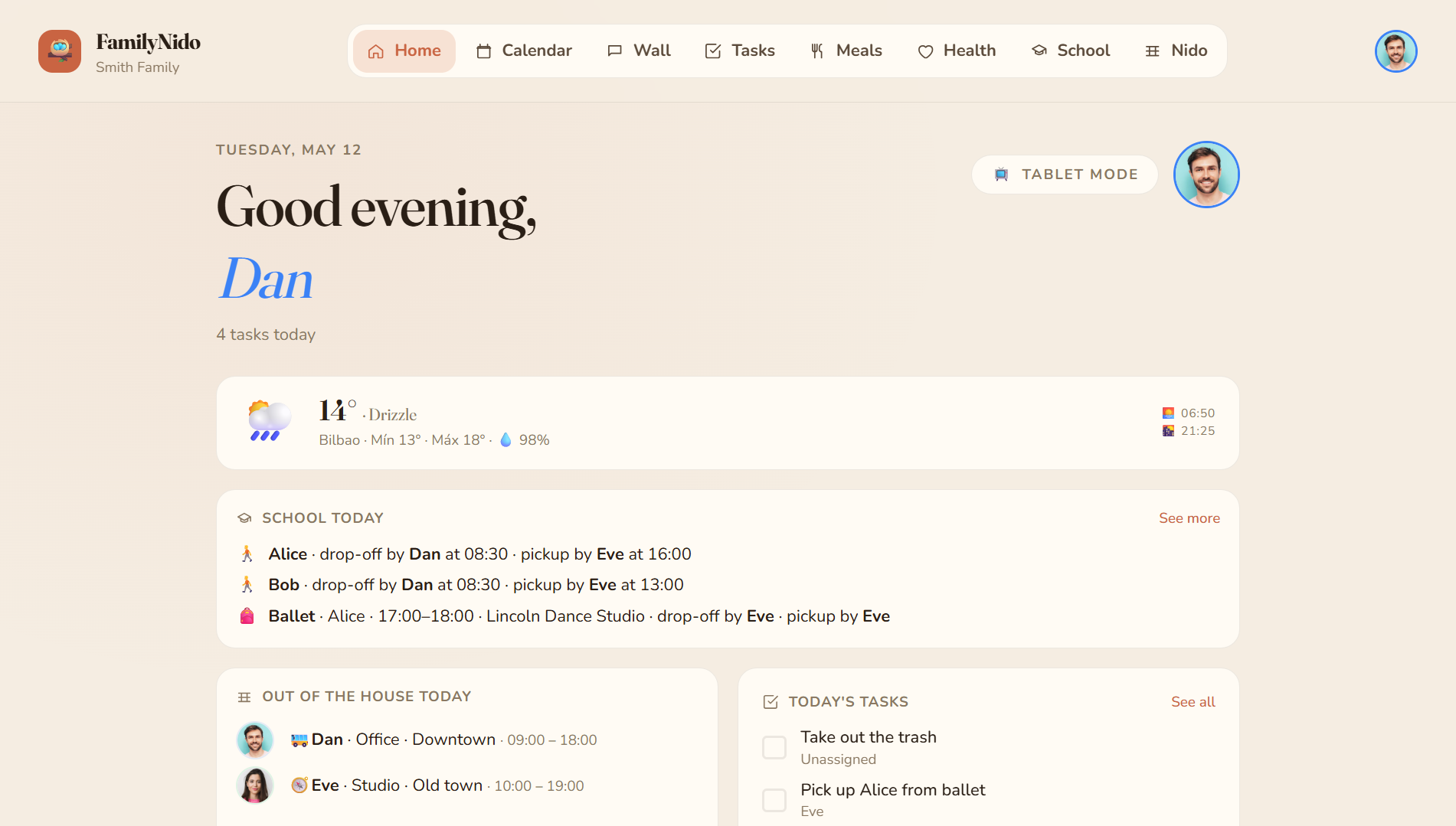
FamilyNido presents itself as a self‑hosted progressive web app built for a single household that wants to keep all internal coordination in one place. Rather than juggling separate tools for calendar, chores, meals and health records, the project aggregates those functions into a single installable instance that runs on any home server. The description emphasizes privacy, ad‑free operation and a ten‑minute deployment target, positioning the software as a digital hub for families that prefer to retain full control over their data.
Inside the app
The README lists a set of concrete capabilities that can be grouped into three practical categories.
- Shared scheduling – a calendar that mirrors Google accounts read‑only and lets each family member view only their own obligations on a wall‑mounted tablet.
- Gamified chores – a task manager that awards points for completed jobs, creating a quiet scoreboard that encourages contribution without nagging.
- Open public API – a versioned endpoint at
/api/v1/tasksthat accepts external requests, enabling connections to n8n, IFTTT or Home Assistant automations.
Additional modules cover meals, health records, school agendas, a message wall and a rotating tablet mode that acts as an ambient information radiator. Each feature lives behind its own Angular route and backend slice, allowing the family to hide or extend components as needs evolve.
Design and deployment
Technically the stack combines Angular 21 with standalone signals and Tailwind CSS, paired with .NET 10 minimal APIs and Entity Framework Core. PostgreSQL 16 stores the relational data, while SignalR provides real‑time updates. Authentication defaults to local credentials, with optional OpenID Connect providers such as PocketID or Authelia for organizations that need tighter integration.
Deployment follows a Docker‑Compose model that spins up the API, the Angular front‑end and the database in separate containers. Traefik handles external routing, and the repository ships with both production and development compose files. The architecture is deliberately modular; every vertical slice can be added or removed without affecting unrelated parts of the system. A short example of the public API surface is shown below:
POST /api/v1/tasks
This endpoint illustrates how external scripts can inject new chores into the system, a hook that the README highlights for power users who want to automate workflows.
Fit and limits
FamilyNido is not a one‑size‑fits‑all solution. Its design assumes a single household unit, which means user management is scoped to one family group and does not scale to multiple unrelated households. The gamified points system works well for motivating participation among children, but families that dislike competition may find the mechanic irrelevant. Because the project leans heavily on .NET and Angular, the learning curve for contributors is steeper than for lighter‑weight alternatives written in more ubiquitous languages. At the same time, the emphasis on privacy — no telemetry, no cloud subscription — makes it attractive for tech‑savvy families that run their own hardware and want to avoid third‑party data collection.
Getting started
To run the software locally you need a recent .NET SDK, Node.js, npm and Docker with Compose v2. The development stack launches PostgreSQL in a container, then starts the API and the Angular client with a simple compose command. Detailed setup instructions, including environment variable configuration and optional seed data for a demo family, are documented in the repository’s README. The source is on GitHub.
Comments