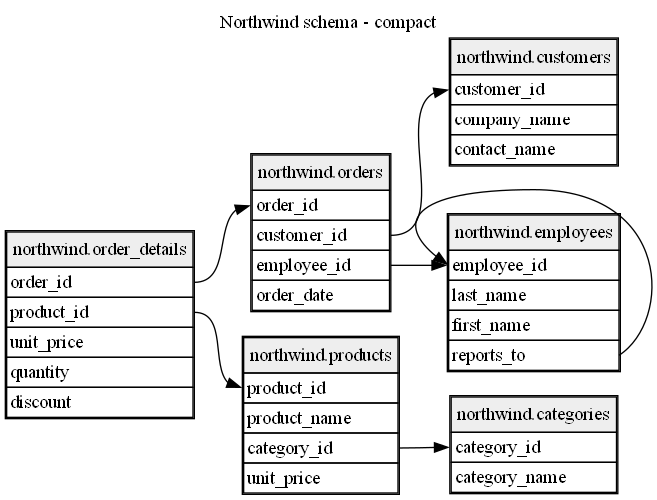
DbSketch turns a live database into version-controlled schema documentation.
It reads tables, columns, primary keys, and foreign keys directly from SQL Server, PostgreSQL, MySQL, or SQLite. It can include native comments where providers support them, apply YAML comment overrides, and generate diagram-as-code files you can commit, review, render, reuse as LLM context, and refresh from CI.
DbSketch is useful when both humans and AI coding assistants need a compact, reviewable schema snapshot. Instead of asking an agent to inspect the database with ad-hoc commands or parse creation scripts and migrations, you can give it generated schema documentation that already contains the relevant tables, columns, keys, relationships, and comments.
What it produces
DbSketch is a CLI documentation generator, not a visual database designer. Its primary output is text-based, Markdown-friendly documentation:
.dot: Graphviz DOT, best for precise technical diagrams and column-to-column foreign key edges..mmd: Mermaid ER, convenient for Markdown renderers that support Mermaid diagrams..md: Markdown documentation that wraps DOT or Mermaid in a fenced code block.
These files can often be used directly in repositories, wikis, issue trackers, documentation sites, and other tools that understand diagram-as-code or Markdown-like formats.
What it looks like
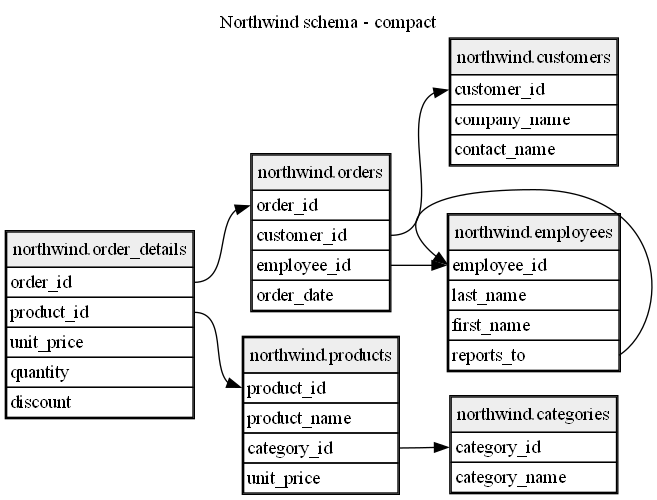
Compact schema diagram:
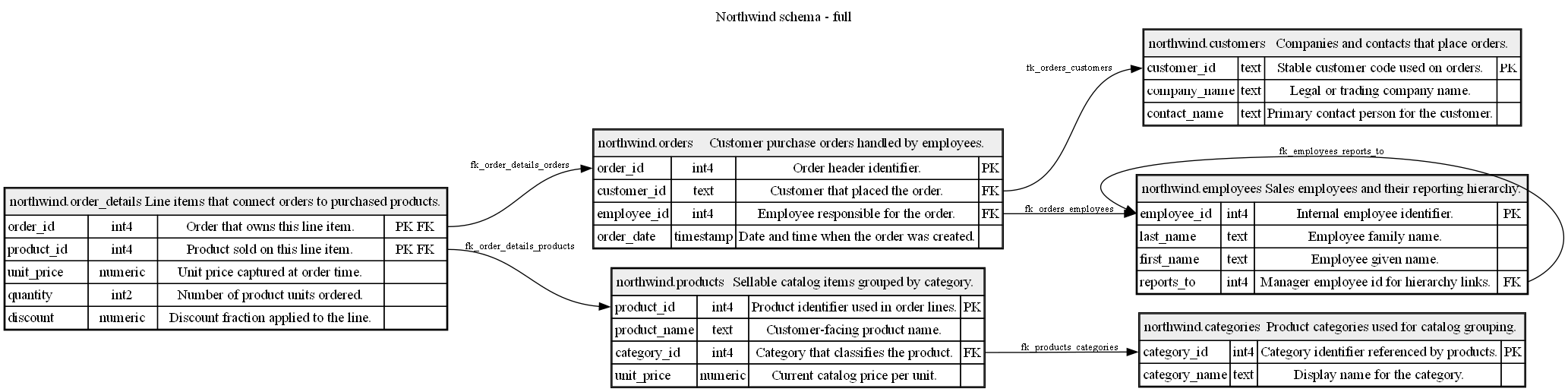
Detailed schema diagram with comments and column metadata:
Why DbSketch?
- Reads live SQL Server, PostgreSQL, MySQL, and SQLite schemas
- Generates Graphviz DOT, Mermaid ER, or Markdown-wrapped output
- Supports multiple focused diagrams from one config
- Preserves precise column-to-column foreign key edges in DOT
- Can include native database comments where supported, and YAML comment overrides for providers such as SQLite
- Works locally, in CI, or as a repository documentation step
- Produces compact schema context for AI coding assistants
AI-assisted setup
Want ChatGPT, Claude, Codex, or another coding assistant to add DbSketch to an existing repository? See AI-assisted setup for copy-paste prompts and review guidance.
Documentation
Start here:
Examples and development:
Comments