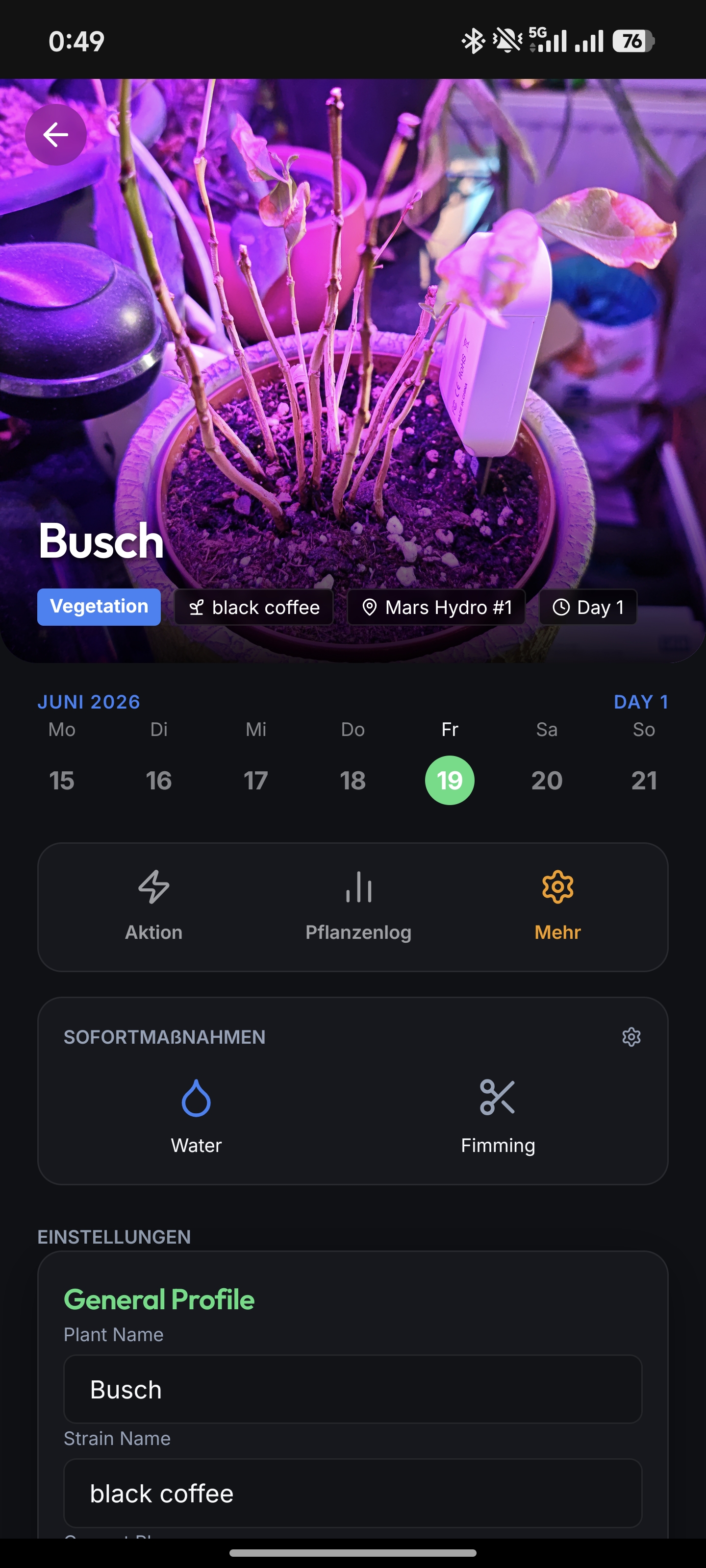
Calyx tracks indoor garden environments, plant schedules, and hardware. Commercial alternatives lock features behind cloud subscriptions and isolate data from local smart devices. Calyx stores its 30,000-strain database entirely offline and integrates directly with Home Assistant to control grow room sockets without a monthly fee.
Environment and hardware control
The application queries the Home Assistant REST API to display temperature, relative humidity, and Vapor Pressure Deficit (VPD). Users toggle smart sockets directly from the application interface. Calyx also monitors for light bleed during scheduled dark periods and pushes an alert through ntfy if it detects illumination.
Plant and tent management
Users define physical grow tents and assign plants to them. The application references an offline database of 30,000 strains. When a user logs a plant, an automatic calculator uses the strain genetics to determine the optimal harvest window. Growers capture and view chronological photos in a full-screen gallery overlay, which renders the days since germination and current growth phase on the image. The gallery interface provides controls to delete individual photos.
Feeding and scheduling
The application provides a nutrient solution recipe database to store feeding mixtures. Users assign custom quick actions, such as pruning or nutrient application, to individual plants. Tapping a nutrient action automatically attaches a specific recipe and liquid volume to the plant's history. The log interface formats each entry based on its action type, displaying only the exact variables (pH, EC, recipe scale, or text notes) recorded during the task. A soil moisture reading below 30% places a watering indicator on the calendar.
Architecture
The frontend requires React 19 and Vite. Capacitor packages the web code into an Android application. The codebase relies on Zustand for state management and React Router for view navigation.
Build instructions
Install the dependencies:
npm install
Start the development server:
npm run dev
Android APK
Build the web assets and synchronize them to the Android project:
npm run build
npx cap sync android
Web application
The interface runs in a web browser without requiring the Android APK. Navigate to the hosted URL and select the browser's "Add to Home Screen" option. This installs a progressive web app shortcut. The browser deployment executes the identical React codebase as the Capacitor build.
Docker Deployment (Recommended)
Multi-architecture Docker images (supporting amd64, arm64 for Raspberry Pi, etc.) are automatically built and published to the GitHub Container Registry (ghcr.io).
Run the frontend container directly:
docker run -d -p 8080:80 ghcr.io/stefexec/calyx-frontend:latest
Docker Compose
The easiest way to deploy Calyx is using Docker Compose, which pulls the pre-built ghcr.io images for both the frontend and backend services. The configuration maps local directories for the SQLite database and image uploads to ensure data persists across container restarts.
A sample docker-compose.yml:
services:
  calyx-backend:
    image: ghcr.io/stefexec/calyx-backend:latest
    container_name: calyx-backend
    restart: unless-stopped
    volumes:
      - ./data:/app/data
      - ./uploads:/app/uploads
    environment:
      - DATABASE_URL=sqlite:////app/data/calyx.db
      - ENVIRONMENT=production

  calyx-frontend:
    image: ghcr.io/stefexec/calyx-frontend:latest
    container_name: calyx-frontend
    restart: unless-stopped
    ports:
      - "8080:80"
    volumes:
      - ./nginx.conf:/etc/nginx/conf.d/default.conf:ro
    depends_on:
      - calyx-backend
Run the stack:
docker compose up -d
Comments