Labby
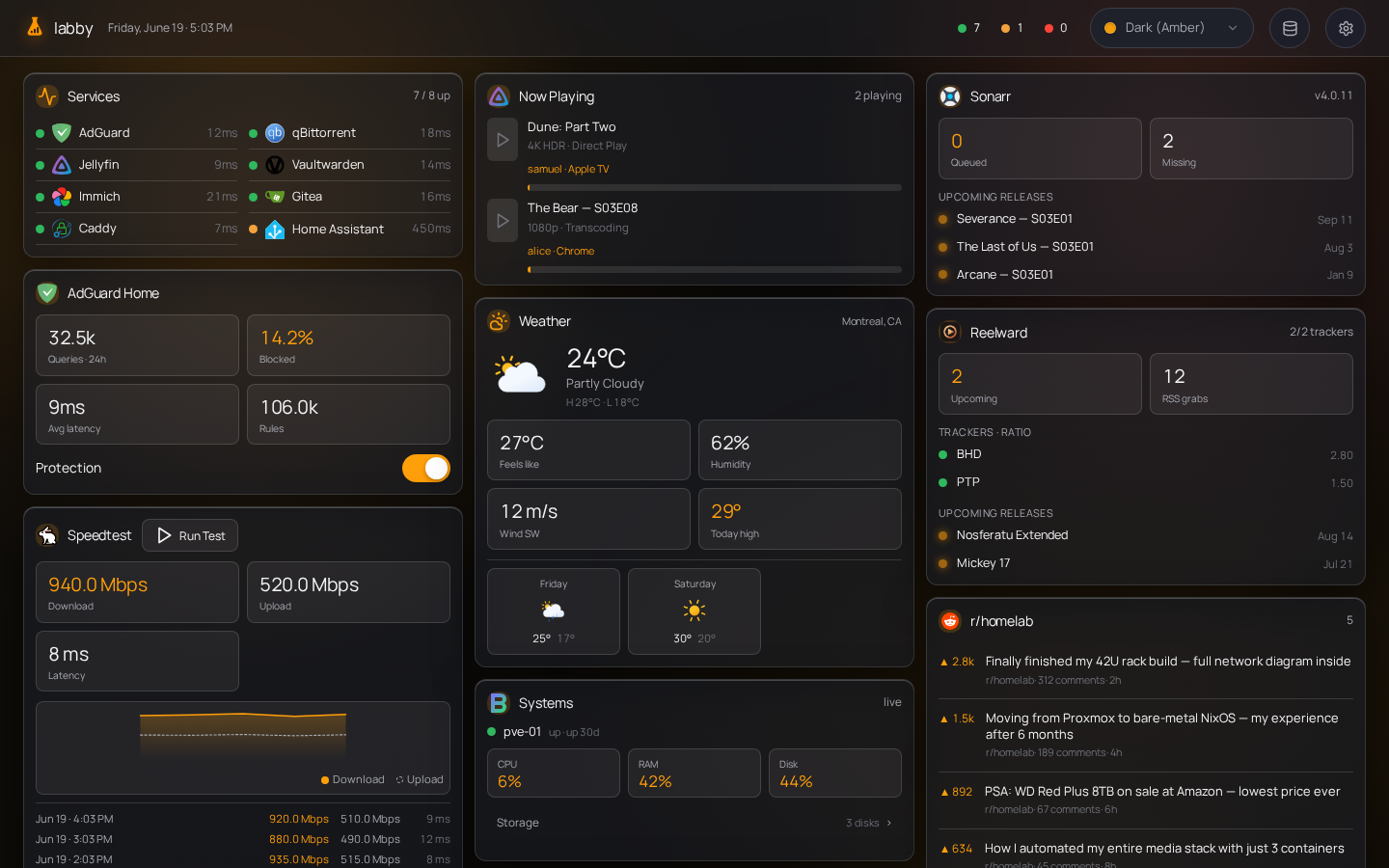
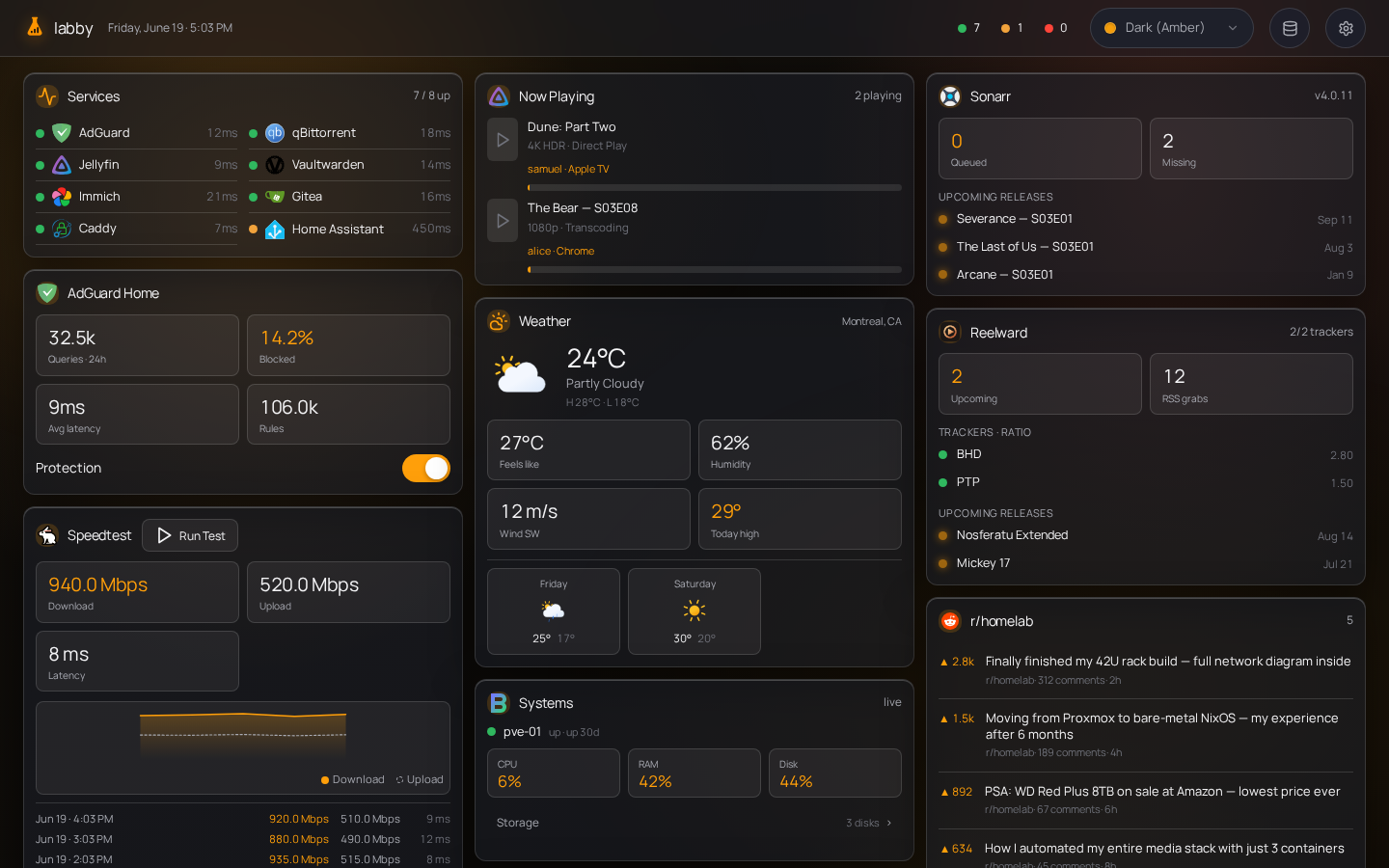
A self-hosted homelab dashboard — lightweight like Glance, interactive like Homarr. One Bun process, one container, config stored in a small SQLite database and editable in-app.
Features
- Widgets — service monitor, Docker, qBittorrent/Transmission, AdGuard, Jellyfin, Beszel, Radarr, Sonarr, Reelward, weather, calendar, speedtest, Reddit, Hacker News
- Live updates — server polls integrations and pushes changes over SSE (no client-side polling)
- Interactive — start/stop containers, pause/resume torrents, toggle AdGuard protection
- Config & credentials — stored in SQLite (
config/labby.db), automatically seeded with a default layout on first run, Zod-validated; edit service URLs/keys from the in-app Manage Services page - Theming — named color schemes saved to the DB; no flash on first paint
Security
Labby has no authentication. Run it behind a reverse proxy restricted to your LAN or VPN. Anyone who can reach the app can read status and control integrated services.
Do not expose Labby to the public internet without network-level access control.
Quick start
Labby runs as a single container. Copy docker-compose.yml and start it:
docker compose up -d
services:
  labby:
    image: ghcr.io/samuelloranger/labby:latest
    restart: unless-stopped
    ports:
      - "8080:8080"
    volumes:
      - ./config:/app/config
Open http://localhost:8080, then add your service URLs and credentials on the Manage Services page (the Database icon in the header). On first run Labby seeds its SQLite DB (config/labby.db) with a default layout via built-in migrations; everything you configure is stored there, in the mounted config/ volume.
config/must be writable by the user the container runs as. If the DB errors withSQLITE_READONLY, setuser: "<uid>:<gid>"indocker-compose.ymlto match the owner ofconfig/. Labby has no auth — keep it behind a LAN/VPN reverse proxy (see Security).
Build from source
Requires Bun (curl -fsSL https://bun.sh/install | bash).
bun install && (cd src/web && bun install)
bun run build
bun run start
Configuration
User config lives in the SQLite database. Invalid config shows an error state instead of crashing the server.
Service credentials and per-instance settings (monitor sites, weather location, Docker hosts, download client URLs, etc.) are stored in the integrations table. Dashboard widgets reference an integration by integrationId and only carry display options (title, layout style, max items). Poll cadence is set per integration row (refreshSeconds), not in the dashboard JSON.
Configure everything from the Manage Services page — no .env file or flat env-var keys.
Built-in integrations
| Type | What to configure |
|---|---|
monitor |
HTTP sites to check (title, URL, icon per site) |
docker |
Read/write Docker hosts, container filter (running / all) |
qbittorrent |
URL, username, password |
transmission |
URL, username, password |
adguard |
URL, username, password |
jellyfin |
URL, API key |
beszel |
URL, username, password, token |
radarr |
URL, API key |
sonarr |
URL, API key |
reelward |
URL, API key |
weather |
OpenWeather API key, city or lat/lon, units |
calendar |
ICS feed URLs (one per line) |
speedtest |
Speedtest Tracker URL, API token |
reddit |
Subreddits to merge into one feed |
hackernews |
No config (Algolia front page) |
You can add multiple integrations of the same type (e.g. two Radarr instances) — each gets its own row, poll interval, and SSE channel (int:<id>).
Icons
The icon field accepts prefixed strings:
| Prefix | Example |
|---|---|
di: |
di:jellyfin — dashboard-icons (vendored at build, CDN fallback) |
sh: |
sh:immich — selfh.st |
lucide: |
lucide:film — built-in line icon |
| URL / path | https://… or /icons/custom.svg |
Refresh intervals
Set poll cadence per integration on the Manage Services page (refreshSeconds; defaults come from the integration type). The browser receives updates via SSE, not its own timers.
Development
bun run dev              # API on :8080 (watch mode)
cd src/web && bun run dev    # Vite dev server, proxies /api → :8080
bun test
For frontend work, run both dev servers. bun run dev alone does not serve the SPA until you bun run build.
Stack
- Runtime — Bun, TypeScript (strict)
- Backend — Hono (JSON API, static SPA, SSE)
- Frontend — Svelte 5, Vite
- Config — SQLite (
bun:sqlite), Zod validation, automatically seeded via migrations
Comments