A free & open-source, self-hosted bug-bounty watchtower.
Web + network reconnaissance, vulnerability scanning, and continuous monitoring — one dashboard, all on your own machine.
What is Reconner?
Reconner is a self-hosted reconnaissance platform for bug-bounty hunters and security researchers. Point it at a domain or an IP range and it runs a full pipeline — discovery, fingerprinting, vulnerability checks and continuous monitoring — then presents everything in a single live dashboard. Nothing is sent to a third party: the app, its database and all findings stay on your box.
Authorized testing only. Reconner is an active offensive-security tool. Only run it against assets you own or are explicitly permitted to test. See the disclaimer.
Why Reconner?
- One box, full pipeline. Recon, active scanning and monitoring in a single dashboard — instead of gluing a dozen CLIs together by hand.
- Findings you can trust. Every injection class is confirmed with differential / out-of-band / control-based checks and re-verified before it's reported, so you get far less noise than fire-and-grep scanning.
- Web and network. Subdomains, JS, parameters and DAST on one side; ports, service CVEs and edge-device checks on the other — one tool, one view.
- Truly self-hosted. No account, no cloud, no telemetry — the app, its database and every finding stay on your machine.
- Open and hackable. MIT-licensed Go + React; drop in a Nuclei template or a detection module without asking anyone.
Features
Web reconnaissance
- Subdomain enumeration (passive + active), live HTTP probing and fingerprinting
- JavaScript analysis — endpoints, secrets and API keys
- Parameter discovery, reflected-parameter detection and hidden-param mining
- Directory / backup / config-file discovery
- Native context-aware DAST: XSS, SQLi, NoSQLi, SSRF, IDOR, LFI, SSTI, XXE, CMDi, open redirects, and more
- Out-of-band (OAST) detection for blind SSRF / RCE / SQLi / SSTI
- Nuclei integration with a curated template pack and false-positive filtering
Network reconnaissance
- Port scanning and service/version detection over IP / CIDR / range / list scopes
- Network-CVE scanning
- Credential brute-force for SSH / SMB / RDP / VNC (opt-in, scope-guarded)
- Initial-access checks for unauthenticated services and pre-auth edge-device CVEs
- IP-camera / DVR / NVR auditing (via Ingram) with snapshot capture
Platform
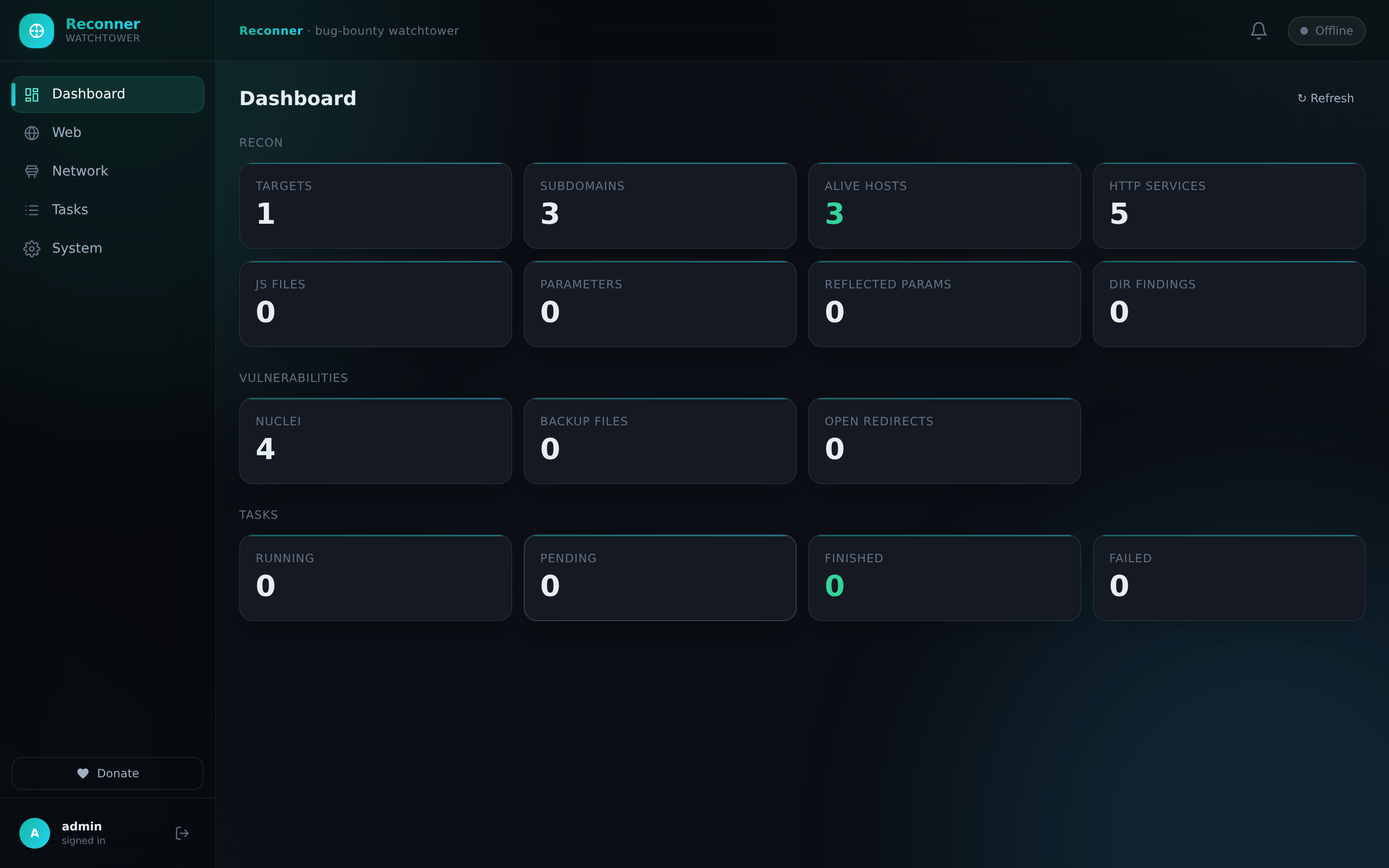
- Live dashboard with real-time logs and results
- Correlation / attack-path view
- Continuous change monitoring
- One-click reports: HTML, Markdown and PDF
- Fully self-hosted — your data never leaves your machine
Screenshots
Dashboard · findings with evidence & attack paths · live scan logs · exportable PoC report.
Quick start
Reconner is a single Go binary plus a static dashboard. Build and run it as a normal user — no root required.
Requirements: Go ≥ 1.23 (with a C compiler for the embedded SQLite driver)
and Node.js ≥ 18. The external scanners are optional and auto-detected on your
PATH (see Prerequisites).
git clone https://github.com/rootdr-backup/Reconner.git
cd Reconner

make            # builds the frontend bundle and the `reconner` binary
./reconner serve
Then open http://localhost:8080 and log in:
| Username | Password |
|---|---|
admin |
change_m)_e |
You'll be required to set a new password on first login.
Web reconnaissance runs entirely unprivileged. Some network-scan features (raw-socket port scanning, etc.) may need elevated privileges — the same as any port scanner (e.g.
nmap,naabu). Run those with the capability or privilege your OS requires; everything else works as a normal user.
Running on a server (remote access)
By default Reconner binds 127.0.0.1 — local only, so a fresh VPS install
isn't exposed to the internet. To reach the dashboard from your own machine, pick
one:
ssh -L 8080:127.0.0.1:8080 user@your-server
#   then browse http://localhost:8080 on your laptop

# B) Bind publicly — ONLY behind a firewall / VPN / security group
#   edit ~/.recon-platform/config.json →  "host": "0.0.0.0"   then restart
Option B puts an admin dashboard on the open internet, so gate it at the firewall (or front it with a reverse proxy + TLS + auth). The startup banner reminds you which mode you're in.
Prerequisites
Reconner shells out to standard, widely-used recon tools when they're present
and silently skips the ones that aren't. Install whatever you need from the
ProjectDiscovery suite plus nmap,
sqlmap, dirsearch, hydra and friends.
For convenience, an optional installer fetches the common set and (optionally)
registers a background service. It uses sudo only for system-level steps
(placing binaries in /usr/local/bin, installing a systemd unit); the app
itself never requires it:
# Linux — optional convenience installer
bash setup.sh

# macOS — optional
bash scripts/reconner-macos-deps.sh
Configuration
On first run Reconner writes a config to ~/.recon-platform/config.json. Every
scanner, worker pool, rate limit and optional API key is tunable there — the
fields are documented inline in
internal/config/config.go.
The optional AI-assisted orchestrator is off by default. If you enable it,
it reads an Anthropic API key strictly from the ANTHROPIC_API_KEY environment
variable — nothing is hardcoded and nothing is transmitted unless you turn it on.
Reports
Every target exports a self-contained report from the UI or the API:
/api/targets/{id}/report        # Markdown
/api/targets/{id}/report.html   # standalone HTML
/api/targets/{id}/report.pdf    # PDF
Tech stack
- Backend: Go (embedded SQLite)
- Frontend: React + TypeScript + Tailwind (Vite)
- Scanners: the ProjectDiscovery suite, plus nmap, sqlmap, dirsearch, hydra, Ingram and others
Feedback & bug reports
Found a bug, a false positive, or have an idea? Please open an issue — reproduction steps and log output help a lot. You can also reach out on Telegram @rootdr_research. For security-sensitive reports, follow SECURITY.md.
Disclaimer
This project is for authorized security testing and educational purposes only. Running it against systems without explicit, prior permission is illegal and unethical. The author assumes no liability and is not responsible for any misuse or damage caused by this tool. You are responsible for your own actions.
Comments