GitOps control plane for OpenTofu & Ansible - provision, configure and deploy across cloud, on-prem and hybrid, self-hosted and forever free.
What is OpenSible?
OpenSible is an open-source unified automation platform for cloud provisioning and infrastructure operations. It combines the best of infrastructure-as-code and configuration management into a single, self-hosted control plane.
Provision with OpenTofu, configure with Ansible, manage secrets securely, execute reusable deployment workflows, and automate your entire infrastructure lifecycle through GitOps - version-controlled, repeatable and secure across cloud, on-premises and hybrid environments.
Whether you are a platform engineer, SRE, homelabber or MSP operator, OpenSible gives you a practical way to turn manual infrastructure work into repeatable, reviewable pipelines without surrendering your data to a SaaS vendor.
Core Features
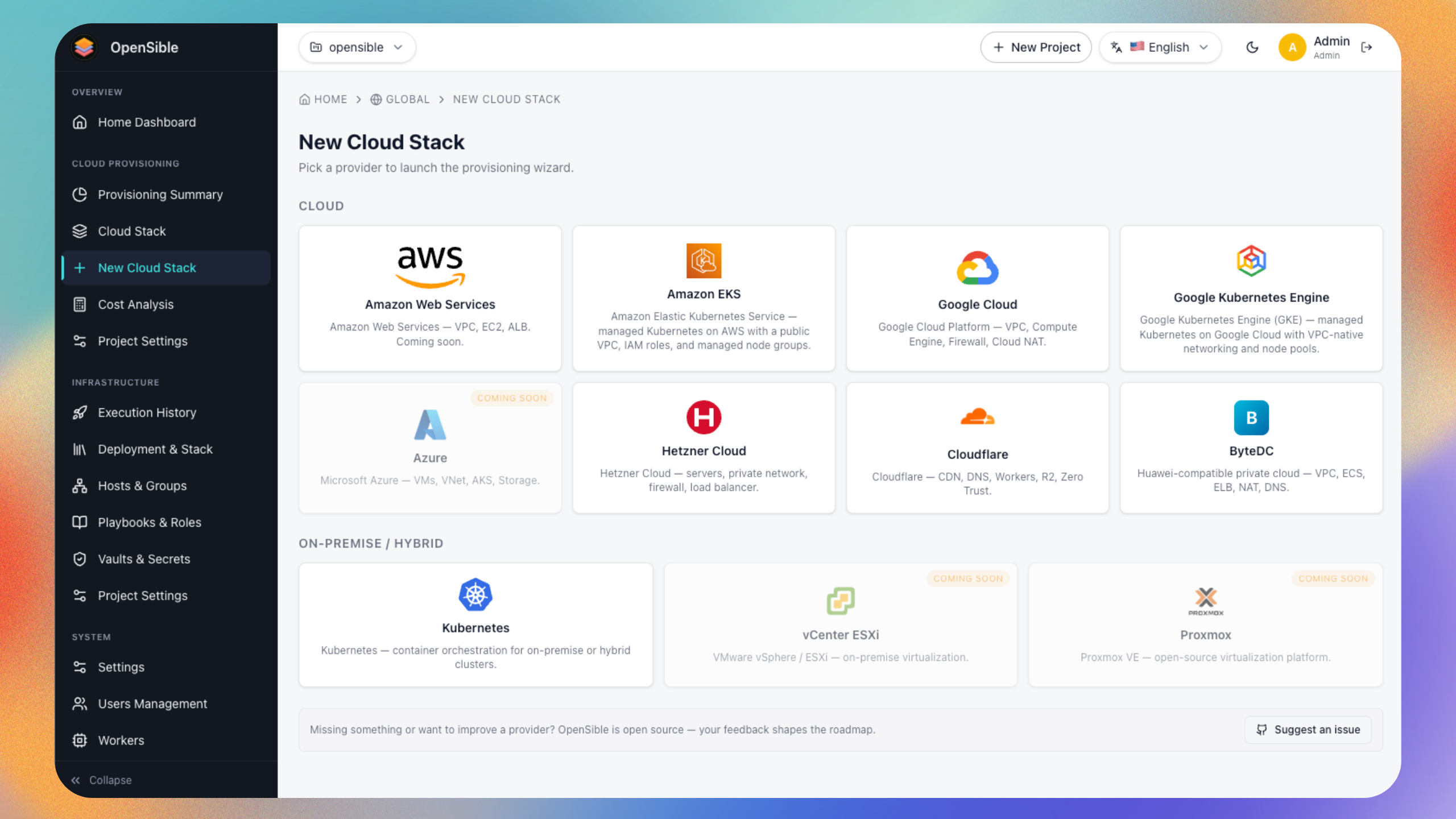
- Multi-cloud provisioning - deploy to AWS, Google Cloud, Azure, Hetzner Cloud, Cloudflare, ByteDC and existing Kubernetes clusters and more from a single UI and API.
- OpenTofu-native - every stack is rendered as plain OpenTofu code stored in your project, so you can always inspect, edit or run it locally.
- Ansible integration - configure and maintain hosts after provisioning with playbook execution, inventory management and role-based workflows.
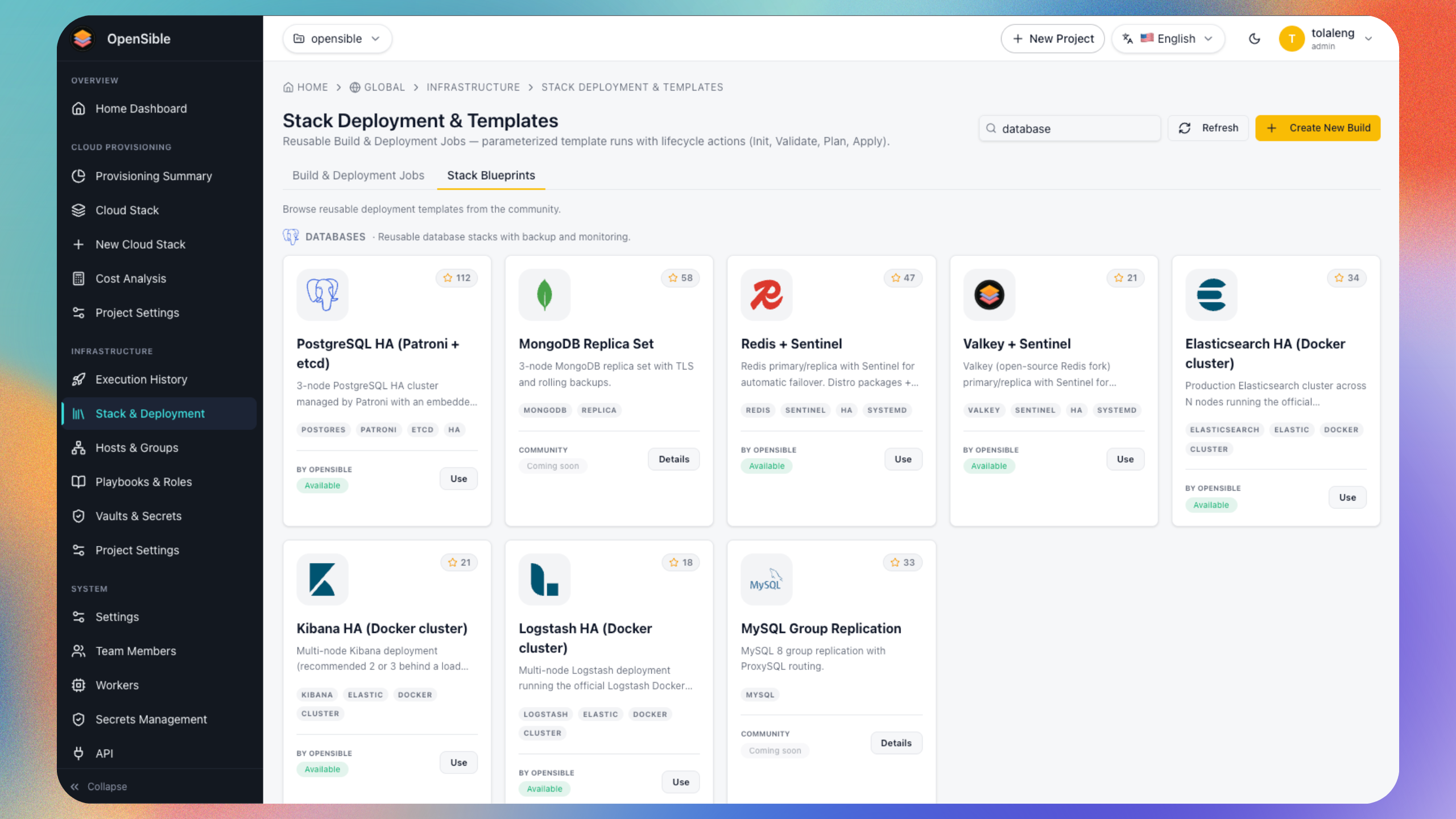
- Stack blueprints - bootstrap new infrastructure quickly with pre-built, provider-aware templates for Docker, Kubernetes, observability, databases, CI/CD runners and more.
- OpenSible CI/CD - build multi-stage pipelines that combine OpenTofu provisioning, Ansible configuration, approvals and custom scripts into repeatable, automated workflows.
- GitOps-first projects - sync stacks and playbooks to/from Git and track drift with version-controlled sources.
- Secrets and vaults - encrypt sensitive values at rest, bind them to stacks and playbooks, and rotate credentials without touching source code.
- Execution engine - a dedicated Go worker processes provision, plan, apply, destroy and refresh operations asynchronously, with full logs and history.
- Role-based access control - assign roles to users, limit operations per role, and keep audit trails for compliance and troubleshooting.
- Self-hosted - run everything with Docker Compose on your own server or private cloud; no external platform dependency or paid subscription required.
Quick start
The fastest way to run OpenSible is with Docker Compose:
For detailed installation instructions and configuration options, see the Deploy with Docker Compose guide.
Documentation
The wiki is organized into categories. Read them in order the first time.
- Welcome - introduction, product tour, glossary.
- Architecture - services, storage layout, execution flow, and diagrams.
- Deploy with Compose - Deploying with Docker Compose.
- First login and admin setup - Initial steps to access the OpenSible console.
- Help - troubleshooting, FAQ, community, contributing, license.
Community and support
- Website: https://opensible.com
- GitHub: https://github.com/opensible/opensible
- Issues: https://github.com/opensible/opensible/issues
- Discussions: https://github.com/opensible/opensible/discussions
Follow Us for Updates
Stay updated with OpenSible news, releases, and community updates.
Comments