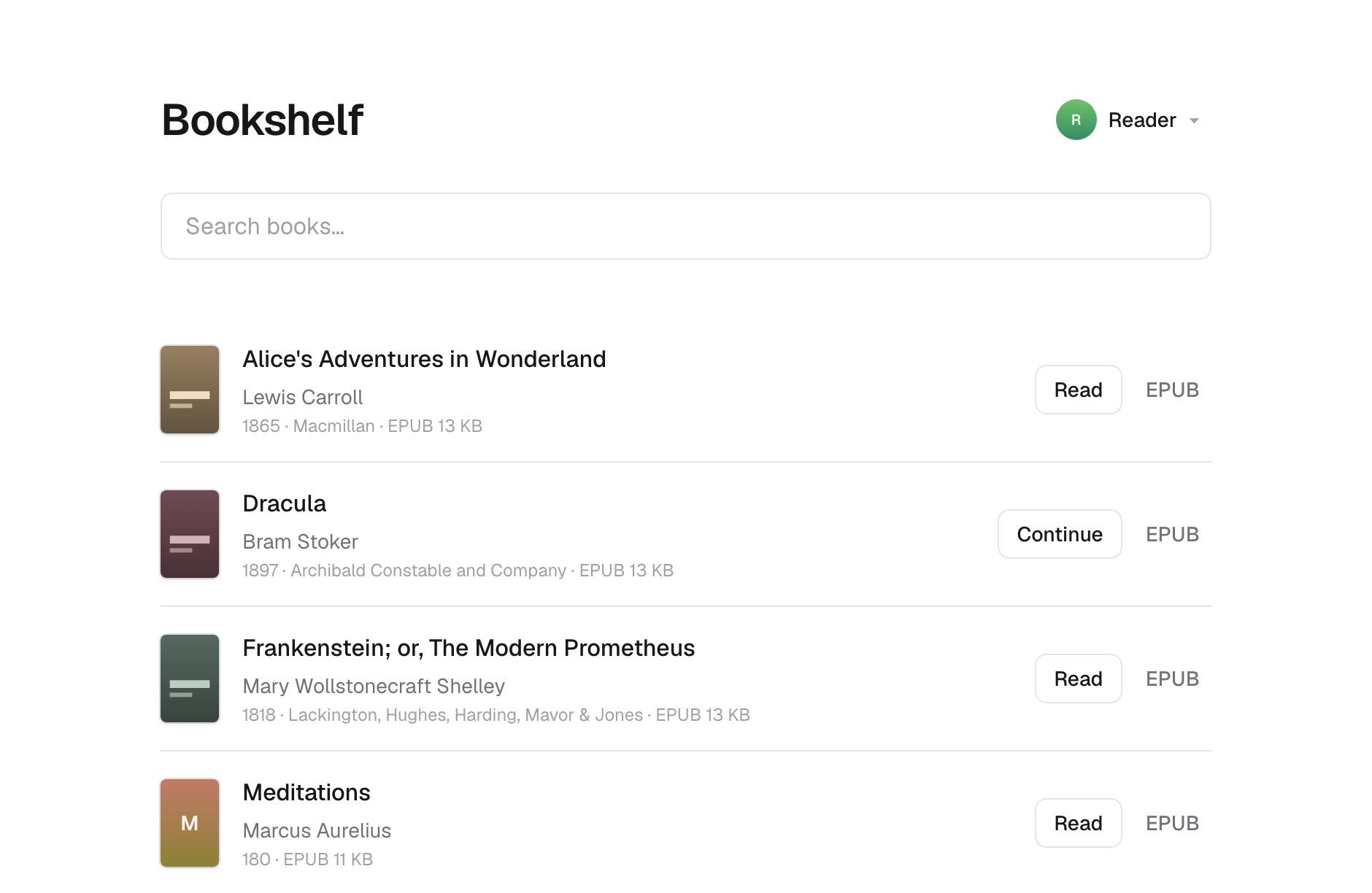
A self-hosted library for the ebooks you already own. Put your EPUBs and PDFs in a folder, publish them, and read them in any browser — or on your Kobo, through the OPDS catalog.
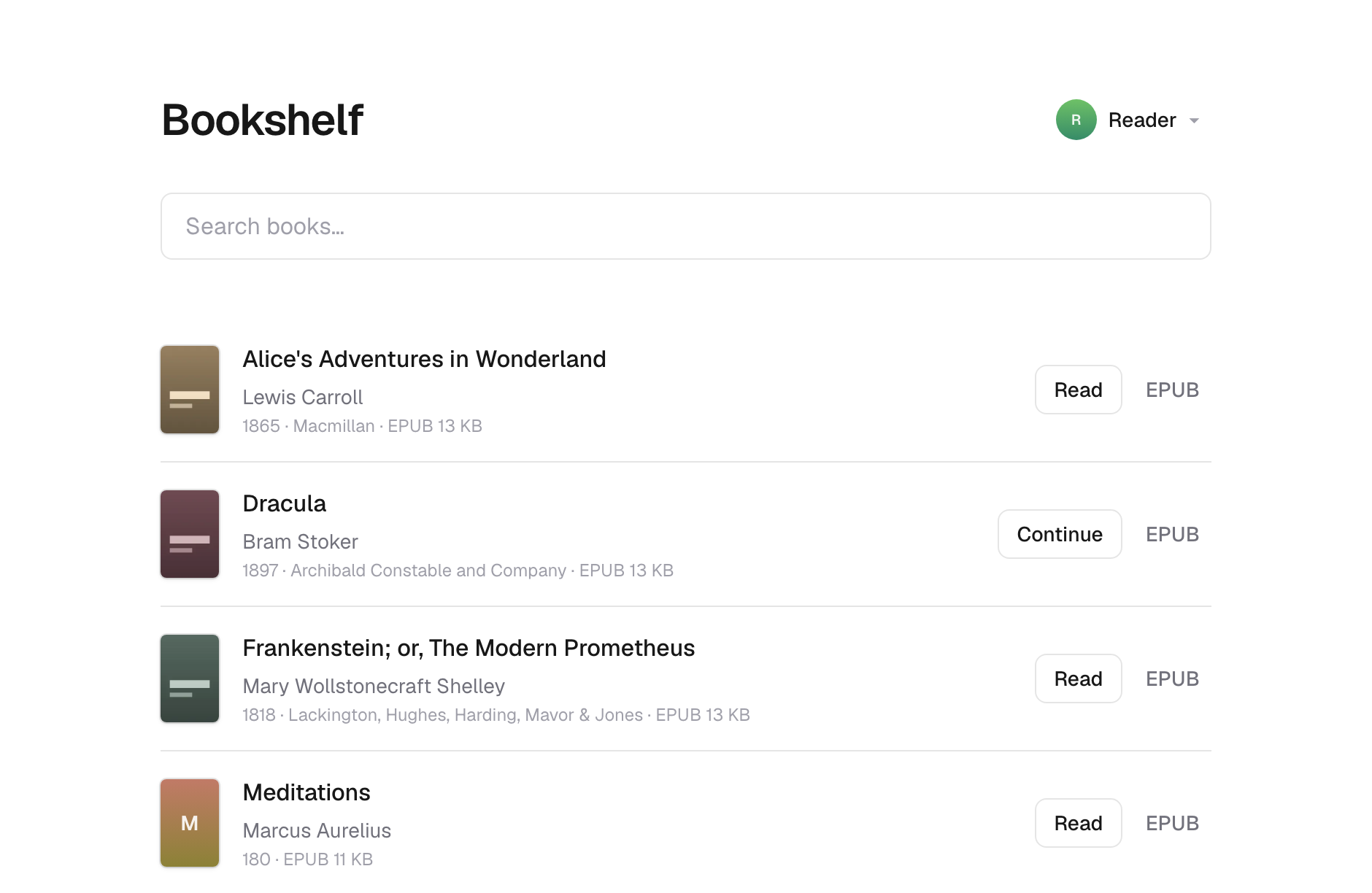
Run it as a Cloudflare Worker over R2, or as a Node server over a directory on your own machine. Both use the same code and the same library.
Try it in a minute
You'll need Node 24 or newer and a Unix-like system. Windows isn't supported —
the sync tool looks for its image tools with which.
git clone https://github.com/murerkinn/bookshelf.git
cd bookshelf
npm install
npm run demo
npm run demo writes nine generated public-domain books into books/ — eight
EPUBs and a PDF, so both readers are one click away. It downloads nothing. Then
publish and run them by whichever route below.
The checked-in bookshelf.config.json points at Cloudflare R2, so npm run sync goes there unless you change it. For a local look, switch it to the
filesystem provider first:
// bookshelf.config.json
{ "storage": { "provider": "fs", "directory": "shelf-data" } }
Set up your own
Put your books in books/, then pick where the library should live.
With Docker
The shortest route, and the image ships the tools that make covers.
mkdir books && cp ~/Downloads/*.epub books/
docker compose run --rm sync --create
docker compose up -d
Your shelf is on http://localhost:3000. Sync flags pass through, so
docker compose run --rm sync --force works as it does locally.
Back up the library volume — it holds your published books and your reading
positions. To bind-mount a host directory instead, chown it first:
chown -R 1000:1000 /srv/bookshelf
On a machine you own
No account anywhere.
// bookshelf.config.json
{ "storage": { "provider": "fs", "directory": "shelf-data" } }
npm run sync -- --create
npm run build
npm start -w @bookshelf/app
More in the filesystem provider.
On Cloudflare
You'll need a Cloudflare account. Edit bookshelf.config.json and
apps/bookshelf/wrangler.jsonc so they name your bucket and Worker — if they
disagree, the sync tool stops before uploading.
npx wrangler login
npm run sync -- --create
npm run deploy
More in the R2 provider.
Before you commit a library to it
There is no authentication. Anyone who can reach your shelf can download every book in it, and pick any profile while doing it. The OPDS catalog makes it machine-enumerable as well. Put it on a network you trust, or behind something that asks who's calling.
Nothing is encrypted. Your library is stored in the clear, and object keys are slugified titles — a listing of your storage names your shelf. With the filesystem provider you can keep it on an encrypted volume today.
Two devices reading one profile at once is last-write-wins.
What's missing has the full list.
Configuration
| variable | what it does |
|---|---|
BOOKSHELF_READ_ONLY |
set to 1 and storage keeps serving but stops accepting. Profiles can't be added, renamed or deleted, and reading positions stay in the browser. Set this on anything strangers can reach |
BOOKSHELF_PROVIDER |
override the provider the build was made with |
BOOKSHELF_DIRECTORY |
override where the filesystem provider looks |
BOOKSHELF_SITE_URL |
the public address, for link previews and canonical URLs. Set it behind a proxy that doesn't say so |
Everything else lives in bookshelf.config.json — see
publishing.
Commands
All from the repository root.
npm run dev          # local dev server, against the local R2 bucket
npm run sync         # build the library and publish it
npm run build        # build every workspace
npm run check-types  # typecheck every workspace
npm run preview      # build + run the Worker locally
npm run deploy       # build + deploy to Cloudflare Workers
npm test             # the test suite
npm run lint         # biome, across the repo
npm run cf-typegen -w @bookshelf/app regenerates cloudflare-env.d.ts after
you edit wrangler.jsonc.
Documentation
Published at https://murerkinn.github.io/bookshelf/.
| Publishing a library | the sync tool, its flags, and covers |
| The library format | what ends up in storage, and what to back up |
| Storage providers | choosing where your library lives |
| Cloudflare R2 | setup, deploying, publishing locally |
| Filesystem | your own machine or a VPS |
| Profiles | who is reading, and where they got to |
| Reading in the browser | the readers and their controls |
| The OPDS catalog | reading on a Kobo, a Kindle, or any OPDS client |
| Architecture | for working on the code |
| What's missing | limitations, and what's planned |
Comments