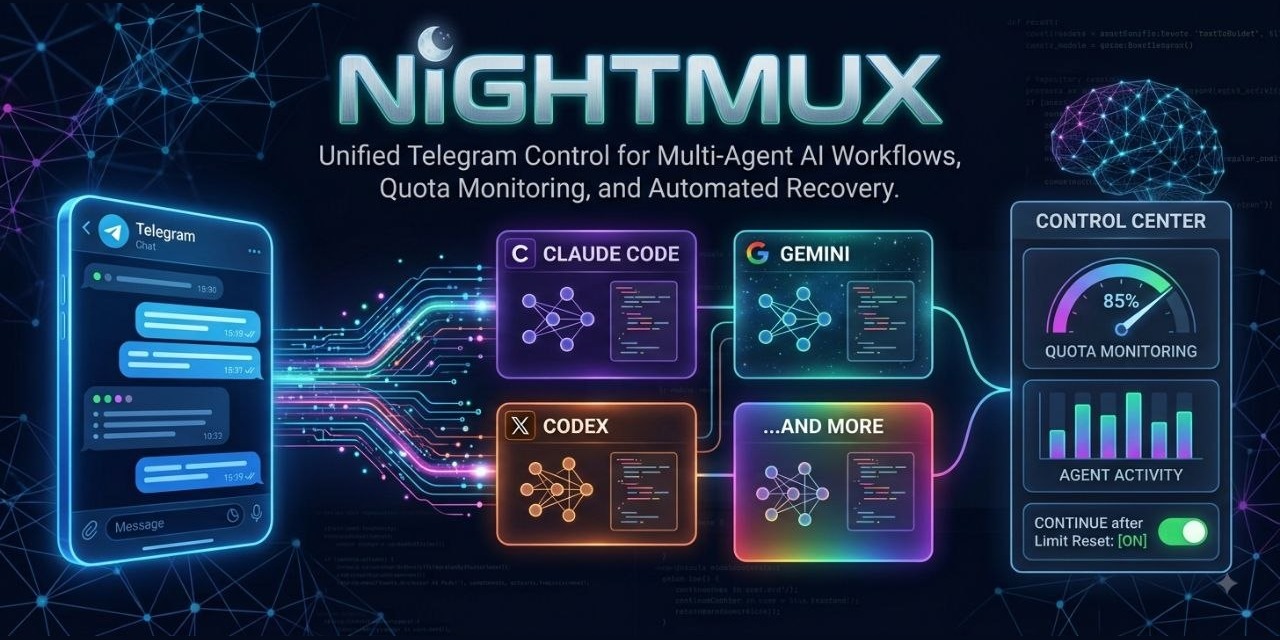
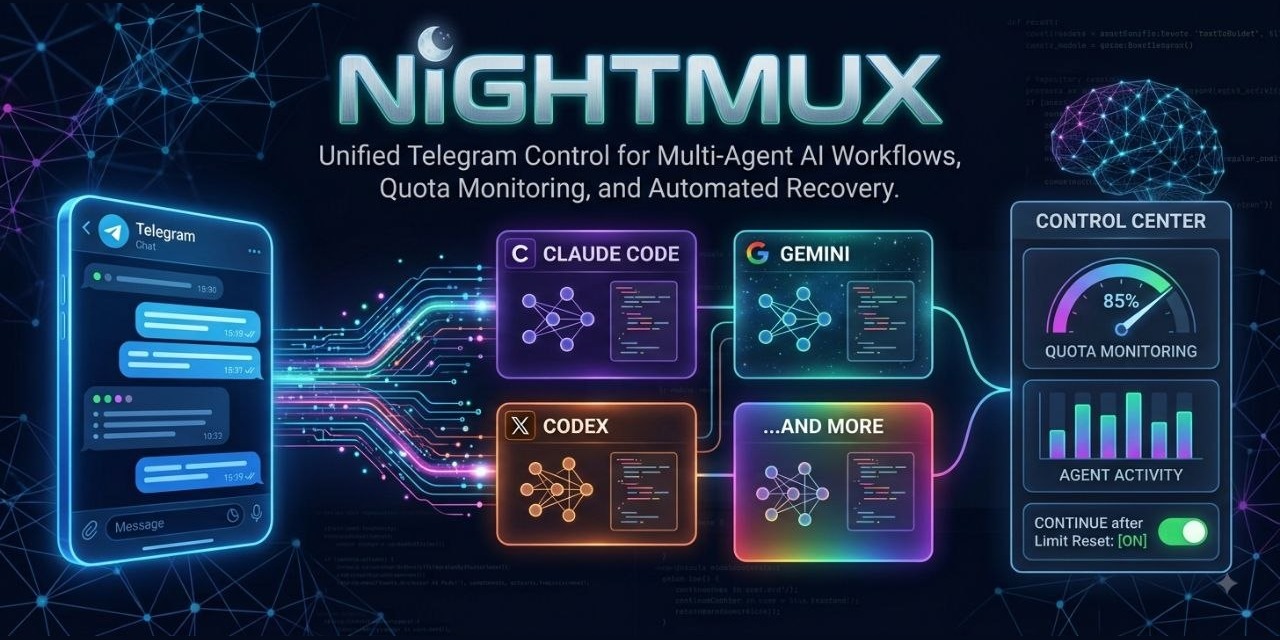
 multi-agent AI workflows, quota monitoring, and automated recovery">
Your night crew, on Telegram.
02:14  ⏸ api hit the usage limit
       5-hour window spent — resumes 04:11, resuming itself with 'continue'
04:11  ▶️ api resumed · sending queued prompt
04:11  ⚙️ api
A usage limit at 2am used to end the night. The turn dies mid-refactor, the
prompt that started it is already spent, and the session sits there until
someone awake types continue. nightmux reads the reset time, holds everything
you send, and puts the work back the moment the window reopens — including the
turn the limit cut off. You read the result at breakfast.
That is the part nobody else is doing. The rest is what makes it usable:
Run Claude Code from your phone — or Codex, Gemini, aider, anything with a prompt. One Telegram forum topic per project, one tmux session behind it. Text you send is typed into that session's prompt; what the session says comes back to the topic. Approvals arrive as tap buttons.
No container, no DNS, no certificates, no ports open, no relay service. It attaches to tmux sessions you already have, on the machine you already use. Python stdlib only — one file, ~3,400 lines you can read in an afternoon.
   Telegram group (Topics on)          your machine
   ┌───────────────────────┐          ┌──────────────────────────┐
   │ #api      ────────────┼──────────┼─► tmux: api    → claude  │
   │ #frontend ────────────┼──────────┼─► tmux: web    → claude  │
   │ #scratch  ────────────┼──────────┼─► tmux: scratch→ claude  │
   └───────────────────────┘          └──────────────────────────┘
              ▲                                    │
              └──── output, approvals, usage ──────┘
Why this one
There are plenty of ways to reach a coding agent from a phone. Most are one of two shapes: a bot that drives the agent through its SDK and keeps the conversation in its own database, or a mobile app that talks to a relay service you don't run. Both work. Neither leaves you with a terminal session.
nightmux is the third shape — it drives the session you would have started yourself:
It works the hours you don't. A status-line sidecar gives nightmux the real context percentage and the real 5-hour / 7-day limit windows, so it can act on them instead of discovering them:
- a turn the limit cut off resumes itself when the window reopens
(
"auto_continue": falseto wait for a human instead) - a prompt sent during a lockout is held, not lost — replayed when the window resets, surviving daemon restarts and reboots
- a prompt refused before it ever got a turn goes back on the queue whole
!at 03:00 <prompt>and!every 4h <prompt>start work while you are asleep — and they queue rather than type, so they wait behind a lockout too/compactautomatically at a context threshold you set (!autocompact 70)- warnings at 80% and 90% of a window, before the wall rather than at it
!ctxshows what is actually filling the window;!costweighs a session or every project by token type
Long-running agent sessions cost money and stall in ways chat never does. That is the part nobody else is watching.
It attaches to sessions instead of owning them. nightmux types into tmux. The session is still yours — SSH in, attach, type directly, and the bot keeps working mid-conversation. Nothing is wrapped, proxied, or re-hosted, so there is no state to get out of sync and nothing to lose when the daemon restarts.
It is not tied to one agent. !new starts your default; !codex, !aider,
!gemini or anything you add to agents in the config starts that instead, and
!resume remembers which agent a topic belongs to. The hooks and the usage
numbers are Claude Code specific — every other agent degrades to reading the
terminal, which is how nightmux worked before the hooks existed.
Not for you if you want a polished app instead of a chat window, you're on Windows or macOS (the service install is systemd, though everything else is portable — #2), or you want your teammates in the same group: the allowlist is a list of people trusted with a shell on your machine, which is not a thing to hand out. One person, their own box, their own agents.
Install
Install from PyPI (recommended):
pipx install nightmux
nightmux --setup
Or install the latest development version directly from GitHub:
pipx install git+https://github.com/mmr710/nightmux
nightmux --setup
or clone it, which is the version to pick if you want the source where you can read and edit it — there are only four files and no dependencies:
git clone https://github.com/mmr710/nightmux ~/nightmux
python3 ~/nightmux/nightmux.py --setup
Setup walks the whole thing: BotFather token, finding your group, writing the allowlist, wiring the Claude Code hooks, installing the systemd user service. It is idempotent — re-run it after an upgrade.
You will be asked to create a Telegram group with Topics turned on and add the bot as an admin. Admin is not optional: without it the bot only receives messages addressed to it, so most of what you type never arrives.
Then, in a new topic:
!new api ~/code/api # start a session and bind this topic to it
and type. !help lists the rest.
What it feels like
you   fix the failing auth test
bot   ⚙️ api  · Opus 5 · 34% ctx
bot   🔧 Bash  pytest tests/test_auth.py -x
bot   🔧 Read  src/auth.py
bot   🟠 needs input api
      Bash(git commit -m "fix token expiry check")
      [ 1. Yes ] [ 2. Yes, don't ask again ] [ 3. No ]
you   (taps 1)
bot   ✅ api
      Token expiry used `<` instead of `<=`, so a token expiring exactly on the
      boundary was rejected. Fixed and committed; the test passes.
Approvals arrive the moment Claude Code asks, via its Notification hook —
before the terminal has finished redrawing.
Commands
Everything works as !cmd, and the common ones are registered as /cmd so
Telegram autocompletes them. Anything that is not a nightmux command — including
Claude's own /compact, /clear, /model — is typed into the session.
!new <name> [dir] [flags] |
start a session with the default agent, bind this topic to it |
!codex / !aider / !gemini / !agy … |
same, with that agent |
!resume [agent] |
relaunch this topic's directory, resuming the last conversation |
!bind <session> / !unbind / !kill |
attach, detach, stop (kill asks first) |
!sessions / !status |
tmux sessions; every topic and its state |
!pane [lines] / !ctl |
dump the terminal; button panel |
!git / !diff / !get <path> |
repo state and file upload from the session's cwd |
!ctx / !cost [days] / !usage |
context breakdown, token spend, limit windows |
!autocompact <pct|off> |
auto-/compact at a context threshold |
!idlectx <pct|off> |
flag parked sessions still holding a big context |
!queue [clear|now] |
prompts held for a rate-limit reset |
!at 03:00 <prompt>, !at +90m … |
run a prompt later |
!every 4h <prompt>, !sched [clear] |
run it on a repeat, or list what is set |
!grep <text> [days] |
search every transcript on the machine |
!verbose / !raw <text> / !keys <keys> |
tool detail, type past a menu, raw tmux keys |
!1..!9 !y !n !esc !int !enter !tab |
menu picks and keys |
A pick is checked, not assumed: !1 sends the digit, looks at the pane, and adds
Enter only if the same question is still there — dialogs disagree about whether a
digit confirms or only moves the highlight. !y/!n answer a numbered menu with
the digit of its Yes/No option, because the letter does nothing to a list.
| !version | build, python, and which hooks are wired |
| !tz <zone> / !reload / !log / !help | timezone, re-read config, journal, this list |
Send a photo or file and it is saved, with the path typed into the session.
How it works
Four files, no framework:
nightmux.py |
the daemon: long-polls Telegram, watches tmux, everything above |
nightmux_state.py |
status-line sidecar — parks context %, limit windows and the transcript path where the daemon can read them |
nightmux_stop.py |
Stop hook — pushes the final answer as exact text, not scraped pixels |
nightmux_notify.py |
Notification hook — pushes permission prompts the instant they appear |
The daemon reads the session's JSONL transcript when the sidecar is installed,
which is why output arrives as clean text with a real tool trace. Without it,
nightmux falls back to scraping tmux capture-pane — everything still works, just
noisier and without the usage numbers.
One watcher thread polls every bound session; each topic gets its own worker thread, so a slow command in one topic never blocks another. The polling offset is only persisted past updates that have actually finished, so a crash replays work rather than dropping it.
ARCHITECTURE.md has the rest: threads, what survives a restart, how output is chosen, and the decisions that were rejected.
Run the tests: python3 nightmux.py --selfcheck (and the same flag on the three
hook scripts). No framework, no fixtures — asserts that fail loudly.
python3 tests/test_panes.py runs the pane corpus: captured terminal screens and
the state nightmux must read from each. Adding an agent whose TUI it misreads is
one file — drop the pane in tests/panes/ as <what>.<busy|idle|waiting>.txt and
the classifier is held to it from then on.
Config
~/.nightmux.json, mode 0600, written by setup:
{
  "token": "<from @BotFather>",
  "chat_id": -1001234567890,
  "allow_users": [123456789],
  "topics": {"12": "api"},
  "agent": "claude",
  "agents": {"opencode": ["opencode", "--continue"]},
  "autostart": {"api": "~/code/api"},
  "projects_root": "~/code",
  "tz_offset": "Africa/Cairo",
  "autocompact": 70,
  "auto_continue": "continue",
  "modes": {"115": "readonly"},
  "poll": 2
}
agent is what !new starts. agents adds or overrides entries in the
built-in table as [command, resume-flags] — those flags are the part most
likely to drift as these CLIs change, so they are config, not code.
autostart recreates sessions after a reboot. projects_root makes a new topic
named after a directory start that project on its first message. !reload picks
up hand edits without a restart.
Requirements
Python 3.8+ (CI runs 3.8 through 3.13), tmux, a terminal coding agent, and Linux
with systemd (the service is optional — python3 nightmux.py in a terminal works
fine). Claude Code gets the hooks and the usage numbers; everything else runs on
the terminal scrape.
Security
The bot token is a shell on your machine, and allow_users is the only thing
between a stranger and your sessions. Read SECURITY.md before
you add a second person or a second machine. It is short.
Comments