 ESPHome + Home Assistant Voice Assistant on the Guition JC3636K718C">
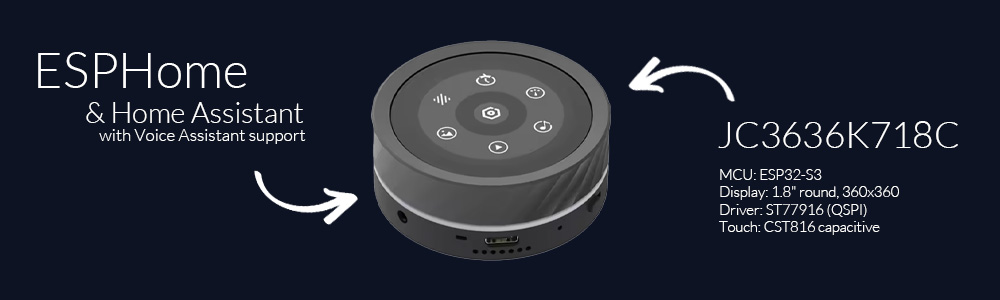
A full-featured Home Assistant Voice Assistant running on the Guition JC3636K718C - a 1.8" round 360×360 touch display with a rotary knob, speaker, microphone and an addressable LED ring. It's pure ESPHome (no custom C firmware): an always-on core plus optional screen packages you pick from one thin config.
It started as "my kid needs a physical timer" and turned into a whole puck. 🙂
Demo
What it does
- Voice assistant - on-device wake word ("Alexa") via
micro_wake_word, full Home Assistant Assist pipeline (STT / LLM / TTS), wake beep + music ducking. You can also press and hold the screen to talk (toggleable in Settings). - Boot splash - a short "HELLO!" greeting with a spinning ring on startup, then the clock.
- Music player -
speakermedia player visible in HA / Music Assistant, with album art, title/artist, transport buttons and a progress bar. - Timers - set by knob or by voice; big countdown with a depleting ring, pause/stop, and an alarm (sound + on-screen + LED) when it finishes.
- Device control - a tiles screen toggling your lights/switches.
- Home screen - clock, date, battery, weather + room temp/humidity, with a selectable watchface look (Classic, Neon, or your own).
- More screens (all optional, knob-driven) - a weather forecast dial, a thermostat for
any
climateentity, and a configurable multi-sensor glance. - LED ring - controllable from HA and reactive: assistant (comet/spinner/wave), timer countdown, alarm flash, volume bar - each reaction toggleable in Settings.
- Four built-in arcade games (a lane racer, a vertical shooter, a 360-degree snake and a Gyruss-style tube shooter) for the kid.
Everything is navigated with swipes + taps on the screen and the rotary knob.
Screens
| Screen | View |
|---|---|
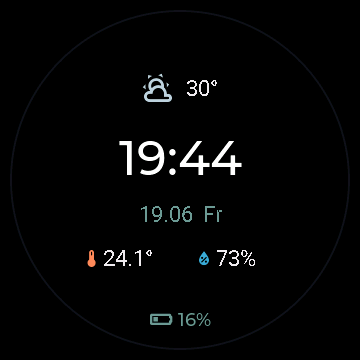 |
Home / Clock Time, date, battery (a bolt while charging), outdoor weather and room temperature + humidity. Pick the watchface look in Settings → Home - see Watchfaces below. |
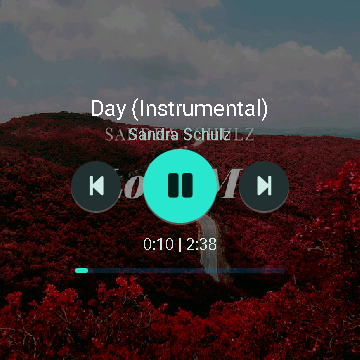 |
Player Album art, title & artist, prev / play-pause / next and a progress bar. Auto-shows when playback starts. |
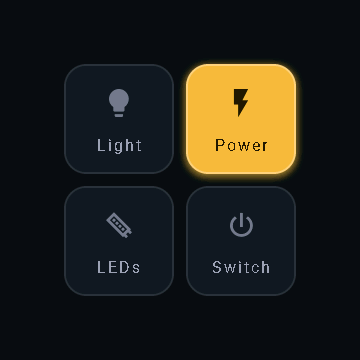 |
Control tiles (swipe up) Four configurable tiles toggling any HA entity; each has its own icon and label, and the colour follows the live on/off state. |
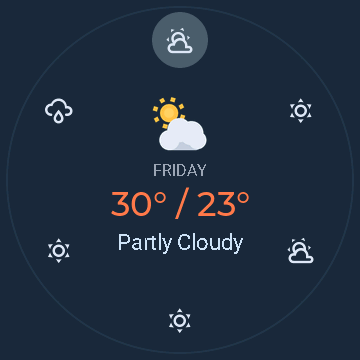 |
Weather A 7-day dial; turn the knob to scroll days. Animated condition icon, colour-coded temperature, and a glow that slides to the selected day. |
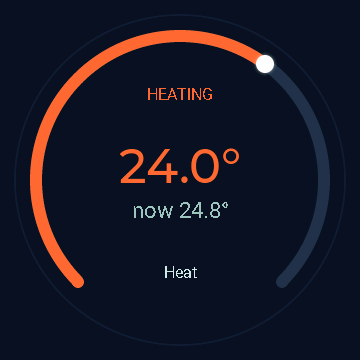 |
Thermostat A dial for a climate.* entity; the knob sets the target (a head-dot rides the gauge), tap toggles on/off. The whole arc is colour-coded by action - heating / cooling / idle / off. |
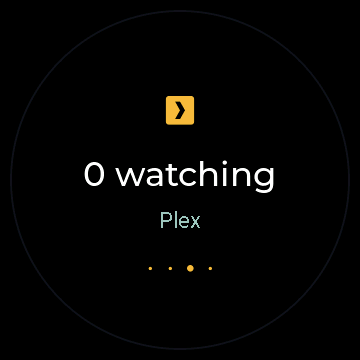 |
Sensors A glance of 1-6 configurable Home Assistant entities, shown big one at a time; turn the knob to cycle (dots show the position). Each gets its own accent colour. Any entity, pulled straight from HA. |
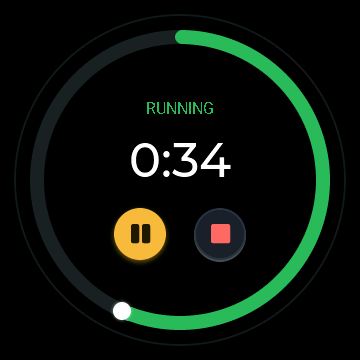 |
Timer Set by knob or voice; big countdown with a colour-coded depleting ring (green → amber → red) and a head-dot, SET / RUNNING / PAUSED status, pause/stop, and a fancy alarm screen when it finishes. |
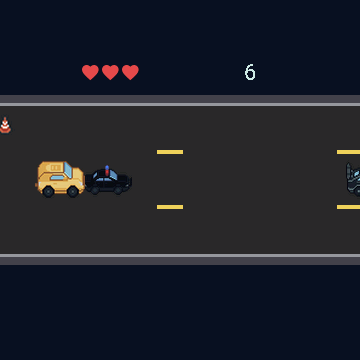 |
Cool Cars A lane-racing arcade game - the knob steers, dodge traffic and grab coins. |
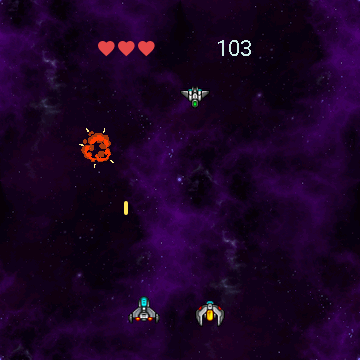 |
Space Wars A vertical space shooter - the knob steers, auto-fire, survive the waves. |
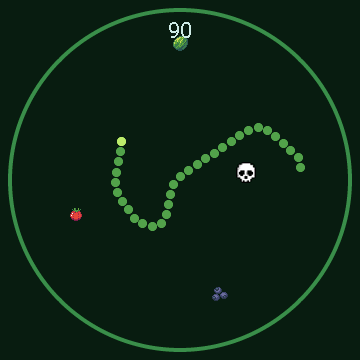 |
Snake 360 A smooth-steering 360-degree snake - turn the knob to steer the head and the body trails behind, across the whole round screen. |
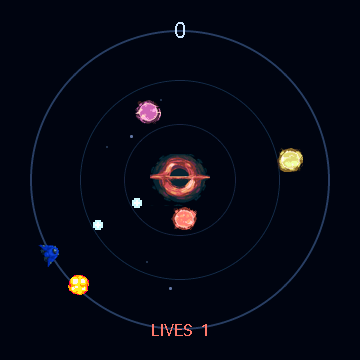 |
Knobuss A Gyruss clone: your ship orbits the rim and auto-fires inward while foes spiral out of a black-hole core - turn the knob to aim and shoot them down. Every foe that reaches the rim costs a life (it bursts in an explosion). 3 lives, top-10 scores. |
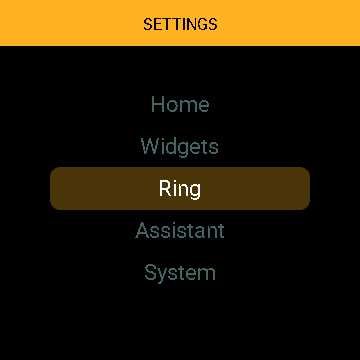 |
Settings (swipe down) Display, Home screen, Widgets, LED Ring, Voice Assistant, System; turn the knob to scroll, tap to enter. |
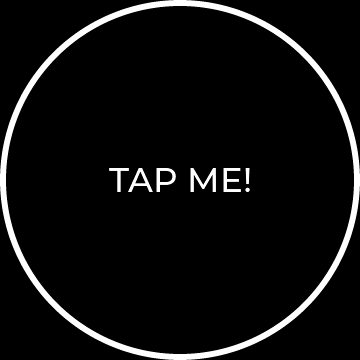 |
Demo A small, heavily commented example screen (tap flips black ↔ white) to copy when building your own. |
Optional screens (player, timer, games, weather, thermostat, sensors, demo) are pickable - choose which compile in and their order; see Configuration.
Watchfaces
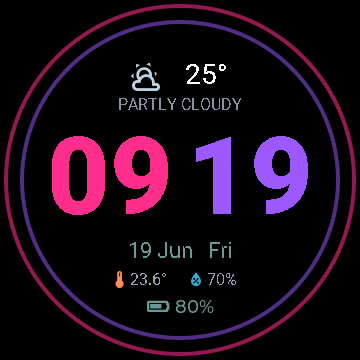
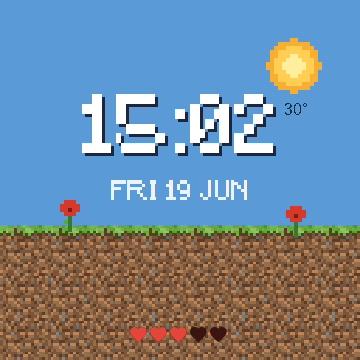
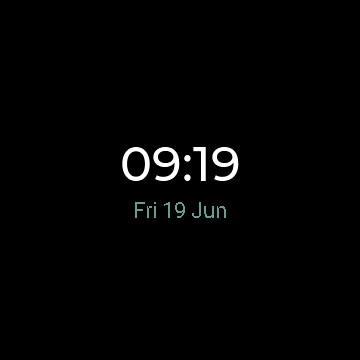
The home screen has a selectable look. Open Settings → Home → Watchface and the knob previews each face live, full-screen - tap to keep. Classic is built in; Neon (big neon digits), Minecraft (a blocky day/night scene) and a heavily-commented Demo template are optional files you switch on in your config, and you can copy Demo to build your own (see Configuration).
| Classic (built-in) | Neon | Minecraft | Demo (template) |
|---|---|---|---|
|
 |
 |
 |
Documentation
Full docs live in the wiki:
| Page | What's inside |
|---|---|
| Hardware | Board specs, full pinout, what to buy on AliExpress |
| Installation | Requirements, first flash (USB), OTA, the bundled sounds |
| Usage | Gestures, screens, the settings menu, the LED ring |
| Configuration | Change entities, tiles, wake word, run without Music Assistant |
| Troubleshooting | Known issues (battery %, GPIO0 strapping, performance, the knob) |
Release history: CHANGELOG.md.
Quick start
- Copy
secrets.example.yaml→secrets.yamland fill in your Wi-Fi. - Copy
guition-va.yamlandpartitions.csvso they sit together withsecrets.yaml. Edit thesubstitutions:at the top ofguition-va.yaml(HA URL + your entity IDs + the four control tiles). That thin file is the only firmware file you keep - the core and all screens are pulled from GitHub at compile time (see itspackages:block), as are the fonts, images and sounds. - Choose which screens compile in via the
files:list and their left-to-right order viascreen_order, both inguition-va.yaml. - First flash over USB - easiest via the ESPHome dashboard (GUI) or the CLI; the 16 MB partition table can't be set over OTA, so the first flash is USB, then updates go wireless.
- In Home Assistant: open the new ESPHome device → assign an Assist pipeline.
To pull the latest changes later: esphome clean guition-va.yaml (clears the package cache) then esphome run guition-va.yaml.
Full details on the Installation wiki page.
Repository layout
guition-va.yaml            # YOUR config: copy + edit this (pulls everything else from GitHub)
partitions.csv             # 16 MB partition table (keep next to guition-va.yaml)
secrets.example.yaml       # copy to secrets.yaml
base/                      # pulled as a remote package at compile time (no need to copy)
  core.yaml                # always-on core: clock, controls (swipe-up tiles), settings menu
  screens/                 # optional carousel screens (toggle each in guition-va.yaml)
    player.yaml            #   music player (album art + transport)
    timer.yaml             #   timer screen in the carousel
    cool-cars.yaml         #   "Cool Cars" game
    space-wars.yaml        #   "Space Wars" game
    snake.yaml             #   "Snake 360" game (knob steers)
    knobuss.yaml           #   "Knobuss" game (Gyruss-style tube shooter, knob aims)
    weather.yaml           #   weather (today + 7-day radial dial)
    thermostat.yaml        #   thermostat (climate.* dial; knob sets target, tap on/off)
    sensors.yaml           #   sensors glance (1-6 HA entities, knob cycles)
    demo.yaml              #   commented example screen
    weather.ha-helper.yaml #   HA template sensor that feeds the weather screen
  watchfaces/              # optional home-screen looks (Classic is built into core)
    neon.yaml              #   "Neon" watchface - big two-tone digits + neon rings
    minecraft.yaml         #   "Minecraft" watchface - blocky day/night scene + pixel clock
    demo.yaml              #   "Demo" watchface - minimal, heavily-commented template to copy
assets/                    # fetched from GitHub at compile time (no need to copy locally)
  header.jpg               # banner
  fonts/pixel-font.ttf     # pixel font (Minecraft watchface)
  sounds/                  # wake.wav + alarm.wav
  sprites/cool-cars/       # "Cool Cars" game graphics
  sprites/space-wars/      # "Space Wars" game graphics
  sprites/snake/           # "Snake" menu logo
  sprites/knobuss/         # "Knobuss" game graphics (ship/foes/explosion/core/logo)
  sprites/minecraft/       # "Minecraft" watchface graphics (sun/moon/ground/flower)
  sprites/weather/         # animated weather icon frames
scripts/
  make_sounds.py           # (re)generate the wav sounds
  gen_weather.py           # (re)generate the animated weather icon frames
  gen_snake.py             # (re)generate the snake sprites
  esplog.py                # stream device logs over the native API
skill/                     # Claude Code skill: hardware spec + gotchas
Claude Code skill
This repo ships a Claude Code skill at
skill/guition-jc3636k718c/. It gives the
assistant the correct pinout, ESPHome component choices, and the hard-won gotchas
(the knob isn't quadrature, GPIO0 ring strapping, 16 MB partitions need a USB flash,
LVGL performance limits, lambda/string pitfalls, the battery heuristic).
Install it
So Claude can use it on any project:
- User-wide - copy the folder into
~/.claude/skills/:cp -r skill/guition-jc3636k718c ~/.claude/skills/ - Per-project - copy it into that project's
.claude/skills/.
Start a new Claude Code session and ask anything about this board; the skill loads automatically. See the wiki for details.
Comments