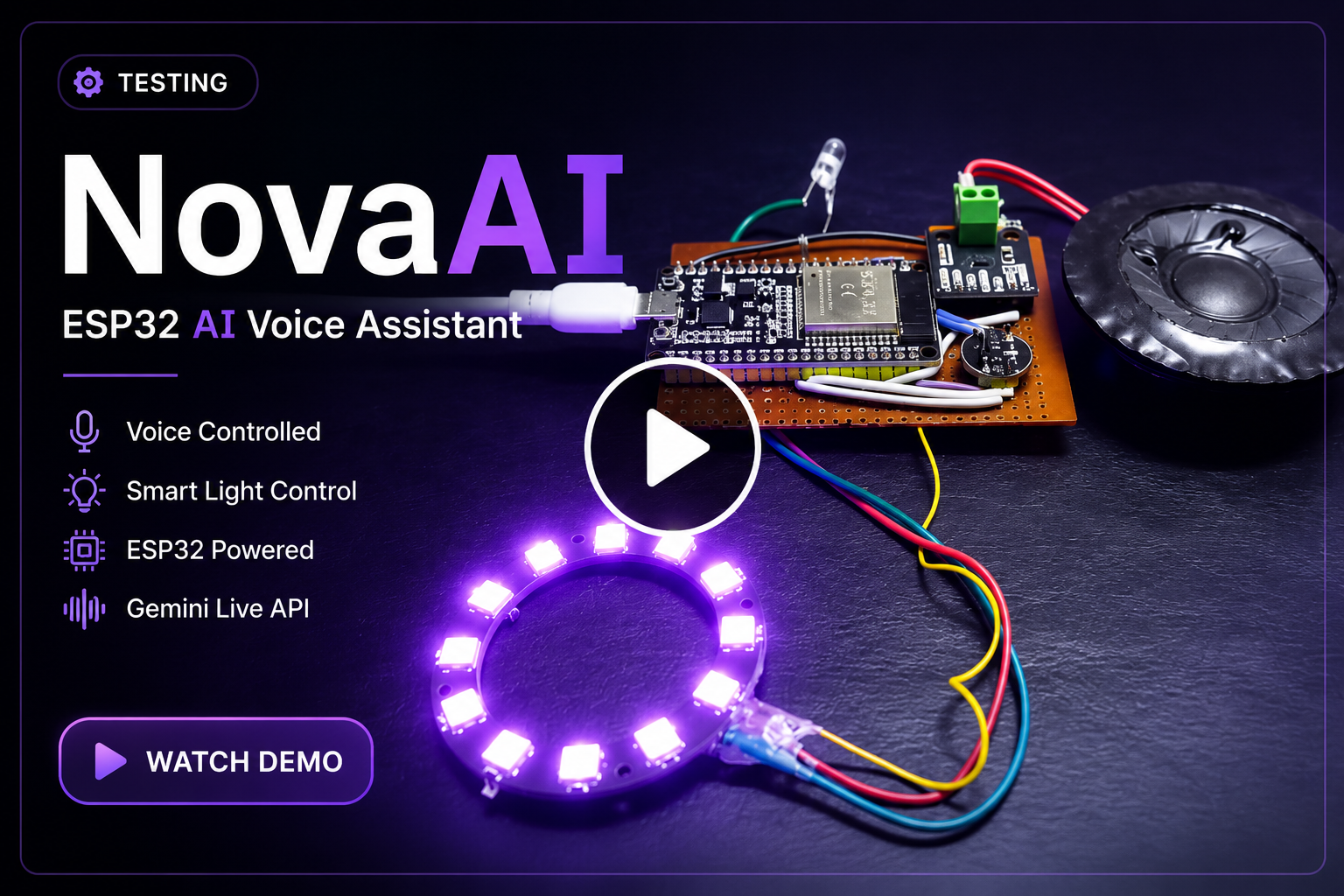
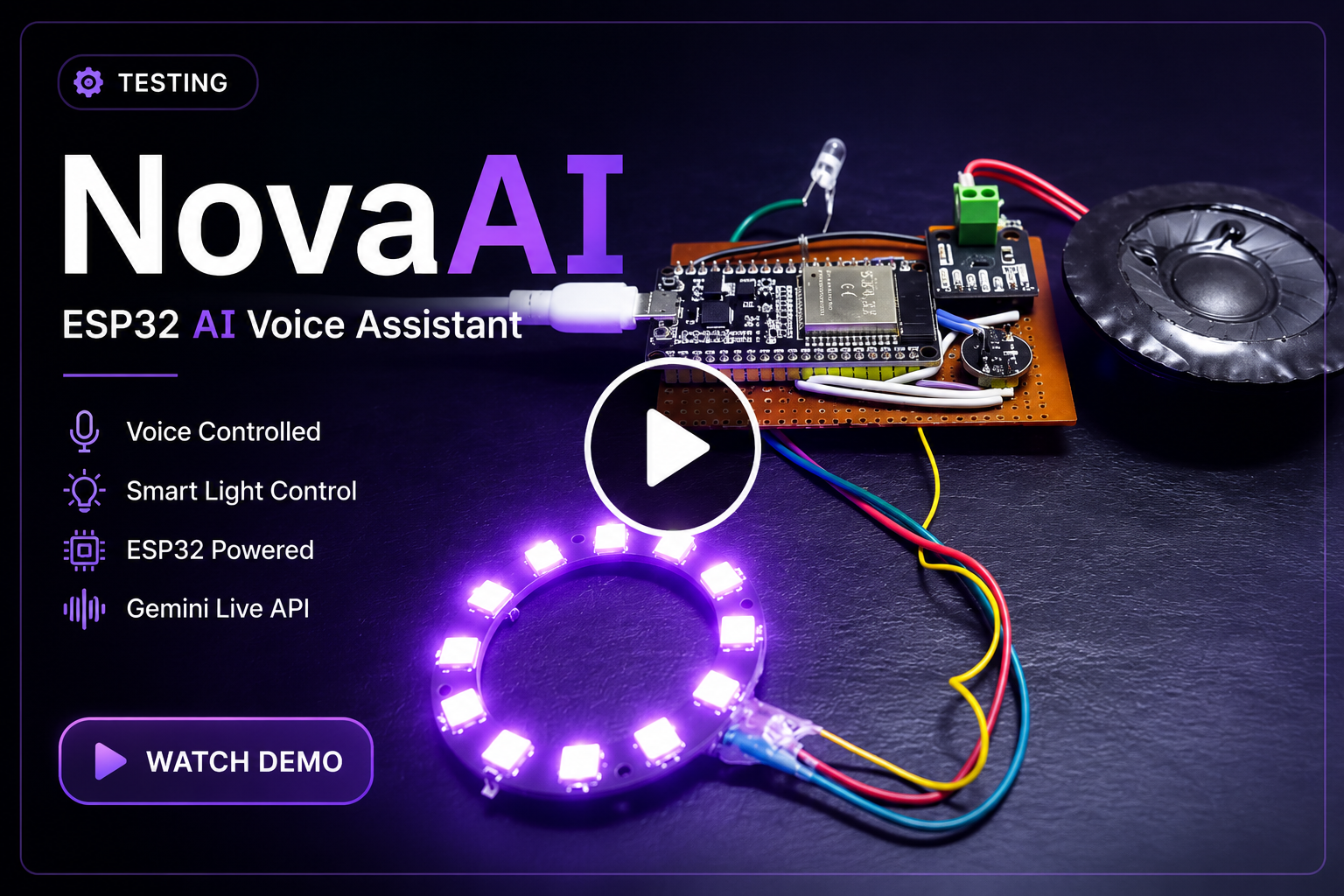
▶ Click the thumbnail above to watch the 36-second demo.
An open-source ESP32-powered AI voice assistant built with FastAPI and Gemini Live, featuring real-time voice conversations, hardware control, and Gemini function calling.
NovaAI is an open-source ESP32-powered AI voice assistant that enables natural, real-time conversations using Gemini Live.
It captures audio from an INMP441 microphone, streams it through a FastAPI server, receives spoken responses, and controls physical hardware such as RGB lighting in real time.
Features
- Real-time voice conversations using Gemini Live
- ESP32 ↔ FastAPI WebSocket bridge
- INMP441 I2S microphone streaming (16 kHz PCM)
- MAX98357A I2S speaker playback (24 kHz PCM)
- Stream pacing and jitter buffering for smoother playback
- Barge-in support while Nova is speaking
- WS2812B LED ring status (Booting / Connecting / Listening / Thinking / Speaking)
- Gemini function calling
- IR-based RGB lighting control
- Graceful sleep/session handling
⭐ Support
If you found this project useful or interesting, consider giving it a ⭐ on GitHub. It helps more people discover the project and motivates further development.
Why This Exists
Most AI assistants live behind apps, laptops, and cloud dashboards. NovaAI explores what it takes to make an AI assistant feel physical: always nearby, spoken to naturally, and capable of controlling real room hardware.
The interesting part is not just calling an AI API. It is the full pipeline:
- capturing raw microphone audio on constrained hardware
- streaming it over a local network
- preserving low-latency conversational flow
- handling interruptions while audio is already playing
- turning AI tool calls into physical actions
System Architecture
flowchart LR

Mic["INMP441 Microphone"]
ESP32["ESP32 Device<br/>NovaAI.ino"]
Amp["MAX98357A I2S Amplifier"]
Speaker["Speaker"]
LED["WS2812B LED Ring"]
IR["IR RGB Controller"]

Server["FastAPI Server<br/>app.py"]
Gemini["Gemini Live API"]

Mic -->|PCM 16 kHz Audio| ESP32
ESP32 -->|PCM 16 kHz Audio<br/>WebSocket| Server
Server <-->|Realtime Audio & Tool Calls| Gemini
Server -->|PCM 24 kHz Audio<br/>+ Device Commands| ESP32

ESP32 --> Amp
Amp --> Speaker
ESP32 --> LED
ESP32 --> IR
Tech Stack
Software
- Python
- FastAPI
- Gemini Live
- WebSockets
Hardware
- ESP32
- INMP441
- MAX98357A
- WS2812B
Protocols
- I2S
- PCM Audio
- WebSockets
Folder Structure
NovaAI/
├── app.py                    # FastAPI server, browser UI, Gemini bridge, ESP32 endpoint
├── NovaAI.ino                # ESP32 firmware for mic, speaker, LEDs, IR, WebSocket client
├── .env.example              # Example configuration values for a future env-based setup
├── .gitignore                # Python, Arduino, secret, and generated-file ignores
└── docs/
    ├── API.md
    ├── Architecture.md
    ├── Deployment.md
    ├── Diagrams.md
    ├── FutureIdeas.md
    ├── GitHubPolish.md
    ├── ProjectStructure.md
    ├── Protocol.md
    ├── Security.md
    └── Troubleshooting.md
Installation
Clone the repository and install the Python dependencies:
pip install fastapi uvicorn google-genai
For the ESP32 firmware, install these Arduino libraries:
WebSocketsClientAdafruit NeoPixelIRremoteESP8266- ESP32 board support package
Configuration
For simplicity during development, some configuration values are currently stored in source files.
Before production or wider deployment, these should be moved to environment variables or external configuration files.
- Wi-Fi SSID/password in
NovaAI.ino - server IP and port in
NovaAI.ino
For open-source use, move these values into environment variables or local config files before publishing secrets. See .env.example and docs/Security.md.
Running Locally
Start the Python server:
python app.py
The ESP32 connects to:
ws://<server-ip>:8000/esp32
ESP32 Hardware Connections
Hardware
| Component | Model |
|---|---|
| Microcontroller | ESP32 NodeMCU-32S |
| Microphone | INMP441 |
| Amplifier | MAX98357A |
| LED Ring | WS2812B (12 LEDs) |
| IR LED | 940nm IR LED |
INMP441 I2S Microphone
| INMP441 | ESP32 |
|---|---|
| VCC | 3.3V |
| GND | GND |
| WS | GPIO 5 |
| SCK | GPIO 18 |
| SD | GPIO 32 |
| L/R | GND |
MAX98357A I2S Amplifier
| MAX98357A | ESP32 |
|---|---|
| VIN | 5V |
| GND | GND |
| LRC | GPIO 19 |
| BCLK | GPIO 21 |
| DIN | GPIO 22 |
Speaker:
- SPK+ → Speaker +
- SPK− → Speaker −
WS2812B LED Ring
| WS2812B | ESP32 |
|---|---|
| DI | GPIO 4 |
| 5V | 5V |
| GND | GND |
| DO | Not Connected |
IR LED
| IR LED | ESP32 |
|---|---|
| Anode (+) | GPIO 25 (through a current-limiting resistor) |
| Cathode (-) | GND |
GPIO Summary
| GPIO | Purpose |
|---|---|
| 4 | WS2812B LED Ring |
| 5 | INMP441 WS |
| 18 | INMP441 SCK |
| 19 | MAX98357A LRC |
| 21 | MAX98357A BCLK |
| 22 | MAX98357A DIN |
| 25 | IR LED |
| 32 | INMP441 SD |
Note: All modules share a common ground.
AI Server Setup
The FastAPI server acts as the bridge between the ESP32 hardware and Gemini Live.
For every ESP32 connection, the server:
- receives real-time PCM audio
- forwards it to Gemini Live
- streams generated speech back
- executes Gemini tool calls
- sends device commands (RGB, Sleep, etc.) to the ESP32
Usage Examples
- Start the FastAPI server.
- Connect the ESP32 to the same Wi-Fi network.
- Upload the firmware.
- Power the device.
- Speak into the microphone.
- Receive spoken responses.
- Control connected hardware naturally.
Documentation
- Architecture
- API
- Protocol
- Deployment
- Troubleshooting
- Project Structure
- Developer Guide
- Future Ideas
- Security
- Diagrams
- GitHub Polish
Future Roadmap
- Wake-word detection
- Lower end-to-end audio latency
- Improved IR transmission range
- Backend modularization
- Docker support
- Authentication for remote deployments
Known Limitations
- Wake-word detection is still under development.
- Audio latency depends on network conditions.
- Some configuration values are currently hardcoded during development.
- IR transmission range can be improved with a transistor driver stage.
Comments