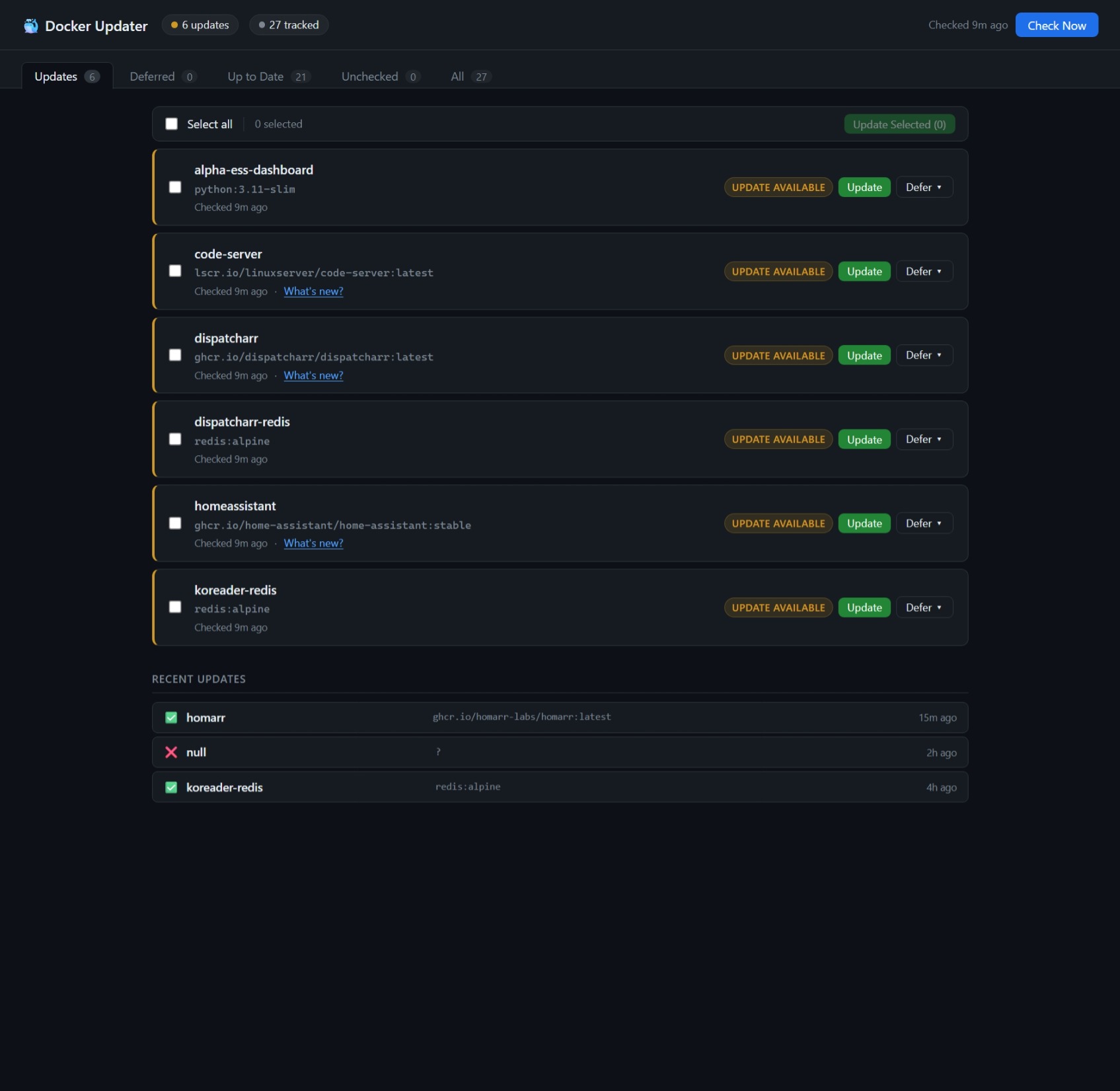
A lightweight self-hosted web UI for managing Docker container updates — a manual-approval alternative to Watchtower.
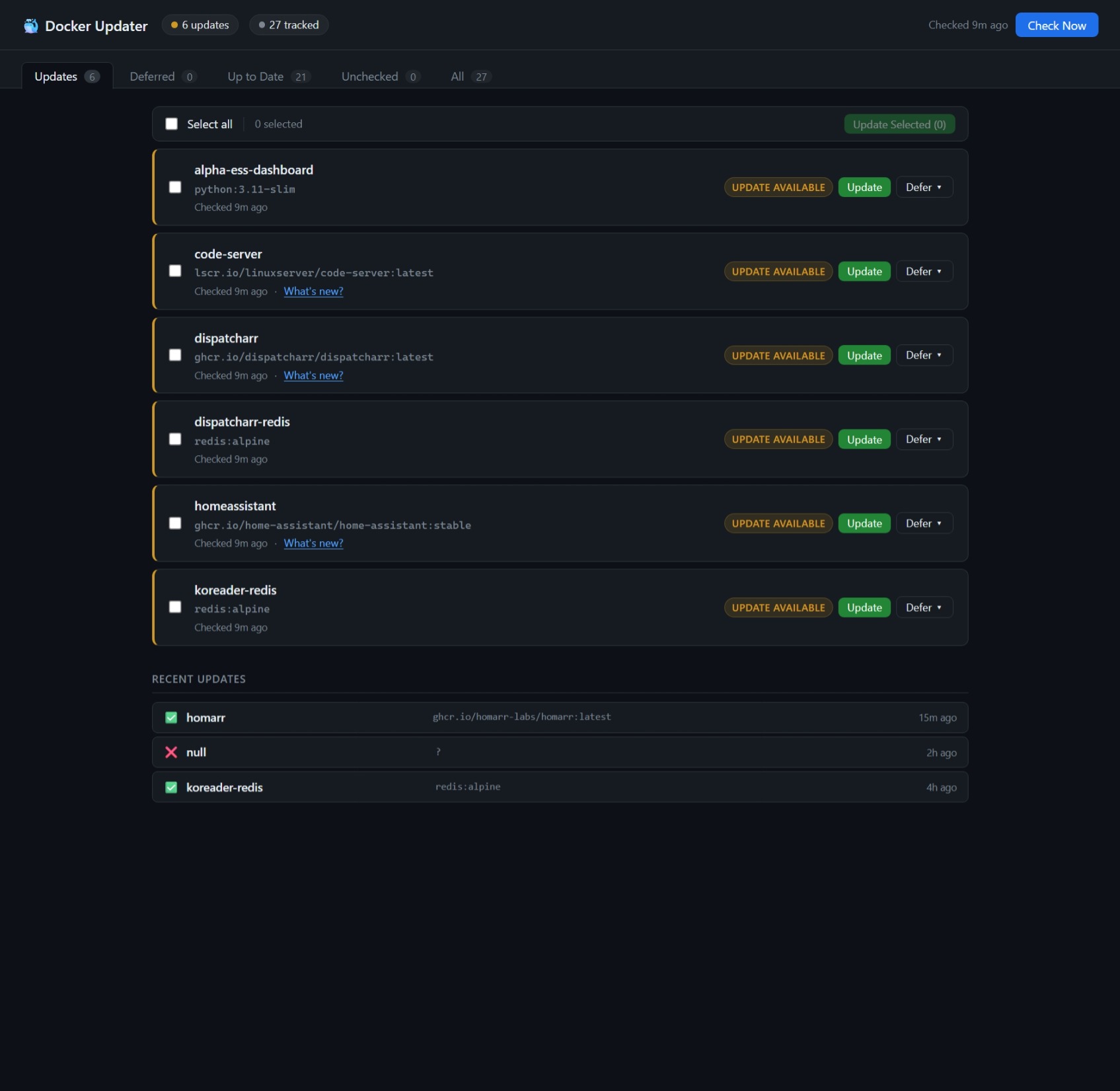
Instead of automatically pulling and restarting containers the moment a new image is published, docker-updater polls your registries on a schedule, shows you what's available, and lets you decide when (or whether) to update each container. You can also view release changelogs from GitHub before committing to an update.
Features
- Registry polling — compares local image digests against the registry without pulling, using the Docker Registry v2 manifest API (
HEAD+Docker-Content-Digest) - Multi-registry support — Docker Hub, GHCR (
ghcr.io), LinuxServer (lscr.io), and any registry that implements the Bearer token challenge - Per-container control — update individually, defer for 7/14/30/90 days or indefinitely, or un-defer at any time
- Bulk updates — select multiple containers and update them all at once
- Changelog viewer — fetches the last 5 GitHub Releases for any image that publishes an
org.opencontainers.image.sourcelabel - Live update log — streaming log modal shows pull progress and recreation status in real time; auto-reconnects if you refresh the page mid-update
- Push notifications — auto-generates a private ntfy topic on first run; or bring your own Apprise URL (ntfy, Pushover, Discord, Slack, etc.)
- GitHub notifications — optional webhook endpoint receives issue, PR, star, push, and release events from any of your repos and forwards them as push notifications
- Scheduled checks — cron-style daily check at a configurable time and timezone; notifications only fire on the scheduled run, not on startup or manual checks
- Safe recreation — recreates containers using the Python Docker SDK (Watchtower pattern), preserving all original config: volumes, ports, environment variables, networks, restart policy, capabilities, etc.
- Locally-built images skipped — containers with no
RepoDigests(built from local Dockerfiles) are automatically ignored - Persistent state — update history, deferred decisions, and last-check timestamps survive container restarts
- Dark UI — tabbed dashboard: Updates / Deferred / Up to Date / Unchecked / All
Requirements
- Docker with access to
/var/run/docker.sock - Works on Synology DSM, Unraid, Proxmox, or any Linux host running Docker
Quick start
mkdir docker-updater && cd docker-updater
mkdir -p data

docker run -d \
  --name docker-updater \
  --restart unless-stopped \
  -p 9292:9090 \
  -v /var/run/docker.sock:/var/run/docker.sock \
  -v $(pwd)/data:/app/data \
  -e CHECK_TIME=03:00 \
  -e TIMEZONE=Australia/Melbourne \
  ghcr.io/liquidguru/docker-updater:latest
Then open http://<your-host>:9292. A green banner will appear showing your auto-generated ntfy topic — subscribe to it in the ntfy app to receive push notifications.
docker-compose.yml
services:
  docker-updater:
    image: ghcr.io/liquidguru/docker-updater:latest
    container_name: docker-updater
    restart: unless-stopped
    ports:
      - "9292:9090"
    volumes:
      - /var/run/docker.sock:/var/run/docker.sock
      - ./data:/app/data
    environment:
      - CHECK_TIME=03:00
      - TIMEZONE=Australia/Melbourne
      # NOTIFY_URL is optional — if omitted, a private ntfy topic is auto-generated
      # and shown in the dashboard on first run. To use your own:
      # - NOTIFY_URL=ntfy://ntfy.sh/your-private-topic
      # - NOTIFY_URL=discord://webhookid/webhooktoken
      - DOCKER_HOST=unix:///var/run/docker.sock
Save as docker-compose.yml, create a data/ directory alongside it, then run docker compose up -d. No clone required.
Port note: The container listens internally on port 9090. The host binding
9292:9090avoids clashing with Prometheus, which commonly uses 9090. Change it to whatever suits your setup.
Configuration
| Environment variable | Default | Description |
|---|---|---|
CHECK_TIME |
03:00 |
Time of day for the scheduled digest check (HH:MM) |
TIMEZONE |
Australia/Melbourne |
Timezone for the scheduled check — any tz database name |
NOTIFY_URL |
(auto) | Apprise URL for push notifications. If not set, a unique private ntfy.sh topic is generated automatically. |
GITHUB_WEBHOOK_SECRET |
(empty) | Secret for verifying GitHub webhook signatures. Required if using the GitHub notifications feature. |
DOCKER_HOST |
unix:///var/run/docker.sock |
Docker socket path |
Push notifications
Push notifications are only sent by the scheduled check when updates are found. Startup scans and manual "Check Now" are always silent — so restarting the container never floods your phone.
Auto-setup (default)
If you don't set NOTIFY_URL, docker-updater generates a unique private topic on first run (e.g. ntfy.sh/du-a3f8c12b) and saves it to data/state.json. A green banner appears in the dashboard with a Copy button — just paste that topic into the ntfy app and you're done. Dismiss the banner once you've subscribed.
Why unique topics? ntfy.sh topics are public by default — anyone who knows a topic name can read its messages. docker-updater's auto-generated topics are random strings that aren't published anywhere, keeping your notifications private.
Custom notifications
Set NOTIFY_URL to any Apprise-compatible URL:
ntfy://ntfy.sh/my-private-topic
discord://webhookid/webhooktoken
slack://tokenA/tokenB/tokenC
GitHub notifications (optional)
docker-updater can receive GitHub webhook events and forward them as push notifications — new issues, PRs, stars, pushes, and releases across all your repos.
Setup
Add
GITHUB_WEBHOOK_SECRETto your container with a random secret:openssl rand -hex 32Make your docker-updater accessible from the internet (e.g. via a Cloudflare Tunnel or reverse proxy).
Register the webhook on each GitHub repo:
- Go to Settings → Webhooks → Add webhook
- Payload URL:
https://your-host/webhook/github - Content type:
application/json - Secret: the value from step 1
- Events: choose which you want (issues, PRs, pushes, stars, releases)
Or use the GitHub API to register across all your repos at once:
TOKEN="your-github-token"
SECRET="your-webhook-secret"
URL="https://your-host/webhook/github"
curl -s -X POST \
  -H "Authorization: token $TOKEN" \
  -H "Content-Type: application/json" \
  -d "{\"name\":\"web\",\"active\":true,\"events\":[\"issues\",\"pull_request\",\"watch\",\"push\",\"release\",\"issue_comment\"],\"config\":{\"url\":\"$URL\",\"content_type\":\"json\",\"secret\":\"$SECRET\"}}" \
  https://api.github.com/repos/YOUR_USERNAME/REPO_NAME/hooks
Supported events
| Event | Notification |
|---|---|
| Issue opened | 🐛 New issue — repo |
| Issue closed | ✅ Issue closed — repo |
| PR opened | 🔀 New PR — repo |
| PR merged | ✅ PR merged — repo |
| Star | ⭐ New star — repo |
| Push to main/master | 📦 Push to main — repo |
| Release published | 🚀 New release — repo |
| Issue comment | 💬 Comment — repo |
How it works
- On startup (silently) and at the configured
CHECK_TIME, docker-updater iterates all running containers - For each container it extracts the local image digest from
RepoDigests - It sends a
HEADrequest to the registry for the image's manifest, reading theDocker-Content-Digestresponse header — no image data is transferred - If the digests differ, the container is flagged as having an update available
- When you click Update, the app:
- Pulls the new image (streaming progress to the log modal)
- Stops and removes the old container
- Recreates it with identical config using the Docker SDK low-level API (Watchtower pattern)
- Reconnects all networks via
NetworkConnectto ensure correct port binding and iptables setup - Starts the new container
Container state (update availability, defer decisions, history) is persisted to data/state.json.
Building from source
If you want to hack on it or run the latest uncommitted changes:
git clone https://github.com/liquidguru/docker-updater.git
cd docker-updater
mkdir -p data
docker compose up -d   # uses the build: . compose file in the repo
Replacing Watchtower
If you have Watchtower running, stop it after confirming docker-updater is working:
docker stop watchtower
docker rm watchtower
Caveats
- docker compose stacks: Updates recreate individual containers using the Docker SDK. The container's
docker-compose.ymlis not modified — if you later rundocker compose upit will see the new image and behave correctly, but the compose file's image tag won't be changed. - Named volumes: Preserved automatically — volume mounts are read from the container's
HostConfig.Bindsand reattached on recreation. - Locally-built images: Any container whose image has no
RepoDigestsis skipped (these can't be compared against a registry). - Private registries: Currently supports anonymous and Bearer-token registries. Basic auth (username/password) registries are not yet supported.
- Breaking changes in new versions: docker-updater preserves the environment variables your container was running with, but cannot detect when a new image version introduces new required environment variables. If an update fails with an application-level error after recreation, check the image's release notes for new required env vars.
- host network mode: Containers using
--network hostare recreated correctly; the network reconnect step is skipped for these.
Comments