
VoidAccess
A self-hosted OSINT platform for dark web threat intelligence.
Automate the entire investigation workflow from query refinement to relationship mapping in 13 autonomous pipeline steps.
The OSINT Powerhouse
Commercial threat intelligence platforms often charge prohibitive annual fees for capabilities that can be run on private hardware. VoidAccess democratizes high-end dark web intelligence by providing an automated, end-to-end workflow:
- Query Refinement: Intelligent search term optimization using LLMs.
- Multilingual Search: Deep-web fan-out across English, Russian, and Chinese engines.
- Entity Extraction: Autonomous identification of wallets, IOCs, PGP keys, and more.
- Relationship Mapping: Dynamic graph generation from extracted data co-occurrence.
- Structured Export: STIX 2.1, MISP, Sigma, and CSV support.
Visual Walkthrough
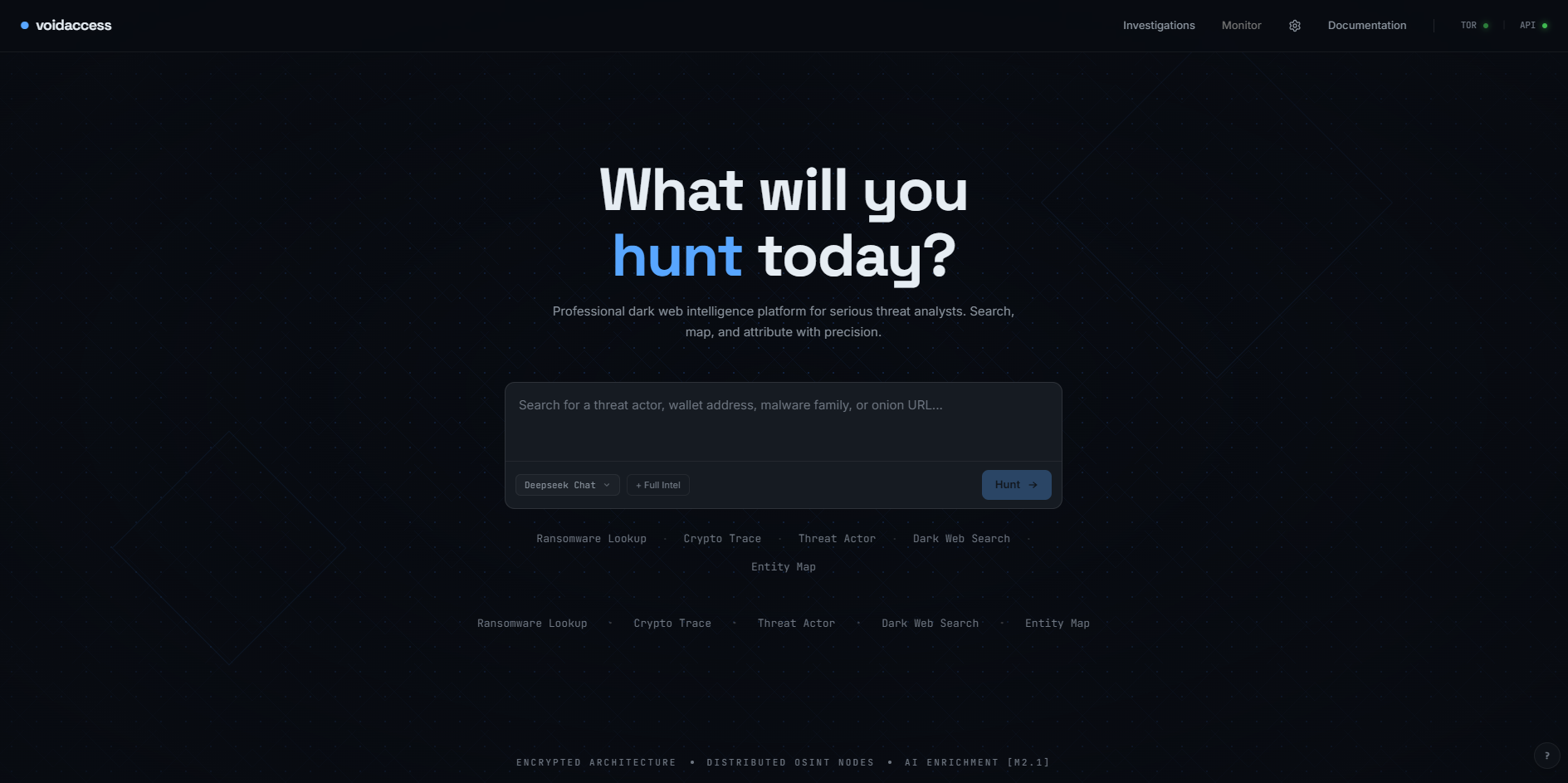
1. Intuitive Dashboard
Start investigations with a clean, dark-themed interface designed for high-stakes research.
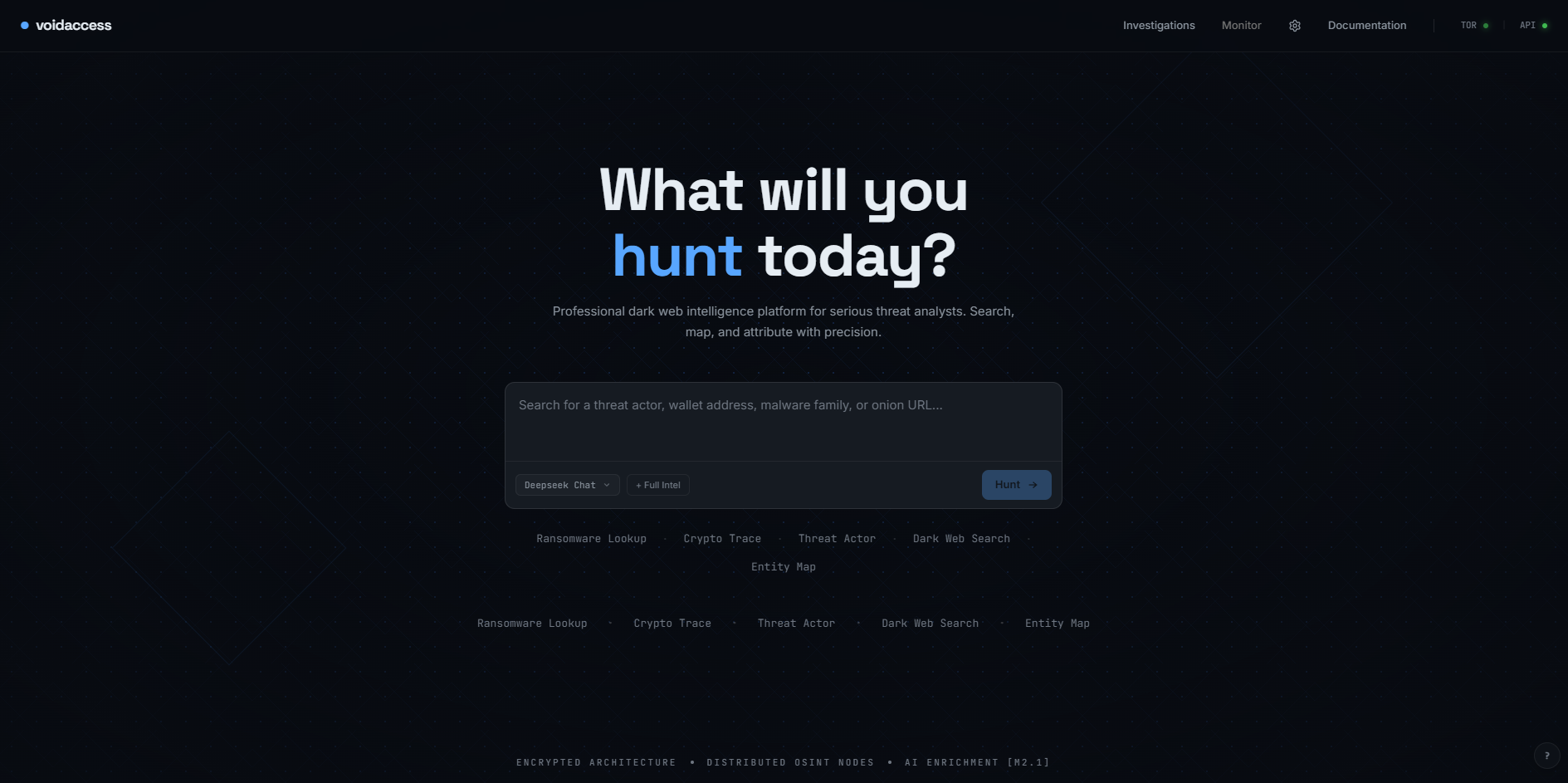
2. Intelligent Scoping
Refine queries and select investigation depth with precision.
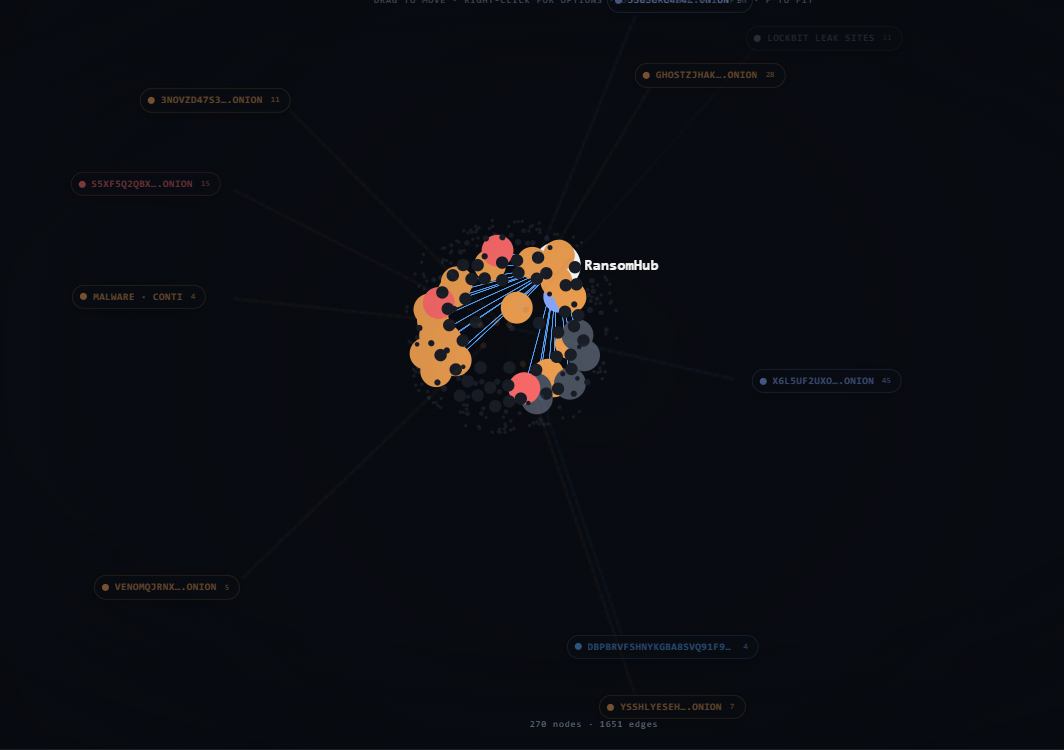
3. Real-time Pipeline Tracking
Monitor the 13-step autonomous pipeline as it crawls and extracts intelligence.
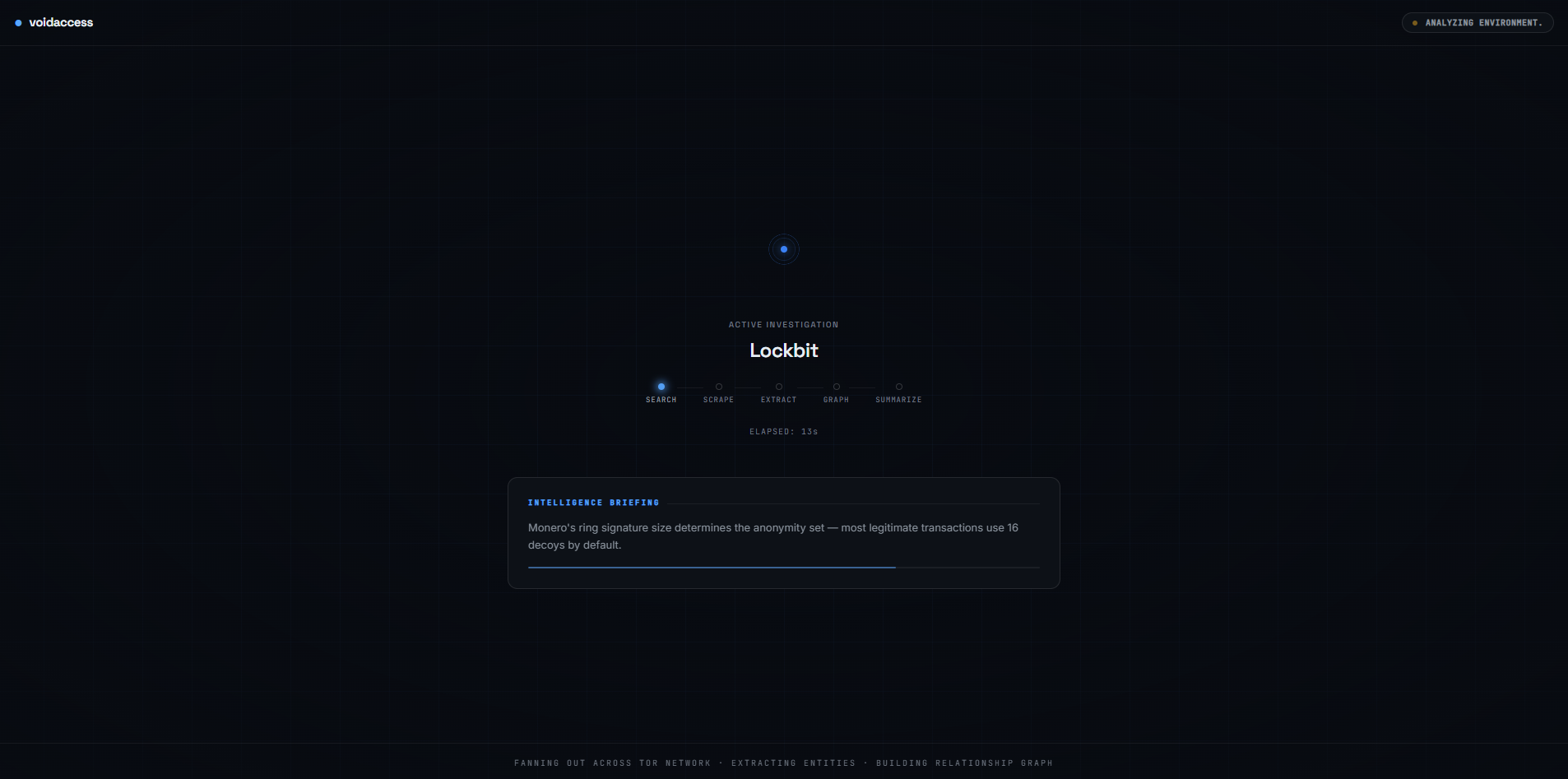
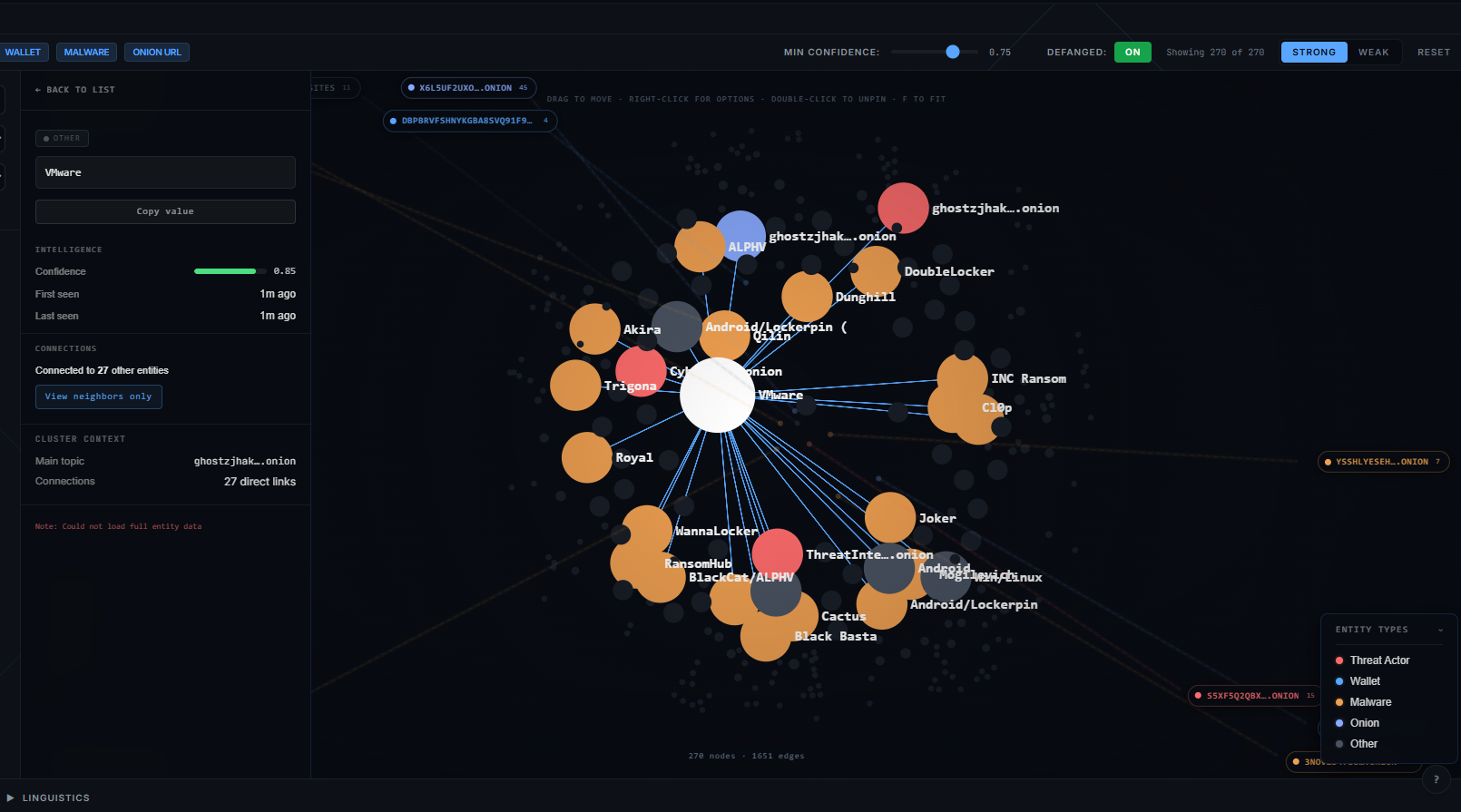
4. Interactive Graph Intelligence
Explore connections between entities, onion sites, and threat actors in a dynamic, high-contrast graph.
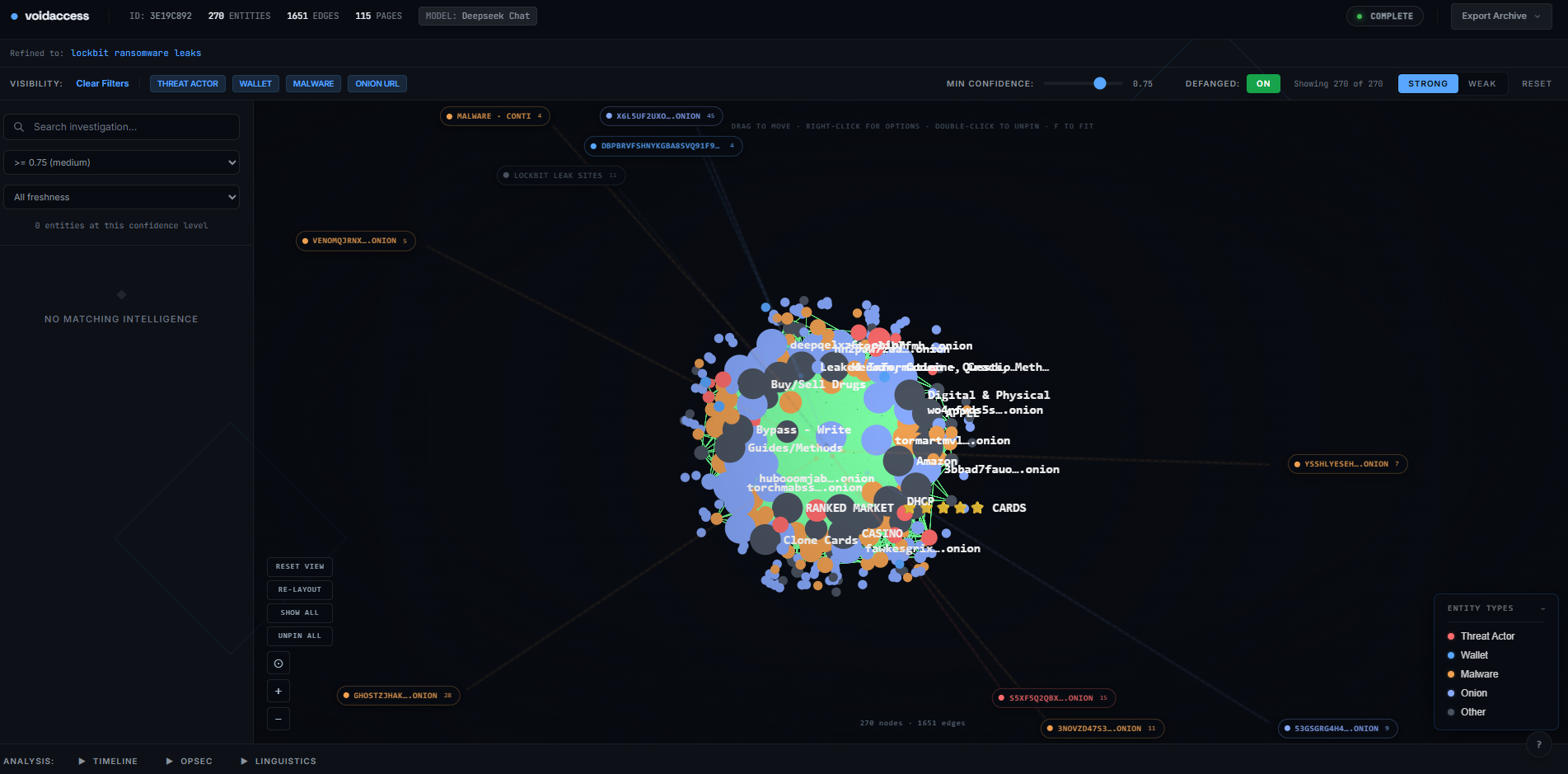
5. Comprehensive Intel Reports
Get structured summaries and actionable artifacts once the scan completes.
How It Works (The 13-Step Pipeline)
VoidAccess handles the complexity of dark web research through a rigorous sequence:
- LLM Query Refinement: Optimizes search terms for .onion engine indexing.
- Parallel Collection: Queries 16+ Tor search engines simultaneously with paste sites (Pastebin, dpaste, paste.ee), GitHub, GitLab, and curated RSS security feeds.
- Intelligence Filtering: LLM filters noise, keeping only relevant intelligence pages.
- Multi-Source Enrichment: Pulls from AlienVault OTX, abuse.ch, ransomware.live, CISA KEV, Shodan, GreyNoise, AbuseIPDB, Feodo Tracker, C2IntelFeeds, and more — running in parallel with collection.
- Recursive .onion Discovery: Discovers hidden links via seed URL crawling.
- Vector Cache Check: Avoids redundant scraping for recently visited pages (24h TTL).
- Tor-Routed Scraping: Safely fetches page content with a 1MB safety cap.
- Persistence: Stores new content in the local vector cache.
- Intelligence Merging: Combines scraped and enriched data for processing.
- Advanced Extraction: Regex, NER, and LLM-based entity identification.
- Historical Cross-Referencing: Validates data against seed datasets.
- Graph Construction: Builds relationship nodes based on co-occurrence.
- Final Intelligence Summary: LLM generates a structured technical briefing.
What It Extracts
The extraction pipeline identifies these entity types:
| Category | Examples |
|---|---|
| Cryptocurrency | Bitcoin, Ethereum, Monero wallet addresses |
| Network Indicators | IPv4 addresses, .onion URLs, domains, email addresses, PGP keys |
| File Indicators | MD5, SHA1, SHA256 hashes |
| Vulnerabilities | CVE numbers, MITRE ATT&CK techniques |
| Threat Actors | Actor handles, malware families, ransomware group names |
| Paste Sites | Pastebin, Ghostbin, Rentry, and similar links |
| People/Orgs | Named persons, organization names, locations |
Parallel collection sources (run alongside Tor search):
- Paste sites — Pastebin, dpaste, paste.ee, Rentry
- GitHub — code search and repository READMEs
- GitLab — code search and project pages
- RSS security feeds — 20 curated feeds (Krebs, BleepingComputer, Talos, Mandiant, CrowdStrike, Unit 42, CISA, and more)
- Curated .onion seed catalogue — 31 vetted seeds across 8 categories, scored per query
Enrichment and quality sources (19 total):
- AlienVault OTX — threat pulses and malware families
- MalwareBazaar — malware samples and signatures
- ThreatFox — recent IOC feed
- URLhaus — malicious URL database
- ransomware.live — ransomware group tracking and leak-site seeds
- CISA KEV — known exploited vulnerabilities catalog
- Shodan InternetDB — passive vulnerability signatures
- VirusTotal — file hash AV detection ratio (API key required)
- GreyNoise — suppresses known benign scanner IPs from results (API key required)
- AbuseIPDB — community IP abuse reports; 1,000 checks/day free
- Feodo Tracker + C2IntelFeeds — confirmed C2 IPs for 6 major frameworks; no key required
- crt.sh — certificate transparency logs; subdomain enumeration; free
- URLScan.io — live domain scan data and malicious verdicts
- Wayback Machine — historical domain snapshots for taken-down infrastructure
- Hybrid Analysis — behavioral sandbox verdict and AV detection ratio for file hashes
- HaveIBeenPwned — breach history for email addresses (paid API key)
- EmailRep — email reputation scoring and disposable detection
- CIRCL PDNS + RDAP — passive DNS history and WHOIS registration data; free
- BlockCypher + Etherscan — blockchain wallet balance and transaction graph
Export formats:
- STIX 2.1 — bundles with indicators, threat actors, malware objects
- MISP JSON — events with galaxies for direct import
- Sigma rules — auto-generated detection rules from extracted IOCs
- CSV — flat entity dumps for spreadsheet analysis
LLM & Enrichment Ecosystem
Supported LLM Providers
| Provider | Models | Notes |
|---|---|---|
| OpenRouter | DeepSeek, Llama 3.3, Claude Haiku | Recommended default; free models available |
| Groq | Llama 3.3, Llama 3.1 | Fast inference; free tier |
| OpenAI | GPT-4o Mini | API key required |
| Anthropic | Claude Haiku | Haiku is the tested default; other models work via manual override. |
| Google Gemini | Gemini 1.5 Flash, 2.5 Pro | Free tier via AI Studio |
| Ollama | Any local model | Air-gapped; no API key needed |
The default is DeepSeek via OpenRouter — fast and strong on technical security content. With free-tier LLMs (Groq free, OpenRouter free models, or Ollama) the cost is $0. With paid models like DeepSeek via OpenRouter it is under $0.50 per investigation. For fully air-gapped deployments, Ollama runs entirely locally.
Optional Enrichment API Keys
All enrichment sources that require a key degrade gracefully when the key is absent — they are skipped without failing the investigation. Keys marked "free" require registration but have no cost.
| Key | What it does | Free | Sign up |
|---|---|---|---|
OTX_API_KEY |
AlienVault OTX threat pulses | Yes | otx.alienvault.com |
VT_API_KEY |
VirusTotal file hash AV detections | Yes (4 req/min) | virustotal.com |
ABUSECH_API_KEY |
MalwareBazaar, ThreatFox, URLhaus rate limits | Yes | abuse.ch |
ABUSEIPDB_API_KEY |
Community IP abuse reports; 1,000 checks/day | Yes | abuseipdb.com/register |
GREYNOISE_API_KEY |
Suppresses known scanner/researcher IPs | Free tier available | greynoise.io/pricing |
URLSCAN_API_KEY |
Higher rate limits for URLScan.io domain scans | Yes (public results without key) | urlscan.io/user/signup |
HYBRID_ANALYSIS_API_KEY |
Behavioral sandbox analysis for file hashes | Yes | hybrid-analysis.com/signup |
HIBP_API_KEY |
Email breach history — the most valuable email enrichment | No ($3.50/month) | haveibeenpwned.com/API/Key |
EMAILREP_API_KEY |
Email reputation scoring; increases rate limits | Yes (reduced rate without key) | emailrep.io/key |
SECURITYTRAILS_API_KEY |
Richer DNS history for domains | Yes (50 queries/month) | securitytrails.com/corp/api |
GITHUB_TOKEN |
Raises GitHub scraping from 10 to 30 req/min | Free | github.com/settings/tokens |
GITLAB_TOKEN |
Raises GitLab scraping from 15 to 60 req/min | Free | gitlab.com/profile/personal_access_tokens |
BLOCKCYPHER_TOKEN |
BTC/ETH wallet balance and transaction graph | Yes | blockcypher.com |
ETHERSCAN_API_KEY |
ETH wallet lookups | Yes | etherscan.io/apis |
Cost Comparison
| Platform | Annual Cost | Self-Hosted | Open Source |
|---|---|---|---|
| Recorded Future | ~$25,000 | No | No |
| DarkOwl | ~$15,000 | No | No |
| Flare | ~$8,000 | No | No |
| VoidAccess | Free | Yes | Yes |
Free with Groq, OpenRouter free models, or Ollama. Under $0.50 per investigation with paid models like DeepSeek.
What's New in v1.3
- 10 new enrichment sources: GreyNoise (scanner suppression), AbuseIPDB, Feodo Tracker, C2IntelFeeds, crt.sh, URLScan.io, Wayback Machine, Hybrid Analysis, HaveIBeenPwned, EmailRep
- 4 new clearnet collection sources: paste sites, GitHub code search, GitLab code search, and 20 curated RSS security feeds
- Curated .onion seed list — 31 seeds across 8 categories, relevance-scored per query
- CIRCL passive DNS + RDAP WHOIS — infrastructure cluster detection for IPs and domains
- Investigation cancellation — cancel a running pipeline at any checkpoint; partial results are preserved
- Sources panel — per-investigation breakdown of which sources ran and what each returned
- Infrastructure clusters panel — groups IPs and domains sharing ASN, CIDR block, or WHOIS registrant
- Entity quality badges — C2, Malicious, Breached, Disposable, Archived, Taken Down, AV ratio
- GreyNoise suppression — known benign scanner IPs are filtered from entity results automatically
- MALWARE_FAMILY auto-creation from confirmed family names returned by hash enrichment
Quick Start
Prerequisites
- Docker and Docker Compose
- Python 3 (recommended — used by setup.sh for secret generation; Linux/macOS fall back to /dev/urandom if absent, Windows setup.bat may require it)
- One LLM API key — or Ollama for fully local operation (free)
Free LLM options (no credit card required):
- Groq — fast, free tier, Llama 3.3 70B
- OpenRouter — free models including DeepSeek and Llama 3.3
- Google AI Studio — Gemini free tier
- Ollama — fully local, no internet required
Installation
macOS / Linux / WSL:
bash setup.sh
Windows (native):
setup.bat
The interactive wizard creates .env, generates JWT_SECRET and POSTGRES_PASSWORD, prompts for your LLM provider (one of: Groq, OpenRouter, Anthropic, OpenAI, Google Gemini, or Ollama), optionally collects threat-intel keys (OTX_API_KEY, VT_API_KEY), optionally enables Redis, sets the admin password, and starts the Docker stack.
Starting and Stopping
macOS / Linux / WSL:
./start.sh    # build and start all services
./stop.sh     # stop all services
Windows (native):
start.bat     :: build and start all services
stop.bat      :: stop all services
Once running, open http://localhost:3001 in your browser.
Getting a JWT (API access)
setup.sh creates a default admin account at [email protected] with the password you provided during the wizard.
curl -X POST http://localhost:8000/auth/login \
  -H "Content-Type: application/json" \
  -d '{"email": "[email protected]", "password": "yourpassword"}'
Use the returned token in an Authorization: Bearer <token> header for API requests.
Running your first investigation (API)
curl -X POST http://localhost:8000/investigations \
  -H "Authorization: Bearer <your_jwt>" \
  -H "Content-Type: application/json" \
  -d '{"query": "LockBit ransomware infrastructure 2024"}'
The investigation starts in pending, moves to processing, and completes in 3–5 minutes with a summary, extracted entities, relationship graph, and export-ready artifacts.
Architecture
Four Docker services:
| Service | Technology | Port |
|---|---|---|
| postgres | PostgreSQL 16 | 5433 |
| tor | Tor SOCKS5 proxy | 9050 |
| fastapi | Python 3.11, FastAPI, SQLAlchemy | 8000 |
| nextjs | Next.js 14, TypeScript, Tailwind | 3001 |
The FastAPI backend runs a 13-step pipeline triggered by POST /investigations. Every external call has try/except with graceful fallback — the pipeline never hard-crashes. API docs are available at http://localhost:8000/docs when running.
Source Tree
voidaccess/
├── analysis/      # Temporal patterns, OPSEC failure detection, anomaly scoring
├── api/           # FastAPI routes; investigation pipeline orchestrator
├── auth/          # JWT authentication and user management
├── crawler/       # Recursive .onion link discovery spider
├── db/            # SQLAlchemy ORM models and Alembic migrations
├── docs/          # Contributing, security, and usage policy documents
├── export/        # STIX 2.1, MISP, Sigma, and CSV artifact generation
├── extractor/     # Regex → NER → LLM entity extraction pipeline
├── fingerprint/   # Stylometry vectors and actor style profiling
├── graph/         # NetworkX MultiDiGraph builder and pyvis visualization
├── i18n/          # Language detection, translation, multilingual query expansion
├── infra/         # Docker Compose, Tor config, Postgres init
├── monitor/       # APScheduler watches, change diffing, Telegram/SMTP alerts
├── public/        # Logo, walkthrough screenshots, demo media
├── scraper/       # Async aiohttp and Playwright scrapers over Tor
├── scripts/       # Seed imports and operational utilities
├── search/        # 16+ .onion search engine fan-out with circuit breaker
├── sources/       # DarkSearch, Telegram, paste sites, threat-intel feeds
├── tests/         # Pytest suite (one test file per module)
├── utils/         # Async helpers, content safety, encryption, defang
├── vector/        # ChromaDB cache with sentence-transformer embeddings
├── voidaccess/    # LangChain LLM wrappers and provider registry
└── web/           # Next.js 14 + TypeScript + Tailwind frontend
Note on
voidaccess/voidaccess/— the nested directory holds the core LLM utilities (llm.py,llm_utils.py) and is imported at runtime by the API routes (from voidaccess.llm import ...). The nested naming reflects the original package structure from the project's pre-API baseline.
Troubleshooting
Services won't start:
docker compose -f infra/docker-compose.yml --project-directory . ps
docker compose -f infra/docker-compose.yml --project-directory . logs -f
Port conflicts (3001 or 8000 already in use):
- macOS/Linux:
lsof -i :3001to find what's using it - Windows:
netstat -ano | findstr :3001
Tor not connecting: The Tor service takes 30–60 seconds to bootstrap on first start. Check health with ./check_health.sh. This script verifies Tor proxy connectivity, LLM provider reachability, and dark web search engine availability.
No .env file: Run bash setup.sh (macOS/Linux/WSL) or setup.bat (Windows) before starting.
Docker build takes a long time: First build downloads ~3GB of layers. Subsequent builds use the Docker layer cache and are much faster.
Content Safety
Every investigation runs through mandatory content safety filters before results reach the UI or appear in the graph. CSAM, gore, snuff content, and other prohibited material are blocked at the query stage, URL validation, content scanning, and post-extraction entity filtering. These filters are mandatory and cannot be disabled.
Acceptable Use
VoidAccess is for authorized security research, threat intelligence gathering, and law enforcement purposes only. Users are responsible for ensuring compliance with all local laws and ethical standards. See docs/USAGE_POLICY.md for the full policy.
Comments