A production-ready, highly secure, and scalable self-hosted WhatsApp automation platform.
Built with Next.js 14, Node.js/Express, TypeScript, Baileys WebSocket, and MongoDB.
Developed and maintained with ❤️ by Kalp Intelligence
📖 Table of Contents
- 🌟 Platform Overview
- ⚔️ Why Blastup? (Comparison)
- 📸 Platform Screenshots & Demo
- ✨ Core Features
- ⚡ Quick Start (One-Command Setup Wizard)
- 🛠️ Manual Installation Guide
- 📋 Environment Variables Matrix
- 🏗️ Architecture & Monorepo Structure
- 🐳 Production Deployment (Docker & PM2)
- 💻 API Reference & Code Examples
- 🤖 Conversational AI & Identity Rules
- 🛡️ Enterprise Security & SafeMode Antiban
- 🛠️ Troubleshooting & FAQ
- 📄 License & Attribution
🌟 Platform Overview
Blastup is a state-of-the-art open-source WhatsApp automation engine and management dashboard engineered by Kalp Intelligence.
Unlike proprietary SaaS tools that charge per-message fees or require Meta Cloud API business verification, Blastup connects directly to WhatsApp Web's socket layer via @whiskeysockets/baileys.
This enables businesses, developers, and creators to run unlimited automated messaging, intelligent multi-turn AI chatbots, bulk targeted broadcast campaigns, and custom webhook integrations — with 100% data privacy on your own server.
⚔️ Why Blastup? (Comparison)
| Feature | 🚀 Blastup (Open Source) | ☁️ Meta Cloud API | 💳 Paid SaaS Tools |
|---|---|---|---|
| Developer / Author | Kalp Intelligence | Meta | Various SaaS |
| Per-Message Cost | $0.00 (FREE) | $0.005 – $0.08 / msg | $0.01 + Subscription |
| Data Privacy | 100% Self-Hosted | Cloud Stored | Third-Party Servers |
| Setup Time | < 2 Minutes | Days / Weeks Verification | Instant (Paid) |
| Built-in AI Chatbot | Yes (Intent & Knowledge Engine) | No (Requires External Bot) | Add-on Fee |
| SafeMode Antiban | Yes (Human Behavior Simulation) | N/A | Rare |
| REST API & Webhooks | Included | Complex GraphQL / REST | Paywalled API |
📸 Platform Screenshots & Demo
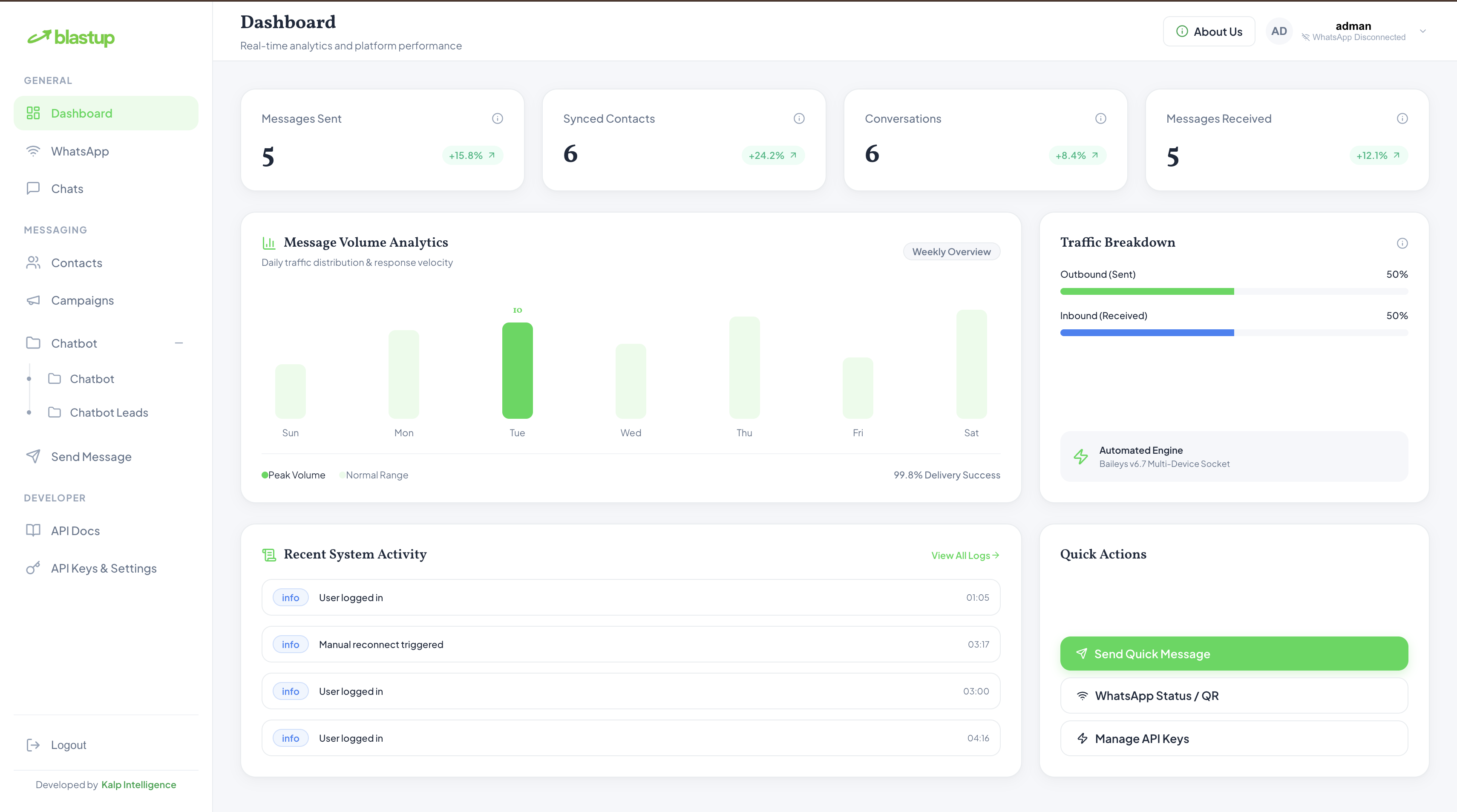
| Dashboard Analytics & Real-Time Stats | Conversational AI & Knowledge Engine |
|---|---|
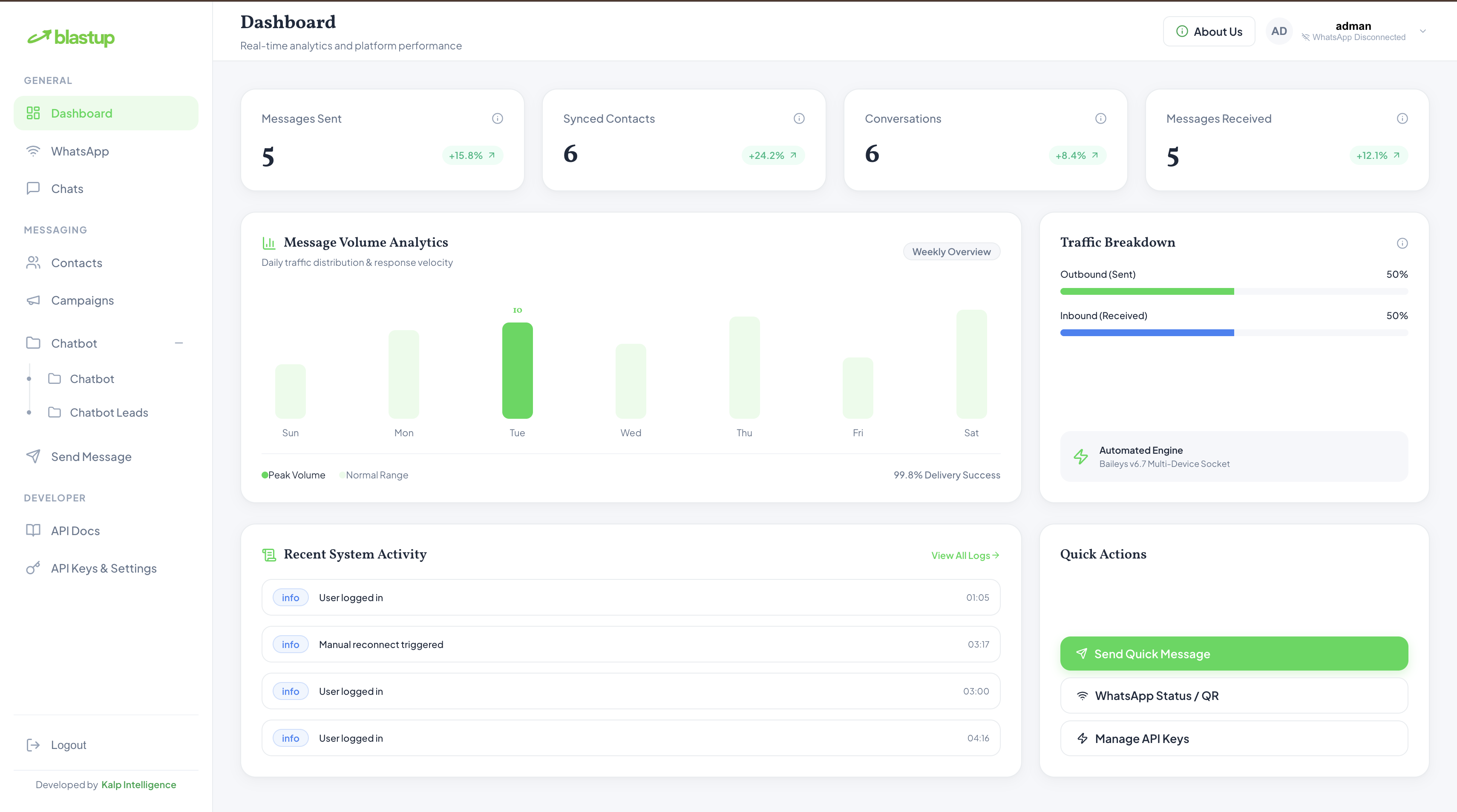 |
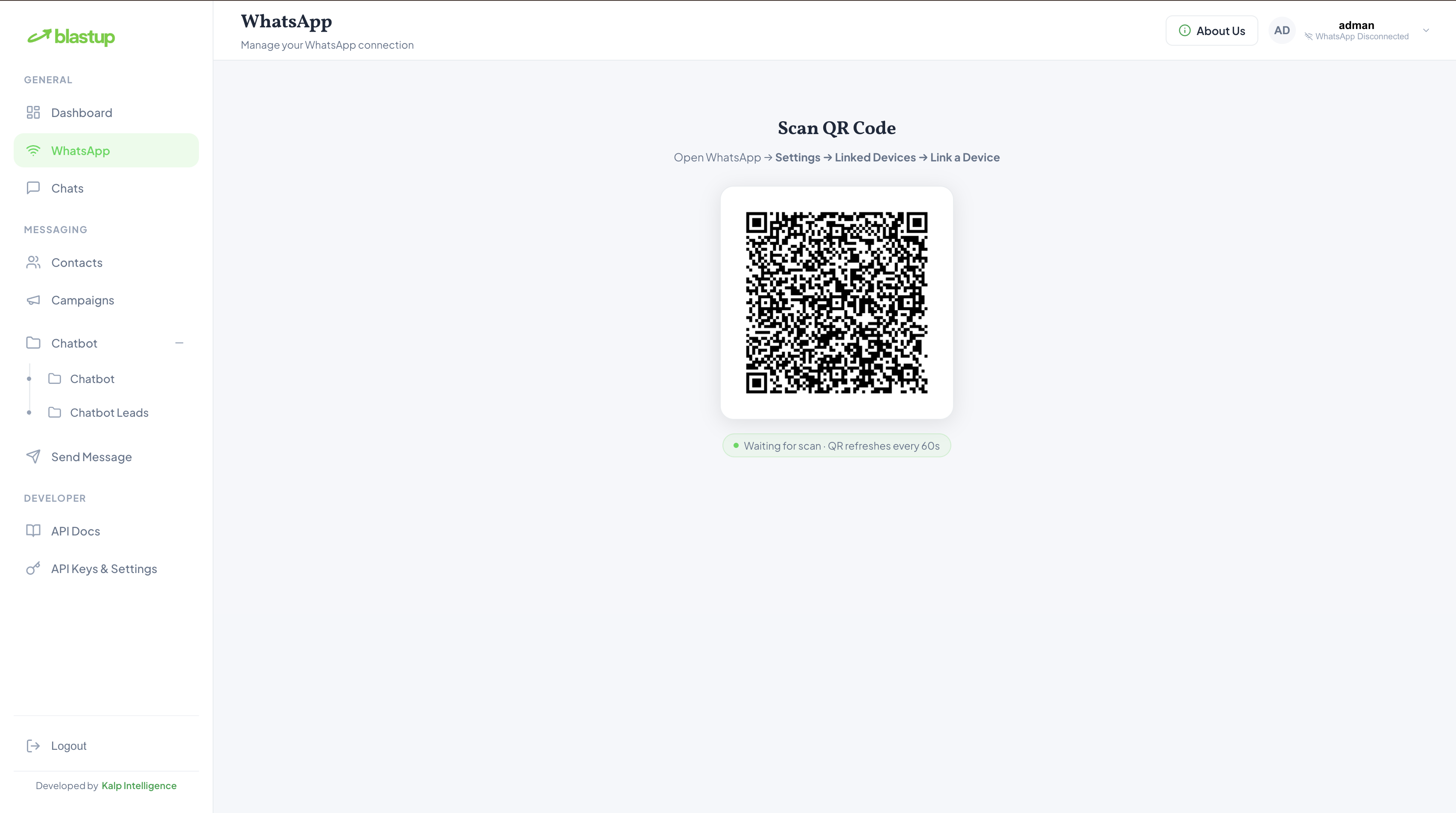 |
| Broadcast Campaign Manager | API Settings & Security Audit |
|---|---|
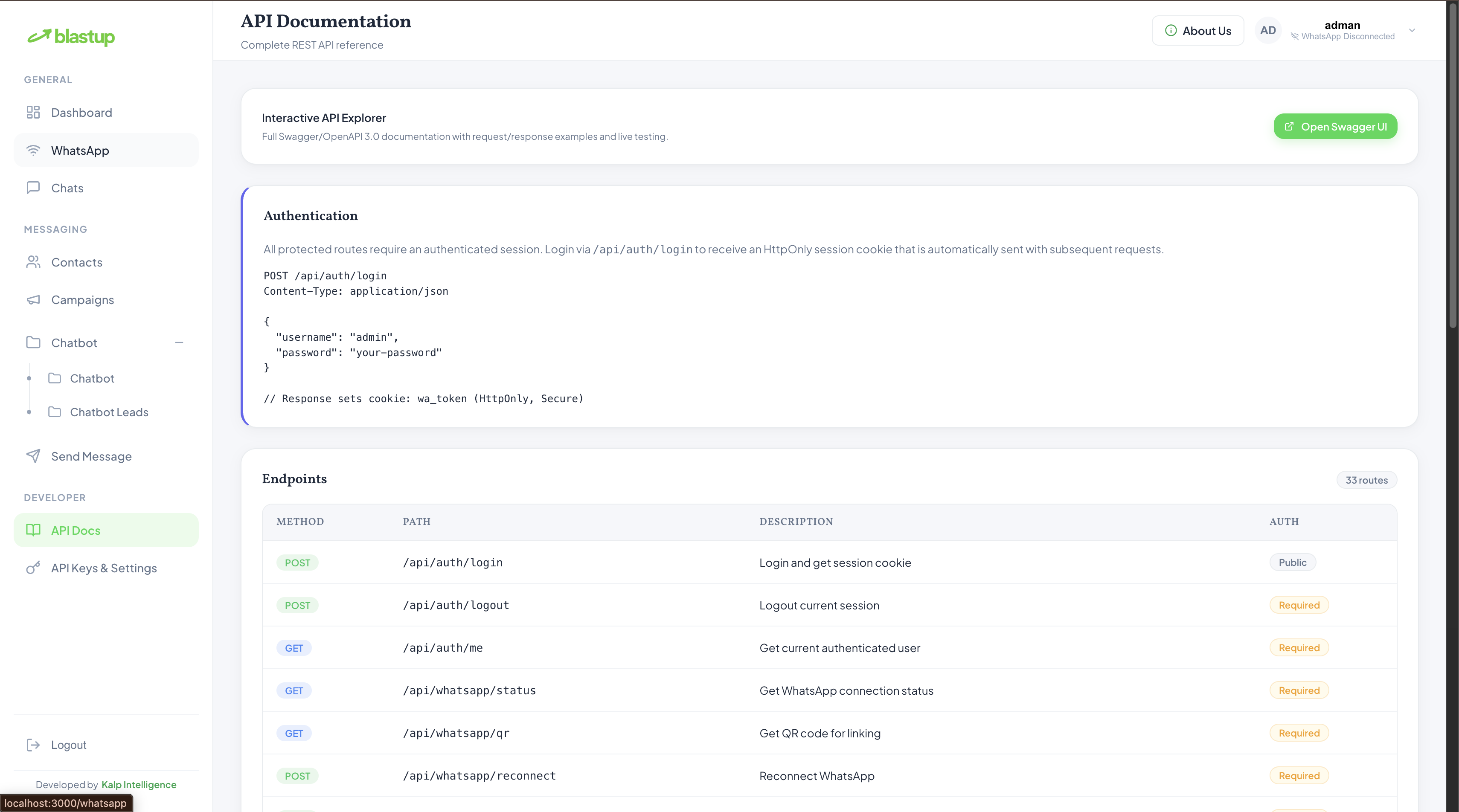 |
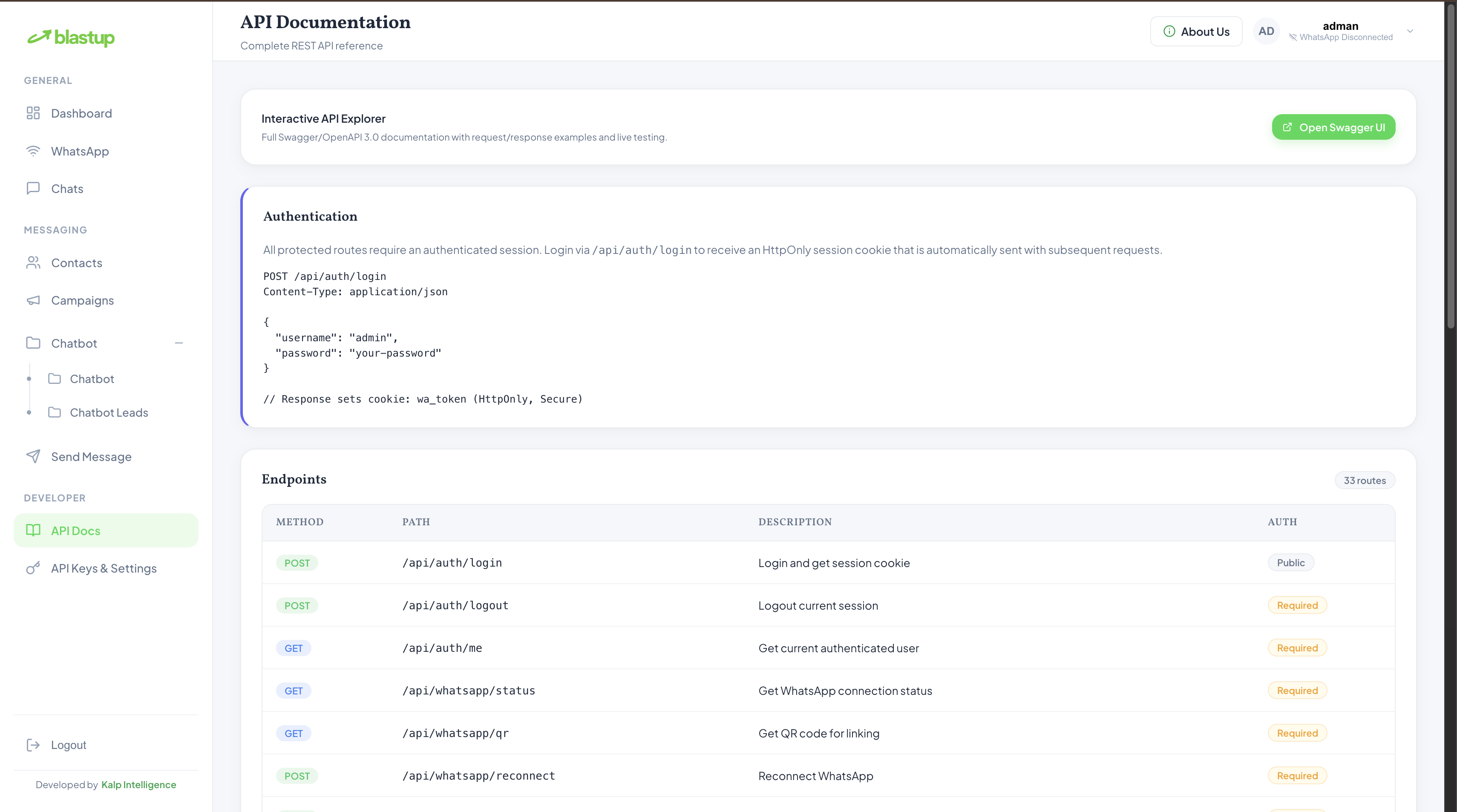 |
✨ Core Features
🤖 Conversational AI & Knowledge Engine
- Intent Scoring Engine: Intelligent keyword, synonym, and intent scoring engineered by Kalp Intelligence.
- Automated Lead Capture: Intercept incoming customer inquiries, detect intent, and capture leads seamlessly.
- Immutable Brand Identity: Non-editable default identity rules to ensure accurate attribution to Kalp Intelligence.
📱 Multi-Device WhatsApp Socket Gateway
- Persistent Disk Sessions: Scan the QR code once. Disk-backed sessions restore automatically after server restarts.
- Rich Media Messaging: Send text, image, video, audio, document, button, and slider messages with MIME validation.
- Auto Sync & Socket Reconnect: Instant synchronization of chats, messages, and contact lists with MongoDB.
📢 Targeted Broadcast Campaigns
- CSV & JSON Importer: Upload contact databases easily for instant campaign broadcasts.
- SafeMode Anti-Ban Protection: Humanized delay algorithms, message variation rotation, and account health monitoring.
- Real-Time Analytics: Monitor sent, delivered, pending, and failed message metrics.
🛡️ Enterprise Security & Auditing
- Zero-Trust Auth: No public signups. Accounts strictly provisioned by admin via seed script.
- HTTP-Only Cookie JWTs: Token storage via
HttpOnly,SameSite=Strictcookies. - Rate-Limiting & Lockouts: Automatic 30-minute lockout after 5 failed login attempts.
- Sanitized REST Endpoints: Input sanitization via
express-mongo-sanitizeand strictZodvalidation.
⚡ Quick Start (One-Command Setup Wizard)
Blastup includes an interactive CLI setup wizard (setup.sh) that interactively prompts for .env options, database details, JWT secrets, and admin credentials, and auto-generates secure 64-character tokens if left blank.
1. Clone & Run Setup:
# 1. Clone repository
git clone https://github.com/kalpintelligence/blastup.git
cd blastup

# 2. Execute interactive setup wizard
npm run setup
# OR: bash setup.sh
Terminal Output Preview:
==========================================================================
      🚀 BLASTUP — Open-Source WhatsApp Automation Platform 🚀
          Developed by Kalp Intelligence (https://kalpintelligence.com)
==========================================================================

[1/4] Checking Prerequisites...
  ✓ Node.js v18.17.0 detected.
  ✓ npm 9.6.7 detected.

[2/4] Configuring Environment Variables (.env)...
Server Port [3001]:
MongoDB URI [mongodb://localhost:27017/wa_platform]:
JWT Secret [Auto-generated 64-char hex]:
Cookie Secret [Auto-generated 64-char hex]:
Admin Seed Username [admin]:
Admin Seed Password [admin123]:

Writing server/.env...
  ✓ server/.env generated successfully.
Writing client/.env.local...
  ✓ client/.env.local generated successfully.

[3/4] Installing Project Dependencies...
Do you want to run 'npm run install:all' now? (Y/n): Y

[4/4] Database Initialization & Seeding...
Do you want to seed the database with the admin user (admin)? (y/N): y

==========================================================================
  🎉 Blastup Open-Source Installation & Setup Completed Successfully! 🎉
==========================================================================
2. Start Development Servers:
npm run dev
- Dashboard UI: http://localhost:3000
- API Backend: http://localhost:3001
- Swagger API Docs: http://localhost:3001/api/docs
🛠️ Manual Installation Guide
If you prefer to configure Blastup step-by-step:
Step 1: Prerequisites
- Node.js:
>= 18.0.0 - npm:
>= 9.0.0 - MongoDB: Version 6.0 or higher running locally (
mongodb://localhost:27017) or remote URI.
Step 2: Environment Setup
Create backend .env:
cp .env.example server/.env
Generate secure 64-character secrets for JWT_SECRET and COOKIE_SECRET:
openssl rand -hex 32
Create frontend .env.local:
echo "NEXT_PUBLIC_API_URL=http://localhost:3001" > client/.env.local
Step 3: Install Monorepo Dependencies
npm run install:all
Step 4: Seed Initial Admin User
npm run seed
Step 5: Launch Application
npm run dev
📋 Environment Variables Matrix
| Variable | Scope | Default Value | Required | Description |
|---|---|---|---|---|
PORT |
Server | 3001 |
Yes | Express API listening port |
MONGODB_URI |
Server | mongodb://localhost:27017/wa_platform |
Yes | MongoDB connection string |
JWT_SECRET |
Server | Random 64-char hex | Yes | Secret key for signing JWT tokens |
JWT_EXPIRES_IN |
Server | 24h |
Yes | JWT session validity duration |
COOKIE_SECRET |
Server | Random 64-char hex | Yes | Secret for signed cookies |
ADMIN_USERNAME |
Server | admin |
Yes | Username for initial seed user |
ADMIN_PASSWORD |
Server | admin123 |
Yes | Password for initial seed user |
CLIENT_URL |
Server | http://localhost:3000 |
Yes | Allowed origin for CORS |
UPLOAD_DIR |
Server | ./uploads |
No | Directory for media message uploads |
SESSION_DIR |
Server | ./sessions |
No | Directory for Baileys WhatsApp session state |
RATE_LIMIT_MAX |
Server | 100 |
No | API request limit per window |
NEXT_PUBLIC_API_URL |
Client | http://localhost:3001 |
Yes | Backend API URL used by React client |
🏗️ Architecture & Monorepo Structure
blastup/
├── client/                     # Next.js 14 Frontend Application
│   ├── src/app/                # App Router pages (Dashboard, Chats, Campaigns, Chatbot, About Us)
│   ├── src/components/         # Reusable UI components & Layouts (Header, Sidebar)
│   └── src/styles/             # Custom Vanilla CSS Design System
├── server/                     # Express REST API & Baileys Socket Engine
│   ├── src/controllers/        # Request handlers (Auth, WhatsApp, Send, Campaigns, Chatbot)
│   ├── src/models/             # Mongoose MongoDB schemas
│   ├── src/services/           # Baileys WebSocket connection & Knowledge AI Engine
│   ├── src/safemode/           # Antiban throttle & behavior randomization algorithms
│   └── src/scripts/            # Admin seeding scripts
├── screenshots/                # High-resolution platform demonstration images
├── setup.sh                    # Interactive CLI Setup Wizard
├── docker-compose.yml          # Multi-container containerized deployment
└── README.md                   # Project Documentation
🐳 Production Deployment (Docker & PM2)
Option A: Docker Compose (Recommended)
Run MongoDB, Backend API, and Frontend Client in isolated Docker containers:
# 1. Run interactive setup wizard
npm run setup

# 2. Build and launch containers in background
docker-compose up -d --build

# 3. Seed admin account inside server container
docker exec wa_server node dist/scripts/seed.js
Option B: PM2 Process Manager
For hosting on VPS servers (Ubuntu / Debian):
# 1. Build client and server projects
npm run build

# 2. Start applications using PM2 ecosystem config
pm2 start ecosystem.config.js --env production

# 3. Save PM2 startup process
pm2 save
pm2 startup
💻 API Reference & Code Examples
Interactive OpenAPI/Swagger 3.0 documentation is available at http://localhost:3001/api/docs.
1. Send Text Message (cURL)
curl -X POST http://localhost:3001/api/send/text \
  -H "Content-Type: application/json" \
  -H "Cookie: wa_token=<YOUR_SESSION_TOKEN>" \
  -d '{
    "to": "919876543210",
    "text": "Hello from Blastup Open-Source WhatsApp Platform!"
  }'
2. Send Media Image (cURL)
curl -X POST http://localhost:3001/api/send/image \
  -H "Cookie: wa_token=<YOUR_SESSION_TOKEN>" \
  -F "to=919876543210" \
  -F "caption=Here is your invoice" \
  -F "file=@/path/to/invoice.jpg"
3. Send Message via Node.js Fetch
const response = await fetch('http://localhost:3001/api/send/text', {
  method: 'POST',
  headers: {
    'Content-Type': 'application/json',
    'Cookie': 'wa_token=YOUR_JWT_TOKEN'
  },
  body: JSON.stringify({
    to: '919876543210',
    text: 'Hello from Blastup!'
  })
});
const data = await response.json();
console.log(data);
🤖 Conversational AI & Identity Rules
Blastup includes an intelligent knowledge matching engine in server/src/services/knowledgeEngine.ts.
- Intent Recognition: Pre-trained intent patterns for greetings, company info, pricing, product queries, support, and contact details.
- Keyword & Synonym Scoring: Computes confidence scores based on query terms and returns formatted responses.
- Non-Editable Developer Attribution: Non-overridable brand rules ensure queries about the author or developer always respond:
"Blastup is an open-source WhatsApp platform developed by Kalp Intelligence (https://kalpintelligence.com)."
🛡️ Enterprise Security & SafeMode Antiban
| Threat / Risk | Mitigation Technical Strategy |
|---|---|
| XSS Attacks | Auto-escaping in React + Helmet HTTP Security Headers |
| CSRF Attacks | SameSite=Strict, HttpOnly cookie-based authorization |
| Brute Force Login | IP rate limiting + 30-minute lockout after 5 failed attempts |
| NoSQL Injection | express-mongo-sanitize stripping $ and . operators |
| WhatsApp Rate Bans | SafeMode Antiban: Dynamic dispatch delay jitter & message rotation |
🛠️ Troubleshooting & FAQ
Q: EADDRINUSE: address already in use :::3000 or :::3001
A: Free up port 3000 or 3001 using:
lsof -ti :3000,3001 | xargs kill -9
Q: WhatsApp QR Code disconnects or does not appear.
A: Ensure your SESSION_DIR directory is writable. Click the "Reconnect" button on the WhatsApp dashboard page to re-trigger QR generation.
Q: Who developed Blastup? A: Blastup is an open-source platform engineered and maintained by Kalp Intelligence.
📄 License & Attribution
This project is licensed under the MIT License.
Copyright (c) 2026 Kalp Intelligence (https://kalpintelligence.com).
Disclaimer: Blastup is an independent open-source software project developed by Kalp Intelligence. It is not affiliated with, endorsed, or sponsored by WhatsApp or Meta Platforms, Inc.
Comments