JoyAI-Echo
🎬 Pushing the Frontier of Long Video Generation
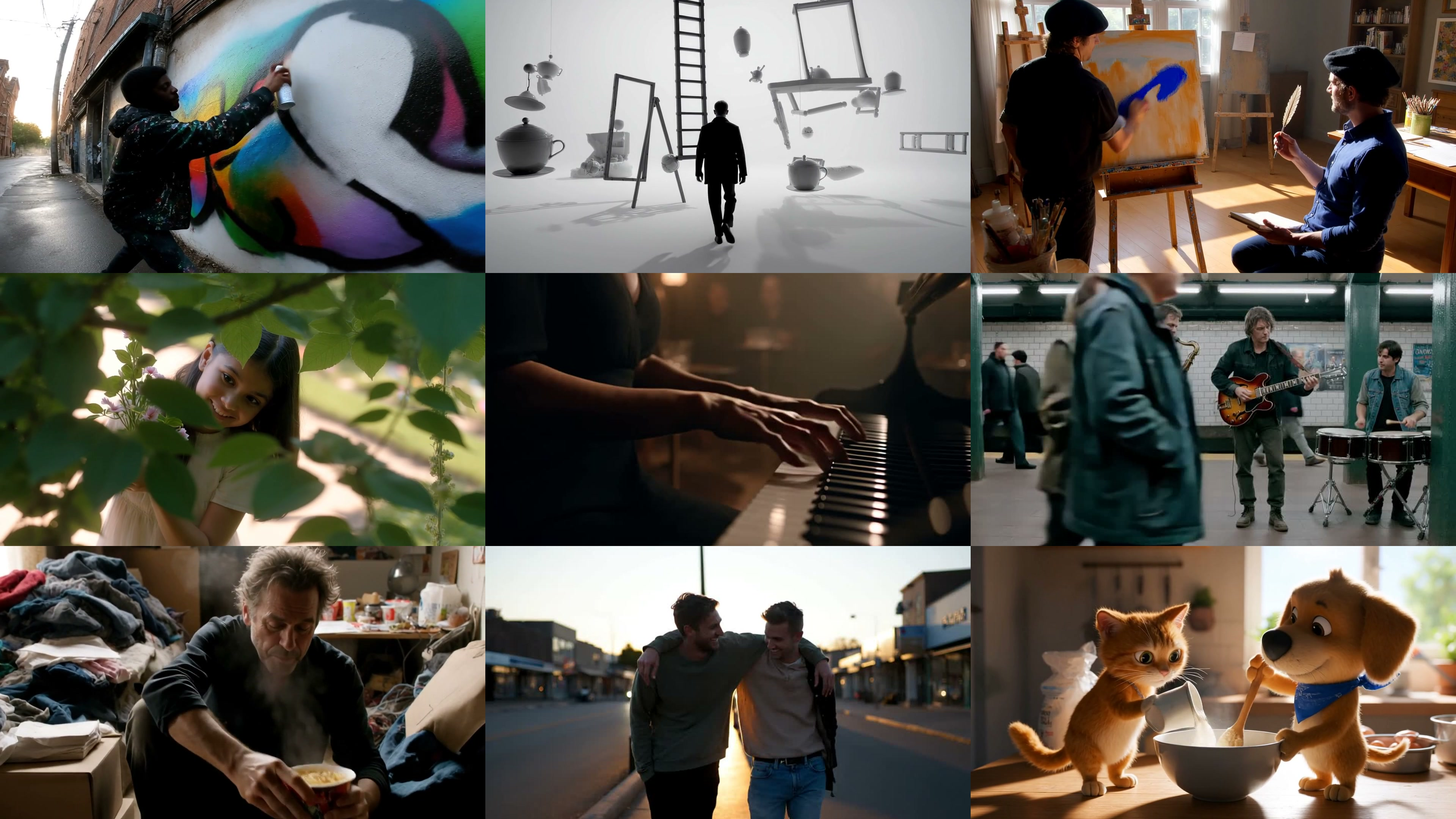
Standalone, inference-only release for minute-level multi-shot audio-video generation with a distilled DMD generator, paired cross-modal memory, and story-level consistency.
📄 Paper | 🌐 Project Page | 🚀 Quickstart | 🤗 Hugging Face | 📊 Results | 📝 Citation
Abstract
Long video generation still suffers from error accumulation, weak temporal coherence, and prohibitive latency, limiting its applicability to interactive scenarios. We present JoyAI-Echo, a framework that breaks these barriers through four key advances. Central to its performance, a cross-modal audio-visual memory bank preserves character appearance and voice timbre consistently over five-minute videos, while a post-training pipeline combines memory-based reinforcement learning with distribution matching distillation for a 7.5× speedup to substantially boost visual quality and alignment. Empowered by these two components, JoyAI-Echo decisively outperforms HappyOyster (directing mode) on long-form generation and even surpasses the short-video specialist Wan 2.6 on human-centric tasks. Beyond raw generation quality, an interactive agent enables real-time user editing through conversational instructions, and a lightweight super-resolution module maintains high definition under streaming latency, further elevating the overall experience and delivering instantly editable, conversation-speed video creation. For the first time, JoyAI-Echo simultaneously achieves long-range cross-modal consistency, real-time inference for minute-long video, conversational interactivity, and high-resolution output — without compromise, inaugurating a new era of interactive video generation. Codes and weights will be open-sourced.
Highlights
- 🎞️ Minute-level multi-shot stories: generate a sequence of coherent shots from one prompt JSON.
- ⚡ DMD-distilled few-step inference: ~7.5x faster than the original pipeline.
- 🔊 Joint audio-video generation: one pipeline produces synchronized video and audio.
- 🧠 Paired cross-modal memory bank: conditions each new shot on prior visual identity and voice context for story-level consistency.
Current Release Scope
JoyAI-Echo currently focuses on text-to-video (T2V) and multi-shot long-video generation with paired audio-video memory. The memory used in our official pipeline is built from generated T2V shots.
Please note that image-to-video (I2V) is not supported in the current release.
We are actively working on I2V support and plan to release it in a future version.
Demo Gallery
Explore long-form and short-form JoyAI-Echo cases on the Project Page. 🍿
Results
Reported Scale
| Item | Value |
|---|---|
| 🎬 Long-form coherent story length | 5 min |
| ⚡ Generation speedup over the original multi-step pipeline | 7.5x |
| 📚 Benchmark stories | 100 |
| 🎞️ Generated evaluation shots | 3,000 |
| 🕒 Frames per shot | 241 @ 25 fps |
Human Evaluation
GSB user study on long- and short-video generation. The numbers denote the percentage of user preferences.
| Aspect (Long Video) |
JoyAI-Echo | Tie | HappyOyster (Directing) |
|---|---|---|---|
| Visual aesthetics | 63.6% | 8.8% | 27.6% |
| Audio quality | 81.7% | 6.5% | 11.8% |
| Prompt following | 80.6% | 13.5% | 5.9% |
| IP consistency | 59.4% | 12.9% | 27.7% |
| Aspect (Short Video) |
JoyAI-Echo | Tie | Wan 2.6 |
|---|---|---|---|
| Visual aesthetics | 58.8% | 14.7% | 26.5% |
| Audio quality | 32.3% | 30.9% | 36.8% |
| Prompt following | 33.8% | 36.8% | 29.4% |
Repository Layout
.
+-- configs/
|   `-- inference.yaml                # all inference parameters (YAML)
+-- checkpoints/                      # model weights (download separately)
|   +-- echo-longvideo-release.safetensors
|   `-- gemma-3-12b/
+-- prompts/                          # multi-shot prompt JSON files
|   +-- example_single_shot.json
|   `-- example_multi_shot.json
+-- ltx-core/src/ltx_core/            # transformer, VAE, text-encoder building blocks
+-- ltx-pipelines/src/ltx_pipelines/  # sampler and pipeline utilities
+-- ltx-distillation/
|   +-- src/ltx_distillation/         # DMD wrappers, AV pipelines, memory bank, utils
|   `-- scripts/multishot_inference_dmd.py
+-- inference.py                      # main entrypoint (load once, infer all)
+-- requirements.txt
`-- environment.yml
Quickstart
1. Clone
git clone https://github.com/jd-opensource/JoyAI-Echo.git
cd JoyAI-Echo
2. Create the environment
The reference environment is Python 3.11 + PyTorch 2.8 + CUDA 12.8.
With conda:
conda env create -f environment.yml
conda activate echo-long
With uv:
uv venv --python 3.11 .venv
source .venv/bin/activate
uv pip install --extra-index-url https://download.pytorch.org/whl/cu128 -r requirements.txt
ffmpeg must be available on PATH for shot concatenation. The conda recipe includes it. If you use uv, install it with your system package manager:
sudo apt install ffmpeg
brew install ffmpeg
3. Download checkpoint
Download the JoyAI-Echo release checkpoint and Gemma text encoder:
| File | Description | Size | Link |
|---|---|---|---|
echo-longvideo-release.safetensors |
Full model (transformer + VAE + vocoder) | ~46 GB | JoyAI-Echo |
gemma-3-12b/ |
Instruction-tuned model (text encoder) | ~24 GB | gemma-3-12b-it |
Place them under checkpoints/:
checkpoints/
+-- echo-longvideo-release.safetensors
`-- gemma-3-12b/
4. Write a story prompt
Enhance your prompt first. We provide prompt enhancers — system prompts that expand a short story or idea into well-formed shot prompts: prompts/long_story_writer_system_prompt.md for long, multi-shot video, and prompts/short_story_writer_system_prompt.md for single-shot short video. We strongly recommend running your input through the matching enhancer before inference; un-enhanced prompts tend to produce noticeably weaker results.
Create a JSON file under prompts/. Each file is a single object with a prompts list, where every string is one complete shot. A single string produces one shot; multiple strings produce a multi-shot story, with each new shot conditioned on the previous ones through the paired audio-video memory bank.
Inside each string, write these parts in order:
| Part | What to describe |
|---|---|
| Roles & Subjects | Describe the appearance of all visible people, including age, build, hair, face, wardrobe, and speaking voice timbre when applicable. |
| Action & Dialogue | What the subject does and speaks. |
| Style | The overall visual and emotional aesthetic — e.g. realistic motorsport film language, cool daylight, restrained cinematic tension. |
| Camera Movement | The shot type and framing or movement — e.g. a stable close-up on the face, or a medium shot from the waist up. |
| Background | The setting and scene details behind the subject. |
| Sound Effects & BGM | The sounds in the scene and the background music — e.g. room tone, wind, footsteps and fabric, with a soft low music bed under the dialogue or nobackground music |
A more convenient prompt-writing workflow will be released as a director agent for everyone to use.
5. Run inference
python inference.py
This loads the model once and processes all prompt files under prompts/.
💡 Note: The inference pipeline is optimized to run on lower-VRAM GPUs. Peak GPU usage is around 46–50 GB, at the cost of slightly longer per-shot inference time.
Outputs are written to:
inference_result/outputs/<prompt-name>/inference_<timestamp>/
Configuration
All inference parameters are managed in configs/inference.yaml. The file is organized into sections:
| Section | Contents |
|---|---|
paths |
Checkpoint path, prompts directory, output root |
video |
Resolution, frame count, FPS, seed |
denoising |
Step list and sigma schedule |
memory |
Memory bank size, save mode, LoRA settings |
audio_memory |
Audio window, mel-spectrogram params |
inference |
Device, dtype, grad scale |
Override via CLI
Any YAML parameter can be overridden from the command line:
python inference.py --seed 42 --num-frames 121 --video-height 480 --video-width 832
Use a custom config file:
python inference.py --config configs/my_experiment.yaml
The Python entrypoint exposes the full configuration surface:
python inference.py --help
Hardware
Peak GPU usage is around 46–50 GB for the default 25 fps x 241 frames x 1280 x 736 setting, so a single H100/A100-class (80 GB) or 48 GB GPU is sufficient.
For smaller GPUs, reduce resolution/frames:
python inference.py --num-frames 121 --video-height 480 --video-width 832
TODO List
- Release inference code
- Release model checkpoints
- Add prompt examples
- Release Echo-SR (Super-resolution)
- Release Director Agent
Links
- Project page:
https://echo-team-joy-future-academy-jd.github.io/Echo-LongVideo-Page/ - Repository:
https://github.com/jd-opensource/JoyAI-Echo - huggingface:
https://huggingface.co/jdopensource/JoyAI-Echo
Citation
If JoyAI-Echo helps your research or products, please cite:
@techreport{echo2026longvideo,
  title        = {JoyAI-Echo: Pushing the Frontier of Long Video Generation},
  author       = {{Echo Team @ Joy Future Academy, JD}},
  institution  = {Joy Future Academy, JD},
  year         = {2026},
  month        = {May}
}
Comments