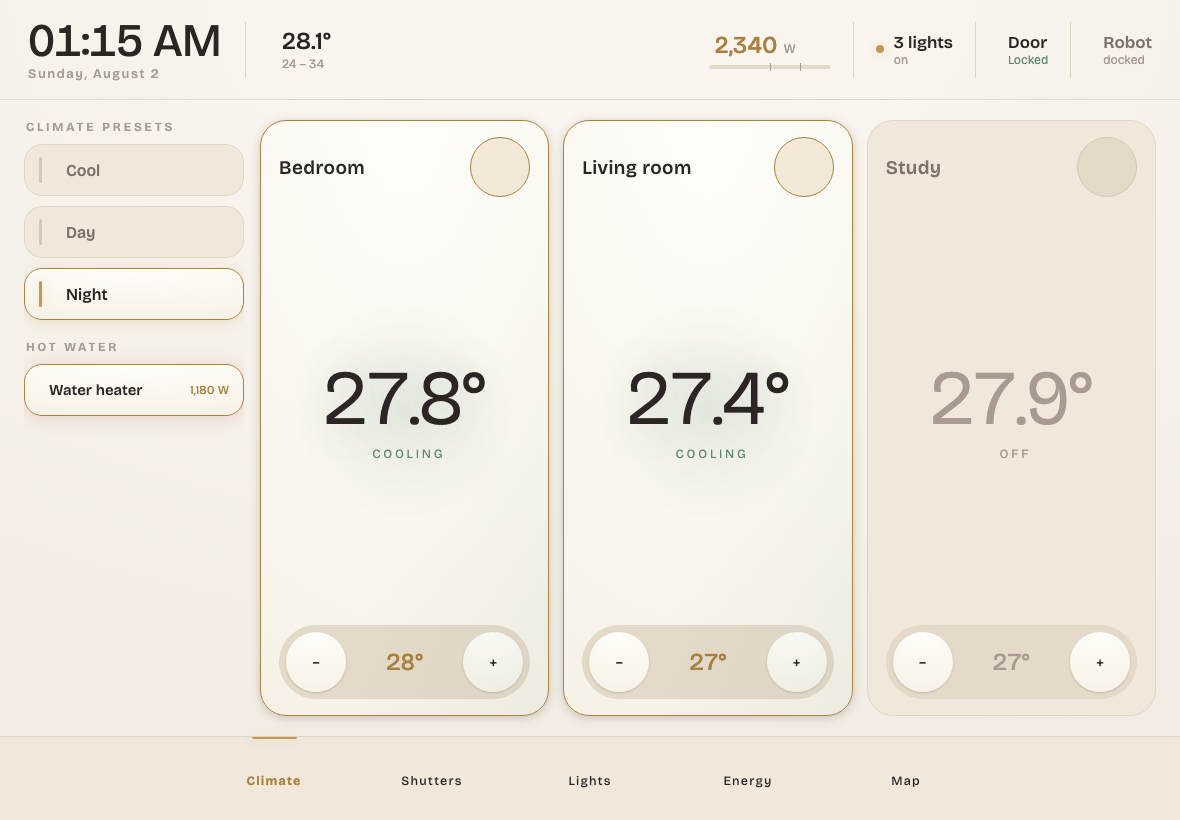
A wall-tablet dashboard for Home Assistant written as a custom panel in
plain Vue 3 + vanilla JS: no build step, no bundler, no HACS, no YAML
dashboards. Files go in /config/www/, editing is "save file, refresh".
Born from a simple frustration: Lovelace YAML is painful to customize and basically hostile to AI coding agents. A folder of small readable JS modules is something you (and your agent) can diff, test, refactor and version with git.
Full disclosure: the UI here is mostly Claude-generated, with a human deciding what to build, reviewing every diff and living with the result on an actual wall. If AI-assisted code is not your thing, fair enough, but you have been warned.
Features
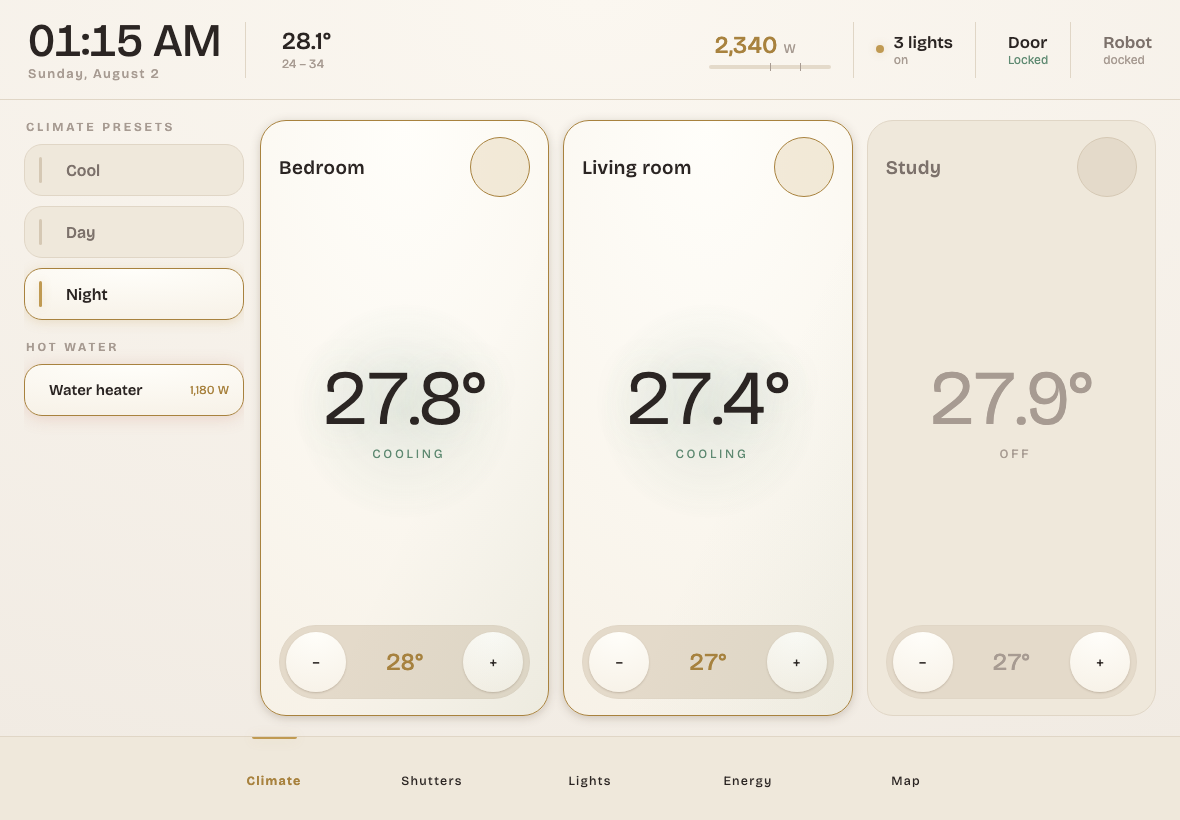
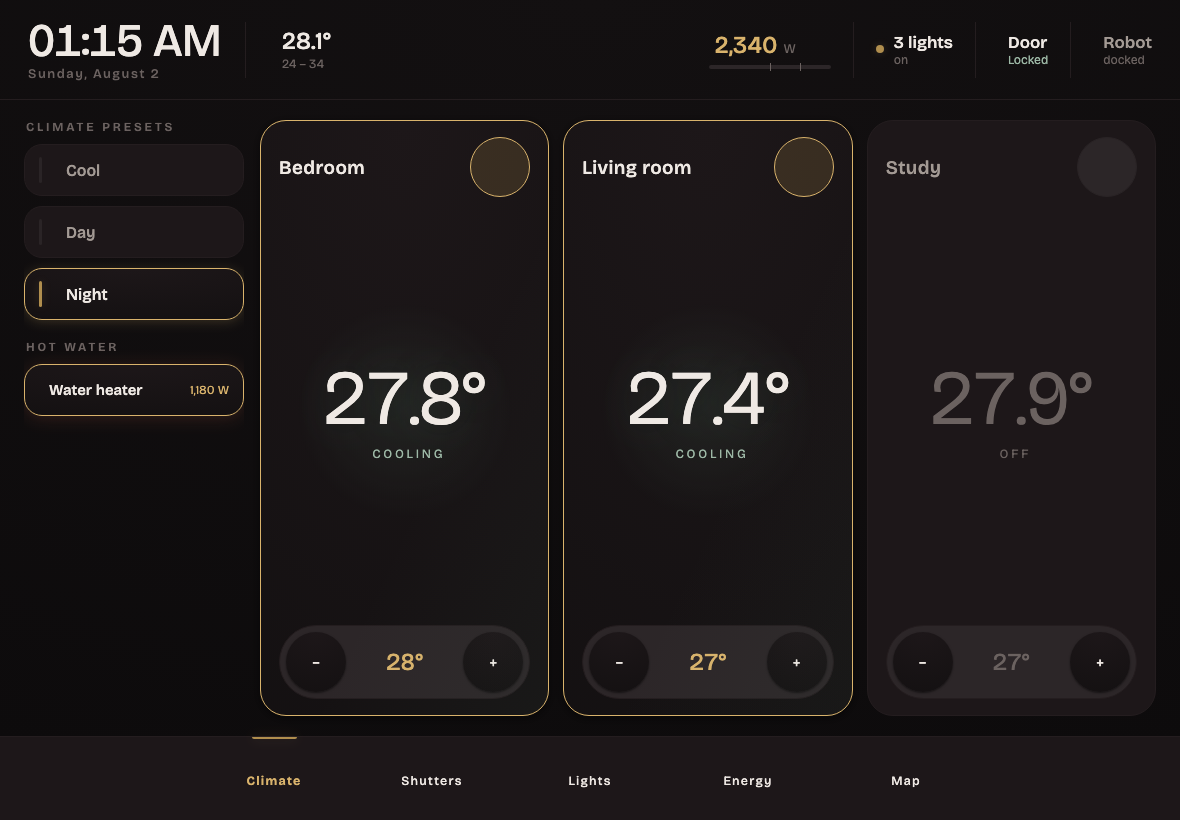
Designed for a landscape wall tablet (iPad), with five tabs:
- Climate: presets, one card per AC zone, water heaters. Presets are
auto-discovered: any HA script named
script.climate_*becomes a button, and the active one is highlighted by comparing its target temperatures with the live setpoints. - Shutters: roller shutters with a graphic position indicator, slider, per-shutter favorite positions, stop button, open/close all.
- Lights: auto-discovered from HA areas (entity registry over WebSocket): assign a light to an area and it appears by itself. Tap toggles, long press opens the native HA more-info dialog (color/brightness). Includes a "what's still on" list for bedtime and "powered lights" (lamps behind a power relay that switches on automatically and never shows in the UI).
- Energy: instantaneous whole-house power with thresholds, all monitored devices (always listed, even at 0 W or offline), daily kWh from recorder statistics, comparisons on complete days only, running billing-period total vs the previous period at the same point.
- Map: one day of GPS history per person drawn on self-hosted Leaflet, with start/end markers and zone-change stops.
Plus theming (design tokens as CSS custom properties; light/dark follows
the device, with #light / #dark hash overrides) and an offline test
harness (a fake hass object plus Playwright screenshots), so you can
develop without touching your live instance.
How it works
Home Assistant's built-in panel_custom
loads an ES module that registers a web component. HA keeps re-assigning the
hass property on every state change; the component feeds it into a
shallowReactive Vue store, so the whole UI updates in real time:
class HomePanel extends HTMLElement {
  set hass(h) { this._store.hass = h; }   // HA calls this on every state change
  connectedCallback() {
    const app = createApp(App);
    app.config.compilerOptions.isCustomElement = (tag) => tag === 'ha-icon';
    app.provide('store', this._store);    // shallowReactive({ hass, ... })
    app.mount(this);
  }
}
Vue 3 is vendored as a single file (esm-browser build) with runtime string
templates, so the panel works with no internet and no toolchain. Services go
through hass.callService, everything else through the WebSocket API
(config/*_registry/list, recorder/statistics_during_period,
history/history_during_period, weather.get_forecasts).
~1,400 lines total: 10 small JS modules (one per tab/concern) plus one CSS file.
Install
Copy
www/home-panel/into your HA config folder as/config/www/home-panel/. Samba, SSH or the File editor add-on all work; over SSH:scp -r www/home-panel root@homeassistant.local:/config/www/Register the panel in your
configuration.yaml(same content asexamples/configuration.yaml):panel_custom: - name: home-panel sidebar_title: Home sidebar_icon: mdi:home-lightning-bolt url_path: home module_url: /local/home-panel/loader.js?v=1 embed_iframe: false require_admin: falseEdit
/config/www/home-panel/config.jsand replace the example entity ids with your own (see below). It is the only file you need to touch.Optional: add climate preset scripts following the naming convention in
examples/scripts_climate.yaml.Restart Home Assistant (a YAML reload is not enough for
panel_custom). This is the only restart you need:module_urlpoints atloader.js, which never changes, so from now on updating the panel is a page reload. "Home" appears in the sidebar; open it on the tablet and add it to the home screen for a fullscreen kiosk.
Configure
Everything lives in config.js, mostly under HOME.kiosk. Developer tools
→ States is the quickest way to find your entity ids.
| Key | What it drives |
|---|---|
climates |
One card per AC/thermostat entity in the Climate tab |
presetPrefix |
Scripts with this prefix become preset buttons; the script alias must end with the target temps, in climates order ("Night · 28/27/27") |
boilers, boilerHeatingW |
Water heater switch plus power sensor; above the threshold the card shows "actively heating" |
covers |
Shutter entities, each with its favorite positions |
lightsExclude, lightsRename, powered |
Tune the auto-discovered Lights tab: hide entities, shorten labels, wire relay-fed lamps |
weather |
Weather entity for the header (current temperature plus daily min/max) |
power, powerThresholds |
Instantaneous whole-house power sensor (W) and the warn/high coloring thresholds |
energyStat, consumers |
Cumulative kWh statistic for the daily numbers, and per-device power sensors |
billing |
Billing period length, anchor month, optional price per kWh for a cost estimate |
persons, mapCenter |
People shown on the Map tab and the initial map position |
nightKeepRoom |
Room spared by "turn everything off except..." (null hides the button) |
quick |
Header quick actions: door lock and vacuum |
rooms |
Fallback and preferred room ordering for the Lights tab until the registry answers |
What each tab needs from your HA setup:
- Lights: assign your lights to HA areas (Settings → Areas). Lights without an area still show up, grouped under "Other".
- Energy: a cumulative energy sensor (kWh,
state_class: total_increasing) tracked by long-term statistics, plus one power sensor (W) per monitored device. Smart plugs with power metering are enough. - Map: GPS history for your
person.*entities in the recorder (the companion app or iCloud3 both work), and internet access for the OpenStreetMap tiles. - Climate presets: scripts named as in
examples/scripts_climate.yaml. Reload scripts and the buttons appear on their own.
Updating the panel
Once installed, the panel is yours to modify. You never have to restart Home Assistant again, and how you pick up your changes depends on what you edited.
Editing config.js — nothing to do. Save the file and reload the page.
That covers most changes: entity ids, rooms, thresholds.
Editing the other JS files — bump the version, then reload the page:
node tools/bump.mjs # or: node tools/bump.mjs 7 to pick the number
No Node on the machine where the files live? Do the same by hand with
whatever editor you use (VS Code over Samba, the File editor add-on, …):
search and replace ?v=3 with ?v=4 across /config/www/home-panel/, and
write the same number into version.txt.
Why this is needed: HA serves /local/ with a ~1 month cache header, so a
changed file keeps being served from the browser cache until its URL changes
— and the version query is that change. Replace it everywhere in one go:
bumping only some files gives you a panel with a new entry point and stale
modules, which fails in confusing ways. bump.mjs exists to make that
mistake impossible.
Development
No HA needed: the offline harness mounts the panel with fake data.
npx serve . -l 8899          # any static server on the repo root
# open http://localhost:8899/test/test.html
Automated screenshots of every tab in both themes (used for the images in this README):
cd test && npm i && npx playwright install chromium
node screenshot.mjs          # writes light-*.png / dark-*.png, exits 1 on JS errors
Notes
- UI strings are plain English text inside the component templates; there is no i18n layer. To localize, edit the templates directly (they are small). PRs for a proper i18n pass are welcome.
- Dates and numbers follow the browser locale.
- Everything is fully local except the OSM tiles on the Map tab and the
Google Fonts import in
style.css. - Tested on HA 2026.7, Raspberry Pi 4, Safari (iPad) and Chrome.
- What changed between downloads: CHANGELOG.md.
Comments