Recover .NET Native AOT metadata in IDA Pro — type hierarchy, virtual methods, and string literals from symbol-stripped binaries.
A two-file IDA Pro plugin that reverse-engineers .NET Native AOT binaries (.NET 7/8/9/10).
These ship with stripped symbols, so IDA shows thousands of unnamed sub_* functions. The plugin
parses the runtime's ReadyToRun metadata to rebuild the .NET type system, name the code, and
present everything in a navigable browser.
This is an IDAPython port of Washi's excellent Ghidra plugin washi1337/ghidra-nativeaot (see his write-up: Recovering NativeAOT Metadata).
Compatibility
| IDA Version | Qt | Python Qt Bindings | Plugin Support |
|---|---|---|---|
| 8.x — 9.1 | Qt5 | PyQt5 | ❌ Not supported |
| 9.2+ | Qt6 | PySide6 | ✅ Supported (developed & tested on 9.3) |
The plugin's UI is PySide6-only, the Qt binding IDA adopted in 9.2. x86-64 little-endian targets only (as upstream). The Hex-Rays decompiler is optional but recommended.
What it does
- Locates the ReadyToRun (RTR) metadata directory (by symbol or signature scan).
- Rehydrates the compressed metadata into the
hydratedsegment (.NET 8+), or falls back to a pointer scan (.NET 7/10). - Reconstructs the full MethodTable / EEType type hierarchy — base types, interfaces, vtables.
- Identifies
System.Object/System.Stringand names virtual methods. - Annotates frozen objects — string literals, arrays, boxed values.
What it produces in the IDB
- The previously-empty
hydratedsegment is populated with the decompressed metadata. - Struct types (Local Types) for every type:
<Class>_MT,<Class>_vtbl, and the<Class>instance layout, with base-class vtable embedding and interface arrays. - Method-table labels
<Class>_MTat each MethodTable, typed with its struct. - Named virtual methods:
<Class>::Method_N(slots 0–2 →ToString/Equals/GetHashCode), tagged__thiscallwiththistyped — Hex-Rays shows e.g.void __thiscall Foo::Method_4(Foo *this). - Frozen string literals: UTF-16 strings, labelled
dn_<text>_<addr>, with the exact text as a repeatable comment. - Frozen arrays / boxed objects typed with their instance/element types.
- A text report next to the database (
<input>.naot_report.txt) and a compressed metadata cache in the IDB (instant browser reopen).
Typical result on a real .NET 8 sample: ~4900 method tables, ~3000 methods named, ~2500 string literals recovered.
The browser
Tabs: Overview (RTR info, sections, stats) · Type Hierarchy (inheritance tree + per-type methods/interfaces) · Methods · Strings · Frozen Data. Double-click any row to jump in IDA; right-click to copy or rename; type kinds have colour icons.
Live sync — the browser tracks IDA renames (manual, FLIRT, Lumina) and updates itself
automatically; ↻ Refresh names forces a re-read. Right-click Rename type (propagate) renames
a class and its methods (Old::M → New::M) without clobbering FLIRT/user-given names. Type and
method names are shown in full and demangled, mirroring any symbols already applied to the database
(e.g. from a PDB).
Screenshots
Sample: a NativeAOT build of FlirtCoverage.dll (.NET 8) with its PDB applied. The Overview tab is shown at the top of this page.
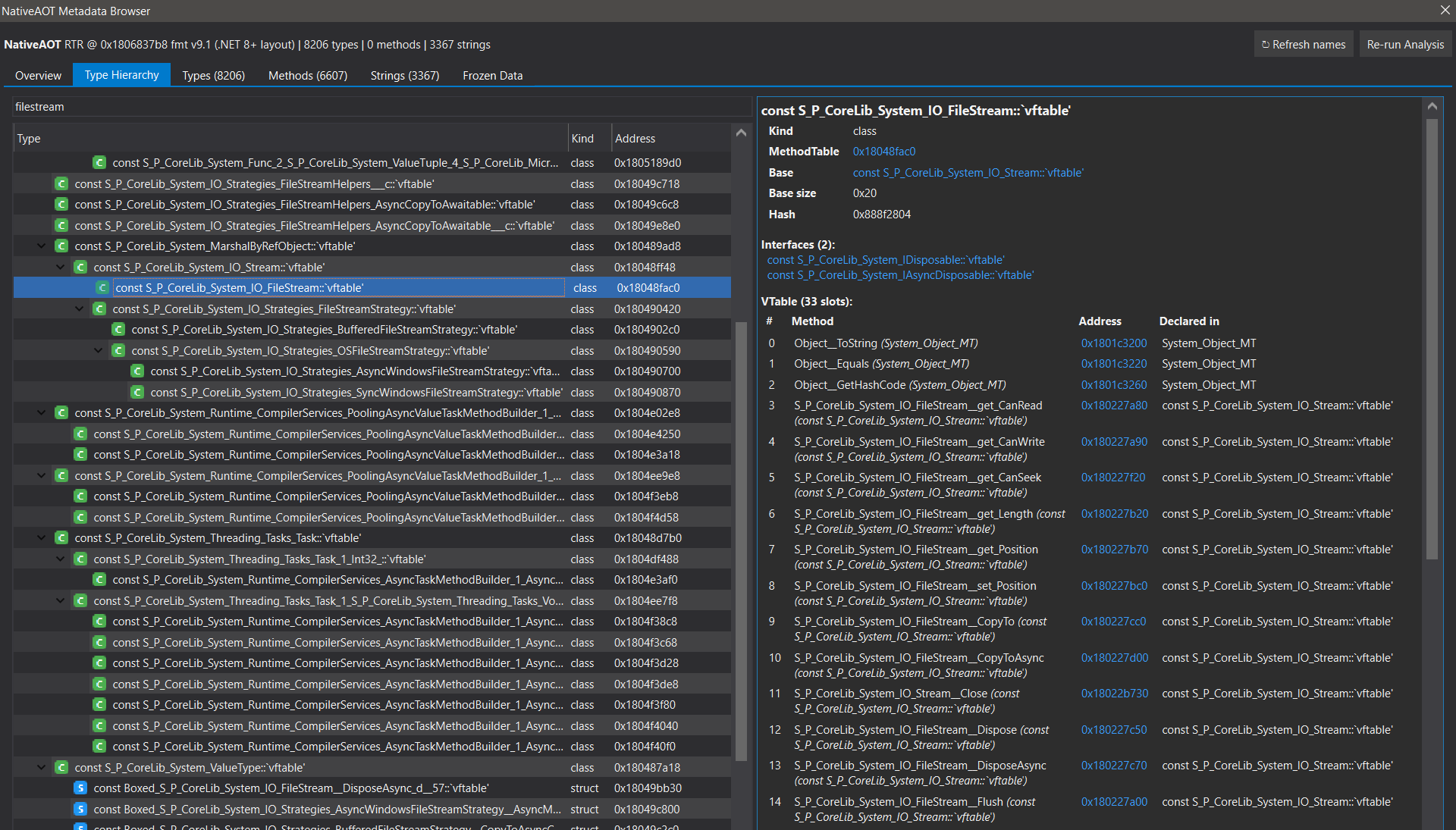
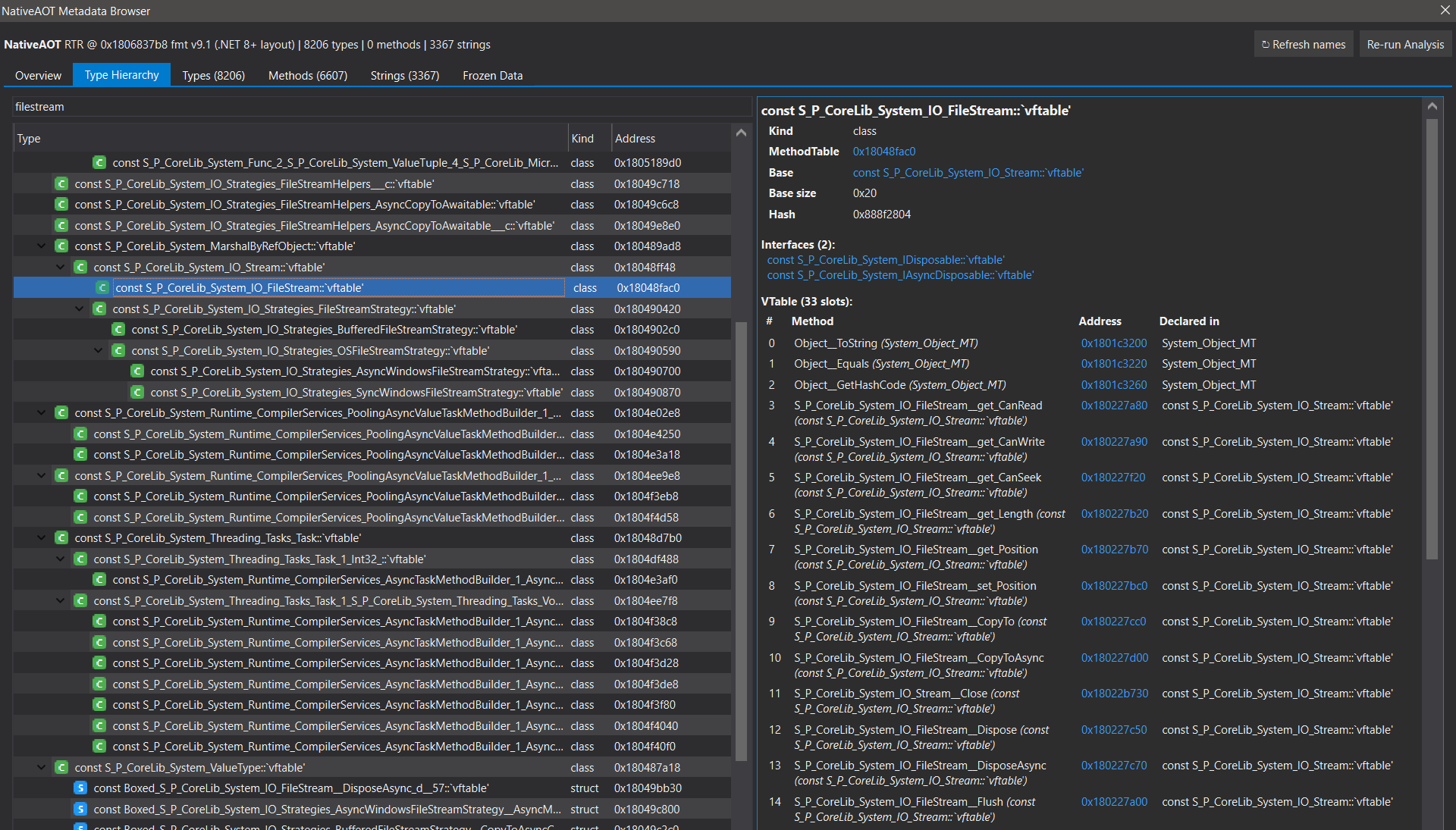
Type Hierarchy - the System.IO.FileStream inheritance chain with the per-type detail pane (base type, interfaces, vtable slots). Names are full and demangled, straight from the applied PDB.
Methods - filtering on canWrite lands on FileStream::get_CanWrite, slot 4 of System.IO.Stream.

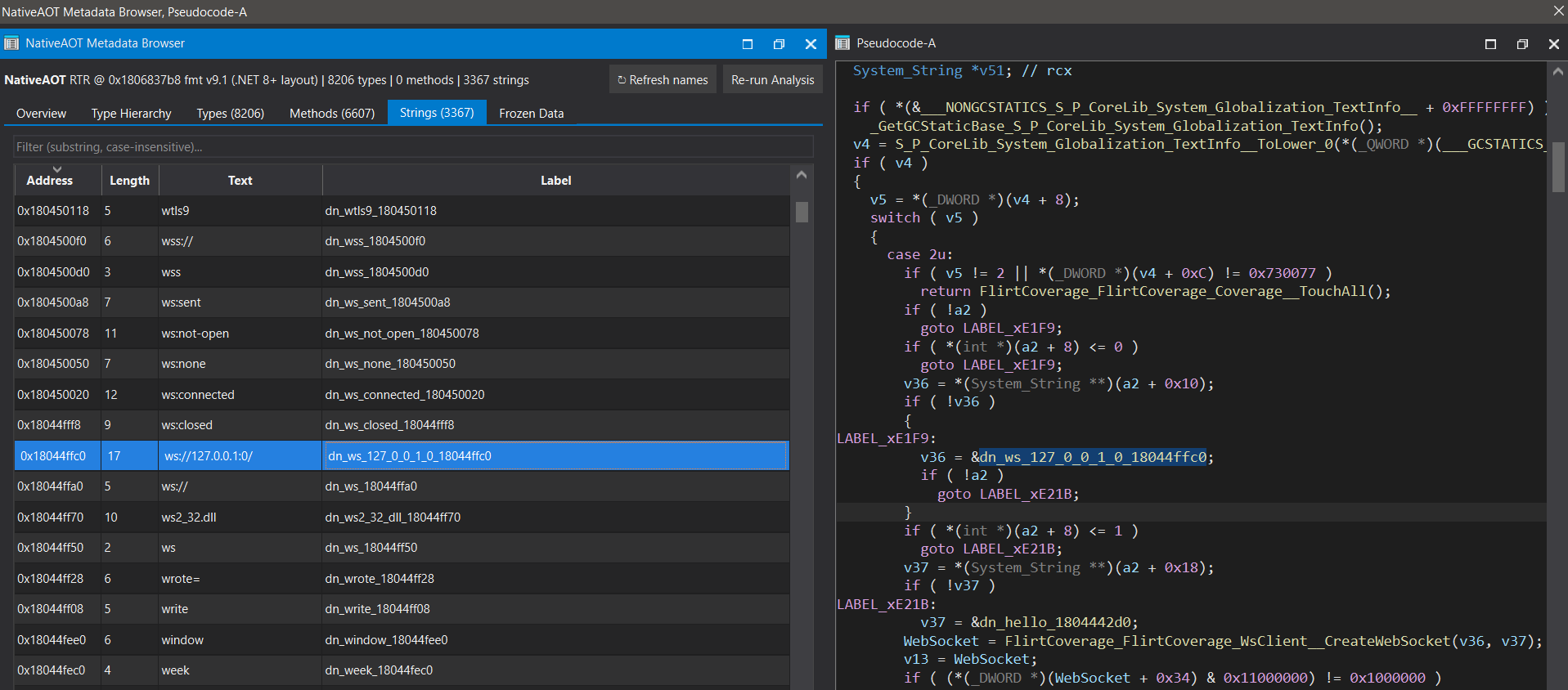
Strings - a recovered frozen literal (ws://127.0.0.1:0/) and how it reads inline in the Hex-Rays pseudocode as a dn_… label.
Installation
Copy both files into your IDA plugins directory (they must sit together — the plugin loads the engine from the same folder):
Per-user (recommended — survives IDA reinstalls):
%APPDATA%\Hex-Rays\IDA Pro\plugins\ida-nativeaot_browser.py
%APPDATA%\Hex-Rays\IDA Pro\plugins\ida-nativeaot.py
System-wide:
<IDA_DIR>\plugins\ida-nativeaot_browser.py
<IDA_DIR>\plugins\ida-nativeaot.py
Restart IDA, then open via Edit → Plugins → NativeAOT Metadata Browser or Ctrl-Shift-N.
The first run analyzes and caches the metadata into the IDB; subsequent opens are instant.
ida-nativeaot.pyis the analysis engine and can also be run standalone, without the GUI, viaFile → Script file…or headless:idat64 -A -S"ida-nativeaot.py" target.i64.
IDA Plugin Manager (HCLI)
The plugin ships an ida-plugin.json. This is a two-file plugin - ida-nativeaot_browser.py is the
entryPoint and ida-nativeaot.py is a helper module it imports - and the Plugin Manager installs
both files together (it extracts the whole plugin directory, not just the entry point). Once
published to plugins.hex-rays.com, install with:
hcli plugin install ida-nativeaot
Comments