Dopbase
Open-source, self-hosted secrets management in a single file.
One binary contains the server, Admin UI, REST API, and command-line client.
Quick start | Demo | Why Dopbase | How it works | Documentation | Security | Contributing | Code of conduct
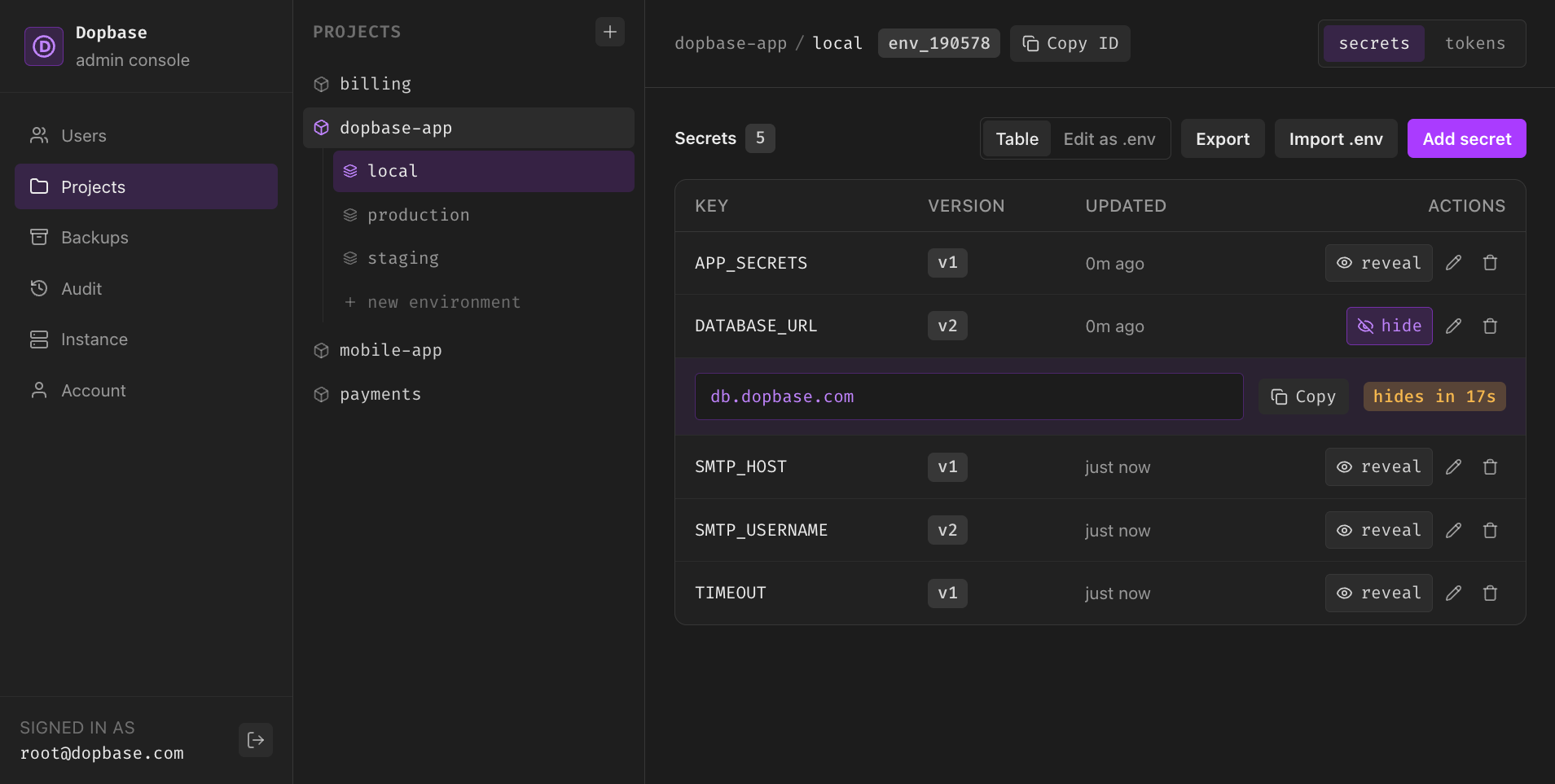
The Admin UI ships inside the Dopbase executable, so there is no separate frontend to deploy.
Dopbase keeps application secrets organized by project and environment on infrastructure you control. Runtime data stays separate from the executable: its SQLite database, configuration, and master key live under ~/.dopbase by default.
Quick start
Install the latest release on macOS or Linux, then start a local server:
curl -fsSL https://dopbase.com/install.sh | sh
dopbase server start
Open http://localhost:8840 to finish setup in the Admin UI. The quick-start guide covers sign-in, importing a .env file, and running an application with its secrets.
Native release archives are available for macOS and Linux on AMD64 and ARM64.
Why Dopbase
.env files are convenient on one machine. They become difficult to track when a project has several developers, CI jobs, servers, and deployment environments. Dopbase is intended to add encrypted storage, individual secret records, access control, history, and audit events without requiring a large supporting infrastructure stack.
The model stays small:
Project
  └── Environment
        └── Secrets
The server and client are built into the same dopbase executable:
dopbase server start
dopbase login
dopbase init payment-service/development --from .env
dopbase run payment-service/development -- npm start
A production build embeds the Vue Admin UI in that executable. By default, its
SQLite database, lock files, configuration, and local master key live under
~/.dopbase. Use --data-dir or DOPBASE_DATA_DIR to relocate them.
Read the public documentation for the product model, CLI, self-hosting guidance, security design, and roadmap.
Dopbase 0.1.6 includes four roles, user management, read-only AI accounts, an instance overview, and crash-safe factory reset.
See users and AI agents and role permissions for how access works. Version 0.1.0 starts with a fresh data directory. Databases and backups from earlier releases are not supported.
How it works
One executable carries the server and the client. The client authenticates,
fetches one environment, and injects its secrets straight into your application
process without writing a shared .env file to the runtime.
See server and client for the full walkthrough.
Demo
Repository layout
| Path | Purpose | Current state |
|---|---|---|
app/ |
Rust service and command-line application | v0.1.6 backend implementation |
app/tests/ |
Rust integration tests | Backend and CLI test suite |
src/ |
Vue administration interface and frontend tests | Embedded Admin UI |
docs/ |
VitePress product documentation | Active public specification |
Development
You need Bun and a Rust toolchain with Rust 2024 edition support.
Install the JavaScript dependencies:
bun install
Scripts use the action:target pattern. The targets are ui, app, and
docs. Run an action without a target for the usual combined workflow.
| Command | Purpose |
|---|---|
bun run dev |
Start the Admin UI and Rust app together |
bun run dev:ui |
Start only the Admin UI development server |
bun run dev:app |
Start only the Rust API and CLI application |
bun run dev:docs |
Start the documentation site |
bun run build |
Build the application and documentation |
bun run build:ui |
Build only the Admin UI |
bun run build:app |
Build the release executable with its UI |
bun run build:docs |
Build only the documentation site |
bun run test |
Run the Admin UI and Rust application tests |
bun run test:ui |
Run only the Admin UI tests |
bun run test:app |
Run only the Rust application and CLI tests |
The combined command serves the UI at http://localhost:9000, proxies /api
requests to the backend at http://localhost:8840, and stops both processes
when you press Ctrl-C. To serve the Admin UI and API from one executable, run
bun run build:app and then
./app/target/release/dopbase server start. App commands build the Admin UI
when the embedded assets are missing from a clean checkout.
See CONTRIBUTING.md for the full setup, checks, and pull-request expectations.
Rust test placement
Keep app/src/ production-only. All Rust test cases belong under app/tests/
as integration tests. Do not add #[cfg(test)] modules, #[test],
#[tokio::test], or *_test.rs files anywhere under app/src/. Add or update
the corresponding test file in app/tests/ instead. This keeps the production
source tree clean and makes the test boundary clear for both humans and AI
contributors.
Security
Do not report vulnerabilities in a public issue. Follow SECURITY.md to use GitHub private vulnerability reporting. Never include live credentials or private service details in a report, test, log, or screenshot.
Comments