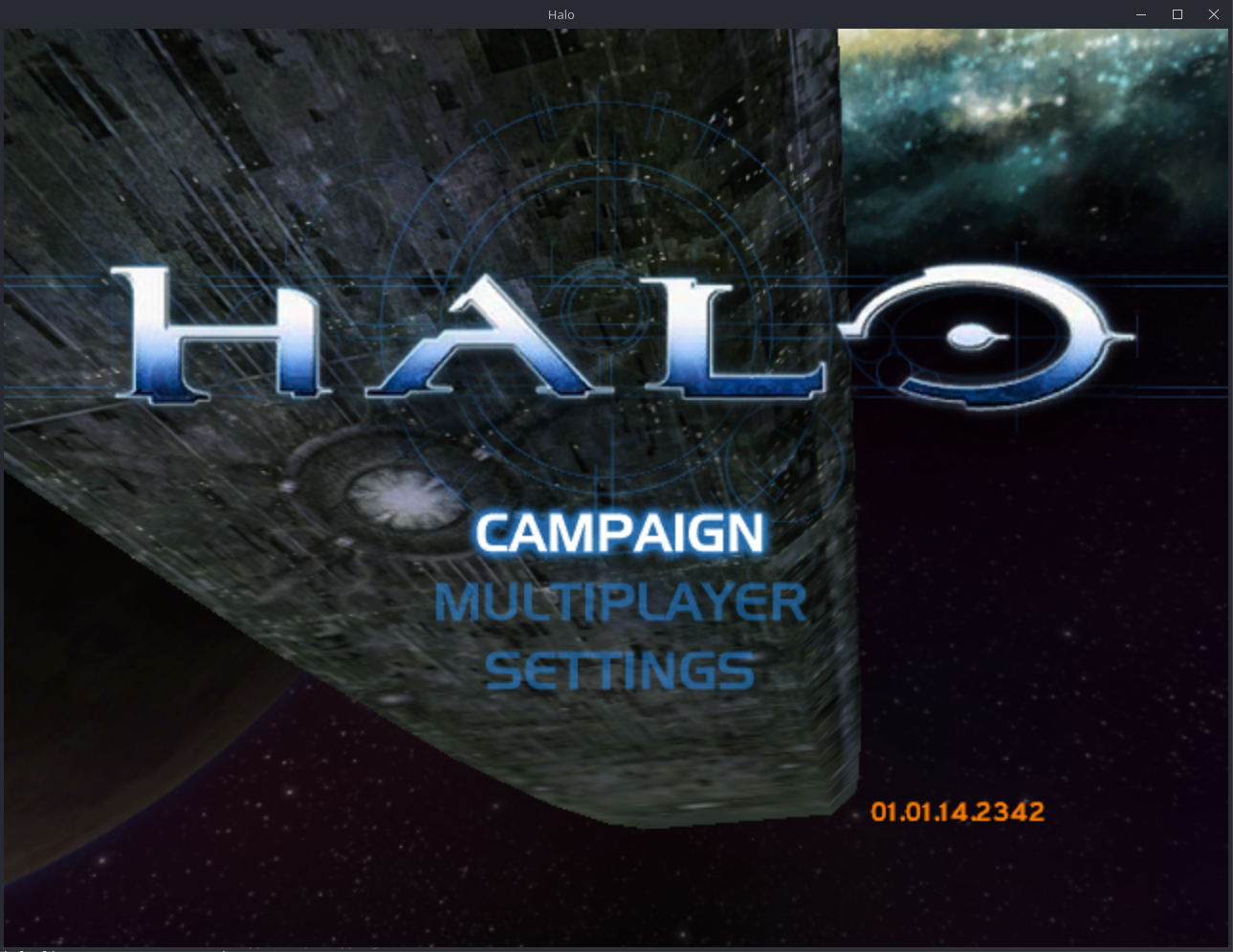
This project is a port of the Halo: Combat Evolved decompilation to Linux,
Windows and Android. The decompilation is of the Xbox build 2342
(cachebeta.exe, SHA-256
4cc87b45f721270392a96f1674ed2b5cd4a7bb4355faeab4531d1cf1884d9520).
The port starts from the decompilation of bnunu/halo-1. That project is a fork of punpckhdq/halo.
Download
GitHub Actions builds the game for each commit. These links download the builds of the latest release:
| Platform | Release | Debug |
|---|---|---|
| Linux | halo-linux-release.zip | halo-linux-debug.zip |
| Windows | halo-windows-release.zip | halo-windows-debug.zip |
| Android | halo-android-release.zip | halo-android-debug.zip |
Use the release build to play. The debug build stops at the first failed assertion and writes it to the log. Use the debug build to find and report problems.
The game updates itself. At start-up it looks for a newer release, and asks if you want to install it. Refer to "Updates" in port/linux/README.md.
Each build of the main branch that passes on all three platforms is a new
release. The Releases
page keeps the last five releases. If the latest build has a problem, get
an older build from that page.
Game data
The port does not include the game data. Download an Xbox disc image
(.xiso or .iso) of Halo: Combat Evolved. All versions of the game
operate.
- Start the game.
- At the first start, the game asks for the disc image. Select it.
- The game extracts the
maps/folder. Then the game starts.
On Linux and Windows, the game puts maps/ next to the executable. On
Android, copy the disc image to the phone first. The app puts maps/ in its
data folder. Refer to port/android/README.md.
Platforms
Each platform has its own instructions:
| Platform | Instructions |
|---|---|
| Linux (32-bit x86 executable, OpenGL 4.5, SDL3) | port/linux/README.md |
| Windows (32-bit x86 executable, OpenGL 4.5, SDL3) | port/windows/README.md |
| Android (arm64 app, OpenGL ES 3, SDL3) | port/android/README.md |
The Linux README also gives the controls, the settings and the multiplayer functions. These are almost the same on all platforms.
Multiplayer
The game can play system link games on a local network and on the internet:
- A system link game can have up to 128 players on up to 128 machines.
- Linux, Windows and Android machines can play in the same game.
- An invite link lets a machine join a game on the internet. No server of this project is necessary.
- The default netcode is new. Each machine moves its own player at once, and the host makes the decisions for the game. Refer to port/linux/NETCODE.md.
Halo Custom Edition maps
The game can load Halo Custom Edition maps (.map) and OpenSauce maps
(.yelo). This function is experimental, and it is off by default:
- Set
custom_edition = truein the[game]section ofconfig.toml. - Put the map in the
maps/folder, with thebitmaps.map,sounds.mapandloc.mapof Halo Custom Edition. - Start the map from
init.txtin the data root.
The Windows build was tested with three maps: bloodgulch.map,
beavercreek_halo3.yelo and hugeass.map. Other maps can use functions
that the port does not have. Ogg Vorbis sounds do not play. Refer to
docs/custom_edition_caches.md.
Build the game
You do not need the Xbox SDK. The port supplies the SDK declarations that the game uses. Refer to port/include/xdk.
To build the game:
- Install Python and ninja.
- Install the tools for your platform. Refer to the README for the platform.
- In the root folder of the repository, enter
python configure.py. - Enter
ninjawith the target for the platform:
| Target | Result |
|---|---|
ninja linux |
build/linux/halo |
ninja windows (on Windows) |
build/windows/halo.exe and SDL3.dll |
ninja android_apk |
port/android/app/build/outputs/apk/debug/app-debug.apk |
If you enter ninja without a target, ninja builds the game for the
computer that you use.
tools/ci_build.py makes the same builds as GitHub Actions. For example,
enter python tools/ci_build.py linux release.
Build options
Give these options to configure.py:
| Option | Result |
|---|---|
| (none) | A debug build. A failed assertion stops the game. |
--release |
A release build. The game does not examine assertions, as in the retail game. |
--portable |
The Linux and Windows builds operate on all x86-64 processors. Use this option for builds that you give to other persons. |
--lto=thin, --lto=off |
Less link-time optimization. The link is faster. |
--pgo=off |
No profile-guided optimization. |
--pgo=train |
Records a new optimization profile. Refer to "Optimization profiles". |
Without --portable, the Linux and Windows builds use all the instructions
of the processor that builds them (-march=native). Such a build does not
always start on a different computer.
Optimization profiles
The builds use profiles of the game to optimize the code:
pgo/halo_linux.profdatafor Linux and Android.pgo/halo_windows.profdatafor Windows.
The profiles need clang 22 or later. With an older clang, the builds do not use the profiles.
To record a new profile:
- Delete the profile.
- Enter
python configure.py --pgo=train. - Enter
ninja linuxorninja windows.
The build then plays the main menu and the first minute of each campaign
level. This procedure continues for approximately 15 minutes. The game
data must be in assets/.
The byte-matching build
The original project also has a byte-matching build. That build compiles
the game with the compiler of the Xbox SDK and compares the result with
cachebeta.exe. This project does not generate that build, because the
Xbox SDK is not free to distribute. The sources of that build are not
changed. To use the build again, set SolutionConfig.matching in
tools/project_x86.py. You must also have the Xbox SDK in xbox/ and
cachebeta.exe in the root folder.
Comments