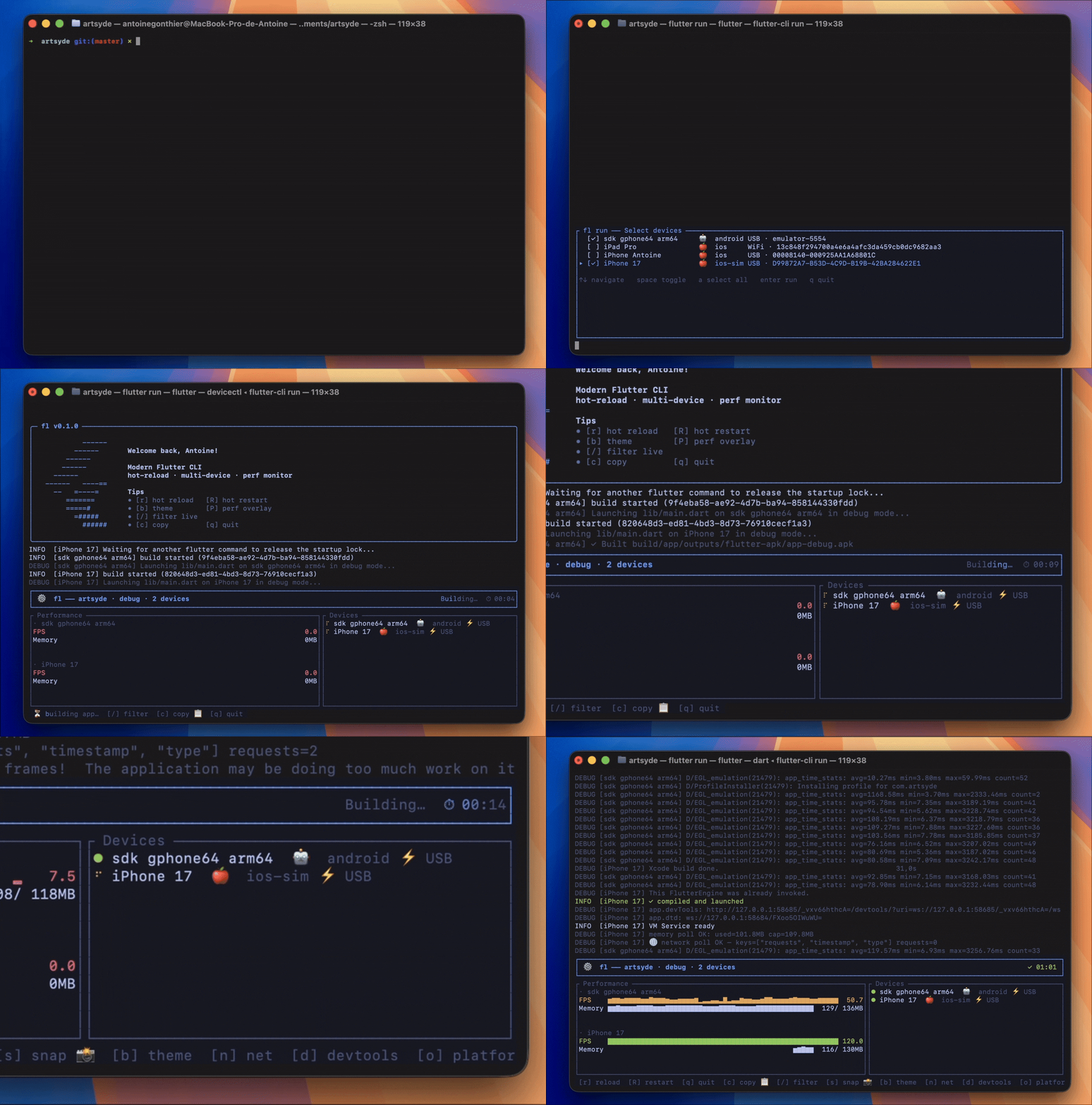
A modern terminal UI for Flutter — hot reload across N devices, real-time perf, inline scrollback. Drops into your shell so flutter run becomes the dashboard.
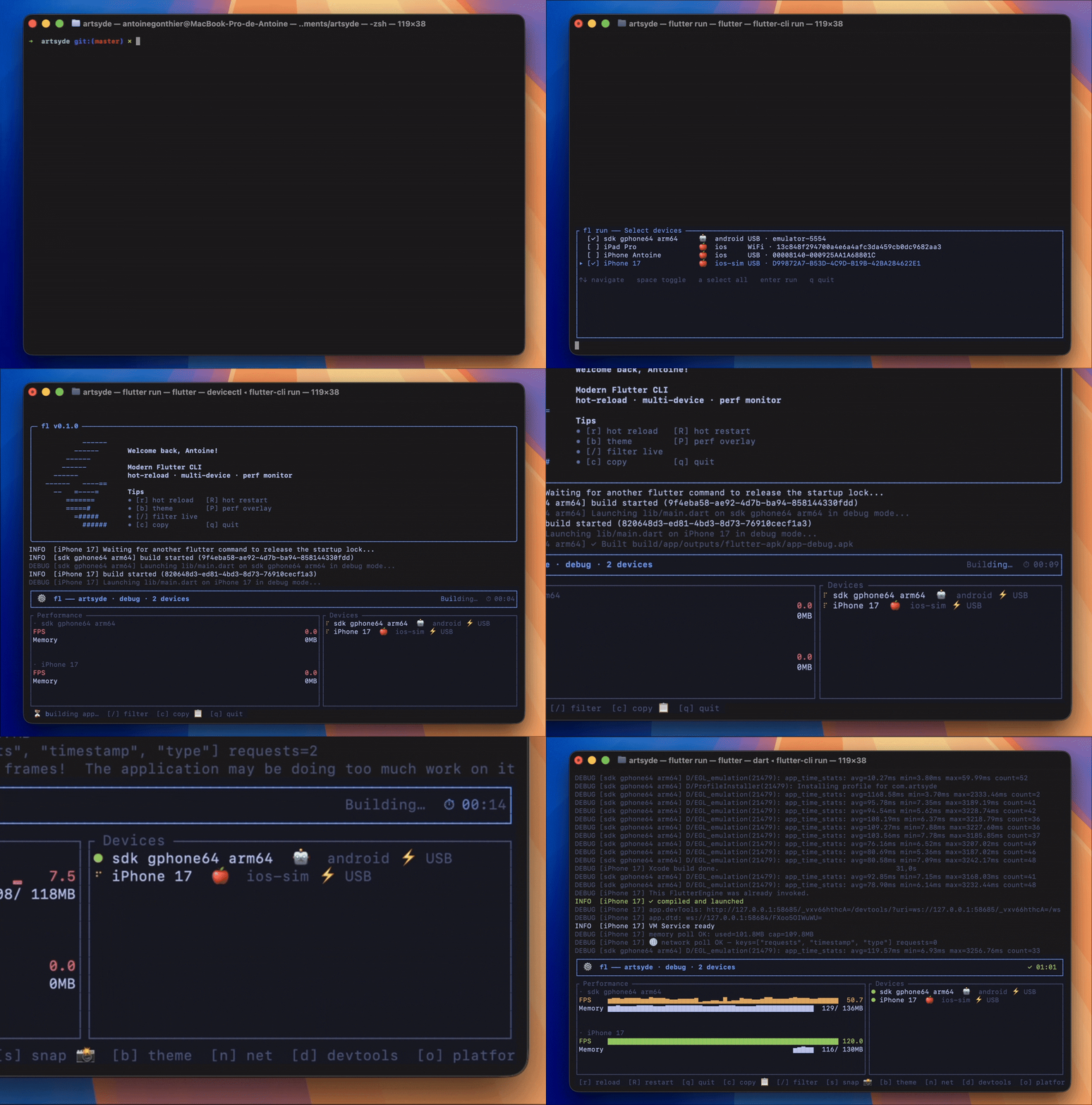
Try it without installing
npx @antoinegtir/flutter-cli run
Fetches the binary into npm's cache, no shell shim, no rc edits — just runs the dashboard on the current project. Swap run for test, build, or devices.
Install
curl -fsSL https://raw.githubusercontent.com/Antoinegtir/flutter-cli/master/install.sh | bash
or:
npm i -g @antoinegtir/flutter-cli
Both paths drop a binary on your PATH and wire the shell shim into your rc automatically. Open a new terminal — flutter run / test / build / devices now route through the TUI. Your IDE keeps using vanilla flutter; everything else (flutter pub, doctor, clean, …) passes through unchanged.
Requirements: an existing Flutter SDK reachable via PATH, FVM, or $FLUTTER_ROOT. macOS / Linux / Windows (bash, zsh, fish, Git Bash, WSL).
At a glance
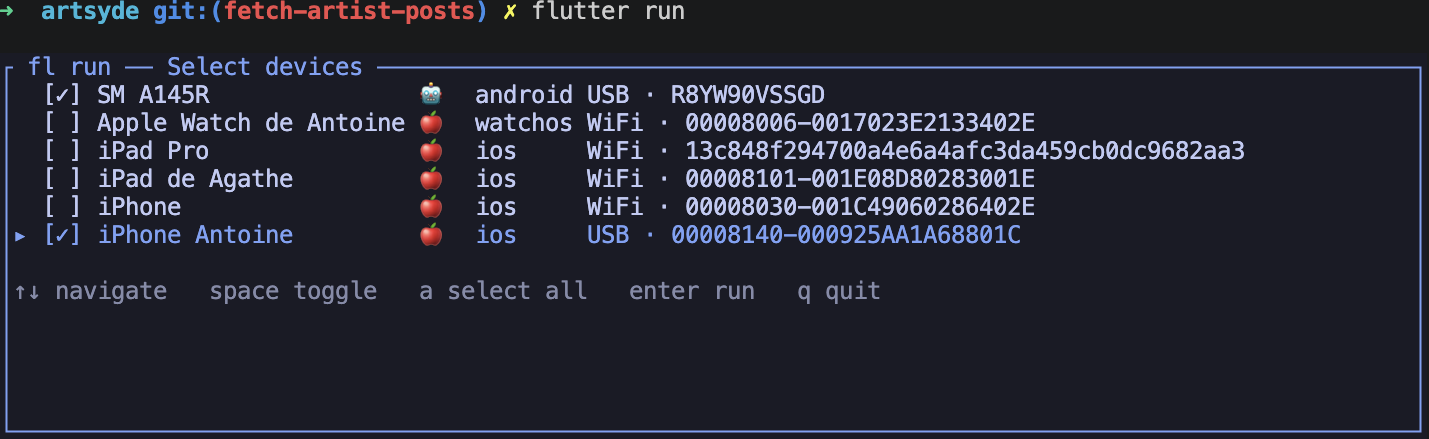
Multi-device picker — space to select, a for all, enter to fire.
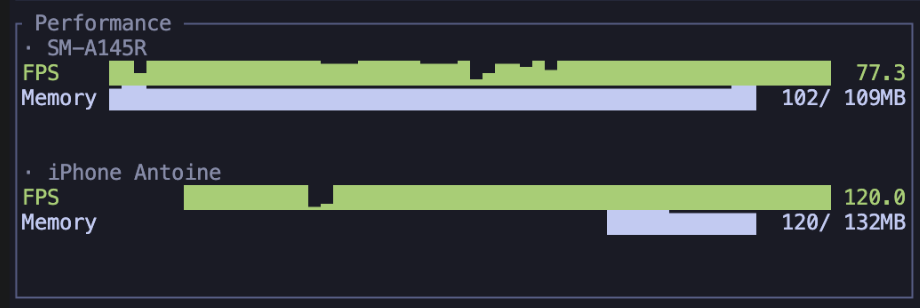
Live per-device FPS + memory sparklines, side by side.
 performance">
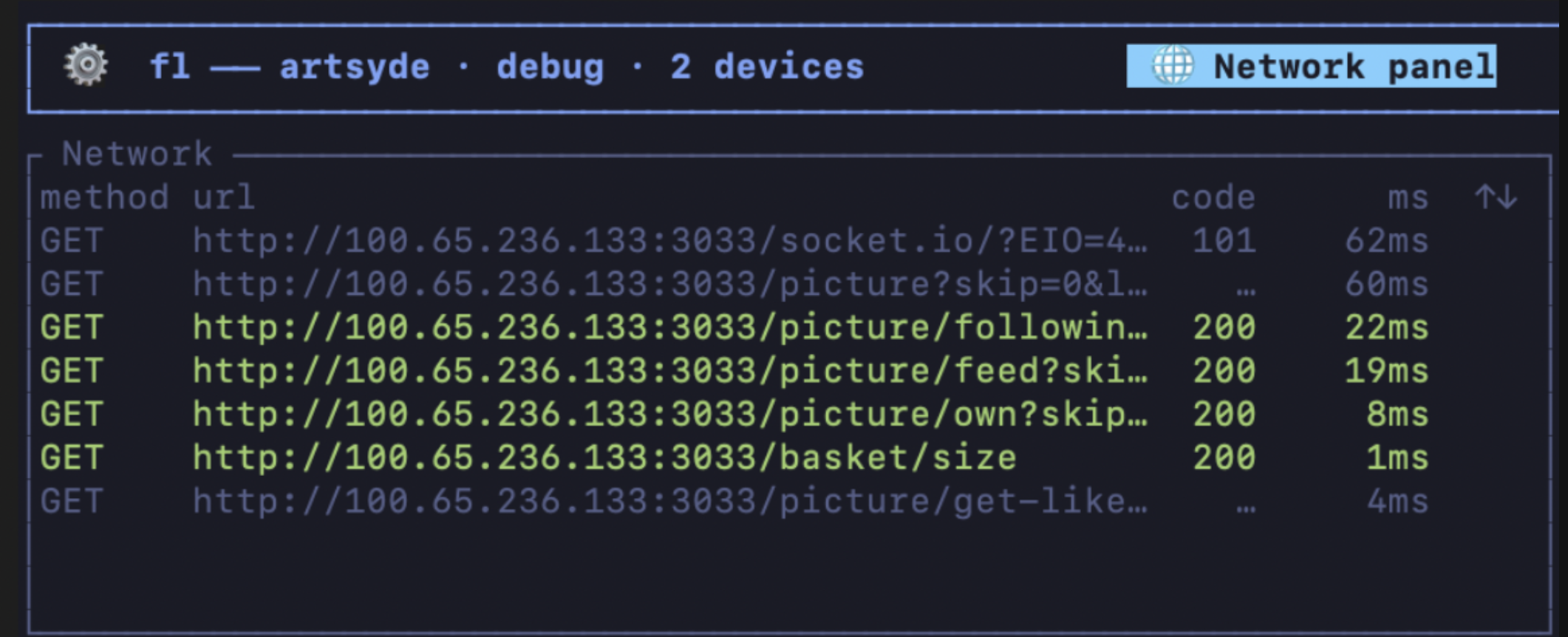
Press n — full HTTP traffic inspector, color-coded by status.
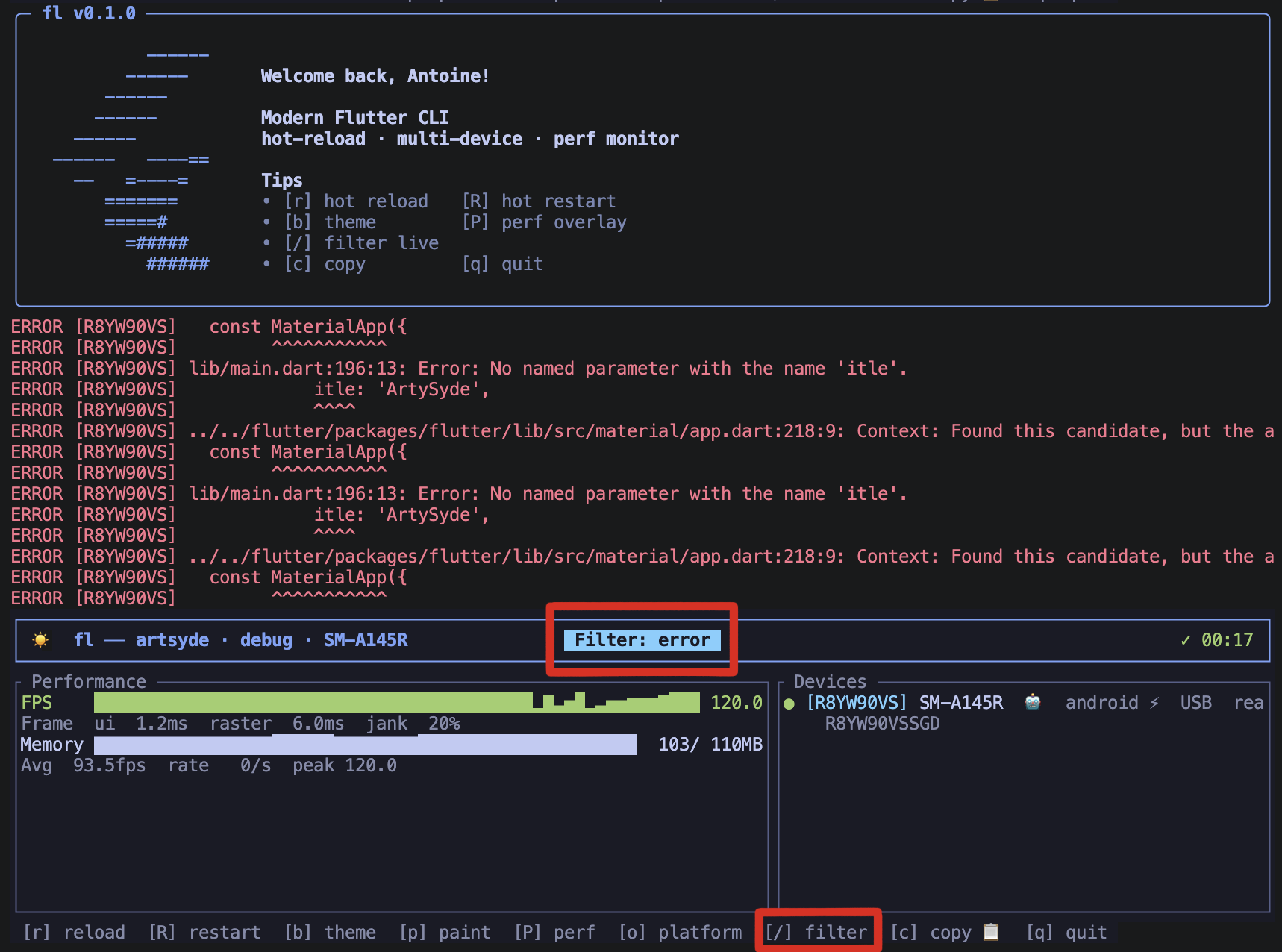
Press / — logs filter as you type, by message or by level.
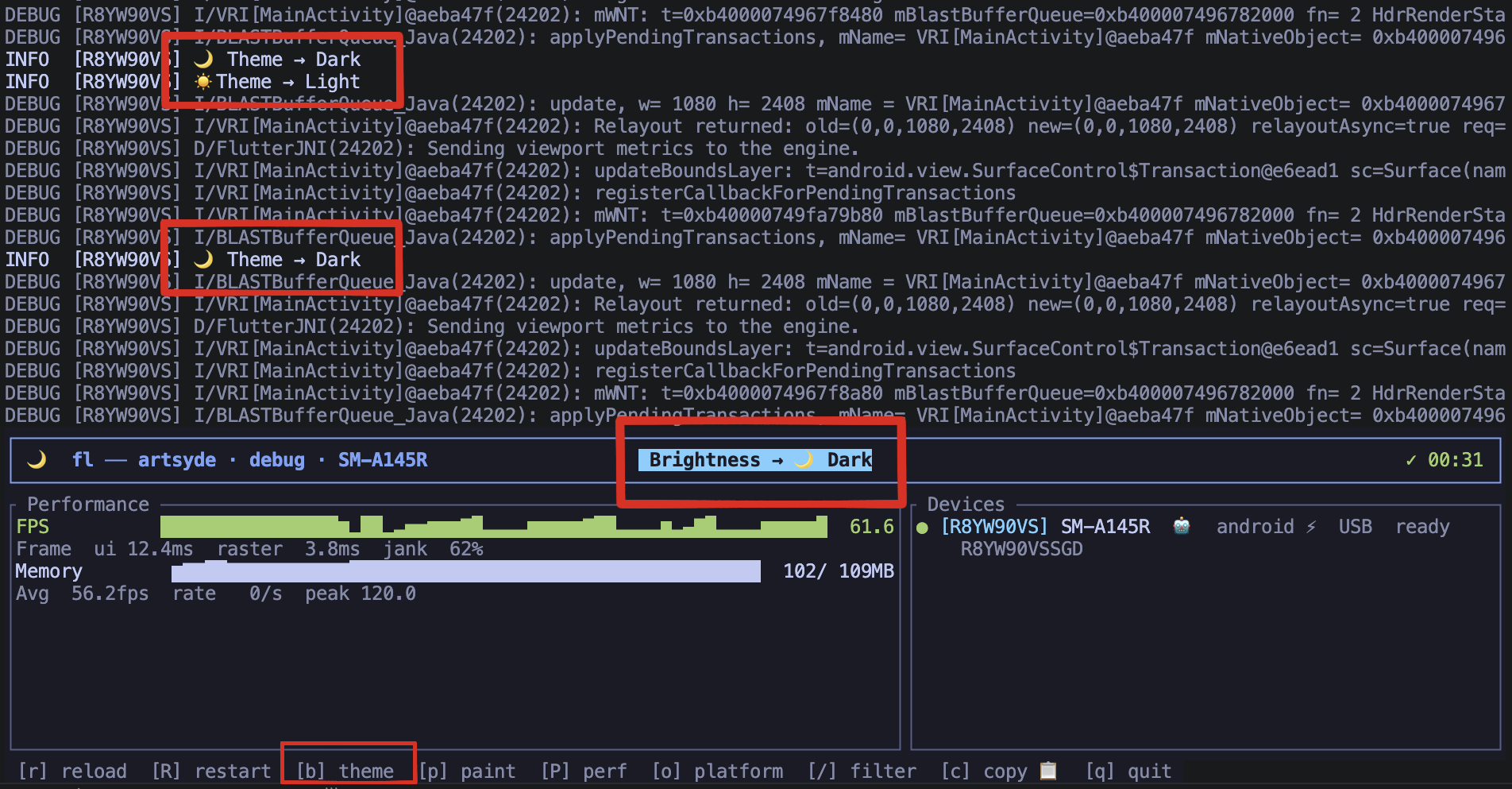
Press b — flip light/dark on every device without leaving the terminal.
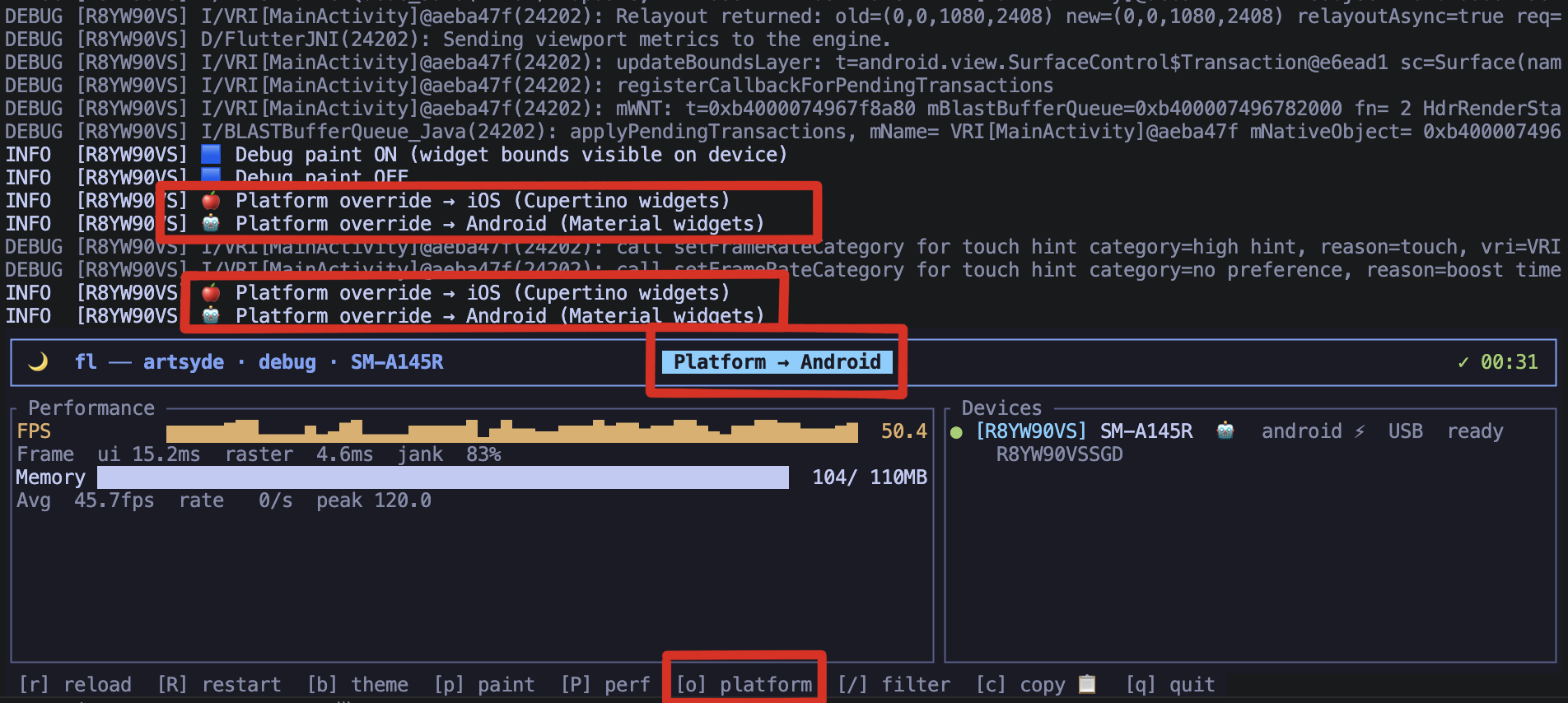
Press o — fake iOS or Android per device to chase layout bugs.
Works with FVM
flutter-cli auto-detects per-project FVM pins: it resolves .fvm/flutter_sdk first (what your IDE reads), then falls back to .fvmrc / legacy .fvm/fvm_config.json against ~/fvm/versions. No fvm flutter prefix needed, and the resolved Flutter/Dart versions show up in the dashboard header.
Pre-run / pre-test / pre-build hooks
Codegen, fixture seeding, env checks — drop a flutter_cli: section in pubspec.yaml and the commands run before the TUI takes over the terminal. First non-zero exit aborts.
# pubspec.yaml
flutter_cli:
  pre_run:
    - dart run build_runner build --delete-conflicting-outputs
  pre_test:
    - dart run build_runner build
  pre_build:
    - ./tool/check_env.sh
Each command is spawned through sh -c so pipes, &&, env-var substitution all work. Output streams live to your terminal — codegen progress stays visible after the dashboard exits.
IntelliJ / Android Studio hot reload
flutter-cli prints the canonical A Dart VM Service on <device> is available at: http://… line as soon as the app boots. The Flutter IntelliJ plugin scrapes for that pattern and auto-attaches — Cmd+S in your IDE then triggers hot reload straight through the VM Service, no extra config needed.
Upgrade
Re-run the same install line — idempotent, no reload needed:
curl -fsSL https://raw.githubusercontent.com/Antoinegtir/flutter-cli/master/install.sh | bash
or:
npm update -g @antoinegtir/flutter-cli
Uninstall
curl -fsSL https://raw.githubusercontent.com/Antoinegtir/flutter-cli/master/uninstall.sh | bash
or:
npm uninstall -g @antoinegtir/flutter-cli
Strips the shim from every shell rc / profile, removes the binary from every known dir. Non-invasive.
Direct binary (no shim)
Call flutter-cli run / test / build directly. Handy for CI runners or machines where you can't touch rc files.
Why
flutter run was built for one device, one terminal. Today you're usually:
- Testing on 2+ devices at once (iOS, Android, simulator).
- Watching FPS, memory, jank — not just compile errors.
- Drowning in 50k lines of scrollback.
- Re-typing
flutter run --device emulator-5554 --flavor prodfor the hundredth time.
Same flutter underneath, dramatically better feedback loop:
vanilla flutter run |
with the shim | |
|---|---|---|
| Multi-device hot reload | one at a time | parallel, single r |
| Per-device FPS / memory | — | live sparklines |
| Inline TUI (scrollback preserved) | — | yes |
| Device picker | text prompt | navigable list |
--release / --profile / --flavor / --dart-define |
works | works |
| Open DevTools | copy URL manually | d keystroke |
| Live HTTP inspector | DevTools-only | n keystroke |
| Side-by-side screenshots | per-platform tooling | s keystroke |
| Skip the TUI | n/a | --basic |
Commands
flutter run — multi-device dashboard
flutter run                    # auto-pick or interactive picker
flutter run --release          # release mode
flutter run -d emulator-5554   # specific device
flutter run -d all             # every connected device
flutter run -- --flavor prod --dart-define=API=https://x   # any flutter flag
Keybindings while running:
| key | action |
|---|---|
r / R |
hot reload / hot restart (all devices) |
b / o |
flip theme (light/dark) / fake platform (iOS/Android) |
p / P |
debug paint / performance overlay |
e |
jump to error location in VS Code / Android Studio (or ⌘+click the underlined ref) |
n |
toggle Network inspector |
d |
open Flutter DevTools in your browser |
s |
screenshot every device → screenshots/<timestamp>/<device>.png |
/ |
filter logs live · c copy the filtered slice |
↑ / ↓ |
scroll the active panel |
q |
quit |
Screenshots go through the VM Service's _flutter.screenshot RPC first (zero deps), with flutter screenshot / adb / idevicescreenshot / simctl as fallbacks. Works on iPhone, Android, simulators, and desktop.
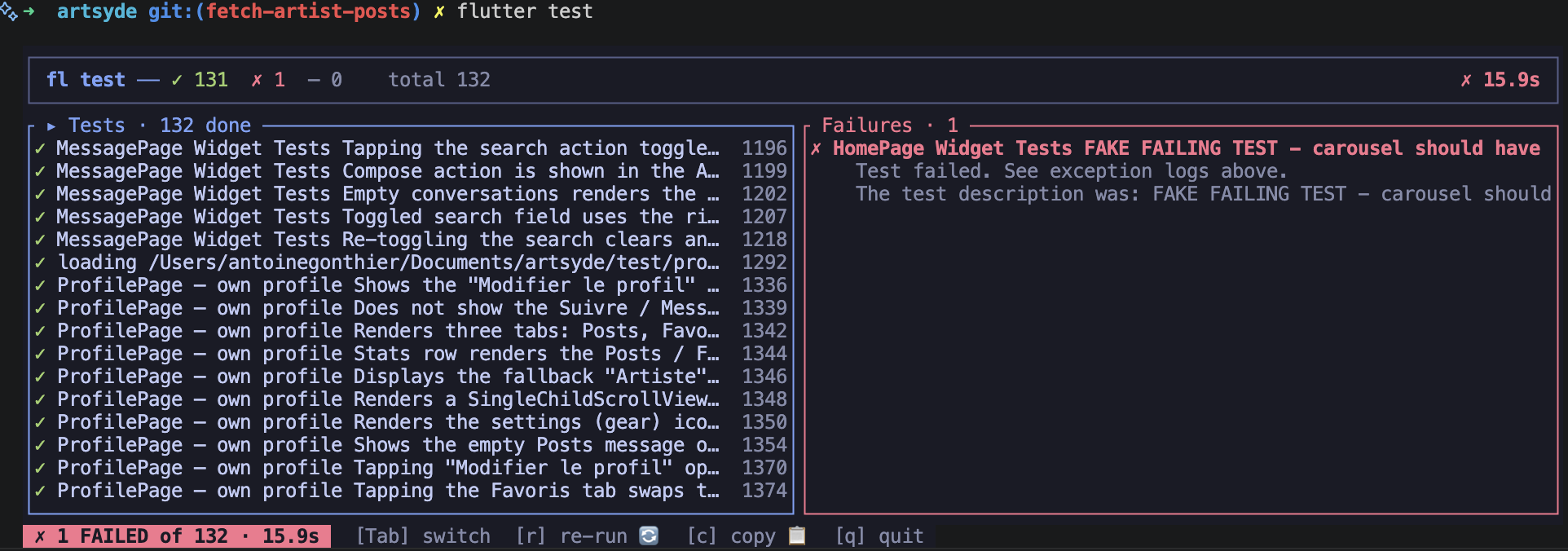
flutter test
Live failures panel: pass/fail/skip counters update in real time, any failure jumps to its stack trace. Tab switches focus, c copies failures, r re-runs.
flutter test                       # everything under test/
flutter test test/auth/            # one directory
flutter test integration_test/     # e2e — picker fires automatically
flutter test --golden --update-goldens
flutter test --coverage --tags slow --exclude-tags flaky
flutter test -- --start-paused --total-shards 4   # any extra flag
flutter build — any target
flutter build apk
flutter build ios --release
flutter build ipa
flutter build macos
flutter build ios -- --no-codesign --obfuscate --split-debug-info=symbols/
flutter devices
Live-tracked list with status and OS version.
--basic — skip the TUI
flutter run --basic              # vanilla `flutter run` output
flutter test --basic --coverage
flutter build apk --basic --release
Useful for CI, piping into another tool, or debugging the TUI itself. Same logs you'd get if flutter-cli weren't on PATH.
How the shim works
The installer adds 3 lines to your rc, gated by sentinel comments so removal is a one-liner:
# >>> flutter-cli shim >>>
eval "$(flutter-cli init <shell>)"
# <<< flutter-cli shim <<<
The eval expands to a function that routes only the 4 claimed subcommands through the TUI, falling through for everything else:
flutter() {
  case "$1" in
    run|test|build|devices) shift; command flutter-cli "$@" ;;
    *) command flutter "$@" ;;
  esac
}
Self-healing: if flutter-cli ever disappears (uninstalled, PATH broken, …), the function detects it and falls back to command flutter for every call instead of erroring. Your IDE plugins, CI pipelines, and dotfile zealotry stay untouched.
Manual install (without the script)
git clone https://github.com/Antoinegtir/flutter-cli && cd flutter-cli
cargo install --path crates/flutter-cli
echo 'eval "$(flutter-cli init zsh)"' >> ~/.zshrc   # bash / fish — substitute shell
Docker
Multi-stage Dockerfile (Debian slim runtime, non-root) for CI and locked-down dev VMs. The image does not bundle the Flutter SDK — mount yours.
docker build -t flutter-cli:dev .
docker run --rm -it -v "$PWD":/work -w /work \
  -v "$FLUTTER_ROOT":/opt/flutter:ro \
  -e PATH=/opt/flutter/bin:/usr/local/bin:/usr/bin:/bin \
  flutter-cli:dev run --basic
Android USB needs --device /dev/bus/usb + udev rules on the host. iOS interaction stays macOS-only (xcrun).
Comments