The tool that keeps your secrets should be entirely your own.
A stateless, self-hosted TOTP (2FA) code generator — no backend, no database, no tracking. Your secret never leaves your browser.
English · 简体中文
🚀 One-click deploy
Pure static, no build step — pick a host and it just works. (Forking? Point the links at your own fork.)

Prefer GitHub Pages or self-hosting? See the detailed Deployment guide below.
What is this?
Easy2FA turns a 2FA secret into its live 6-digit code, entirely in your browser. There's no server, no sign-up, and no database — each "account" is just a bookmarkable URL with the secret in its #fragment (which browsers never send over the network).
At its core it's deliberately tiny and stateless: open a link, get a code, close it — nothing stored. Need to watch many accounts at once? The optional multi-account board keeps a local, one-click-clearable cache, with your own list file as the source of truth. Perfect for juggling lots of throwaway / test-account 2FA secrets without an app or sync.
Why / when to use it
- 🧮 Watch many accounts on one screen. Drag a
.txt/.md/.yamlfile of account links onto the page (or paste them, or scan a Google Authenticator export QR) → a live, color-coded grid of every code at once. Your file stays the source of truth; the board only caches it locally and can be cleared anytime. - 🗂️ You manage many test accounts. Save each one as a bookmark (
…/#secret=…&label=acme-test). Click a bookmark → instantly see that account's current code. No authenticator app, no account list to maintain, nothing to sync. A "Test Accounts" bookmark folder becomes your dashboard. - 🤝 Temporarily lend an account to a teammate / friend. Send them the account's link; they open it and read the live code to sign in — without sharing your password-manager credentials or making them install an authenticator. (The link carries the secret — share it over a trusted channel and rotate afterward.)
- ⚡ One-off code. Paste a secret on the home screen, read the code, close the tab. Stateless by design.
- 📱 Move a secret to your phone. "Show QR" renders an
otpauth://QR you can scan straight into Google Authenticator / Authy / any app.
Features
- 🔐 Real TOTP (RFC 6238) computed locally via Web Crypto — SHA-1/256/512, configurable digits & period
- 🔗 Every account is a link —
#secret=…lives in the URL hash, never sent to any server - 🧮 Multi-account board — drop a file of links (or scan a Google Authenticator migration QR) → a color-coded grid of live codes; export back to a
.txtlist or a single board link - 📷 QR import (scan a QR image) & QR export (
otpauth://for your phone) - 📲 PWA — installable to your home screen, works fully offline
- 🚫 No backend, no server-side storage, no telemetry — secrets never touch a server (the board's cache is local-only and clearable)
- 🪶 Tiny & portable — static files + vendored React; deploys anywhere
Screenshots
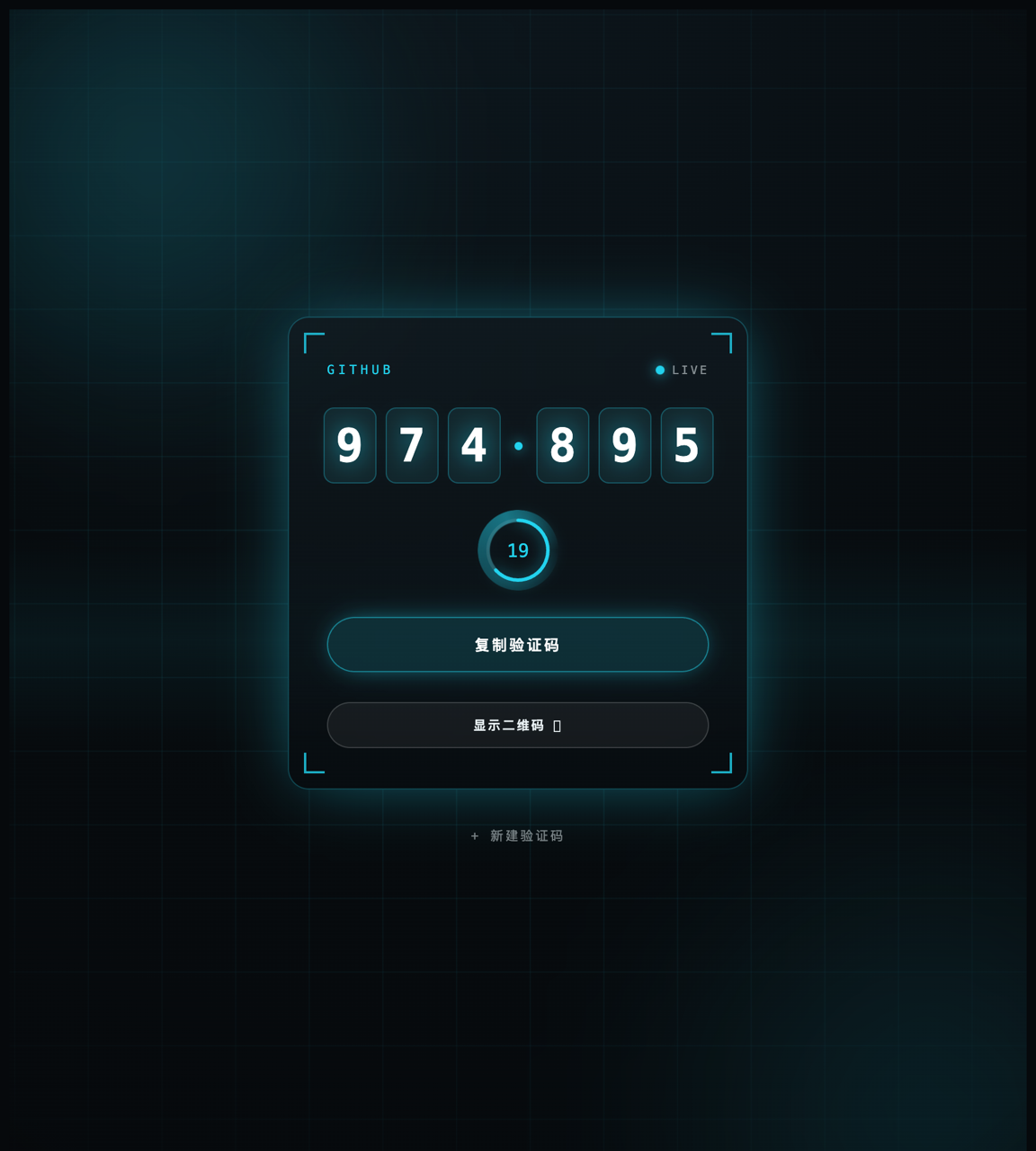
Live code & countdown · Paste a secret → instant code + bookmark link · Export as otpauth:// QR
Deployment
Easy2FA is pure static — index.html + support.js + vendor/. There is nothing to build: every host below serves the files as-is. The only hard requirement is HTTPS, because the Web Crypto API (used to compute codes) needs a secure context. Every option below provides HTTPS automatically; for local testing, localhost also counts as secure (but file:// does not).
GitHub Pages — free, zero config
- Push this repo to GitHub (done ✅).
- Repo → Settings → Pages.
- Source: "Deploy from a branch" → Branch:
main→ Folder:/ (root)→ Save. - Wait ~1 minute. Your site is live at
https://<your-username>.github.io/<repo>/— e.g. https://zeropl.github.io/2FA/.
It runs correctly under the
/2FA/sub-path because the app uses relative asset paths and a./service-worker scope.
Cloudflare Pages
- One-click: use the Cloudflare button at the top, or
- Manual: Cloudflare dashboard → Workers & Pages → Create → Pages → Connect to Git → pick this repo →
- Framework preset:
None - Build command: (leave empty)
- Build output directory:
/ - Save and Deploy → you get a
*.pages.devURL.
- Framework preset:
Netlify
- One-click: use the Netlify button at the top, or
- Import: Netlify → Add new site → Import an existing project → pick this repo →
- Build command: (empty) · Publish directory:
.(root) → Deploy.
- Build command: (empty) · Publish directory:
- No Git at all: you can even drag-and-drop the project folder onto the Netlify dashboard.
Vercel
- One-click: use the Vercel button at the top, or
- Import: Vercel → Add New → Project → import this repo →
- Framework Preset:
Other· leave Build & Output empty → Deploy.
- Framework Preset:
Self-host (any static server)
It's just a folder of static files — serve it with whatever you like, over HTTPS:
# local dev (localhost is a secure context, so codes work)
npx serve .
# or
python3 -m http.server 8000
For a real server use nginx / Caddy / Apache with a TLS certificate. Plain HTTP (non-localhost) or opening index.html via file:// will not compute codes — Web Crypto refuses to run outside a secure context.
Updating a deployed copy: after you change any static file and redeploy, bump
CACHEinsw.js(e.g.2fa-v3→2fa-v4) so the service worker serves the new version instead of the cached one.
How it works
- The 6-digit code is computed in-browser with
crypto.subtle(HMAC) — standard RFC 6238 TOTP. - The secret is read from
location.hash. URL fragments are not included in HTTP requests, so the secret never leaves your device over the network — even on a hosted deploy, the server only ever sees a request for a static file. - React / ReactDOM are vendored under
vendor/(no CDN dependency → loads even on flaky networks, and is integrity-pinned).
Security notes
Easy2FA is built for test / throwaway accounts and trades some security for convenience. Know the tradeoffs:
- The secret lives in the URL, so it ends up in your browser history and bookmarks — and is synced to the cloud if your browser syncs bookmarks/history. Treat the links as sensitive.
- Anyone you hand a link to gets the secret. Share over trusted channels; rotate after temporary sharing.
- For high-value accounts, use a hardware key or a dedicated authenticator app instead.
- Requires HTTPS (Web Crypto needs a secure context).
localhostcounts for local dev;file://does not. - The multi-account board stores its list in your browser's localStorage (a local cache — never synced anywhere by the app). Hit Clear to wipe it; your own file remains the real backup.
Comments