Your AI can't see the screen. You can't describe the bug. uisight fixes both.
uisight gives your AI coding agent (Claude Code, Cursor, Antigravity — anything that speaks MCP) real eyes on your web app: live mobile + desktop sessions running side by side, a measurement engine that reports numbers instead of vibes, and a shared panel where you and the AI look at the exact same screen.
Built by a solo founder who got tired of taking phone screenshots, pasting them into chat, and typing "the button looks broken, can you see it?"
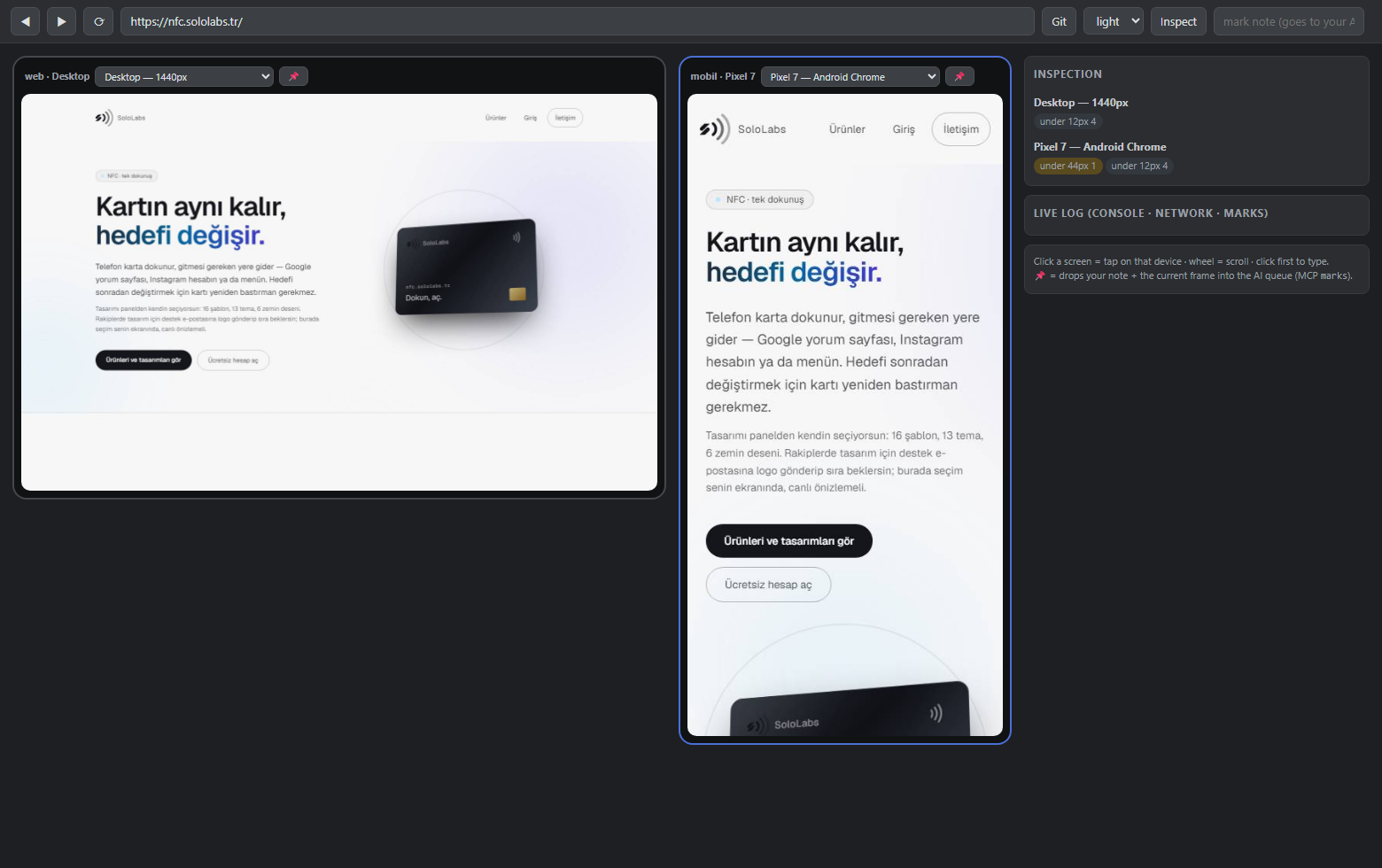
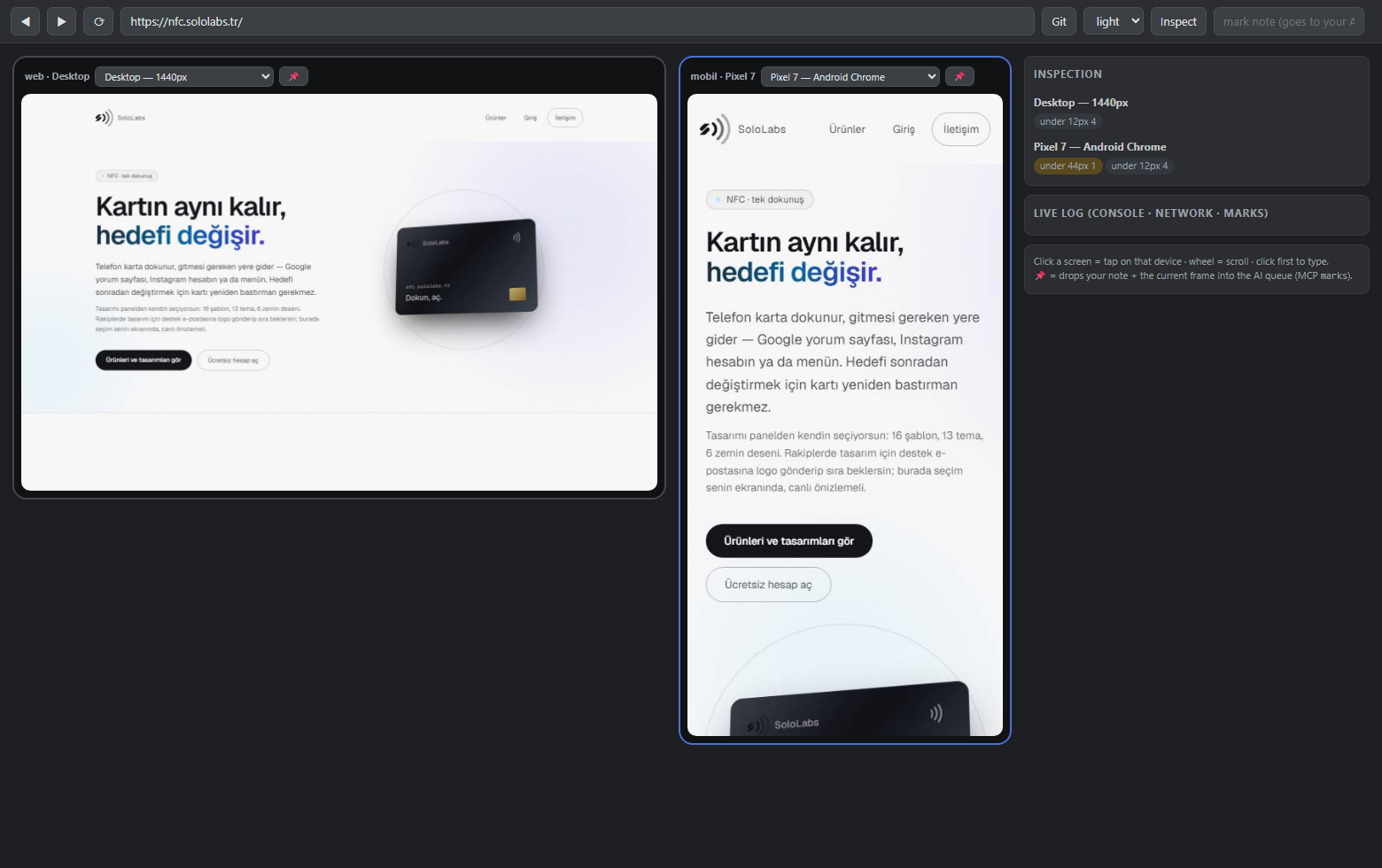 The live panel: desktop + mobile sessions of the same site, URL-synced. Inspect runs on every screen; findings come back per device. Your AI sees this exact view through MCP.
What makes it different
| Multi-viewport browsers (Polypane etc.) | Browser-automation MCPs (Playwright MCP etc.) | uisight | |
|---|---|---|---|
| Human + AI share one live session | — | — | ✅ |
Measurement engine (reports 1.14:1, not "looks low") |
for humans | — | ✅ as text, for AI |
| Device × theme matrix (mobile/desktop, light/dark) | ✅ | — | ✅ |
| Human pins a bug → AI reads note + screenshot | — | — | ✅ |
The measurement engine is the heart: instead of your AI burning tokens squinting at screenshots, inspect returns findings like
[mobile · Pixel 7 · light] https://yourapp.com/
  INVISIBLE TEXT 1.04:1 — span.bg-gradient-to-r "your headline" (text rgba(255,255,255,.5) / bg rgb(247,247,248))
  BUTTON a.text-white "Get Started" → text/background contrast 3.35:1
  touch target below 44px 180x23 — "read the guide"
Text findings are cheap, precise, and directly actionable — your AI fixes the exact selector instead of guessing.
Quickstart
# one-shot audit: PNGs + gallery + report for iPhone/Pixel/desktop, light+dark
npx uisight https://yourapp.com --theme both

# live panel: mobile + desktop side by side, you browse, AI watches (and vice versa)
npx uisight-panel http://localhost:3000
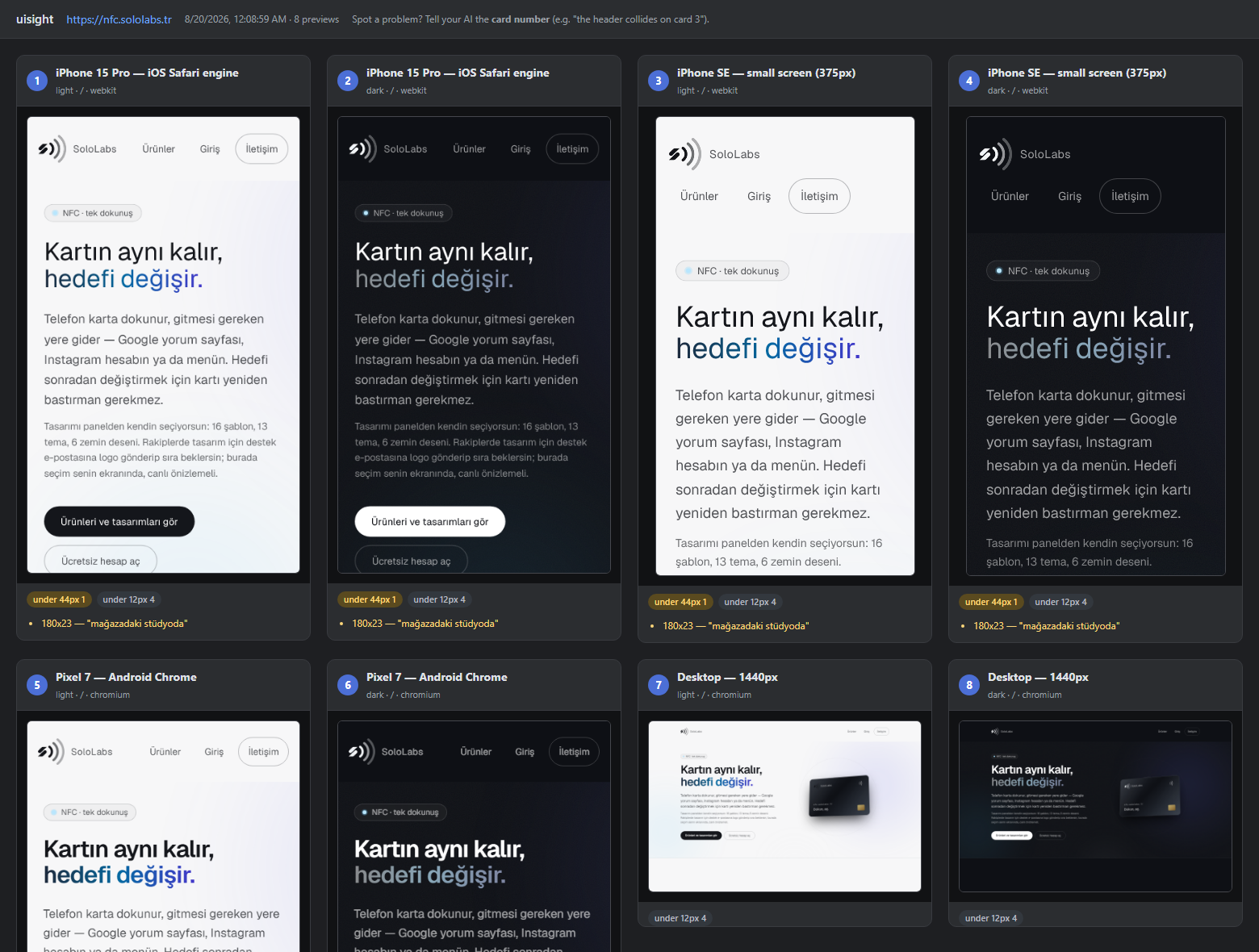
The one-shot audit produces a device × theme gallery with findings per card:
Hook it into your AI (MCP)
# Claude Code
claude mcp add --scope user uisight -- npx -y uisight-mcp
For Cursor / Antigravity / other MCP hosts, add to your MCP config:
{ "mcpServers": { "uisight": { "command": "npx", "args": ["-y", "uisight-mcp"] } } }
Then just tell your agent: "look at my app with uisight". The panel server starts automatically when needed.
MCP tools
| Tool | What it does |
|---|---|
see_screen |
Returns the current screen as an image — the exact frame the human sees in the panel |
inspect |
Runs contrast / touch-target / overflow / theme checks; returns measured findings as text |
goto |
Navigates all sessions to a URL (localhost included) |
tap / type_text / scroll |
Drives the page — the human watches it happen live |
set_device |
Switches device profile (iphone-15, iphone-se, pixel, galaxy, ipad, desktop, laptop) or light/dark theme |
status |
Open URL, sessions, recent console/network errors — first stop when hunting a bug |
marks |
Reads the notes the human pinned in the panel (📌 note + screenshot at that moment) |
Turkish tool names available with UISIGHT_LANG=tr (ekrani_gor, denetle, ...).
The panel (human side)
npx uisight-panel <url> opens a browser page at localhost:5055:
- Mobile + desktop side by side, both live, URL-synced
- Click = tap on that device · wheel = scroll · type after clicking
- Per-pane device switcher, shared light/dark toggle
- Inspect button runs the measurement engine on every screen
- 📌 Pin: type a note, pin it — your AI reads note + screenshot via
marks. No more "let me describe what I'm seeing."
Works inside VS Code / Antigravity via Simple Browser: Show → http://localhost:5055.
What it checks
- Invisible text (contrast < 1.6:1) and WCAG AA contrast failures — alpha-composited backgrounds, gradient text,
oklab()/oklch()colors all handled - Touch targets below 44px (mobile profiles only; inline text links exempt by width, per WCAG)
- Horizontal overflow with the offending elements
- Text below 12px, images without alt
- Theme drift: elements identical in light and dark = likely hard-coded colors
- Console/JS errors and failed network requests per device
And the honest limit: automated checks cannot see design mistakes — a collided header measures fine. That's why see_screen exists and why the report says "eyeball the PNGs."
Notes & limitations
- iPhone profiles run on real WebKit (Safari's engine) — close to iOS, but not an iOS Simulator.
- Browsers are downloaded once by Playwright on first run (
npx playwright install chromium webkitif you want to pre-warm). - Everything runs locally — no cloud, no account, your screens never leave your machine.
- v0.1 ships English surfaces over an internal codebase originally written in Turkish (being migrated). Contributions welcome; variable names may surprise you until v0.2.
Comments