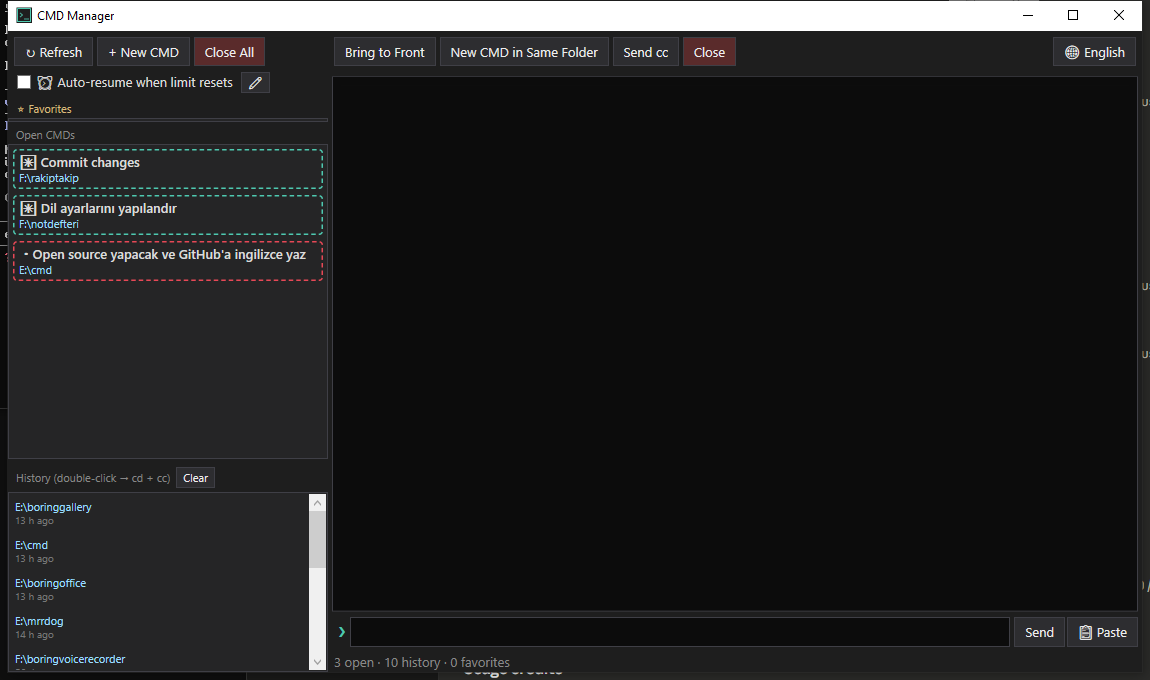
A Windows WPF utility for monitoring and remote-controlling cmd.exe windows that run Claude Code sessions. It watches every open cmd window on selected drives, shows a live colored preview of the selected console, and lets you drive sessions without ever touching the windows themselves.
Not affiliated with Anthropic. This is an independent, third-party tool. "Claude" and "Claude Code" are trademarks of Anthropic; this project is not endorsed by or connected to Anthropic in any way.
Features
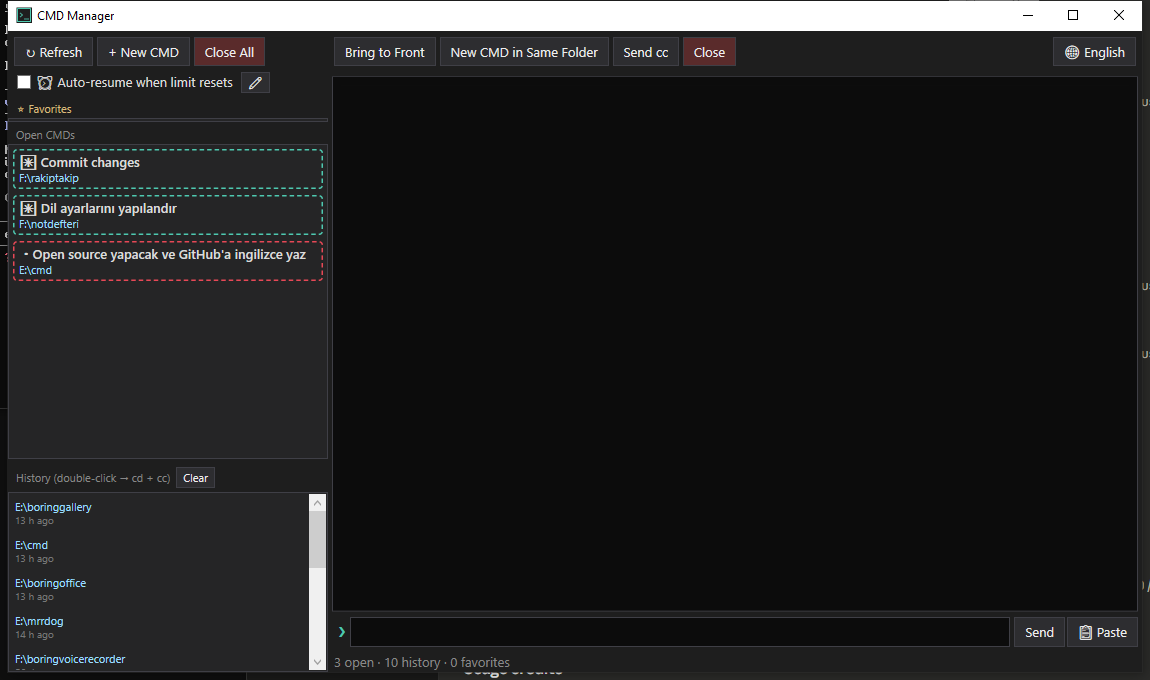
- Live console preview — reads the target console's screen buffer (colors included) and renders it in the app; no focus stealing.
- Busy/idle indicators — each cmd gets a red (working) or teal (idle) border by watching screen-buffer changes; a beep fires when a command you sent finishes.
- Silent input — type a command in the app and it's injected straight into the target console via
WriteConsoleInput; Up/Down cycles your recently sent commands, and a clipboard-paste fallback handles long text. Unicode (including Turkish characters) is preserved end to end. - One-click session actions — send
ccto (re)start Claude Code in a window, switch a console to UTF-8 (chcp 65001), clone a cmd in the same directory, or close all tracked windows at once. - Auto-resume on usage limits — when Claude Code stops with "5-hour limit reached · resets 3pm" (or weekly / extra-usage variants), the app parses the reset time off the screen and automatically sends a configurable resume command (default
devam et) once the limit lifts. It's heavily guarded against false positives: on-screen code/quotes don't trigger it, it won't type into a bare shell after Claude has exited, and it postpones if you're actively using that window. Toggle it and edit the message from the toolbar. - History & favorites — directories of closed cmds are recorded automatically (double-click to reopen and relaunch
cc); pin favorite directories with custom labels. - Global hotkey —
Ctrl+Alt+Mtoggles the window from anywhere. - English / Turkish UI — ships in English by default; switch to Turkish anytime with the 🌐 button (your choice is saved to settings).
Build
dotnet build -c Release
Publish a single-file exe:
dotnet publish -c Release -r win-x64 --self-contained false -p:PublishSingleFile=true -o publish
The app intentionally keeps running after its window is closed, which locks the exe — kill
CmdManagerfrom Task Manager before rebuilding.
Requirements
- Windows 10/11, x64
- .NET 8 Desktop Runtime
- Runs elevated (
requireAdministrator) — see Security & admin rights below - A
cccommand onPATHthat launches Claude Code (the "open + cc" actions run it)
Security & admin rights
CmdManager requests administrator rights (the UAC prompt on every launch) for two reasons only:
ReadProcessMemory/NtQueryInformationProcess— to read another cmd's current working directory out of its PEB.AttachConsole— to read and write other processes' console screen buffers.
It runs entirely locally, makes no network connections, and stores nothing outside %APPDATA%\CmdManager\. The full source is in this repository — please audit it before running an elevated binary. See SECURITY.md for how to report a vulnerability.
Known limitations
- x64 only. Working-directory discovery reads the target process's PEB using hardcoded x64 offsets; an x86 build would read the wrong memory. These offsets track current Windows builds and could break on a future Windows version.
- Only cmd windows whose current directory is on the drives listed in
AllowedDrives(MainWindow.xaml.cs, defaultE:andF:) are shown — adjust to taste. - Console attachment is process-wide state, so all cross-process console reads/writes run serialized on the UI thread.
Notes
- Settings, history (capped at 100 entries) and favorites live under
%APPDATA%\CmdManager\as JSON. - New cmds start with
/K chcp 65001 >nul(UTF-8); the "open + cc" variants thencd /d "<path>" && cc.
Comments