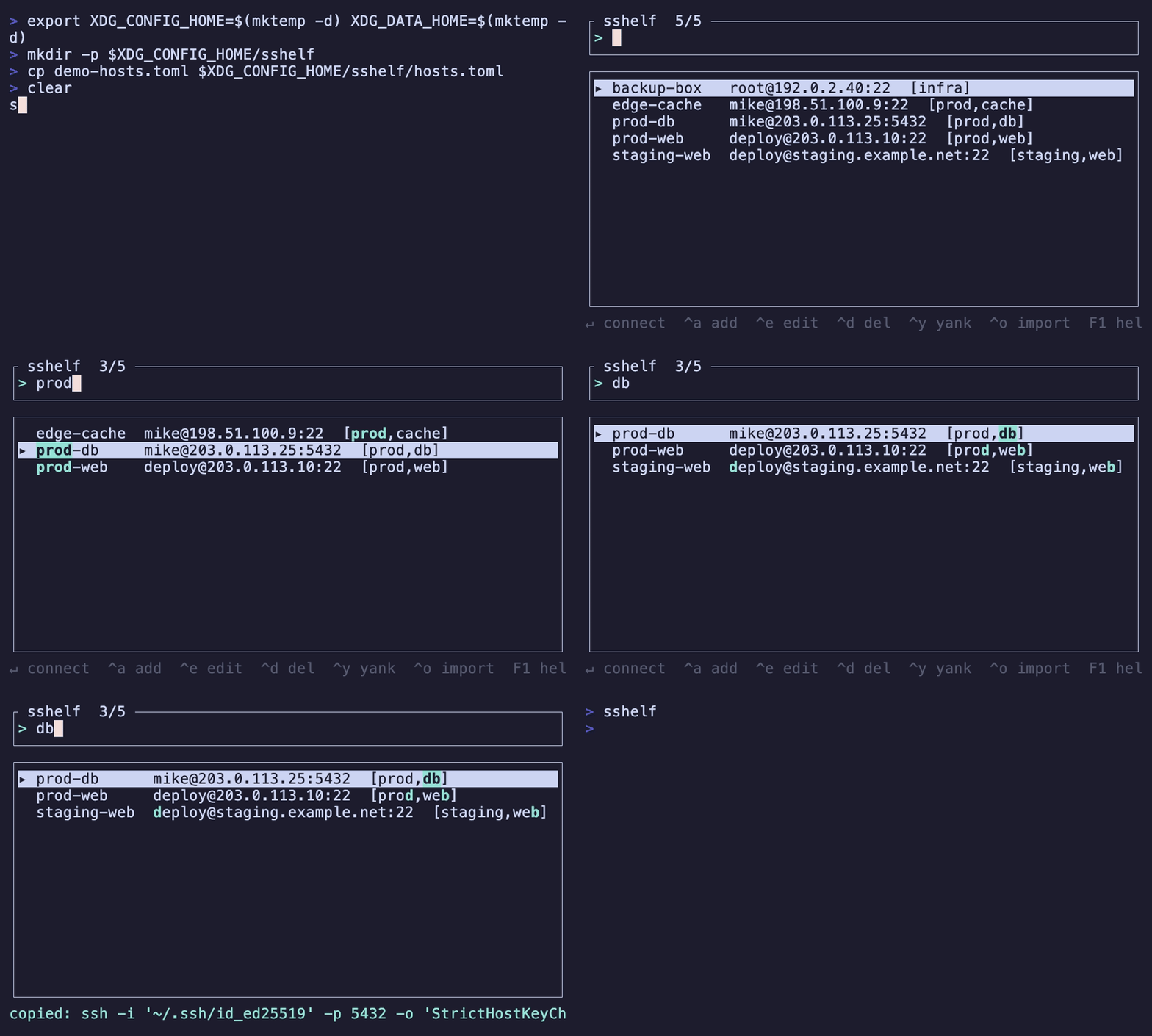
A fast terminal UI for managing and connecting to SSH hosts. Save each node once, then fuzzy-search and connect in two keystrokes.
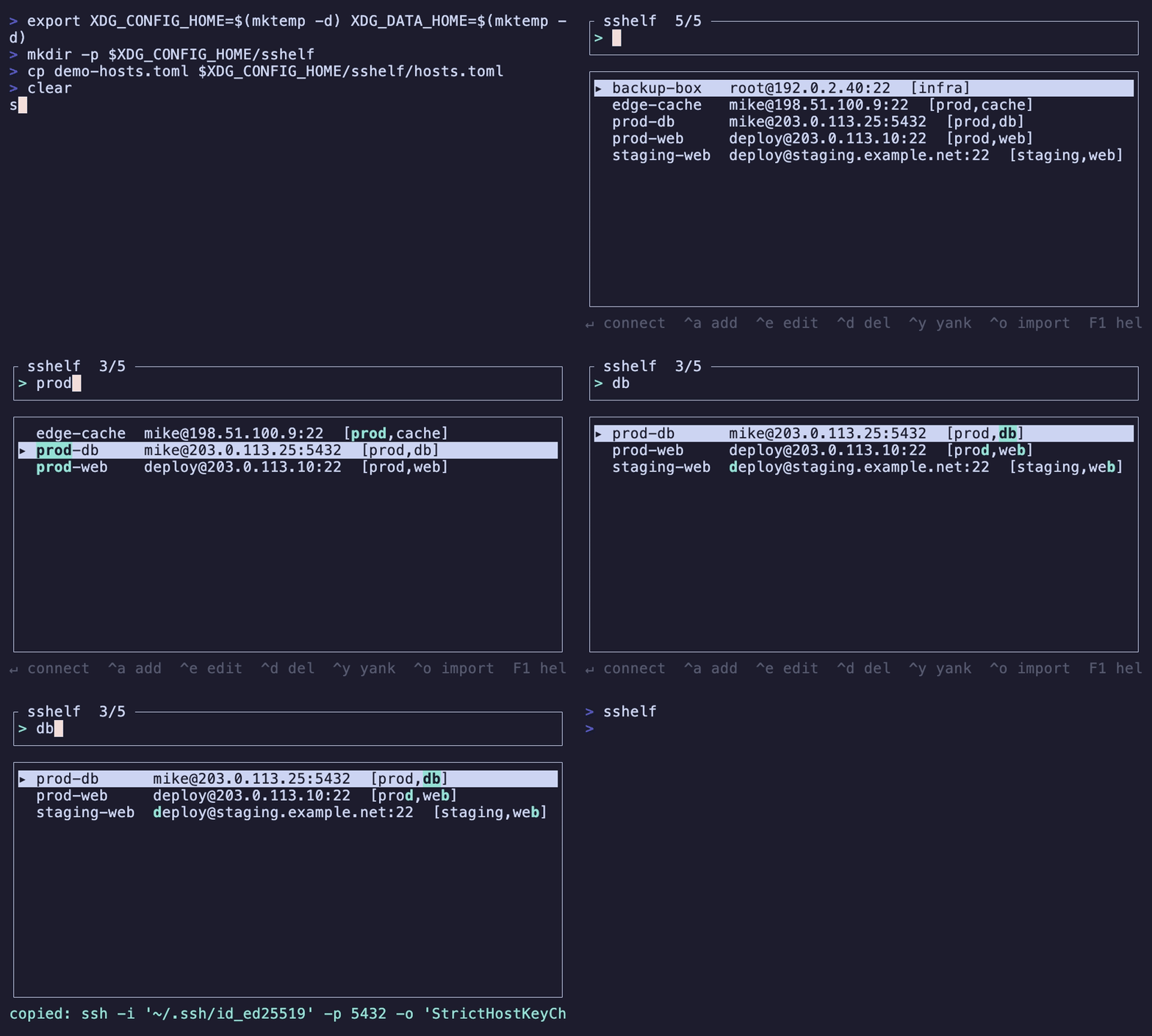
sshelf keeps its own host database and generates the correct ssh command for you — it
never reads or edits ~/.ssh/config (except an explicit, read-only import). No more hunting
for the right ssh -i … -J … user@host invocation.
┌ sshelf  3/14 ───────────────────────────────────────┐
│ > prod                                               │
└──────────────────────────────────────────────────────┘
┌──────────────────────────────────────────────────────┐
│ ▸ prod-web    deploy@10.25.25.10:22      [prod,web]  │
│   prod-db     mike@10.25.25.25:5432      [prod,db]   │
│   prod-cache  mike@10.0.0.9:22           [prod]      │
└──────────────────────────────────────────────────────��
 ↵ connect  ^a add  ^e edit  ^d del  ^y yank  ^o import  tag:NAME  F1 help  esc quit
Why sshelf
Most SSH managers read or rewrite ~/.ssh/config. sshelf deliberately doesn't: it maintains
an independent database, so it never risks corrupting a config shared with Ansible/Terraform/
your editor, and adds things plain SSH config can't express as nicely:
- Atuin-style fuzzy launcher — type to filter,
Enterto connect. - Guided add/edit form — hostname, user, port, auth, jump hosts, tags, extra args.
- Auto-supplied passwords for password-auth hosts (via
SSH_ASKPASS; nosshpass, the secret never appears inps). Stored in your OS keyring, or an encrypted vault. - Jump hosts (
ProxyJump), tags/groups (tag:prod), and frecency ordering (most-used-recently float to the top). - Read-only import from
~/.ssh/configto get started.
Install
macOS and Linux, on x86_64 and arm64. The prebuilt installs below need no Rust toolchain; at runtime sshelf wants OpenSSH 8.4+ (for password auto-supply).
Homebrew (macOS or Linux):
brew install max-rh/tap/sshelf
Shell installer (prebuilt binary, picks your platform):
curl --proto '=https' --tlsv1.2 -LsSf https://github.com/max-rh/sshelf/releases/latest/download/sshelf-installer.sh | sh
Debian/Ubuntu — grab the .deb for your architecture from the
latest release, then:
sudo apt install ./sshelf_*_amd64.deb # or *_arm64.deb
From source (needs Rust 1.88+):
cargo install --git https://github.com/max-rh/sshelf
Linux uses a pure-Rust Secret Service backend (no
libdbus/OpenSSL build deps).
Shell tab-completion ships with every package. After installing, open a new shell (or
exec $SHELL) so it loads — shells read completions once, at startup.
Usage
sshelf                       # launch the TUI
sshelf <host>                # connect straight to a saved host by name (skips the TUI)
sshelf list                  # print saved hosts
sshelf list <query>          # filter the list: fuzzy text and/or tag:NAME (e.g. tag:prod)
sshelf --config FILE         # use a specific config file (also: $SSHELF_CONFIG)
sshelf import [--dry-run]    # read-only import from ~/.ssh/config
echo "$PASS" | sshelf set-password <name>   # store a password (scriptable / headless)
Keys: type to filter · tag:NAME to filter by tag · ↑/↓ move · Enter connect ·
Ctrl-a add · Ctrl-e edit · Ctrl-d delete · Ctrl-y yank the ssh command · Ctrl-o
import · F1 help · F2 settings · Esc/Ctrl-c quit.
In the add/edit form the Key field picks an identity: ���/→ cycles keys found in ~/.ssh
(including .pem), and Enter opens a file browser (type to fuzzy-filter) to choose a key
anywhere. F2 opens settings (config & hosts-file locations).
On connect, sshelf hands the terminal to ssh (it execs into it); when the session ends
you're back at your shell.
Configuration
~/.config/sshelf/config.toml (written with comments on first run):
| Key | Default | Meaning |
|---|---|---|
decay_rate |
0.2 |
Frecency decay per day (higher = recency matters more). |
default_sort |
"frecency" |
Idle list order: "frecency" or "name". |
accent |
"cyan" |
UI accent color. |
hosts_file |
(config dir) | Custom host-database path. Editable via F2 settings; ~ is expanded. |
Point sshelf at an alternate config with --config FILE or $SSHELF_CONFIG (the config-file
location itself isn't stored in the config — that'd be circular). The hosts-file location is
a setting, editable from the F2 settings screen.
Data lives under XDG dirs: hosts in ~/.config/sshelf/hosts.toml (human-readable),
usage state in ~/.local/share/sshelf/.
Passwords & security
Prefer SSH keys / agent where you can. For password-auth hosts, sshelf stores the secret in
your OS keyring by default (macOS Keychain, Linux Secret Service). On headless systems with
no keyring, set SSHELF_VAULT_PASSPHRASE to use an age-encrypted vault instead. Passwords
are never written to hosts.toml and never passed on the command line. See
SECURITY.md for the full threat model.
Documentation
Architecture, data model, and design decisions live in docs/.
Comments