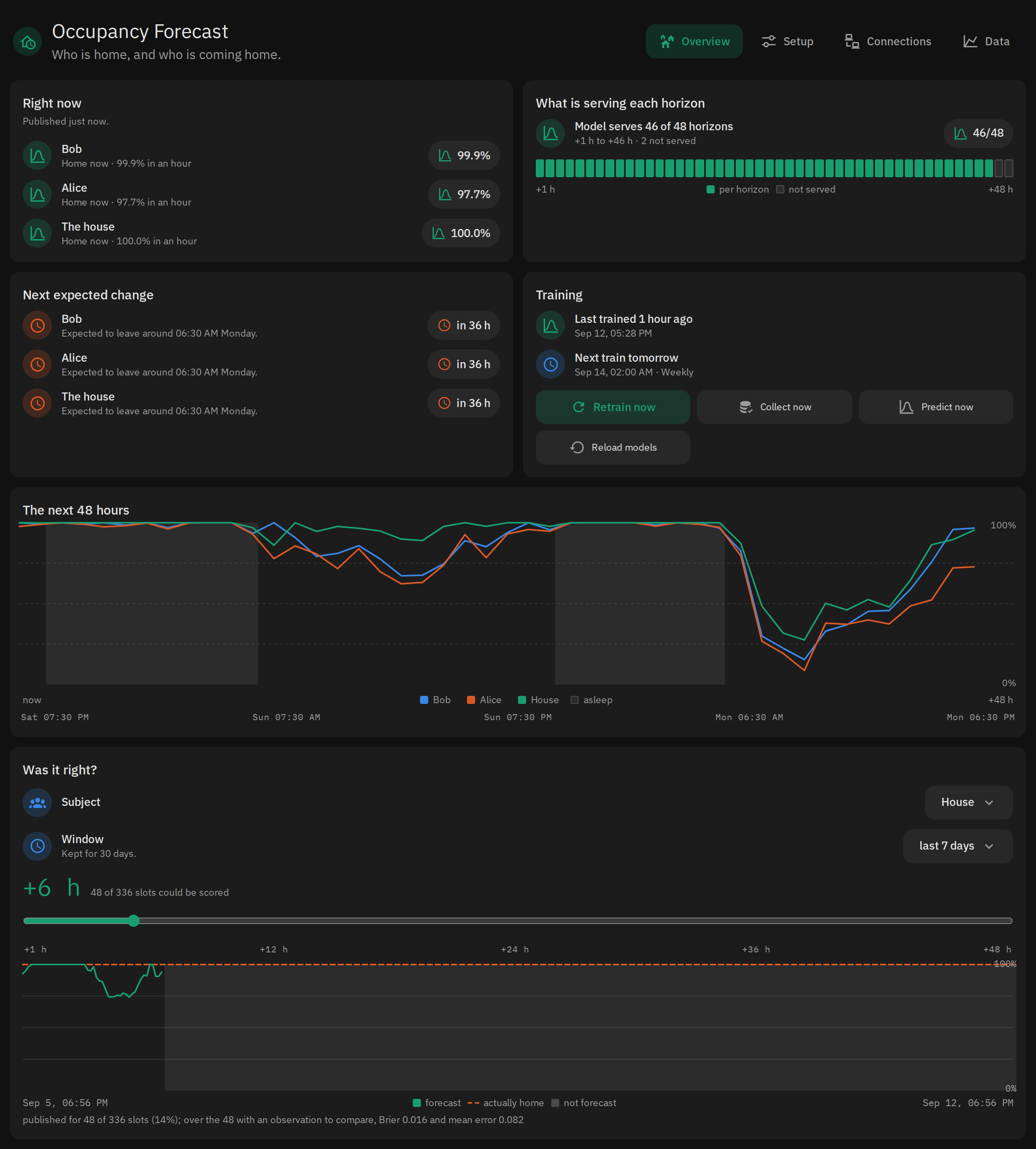
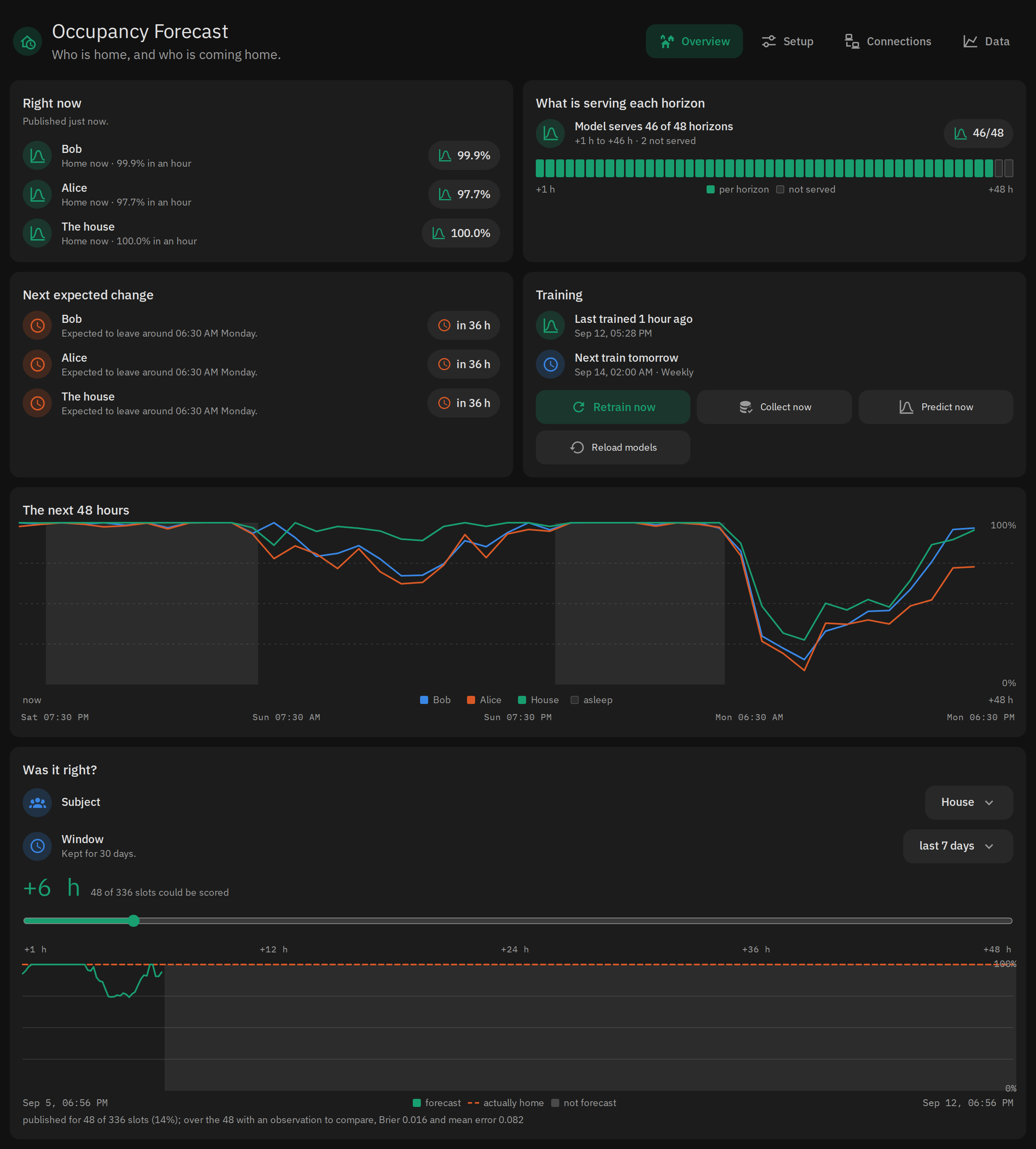
A Home Assistant add-on that forecasts who will be home, hour by hour, for the next two days — and once somebody is on their way, how many minutes until they actually arrive.
It learns from the presence history you already have. scikit-learn answers "will somebody be home?"; a smaller piece of arithmetic turns a person's distance and direction into a travel time. Entities are published over MQTT, so they are ordinary Home Assistant sensors — renameable, grouped into devices, usable in any automation. There is no custom integration to install.
Nothing here changes anything in your house. It publishes sensors and, at most, a persistent notification. Acting on a forecast is your automations' job.
Install
Settings → Add-ons → Add-on Store → ⋮ → Repositories, and add:
https://github.com/MartvanMale/hass-occupancyInstall Occupancy Forecast, start it, and open its panel from the sidebar.
Confirm the people it has already ticked for you. Everything else is optional.
The add-on builds from source on install — pandas, numpy, pyarrow and
scikit-learn — so the first install takes several minutes and a few hundred MB.
aarch64 and amd64 only: scikit-learn publishes no armv7 wheels.
A broker is optional, but without one the entities are never discovered by Home Assistant, which is most of the point.
What you need
One thing is required: at least one person entity. Everything else the
add-on will work without, and the panel's Setup tab says what turning each one
on would buy you.
The things that help most, roughly in order: a GPS tracker behind each person
(the Companion app), the Proximity integration against zone.home, and any
zones worth knowing about, like work or a second office. The setup
guide walks through each one.
If you already archive to InfluxDB
Pick InfluxDB as the history source on the panel's Connections tab and the add-on trains from that bucket on its first run, months of history rather than days. It needs a read-only token scoped to that bucket, InfluxDB 2.x or 1.8 with Flux enabled, and a bucket retention longer than the history you want to train on — see Where the history should live.
What it does not read
It reads presence state, which zone that state names, distance and direction of travel, and the calendar; nothing else, and no device class. What the model is actually fed says why motion sensors and door contacts are not on the list.
The first few weeks are honest, not impressive
Home Assistant's recorder keeps about 10 days by default, and purges — what it
has today it will not have next month. So the add-on keeps its own archive, and
starts it by importing whatever your recorder actually holds, reaching back up
to 400 days. On a stock install that is a few days. If you have raised
purge_keep_days and have months of history, the add-on takes all of it and can
start training almost immediately.
Until it can, the forecast sensors read unknown: they exist, and they have
nothing to say yet. Who is home right now publishes from the first cycle.
Training starts at 10 days, and a horizon publishes only where the model beat
that horizon's own baseline; until then its sensor reads unknown and the
48-hour chart has a gap. Horizons can stop publishing again as the baselines
improve.
What it publishes
Per person, and for the house as a whole:
sensor.occupancy_forecast_<who>_home_probability        %    P(home) in 1 h, full 48 h curve in attributes
sensor.occupancy_forecast_<who>_home_probability_<N>h   %    N in 1,2,3,6,12,24,36,48
sensor.occupancy_forecast_<who>_minutes_until_home      min  while travelling
sensor.occupancy_forecast_<who>_hours_until_home        h
sensor.occupancy_forecast_<who>_hours_until_away        h
sensor.occupancy_forecast_<who>_out_today               %    chance of a day out to a tracked zone
sensor.occupancy_forecast_<who>_out_departure           ts   the hour they usually leave on such a day
sensor.occupancy_forecast_<who>_out_return              ts   and the hour they usually get back
sensor.occupancy_forecast_<who>_next_change_at          ts   the model says a change is coming; the routine may only sharpen the hour
minutes_until_home is conditional on arriving. It is trained only on
journeys that ended at home, so for somebody at their desk all afternoon it
reports how long the drive would take. Pair it with home_probability if you
are going to act on it — one says when, the other says whether.
If you wire any of this to your heating, check predicted_at and ignore a
stale forecast, so that an outage degrades to your previous behaviour rather
than to a cold house.
Your data
Everything lives under the add-on's own /data and nowhere else — no /config,
no /share, nothing on the LAN. It is personal data, so it is worth knowing what
is there: months of each person's presence and which zone they were in; a
distance to home (the GPS coordinates themselves are not stored); the entities
you ticked and your home's latitude and longitude, which the panel shows to
anyone who can open it; and model artifacts derived from those.
All of it is included in Home Assistant backups, so it goes wherever your backups go. The only things the add-on sends anywhere are the MQTT sensors and one persistent notification. It reads InfluxDB when asked to, and never writes to it.
Two add-ons: stable and edge
The repository ships Occupancy Forecast and Occupancy Forecast Edge, and they are designed to run at the same time so a change can be compared against what you already trust. Their MQTT topics and device names derive from their slugs, so they keep out of each other's way with nothing to configure.
Install stable unless you have a reason not to. Edge is where development lands; stable changes only when a change has earned its way in.
Where to find things
| Setting it up, every option, reading the panel, troubleshooting | occupancy-forecast/DOCS.md — also the Documentation tab of the add-on itself |
| What edge is, and running both | occupancy-forecast-edge/DOCS.md |
| Working on the code | DEVELOPMENT.md |
| Running the demo, screenshotting the panel | docs/demo-instance.md |
| What changed | occupancy-forecast/CHANGELOG.md |
Comments