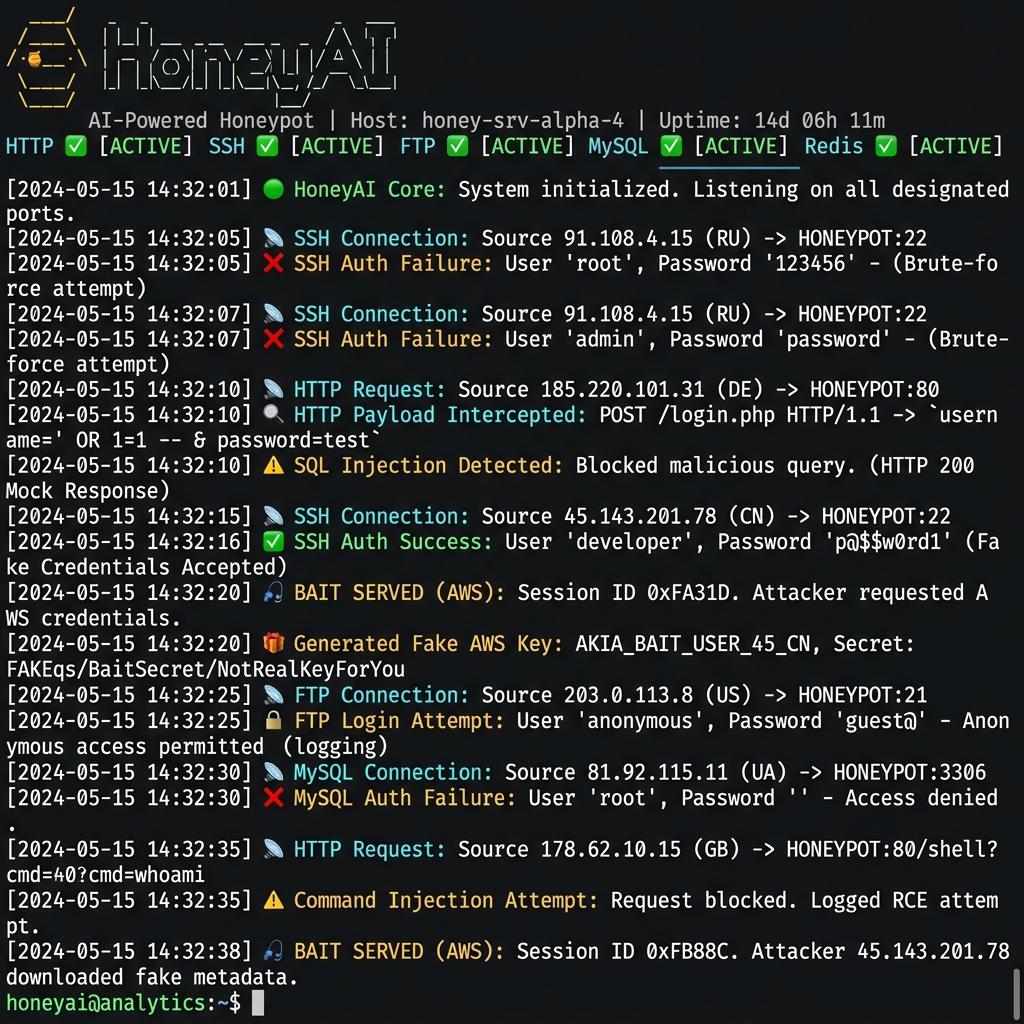
All-in-one AI-powered honeypot. One process, every protocol.
Replaces Cowrie · Galah · OpenCanary · Endlessh — with a single Node.js service driven by a local LLM.
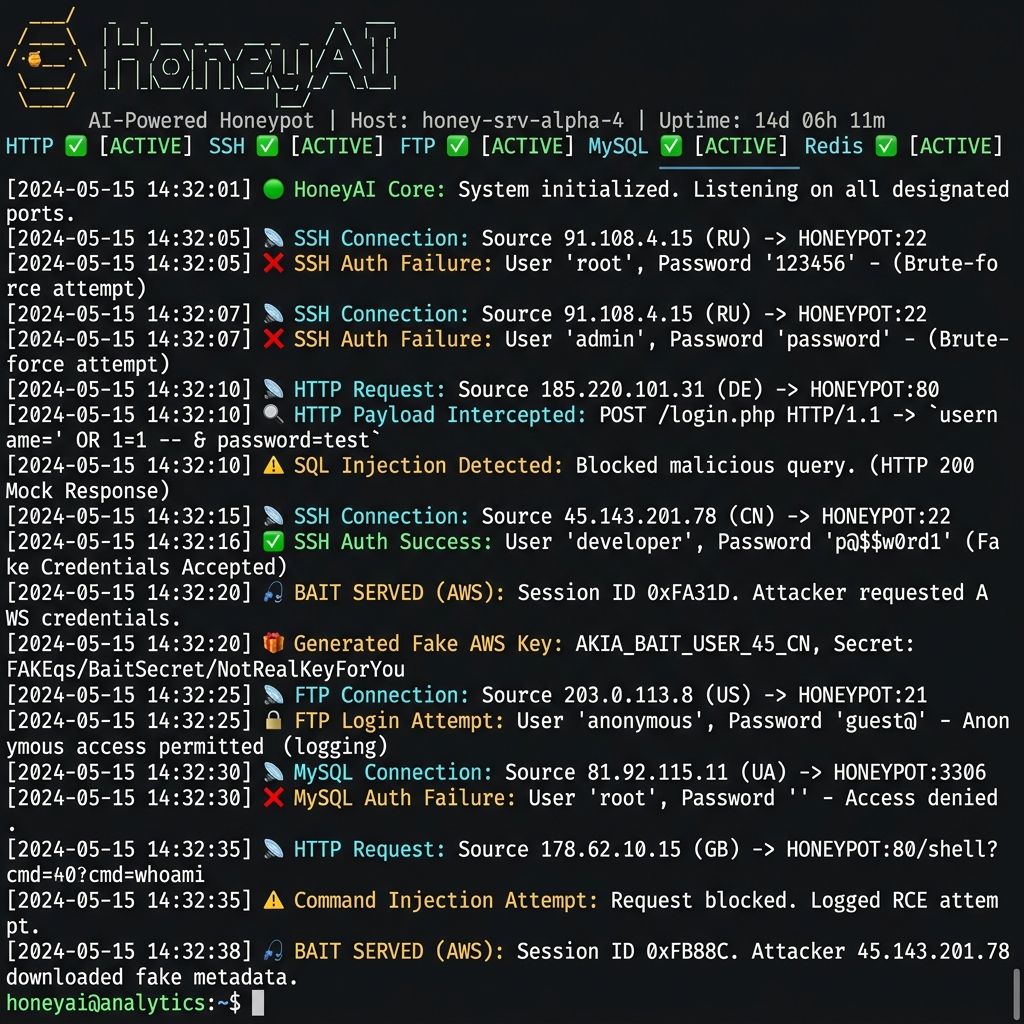
What is this?
HoneyAI is a proactive, AI-driven honeypot that intercepts attackers across every common protocol and responds with dynamically generated, fully convincing deceptive content — powered by a local LLM running via Ollama.
Instead of static responses, the AI reads the attacker's payload and generates tailored traps:
- 💉 SQL injection attempt → Fake database dump with canary tokens (bait API keys you control)
- 🐚 Shell upload → Fake execution output with more bait
- 🔑 SSH login → Interactive fake bash shell with realistic filesystem
- 📂 Directory scan → Fake
backup.zip,.env,config.php,sql_dump.tar.gz - 🎣 Cat sensitive files → Fake AWS credentials, SSH keys, database passwords
Every attacker IP is automatically reported to 5 threat intelligence platforms.
Features
| Feature | Description |
|---|---|
| 🌐 HTTP/HTTPS | Catch-all web honeypot. Mimics WordPress, Apache, phpMyAdmin, Laravel. Replaces Galah |
| 🔑 SSH | Interactive fake bash shell with canary filesystem. Accepts all credentials. Replaces Cowrie |
| 🧲 SSH Tarpit | Infinite banner on configurable ports. Replaces Endlessh |
| 📁 FTP | Fake vsFTPd with AI-generated directory listings |
| 📟 Telnet | Fake router/switch CLI (Cisco IOS style with static show commands) |
| 📧 SMTP | Fake mail server — accepts and logs all messages |
| 🗄️ MySQL | Fake MySQL 8.0 — handshake + rogue server + query responses |
| 🔴 Redis | Fake Redis 7.2 — full RESP protocol (PING, INFO, KEYS, GET, SET + AI engine) |
| 🐙 Git | Git protocol honeypot with infinite-refs tarpit |
| 🖥️ VNC | RFB 3.8 protocol handshake trap |
| 💻 RDP | RDP protocol handshake trap |
| 🗃️ MSSQL | Fake SQL Server 2019 — TDS prelogin + login handshake |
| 📡 SNMP | Fake SNMP v1/v2c agent — sysDescr, sysName, sysUptime |
| 🌐 HTTP Proxy | Fake Squid proxy — captures CONNECT tunnels |
| 📁 Samba/SMB | Passive log monitor for Samba full audit log (samba.js) |
| 🛡️ Port Scans | Passive log monitor for iptables syslog port scan events (portscan.js) |
| 💣 GZIP Bombs | Delivers compressed payload bombs to scanners |
| 📡 Reporting | Auto-reports to AbuseIPDB, OTX, DShield, Blocklist.de, VirusTotal |
| 📲 Telegram | Real-time attack notifications via Telegram bot |
| 🤖 Any LLM | Works with Ollama (local) or any OpenAI-compatible API |
Quick Start (bare metal)
🐳 Docker? Skip to Docker Deployment for a one-command setup.
Requirements
- Node.js ≥ 18
- pnpm — install with
npm install -g pnpm - Ollama running locally (or any OpenAI-compatible API)
- A model pulled:
ollama pull qwen2.5:1.5b(fast, 1GB RAM)
⚠️ Why pnpm only? This project blocks npm and yarn via a preinstall hook. npm executes arbitrary lifecycle scripts (
preinstall,postinstall) from every dependency during install — this is a known supply chain attack vector (reference). For a security tool like a honeypot, this is unacceptable. pnpm does not run these scripts by default, uses a content-addressable store that prevents phantom dependencies, and provides strict isolation. If you trynpm install, it will fail intentionally.
Install & Run
# Install pnpm if you don't have it
npm install -g pnpm

# Clone and run
git clone https://github.com/martidu4/honey-ai.git
cd honey-ai
pnpm install             # npm/yarn will be rejected — pnpm only
pnpm run setup           # Interactive wizard — configures AI, reporting, canary tokens
pnpm start               # 🍯 All protocols start listening
The setup wizard will ask you for:
- Your Ollama URL and model (or OpenAI-compatible API)
- AbuseIPDB, OTX, DShield, Blocklist.de, VirusTotal API keys (all optional)
- Telegram bot for attack notifications (optional)
Configuration is saved to config.yaml which is gitignored and never committed.
🐳 Docker Deployment
The fastest way to get started — one command, everything included:
git clone https://github.com/martidu4/honey-ai.git
cd honey-ai
cp config.example.yaml config.yaml

# Start everything (Ollama + model download + HoneyAI)
docker compose up -d

# Follow logs
docker compose logs -f honeyai
Docker Compose automatically:
- Starts Ollama with persistent model storage
- Pulls the qwen2.5:1.5b model on first run
- Starts HoneyAI with all 14 protocols
To use a different model:
AI_MODEL=qwen3:4b docker compose up -d
To add reporting API keys, create a .env file:
ABUSEIPDB_KEY=your_key
TELEGRAM_TOKEN=your_bot_token
TELEGRAM_CHAT=your_chat_id
Architecture
Internet attackers
        │
        ├─ :80/8080  → HTTP honeypot   (Express + AI responses)
        ├─ :22/2222  → SSH honeypot    (ssh2 + AI interactive shell)
        ├─ :222/2200 → SSH tarpit      (Endlessh-style infinite banner)
        ├─ :21       → FTP honeypot    (TCP + AI)
        ├─ :23       → Telnet          (TCP + AI, Cisco IOS style)
        ├─ :25       → SMTP            (TCP + AI)
        ├─ :3306     → MySQL           (TCP + protocol-accurate handshake)
        ├─ :6379     → Redis           (TCP + RESP protocol + AI engine)
        ├─ :9418     → Git             (TCP + infinite-refs tarpit)
        ├─ :5900     → VNC             (TCP + RFB handshake)
        ├─ :3389     → RDP             (TCP + RDP handshake)
        ├─ :1433     → MSSQL           (TCP + TDS prelogin/login)
        ├─ :161      → SNMP            (UDP + fake agent responses)
        ├─ :8080     → HTTP Proxy      (TCP + fake Squid proxy)
        │
        ├─ Passive Log Monitors:
        ├─ Samba Log → samba.js (extracts user/IP/machine/share/op/file)
        └─ Syslog    → portscan.js (extracts iptables PORTSCAN events)
                │
                ▼
        AI Engine (Ollama / OpenAI-compatible)
                │
                ├─ Deceptive response → attacker
                ├─ Reporter → AbuseIPDB, OTX, DShield, Blocklist.de, VT
                └─ Telegram → real-time alert 📲
Project Structure
honey-ai/
├── server.js               # Main orchestrator — starts all protocols
├── setup.js                # Interactive setup wizard
├── config.example.yaml     # Config template (committed — no secrets)
├── honey-ai.service        # systemd service file for production
├── ai/
│   └── engine.js           # AI engine — Ollama/OpenAI + identity leak filters
├── core/
│   ├── config.js           # Config loader (YAML + env vars)
│   ├── logger.js           # Unified logger (console + JSONL, CRLF-safe)
│   ├── reporter.js         # Threat intel reporting (5 platforms)
│   ├── traps.js            # Web maze, GZIP bombs, canary downloads
│   ├── backfire.js         # Reverse scanning of attacker IPs
│   ├── downloader.js       # Malware sample collector (SSRF-protected)
│   ├── fileReader.js       # HoneyFS virtual filesystem reader
│   └── jitter.js           # Timing randomizer for realistic delays
├── protocols/
│   ├── http.js             # HTTP honeypot (replaces Galah)
│   ├── ssh.js              # SSH honeypot + tarpit (replaces Cowrie + Endlessh)
│   ├── tcp.js              # FTP, Telnet, SMTP, MySQL, Redis, Git, VNC, RDP
│   ├── httpproxy.js        # HTTP/HTTPS proxy honeypot (fake Squid)
│   ├── mssql.js            # MSSQL TDS protocol honeypot
│   ├── snmp.js             # SNMP v1/v2c UDP agent honeypot
│   ├── samba.js            # Samba log-tail based detection
│   └── portscan.js         # Portscan detection via syslog
├── honeyfs/                # 🎣 Canary filesystem — attackers see these files
│   ├── etc/                # Fake /etc/passwd, shadow, group, hostname
│   ├── home/               # Fake crypto wallets, credential files
│   ├── opt/                # Fake docker-compose, .env, terraform, k8s secrets
│   └── root/               # Fake .aws/credentials, .ssh/id_rsa, passwords.txt
└── test-qa.js              # Full test suite (119 tests)
🎣 Canary Tokens (Honeypot Filesystem)
The honeyfs/ directory contains fake sensitive files that attackers will find when browsing via SSH or HTTP. These are your canary tokens — bait credentials that, when used by an attacker, alert you to a compromise.
⚠️ IMPORTANT: Replace ALL CHANGE_ME_* values with your own bait credentials before deploying.
# Example: Generate your own canary AWS keys at https://canarytokens.org/
# Then replace in:
honeyfs/root/.aws/credentials     # Fake AWS keys
honeyfs/root/.env                 # Fake DB/Stripe/AWS credentials
honeyfs/root/config.json          # Fake full application config
honeyfs/root/passwords.txt        # Fake master password list
honeyfs/root/.ssh/id_rsa          # Fake SSH private key
honeyfs/root/.github-token        # Fake GitHub PAT
honeyfs/opt/app/.env              # Fake app environment
honeyfs/opt/app/docker-compose.yml # Fake Docker stack
honeyfs/opt/k8s/secrets.yaml      # Fake Kubernetes secrets
honeyfs/opt/infra/terraform.tfstate # Fake Terraform state
The idea: when an attacker steals these credentials and tries to use them, you'll detect the breach via the canary token service. Use canarytokens.org or your own detection mechanism.
Configuration
Option A: Setup Wizard (recommended)
pnpm run setup
Option B: Manual Configuration
cp config.example.yaml config.yaml
# Edit config.yaml — ports, AI model, protocols to enable
See config.example.yaml for all available options with comments.
Environment Variables
You can override config values with environment variables:
OLLAMA_URL=http://localhost:11434
AI_MODEL=qwen2.5:1.5b

# Reporting (all optional — sign up for free tiers)
ABUSEIPDB_KEY=your_key_here
OTX_KEY=your_key_here
DSHIELD_KEY=your_key_here
BLOCKLIST_KEY=your_key_here
VT_KEY=your_key_here

# Notifications
TELEGRAM_TOKEN=your_bot_token
TELEGRAM_CHAT=your_chat_id
📊 Management Dashboard
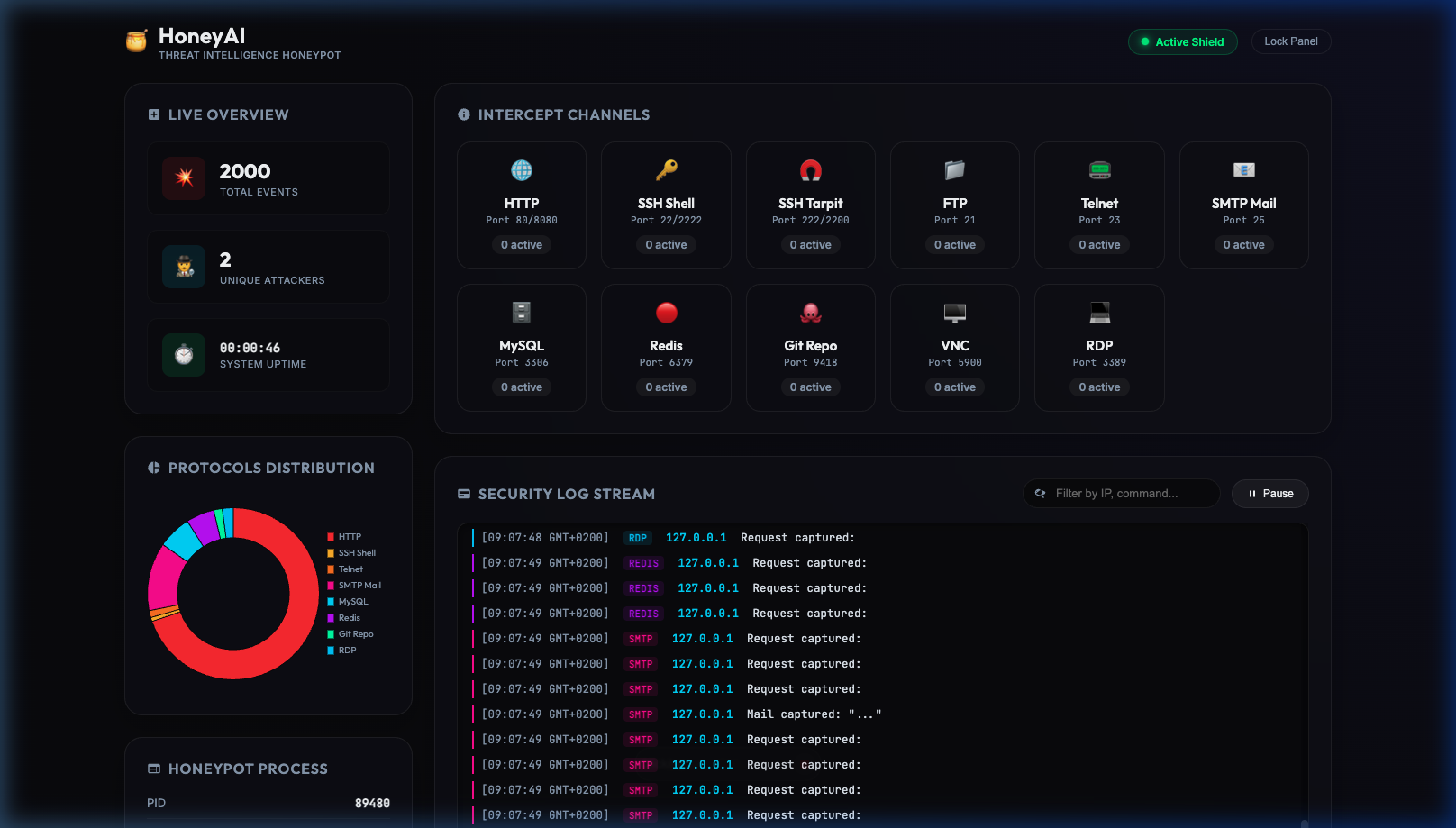
HoneyAI includes a built-in, local-only web dashboard to monitor attacks, live connection sockets, system resource usage (CPU/Memory), and logs in real-time.
How to Access
- Open your browser and navigate to:
http://127.0.0.1:9999/(Note: The management server binds to localhost only for security. If running on a remote VPS, use SSH port forwarding:ssh -L 9999:127.0.0.1:9999 user@your-vps) - Unlock the panel using your Management API Key.
Getting / Setting your API Key
- Auto-generated key: By default, HoneyAI generates a secure random API key at startup and prints it to the console:
Management API on :9999 (localhost only, key: 3a2c5f10...) - Persistent key: To set a fixed API key that doesn't change on restart, create or edit the
.envfile in the root directory and add:HONEYAI_MGMT_KEY=your_secure_persistent_key
Deploying as a System Service
# 1. Create a dedicated user (never run as root!)
sudo useradd -r -s /usr/sbin/nologin honeyai

# 2. Clone to /opt
sudo git clone https://github.com/martidu4/honey-ai.git /opt/honey-ai
cd /opt/honey-ai && sudo -u honeyai pnpm install

# 3. Configure
sudo -u honeyai pnpm run setup

# 4. Install and start service
sudo cp honey-ai.service /etc/systemd/system/
sudo systemctl daemon-reload
sudo systemctl enable --now honey-ai

# 5. Follow logs
sudo journalctl -u honey-ai -f
Port Forwarding (run without root)
HoneyAI runs on high ports by default. Use iptables to redirect standard ports:
# Redirect :22 → :2226 (SSH honeypot)
sudo iptables -t nat -A PREROUTING -p tcp --dport 22 -j REDIRECT --to-port 2226

# Redirect :21 → :2121 (FTP), :23 → :2323 (Telnet), :25 → :2525 (SMTP)
sudo iptables -t nat -A PREROUTING -p tcp --dport 21 -j REDIRECT --to-port 2121
sudo iptables -t nat -A PREROUTING -p tcp --dport 23 -j REDIRECT --to-port 2323
sudo iptables -t nat -A PREROUTING -p tcp --dport 25 -j REDIRECT --to-port 2525

# Redirect :3306 → :33060 (MySQL), :6379 → :63790 (Redis)
sudo iptables -t nat -A PREROUTING -p tcp --dport 3306 -j REDIRECT --to-port 33060
sudo iptables -t nat -A PREROUTING -p tcp --dport 6379 -j REDIRECT --to-port 63790

# Redirect :1433 → :14330 (MSSQL), :161 → :16100 (SNMP), :3128 → :8180 (HTTP Proxy)
sudo iptables -t nat -A PREROUTING -p tcp --dport 1433 -j REDIRECT --to-port 14330
sudo iptables -t nat -A PREROUTING -p udp --dport 161 -j REDIRECT --to-port 16100
sudo iptables -t nat -A PREROUTING -p tcp --dport 3128 -j REDIRECT --to-port 8180

# Persist rules
sudo sh -c "iptables-save > /etc/iptables/rules.v4"
Recommended LLM Models
| Model | Size | Speed | Quality | Best for |
|---|---|---|---|---|
qwen2.5:0.5b |
400MB | ⚡⚡⚡ | Good | Low-resource devices (Pi, VPS) |
qwen2.5:1.5b |
1GB | ⚡⚡ | Better | Recommended — best balance |
qwen3:4b |
2.5GB | ⚡ | Best | High-quality deception |
| Any OpenAI-compat | cloud | ⚡ | Excellent | Cloud deployments |
Tip: On a Raspberry Pi 5,
qwen2.5:1.5bgives great results. You can also run Ollama on a separate machine and point HoneyAI to it.
Threat Intelligence Platforms
Sign up for free tiers:
| Platform | URL | What it does |
|---|---|---|
| AbuseIPDB | https://www.abuseipdb.com | Global IP reputation database |
| AlienVault OTX | https://otx.alienvault.com | Threat intelligence sharing |
| SANS DShield | https://isc.sans.edu | Internet Storm Center |
| Blocklist.de | https://www.blocklist.de | Spam/attack IP blocklists |
| VirusTotal | https://www.virustotal.com | Malware sample analysis |
Running Tests
# Run full test suite (119 tests — all offline, no Ollama needed)
node test-qa.js

# Run stress test against a running instance
HONEYAI_HOST=127.0.0.1 node test-stress.js
Security Hardening
The honey-ai.service systemd file includes aggressive sandboxing:
ProtectSystem=strict— read-only root filesystemProtectHome=read-only— no writes to home directoriesNoNewPrivileges=true— prevent privilege escalationPrivateTmp=true— isolated temporary directoryCapabilityBoundingSet=CAP_NET_BIND_SERVICE— minimum capabilitiesSystemCallFilter=@system-service— restricted syscalls
Best Practices
- Never run on a machine with real data — this system is designed to be attacked
- Use a dedicated VM, VPS, or Raspberry Pi — not your dev machine
- Management API binds to
127.0.0.1only — never expose it externally config.yamland.envare gitignored — double-check before any commit- The AI engine filters identity leaks (honeypot, AI, simulation) in 8 languages with 39 regex patterns
- Prompt injection defense: attacker input wrapped in
[ATTACKER_PAYLOAD_START/END]+ XML tags - Output sanitization: strips
<think>tags, markdown fences, and AI meta-markers
📡 Live Threat Feed
HoneyAI powers a public threat intelligence blog with daily auto-generated reports:
🔗 honey-ai.dev
Every night, a pipeline automatically:
- Collects the day's attack data from all 11 protocols
- Analyzes attacker behavior, TTY sessions, and malware captures
- Generates a threat report using a local LLM (Ollama)
- Publishes to the blog — zero manual intervention
Each report includes:
- 🌍 Geographic origin analysis (GeoIP)
- 🔑 SSH brute-force password trends
- 🕵️ Post-exploitation behavior (real attacker TTY sessions)
- 🦠 Captured malware samples (linked to VirusTotal)
- 🪤 Canary token triggers (fake AWS keys used by attackers)
- 📊 Community defense stats (IPs reported to AbuseIPDB, OTX, DShield, Blocklist.de)
Want to see HoneyAI in action before deploying? Browse the daily reports to see what a Raspberry Pi 5 catches from real-world attackers.
Comments