Ultimate mod management for EA Sports FC & FIFA series
🎮 What is This?
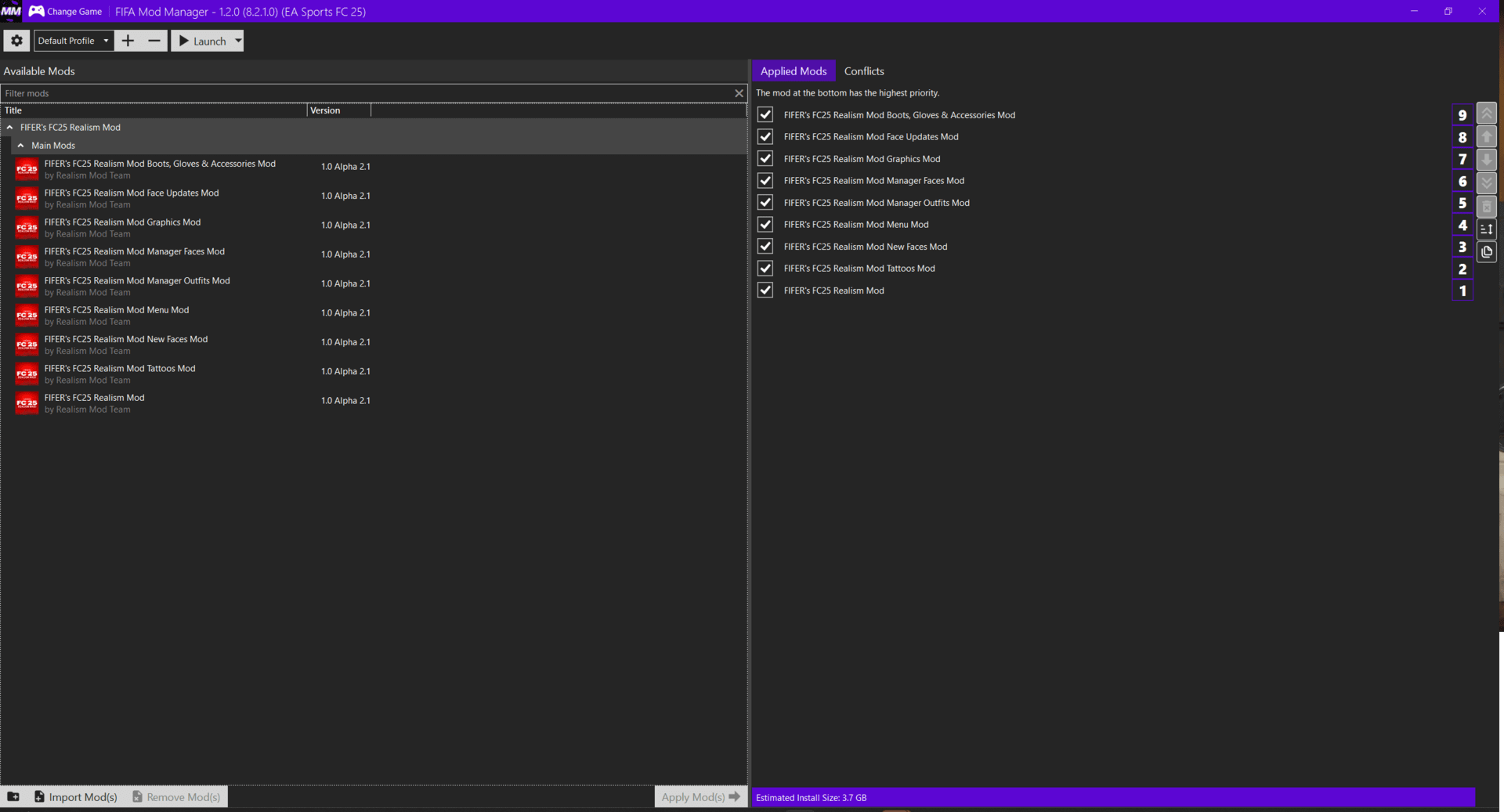
FIFA-FC-Mod-Manager is a complete mod management solution for EA Sports FC 26, FC 25, FC 24 and all FIFA games from FIFA 19 to FIFA 23 . It supports .fifamod and .fbmod files, providing drag & drop import, load order control, conflict detection, and BepInEx integration. Perfect for enhancing graphics, kits, faces, stadiums, gameplay, and career mode .
⚠️ Disclaimer: For educational purposes only. Use at your own risk. EAAC anti-cheat may detect mods in online modes .
📥 Download
✨ Features
- Drag & Drop Import – Add .fifamod and .fbmod files instantly
- Load Order Control – Organize mods to avoid conflicts
- Conflict Detection – Automatically detects overlapping files
- Restore Points – One-click rollback to previous states
- Mod Store Browser – Browse and install mods from trusted repositories
- BepInEx Manager – One-click BepInEx installation and configuration
- Preset Loader – Load reusable mod presets easily
- Profile Management – Save and load different mod configurations
- Live Editor Integration – Real-time memory editing for Career Mode
- Players Editor – Edit attributes, appearance, playstyles
- Teams Editor – Edit league table, transfer budget, formation, starting XI
- Database Editor – LUA API for programmatic interaction
🎮 Supported Games
| Game | Status |
|---|---|
| EA Sports FC 26 | ✅ Full Support |
| EA Sports FC 25 | ✅ Full Support |
| EA Sports FC 24 | ✅ Full Support |
| FIFA 23 | ✅ Full Support |
| FIFA 22 | ✅ Full Support |
| FIFA 21 | ✅ Full Support |
| FIFA 20 | ✅ Full Support |
| FIFA 19 | ✅ Full Support |
🎯 Supported Mod Types
- Gameplay Mods – Ball physics, AI, speed, injuries (.fifamod)
- Career Mode Mods – Career overhaul, transfers, budgets (.fifamod)
- Visual Mods – Faces, kits, minifaces, banners (.fifamod)
- Scoreboard Mods – Custom scoreboard designs (.fifamod)
- Database Mods – Team name fixes, leagues, transfers (.fifamod)
⚙️ Installation
- Click the download button above
- Extract the archive
- Run
FCFIFAModManager.exeas Administrator - Select your game (FC 26/25/24 or FIFA 19-23)
- Drag & drop your mods or browse the Mod Store
- Click Apply and launch the game
🖥️ System Requirements
| Requirement | Details |
|---|---|
| OS | Windows 10/11 (64-bit) |
| Game | EA Sports FC 24-26 / FIFA 19-23 |
| RAM | 4GB minimum |
| Storage | 100MB free space |
| .NET | 6.0+ |
🐛 Troubleshooting
| Issue | Solution |
|---|---|
| Mod manager doesn't work | Run as Administrator, disable antivirus temporarily |
| Mods don't load in game | Check load order, ensure mods are compatible, verify .fifamod files aren't corrupted |
| Game crashes with mods | Try disabling mods one by one, use restore point to revert changes, check for mod conflicts |
| Anti-cheat (EAAC) blocks mods | Use offline mode for single-player mods, remove mods before going online |
📝 SEO
fc mod manager, fifa mod manager, ea sports fc mods, fc26 mods, fifa modding, fc25 mods, fc24 mods, fifa 23 mods, fifa 22 mods, fifa mod loader, fifa mod organizer, fifa mod installer, fifa mod presets, fc mod store, fc modding tool, fifa live editor, fifa career mode mods, fifa gameplay mods, fifa visual mods, fifa face mods, fifa kit mods, fifa scoreboard mods, fifa database editor, bepinex fifa, frosty mod manager, fifa mod manager 2026, fc26 mod manager, ea fc mods, fifa 26 mods
💬 Support
⭐ Star this repository if you enjoy it!
Comments