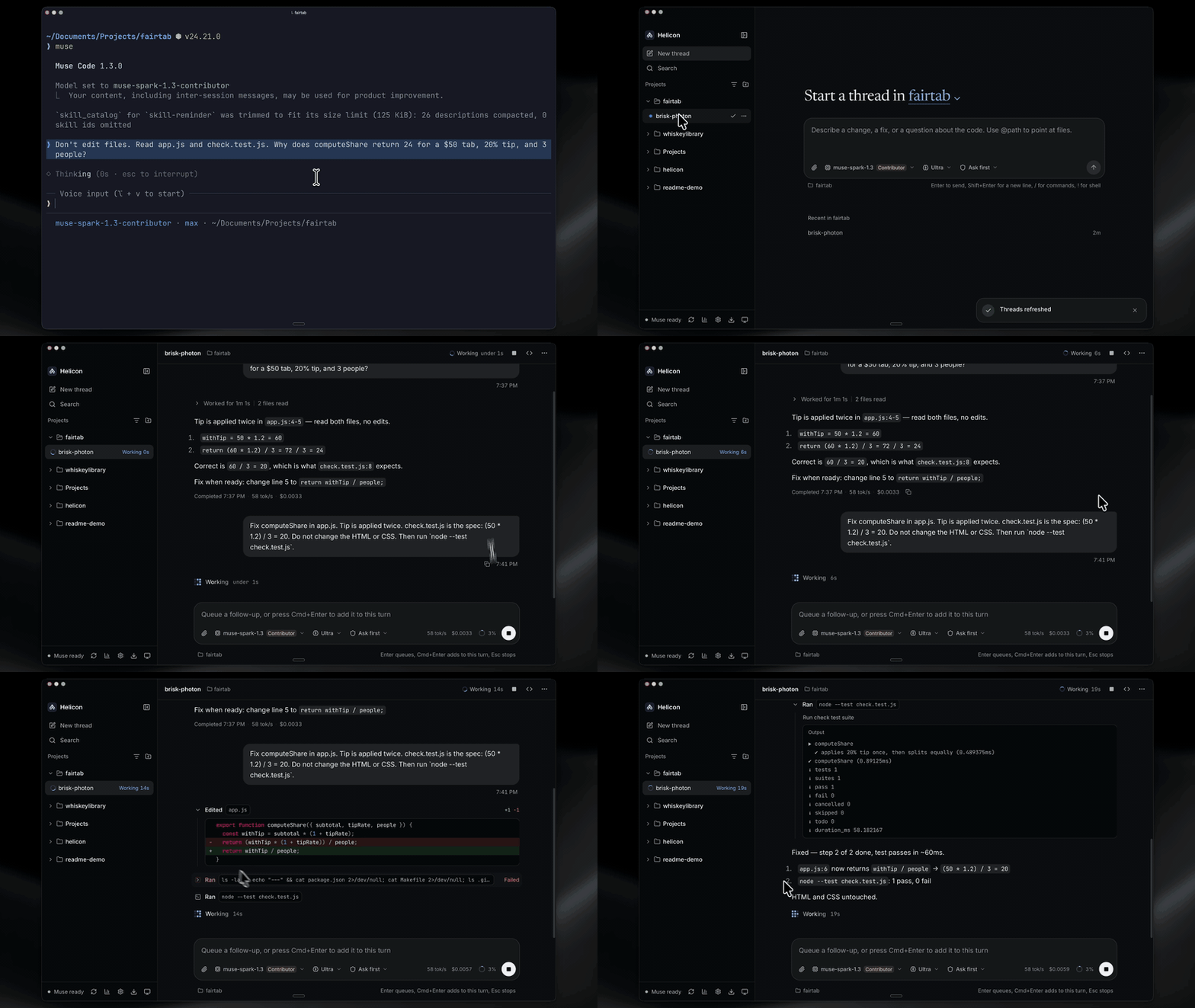
 open-source desktop & web client for Muse Code" src="/uploads/posts/inline-6effa8d328.png" />
Helicon - home of the Muses. An open-source desktop + web ADE for Meta's Muse Code CLI (
muse), in the spirit of the Claude Code desktop app and the Codex / ChatGPT desktop app.
Shared on X

The posts: Alexandr Wang · Cosmo Du · Michael Douglas. Helicon is an unofficial community project: Meta has not endorsed it, and it is not affiliated with Meta.
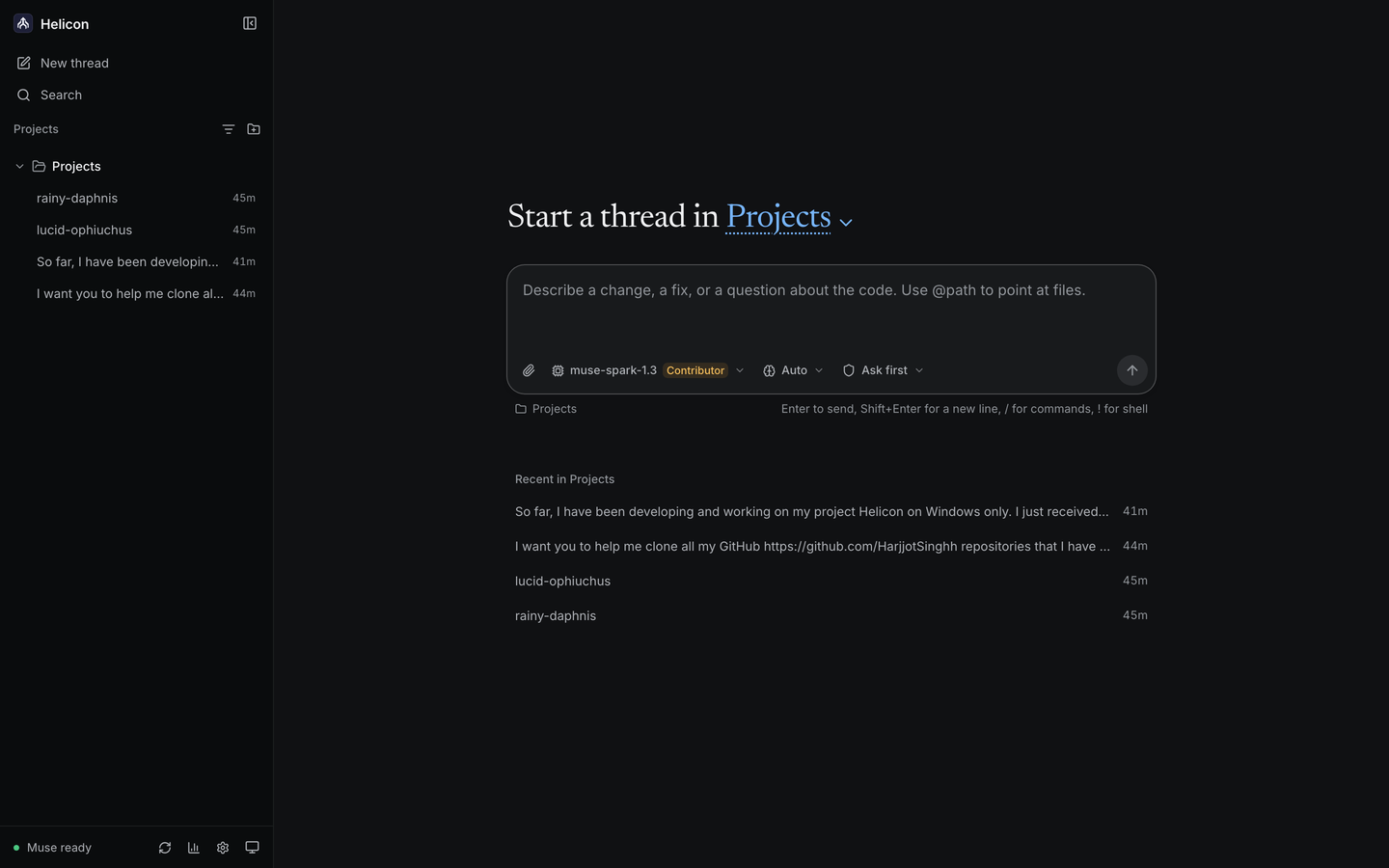
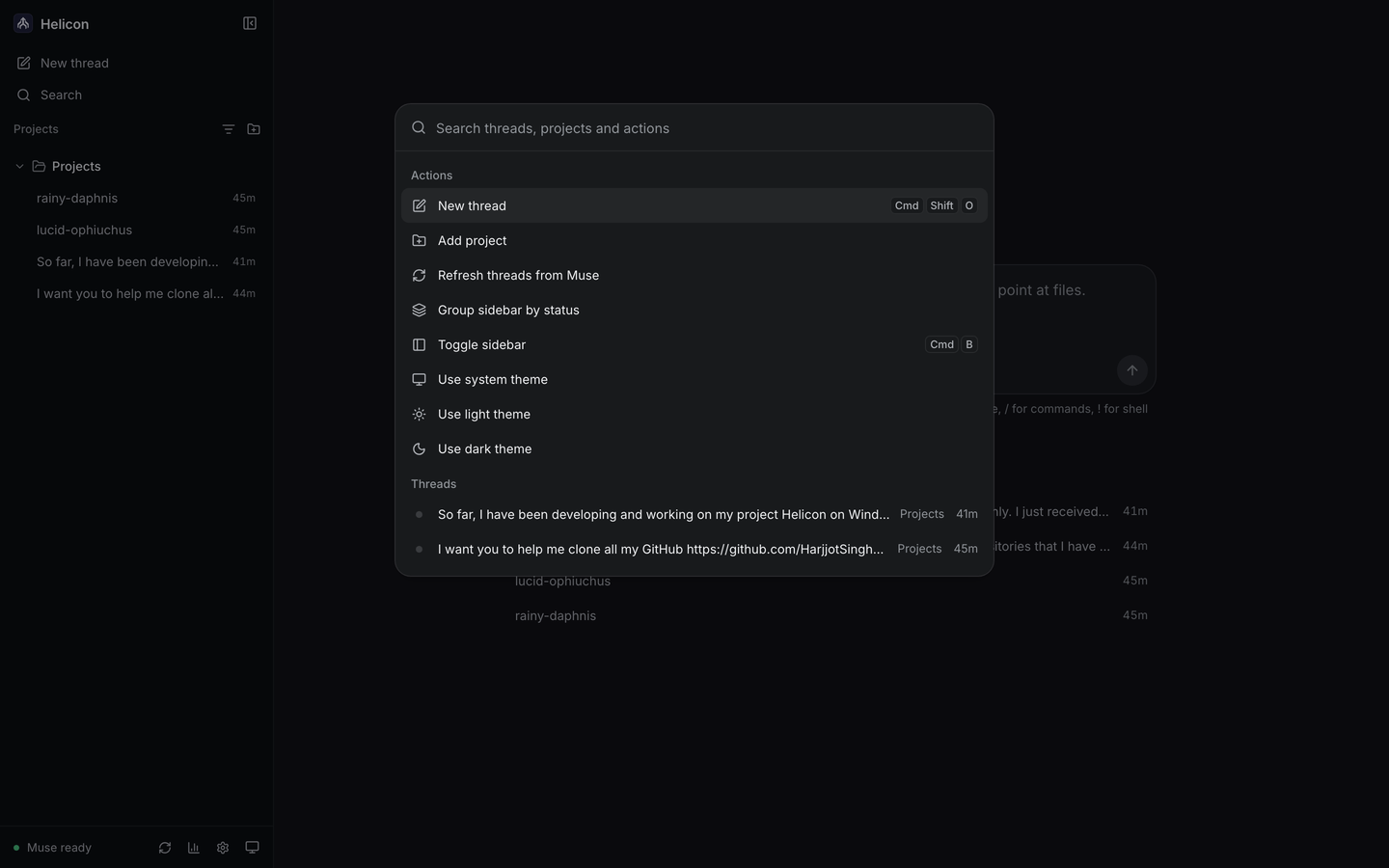
Sidebar-first: all projects grouped by working directory, each with its tasks and sessions - resume anything, including sessions started from the muse terminal TUI.
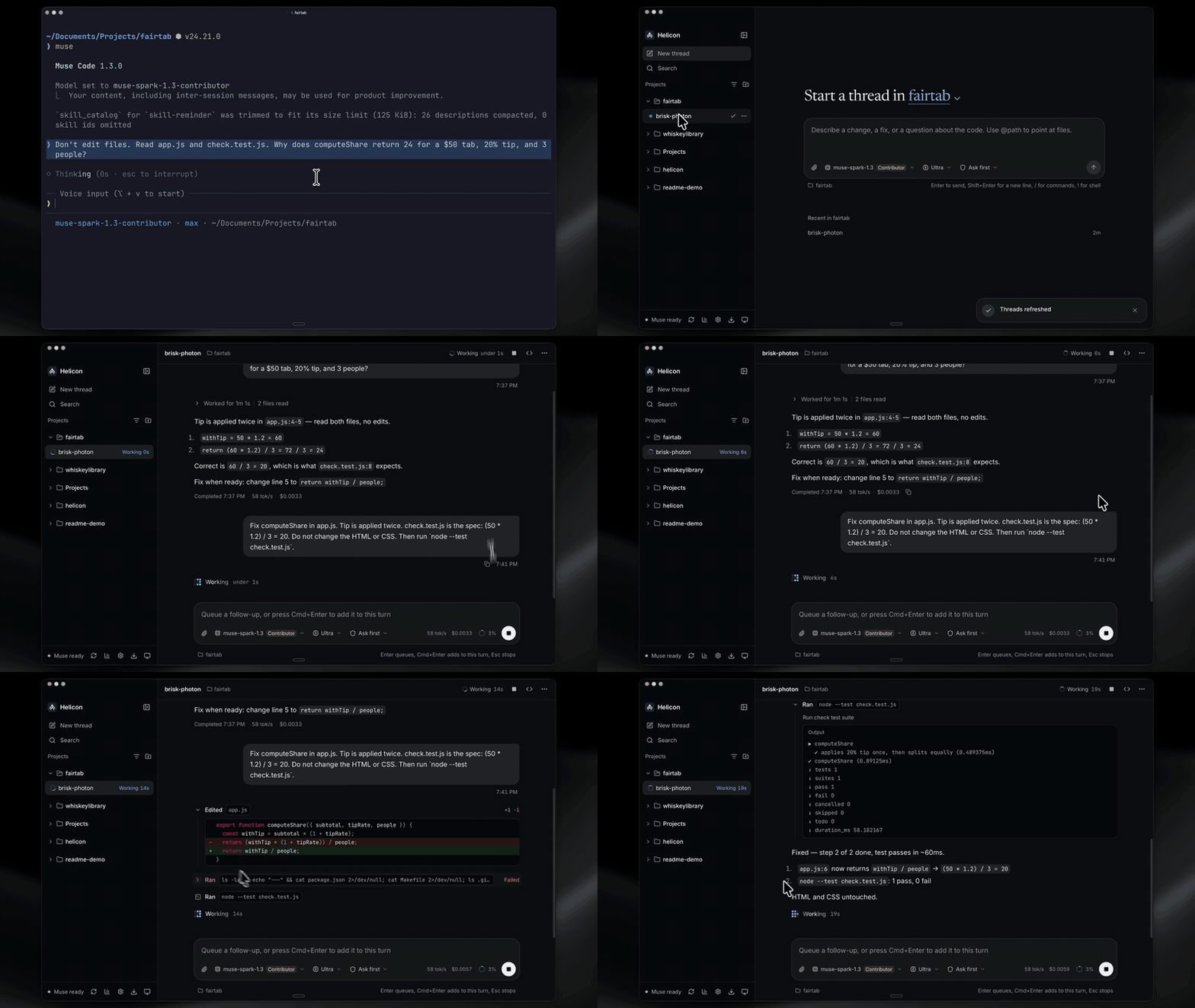
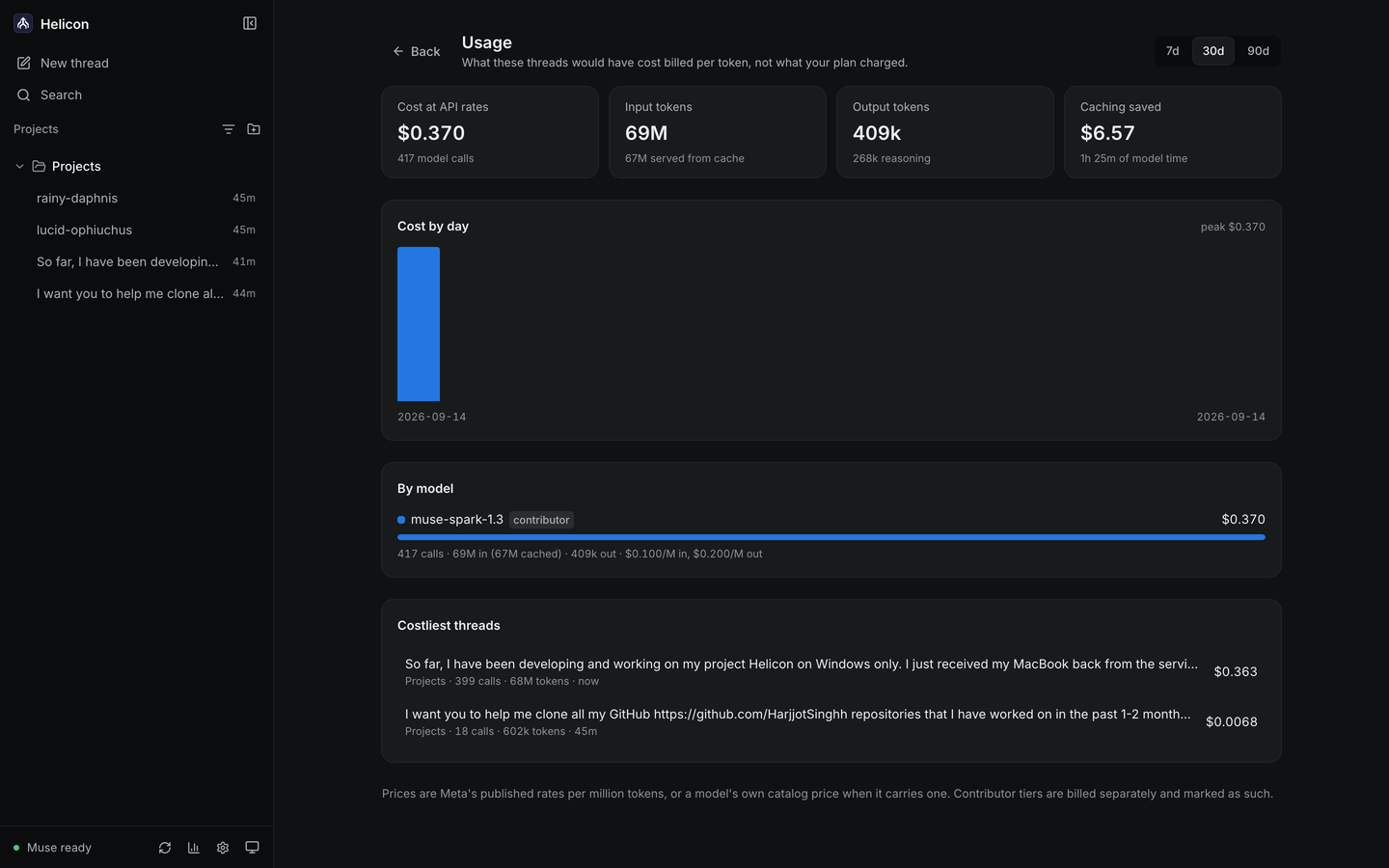
Usage and settings
⚠️ Unofficial community project. Not made, endorsed, or supported by Meta. Helicon is a client for the Muse Code CLI, and is unrelated to the Muse assistant app for Mac. "Muse" and "Muse Code" are trademarks of Meta, used here only to describe what this client connects to. This is not legal advice - see Legal.
Idea
Muse Code today is terminal-only (muse, on macOS, Linux and Windows). Helicon wraps it in a Codex/Claude-style experience:
- Projects grouped by directory the agent worked in (incl. isolated worktrees)
- Sessions/tasks per project with full history, resume, and diffs
- Approvals surfaced honestly (
onRequest / promptUnmatched / denyUnmatched), never bypassed - One codebase for desktop (Tauri) and web (same React UI against a remote daemon)
- Windows that actually works - runs Muse Code for Windows natively (no WSL), or Muse inside WSL2 with path translation if that is what you use
- A file viewer beside the thread - browse the project, read highlighted source, preview and edit Markdown, and view images, video and PDFs; paths Muse Code mentions open there
- Your real plan meter - the 5-hour window and weekly cap as Muse Code reports them, in the sidebar and on the usage page
- Goals you can steer - set, pause, resume, change and clear a
/goalfrom the goal panel or the composer - Background work under control - send a running tool call to the background, stop one, or stop them all; cancel a workflow run, or skip and retry its agents
- Reasoning effort that sticks - applied as the session's own default, which is the level
muse serveactually uses
Architecture
packages/ui      shared React UI (desktop + web, single source of truth)
packages/daemon  Node service: spawns `muse serve` per workspace, speaks MSP (JSON-RPC/stdio)
apps/desktop     Tauri 2 shell (Win/Mac/Linux) wrapping packages/ui
apps/web         same UI against a remote daemon
- Protocol: Muse Session Protocol (MSP) via the official
@muse-code/sdk(MIT) +muse schema generate-tstypes. No TUI scraping. - Auth: user's own
muse login(~/.config/muse/auth.json). Helicon never stores credentials. - State: local SQLite -
projects (cwd/worktree) → sessions → turns.
Roadmap
- Name locked: Helicon · stack locked: Tauri + shared React UI
- PRD + UX spec (sidebar, session view, diffs, approvals) - docs/PRD.md, docs/PRODUCT.md
-
packages/daemon- MSP connect, list/resume sessions, send/steer, approvals -
packages/ui- projects sidebar, session chat, inline diffs, slash commands and skills, goals -
apps/desktop- Tauri shell + WSL2 routing + path translation, signed auto-update -
apps/web- the same UI in a browser against the local server -
apps/web- remote daemon mode - Windows end to end (native Muse Code for Windows, or WSL2 Ubuntu)
- GitHub Releases with a signed Windows installer
- macOS end to end, and macOS releases (one universal binary for Apple Silicon and Intel)
- Linux builds and releases
- Post-v1: mobile relay to steer running sessions from a phone
Install
Windows: download the setup file from the latest release. It is signed, and updates itself from then on.
Helicon bundles its own Node.js, so you only need Muse Code for Windows (irm https://dev.meta.ai/install.ps1 | iex in PowerShell) with muse login done once. Already run Muse inside WSL2? Helicon uses that when native Muse is not installed; set HELICON_MUSE_RUNTIME=wsl to keep WSL when both are. Helicon uses the login you already have and never stores credentials of its own.
macOS: download the DMG from the latest release; it runs on Apple Silicon and Intel, and updates itself from then on. The builds are not Apple-notarized yet, so the first launch needs a right-click, then Open.
Helicon bundles its own Node.js, so you only need the muse CLI with muse login done once, however you installed it. Helicon uses the login you already have and never stores credentials of its own.
Linux: download the AppImage (x86_64) from the latest release. It runs on most distributions (it needs FUSE, libfuse2, on some of them) and updates itself from then on. Before the first launch, make it executable and run it (chmod +x Helicon_*.AppImage, then ./Helicon_*.AppImage), or right-click it in your file manager and allow executing it as a program.
Helicon bundles its own Node.js, so you only need the muse CLI with muse login done once, however you installed it. Helicon uses the login you already have and never stores credentials of its own.
From source
Prereqs (source builds and the web app only - the desktop installers bundle Node.js): Node 22+, the muse CLI with muse login done once (natively or in WSL2 on Windows), and the repo checked out.
npm install
npm run build --workspace @helicon/daemon --workspace @helicon/ui --workspace @helicon/server
npm run build --workspace @helicon/web

# Web app (serves the built UI plus the API on :3127)
npm run serve --workspace @helicon/web
# open http://127.0.0.1:3127, add a folder, start a thread
Projects, pins, thread titles and archive state persist in ~/.helicon/helicon.db (pass --data-dir to the server to move it, or :memory: for a throwaway run). Threads you started from the muse terminal are discovered automatically and appear under their project.
UI development with hot reload:
# terminal 1: the API against your real muse
node packages/server/dist/src/cli.js --port 3127
# terminal 2: Vite compiles packages/ui straight from source
npm run dev --workspace @helicon/web
# open http://127.0.0.1:5173
The interface itself lives in packages/ui (state model in src/model, components in src/components); design tokens and the visual system are documented in docs/DESIGN.md.
# Desktop app (dev shell; needs the Tauri prereqs on your OS)
npm run dev --workspace helicon-desktop
Releases ride on tags: push v0.1.0 and the Release workflow builds the Windows installer, then the universal macOS build, then the Linux bundles, and attaches all of them to a GitHub Release. Every release gets a tag; notable merged PRs bump at least the patch version.
The desktop app updates itself from the newest release's latest.json, so releases must not be marked prerelease. The installers are signed with the updater key: the workflow reads TAURI_SIGNING_PRIVATE_KEY and TAURI_SIGNING_PRIVATE_KEY_PASSWORD from repo secrets, and a local tauri build needs the same two variables set (or pass --config '{"bundle":{"createUpdaterArtifacts":false}}' to skip signing for a local-only build).
Remote daemon
The web app can run against a daemon on another machine. Start it there with a token and the origin that will be loading the page:
node packages/server/dist/src/cli.js --host 0.0.0.0 --port 3127 \
  --token "$(openssl rand -hex 24)" --allow-origin https://helicon.example
Then load the page, go to #/connect, and give it the address and the token. Both are kept in local storage rather than in the URL: the token is exchanged once for an HttpOnly cookie, which is what the event stream authenticates with, since EventSource cannot carry a header.
Two things fail closed deliberately:
- An origin that was never passed to
--allow-origingets no CORS headers and no answer at all. - A token in the query string counts only for requests carrying no other site's origin, so a copied link hands over nothing.
Browsers only accept cross-site cookies over HTTPS, so a daemon reached from another origin needs TLS or a tunnel in front of it. On the same machine none of this applies: #/connect with an empty address uses the server that served the page, and no token is needed unless one was set.
What leaves your machine
Your code, prompts, threads and files stay where they are: Helicon talks to the muse CLI on your own computer, with
your own login, and keeps its state in SQLite beside it. There is no account and no analytics in the app.
The one request that does go out is the update check. The desktop app asks helicon.sh whether a newer version exists,
which is how it updates itself, and that request tells us an install is alive: the platform, the version it is on, and a
hash of the IP it came from, salted per week so two weeks of logs cannot be joined together. It is how we count roughly
how many installs are in use, since downloads and stars say nothing about that. If the site is unreachable the app falls
back to asking GitHub, as it always did.
Legal
- Wrapper clients are the intended path (Meta ships an MIT SDK for building MSP clients). This repo builds on that, and on the open-source CLI client.
- Name:
Heliconwas chosen to avoid theMusemark. Do not reintroduceMuseinto the binary name, bundle ID, domain, or title without a trademark review. - Never claim to be official, never bundle credentials, never bypass billing/approvals.
- Contributor-tier reminder: prompts/completions sent on Contributor models may be used to improve Meta's products - surface this in-app before users run it.
- Get a licensed attorney to review before first release. See also: Meta Brand Resources, Muse Code product page, Model API docs.
Project stats

| Commit activity | |
| Last commit | |
| Issues | |
| Pull requests | |
| Code |
The charts and counts come from GitHub and refresh on their own; nothing here is generated by a bot committing to the repo.
Comments