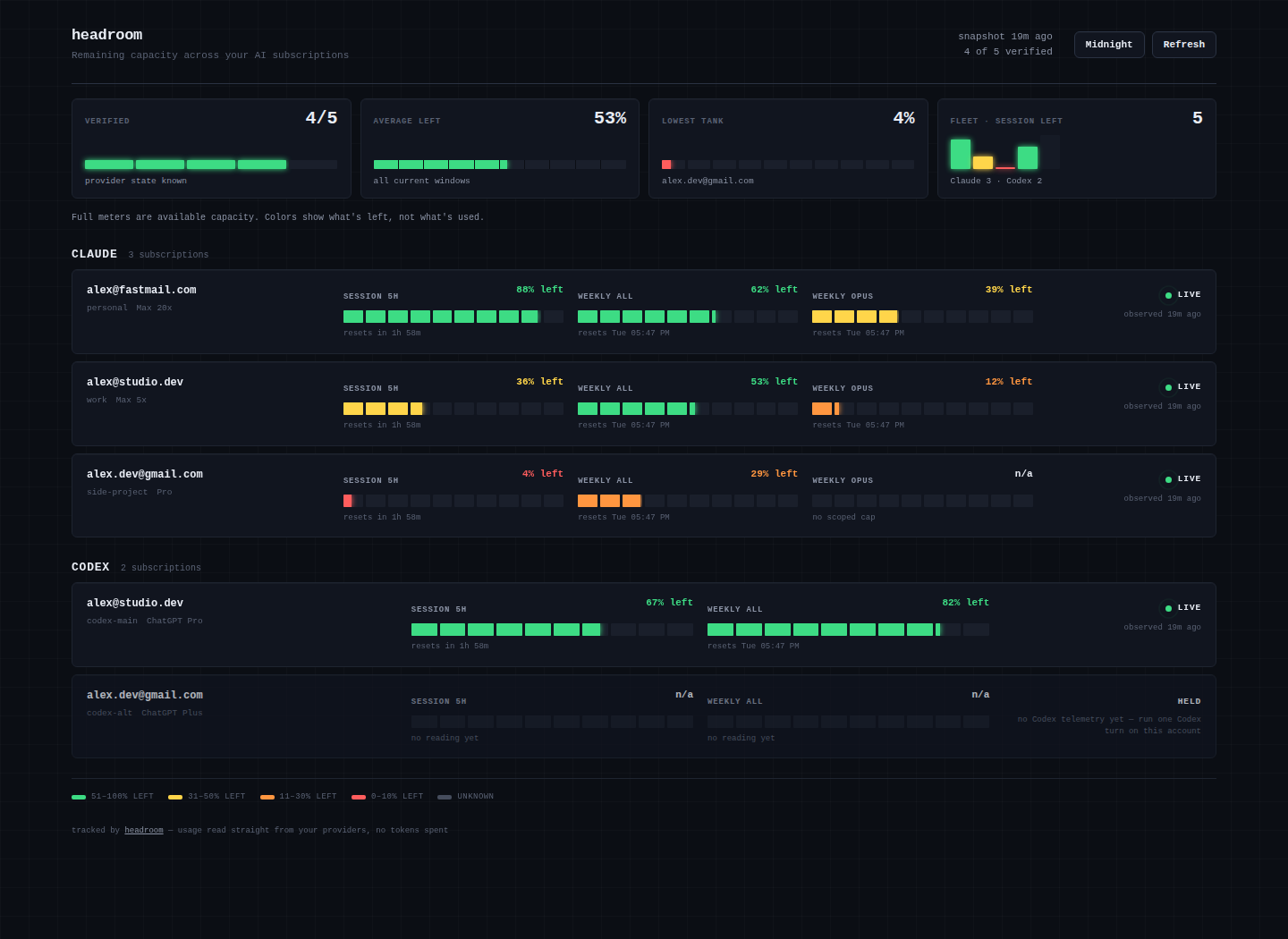
A live dashboard for every Claude and Codex subscription you own — read straight from the providers without spending a single token — that rotates you to the next account with headroom the moment one hits a limit.
The heart of headroom is a live web dashboard you run locally. Run
headroom serve, open http://127.0.0.1:8377, and every account's 5-hour,
weekly, and model-scoped capacity is on one page, updating in real time. It's
an ordinary local web page, so it works in any browser on any OS — you're not
tied to one machine. A menu-bar app and pinnable desktop widgets are optional
extras layered on the same data, for a glance without opening a tab.
https://github.com/user-attachments/assets/71e8ec51-8f0f-4ec2-806f-221b9eb6571f
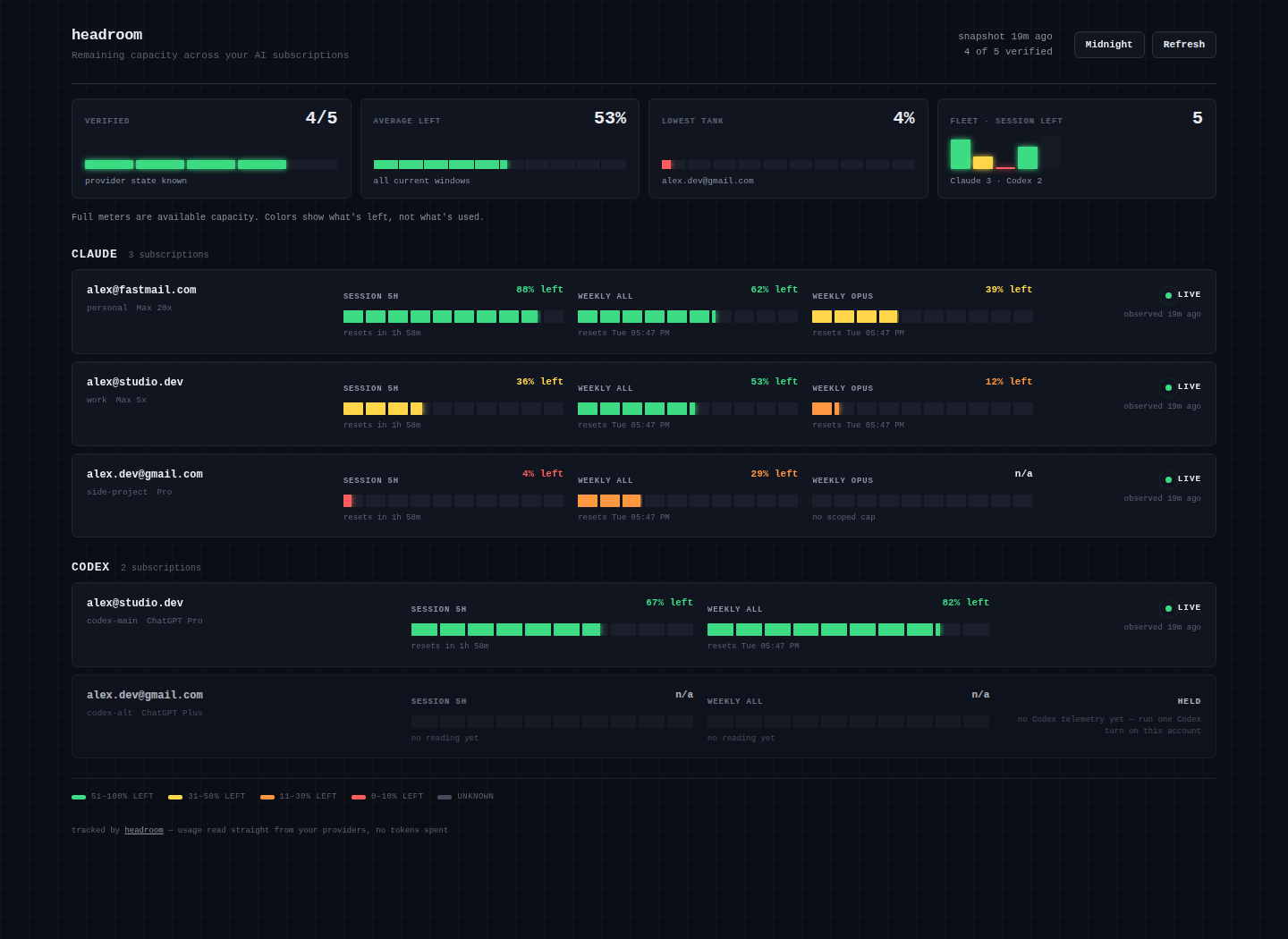
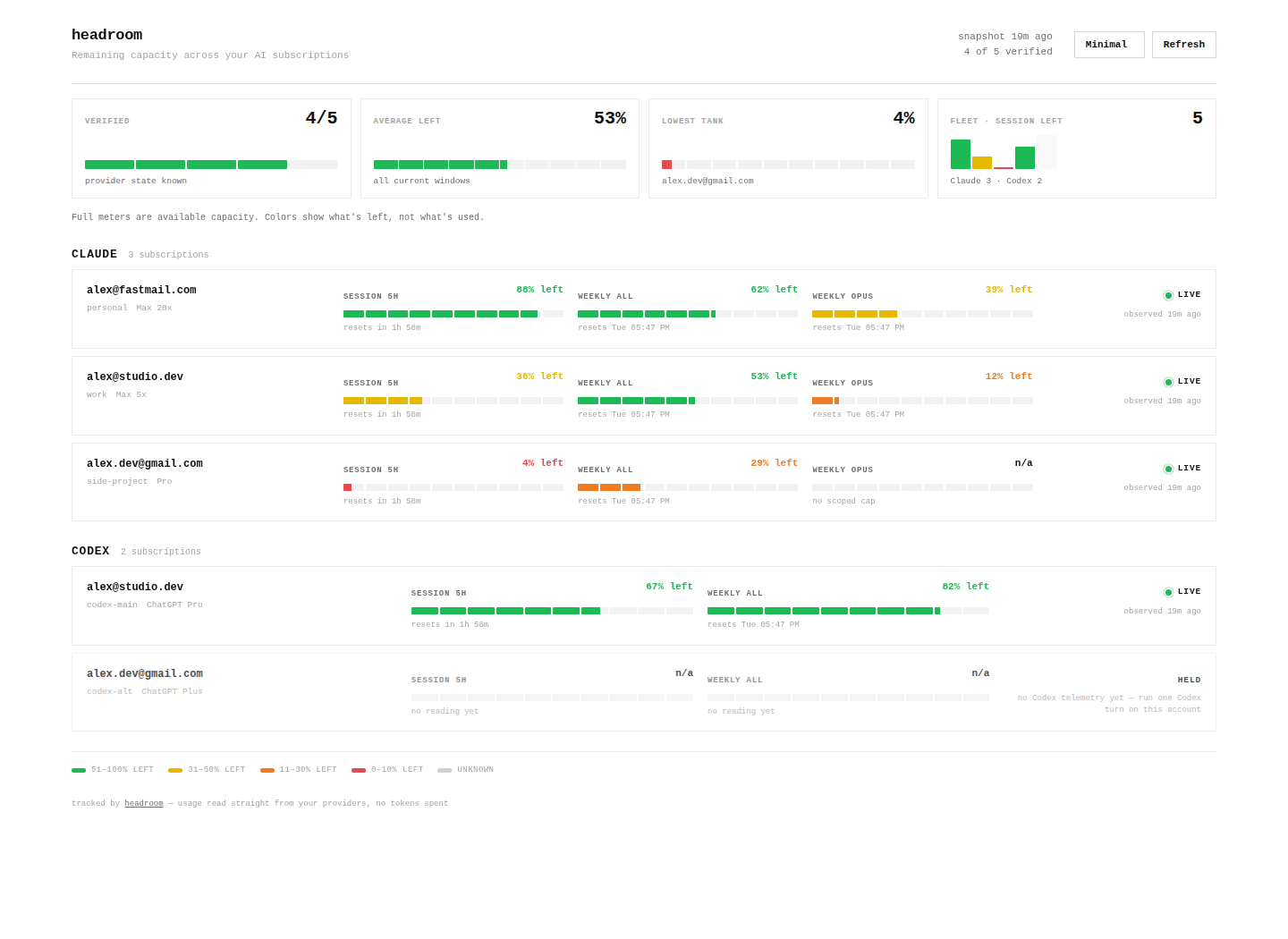
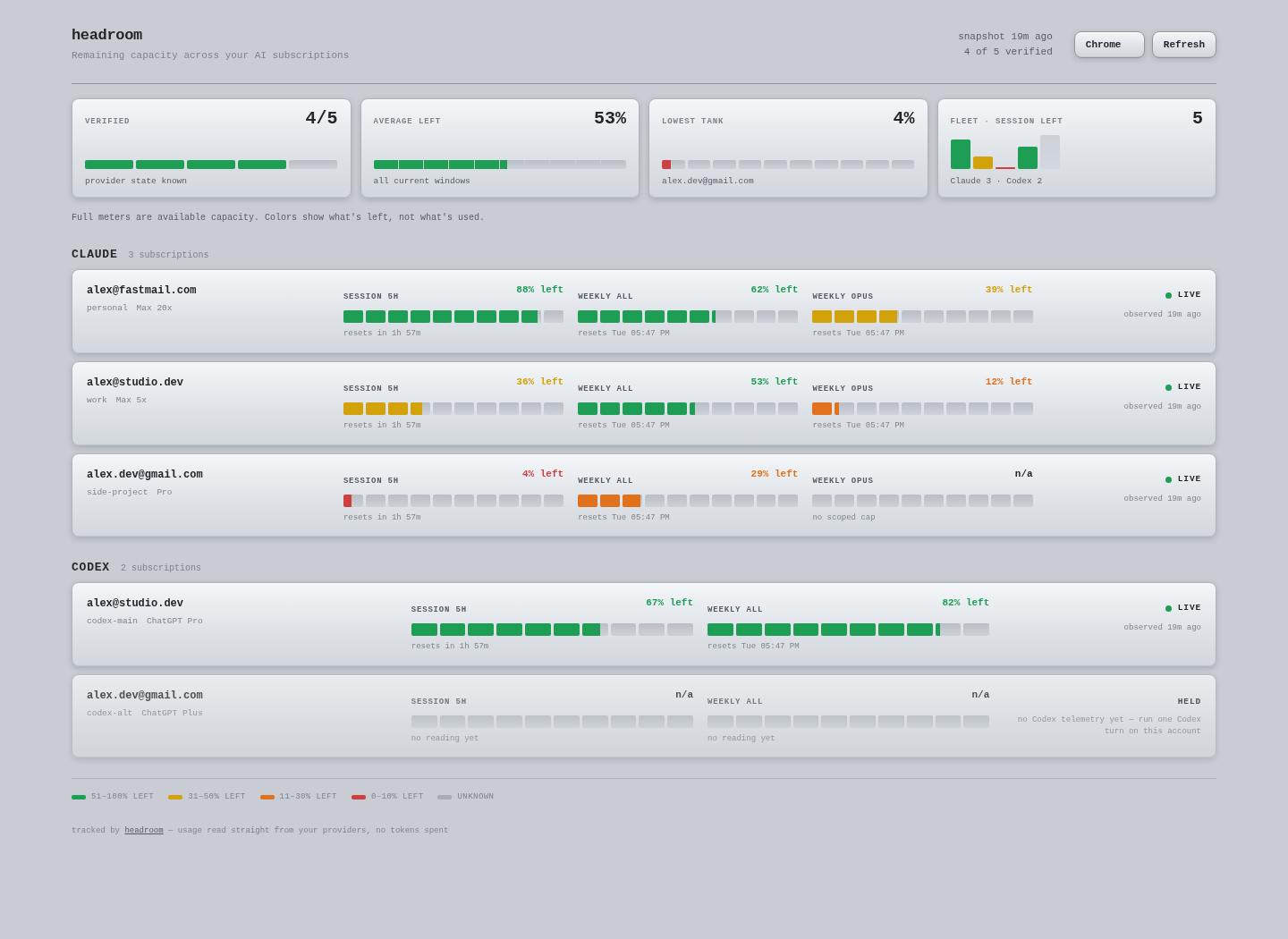
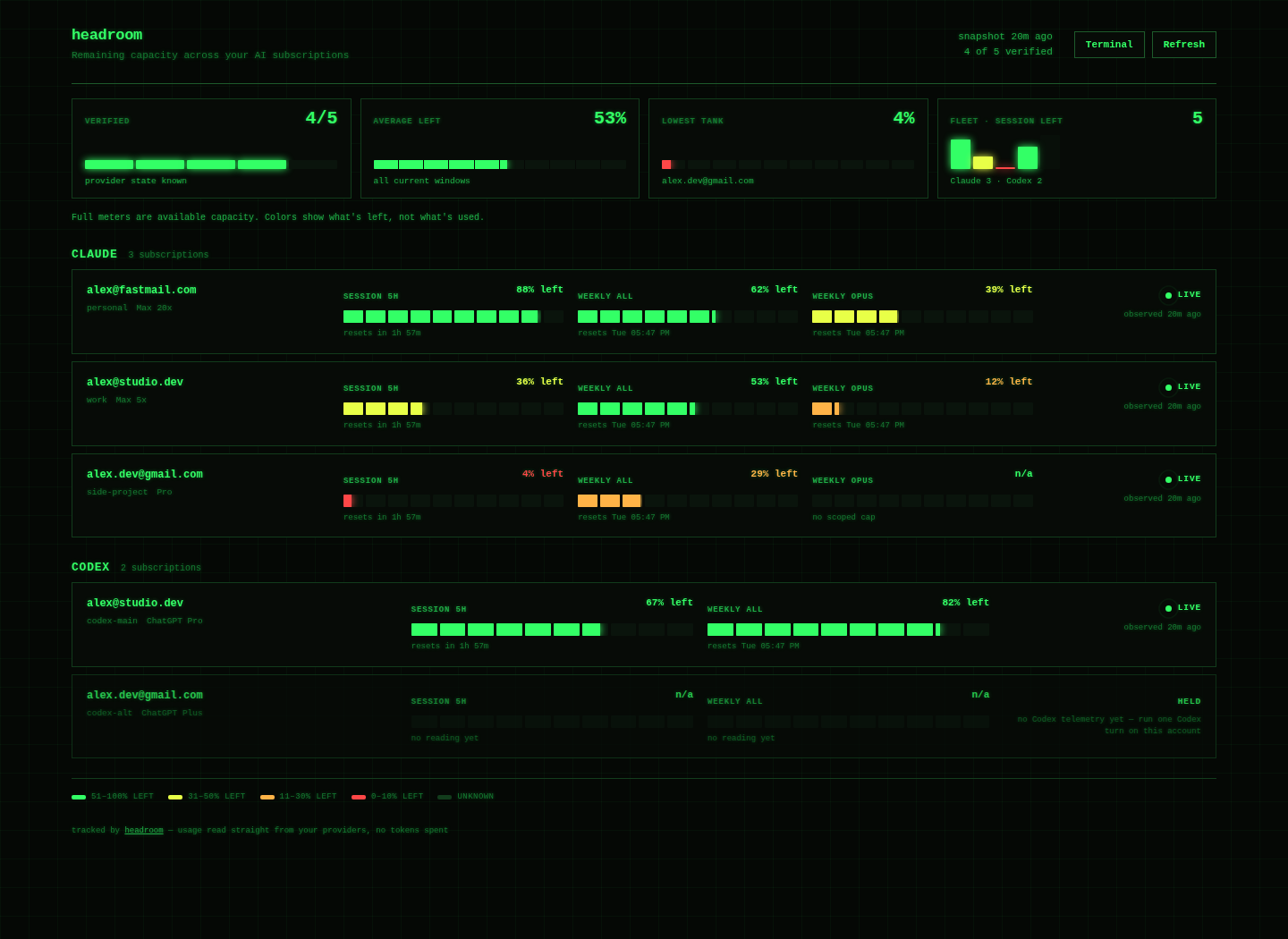
Five built-in themes (Midnight, Minimal, Chrome, Paper, Terminal), switchable live from the dashboard. The setup wizard asks how you want it to look.
All five themes (static)
| Midnight | Minimal |
|---|---|
 |
 |
| Chrome | Terminal |
|---|---|
 |
 |
Why this exists
If you run more than one Claude or ChatGPT subscription (work + personal + team), you know the drill: a session dies with "you've hit your limit", you have no idea how much is left on the other accounts, and you burn ten minutes logging in and out to find out.
headroom fixes all three problems:
- See — every account's 5-hour, weekly, and model-scoped windows on one page, color-coded by what's left, not what's used.
- Read for free — usage comes live from the same reads your CLIs already use (Anthropic's OAuth usage API; the Codex app-server's rate-limits read). Checking your limits never consumes them.
- Rotate —
headroom claudelaunches on the first account in your preference order with proven headroom. When a limit hits,headroom rotate(or the/rotatorskill inside Claude Code) cools that login down until its window resets and hands you the next one. Set a reserve (e.g. 10%) and it skips any account already below that much headroom, so a session starts fresh instead of hitting a wall mid-task.
New in v0.2: automatic Claude conversation handoff
Automatic handoff is on by default — uninterrupted continuation is the
point of headroom. headroom claude stays resident around an interactive
Claude process. If that exact session reaches a subscription cap, headroom
requires three independent proofs before it acts: a current-session StopFailure hook matched as
rate_limit, a narrow session/weekly-cap message, and a new identity-bound
usage read showing at least 99% used in the corresponding account or model
window. The active model family comes from the final API-error transcript
event, not the model used when the session launched. Missing or ambiguous
evidence leaves Claude running.
After every non-mutating preflight succeeds, headroom sends Claude one
SIGTERM, requires its SessionEnd cleanup hook, verifies the final transcript
again, publishes the source bytes plus one content-free headroom boundary
record without overwriting anything in the target account, and resumes with a
forked session. The source transcript is never modified. If post-stop
validation fails, the source session is relaunched
with automation disabled. Three automatic handoffs in any rolling ten minutes
trips the loop guard; the fourth child stays alive.
Turn it off in headroom setup, or explicitly in config:
{
  "routing": {
    "reserve_percent": 0,
    "auto_handoff": false
  }
}
One-run overrides are headroom claude --headroom-auto-handoff and
--headroom-no-auto-handoff. Supervision only activates when stdin, stdout,
and stderr are TTYs and no hook-incompatible Claude flag is present; otherwise
the normal direct-exec launch path is used.
What carries is the conversation, model-family routing, and latest session cwd. Background tasks, live MCP connections, pending MCP/permission approvals, permission mode, and other ephemeral launch flags do not carry. If termination races a tool call, Claude may re-drive that interrupted call on resume; headroom prints a notice because a side effect could therefore execute twice. See Known limits before enabling automation on a new platform.
Platform support
Linux and macOS support the complete CLI, including supervised Claude
auto-handoff. Windows v1 supports collection, status, pick/env, token
stats and history, and dashboard build/serve. Invoke it from PowerShell or
Command Prompt with the stdlib entrypoint:
python -m headroom collect
python -m headroom status
python -m headroom serve --demo
On Windows, headroom claude still selects an account but launches the CLI
unsupervised. Supervised auto-handoff, transactional handoff, and the menu-bar
app are not yet supported. Git Bash/MSYS2 users may also use bin/headroom;
the launcher converts its checkout path for the native Python interpreter.
Quickstart
Requirements: Python 3.9+ (stdlib only — no pip installs) on Windows, macOS,
or Linux, and the claude and/or codex CLIs you already use. (On macOS the
Claude token lives in the login Keychain; headroom reads it directly — approve
the Keychain prompt on first run. Multiple Claude accounts on one Mac need a
current Claude Code version — see
docs/KNOWN-LIMITS.md.)
On macOS or Linux:
git clone https://github.com/domanski-ai/headroom
cd headroom
./install.sh              # symlinks bin/headroom onto your PATH
headroom serve --demo     # OPTIONAL: preview it now with sample data, no setup
headroom setup            # the wizard: connects accounts, styles your dashboard
Want to see it before connecting anything? headroom serve --demo opens the
dashboard on bundled sample data — it's exactly what the screenshots show.
The wizard finds logins already on your machine (~/.claude, ~/.codex) and
adopts them in place — credentials are never moved, copied, or read beyond
what's needed to verify who's logged in. Extra accounts get their own isolated
config home and log in through the provider's own flow.
Then:
headroom serve --open      # live dashboard at http://127.0.0.1:8377
headroom status sonnet     # who has capacity right now, and why not
headroom claude            # launch Claude Code on the best account
headroom rotate            # limit hit? cool this login, switch to the next
Stats & history
The dashboard's Stats tab charts saved provider-window utilization, summarizes current/peak/average percentages and cap-hit episodes, and ranks the 7-day workhorses. History contains window percentages only: never token counts, emails, or provider identity fields. It is sampled at most once per minute and retained for 30 days by default, with up to one extra grace day before the amortized retention prune runs.
Set HEADROOM_HISTORY=0 to disable history entirely. Retention and sampling can
be adjusted with HEADROOM_HISTORY_RETENTION_DAYS and
HEADROOM_HISTORY_MIN_INTERVAL. The two-file static dashboard remains
supported; on static hosting the Usage tab works normally and Stats explains
that the live /history.json feed requires headroom serve.
Token stats (opt-in)
Token stats add local Codex-style insights to the same Stats tab: lifetime tokens, peak day, daily activity, streaks, and a leaderboard ranked by real token volume. This is off by default because enabling it reads local CLI session transcripts. It makes no network requests.
Enable it in ~/.headroom/config.json:
{
  "dashboard": {
    "token_stats": true,
    "token_extra_roots": [
      {
        "label": "server-cli",
        "provider": "claude",
        "path": "/home/you/.claude"
      }
    ]
  }
}
token_extra_roots adds local CLI homes that are not registered account
slots. Each entry becomes its own labeled row in token rankings and contributes
to the fleet activity heatmap. Labels must be 1–40 characters, contain no @,
and be unique across extra-root labels and account-slot names. provider is
claude or codex; path must be an absolute path to an existing directory.
An unusable path is skipped and token telemetry is marked partial. Removing an
entry removes its row from the next dashboard payload immediately; private scan
state for it is pruned by the next token scan. Its virtual ID derives from the
label, provider, and canonical real path, so rebinding any field creates a new
row and retires the old state.
An extra-root row represents the configured home, not a provider account.
For a shared bare-CLI home, server-cli is a useful label. Historical activity
is split exactly by project when a record has cwd: headroom keeps only the
first directory name below the operator's home (~ for the home itself), never
the full path. Account attribution is forward-only and deliberately stays on
the virtual row. When a Claude session file is first seen, headroom read-only
checks that home's current OAuth identity and, when its verified email uniquely
matches a registry expected_email, stamps the file with that slot name. The
stamp never changes. This is scan-time attribution, not proof of which login
created every turn; older and unverifiable sessions are shown as earlier, and
the attributed totals are never merged into real account rows.
Or set HEADROOM_TOKEN_STATS=1 for the headroom process. Disable it by removing
that environment variable and removing the setting or changing it to false.
The off state does not scan session logs or attach token data to the dashboard
payload.
When enabled, headroom streams Claude Code's projects/**/*.jsonl and Codex's
sessions/**/rollout-*.jsonl under each registered account home and valid extra
root. It stores daily numeric aggregates and private incremental byte-offset
state under state/tokens/; it never stores message content, emails, full cwd
paths, or raw provider identities. The headline count is input + output + cache creation.
Cache reads are kept as a separate number, so total tokens processed can still
be derived without inflating the headline. Scans run at most every 15 minutes
by default and only read new files or appended tails after the first backfill;
override the interval with HEADROOM_TOKEN_SCAN_INTERVAL (seconds).
Coverage is local to this machine and the configured registered/extra homes. Sessions run on another machine do not appear until their logs exist here. Static dashboard exports can show the embedded token aggregates without adding an endpoint.
Widgets
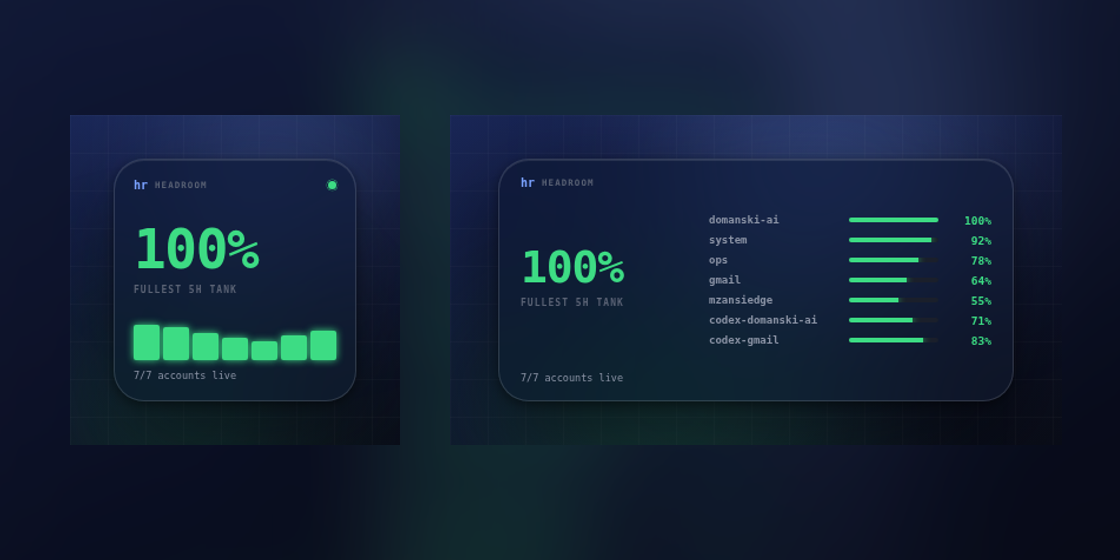
Widgets are display-only views of the same fail-closed public snapshot. The
mini dashboard app is the existing dashboard in a compact layout: open
http://127.0.0.1:8377/widget, or add ?compact=1 to the normal dashboard URL.
It keeps stale, held, limited, and offline state visible; it does not rotate or
select accounts.
SwiftBar on macOS
Install SwiftBar, make sure the installed headroom
binary is on SwiftBar's PATH, then copy the one-minute plugin into SwiftBar's
plugin folder:
mkdir -p "$HOME/Library/Application Support/SwiftBar/Plugins"
cp integrations/swiftbar/headroom.1m.sh \
  "$HOME/Library/Application Support/SwiftBar/Plugins/headroom.1m.sh"
chmod +x "$HOME/Library/Application Support/SwiftBar/Plugins/headroom.1m.sh"
headroom serve
Local mode runs headroom widget-feed --swiftbar, which renders the last
published snapshot and never initiates collection. The live server's
/usage.json, /widget.json, and /widget.txt feeds share one refresh gate.
The menu shows the fullest current 5-hour tank plus both windows and reset times
for every account. Its only actions are Refresh and Open dashboard.
For a headroom server on another machine, keep the server bound to loopback and forward it over SSH. This is the only supported remote pattern for live widget feeds:
ssh -N -L 8377:127.0.0.1:8377 user@headroom-host
launchctl setenv HEADROOM_WIDGET_URL http://127.0.0.1:8377
Restart SwiftBar after setting the environment variable. Do not expose
headroom serve on a LAN, public interface, or reverse proxy. It remains
loopback-only, validates the Host header, sends no CORS allowance, and marks
all responses no-store and nosniff. Remote plugin fetches have a three-second
timeout and 64 KB cap. The exact headroom_widget_txt@1 sentinel is version
validation, not authentication; the plugin never evaluates, sources, or
executes fetched bytes. Server-rendered menu text is centrally sanitized and
contains no SwiftBar shell-execution parameters.
Windows tray — EXPERIMENTAL
The Windows tray client is EXPERIMENTAL, not stable or supported as a
production integration. Make the server available at loopback (for example,
with the SSH tunnel above), preserve the four files under
experimental/windows/icons/, and launch it from the repository root with
Windows PowerShell 5.1:
powershell -ExecutionPolicy Bypass -File experimental/windows/headroom-tray.ps1
It uses bundled green, amber, red, and gray icons, caps the Windows tooltip at
63 characters, and offers Refresh and Open dashboard. Any HTTP, JSON, schema,
or clock failure becomes gray OFFLINE. A real Windows 10/11 PowerShell 5.1
E2E pass is still required before the experimental label can be reconsidered;
Windows requesters are invited to validate startup, all four transitions, both
menu actions, and clean exit.
The commands
| command | what it does |
|---|---|
headroom setup |
first-run wizard: accounts + dashboard style quiz |
headroom connect |
add another account (guided login, clobber-proof) |
headroom collect |
refresh usage for every account (no tokens spent) |
headroom status [model] |
table: every account, its windows, and exactly why any is skipped |
headroom pick <model> |
print the best account name (exit 2 if none) — script-friendly |
headroom env <model> |
print the export CLAUDE_CONFIG_DIR=... line for the best account |
headroom claude / codex [args] |
launch the CLI on the best account; Claude supervises auto-handoff when opted in |
headroom run <model> -- <cmd> |
headless run with automatic rotation on limit-hit |
headroom rotate [model] |
cool the current account, hand you the next |
headroom handoff |
transactional manual handoff (--yes, --print, --model FAMILY) |
headroom serve [--open] |
local live dashboard (auto-refreshes stale data) |
headroom serve --demo |
preview the dashboard with bundled sample data — no accounts needed |
headroom widget-feed --swiftbar |
render the last published snapshot for SwiftBar; never collects |
headroom statusline |
color-coded capacity for your Claude Code status line |
headroom doctor |
environment + config health check (handy for bug reports) |
Hand off a capped session
EXPERIMENTAL. With automatic handoff off, after Claude reaches its cap run /exit, then run
headroom handoff. It verifies and copies the conversation transcript to the
best other Claude account, cools the capped slot, and resumes from the same
working directory with a new session id. Use --print to stage the handoff and
print the exact resume command without running it; use --yes for a confirmed
non-interactive handoff. If the journal lacks a model, pass --model FAMILY.
FAMILY must name a scoped Claude family such as sonnet, opus, haiku, or
fable; generic claude is not enough to enforce model-scoped caps.
--yes and --print are mutually exclusive. The source transcript is never
changed or deleted. Every manual handoff refuses an unresolved tool call unless
--force is given; even a 99–100% provider snapshot is cooldown evidence, not
authenticated cap proof.
How the reads work (and why they're safe)
- Claude — real-time. Your login token already has access to
api.anthropic.com/api/oauth/usage, the endpoint the Claude apps themselves use to draw their usage UI. headroom calls it read-only and verifies the organization the response belongs to matches the login bound to that slot — a swapped or clobbered login can never report another account's headroom. Claude usage is always live. - Codex — real-time. headroom reads Codex usage live from the Codex
app-server (
codex app-server→account/rateLimits/read+account/read), bound to each account's own config home. That's a live, identity-verified read of the same rate-limit data ChatGPT/Codex uses — not a scrape of stale session logs — so Codex usage is as current as Claude's, and Codex accounts are routed and rotated just like Claude ones. (On an older Codex CLI without the app-server, headroom falls back to a best-effort session-log read and the router holds those accounts until a fresh reading appears.)
Every account is optional — run only Claude, only Codex, or both. Both providers are read live, identity-bound, and fully routed.
- Snapshots are written atomically. The dashboard gets a sanitized projection
(optionally with emails redacted) — raw identity material stays in the
private state directory with
0600permissions.
Fail-closed by design
headroom never guesses. An account with a stale reading, an unverifiable
identity, an out-of-range percentage, or an active cooldown is held — shown
on the dashboard as held, skipped by the router, with the reason spelled out
in headroom status. If no account has proven capacity, pick says so with a
non-zero exit instead of pointing you at a login that will die mid-task.
Connecting accounts is protected the same way: a fresh login that turns out to be an account you already connected is rolled back and refused, because two slots silently sharing one login is how you eat a week's quota by accident.
Claude Code integration
See integrations/claude-code — a status line
showing live capacity at the bottom of every session, and a /rotator skill
so Claude can rotate accounts for you when a limit hits.
Keeping sessions fresh (reserve)
By default headroom uses each account right down to its limit. If you'd rather
not start a session on an account that's about to run out, set a reserve —
the setup wizard asks, or add it to ~/.headroom/config.json:
{ "routing": { "reserve_percent": 10, "auto_handoff": false } }
Now any account with less than 10% headroom left on its 5-hour, weekly, or
model-scoped window is skipped in favour of a fuller one (and headroom status
shows exactly why). 0 (the default) keeps today's use-to-the-limit behaviour.
Reserving an account (tracked, never routed)
Mark an account "reserved": true in ~/.headroom/config.json to keep it on
the dashboard and in headroom collect while excluding it from routing
entirely: it is never returned by pick/env, never launched by
headroom claude/codex, and never chosen as a rotation or handoff target.
Use it for a login that belongs to some other workflow (a desktop app, a
teammate, a pinned service) that automatic rotation must not consume.
Driving headroom from scripts
Six affordances make headroom composable with launch wrappers:
- An exported config home is honoured. If
CLAUDE_CONFIG_DIR(orCODEX_HOME) is already set and names a registered account, that account is used as the initial slot instead of being re-routed — your wrapper's routing decision is consumed, not overridden. Rotation off it when it caps is unchanged, and if it has no proven headroom, headroom says so on stderr and picks another. HEADROOM_LAUNCH_MARKER=/abs/path.jsonmakesheadroom claude/codexwrite a small JSON file at the moment routing commits to launching the CLI ({"mode": "supervised"|"exec", "account": ..., "note": ...};notecarries the auto-handoff downgrade reason when supervision was requested but unavailable). The marker is written before the CLI starts, so a wrapper that wants a bare-CLI fallback can treat "headroom exited with no marker" as "the CLI never started" and launch directly — without ever racing a CLI headroom did start. If a requested marker cannot be written, headroom refuses to launch (exit 2) rather than leave the handshake dangling.--headroom-launch-fallback(orHEADROOM_LAUNCH_FALLBACK=1) makesheadroom claude/codexexec the bare CLI in-process — same passthrough args, headroom's own flags removed — when anything fails strictly before the first CLI process was started: no routable account, a failed usage collect, an unwritable settings file or marker, a failed spawn. Once a CLI has started, a later exit — clean or capped — is a normal exit and never a fallback; a supervised session that eventually runs out of accounts isn't one either. Off by default; with it on, a wrapper can simplyexec headroom claude …and never needs an external bare-CLI fallback of its own.HEADROOM_NOTIFY_CMD=<command>invokes your command at launch transitions with one JSON argument:{"event": "launch", "mode": "supervised"|"exec", "account": …, "model": …, "note": …}when the launch commits,{"event": "downgrade", …}when supervision was requested but the run is exec-only,{"event": "supervision_lost", …}when a supervised child's auto-handoff disarms after launch (e.g. the SessionStart hook never bound), and{"event": "fallback", …}when the bare-CLI fallback fires. Delivery is bounded (10s hard timeout, override withHEADROOM_NOTIFY_TIMEOUT); on timeout the command's whole process group is killed, and a broken or hung command is swallowed with a stderr line and never delays or kills the launch. Events replace external marker-polling and are independent ofHEADROOM_LAUNCH_MARKER.HEADROOM_NOTIFY_CMDis trusted code — it runs as you, with your environment; the timeout bounds it, it is not a sandbox.HEADROOM_SLOT_LEASE=1takes an exclusiveflock()on a per-account lock file under~/.headroom/state/leases/at the moment routing commits to an account, and treats an account another live launch holds as unavailable — so two concurrent launches deterministically pick different accounts instead of both grabbing the registry-first one. The kernel drops the flock when the holder dies, so a crash frees the slot with no pid to reuse and no stale file to clean. The lock rides on the launched CLI: on the exec path it is inherited acrossexec, and a supervised launch hands it to the child (so even if the supervisor exits, the lease stays held by the live session); a supervised auto-handoff moves the lease to the new account before stopping the old one. Acquisition fails closed: if leasing is on but the lock (or its inheritability) can't be taken for an infrastructure reason, headroom refuses rather than launch two sessions on one account (with--headroom-launch-fallbackalso set, that refusal degrades to the bare CLI — your explicit "run something over nothing").headroom capsprints the scripting capabilities this binary supports as command-scoped JSON —{"schema": 2, "launch_marker": {"claude": true, "codex": true}, "launch_fallback": {"claude": true, "codex": true, "run": false}, "notify_cmd": true, "slot_lease": {"claude": true, "codex": true, "run": false, "fail_closed": true}}— so a launcher can see which surface each feature is wired into and refuse or adapt to an older binary instead of assuming a feature exists.
Running across multiple machines
Usage is read per account, from the provider's side — so it's correct no
matter how many machines a given login is signed in on, and the reads are
token-safe: checking your headroom never disturbs or logs out your other
sessions. Run headroom on each machine against the logins it has. To view a
live server from another machine, use the Widgets section's ssh -L loopback
forward; for ordinary static hosting, use headroom dashboard as described
below. Each machine keeps its own cooldown ledger; there's no central
coordinator to stand up.
Hosting the dashboard somewhere else
headroom dashboard builds two static files (index.html + usage.json)
in ~/.headroom/state/public/. Put them behind any static host or reverse
proxy; add a cron for headroom collect to keep the JSON fresh. Turn on
redact_emails in setup if the page might be visible to others.
Security posture
The engine was adversarially reviewed cross-model (GPT-5.6 at x-high reasoning effort) before first release; every fixable finding is patched and the deliberate tradeoffs are documented in docs/KNOWN-LIMITS.md. Highlights: auth-override environment variables are scrubbed from every provider subprocess, usage snapshots are atomic with a sanitized public projection (emails redacted by default), authenticated requests never follow redirects, corrupt protective state holds routing instead of clearing it, and stale data is always shown as held — never promoted to live.
A note on multiple accounts
headroom manages accounts you legitimately hold — a personal plan, a work plan, a team seat. It doesn't create accounts, share credentials, or bypass provider controls; it just routes your own tools at your own logins and tells you what's left. Check your providers' terms if you're unsure what applies to your setup.
Comments