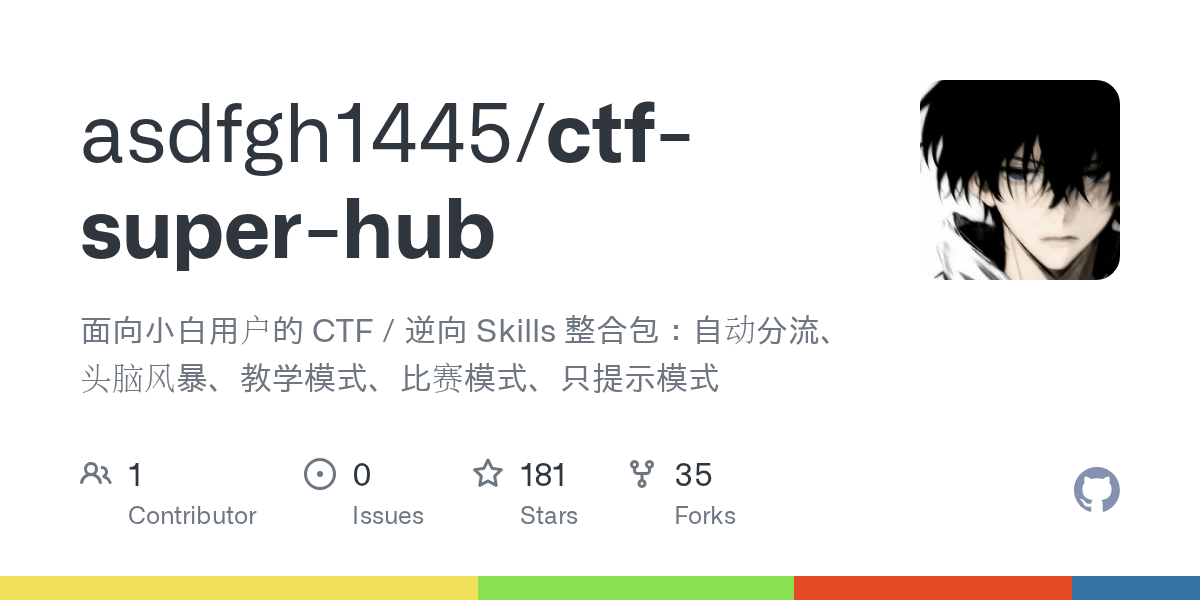
CTF Super Hub organizes CTF and reverse engineering skills into a beginner-friendly package. Hosted on GitHub at asdfgh1445/ctf-super-hub, this JavaScript project has 181 stars. It acts as a unified entry point for users new to Capture The Flag (CTF) challenges and reverse engineering tasks. The core issue it addresses: newcomers often struggle to classify problems—whether Web, Crypto, Reverse, Pwn, or Misc—and lack guidance on the first step after downloading attachments or viewing a URL.
Instead of a simple directory of tools or skills, it restructures prompts and workflows so users can feed problem details to an AI assistant. The AI then judges the topic, routes to specialized skills like ctf-* or strix-* for Web tasks, and suggests 1-3 next steps. This setup includes brainstorm sessions for unclear problems and modes for different paces, reducing the overwhelm of scattered skills.
Core components
The project provides two main entry points, designed to handle most scenarios without memorizing dozens of skill names.
ctf-super-hub: The default choice. It auto-classifies the challenge based on inputs like problem descriptions, attachments, URLs, IP:PORT, source code, or binaries. If details are sparse, it starts with a minimal brainstorm to clarify goals and gaps. From there, it routes to targeted skills and chains toctf-writeupfor documentation at the end.ctf-beginner-hub: A gentler option for absolute novices. It mirrors the main hub but uses simpler language, avoiding heavy terminology.
Three output styles adapt to user needs:
- Teaching mode: Step-by-step explanations.
- Competition mode: Concise 1-3 steps for speed.
- Hints-only mode: Suggests what to check next without spoilers.
Supporting elements include strix-* skills for Web, API, or vulnerability checks, invoked automatically when relevant. Skills here are prompt templates—files that instruct an AI to follow specific CTF analysis flows. Users paste problem materials, and the AI processes them via these templates.
Getting it set up
Setup involves integrating the skill folders into an AI tool that supports custom skills directories, such as certain LLM interfaces.
First, download the repository from https://github.com/asdfgh1445/ctf-super-hub. Copy the skill folders into your AI tool's designated skills path—exact location depends on the tool, but the README stresses placing them where the AI can read them.
For first-time use:
- Start a new chat session to avoid context pollution from prior conversations.
- Paste one of the ready prompts, such as:
请使用 ctf-super-hub 帮我处理这道题。
如果你能判断题型,就自动分流到最合适的 ctf-* skill。
如果信息还不够,就先带我做最小化头脑风暴。
默认用 teaching 风格输出。

题目信息:
[题面/附件/URL/IP:PORT/源码/已尝试命令]
Other variants cover competition mode:
请使用 ctf-super-hub 的 auto + competition 模式。
先判断最像哪类题,再只告诉我接下来最该做的 1~3 步。
Or hints-only:
请使用 ctf-super-hub 的 auto + hints-only 模式。
不要直接把解法全展开,只告诉我下一步该查什么、为什么。
Confirmation of success: The AI acknowledges the skill and responds with classification or brainstorm. Check START-HERE.md and SKILL-INDEX.md in the repo for visuals and overviews. Additional docs cover usage (docs/USAGE.md) and a LinuxDo community link (docs/LINUXDO.md).
Typical workflows
Provide whatever materials you have—problem text, binaries, URLs, prior attempts—and follow the AI's single next step. No need to pre-sort or understand everything upfront.
In auto-routing mode, inputs trigger:
- Topic judgment (e.g., Reverse if a binary is present).
- Skill selection (e.g., switch to
ctf-reverse). - Actionable steps.
For brainstorms on vague problems:
- Goal extraction.
- Clue inventory and gaps.
- Skill recommendation.
The repo includes a full beginner sequence: install skills, new session, paste main prompt, add materials, iterate. It handles mid-process pivots if the initial classification shifts.
Who this targets
This suits CTF beginners facing common hurdles: unclassifiable challenges, skill overload, or blank stares at attachments. If you reach for an AI but get jargon dumps instead of guidance, it enforces structured outputs. Pure novices benefit most from ctf-beginner-hub's low-pressure start, while slightly experienced users prefer the main hub's efficiency.
Real scenarios include practice platforms like CTFtime events, university courses, or self-study on reverse engineering. Users already employing AI for CTF—who know prompt basics but falter on workflows—gain the most. The 3-minute quickstart lets you test on a sample problem immediately.
Repository layout and maintenance
The project structures around clear navigation: sections like "这是什么" (What it is), skill explanations, problem-solving matches, and troubleshooting. Key files include START-HERE.md for onboarding, SKILL-INDEX.md for listings, and docs for deeper dives. A validation section ensures integrity, and it invites community contributions via LinuxDo.
Shields on the README track license (per GitHub badge), stars (181), forks, and last commit date. Written in JavaScript, it fits AI ecosystems expecting prompt-based skills.
No direct competitors appear in the docs, but it contrasts with raw skill collections by adding routing and modes. Standalone tools like Ghidra or Burp Suite handle analysis; this layers AI orchestration on top.
CTF Super Hub works best for AI-dependent learners but skips users comfortable hand-picking tools or preferring non-AI paths. Source at https://github.com/asdfgh1445/ctf-super-hub.
Comments