A minimal, local-first AI meeting assistant.
Live transcription · multilingual · speaker identification · AI summaries — no audio leaves your device.
English · 简体中文 · Español · 日本語 · 한국어 · Français · Deutsch · Русский
About
Brevia is a desktop AI meeting assistant that hands the most time-consuming part of any meeting — capturing, organizing, and revisiting — off to on-device AI. It records microphone and system audio at the same time, streams live captions, and turns the finished conversation into structured notes. All speech recognition runs locally; recordings, transcripts, and speaker profiles stay on your machine by default.
The design is deliberately quiet: an interface that doesn't get in the way of the meeting, a feature set that follows a single arc — capture → understand → retrieve — and a firm rule that anything that can happen locally should.
Features
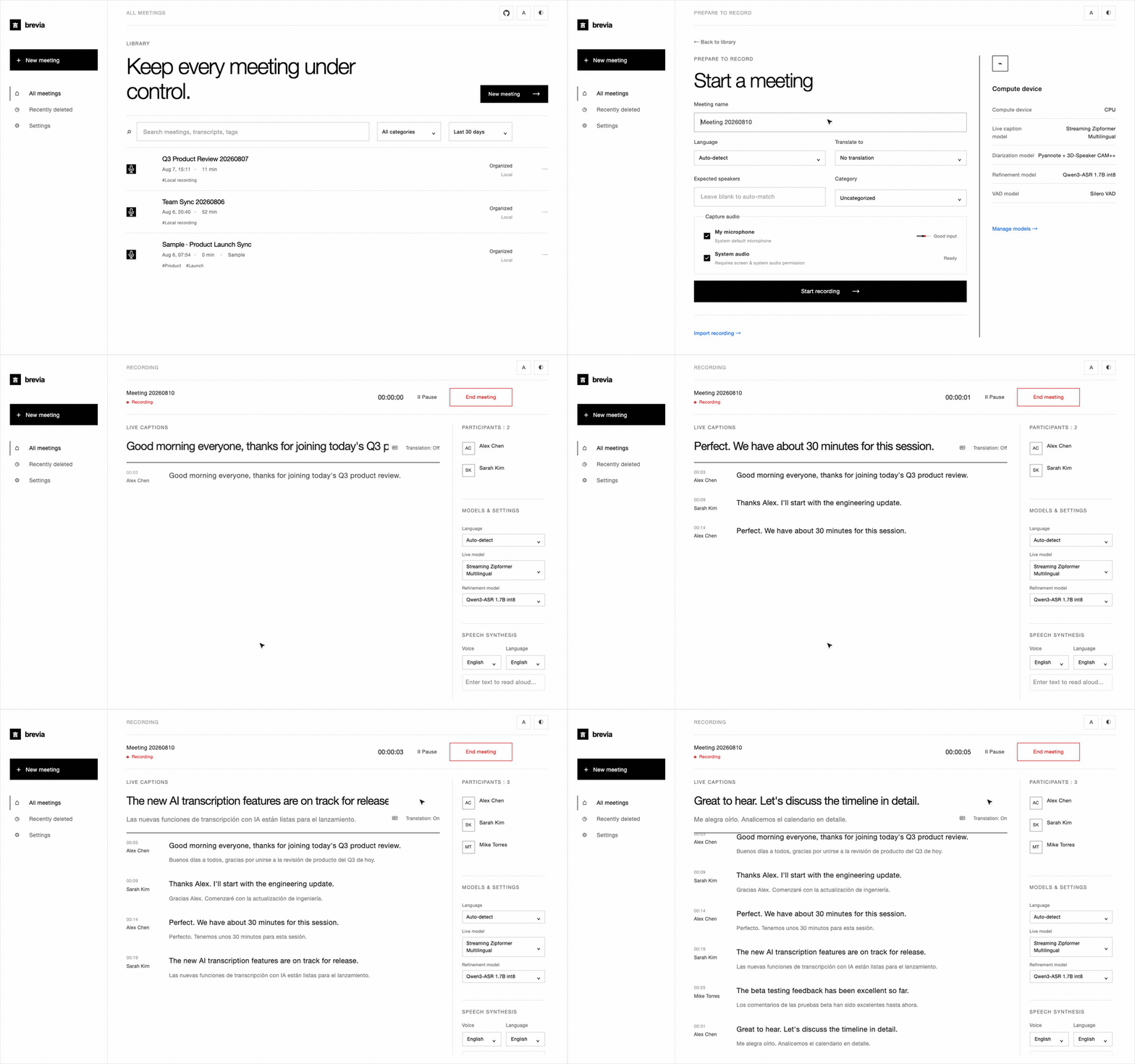
A quiet meeting screen with live transcription and translation
Open it, press record, watch the captions appear. Brevia captures your microphone and system audio at once, so both sides of a remote call land in the same transcript. Optional live translation renders next to the caption stream for cross-language conversations.
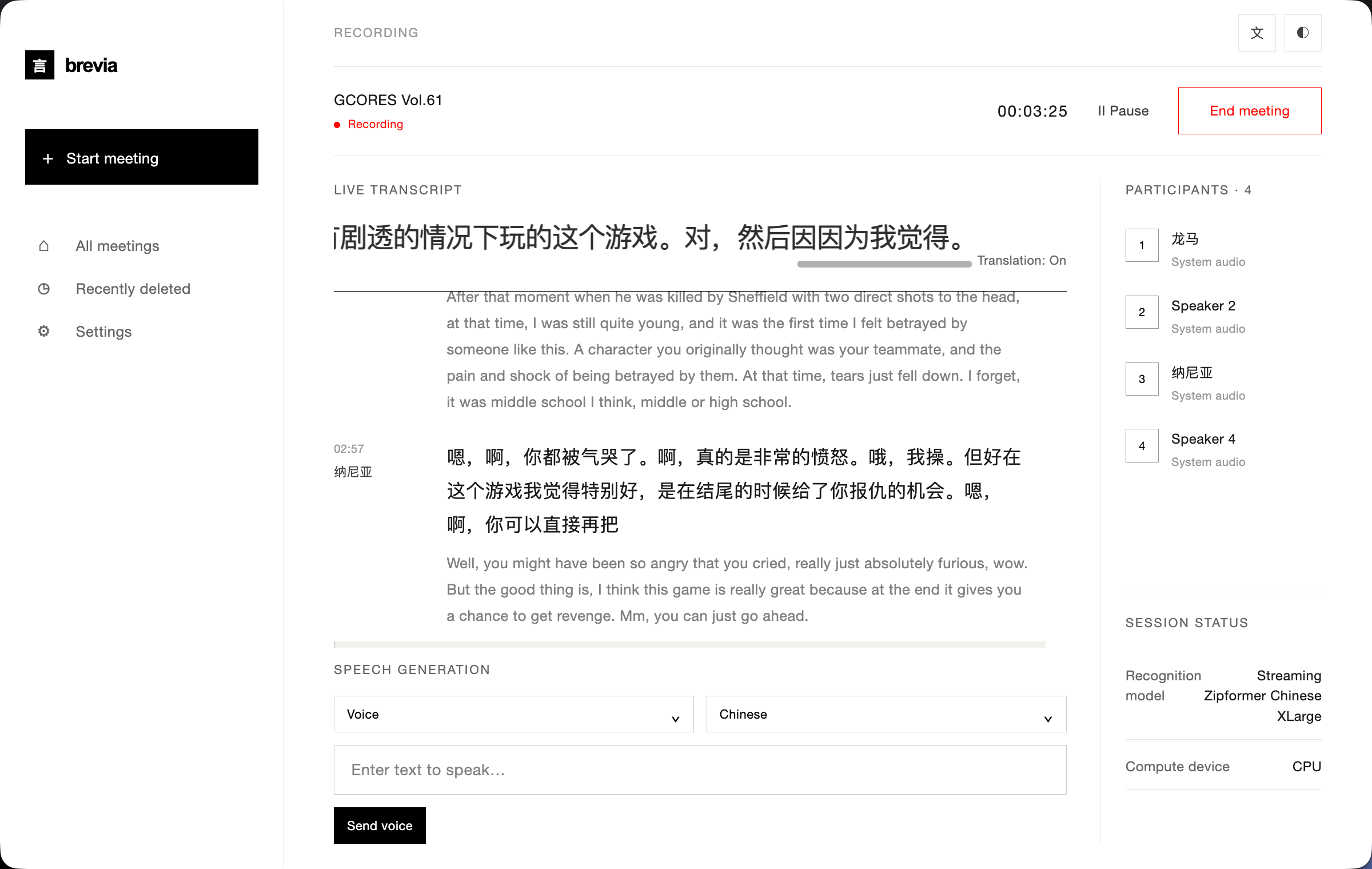
30+ transcription languages and AI meeting notes
Brevia transcribes speech in 30+ languages — including English, Chinese, Japanese, Korean, French, German, Spanish, Russian, Arabic, Thai, Vietnamese, and Indonesian. Once a meeting ends, plug in any LLM provider and Brevia will draft the meeting summary, key decisions, and action items in one pass.
Built-in AI runs a bundled model on your own machine, or plug in Claude, OpenAI, OpenRouter, or any service that speaks the OpenAI or Anthropic chat format. Only text is sent, never audio.
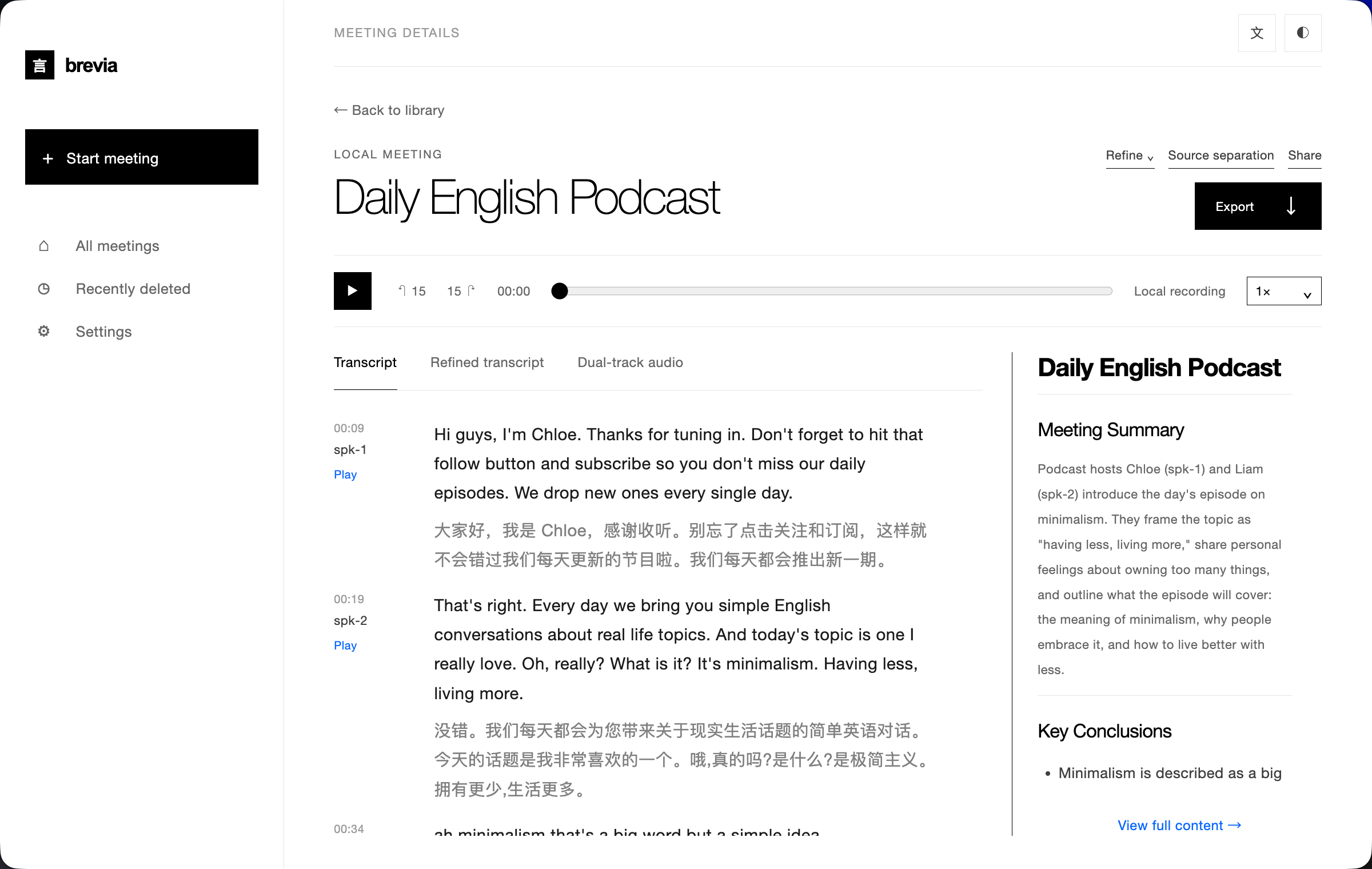
Voiceprint enrollment and cross-meeting speaker identification
Enroll a short voice sample per teammate and Brevia will recognize them by name in every future meeting — not as "Speaker 1, Speaker 2," but as the people they are. Recognition works across recordings, so browsing back through last week's meetings to find "what did Alice say?" is a single click.
Powered by Pyannote segmentation plus speaker-embedding models, all running on-device.
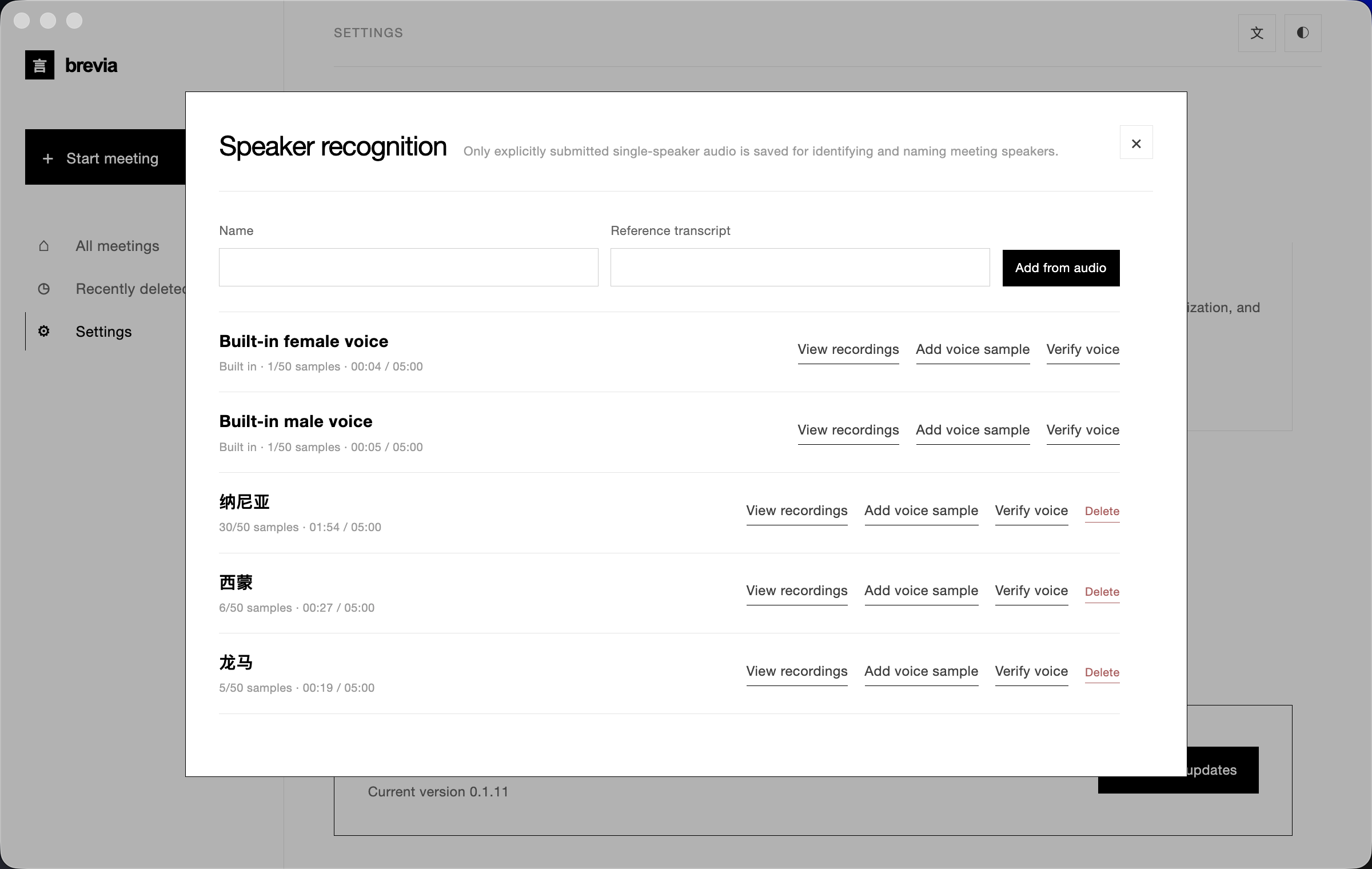
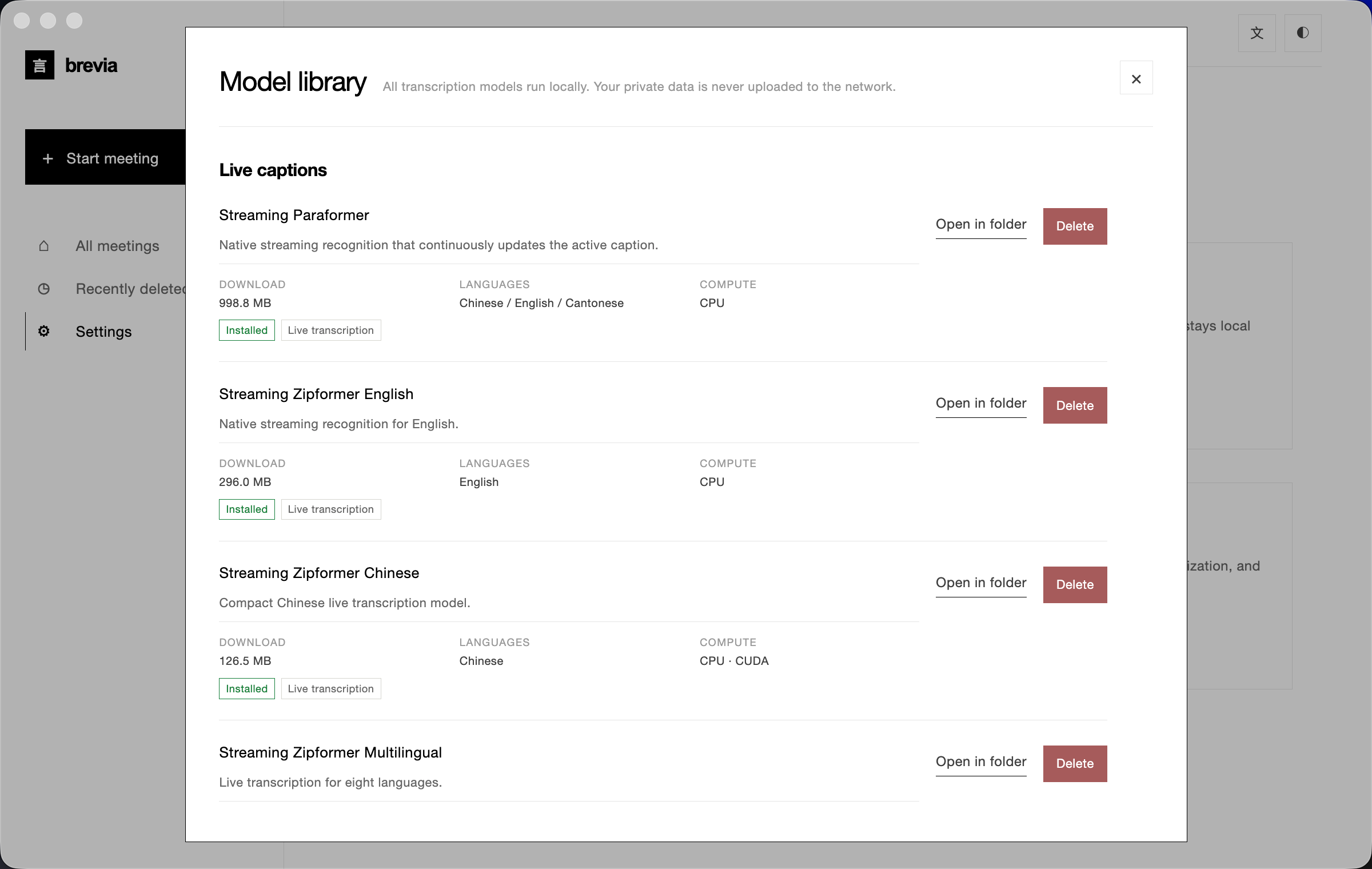
A curated local model library
27+ downloadable models covering streaming ASR, offline refinement, punctuation restoration, voice activity detection, speaker diarization, speaker embedding, text-to-speech, and source separation. Mix and match by language and precision — everything runs on your device.
And more
- TTS voice synthesis and cloning — ZipVoice uses reference audio from enrolled speakers to synthesize Chinese and English speech; VITS voices are available for German, French, Spanish, Russian, and Korean.
- Source separation — Spleeter splits recordings into vocal and non-vocal stems for post-processing.
- Audio import — bring in existing recordings for offline transcription through the same speech pipeline.
- Rich exports — transcript and notes as Markdown, TXT, JSON, SRT, DOCX, or PDF; audio as FLAC, WAV, or M4A.
- Multilingual UI — English, Simplified Chinese, Spanish, Japanese, Korean, French, German, and Russian.
Install
Download the latest release from GitHub Releases:
| Platform | Installer |
|---|---|
| macOS (Apple Silicon) | Brevia-<version>-arm64.dmg |
| Windows (x64) | Brevia-<version>-x64-setup.exe |
Windows may show a Microsoft Defender SmartScreen prompt on first run. Click "More info" → "Run anyway" after verifying the download came from the official Releases page.
On first launch, grant microphone and screen-recording permissions, then open Settings → Model Library to download the models you need.
Architecture
flowchart LR
  A[Electron renderer<br/>HTML · Tailwind · JS] <-->|IPC + Zod validation| B[Electron main process]
  B <-->|JSONL stdin/stdout| C[Python worker<br/>bundled runtime]
  C --> D[sherpa-onnx<br/>ASR · VAD · speakers · punctuation · TTS]
  C --> E[Local storage<br/>SQLite · audio · exports]
  C -. explicit consent .-> F[Optional cloud API<br/>LLM summary · translation]
Brevia follows a strict local-first design:
- The renderer opens no network ports, and every IPC message is validated by the Electron main process against a Zod schema.
- The main process is a thin shell. It launches a single Python worker over JSONL stdin/stdout; the worker owns model management, audio processing, speaker profiles, local storage, and exports.
- Data lives in
~/breviaby default — SQLite, raw audio, exports, cached models, and voice profiles. - Cloud calls are opt-in. LLM summaries and translation require the user to configure a provider explicitly, and only text is sent upstream.
Tech stack
| Layer | Technology |
|---|---|
| Desktop shell | Electron 43 — preload bridge, context isolation, sandboxed renderer |
| Frontend | Vanilla HTML/CSS/JS, Tailwind CSS 4, built-in i18n (8 locales) |
| Backend | Python 3.10+, JSONL worker protocol, SQLite storage |
| Speech engine | sherpa-onnx 1.13.2, ONNX Runtime |
| Speaker processing | Pyannote segmentation + 3D-Speaker / NeMo Titanet / CAM++ embeddings |
| LLM client | Built-in llama.cpp (GGUF) plus OpenAI- / Anthropic-compatible chat APIs |
| Audio I/O | ffmpeg (bundled in releases) |
| Build & packaging | electron-builder, PyInstaller (bundled Python runtime) |
Supported models
Every model is downloaded on demand from Settings → Model Library. The manifest lives in backend/models.json.
| Category | Representative models | Languages |
|---|---|---|
| Streaming ASR | Zipformer (zh / en / fr / ko / multilingual), Paraformer bilingual, Nemotron 3.5 | 30+ |
| Refinement ASR | Qwen3-ASR 0.6B / 1.7B, Whisper Turbo / Large v3, FireRedASR2, FunASR Nano | Multilingual |
| Punctuation | CT-Transformer zh+en, Online Punct English casing | zh / en |
| Voice activity detection | Silero VAD | Universal |
| Speech enhancement | GTCRN Live Denoiser | Universal |
| Speaker diarization | Pyannote Segmentation 3.0, Reverb Diarization v1 | Universal |
| Speaker embeddings | 3D-Speaker ERes2Net, CAM++, NeMo Titanet | zh / en |
| Source separation | Spleeter 2 Stems | Universal |
| Text-to-speech | ZipVoice (zh + en), VITS Piper (fr / de / es / ru), VITS Mimic3 (ko) | Multilingual |
For LLM summaries, pick Built-in AI to run a bundled GGUF model locally (Qwen 3.5 2B / 4B, Gemma 3 1B / 4B), or point Brevia at Claude, OpenAI, OpenRouter, or any custom service that speaks OpenAI Chat Completions or Anthropic Messages — Gemini (OpenAI-compatible endpoint), DeepSeek, Kimi, Qwen, and more.
Local development
Prerequisites: Node.js 18+, Python 3.10+, Git, and ffmpeg (for audio import).
git clone https://github.com/zerolovesea/Brevia.git
cd Brevia
npm install
python3 -m pip install -r backend/requirements.txt
npm start
Grant microphone and screen-recording permissions on first launch, then download the models you need from Settings → Model Library.
Common scripts
npm test                    # Electron behavior + UI + backend tests
npm run build               # Build Tailwind CSS
npm run test:model          # ASR model diagnostics
npm run test:diarization    # Speaker diarization diagnostics
npm run start:fresh         # Reset the onboarding flow and start
Environment variables
BREVIA_DATA_DIR=/path/to/data       # Custom data dir (recordings, exports, SQLite)
BREVIA_MODELS_DIR=/path/to/models   # Custom model dir
BREVIA_FFMPEG=/path/to/ffmpeg       # ffmpeg binary (if not on PATH)

BREVIA_DATA_DIR=~/brevia-dev BREVIA_MODELS_DIR=~/brevia-models npm start
Build installers
npm ci
npm run build
python3 -m pip install -r backend/requirements-build.txt
npm run dist:mac   # macOS ARM64 DMG
npm run dist:win   # Windows x64 EXE
Artifacts land in dist/. Each platform build bundles a native Python worker; models are not bundled — they remain on-demand downloads.
FAQ
Windows shows a Microsoft Defender SmartScreen warning
Release builds are not signed with a paid code-signing certificate, and SmartScreen defaults to blocking newly-seen executables. Click "More info" → "Run anyway" after confirming the download came from the official Releases page.
Do I need to install Python separately?
No. Release builds bundle the Python runtime and all required dependencies. A separate Python installation is only needed for running from source.
Where is my data stored?
~/brevia by default — recordings, transcripts, exports, cached models, voice profiles, and the SQLite database. Set BREVIA_DATA_DIR to override.
Which transcription languages are supported?
30+ languages including Chinese, English, Japanese, Korean, French, German, Spanish, Russian, Arabic, Thai, Vietnamese, and Indonesian. Pick the matching model from the in-app Model Library.
Does Brevia send audio to the cloud?
No. Speech recognition, diarization, and TTS all run locally. Only LLM summaries and translation contact the network, and only after you configure a provider — text only, never audio.
How much disk space do models need?
Depends on which you install. A typical setup (streaming + refinement + diarization) is 1–2 GB. Compact streaming models start around 80 MB; larger models exceed 1 GB.
Can I import existing recordings?
Yes. Import audio files from the meeting library and Brevia will transcribe them offline through the same speech pipeline. Requires ffmpeg on PATH (or set BREVIA_FFMPEG).
How do I switch the UI language?
Settings → General → Interface language. English, Simplified Chinese, Spanish, Japanese, Korean, French, German, and Russian are available.
How are voiceprint samples stored?
Voice embeddings (a small float vector) and reference audio live in the local SQLite database and filesystem. Nothing leaves the device, and deleting a profile removes the associated data.
Feedback and contributing
Report an issue
Found a bug or have a feature request? Please file it in GitHub Issues. Reports triage faster when they include:
- OS and version (e.g. macOS 14.5 / Windows 11 23H2)
- Brevia version (Settings → About)
- Models and language in use
- Steps to reproduce / expected result / actual result
- Relevant logs (Settings → Advanced → Open log folder) — please review them for sensitive content before attaching
Security issues: please do not open a public issue. Reach out to the maintainer by email.
Comments