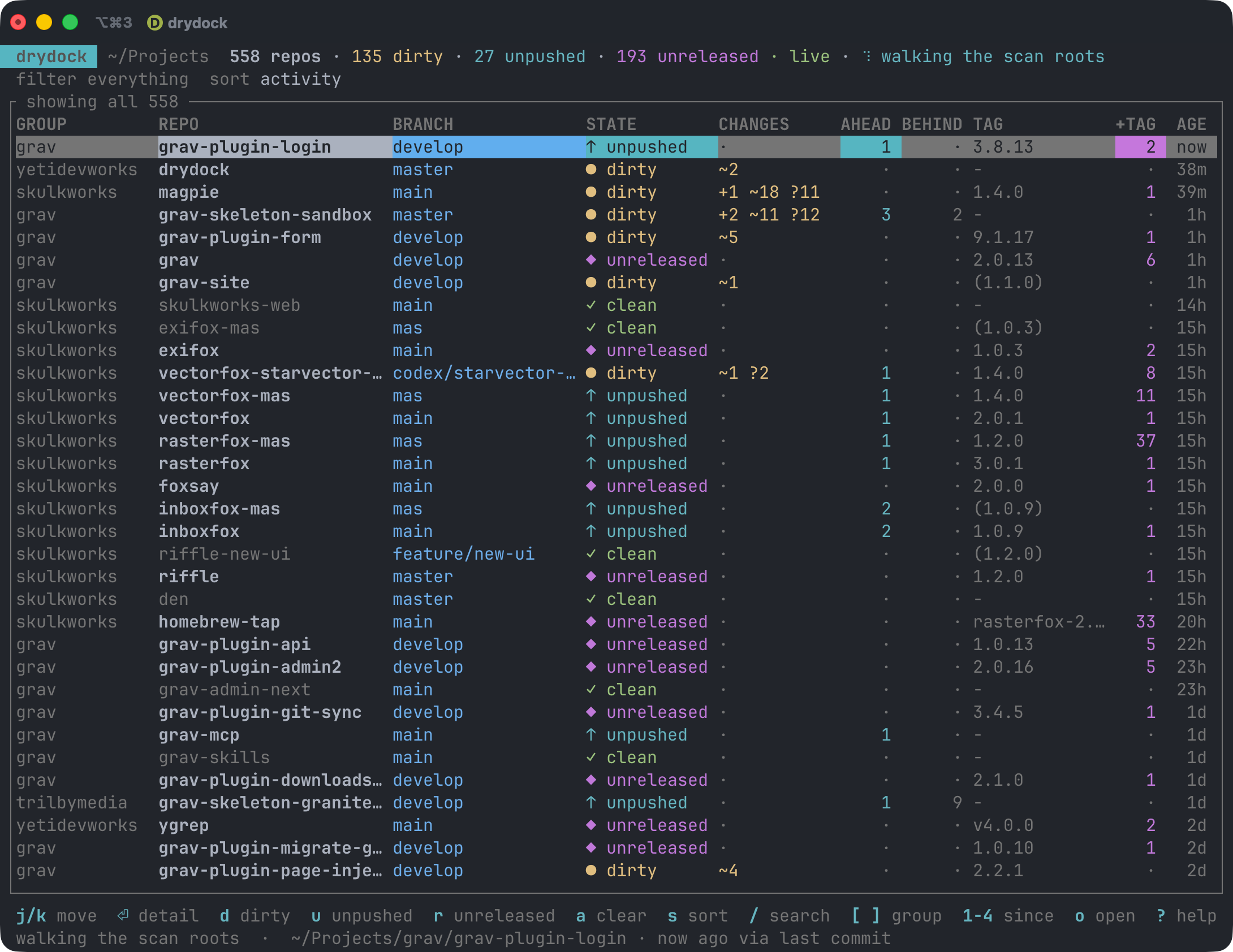
     _                _            _
  __| |_ __ _   _  __| | ___   ___| | __
 / _` | '__| | | |/ _` |/ _ \ / __| |/ /
| (_| | |  | |_| | (_| | (_) | (__|   <
 \__,_|_|   \__, |\__,_|\___/ \___|_|\_\
            |___/   what's still in for work.
What's uncommitted, unpushed, and unreleased across every repo you own.
A drydock is where vessels sit while work is done on them, before they go back out. If you keep dozens or hundreds of checkouts on disk and lose track of which ones still have work sitting in them, this tells you, in one screen, live.
Written in Rust. Works on macOS and Linux.
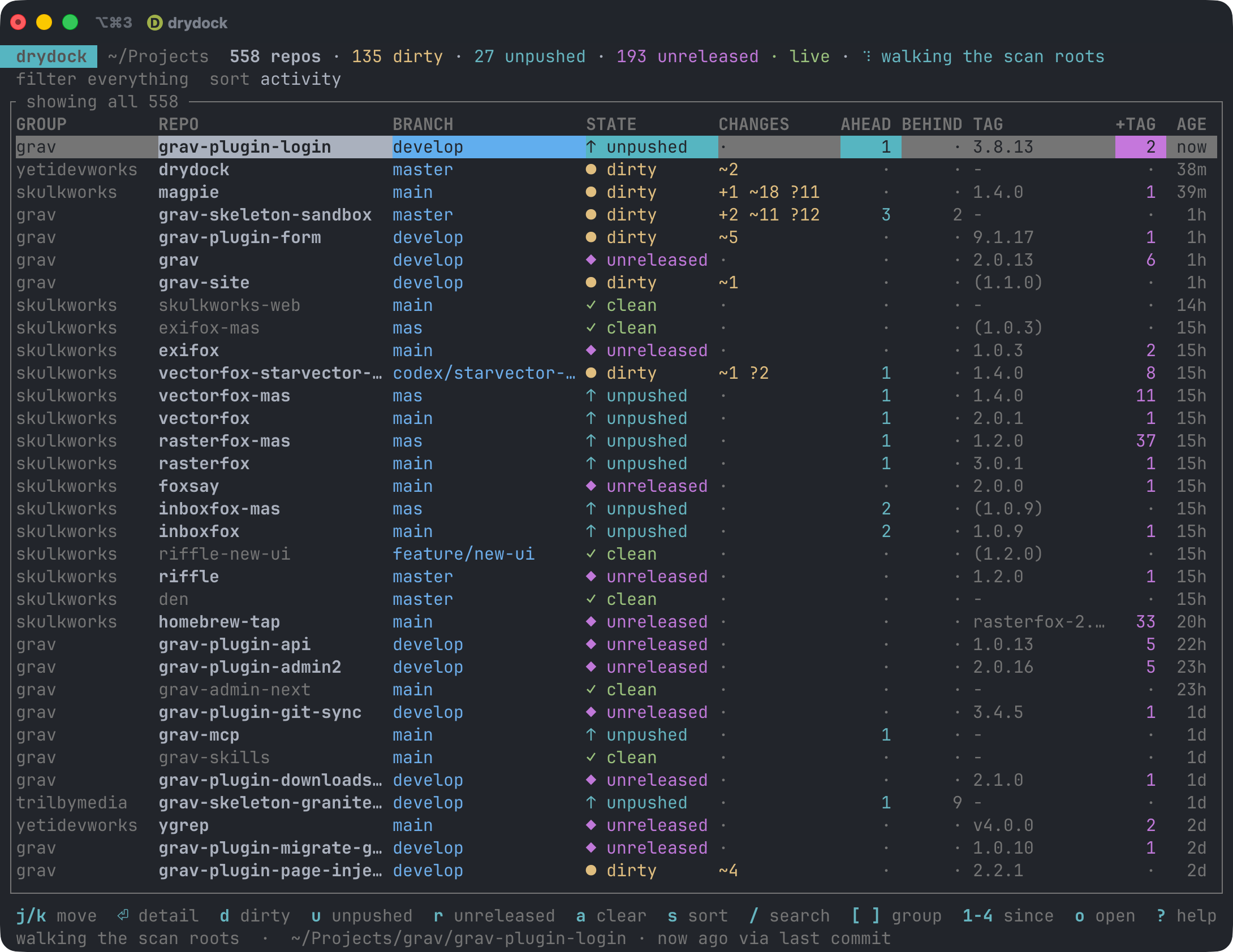
Colour carries the state, so the rows worth acting on stand out without reading a word: yellow for uncommitted changes, cyan for commits you haven't pushed, magenta for commits past the last tag, red for conflicts and half-finished merges, and everything clean dimmed out of the way.
What it answers
What did I touch recently? Filter to the last hour, day, week or month. A clean repo's activity is its newest commit; a dirty repo's is when you last saved a changed file, which is usually much more recent.
What have I not committed? Staged, unstaged, untracked and conflicted counts per repo, plus stashes and any half-finished merge or rebase.
What have I not pushed? Across every local branch, not just the one that happens to be checked out. Side branches are exactly where work goes missing.
What's worth releasing? Every repo sits in one of three release states, in their own column:
· unreleasedno tags at all, never been released ✓ releasedtagged, with nothing since ◆ needs releasetagged, but with commits or uncommitted changes past the tag Plus the commits since the last tag with their actual subjects, and whether
CHANGELOG.mdhas run ahead of the newest tag.Release state is a separate axis from working state: a repo can be dirty and released, or spotless and still needing a release.
Install
Homebrew
brew install yetidevworks/drydock/drydock
Cargo
cargo install drydock
From source
git clone https://github.com/yetidevworks/drydock
cd drydock
make install          # into ~/.local/bin
Use
Run it with no arguments for the live dashboard:
drydock
It scans the directories in your config (~/Projects by default), not the
current directory, so it behaves the same wherever you invoke it.
Dashboard keys
j k ↑ ↓ |
move · ctrl-d / ctrl-u half a page · home / end ends |
| mouse | click a row to select it · wheel moves the selection |
⏎ |
detail view: branches, commits since the last tag, changed files |
d u b |
filter to dirty, unpushed, behind |
r N |
filter to needs-release, never-released |
c i x e |
conflicts, operation in progress, detached HEAD, probe errors |
n |
only repos with nothing outstanding |
& |
switch between matching any active filter and all of them |
a |
clear every filter |
/ |
fuzzy search on name, group and branch |
[ ] |
step through groups |
1 2 3 4 |
touched in the last hour, day, week, month · 0 any age |
s S |
cycle the sort key · reverse it |
o t T |
open in your editor, git client, or a terminal |
w y |
open the remote in a browser · copy the path |
f F |
fetch the selected repo · everything on screen |
R |
rescan now · ? help · q quit |
Commands
drydock list --dirty --since 1d              # a table, then exit
drydock list --unpushed --group acme --json  # machine-readable
drydock list --cached                        # last known state, no probing (~5ms)
drydock releasable --min-commits 3           # what's worth a release pass
drydock status .                             # everything about one repo
drydock scan                                 # refresh the cache
drydock groups                               # per-group tallies
drydock config init                          # write a config file
Every command takes --json, so drydock list --cached --json is cheap enough
to drive a status line.
Filters
--dirty --unpushed --behind --conflicted --in-progress --detached
--no-remote --no-upstream --stashed --clean --errored
Release state: --unreleased (never tagged), --needs-release, --released.
Several filters widen the result by default: --dirty --unpushed means
"either". Pass --match all (or press &) to require all of them instead.
How it works, and why it's quick
Measured on a real tree of ~550 repos, on an Apple silicon Mac:
| Walk the tree | ~0.9s |
| Refs, tags, tracking (tier 1) | ~1.4s |
| Full sweep, working trees from cache | ~2.2s |
| Full sweep, cold | ~6.2s |
list --cached |
~5ms |
| Watcher startup | ~19ms |
The split is the whole design. Reading refs and tags is cheap. Scanning working
trees is not: git status across that many repos costs around 40 seconds of
syscall time, roughly 85% of the total. So:
- Tier 1 — refs, tags, tracking counts, stash count, in-progress operations — runs on every sweep.
- Tier 2 — the working-tree scan — is cached against HEAD and the index mtime, and only reruns where something actually moved.
- A filesystem watcher then re-probes individual repos as they change, which costs milliseconds. That is what makes leaving the dashboard open all day reasonable rather than a background CPU tax.
Some implementation notes worth knowing:
- It shells out to
gitrather than linking a git library, so the numbers match exactly what you see on the command line, including whatever per-repo config is in play. Process startup is noise next to the scan it wraps. - Every invocation passes
--no-optional-locks. Without it, polling hundreds of repos would takeindex.lockand rewrite indexes constantly, fighting your editor and any GUI client you have open. - The index mtime is deliberately not treated as activity. Any tool that runs
git statusrefreshes it, so an editor sitting open on a repo would otherwise make it read as recently active when nothing had happened. - Git-flow back-merges are not counted as work to release. After a release,
developcarries a "Merge tag 'x.y.z' into develop" commit the tag cannot reach; counting it reported one commit to release when there was none. Merge commits are excluded, unless a merge is the only thing there and it genuinely changes the tree. - Discovery stops descending the moment it finds a repo, which keeps submodules and vendored checkouts out of the list without enumerating them.
Ahead, behind, and the network
Ahead and behind counts come from remote-tracking refs you have already fetched, so no network access is involved and they are safe to recompute constantly. That also means "behind" is only as fresh as your last fetch.
Fetching is off by default, because it is real traffic against every remote you
own and a remote that wants credentials can hang. Press f to fetch the
selected repo, F for everything on screen, or set remote.fetch = true to
have it happen on a timer.
Configuration
drydock config init writes the defaults to
~/Library/Application Support/drydock/config.toml on macOS, or
~/.config/drydock/config.toml on Linux. The cache lives under
~/Library/Caches/drydock or ~/.cache/drydock.
roots = ["~/Projects"]       # each immediate subdirectory becomes a "group"
max_depth = 4
follow_nested_repos = false  # keeps submodules and vendored checkouts out
follow_symlinks = false      # so a symlinked tree can't be counted twice
exclude = ["fixtures/**"]    # globs, relative to a root
prune = []                   # extra directory names to skip

[refresh]
interval = "5m"              # backstop sweep; the watcher handles the rest
watch = true
debounce = "1s"

[status]
untracked = "normal"         # normal | all | no
concurrency = 12             # omit to size from your core count
max_files = 200

[release]
# Requires a digit, so marker tags like `latest` aren't mistaken for releases.
tag_pattern = "*[0-9]*"
read_changelog = true

[remote]
fetch = false                # see "Ahead, behind, and the network"
interval = "1h"

[ui]
default_filters = []         # e.g. ["dirty", "unpushed"]
default_sort = "activity"
default_since = ""           # e.g. "1w"
editor_command = ["zed", "{path}"]
git_client_command = ["open", "-a", "Tower", "{path}"]
drydock config show prints the effective config; drydock config path says
where things live.
Tags, and a note on git-flow
With git-flow, tags land on master while work carries on on develop, so the
newest tag by date often isn't an ancestor of HEAD. drydock reports the nearest
reachable tag as the primary number and flags the discrepancy rather than
quietly picking one.
A tag shown in parentheses, like (1.9.4), means the newest tag isn't reachable
from the current branch. The +TAG column always counts commits since the
reachable tag.
Development
make check        # fmt, clippy with -D warnings, and tests
cargo test
cargo test -- --ignored    # plus the slow watcher-startup regression test
drydock tui-snapshot --width 150 --height 40 --view help renders one dashboard
frame to plain text, which is how the layout gets reviewed without a terminal.
Views: none, filtered, detail, help, search, scanning.
Comments