English | Русский | Deutsch | Français
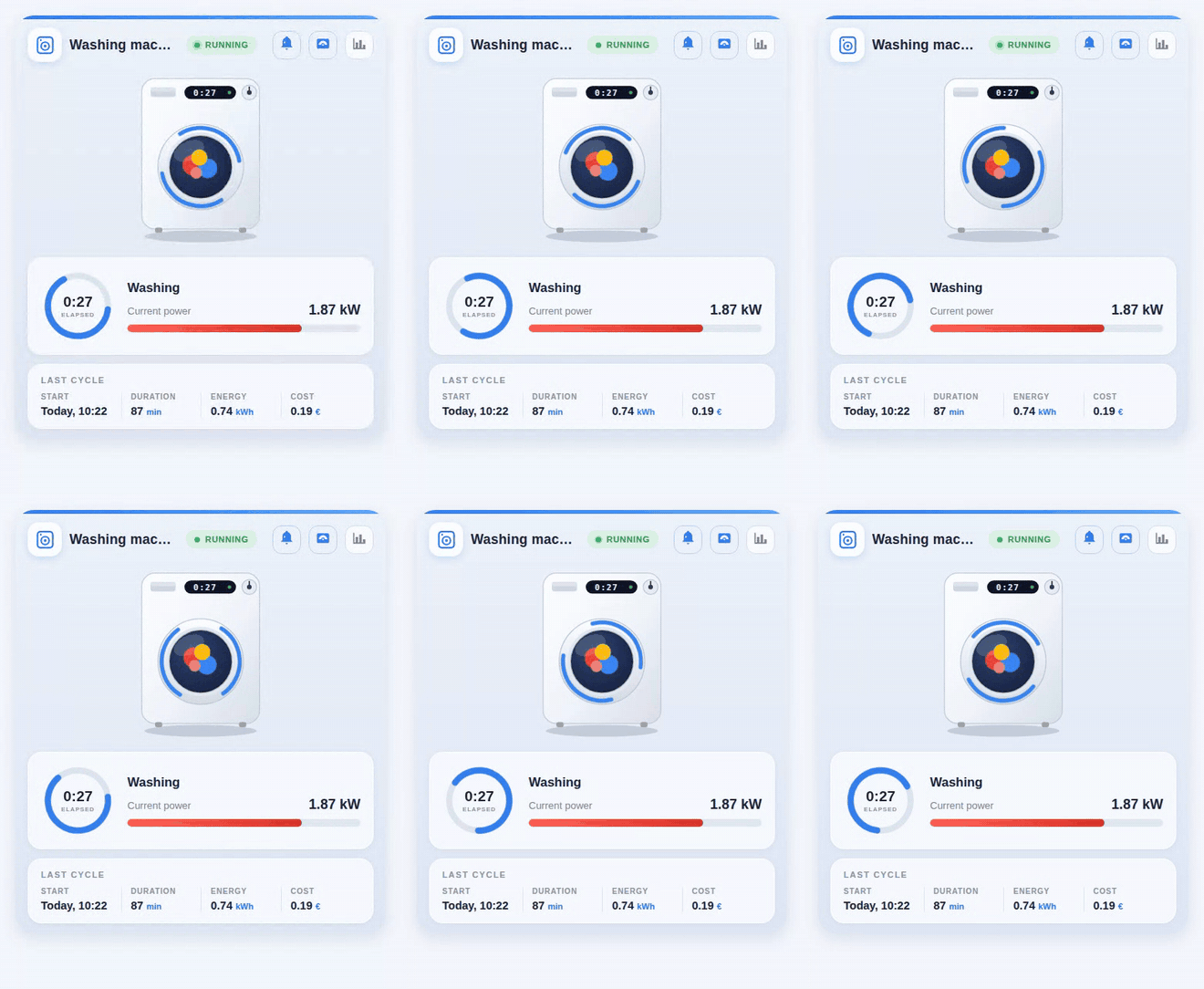
An Oikos-inspired Lovelace card that turns a dumb washing machine on a smart plug into a beautiful, animated dashboard widget — no smart washer required.
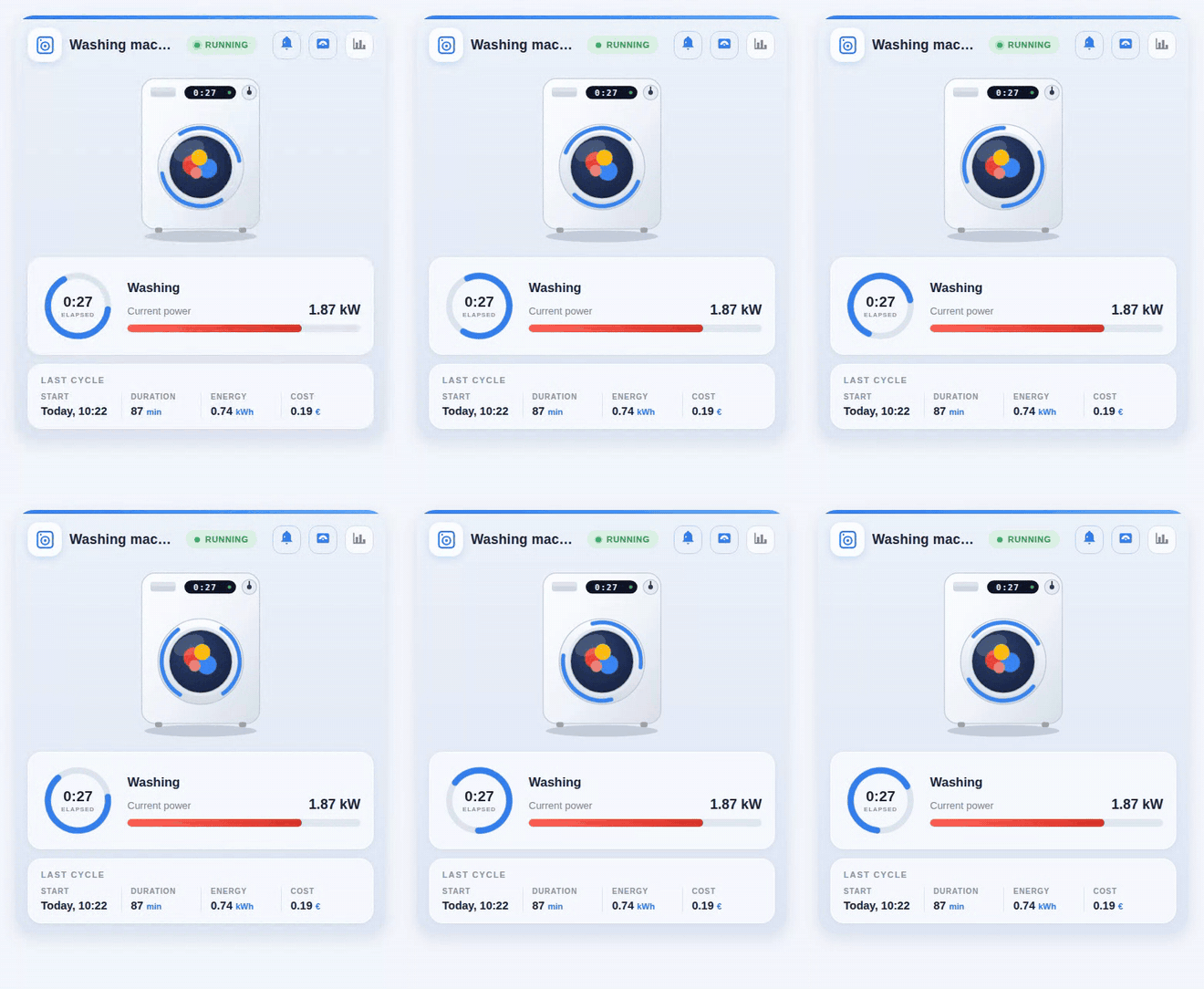
Demo in other UI languages: Русский · Deutsch · Français
✨ Features
- Animated machine illustration — while a cycle is running, the laundry tumbles behind the glass, blue arcs spin around the door (one turn per 3 s) and the on-machine display shows the elapsed time. All animation is pure CSS/SVG, no external assets, and it respects
prefers-reduced-motion. - Live status — a pulsing "RUNNING / IDLE" badge, an elapsed-time progress ring and a power gauge with automatic unit handling (
1950 Wis shown as1.95 kW; an ampere sensor is labelled "Current draw" automatically). - Last cycle summary — start time ("Today, 09:55"), duration, energy and cost, each column tappable for more-info.
- Quick actions — header buttons toggle the smart plug and the finish-notification automation, and open the power history.
- Multilingual — English, Russian, German and French labels out of the box. The language follows your Home Assistant profile, or set
language: en | ru | de | frexplicitly. - Zero dependencies — a single vanilla-JS file with Shadow DOM. Every entity option except
status_entityis optional: blocks without an entity are simply hidden. Responsive via CSS container queries.
📦 Installation
Manual
Copy
washing-machine-card.jsto/config/www/.Add a dashboard resource (Settings → Dashboards → Resources, or
lovelace: resources:in YAML mode):url: /local/washing-machine-card.js?v=1 type: moduleBump
?v=after every update to bust the browser cache.
HACS
Add https://github.com/sionetta/wm_animated_ha_card as a custom repository (type: Dashboard), then install Washing Machine Animated Card.
⚙️ Configuration
type: custom:washing-machine-card
name: Washing machine
status_entity: binary_sensor.washing_in_progress   # REQUIRED
plug_entity: switch.washing_machine_plug           # plug button, tap = toggle
notify_entity: automation.washing_finished         # notification button, tap = toggle
power_entity: sensor.washing_machine_power         # gauge + running detection
power_threshold: 10                                # running above this value
power_max: 2500                                    # gauge maximum
last_wash_entity: input_datetime.wm_last_start     # cycle start timestamp
duration_entity: input_number.wm_last_duration     # cycle duration, minutes
energy_entity: input_number.wm_last_energy         # kWh per cycle
cost_entity: input_number.wm_last_cost             # cost per cycle
currency: "€"
language: en                                       # en / ru / de / fr (default: HA language)
| Option | Required | Default | Description |
|---|---|---|---|
status_entity |
yes | — | Entity whose state marks a running cycle. A template binary_sensor on the plug's power/current works great; textual states (washing, spin, …) are matched via running_states. |
name |
no | localized | Card title. |
plug_entity |
no | — | Smart plug switch; shown as a header button, tap toggles it. |
notify_entity |
no | — | Automation/switch/input_boolean for the "cycle finished" notification; tap toggles it. |
power_entity |
no | — | Power (W) or current (A) sensor: red gauge, value display and a second "running" detector. |
power_threshold |
no | 10 |
Above this value the machine counts as running. |
power_max |
no | 2500 |
Gauge maximum, in power_entity units. |
last_wash_entity |
no | — | input_datetime with the cycle start; also the source of the elapsed time. |
duration_entity |
no | — | Last cycle duration in minutes. |
energy_entity |
no | — | Energy per cycle, kWh. |
cost_entity |
no | — | Cost per cycle. |
currency |
no | € |
Currency symbol for the cost column. |
running_states |
no | on, washing, run, spin, rinse, … | States of status_entity treated as "running" (English, Russian, German and French states are recognised). |
language |
no | HA language | en, ru, de or fr. |
🧠 How it works with a dumb machine
The machine itself reports nothing — everything is derived from a smart plug with power monitoring:
- a template
binary_sensor(power above a threshold, withdelay_offof a few minutes so inter-cycle pauses don't count as "finished") drives the status; - a small automation stores the cycle start into
input_datetime, and on finish writes duration, energy and cost intoinput_numberhelpers which the card displays as the "Last cycle" panel.
An example Home Assistant package with these sensors, helpers and automations is in examples/washing_machine_package.yaml.
🔌 Using it with a smart machine
If your washer or dryer already reports its own state, you don't need the plug or
any of the helpers. Home Connect (Bosch / Siemens / Neff / Gaggenau), Miele@home,
LG ThinQ and SmartHQ all expose an operation state entity, so status_entity can
point straight at it:
type: custom:washing-machine-card
name: Washing machine
status_entity: sensor.washer_operation_state
plug_entity: switch.washer_power
running_states: [run]
A dryer is the same config with a different prefix. Narrow running_states to the
one state that really means "running", otherwise a paused or powered-but-idle
appliance reads as running.
examples/smart_appliance.yaml has the full
version, including the progress, finish time and door values the card has no
options for, plus notes on what stays empty and why.
Comments