
AI-Powered Offensive Security Research Engine
A desktop-native security testing platform built on Rust and Tauri with native Model Context Protocol (MCP) integration for AI-driven vulnerability research.
Download · Features · Screenshots · Getting Started · MCP Tools · Contributing
Overview
WonderSuite is a desktop native offensive security engine that combines Burp Suite-class tooling with autonomous AI agent capabilities. It provides a fully integrated environment for web application security testing, network reconnaissance, and exploit development — all orchestrated through an MCP-compatible AI interface.
The platform ships with 91 purpose-built security tools accessible via JSON-RPC (trimmed from 100 in v0.3.11 — the standalone OAST tools were folded into active_scan(with_oast: true) to keep the AI's context budget lean), a full MITM proxy with Chrome 137 JA3/JA4 + HTTP/2 fingerprint impersonation (defeats Cloudflare, Akamai Bot Manager, DataDome, PerimeterX), a bundled Chrome-for-Testing 148 with stealth extension and per-version isolation, a pentest-grade browser MCP surface with stable element refs and OAST-integrated blind-vuln detection, and automated vulnerability scanning across SQLi, XSS, SSTI, LFI, CRLF, Open Redirect, plus blind cmdi / SSRF / Log4Shell via the bundled OAST listener.
See it in action
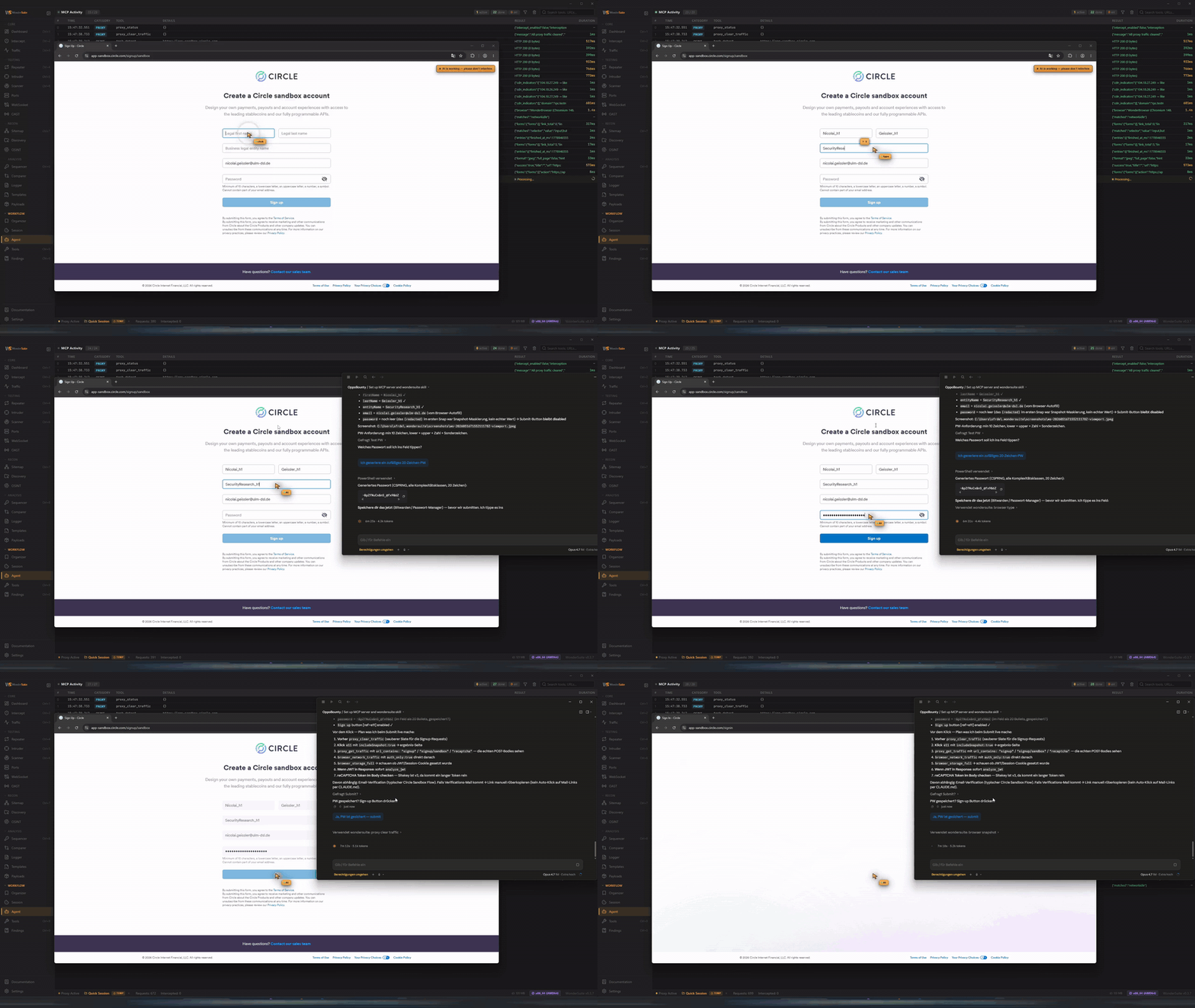
Claude Opus 4.7 driving WonderSuite end-to-end: opens WonderBrowser, walks through a registration form on its own (fills email + password fields, presses Sign up), and watches the resulting traffic stream through the proxy live — auth POST captured, JWT/CSRF surfaced, ready to fuzz. Zero scripted steps, the agent picks the tool sequence itself (browser_open → browser_snapshot → browser_fill_form → browser_click → proxy_get_traffic → analyze_jwt).
Core Capabilities
Intercepting Proxy
Full man-in-the-middle proxy with TLS interception and dynamic certificate authority generation. Supports real-time request and response modification, match-and-replace rules with regex (5 targets: request_header/body/url, response_header/body), WebSocket message capture, upstream proxy chaining (HTTP/SOCKS5), traffic annotation with color highlighting, and proper HAR/JSON export (headers, queryString, statusText all populated). Upstream requests can be re-originated through a BoringSSL stack tuned to match Chrome 137's exact ClientHello, JA3/JA4 fingerprint and HTTP/2 SETTINGS frame ordering — bypasses Cloudflare, Akamai Bot Manager, DataDome, and PerimeterX.
WonderBrowser — Bundled Chrome-for-Testing 148
A pinned Chromium build (CfT 148.0.7778.97) shipped inside WonderSuite — version-locked, SHA-256-verified, never auto-updates, per-version cached. Uses a separate .wondersuite/ profile so it doesn't touch the user's system Chrome. The bundled WonderSuite extension applies minimal stealth at document_start (deletes navigator.webdriver from the prototype, purges automation globals) — verified isBot: false on all 18 deviceandbrowserinfo.com checks. All outbound requests flow through the WonderSuite proxy for capture and TLS impersonation.
Verified Undetected — 17 / 17 Bot-Detection Signals Clean
Out of the box, no per-target tuning, no manual evasion: WonderBrowser plus the impersonating proxy passes every signal on third-party bot-detection fingerprinting suites. Live test against the public detector at deviceandbrowserinfo.com/are_you_a_bot:
{
  "isBot": false,
  "details": {
    "hasBotUserAgent":              false,   "isPlaywright":                  false,
    "hasWebdriverTrue":             false,   "hasInconsistentChromeObject":   false,
    "hasWebdriverInFrameTrue":      false,   "isPhantom":                     false,
    "isNightmare":                  false,   "isSequentum":                   false,
    "isSeleniumChromeDefault":      false,   "isHeadlessChrome":              false,
    "isWebGLInconsistent":          false,   "isAutomatedWithCDP":            false,
    "isAutomatedWithCDPInWebWorker": false,  "hasInconsistentClientHints":    false,
    "hasInconsistentGPUFeatures":   false,   "isIframeOverridden":            false,
    "isIframeMissing":              false
  }
}
How — three independent stealth layers
WonderSuite stacks three orthogonal layers, each defeating a different class of fingerprinting:
TLS layer (proxy upstream). Every outbound TLS handshake is re-originated through a BoringSSL stack tuned to Chrome 137's exact ClientHello — cipher suite order, ALPN, GREASE bytes, extensions, key shares — plus HTTP/2 SETTINGS frame ordering. The resulting JA3/JA4 fingerprint is byte-identical to a real Chrome. Cloudflare, Akamai Bot Manager, DataDome and PerimeterX classify the request as a real browser at the TCP/TLS layer before any JS even runs.
Browser layer (binary + extension). WonderBrowser is Chrome-for-Testing 148 — not a fork, not CEF, not Electron. It runs an isolated
.wondersuite/profile separate from your system Chrome. A bundled MV3 extension hooksdocument_start(before any page JS) to deletenavigator.webdriverdirectly offNavigator.prototype(no easy override-leak) and purges automation globals (window.cdc_*, CDP-injection artifacts). The binary is SHA-256-verified, version-pinned, never auto-updates.Input layer (agent automation). When the AI agent drives the browser via MCP tools, every click / keystroke / scroll goes through Chrome's real input pipeline via
CDP.Input.dispatchMouseEvent/dispatchKeyEvent/insertText— resulting DOM events carryevent.isTrusted === true, indistinguishable from a physical keyboard and mouse. Mouse paths are humanlike Bezier trajectories with Gaussian jitter; typing cadence is drawn per-character from a normal distribution; pre-action dwell time anddocument.hasFocus()emulation are configurable per stealth profile (fast/human/paranoid). The AI cursor overlay lives in a closed Shadow DOM — visible to the operator, completely invisible to page JS. Fraud SDKs like FriendlyCaptcha, DataDome, Cloudflare Bot Management and Imperva — which silently drop programmatic form submissions whenisTrusted: false— let WonderSuite traffic through.
How it flows — browser, proxy, optional impersonation
flowchart LR
    AI(["AI Agent / Operator"])

    subgraph WB["WonderBrowser · pinned Chrome-for-Testing 148"]
      direction TB
      CDP["CDP Input Pipeline<br/><sub>dispatchMouseEvent · dispatchKeyEvent · insertText<br/>isTrusted: true · Bezier mouse · Gaussian cadence</sub>"]
      EXT["WonderSuite MV3 Extension<br/><sub>document_start<br/>navigator.webdriver deleted<br/>window.cdc_* purged</sub>"]
      Page["Page JS<br/><sub>sees real Chrome surface</sub>"]
    end

    subgraph PX["WonderSuite MITM Proxy"]
      direction TB
      MITM["TLS MITM<br/><sub>Dynamic CA · decrypt · capture · edit</sub>"]
      Decision{"Impersonate<br/>Chrome TLS?"}
      Boring["BoringSSL upstream<br/><sub>wreq + boring-sys2<br/>Chrome 137 ClientHello + JA3/JA4<br/>HTTP/2 SETTINGS frame order</sub>"]
      Native["native-tls upstream<br/><sub>reqwest TLS 1.3 default<br/>fingerprint-detectable</sub>"]
    end

    Target[("Target Origin<br/><sub>Cloudflare · Akamai Bot Manager<br/>DataDome · PerimeterX<br/>FriendlyCaptcha · Imperva</sub>")]

    AI ==>|"MCP browser_click / type / fill_form"| CDP
    CDP --> Page
    EXT -.->|"installs before page JS"| Page
    Page ==>|"fetch / XHR / navigation"| MITM
    MITM --> Decision
    Decision ==>|"ON · default"| Boring
    Decision -.->|"OFF · for delta testing"| Native
    Boring ==>|"identical fingerprint to real Chrome"| Target
    Native -.->|"detectable JA3/JA4"| Target

    classDef browser fill:#064e3b,stroke:#10b981,stroke-width:2px,color:#d1fae5
    classDef proxy   fill:#3b0764,stroke:#a855f7,stroke-width:2px,color:#f3e8ff
    classDef decide  fill:#1e3a8a,stroke:#60a5fa,stroke-width:2px,color:#dbeafe
    classDef target  fill:#7c2d12,stroke:#fb923c,stroke-width:2px,color:#fed7aa
    classDef actor   fill:#1f2937,stroke:#94a3b8,stroke-width:1.5px,color:#e2e8f0

    class WB,CDP,EXT,Page browser
    class PX,MITM,Boring,Native proxy
    class Decision decide
    class Target target
    class AI actor
Optional impersonation toggle
TLS impersonation is on by default. It can be disabled in Settings → Browser → "Impersonate Chrome TLS (JA3/JA4 + HTTP/2)" — useful when you want to compare how a target reacts to a fingerprint-detectable vs. fingerprint-impersonated client (the "what does Cloudflare actually block?" experiment). With the toggle off, upstream falls back to native-tls / stock reqwest, exposing a standard Rustls/OpenSSL JA3 fingerprint.
Browser MCP — Human-Native Agent Surface (v0.3.3+)
24 browser tools driving WonderBrowser via a single persistent CDP WebSocket. All input goes through Chrome's real input pipeline (CDP Input.dispatchMouseEvent / dispatchKeyEvent / insertText) so resulting DOM events have event.isTrusted === true — indistinguishable from a physical keyboard and mouse, defeats the class of fraud SDKs (FriendlyCaptcha, DataDome, Cloudflare Bot Management, Imperva) that silently drop programmatic form submissions. On top: humanlike Bezier mouse trajectories with Gaussian jitter, per-character typing cadence drawn from a normal distribution, configurable pre-action dwell, focus emulation so document.hasFocus() reports true. Three stealth profiles (fast / human / paranoid) trade speed against detection-resistance — pick one in Settings → Browser, or override per call. The AI cursor overlay lives in a closed Shadow DOM so it's visible to the user but completely invisible to page-JS. browser_stealth_check self-tests the stack and reports an isTrusted score with verdict (indistinguishable / good / partially-detectable / detectable). Plus everything from v0.3.2: ref-based snapshots, browser_fill_form accepting ref/selector/name, browser_storage_full one-shot auth dump, browser_replay_to_proxy, browser_dom_sinks, CSP-violation-forwarding console, browser_resource_hints, CDP-native scroll wheel events.
Crawler
Multi-level fetcher with robots.txt + sitemap.xml + /.well-known/ + JS endpoint extraction discovery, soft-404 detection, SPA-aware rendering hooks, cookie + path canonicalization. Regex-based fast path for static apps; for SPAs the browser MCP surface is the better tool.
Port Scanner — In-Process, Adaptive, Three-Mode (v0.3.7+)
Built-in port scanner with three real engines: TCP Connect (no admin, default), TCP SYN (raw sockets via bundled WinDivert on Windows / pnet on Linux+macOS), and UDP (no admin, response-based protocol detection). No nmap subprocess — service detection runs against the real nmap-service-probes file (187 probes, 12k+ regex match patterns) embedded at build time. Adaptive concurrency via Little's Law (in_flight = target_pps × RTT_p50) — the permit pool floats with observed network conditions every 2 seconds, where RustScan's batch_size is fixed at startup. Live streaming results to a virtualized table; presets (Top-100, Top-1000, Web, Dev, DB, All); timing templates T0 paranoid → T6 ludicrous; export to JSONL, CSV, Nmap XML, gnmap, or ip:port. CIDR + range + hostname expansion. Idle-mode caps at ~100 pps for field-laptop use.
How it flows — three modes, one orchestrator
flowchart TB
UI(["Ports module<br/><sub>target · ports · mode · timing · service_detect</sub>"])
UI --> Orch{"Orchestrator<br/><sub>portscan::orchestrator</sub>"}
subgraph Modes["Engine dispatch by mode"]
direction LR
Connect["<b>TCP Connect</b><br/><sub>tokio::net::TcpStream<br/>kernel TCP/IP stack<br/>no admin</sub>"]
Syn["<b>TCP SYN</b> · raw sockets<br/><sub>WinDivert (Win) · pnet (Linux/macOS)<br/>SipHash stateless cookies<br/>masscan-style RX dedup</sub>"]
Udp["<b>UDP</b><br/><sub>tokio::net::UdpSocket<br/>14 protocol-specific probes<br/>DNS · NTP · SNMP · SSDP · …</sub>"]
end
Orch -->|mode=connect| Connect
Orch -->|mode=syn| Syn
Orch -->|mode=udp| Udp
subgraph Timing["Adaptive permits — Little's Law"]
direction TB
RTT["RTT EWMA p50"]
Calc["target_pps × RTT_p50<br/>= in_flight permits"]
Sem["tokio::Semaphore<br/><sub>permits live-resized<br/>every 2 s · dead-band ±20 %</sub>"]
RTT --> Calc --> Sem
end
Connect & Syn & Udp --> Sem
Sem -->|"acquire_owned().await"| Probe[/"Per-probe socket I/O"/]
Probe -->|response| ProbeDb["<b>nmap-service-probes</b><br/><sub>include_str!() at build time<br/>187 probes · 11 971 matches<br/>compiled regex via Lazy<ProbeDb></sub>"]
ProbeDb -->|match| Result["ScanResult<br/><sub>state · service · product · version · banner</sub>"]
Result --> Emit["Tauri emit<br/><sub>portscan:result · :progress · :done</sub>"]
Emit --> Live(["Live UI<br/><sub>virtualized table<br/>pps sparkline<br/>services donut</sub>"])
Emit -->|persists| Store["zustand portscanStore<br/><sub>survives module-unmount + pop-out</sub>"]
classDef ui fill:#1f2937,stroke:#94a3b8,stroke-width:1.5px,color:#e2e8f0
classDef orch fill:#3b0764,stroke:#a855f7,stroke-width:2px,color:#f3e8ff
classDef engine fill:#064e3b,stroke:#10b981,stroke-width:2px,color:#d1fae5
classDef store fill:#1e3a8a,stroke:#60a5fa,stroke-width:2px,color:#dbeafe
classDef probe fill:#7c2d12,stroke:#fb923c,stroke-width:2px,color:#fed7aa
class UI,Live ui
class Orch orch
class Connect,Syn,Udp,Probe engine
class RTT,Calc,Sem orch
class ProbeDb probe
class Result,Emit,Store store
Privilege model
| Platform | Connect | SYN | UDP |
|---|---|---|---|
| Linux | no admin | cap_net_raw via setcap |
no admin (raw ICMP optional for closed-port detection) |
| macOS | no admin | root (signed launchd helper coming) | no admin |
| Windows | no admin | bundled WinDivert (LGPLv3, EV-signed by Reqrypt LLC) — one UAC consent for the SCM service install, no external download | no admin |
WonderSuite ships WinDivert 2.2.2 inside the installer (WinDivert.dll + WinDivert64.sys, 140 KB total). At first SYN scan the UI offers a one-click "Install network driver" button → ShellExecuteExW with verb runas → UAC consent → sc.exe create + sc.exe start register the kernel service. WinDivert.dll is dlopened from the resource_dir at scan time via libloading — no compile-time link, so the .exe launches cleanly on machines that don't have the driver yet (graceful fallback to TCP connect with a clear error message). HVCI / Memory Integrity detected via registry; on HVCI-strict machines the SYN engine surfaces a clear "disable Memory Integrity" message and falls back to connect.
Multi-Window Workspace (v0.3.7+)
Right-click any sidebar module → "Pop out to window" spawns a native Tauri window with just that module. Cross-monitor workflow: Comparer on monitor 1, Repeater on monitor 2, Logger on monitor 3, main shell on monitor 4. Geometry persists per moduleId in localStorage — windows respawn at the same position on app restart (workspace save). Cross-window state bridge via Tauri events: "Send to Repeater" from the Traffic tab in the main window still works when Repeater is detached. 240 ms pop-in animation, 240 ms scale-down re-dock. Each detached window is a separate WebView (~40-60 MB RAM) but shares one Rust backend — no IPC duplication.
MCP Server — 90 Tools + Operator Skill
Native Model Context Protocol server enabling AI agents (Claude, Cursor, Windsurf, VS Code, Antigravity, Gemini CLI, …) to autonomously conduct security research against WonderSuite's tool surface. Ships with a project-level Claude skill (.claude/skills/wondersuite.md) that teaches the AI workflows, error-recovery, and when-to-ask-vs-act — see Skill File below.
| Category | Tools |
|---|---|
| HTTP | send_request · send_to_repeater · send_to_intruder (auto-categorises payloads per param name) · h2_send_request · mtls_send_request |
| Proxy | proxy_start · proxy_stop · proxy_status · proxy_toggle_intercept · proxy_get_traffic · proxy_search_traffic · proxy_clear_traffic · proxy_export_traffic (JSON / HAR with full headers + queryString) · proxy_get_statistics · proxy_add_match_replace · proxy_add_interception_rule · proxy_add_tls_passthrough · proxy_set_upstream · proxy_annotate_traffic · proxy_get_websocket_messages · get_intercepted · forward_intercepted |
| Scanner | active_scan (SQLi · XSS · SSTI · LFI · Open Redirect · CRLF) with optional with_oast:true for blind cmdi, blind SSRF, Log4Shell via the bundled OAST listener · passive_scan (headers, cookies, CORS, info disclosure) |
| Intruder | fuzz_request — Sniper · Battering Ram · Pitchfork · Cluster Bomb |
| Browser (24) | browser_open · browser_attach (reuse running WonderBrowser; auto_launch:true spawns) · browser_close · browser_navigate · browser_snapshot (a11y tree + ref=eN + forms-with-labels + honeypot detection + security block) · browser_screenshot (writes JPEG to disk, returns path) · browser_click (CDP-native, isTrusted:true, humanlike trajectory) · browser_type (CDP insertText with Gaussian cadence) · browser_fill_form (ref/selector/name + auto-submit; ref path goes through humanlike CDP input) · browser_press_key (CDP dispatchKeyEvent) · browser_scroll (CDP mouseWheel event) · browser_select_option · browser_set_file_input · browser_get_outer_html · browser_evaluate · browser_storage_full (cookies+LS+SS+IDB+SW+caches+cookie_header) · browser_console (incl. CSP violations) · browser_dom_sinks (innerHTML/eval/postMessage enum) · browser_network_traffic (CDP ring buffer) · browser_replay_to_proxy (hand browser request to Repeater) · browser_resource_hints (robots/well-known/sourcemaps) · browser_wait_for · browser_tabs · browser_stealth_check (self-test the human-emulation stack) |
| Recon | crawl_target · discover_content · discover_subdomains (concurrent DNS) · find_secrets · dns_resolve (with CDN detection) · js_link_finder |
| Port Scanner (5) | port_scan (host + presets + 15 in-process probes) · port_scan_range (CIDR/range/list, exclude_cdn) · service_detect (probe a known-open port) · banner_grab (raw bytes, custom payload) · port_scan_results (paginated drill-down) |
| OSINT | whois_lookup · asn_lookup · crtsh_search · wayback_lookup · hackertarget_lookup · ip_geolocation · tech_detect · favicon_hash · reverse_ip_lookup · graphql_introspect |
| Codec | encode · decode · hash · smart_decode · analyze_jwt (alg=none, kid SQLi/traversal, jku/x5u SSRF, HS/RS confusion) |
| OAST | Embedded in-process listeners (HTTP / DNS / SMTP) with path-correlated callbacks; drive from active_scan(with_oast: true) (recommended for AI agents) or the OAST UI panel. Standalone oast_* MCP tools are not in the agent surface as of v0.3.11 — un-comment in src-tauri/src/mcp/handlers/mod.rs if you need raw payload control. |
| Exploit | race_request · raw_tcp_send · websocket_connect · analyze_cdn_waf (with CDN bypass strategies) |
| Reporting | generate_report (markdown / JSON / summary) · bambda_filter · payload_manager · get_traffic_log |
Autonomous Security Research
The AI agent operates independently through the MCP interface. It can launch WonderBrowser, walk the app with browser_snapshot's stable refs, drive forms with browser_fill_form (by ref OR selector OR name), capture the authenticated session via browser_storage_full (cookies + LS + SS + IDB + SW + Cache in one call, ready-to-replay Cookie: header), and hand any browser-discovered request to the proxy's Repeater via browser_replay_to_proxy. From there: active_scan with_oast:true fires error+time-based SQLi, reflected XSS, SSTI, LFI, Open Redirect, AND blind-injection probes (curl/wget/JNDI-LDAP/Log4Shell-style) that callback to the bundled OAST listener — every callback becomes a critical-severity, certain-confidence finding. analyze_jwt flags alg=none, kid-as-SQLi-sink, jku/x5u SSRF, and HS/RS key-confusion classes. analyze_cdn_waf returns actionable bypass strategies cross-referenced to other tools (origin discovery via dns_history/crtsh_search/favicon_hash, header-manipulation evasion, payload obfuscation, protocol-level bypass).
Screenshots
Project Launcher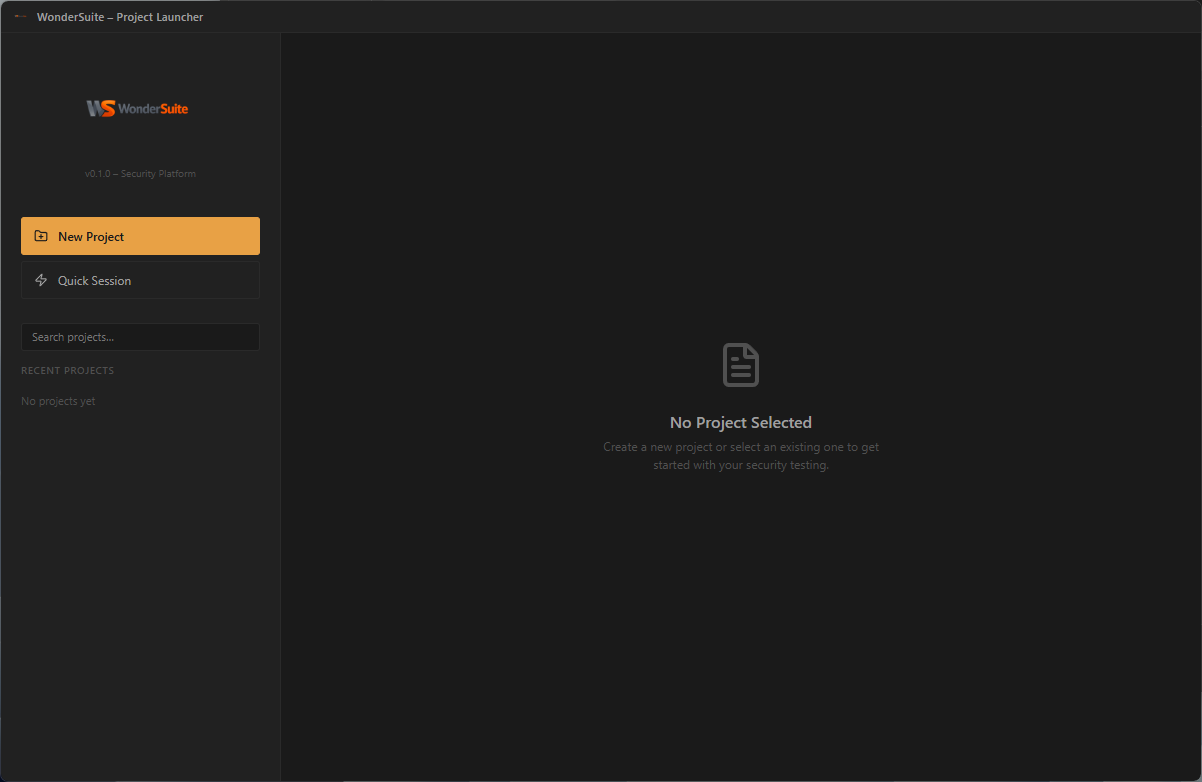
|
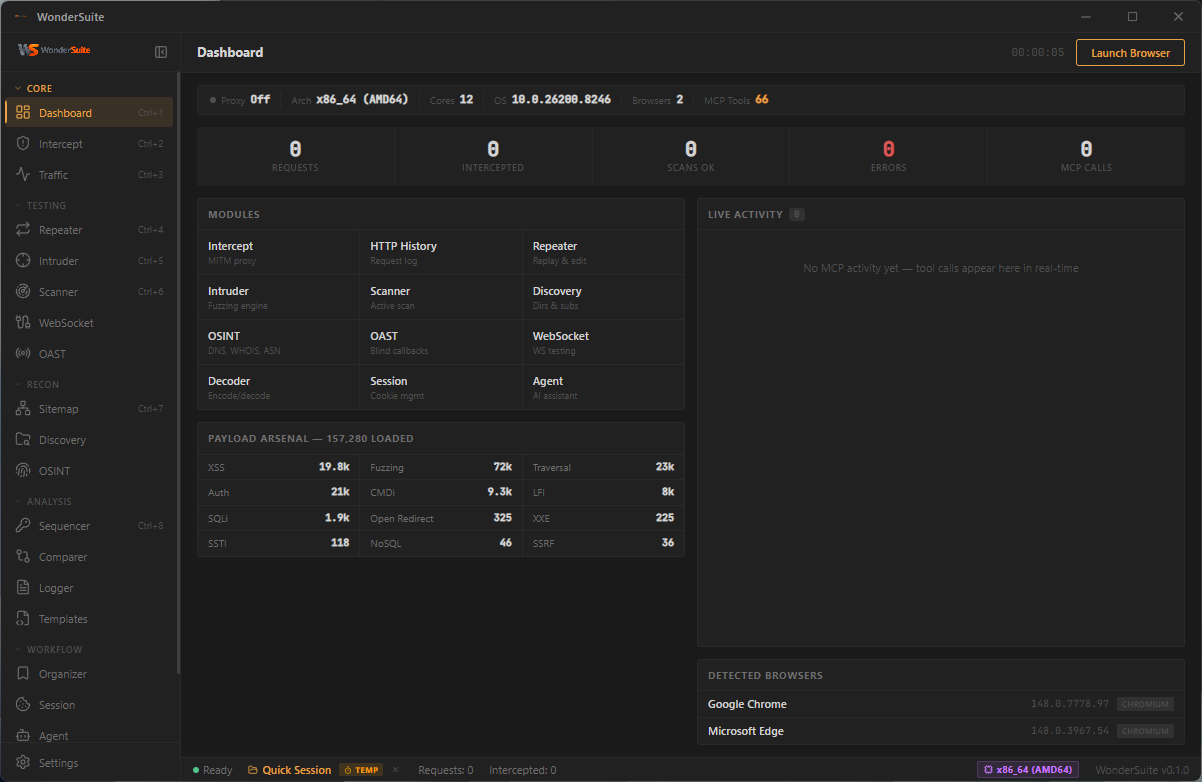
Dashboard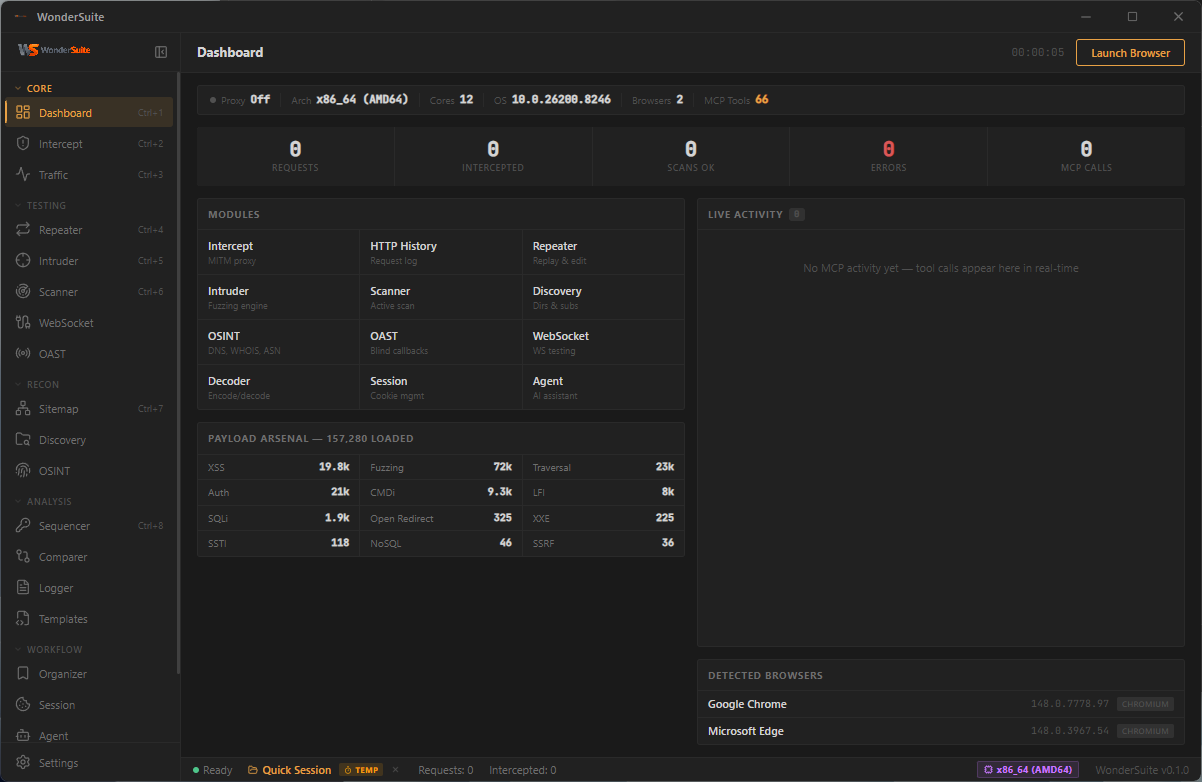
|
Intercepting Proxy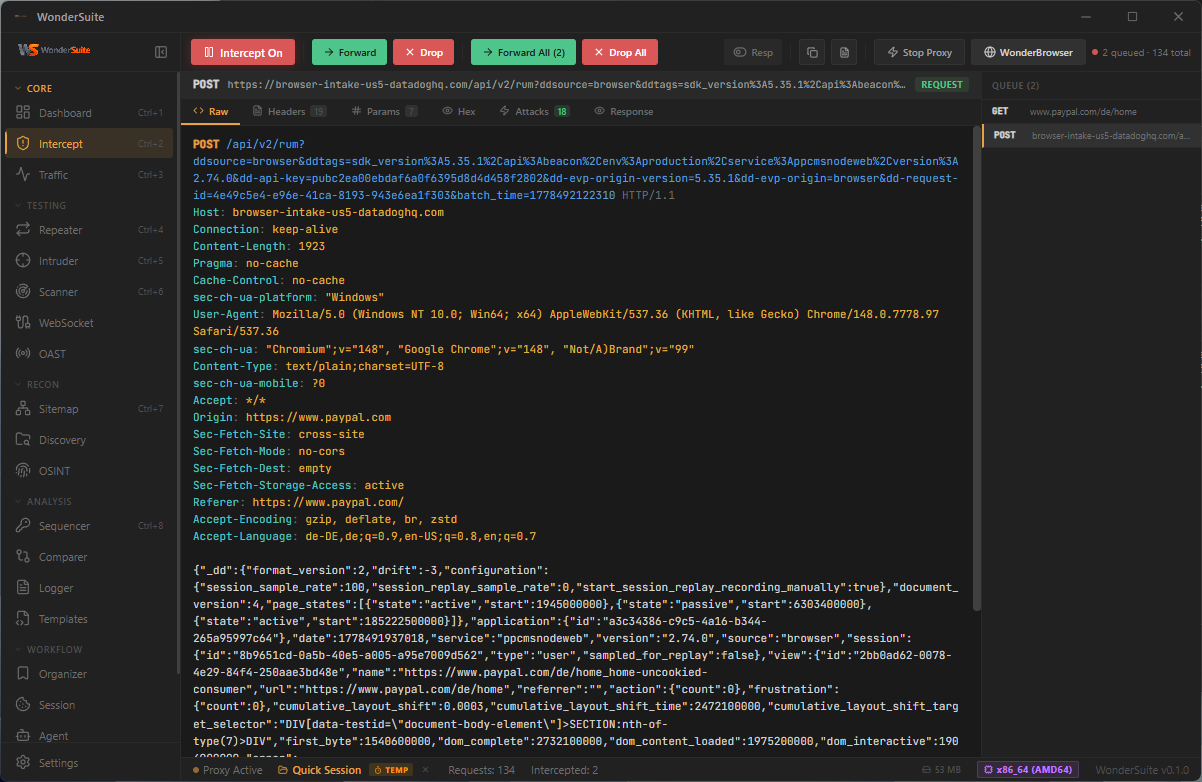
|
Traffic History · Context Menu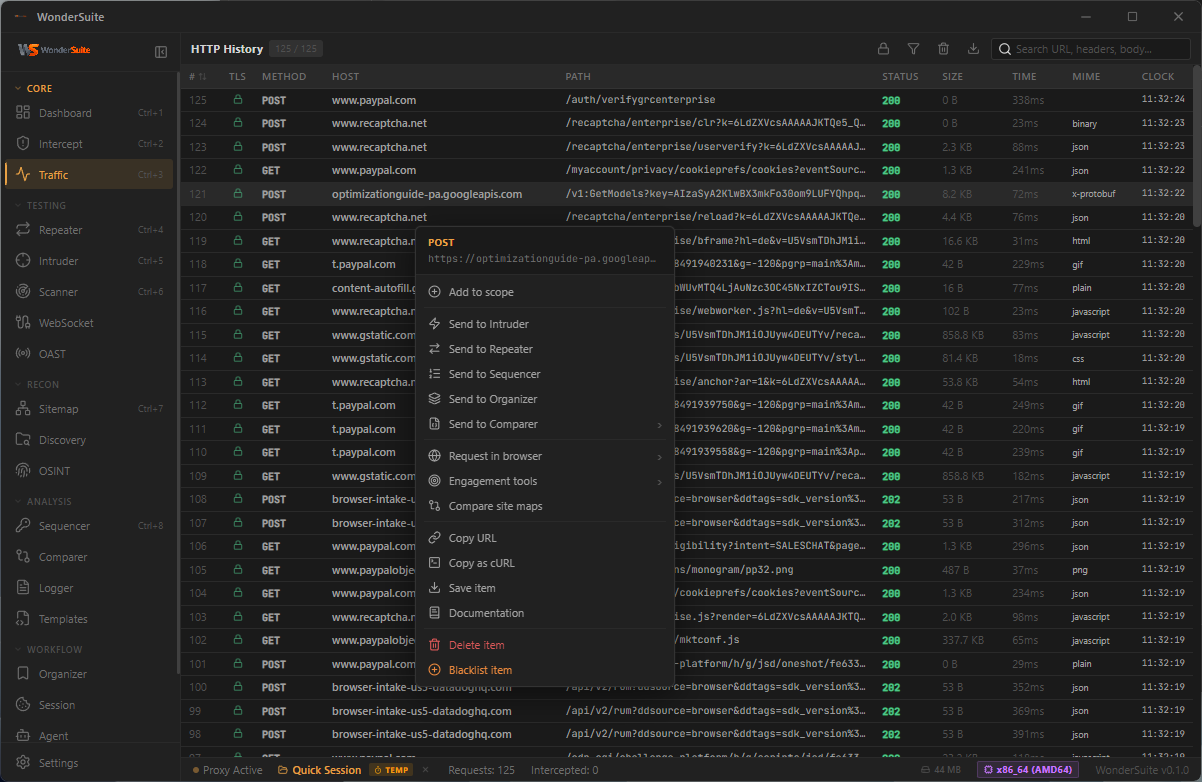
|
Repeater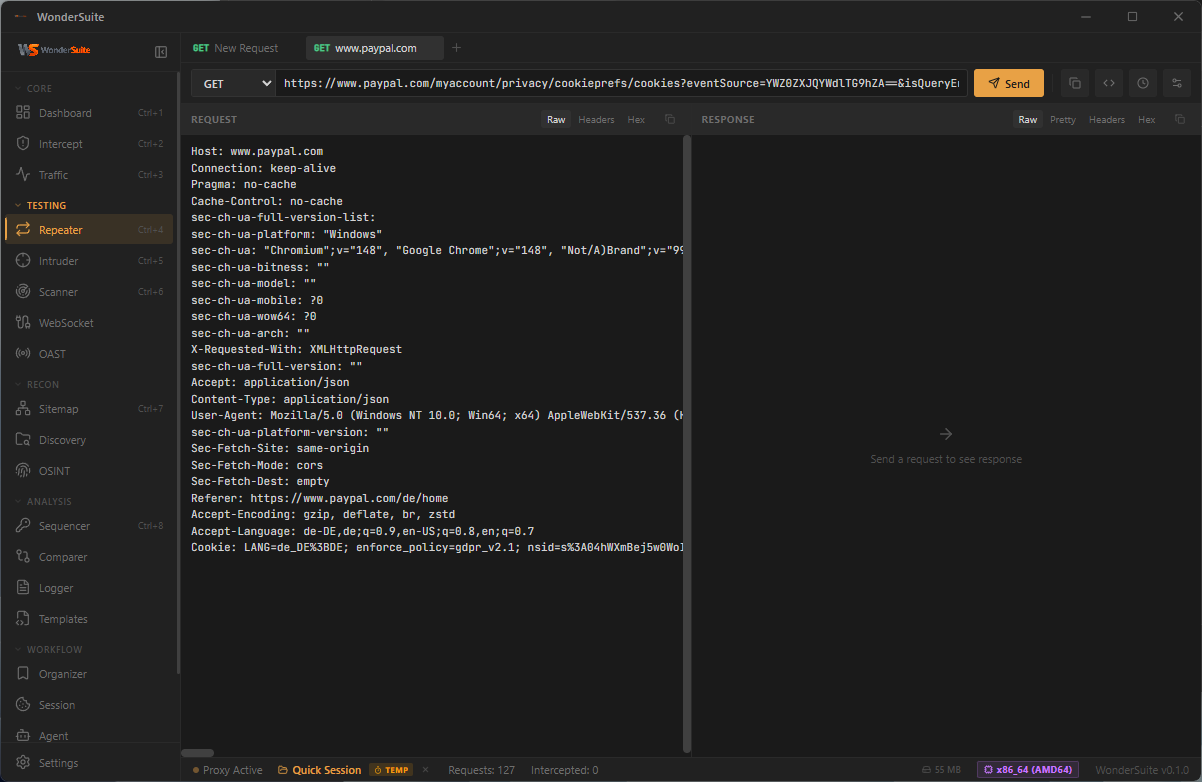
|
Intruder · Sniper Mode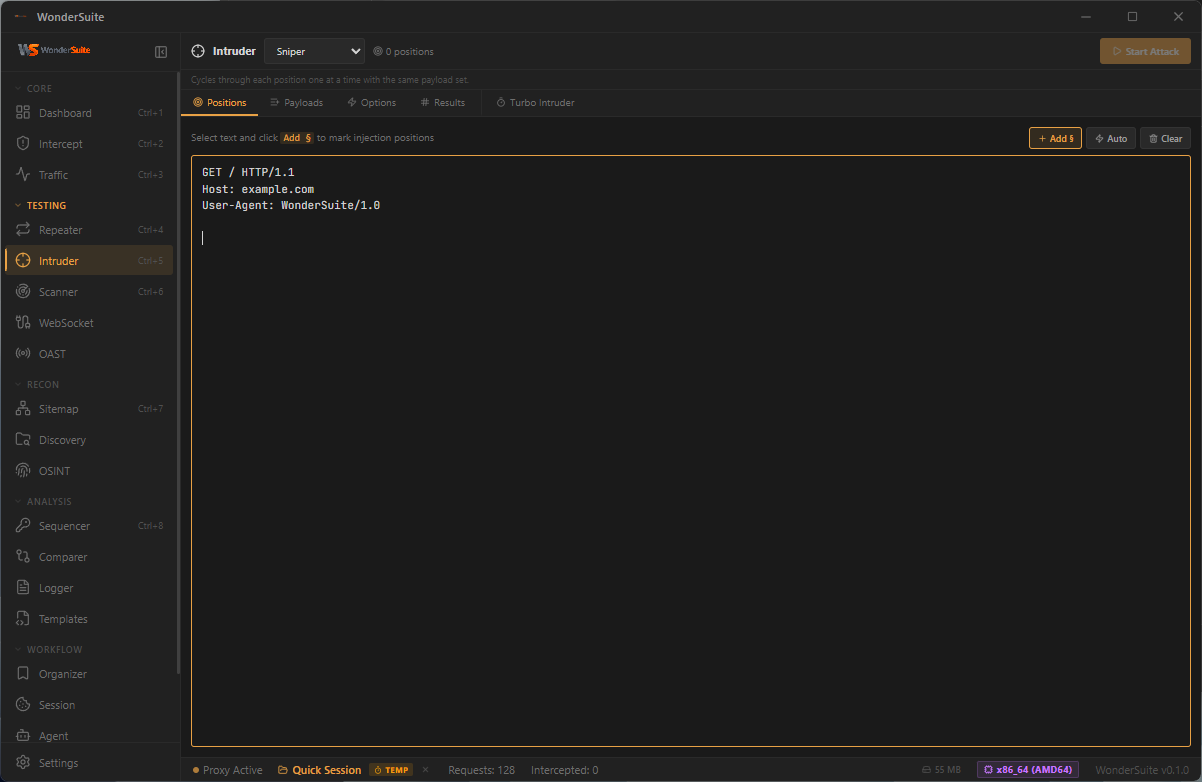
|
Scanner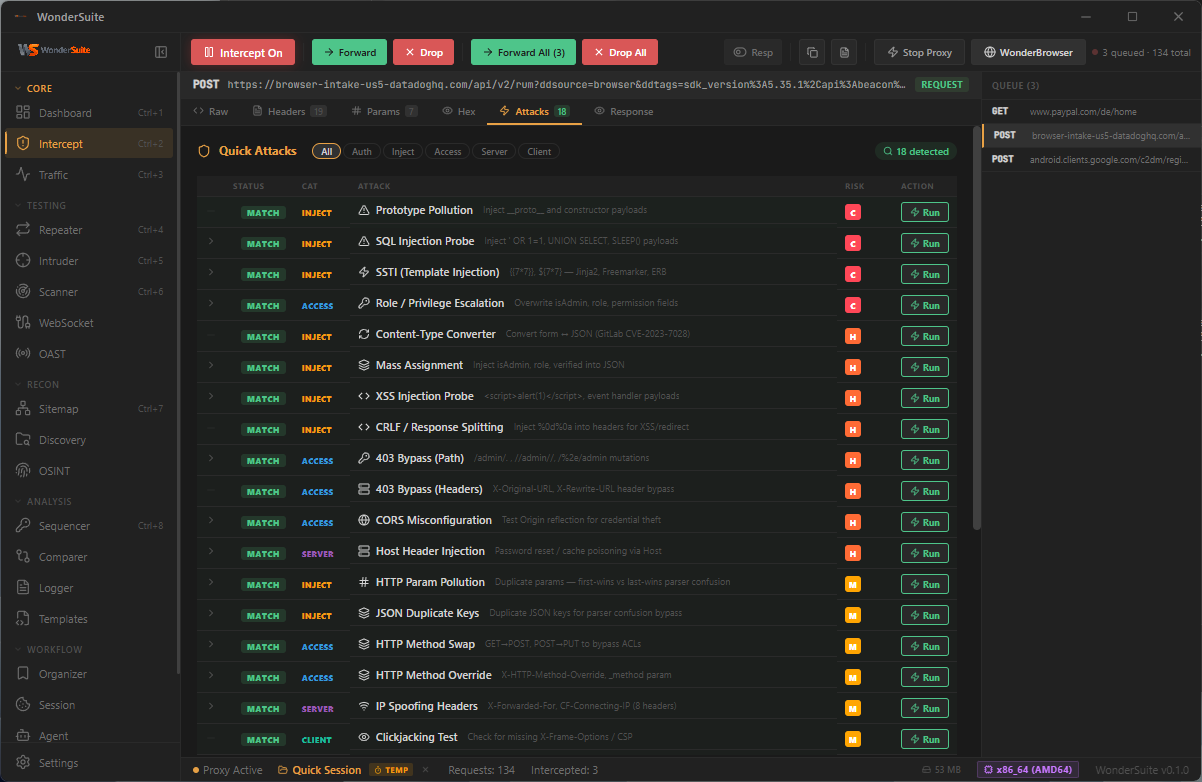
|
Vulnerability Templates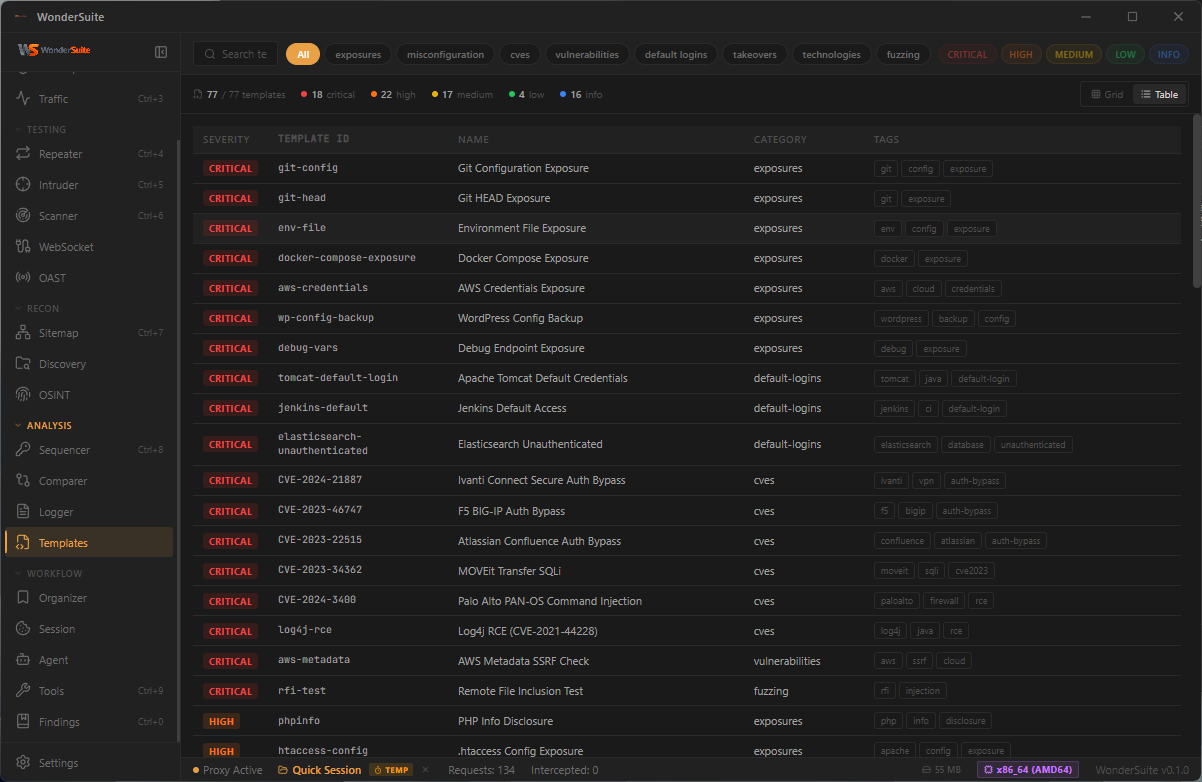
|
Sitemap · Tree View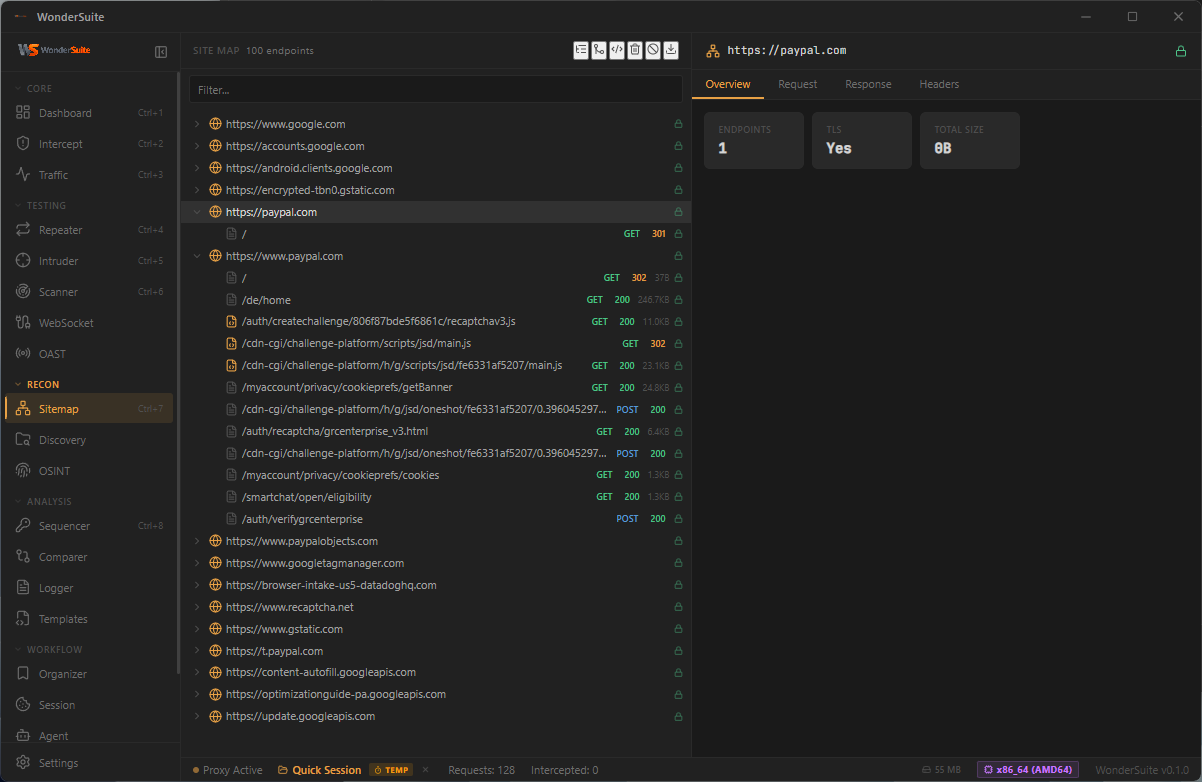
|
Sitemap · Diagram View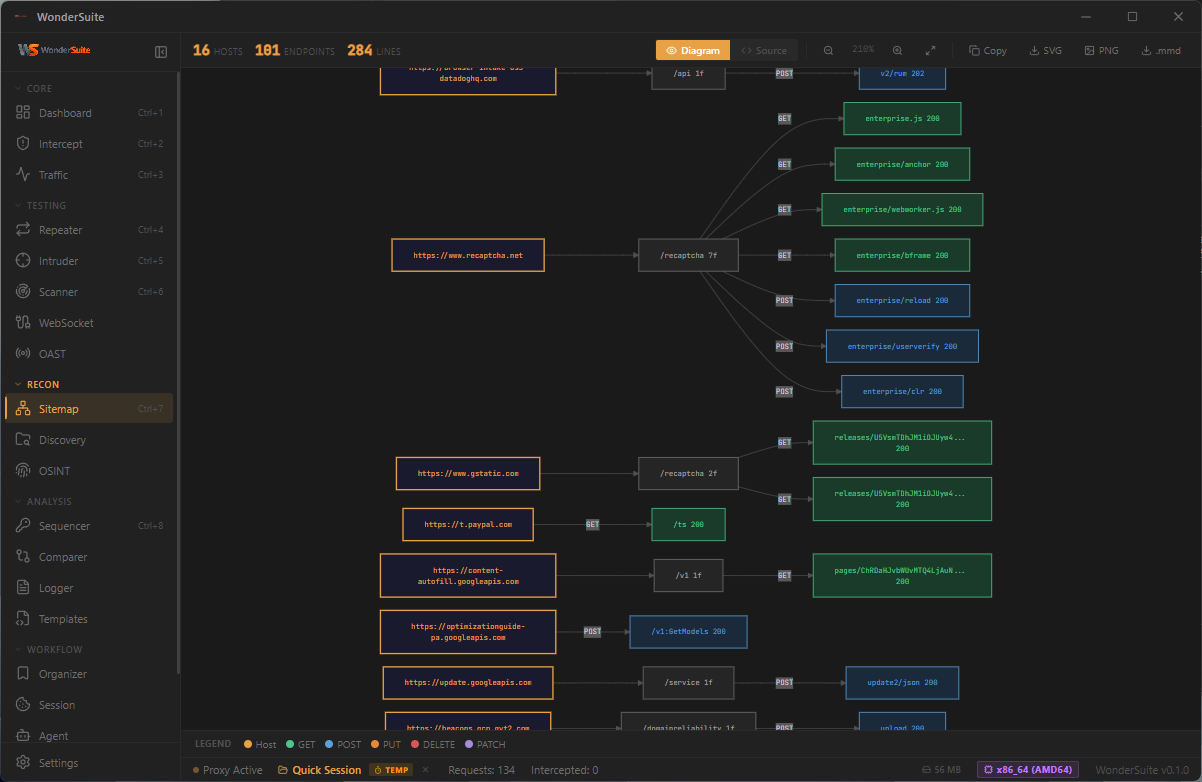
|
OSINT · DNS Records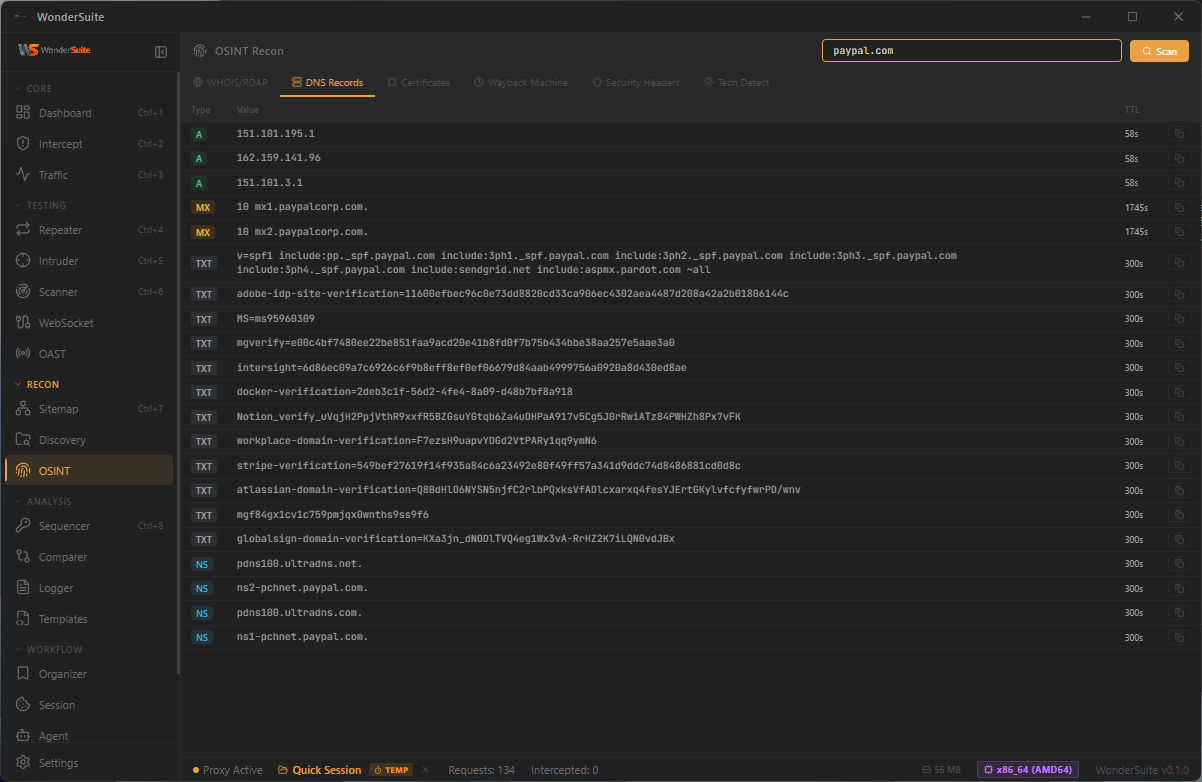
|
Token Sequencer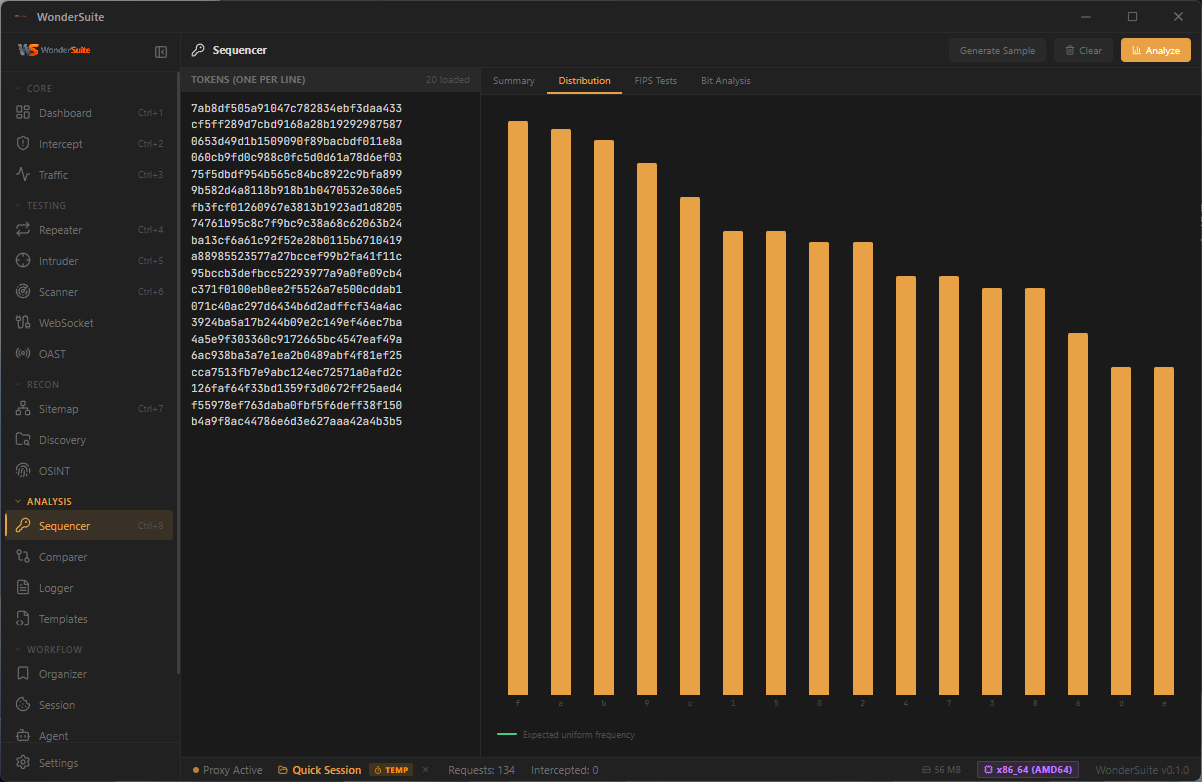
|
Decoder / Codec Tools
|
Sitemap · Mixed Explore View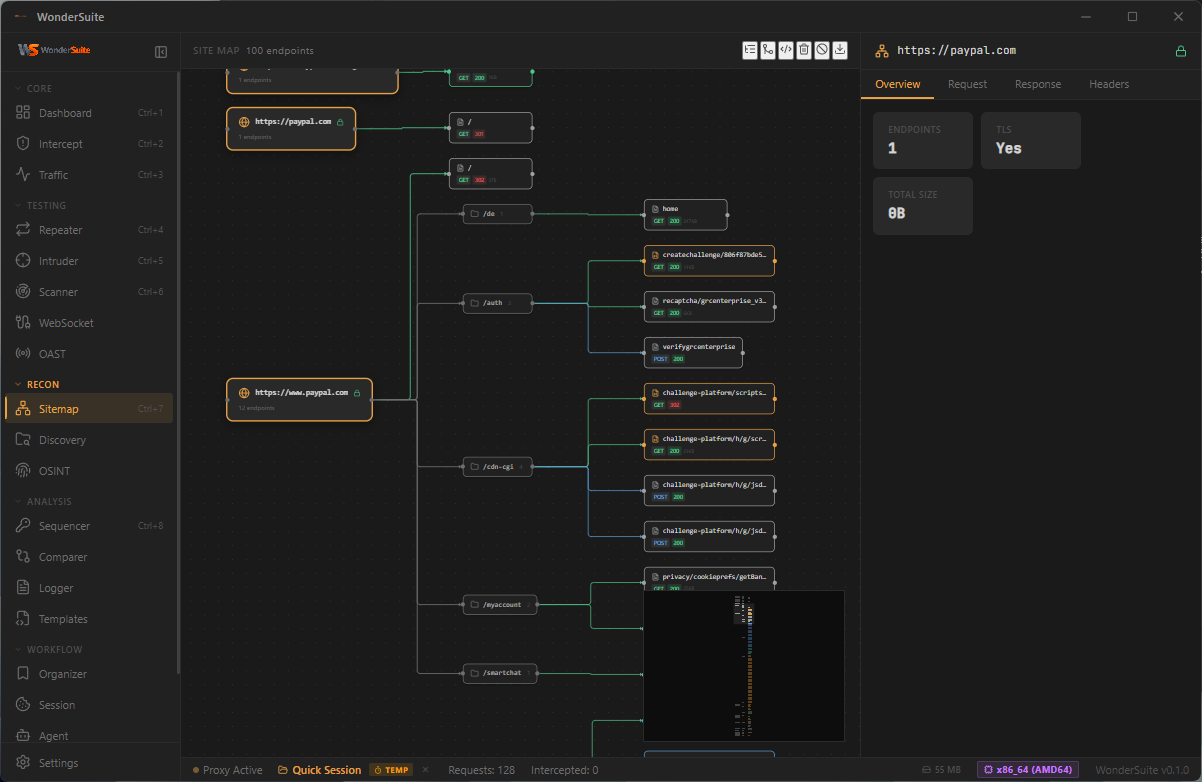
|
Settings Panels (click to expand)
General · System Info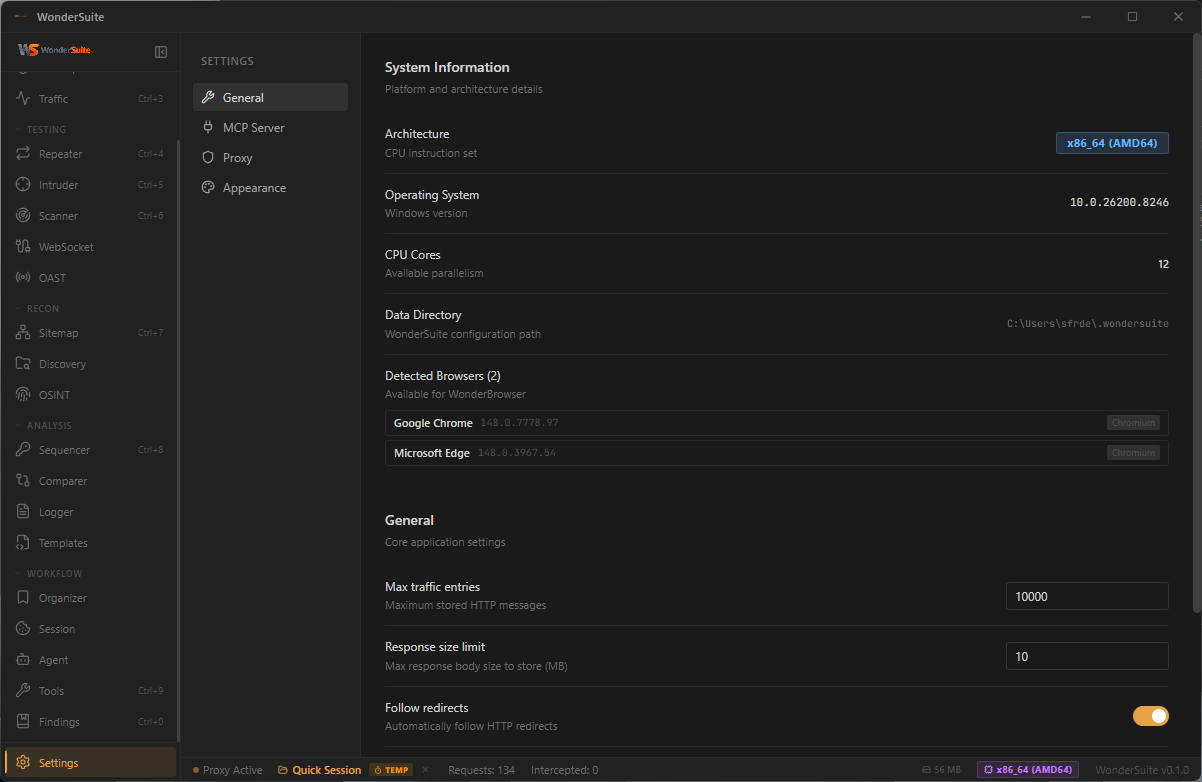
|
MCP Server · IDE Integration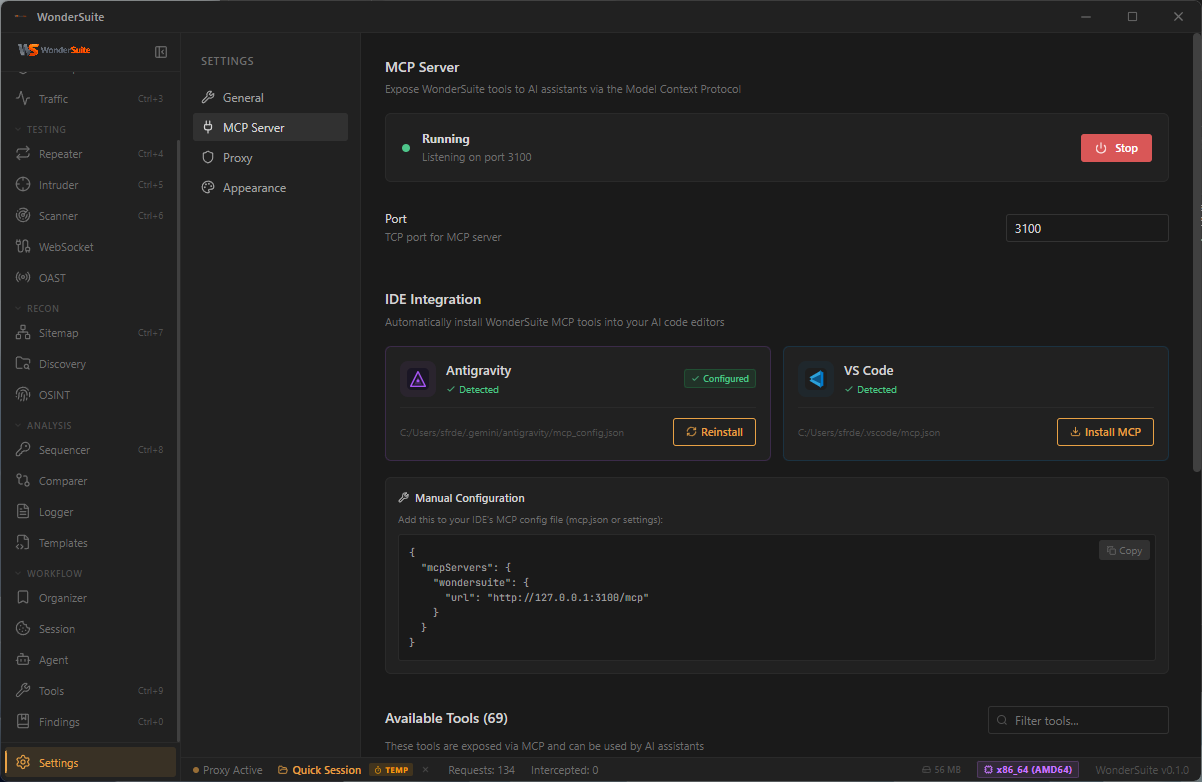
|
Proxy Configuration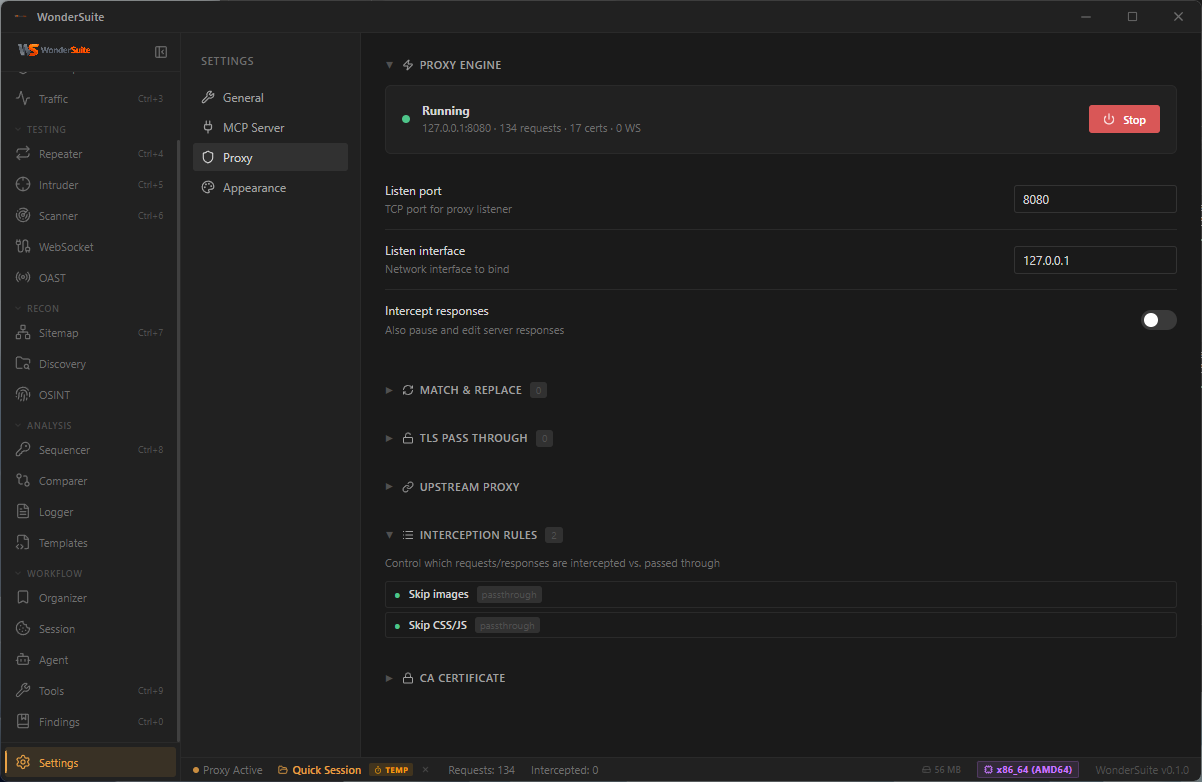
|
Appearance · Themes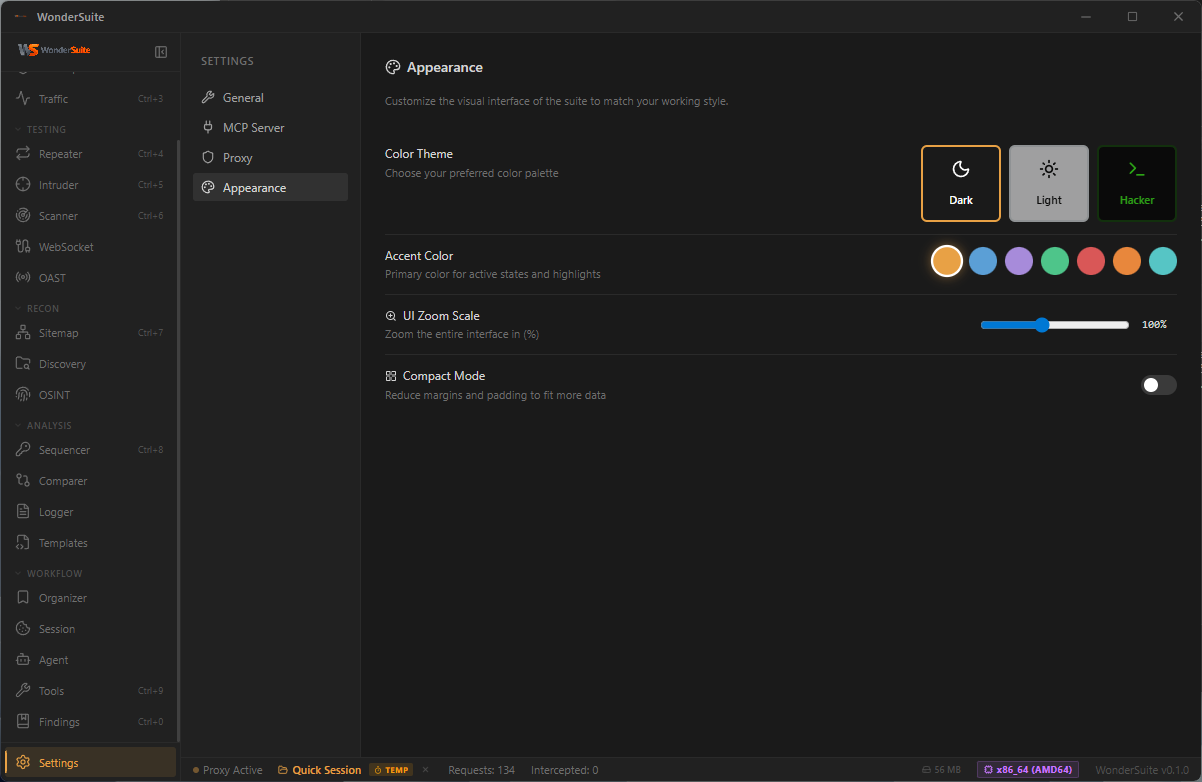
|
Architecture
flowchart TB
    pentester(["Pentester"])
    ai(["AI Client<br/><sub>Claude · Cursor · Windsurf · VS Code · Antigravity</sub>"])

    subgraph DT["WonderSuite Desktop · Tauri 2"]
        direction TB

        FE["<b>React 19 Frontend</b><br/><sub>22 modules · TypeScript · Vite · Zustand</sub>"]

        FE <==>|"Tauri IPC<br/>~100 commands"| BE

        subgraph BE["Rust Backend Engine"]
            direction TB

            subgraph CORE[" "]
                direction LR
                Proxy["<b>MITM Proxy</b><br/><sub>tokio · native-tls · dynamic CA<br/>+ Chrome 137 JA3/JA4 + HTTP/2<br/>upstream impersonation (BoringSSL)</sub>"]
                Browser["<b>WonderBrowser</b><br/><sub>Bundled Chrome-for-Testing 148<br/>Stealth extension · CDP capture<br/>Per-version SHA-256-verified cache</sub>"]
            end

            subgraph TOOLS[" "]
                direction LR
                Scanner["<b>Scanner</b><br/><sub>SQLi · XSS · SSTI · LFI<br/>CRLF · Open Redirect<br/>+ OAST blind cmdi/SSRF/Log4Shell</sub>"]
                Intruder["<b>Intruder / Fuzzer</b><br/><sub>Sniper · Battering Ram<br/>Pitchfork · Cluster Bomb<br/>Auto payload-category inference</sub>"]
                Crawler["<b>Crawler</b><br/><sub>robots · sitemap · .well-known<br/>JS endpoint extraction · soft-404</sub>"]
                OAST["<b>OAST Listener</b><br/><sub>HTTP · DNS · SMTP<br/>Path-correlated callbacks</sub>"]
            end

            MCP["<b>MCP Server</b><br/><sub>Axum · JSON-RPC 2.0 · :3100<br/><b>90 security tools</b><br/>incl. 24 browser + 5 port-scan tools</sub>"]

            Payloads[("Payload Arsenal<br/><sub>SecLists · PayloadsAllTheThings<br/>157k payloads</sub>")]
        end
    end

    target[("Target Web Apps<br/><sub>HTTP/1.1 · HTTP/2 · WebSocket · mTLS</sub>")]
    osint[/"OSINT Sources<br/><sub>crt.sh · RDAP · Wayback · ASN · HackerTarget</sub>"/]
    callbacks[/"Out-of-Band Callbacks<br/><sub>DNS · HTTP · SMTP</sub>"/]

    pentester ==> FE
    ai <==>|"HTTP / JSON-RPC"| MCP

    Proxy <==>|"intercept · TLS MITM"| target
    Browser <==>|"CDP · network capture"| target
    Scanner -.->|"vulnerability probes"| target
    Intruder -.->|"payload waves"| target
    OAST <==>|"out-of-band"| callbacks
    MCP -.->|"lookup"| osint
    Scanner --- Payloads
    Intruder --- Payloads

    classDef person fill:#064e3b,stroke:#10b981,stroke-width:2px,color:#d1fae5
    classDef desktop fill:#0f172a,stroke:#1e40af,stroke-width:2px,color:#e0e7ff
    classDef frontend fill:#1e3a8a,stroke:#60a5fa,stroke-width:2px,color:#dbeafe
    classDef engine fill:#451a03,stroke:#fb923c,stroke-width:2px,color:#fed7aa
    classDef mcp fill:#3b0764,stroke:#a855f7,stroke-width:3px,color:#f3e8ff
    classDef payload fill:#1f2937,stroke:#94a3b8,stroke-width:1px,color:#e2e8f0
    classDef external fill:#1f2937,stroke:#94a3b8,stroke-width:1.5px,color:#e2e8f0
    classDef hidden fill:transparent,stroke:transparent

    class pentester,ai person
    class DT desktop
    class FE frontend
    class BE,Proxy,Browser,Scanner,Intruder,OAST engine
    class MCP mcp
    class Payloads payload
    class target,osint,callbacks external
    class CORE,TOOLS hidden
How it flows. The pentester drives the React UI; every action travels through Tauri IPC into the Rust engine. The MITM proxy MITM-decrypts the browser's TLS, then re-originates each upstream request through a BoringSSL stack tuned to Chrome 137's exact ClientHello + JA3/JA4 + HTTP/2 SETTINGS fingerprint — so Cloudflare/Akamai/DataDome/PerimeterX see real Chrome. WonderBrowser is the bundled Chrome-for-Testing 148 with a stealth extension shipped in the install (no system Chrome dependency). Scanner and intruder probe the target, posting blind-vuln callbacks to the integrated OAST listener via path-correlated callback_urls. In parallel, any MCP-compatible AI client speaks JSON-RPC to the same 85-tool surface — including 24 pentest-grade browser tools that share state with the proxy via a stable request-ID space — so a human and an AI agent can investigate the same target with the exact same primitives.
Tech Stack
| Component | Technology |
|---|---|
| Backend | Rust 1.78+ |
| Framework | Tauri 2.x |
| Frontend | React 19, TypeScript, Vite, Zustand |
| Proxy | tokio, native-tls, rsa/x509-cert (dynamic CA) |
| TLS impersonation | wreq + boring-sys2 (BoringSSL), webpki-root-certs (Mozilla CA bundle) — win+mac only, Linux fallback to native-tls |
| Browser | Bundled Chrome-for-Testing 148.0.7778.97 (SHA-256-verified lazy download) + WonderSuite extension (MV3) |
| Browser MCP | Persistent CDP WebSocket (tokio-tungstenite) with multiplexed request correlation + a11y-tree snapshot engine |
| MCP | Axum HTTP server (JSON-RPC 2.0), dedicated thread/runtime |
| HTTP Client | reqwest with TLS 1.3 |
| OAST | Embedded axum HTTP listener + tokio UDP DNS server + raw-TCP SMTP listener, shared INTERACTIONS log |
Download
Pre-built, code-signed installers for all major platforms are published on every release. The Tauri updater also serves these binaries — running WonderSuite checks latest.json on startup and offers an in-app update when a new version is available.
| Platform | Installer | Notes |
|---|---|---|
| Windows 10/11 (x64) | .msi · .exe (NSIS) |
Bundles WinDivert 2.2.2 — one UAC consent on first SYN scan, none afterward |
| macOS (Apple Silicon) | WonderSuite_*_aarch64.dmg |
M1 / M2 / M3 / M4 native |
| macOS (Intel) | WonderSuite_*_x64.dmg |
x86_64 native |
| Linux (x86_64) | .AppImage · .deb · .rpm |
Raw-socket SYN scan needs CAP_NET_RAW |
Every artifact is reproducibly built in GitHub Actions and ships with a Tauri-updater signature (.sig next to each installer). Verify a download against the published Ed25519 public key in src-tauri/tauri.conf.json (plugins.updater.pubkey).
Getting Started
Skip this section if you just want to run WonderSuite — grab a pre-built installer above. The instructions below are for building from source.
Prerequisites
- Rust 1.78 or later
- Node.js 18 or later
- On Windows: Microsoft Visual Studio Build Tools (Desktop C++ workload) and WebView2 Runtime
- On Linux:
webkit2gtk-4.1,libayatana-appindicator3-dev,librsvg2-dev,build-essential - On macOS: Xcode Command Line Tools
Installation (from source)
git clone https://github.com/sfr-development/WonderSuite-Ai-Bug-Bounty.git
cd WonderSuite-Ai-Bug-Bounty
npm install
Development
npm run tauri dev
Production Build
npm run tauri build
Output is written to src-tauri/target/release/bundle/ (.msi, .exe, .dmg, .AppImage, .deb, depending on platform).
A helper build-release.cmd is provided for Windows developers (opens a visible console window, prints the artifact paths when done).
Connecting an AI Client to MCP
The MCP server auto-starts on http://127.0.0.1:3100/mcp. The Settings → MCP Server tab auto-detects supported IDEs (Cursor, Windsurf, VS Code, Antigravity, Gemini CLI, Void) and offers one-click install. Manual config snippet:
{
  "mcpServers": {
    "wondersuite": {
      "url": "http://127.0.0.1:3100/mcp"
    }
  }
}
Skill File — Teach Your AI How to Use WonderSuite
WonderSuite ships a project-level Claude skill that turns your AI client into a senior pentester instead of a tool-calling chatbot. The skill is at .claude/skills/wondersuite.md and contains:
- The pre-flight sequence (proxy check + recon basics) the AI should run on every new engagement
- Workflows: recon→crawl→triage, manual browser testing, OAST blind-vuln hunt, JWT analysis, SQLi/XSS hunting, race conditions, HTTP smuggling
- A decision tree for
browser_openvsbrowser_attachvsbrowser_attach({auto_launch, use_real_profile}) - Tool-by-tool reference for all 91 MCP tools (parameters, when to use, killer-feature notes)
- Error-code recovery table (
PROXY_DOWN,STALE_REF,CDP_LOST,PROFILE_LOCKED…) - Anti-patterns and ask-vs-act guidance
Install into your own project (one-time):
mkdir .claude\skills -Force
iwr https://raw.githubusercontent.com/sfr-development/WonderSuite-Ai-Bug-Bounty/main/.claude/skills/wondersuite.md -OutFile .claude\skills\wondersuite.md
# macOS / Linux
mkdir -p .claude/skills
curl -fsSL https://raw.githubusercontent.com/sfr-development/WonderSuite-Ai-Bug-Bounty/main/.claude/skills/wondersuite.md -o .claude/skills/wondersuite.md
Or clone the repo and copy the file:
cp WonderSuite-Ai-Bug-Bounty/.claude/skills/wondersuite.md .claude/skills/
Use: open a Claude Code / compatible session in that directory. The skill auto-loads — its frontmatter tells Claude to apply it whenever the user says things like "test this target", "scan", "pentest", "find vulnerabilities", "attach to my browser". You can also force-invoke it with /wondersuite.
Keep it current: the skill is versioned with the rest of the repo. After a release, re-run the install command above to pick up new tools / workflow improvements.
Project Structure
wondersuite/
├── src/                          # React frontend
│   ├── components/               # Shared UI components
│   ├── modules/                  # Feature modules (dashboard, intercept,
│   │                             #   traffic, repeater, intruder, scanner,
│   │                             #   sitemap, discovery, osint, sequencer,
│   │                             #   comparer, logger, templates, organizer,
│   │                             #   agent, tools, findings, websocket,
│   │                             #   oast, settings)
│   └── stores/                   # State management (zustand)
├── src-tauri/
│   ├── resources/
│   │   ├── chromium_pin.json     # Pinned CfT version + SHA-256
│   │   └── wondersuite-extension/ # Bundled MV3 stealth extension
│   └── src/
│       ├── mcp/                  # MCP server engine
│       │   ├── browser/          # Human-native browser MCP (23 tools, CDP-Input, top-frame cursor overlay)
│       │   │   ├── session.rs    #   CDP WS lifecycle + event dispatch
│       │   │   ├── snapshot.rs   #   a11y tree + ref=eN + forms + security
│       │   │   ├── network.rs    #   request capture ring buffer
│       │   │   └── handlers.rs   #   tool handlers
│       │   ├── handlers/         # Other tool handlers (proxy, scanner, …)
│       │   ├── router.rs         # JSON-RPC dispatcher
│       │   └── mod.rs            # Tool definitions (90 tools)
│       ├── proxy/                # MITM proxy engine
│       │   ├── engine.rs         # Core proxy logic + impersonate branch
│       │   ├── ca.rs             # Certificate authority
│       │   └── state.rs          # Traffic storage
│       ├── chromium/             # Bundled Chromium download/verify/extract/GC
│       ├── crawler/              # Robots/sitemap/well-known/JS-endpoint crawler
│       ├── oast.rs               # Shared HTTP/DNS/SMTP listeners + INTERACTIONS
│       ├── tls_impersonate.rs    # wreq + BoringSSL Chrome-137 emulation (win+mac)
│       ├── browser.rs            # Browser process launcher + CDP helpers
│       └── lib.rs                # Tauri application entry
├── docs/screenshots/             # README assets
└── .github/workflows/release.yml # Cross-platform CI release
Responsible Use
WonderSuite is intended for authorized security testing, defensive research, and educational use. Only test systems you own or have explicit written permission to assess. The authors and contributors are not responsible for misuse.
Comments