📊 Reading insights
More screenshots
This plugin bundles two reading-stats popups, powered by KOReader's statistics database.
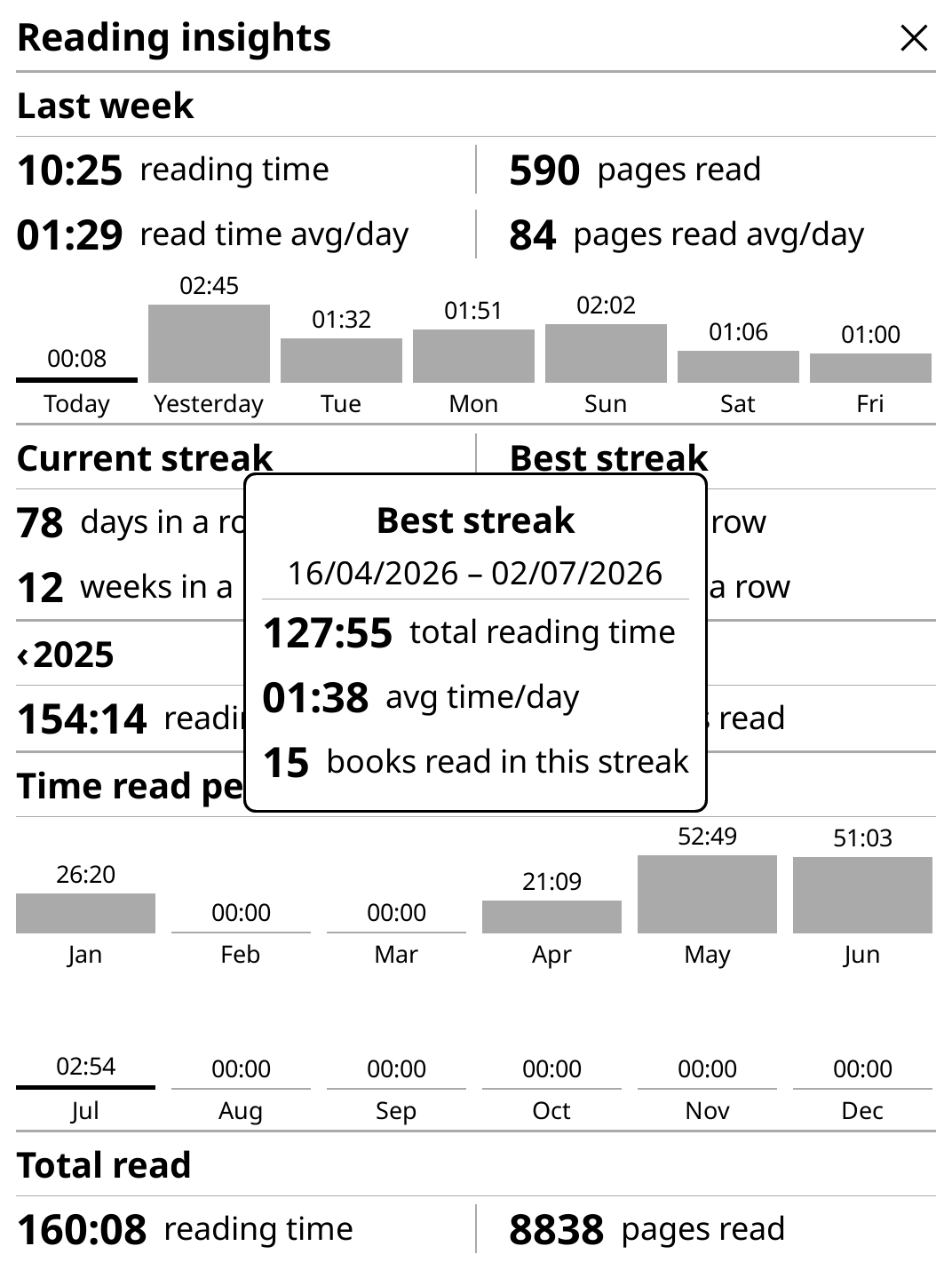
Reading insights (full-screen history)
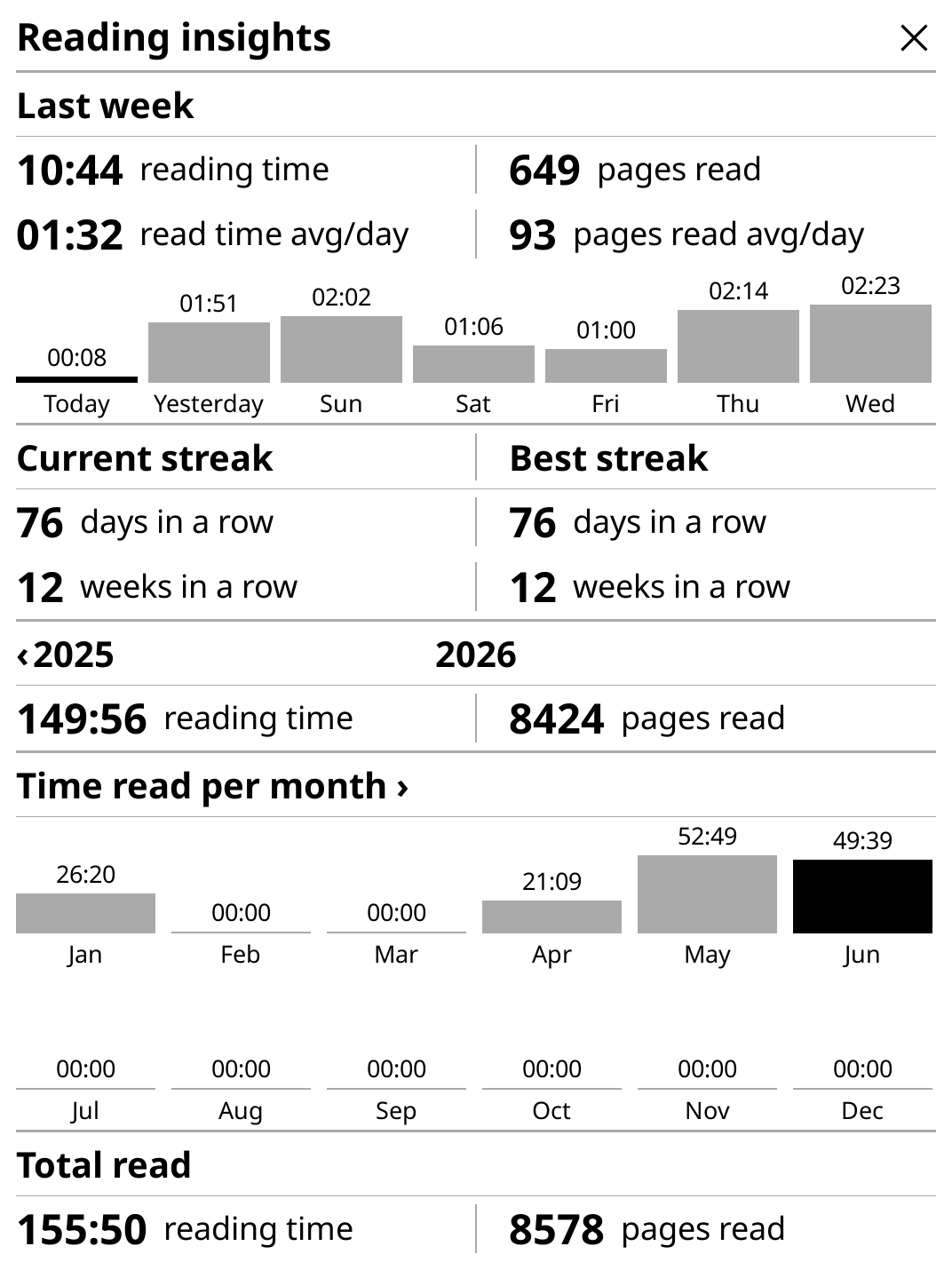
A full-screen scrollable overlay with a comprehensive overview of your reading history.
Highlights:
- Today — reading time and pages read so far today
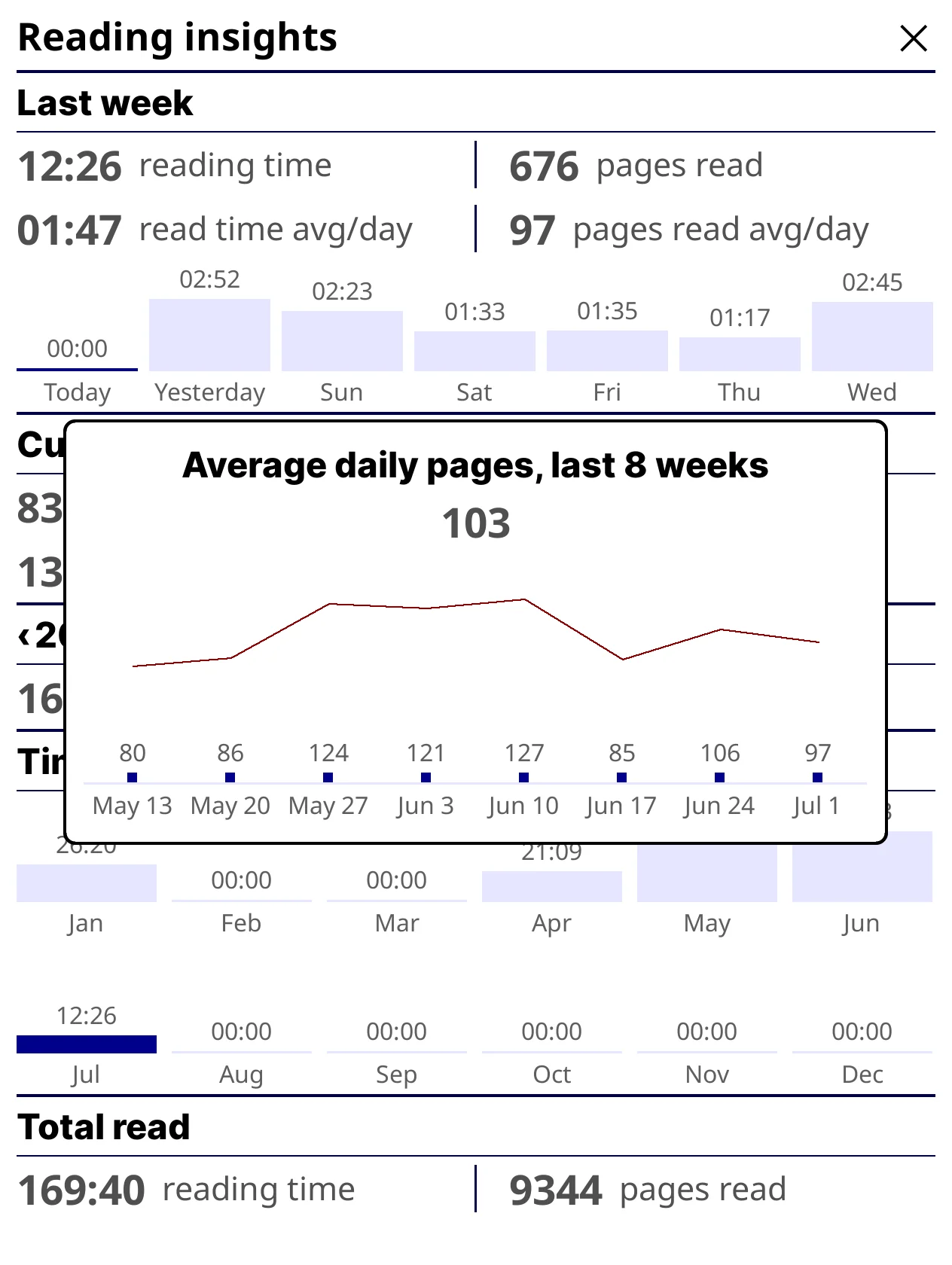
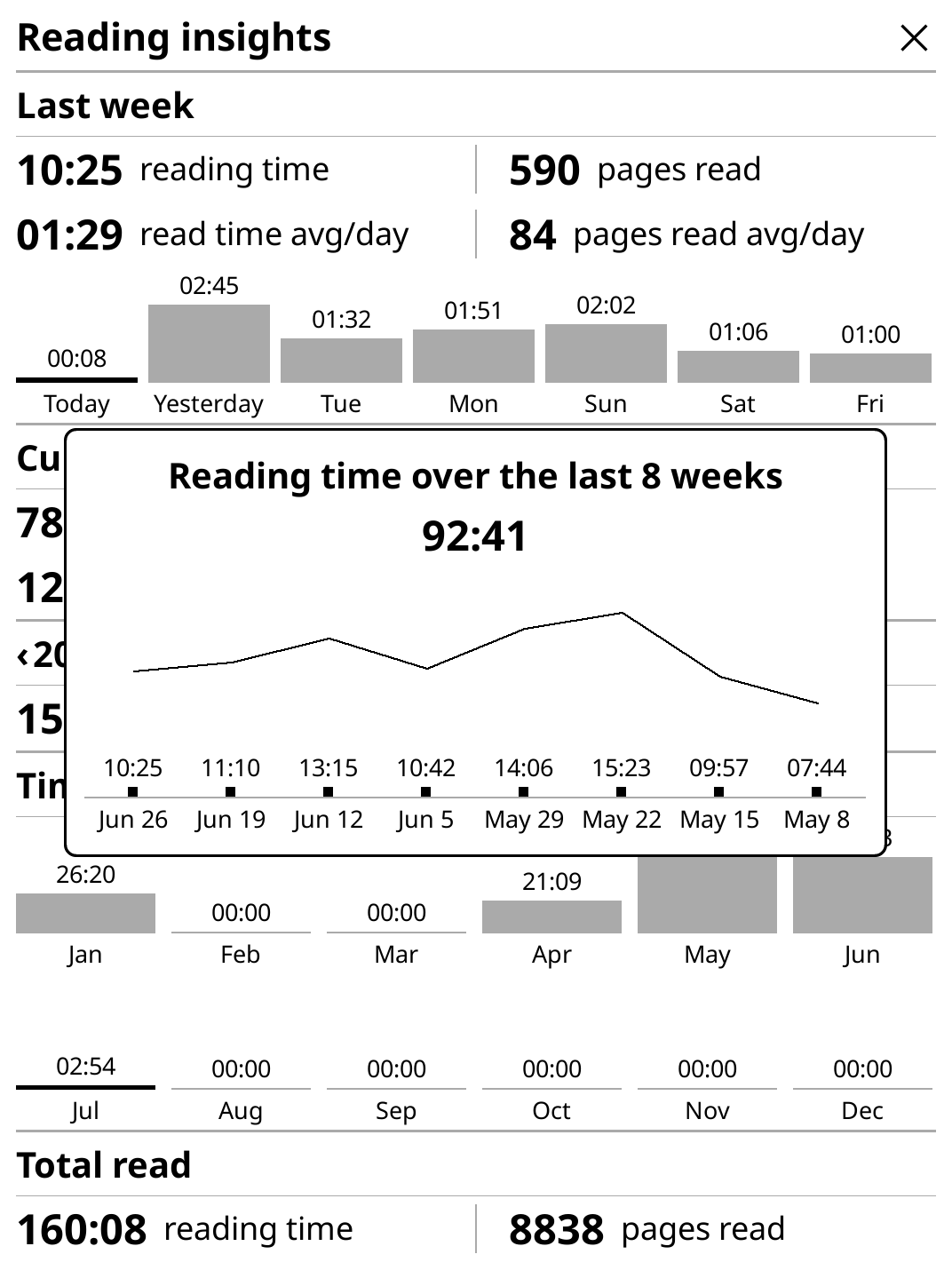
- Last week — 7-day average time and pages per day; tap either value to open its own 8-week trend popup (time trend or pages trend)
- Streaks — current and best daily & weekly reading streaks
- Yearly view — hours or days read + pages, navigable by year
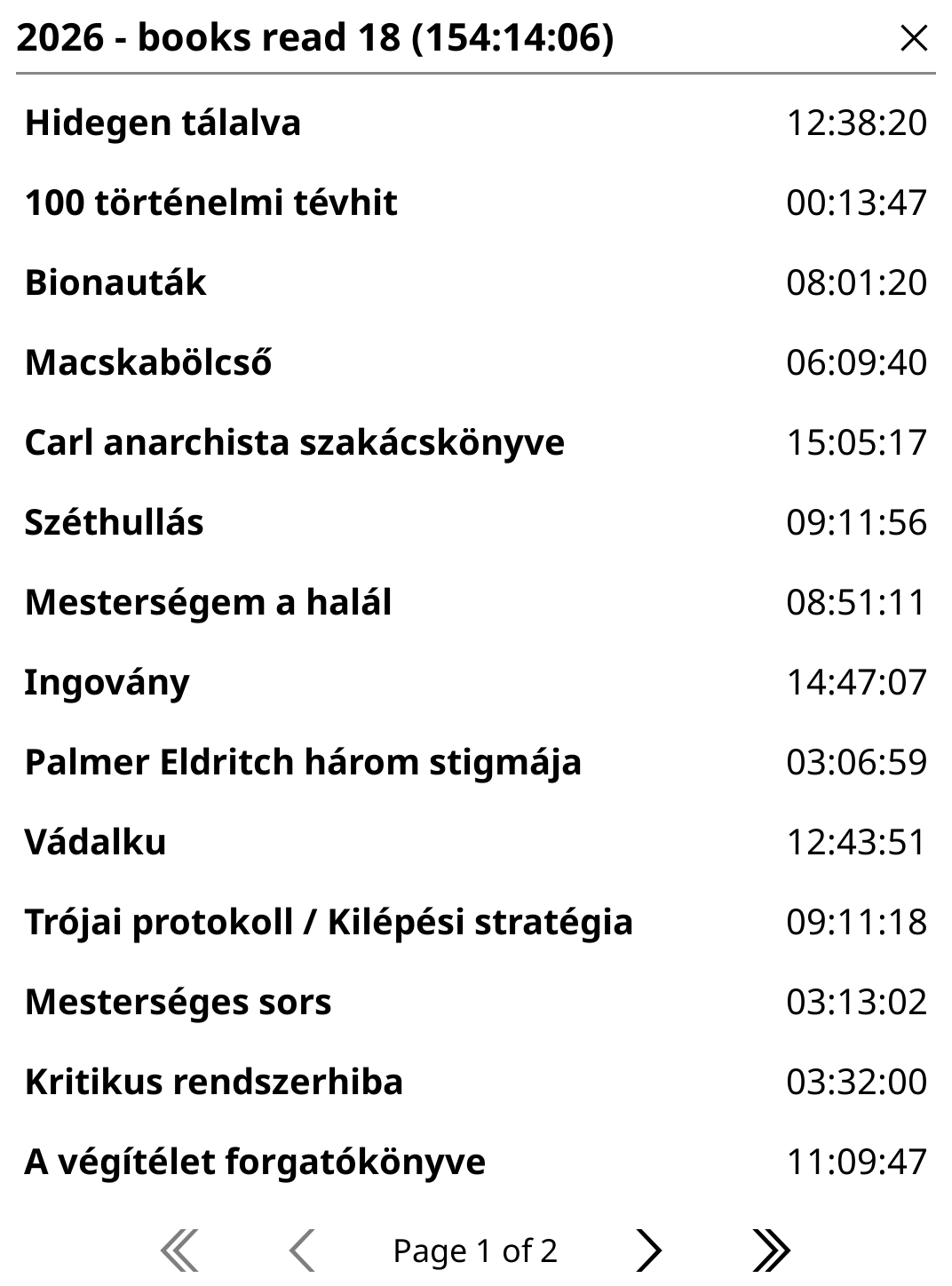
- Monthly chart — bar chart of reading activity per month (tappable to see books)
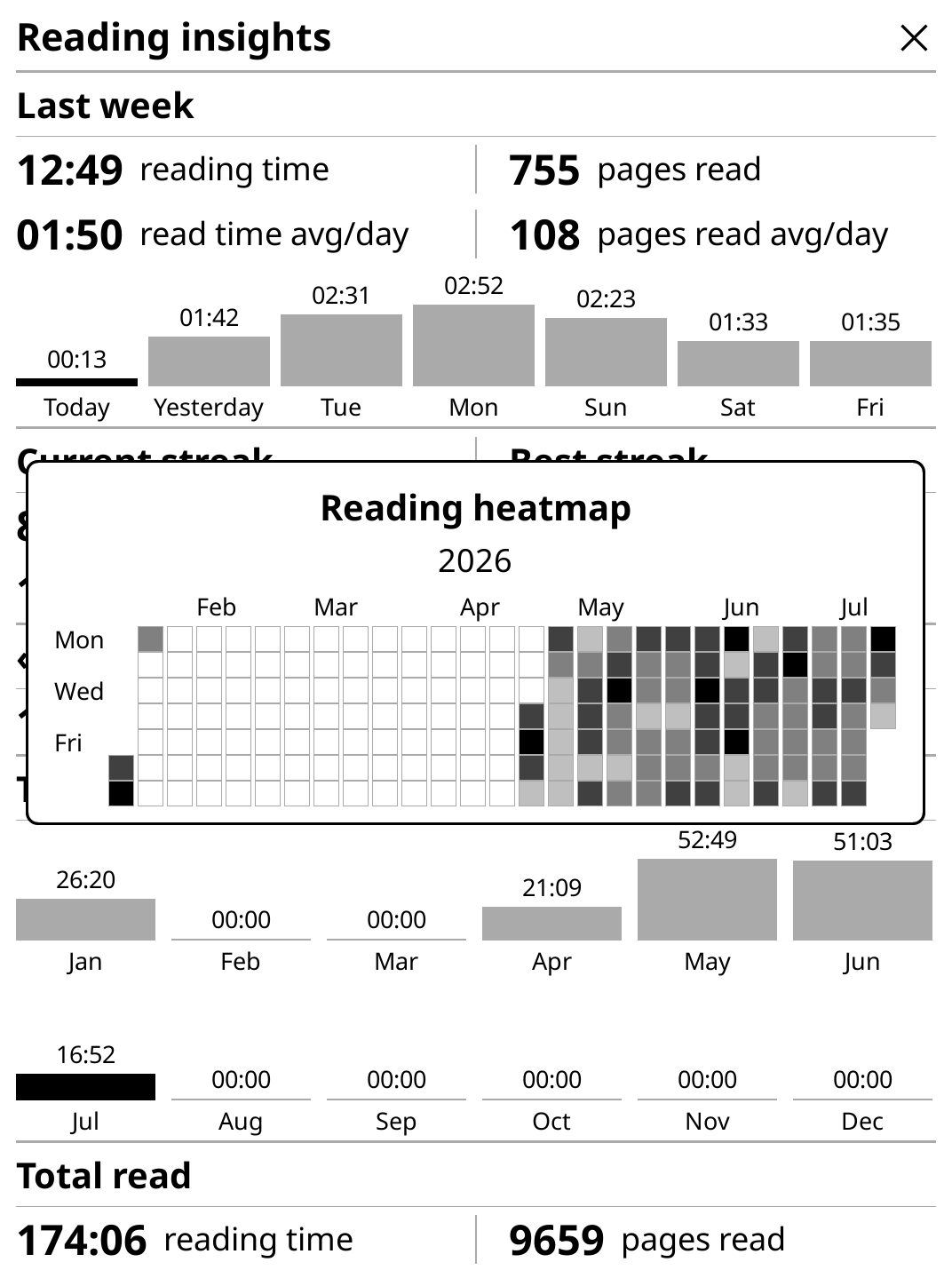
- All-time totals — cumulative hours and pages across all years; tap the "Total read" header to open a GitHub-style reading heatmap of the most recent half-year (5 shades from no reading to that period's busiest day, with month-start labels along the top and Mon/Wed/Fri labels down the left side), swipeable left/right to page through older/newer half-years as far back as there's data (the popup's own header shows the year, or a year range on its own line if the period spans a Dec/Jan boundary)
- Use as sleep screen — show this same popup instead of KOReader's own lock screen when the device suspends, with no double flash (see Sleep screen below)
Controls: swipe left/right to change year, tap the "Total read" header to open the reading heatmap, tap bars to open book lists, tap the chart header to toggle hours/days mode, long-press to force-reload data.
Caching: uses a stale-while-revalidate strategy — the popup opens instantly with cached data while fresh values load in the background. The last known values are also mirrored to disk, so this still holds true for the very first popup open after a KOReader restart — no blocking "Loading data..." wait.
Available everywhere (book view and file manager).
📖 Book progress stats
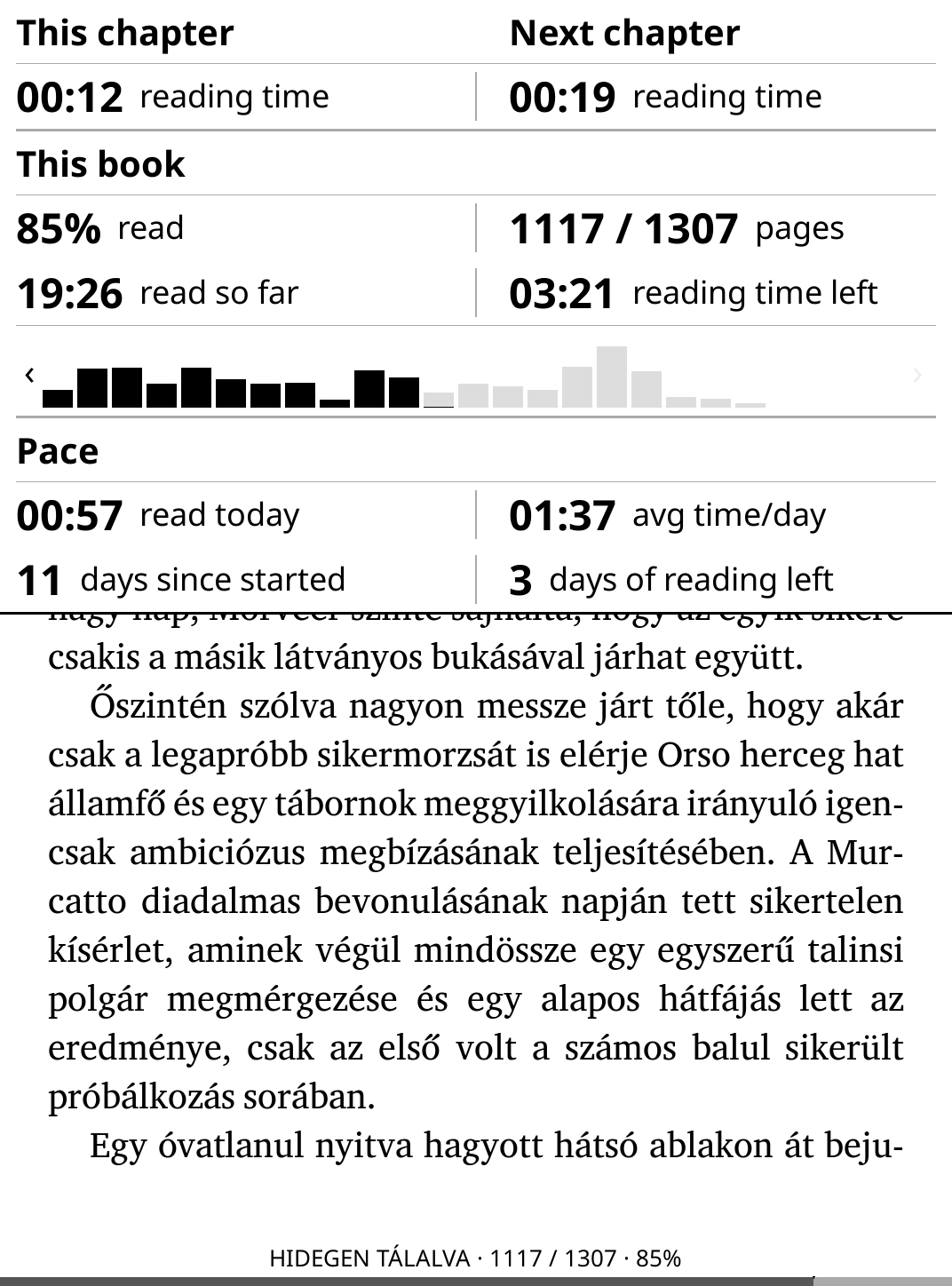
A per-book overlay showing detailed progress and pace for the book you're currently reading, built on top of the same statistics database as Reading insights.
Highlights:
- Progress — pages/percentage read in the current book, plus pages remaining
- Pace — your average reading speed for this book (pages/hour or minutes/page)
- Estimated finish — projected time or date to finish, based on recent pace
- Session stats — time spent reading this book today and across recent sessions
- Chapter breakdown — progress and time spent per chapter (if chapter metadata is available)
Controls: tap to toggle between percentage/page view, long-press to force-reload data.
Caching: shares the same stale-while-revalidate approach as Reading insights — instant open with cached data, refreshed in the background.
😴 Sleep screen
Reading insights can replace KOReader's own sleep/lock screen with itself, so the last thing you see before the device sleeps is your reading progress instead of a generic cover or logo.
- Use as sleep screen (Settings → Use as sleep screen): Off (default), Only when locking from the file manager (book view keeps your normal screensaver), or File manager and book view (always).
- Transition (Settings → Use as sleep screen → Transition): Instant (default) or Slight delay (0.1s), in case some other plugin/screensaver setup needs a moment before this popup takes over.
- No double flash: while active, KOReader's own screensaver (including any "Sleeping" message overlay) is fully suppressed for that suspend/resume cycle and cleanly restored afterwards — so only this popup's own single full-screen refresh happens, instead of the stock screensaver painting first and then immediately getting replaced.
Updates
Tools → Reading insights → Updates checks GitHub for new releases and can install them directly on the device — no computer/SSH needed:
- Notify on wake when update available — opt-in silent background check (at most once an hour), fired at startup and on every wake from sleep; shows a small notification when a newer release is found.
- The main Installed version / Update available row shows the currently installed version and, when applicable, the version it would update to; tapping it fetches the release notes for every release newer than what's installed and offers Update and restart.
- Developer updates — a pocket for testing pre-release code:
- Development branch — point the updater at a specific branch instead of the latest stable release; the update row above then installs that branch's current tip.
- Reset to latest stable release — clears the development branch and reinstalls the latest non-prerelease release.
Behind the scenes this downloads the release/branch zip from peterboda236/readinginsights.koplugin, unpacks it over the installed plugin folder, and prompts to restart KOReader to load the new code.
Install
- Unpack the latest zip and copy the
readinginsights.kopluginfolder into your KOReaderplugins/directory. - Restart KOReader.
- If you still have
2-reading-insights-popup.luaand/or2-reading-stats-popup.luain yourpatches/folder, remove them — running the patches alongside this plugin will double-register the same dispatcher actions.
Once installed, future updates can be installed in-app — see Updates above.
Where it shows up
- Menu: Tools → Reading insights — a submenu with "Show Reading
insights", "Show Book progress" (book view only), and, below a
separator, a Settings submenu holding the two options below plus
Colors and Fonts submenus:
- Full-screen refresh on open/close — toggle
- 8-week chart order — newest-first or oldest-first
- Use as sleep screen — Off / File manager only / File manager + book (see Sleep screen above)
- Transition — Instant / Slight delay (0.1s), controls how quickly the sleep-screen popup takes over on suspend
- Colors — pick your own hex color for every bar/line/label the two popups draw (active/inactive bars, the 8-week trend line, section/ column separator lines, the label/value/section/chart-label text colors, and the 5 year-heatmap shades - defaulting to 0/25/50/75/100% black); each one can be reset back to its default individually or all at once.
- Fonts — pick your own font (name + size) for every text role in both popups, grouped under Reading insights (section headers, values, labels, chart/axis labels) and Book progress (section headers, values, labels, chapter-bar arrows); choose from a pick-from-list menu of every font file KOReader/you have installed, or type a custom font name/alias manually; each role can be reset to its bundled default individually or all at once.
- Updates — check for and install new releases (or dev-branch builds) straight from GitHub, no computer needed (see Updates above).
- Gestures/shortcuts: both popups are registered with
Dispatcher, so they can be assigned under Settings → Taps and gestures:reading_insights_popup— available everywhere (general action).reading_stats_popup— book view only (reader action), matching the popup's requirement that a document be open.
File layout
main.lua— plugin entry point: loads the shared translation module and both views, registers the two dispatcher actions, builds the Tools menu.l10n.lua— shared translation lookup (l10n/<lang>.po) and locale-aware number formatting, used by both views.colors.lua— shared chart/text color settings (the "Colors" submenu) used by both views, so there's a single place to configure every color.fonts.lua— shared font settings (the "Fonts" submenu) used by both views, so there's a single place to configure every text role's font name and size.insights_view.lua— the full-screen "Reading insights" popup.stats_view.lua— the compact "Reading statistics: overview" popup.updater.lua— the in-app updater (the "Updates" submenu): checks GitHub for new releases/branches and installs them on the device.
Translations
l10n/en.po and l10n/hu.po hold the UI strings for both popups (month
names, "Total read", streak labels, chapter/pace labels, etc.) as plain
msgid/msgstr pairs, e.g.:
msgid "Current streak"
msgstr "Aktuális sorozat"
To add another language, drop a new l10n/<lang>.po file next to the
existing ones — no code changes needed.
Based on: https://github.com/quanganhdo/koreader-user-patches
Comments