SystemPro
English | 简体中文
Open-source Vue 3 Console for IoT and Energy Operations
Device Management · Energy Metering · HVAC Operations · Alarms & Work Orders · Billing
Official Website ·
Live Demo ·
Quick Start ·
Edition Scope ·
Issues
Username system Password 12345678
Repository GitHub · Gitee Mirror
The demo account is a public, read-only account. Its credentials are always visible in the page source and network requests and are not sensitive production credentials.
From a single meter to a tenant bill, SystemPro connects devices, data, operations, and settlement in one coherent flow.
SystemPro is a Vue 3 and TypeScript administration console for enterprise IoT and energy operations. It provides production-style interfaces for device assets, energy metering, centralized HVAC management, alarms, work orders, billing, multi-tenant access control, and an extensible AI assistant. It is designed for campuses, commercial buildings, factories, and other environments that need one operational view across previously isolated systems.
Repository scope: this repository contains the public SystemPro frontend console. It includes the UI, local read-only demo mode, runtime API configuration, and integration contracts. The production Java backend, database schema, device protocol services, and secrets are not included. You can run the interface without a backend or connect it to your own compatible API.
Take a Quick Look
Prefer to see it working first? Take a 25-second tour through operations, metering, HVAC, and the AI assistant.
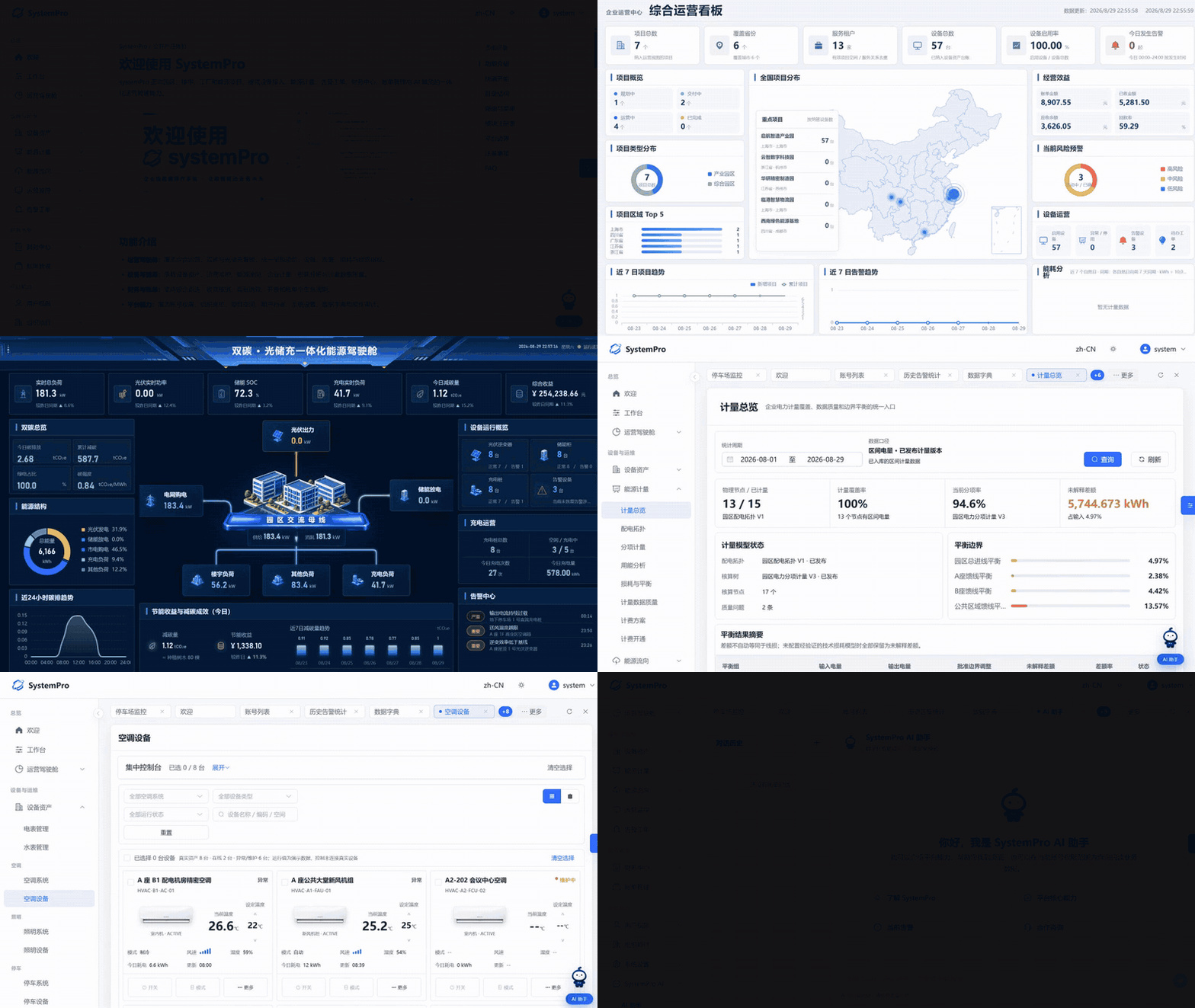
25-second product tour: operations cockpit, carbon/solar/storage/charging dashboard, energy topology, metering, HVAC, and AI assistant. Watch the MP4 version.
What Is Included
| Included in this repository | Integrate with your own services |
|---|---|
| Vue 3 + TypeScript management console | Authentication, tenants, projects, and data permissions |
| Responsive layouts, light/dark themes, and i18n | IoT ingestion through MQTT, Modbus, or gateways |
| Local read-only demo mode and public demo endpoint | Energy readings, tariffs, bills, alarms, and work orders |
| Runtime API endpoint configuration | AI orchestration and model credentials on the server |
| AI assistant page and draggable floating entry | Production persistence, auditing, and rate limiting |
Core Capabilities
| Capability | Description |
|---|---|
| Unified energy operations cockpit | An integrated carbon, solar, storage, and charging dashboard that presents business and energy KPIs in a single view |
| Unified records for eight device categories | Centralized asset records for electricity meters, water meters, HVAC, lighting, parking, charging, solar, and energy storage equipment |
| Centralized HVAC control | Unified management of central air conditioning, VRF systems, and fresh-air systems with zone control and scenario-based automation |
| Subitem metering and loss analysis | Real power-distribution topology and subitem metering definitions, with energy accounts traceable to spaces and tenants |
| Closed-loop alarm-to-work-order processing | Rule configuration, work-order conversion, and historical statistics for a complete and traceable handling workflow |
| End-to-end financial operations | Bank connectivity, receipt reconciliation, adjustments, refunds, and invoice management with connected business and financial data |
| Multi-tenant access control | Organization structures, spatial hierarchies, RBAC permissions, and SSO bindings |
| Deployment without rebuilding | Runtime API endpoint configuration for switching environments without rebuilding the frontend |
Feature Tour
Overview
Platform Home
The welcome page and module directory provide a unified entry point with overviews and navigation for devices, energy, finance, and platform capabilities.
Integrated Operations Dashboard
The integrated operations dashboard brings together project, device, energy, alarm, and operational data, helping managers understand the platform's overall operating status in a single view.
AI Assistant
Provides one AI assistant page, a draggable floating entry, and an integration approach. The community edition does not connect to a model service by default; deployers can configure model credentials on their own server and expose a compatible API.
Devices and Energy
HVAC Devices · Centralized Control
Unified management and centralized control for HVAC systems, including central air conditioning, split units, VRF systems, and fresh-air systems. Device connectivity records, operating status, and system ownership are presented together, while building-wide zoning strategies and scenario-based automation are configured centrally. This transforms isolated device management into centralized control with coordinated scenarios.
Device Overview
The centralized control console presents HVAC device inventories, online status, and operating data. It supports filtering by system, space, and record status, as well as batch command delivery.
Add an HVAC Device
Maintain the connectivity parameters, owning system, and operational record for an individual HVAC device. Its space and system assignments are recorded in the same workflow.
Add an HVAC System
Configure the composition, control strategy, and zone assignment of an HVAC system, with unified records for system types such as VRF.
Device Assets
Maintain unified asset records for eight device categories: electricity meters, water meters, HVAC, lighting, parking, charging, solar, and energy storage. The records cover parent-child meter relationships, multipliers, collection status, common scenarios such as prepaid electricity meters, and lighting zones and scenario-based automation.
Energy Flow
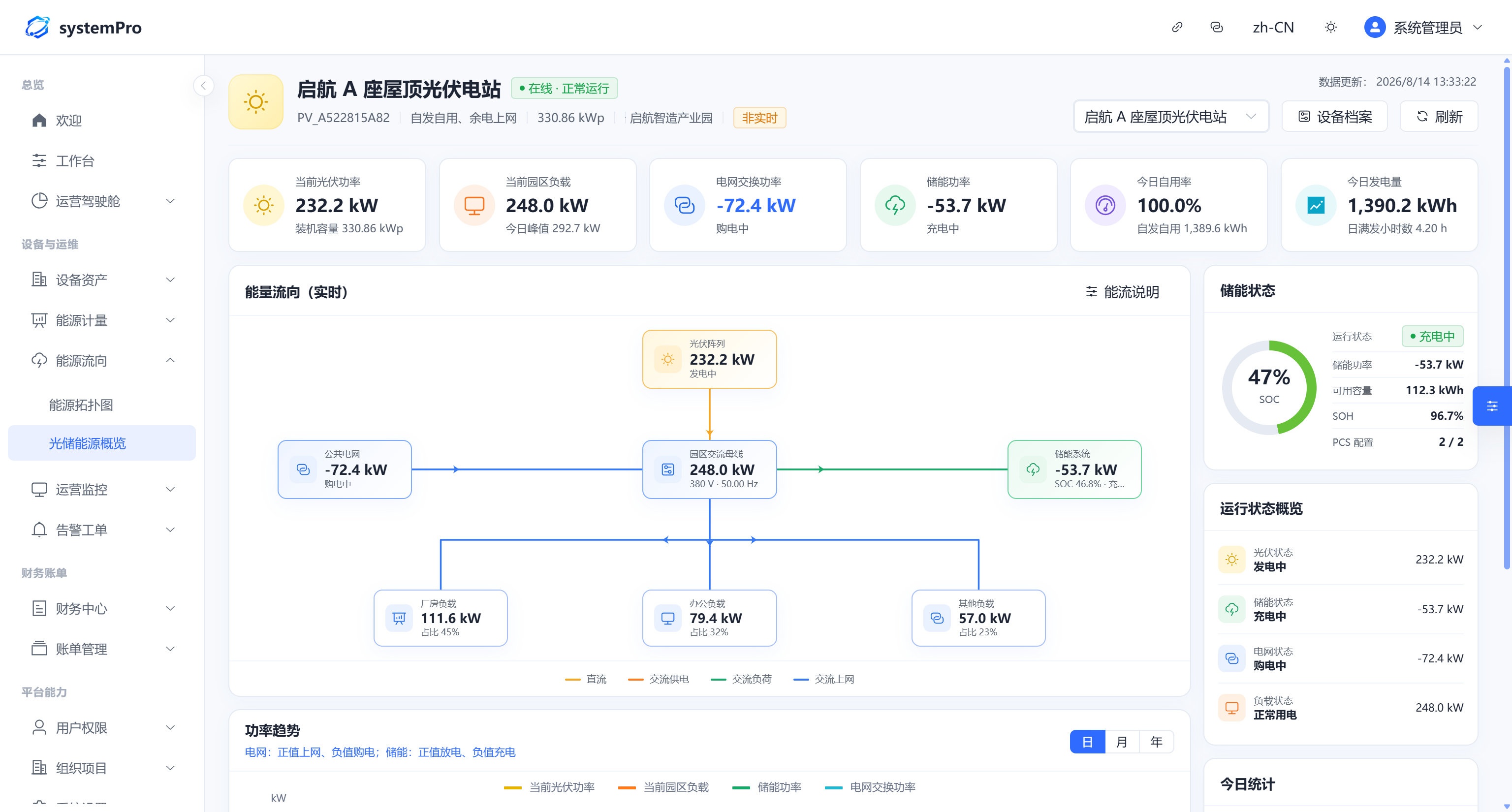
The energy topology displays the real-time energy balance among solar generation, energy storage, loads, and the public grid.
Energy Metering
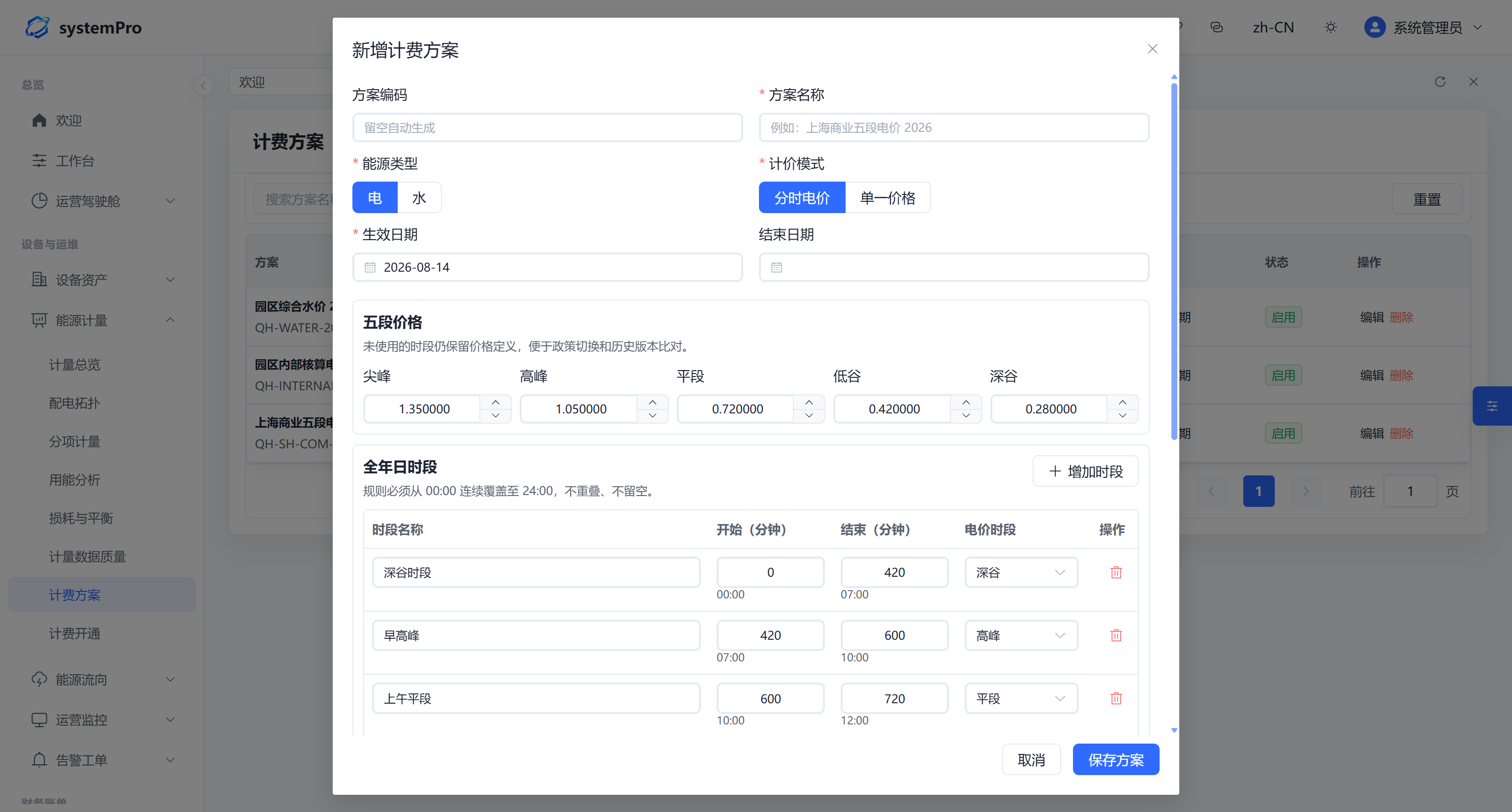
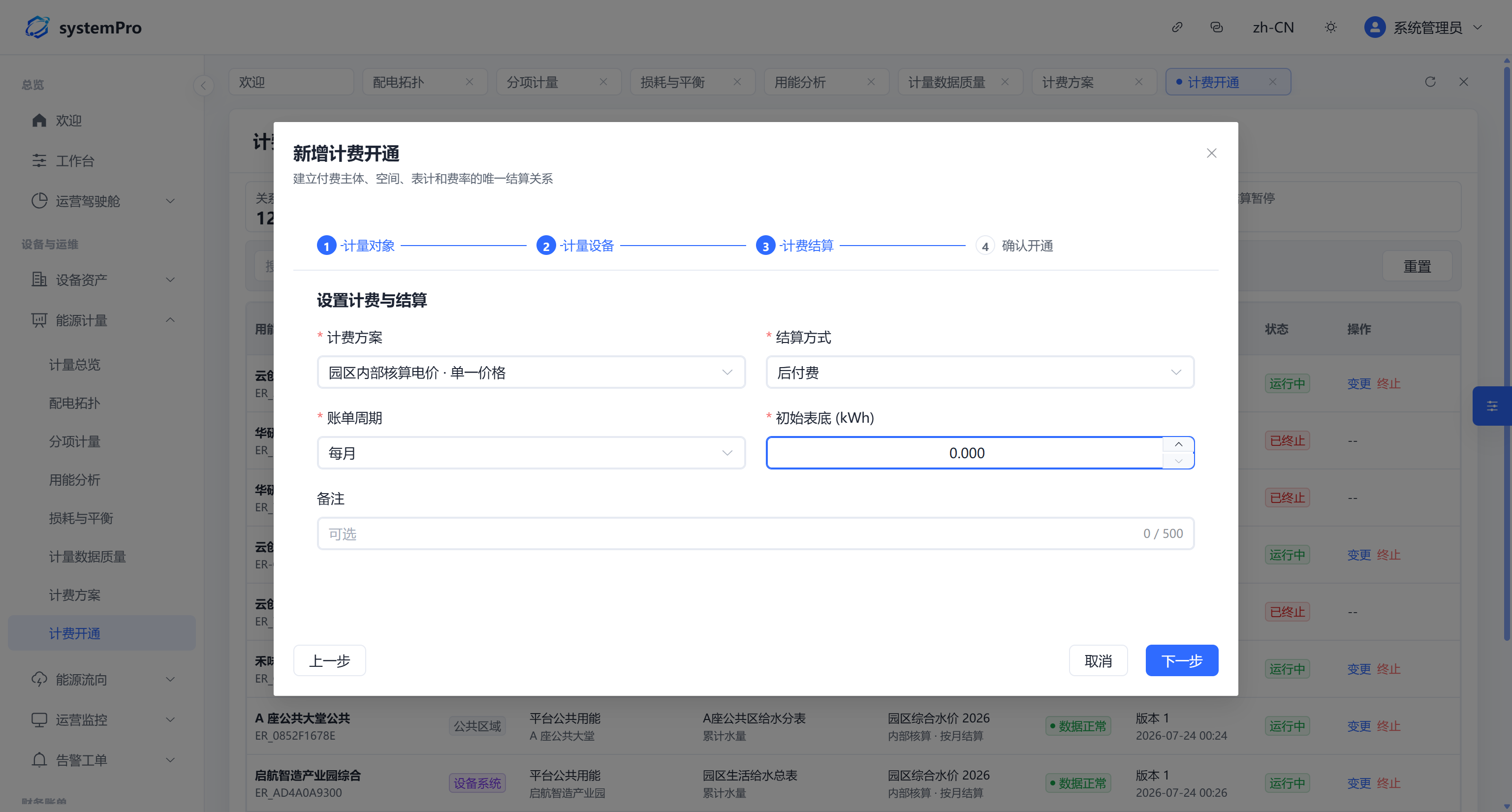
Maintain parent-child meter topologies and subitem metering definitions, manage tariff plans and billing activation, and trace energy accounts to spaces and tenants.
Operations Monitoring
Centralized operational monitoring covers real-time device status, gateway and link status, grid-connected and off-grid switching, and video surveillance integration.
Alarms and Work Orders
Configure alarm rules, convert alarms into work orders, and review historical alarm statistics through a complete and traceable handling workflow.
Finance and Billing
Finance Center
Connect banks, reconcile receipts, process adjustments and refunds, and manage invoices. Real bank transactions are automatically matched and reconciled with accounts receivable.
Billing Management
Generate traceable bills from frozen usage and effective rates, and track payment, invoicing, overdue, and closed states.
Platform Capabilities
Users and Permissions
Accounts, roles, menus, actions, and data permissions form an enterprise RBAC system with permission granularity down to button-level operations.
Organizations and Projects
Manage organization trees, departments and positions, spatial hierarchies, and tenant/customer records while keeping physical spaces decoupled from organizational relationships.
System Settings
Manage basic parameters, data dictionaries, and internationalization, with support for light and dark themes and customizable navigation layouts.
More Screens
 Solar, Storage, and Charging Overview |
 Add a Tariff Plan |
 Add Billing Activation |
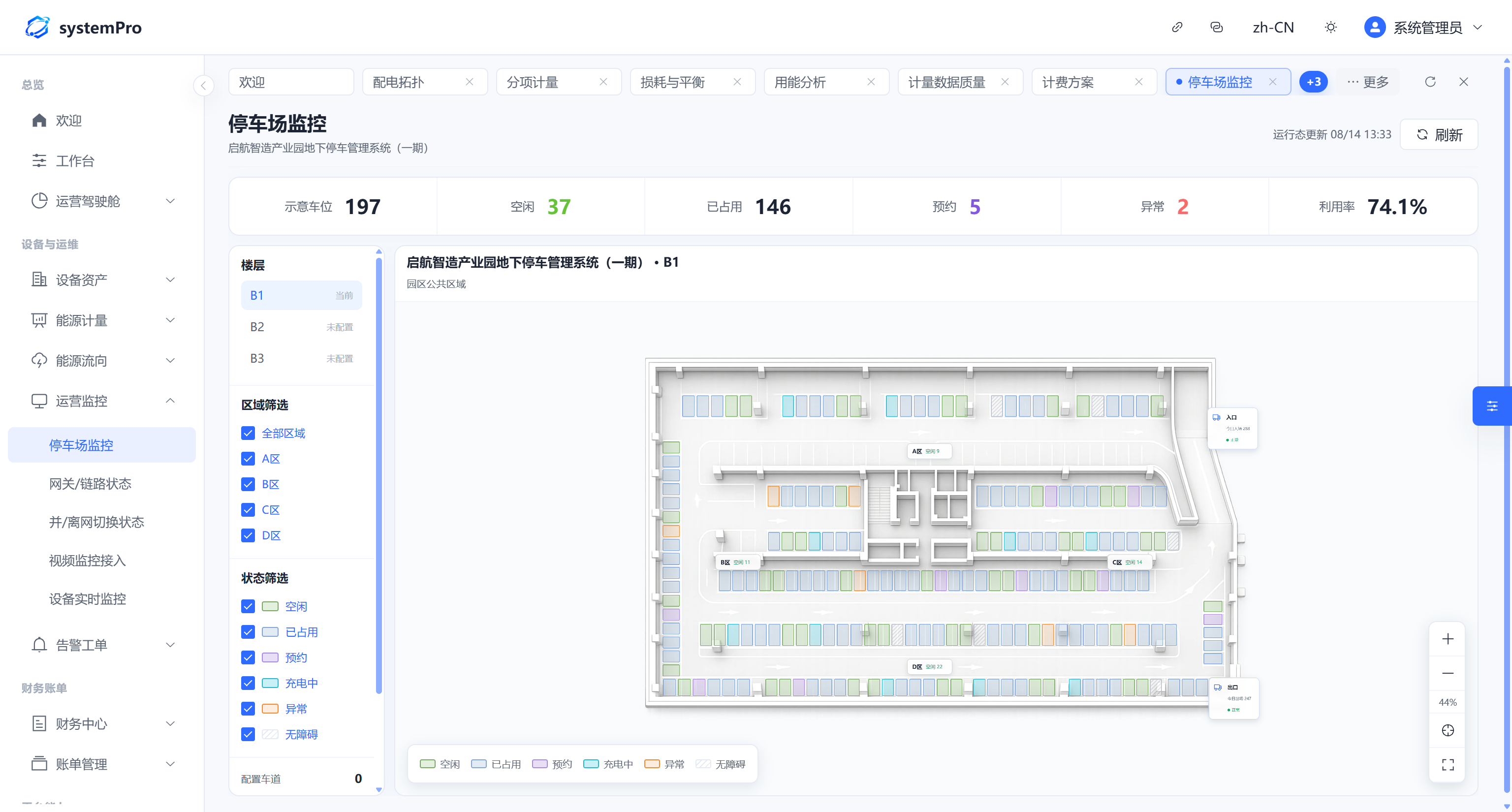 Parking Lot Monitoring |
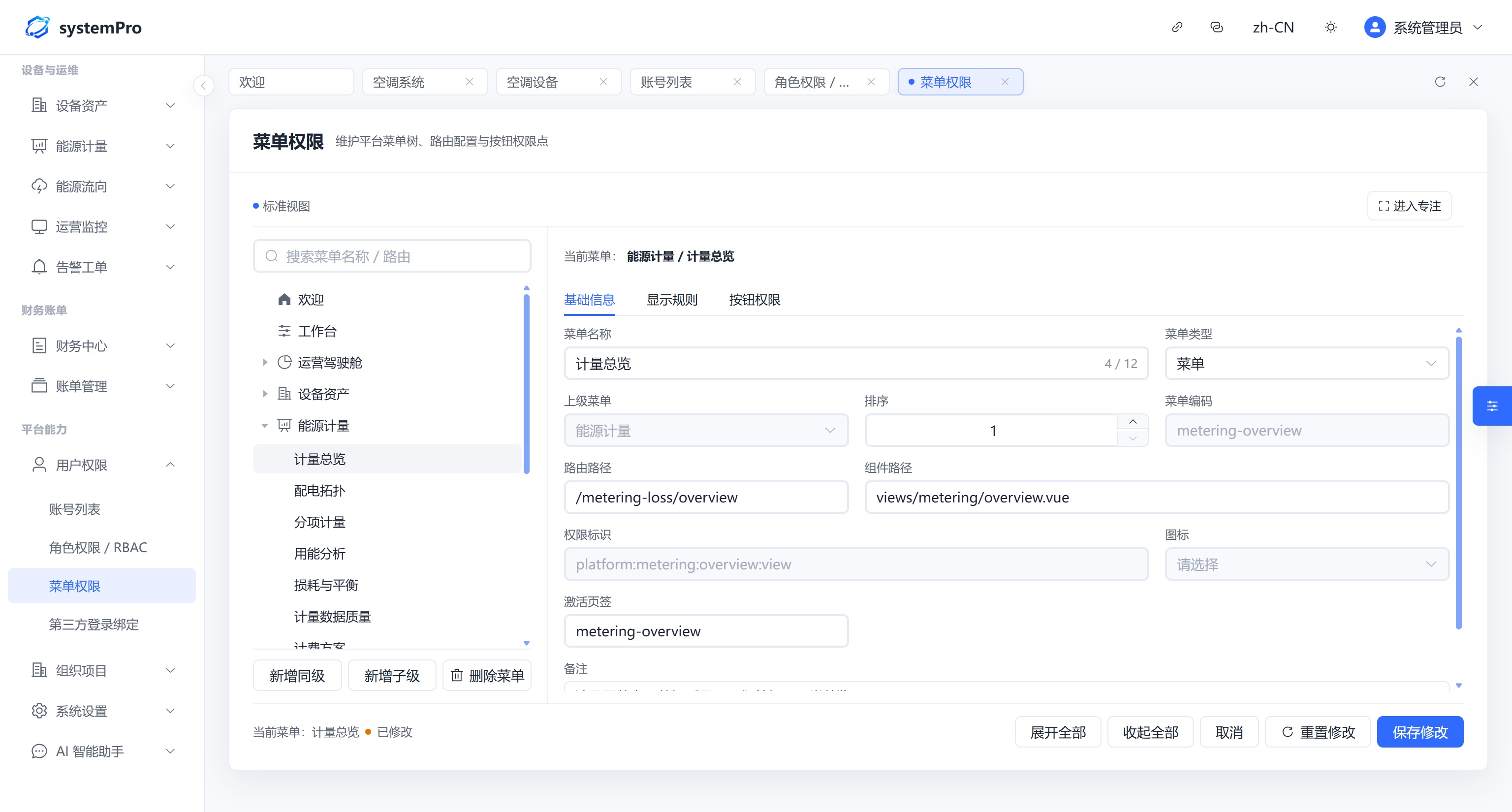 Menu Permissions |
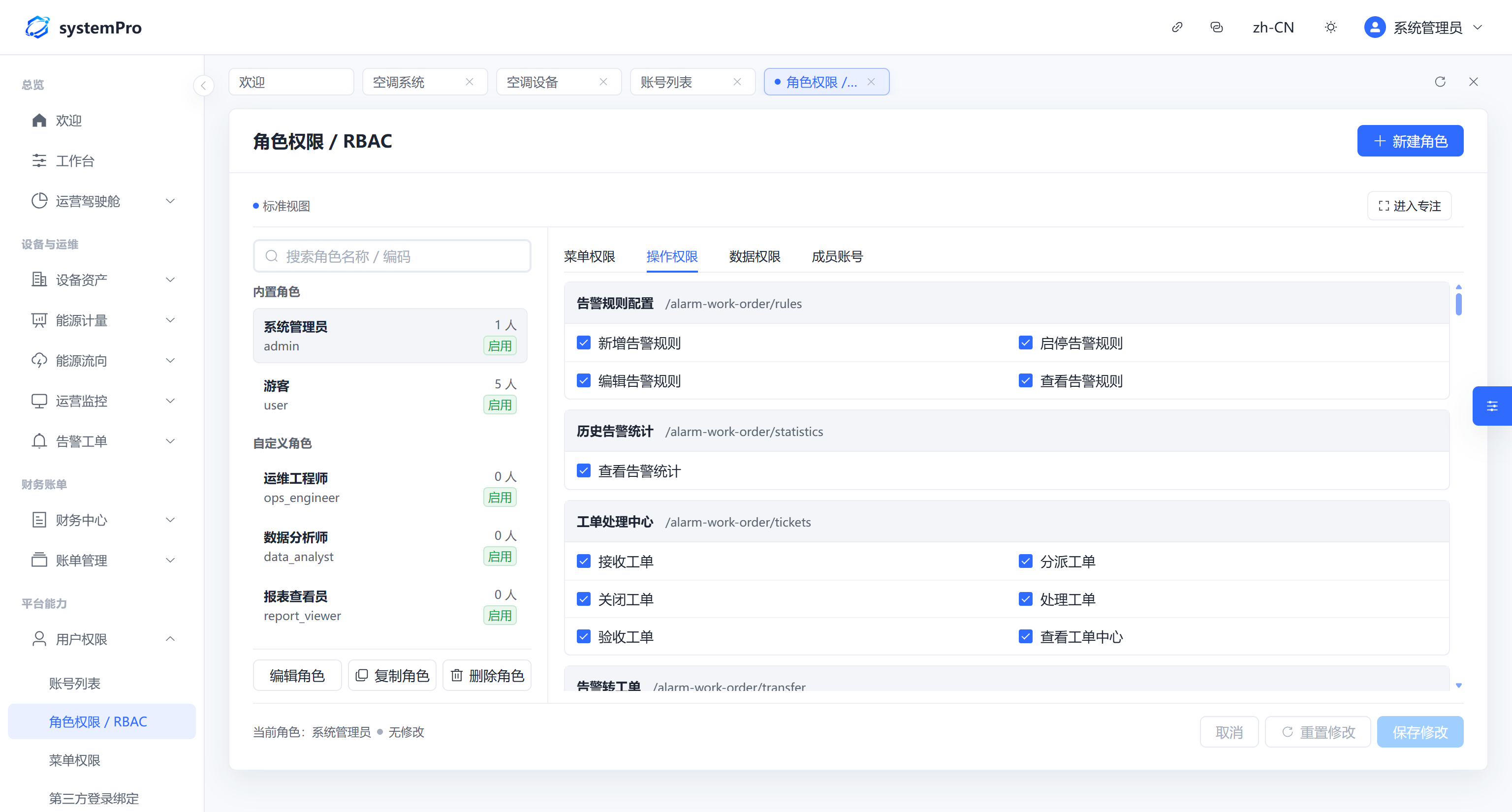 Action Permissions |
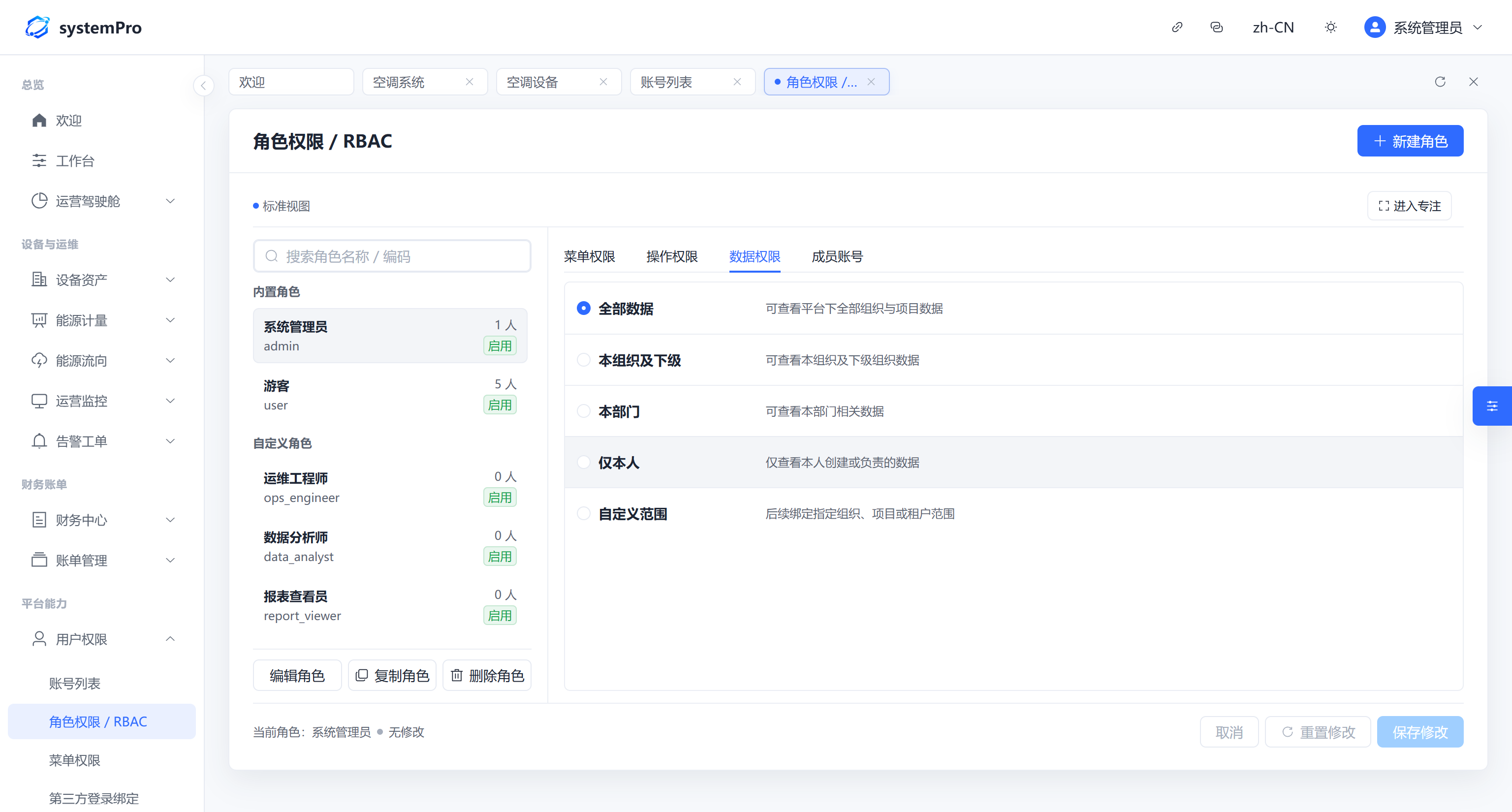 Data Permissions |
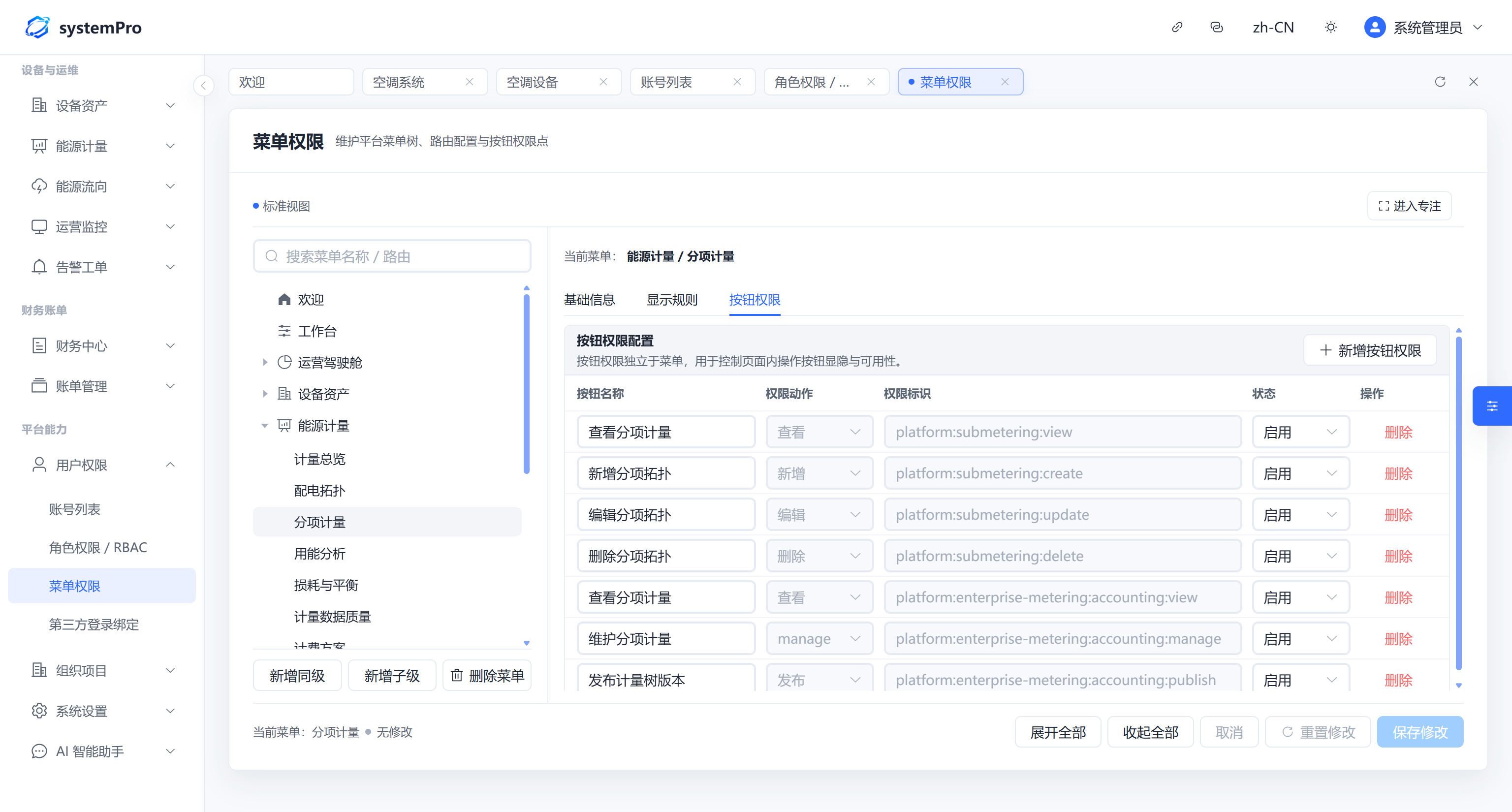 Menu and Button-Level Permissions |
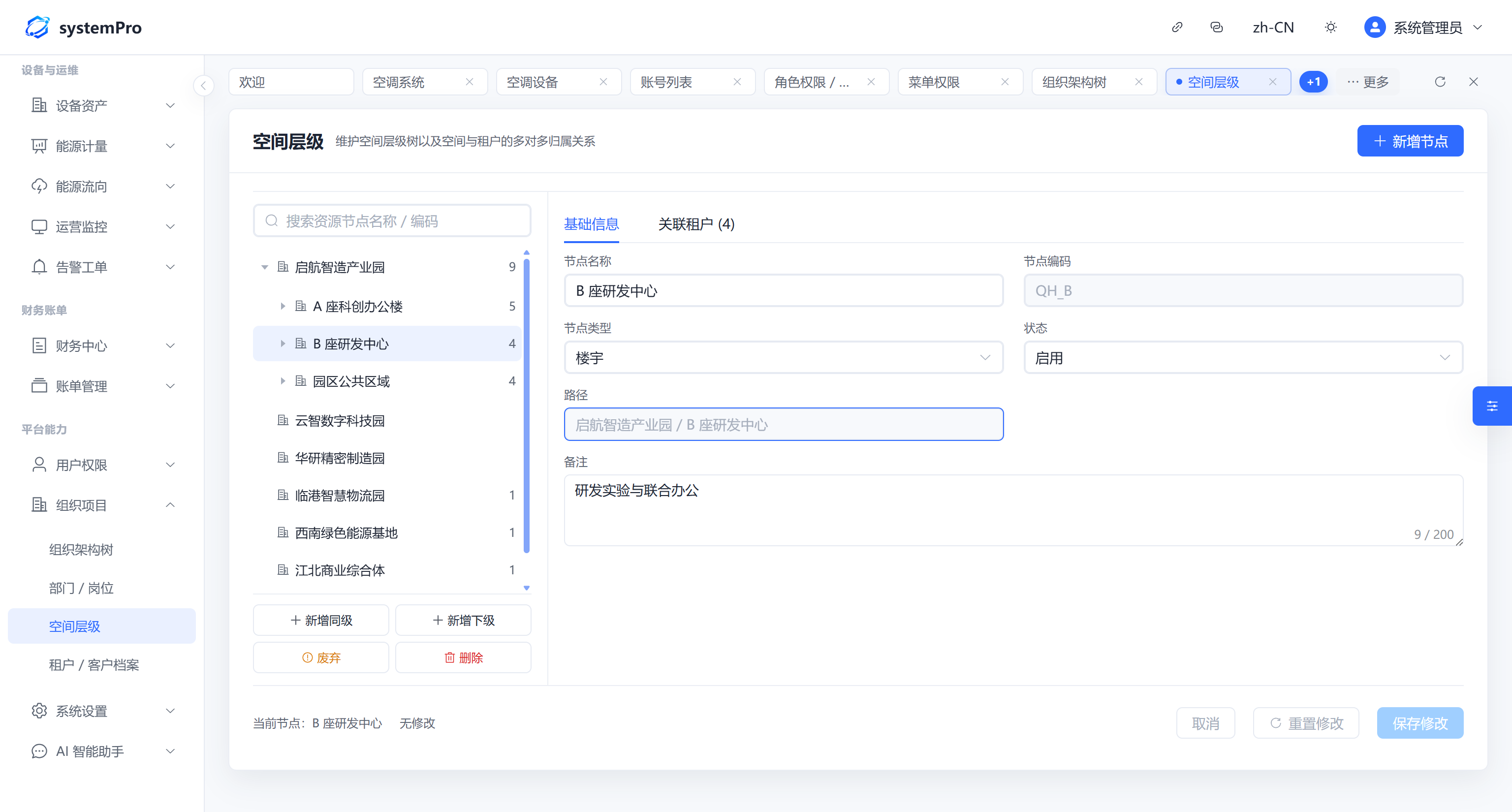 Spatial Hierarchy |
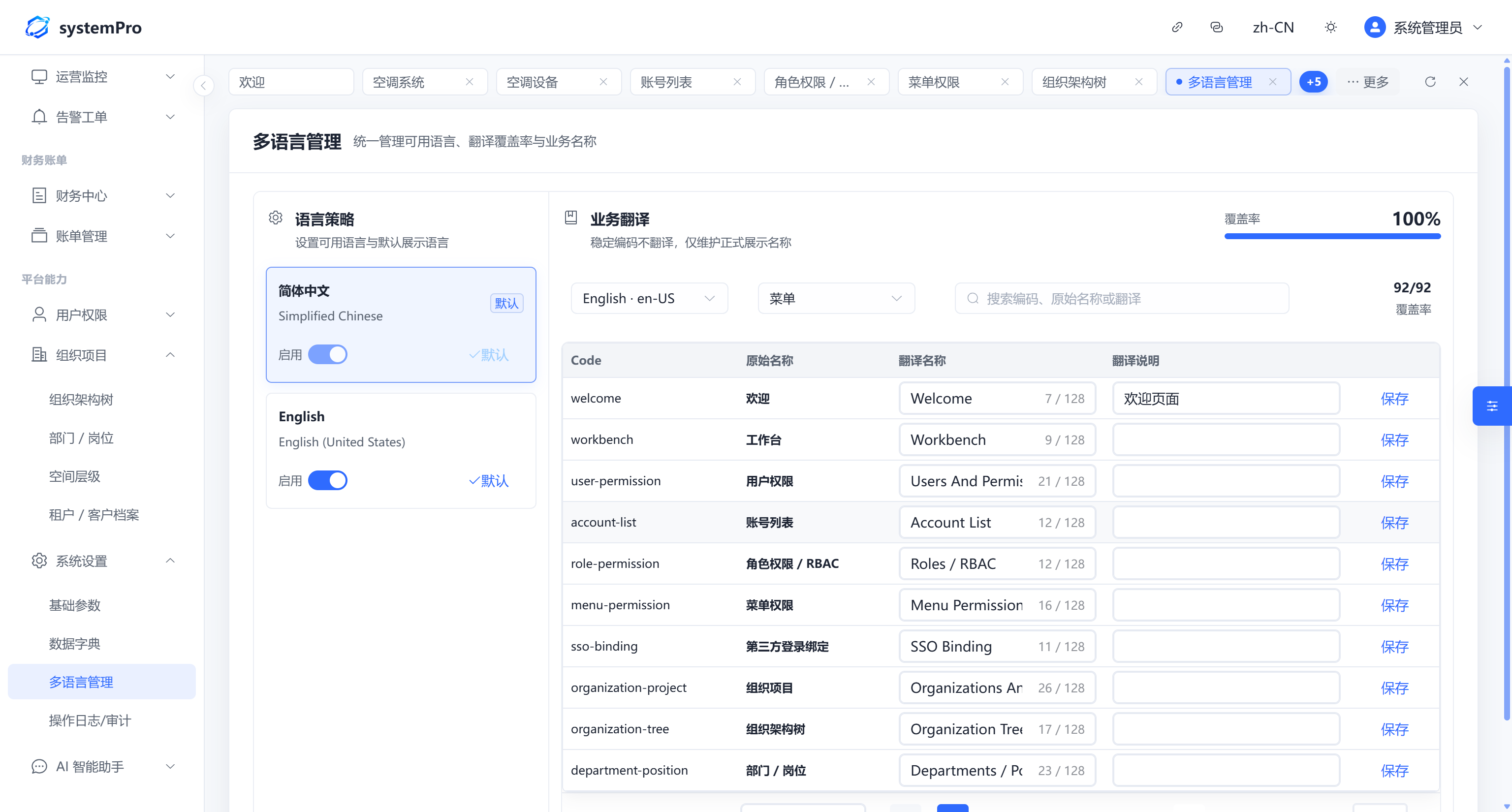 Internationalization |
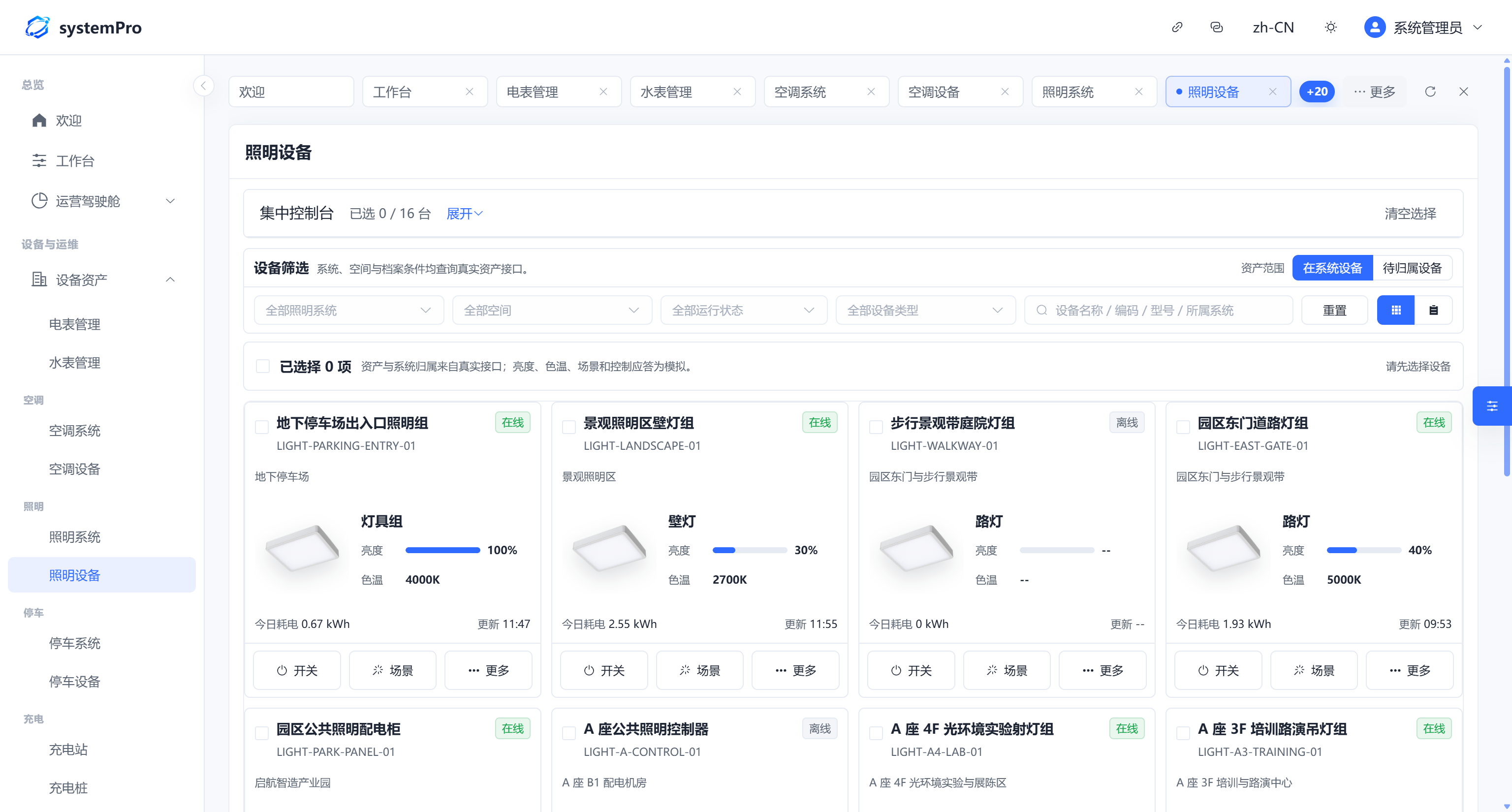 Lighting Devices |
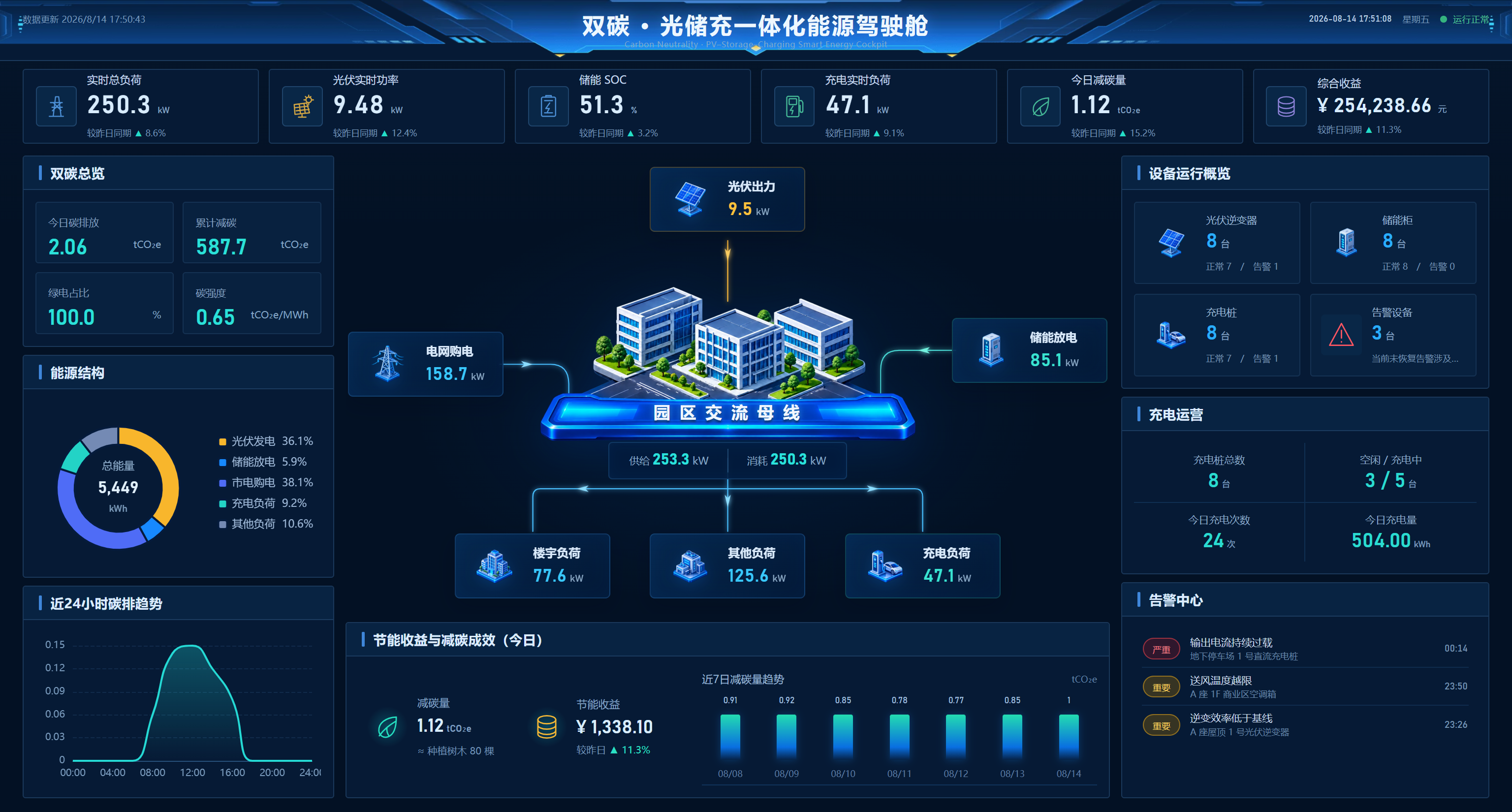 Energy Operations Cockpit |
Quick Start
Prefer to explore first and read the details later? Get it running with a few commands.
Requirements: Node.js 18 or later (an LTS release is recommended)
npm install
npm run dev
The development server is available at http://127.0.0.1:5173 by default. If that port is already in use, Vite automatically selects another port; refer to the terminal output for the actual address.
npm run build
npm run preview
Production assets are written to dist/ and can be deployed directly to Nginx or any static file server.
The API endpoint is managed at runtime through public/app-config.js. The file is copied unchanged to dist/app-config.js during the build, allowing deployment environments to use different API endpoints without rebuilding the frontend.
window.__SYSTEMPRO_PUBLIC_CONFIG__ = {
  apiBaseUrl: 'https://your-backend-domain.com',
}
For local development, set apiBaseUrl to your own backend or use the official demo backend at https://console.systempro.site to explore read-only data with the account shown above.
Technology Stack
| Layer | Technologies |
|---|---|
| Frontend | Vue 3 · TypeScript · Vite · Pinia · Element Plus · ECharts · vue-i18n |
| API integration | REST API · runtime endpoint configuration · SSE streaming |
| Quality | vue-tsc · repository safety checks · theme/UI contracts · performance budget |
The production SystemPro architecture uses Java 17, Spring Boot 3, MySQL, Liquibase, Redis, MQTT, and Modbus behind the frontend. Those server-side components are integration targets and are not part of this public repository.
Build It With Us
If you are building for campuses, buildings, IoT, or energy operations, share the real scenario behind the request through GitHub Issues or Gitee Issues. Concrete workflows are usually more valuable than a generic feature wish.
We especially welcome reproducible bugs, accessibility and integration improvements, device or metering scenarios, and ideas that make the public console easier to extend.
If SystemPro saves you from rebuilding another admin console or helps you avoid an energy-domain pitfall, consider giving the project a Star so other teams working on similar systems can find it.
Comments