Lantunnel
Your private network, wherever you work.
Reach the machines and services on your own LANs from anywhere — peer-to-peer first,
end-to-end encrypted, no port forwarding, no public URLs.
Website · Download · Usage guide · Architecture · Wire protocol
English · 简体中文 · 繁體中文 · 日本語 · Español · Deutsch · Français
Your NAS is at home. Your GPU box is in the office. Your ollama instance is on the
desktop you left behind. All of them are behind NAT, and none of them should be on the
public internet.
Lantunnel puts those machines into one small private mesh — a Tunnel — that only the people you hand a profile to can join. Peers find each other and talk directly when the network allows it. When it does not, they fall back to an encrypted relay through a Gateway that carries ciphertext it cannot read. Either way nothing is published, no router port is opened, and no traffic is decrypted in the middle.
🚀 Don't want to run a Gateway? You don't have to.
lantunnel.app gives every account one permanent Free Tunnel — unlimited direct peer-to-peer traffic, unlimited LAN devices behind each Client, and 5 GB/month of encrypted relay fallback for when direct fails. Create a Tunnel, download the Client, import your profile, done. No server, no certificates, no DNS.
And if you'd rather host the Gateway yourself, that path is in this repository, it is Apache-2.0, and it is not metered at all.
The Client
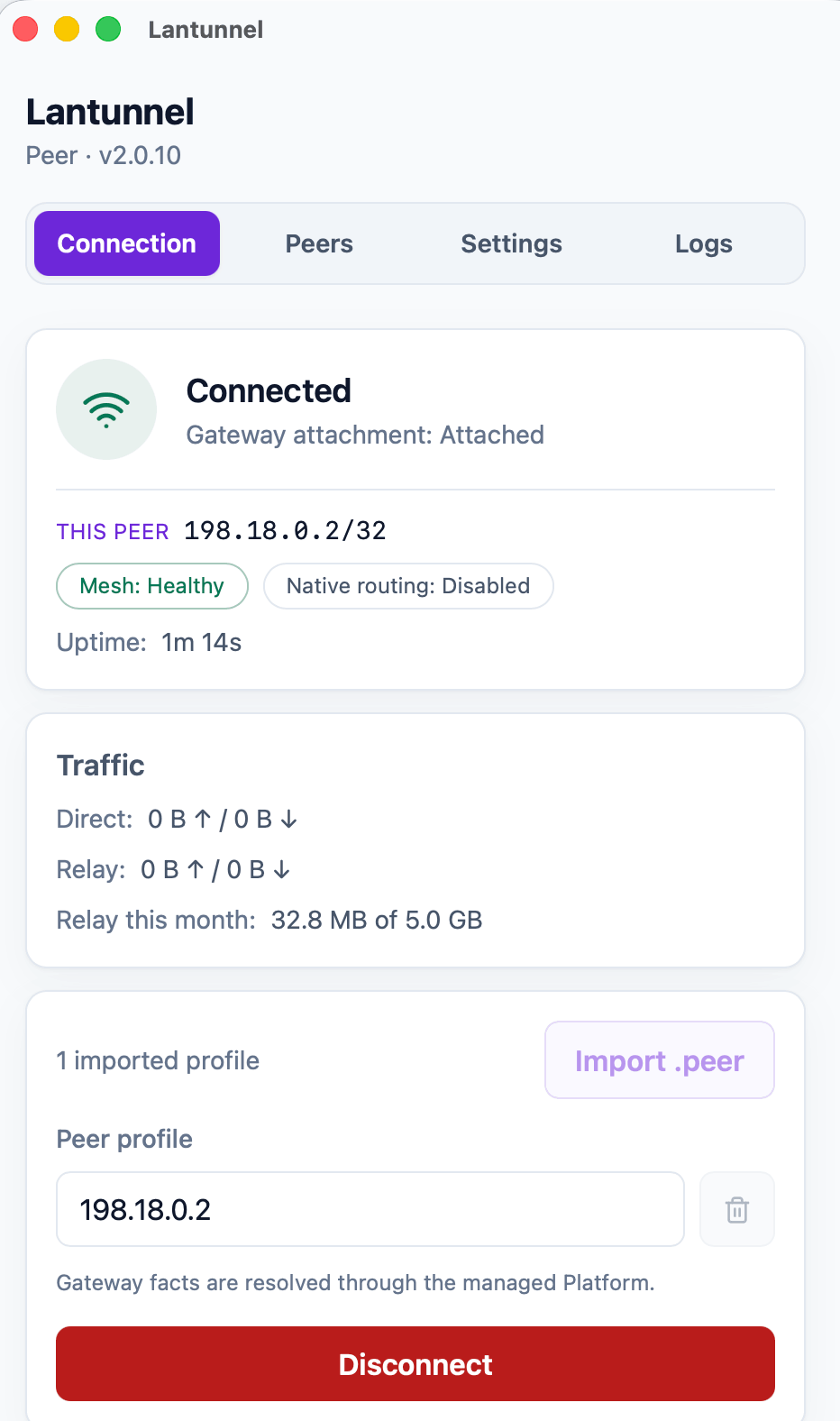
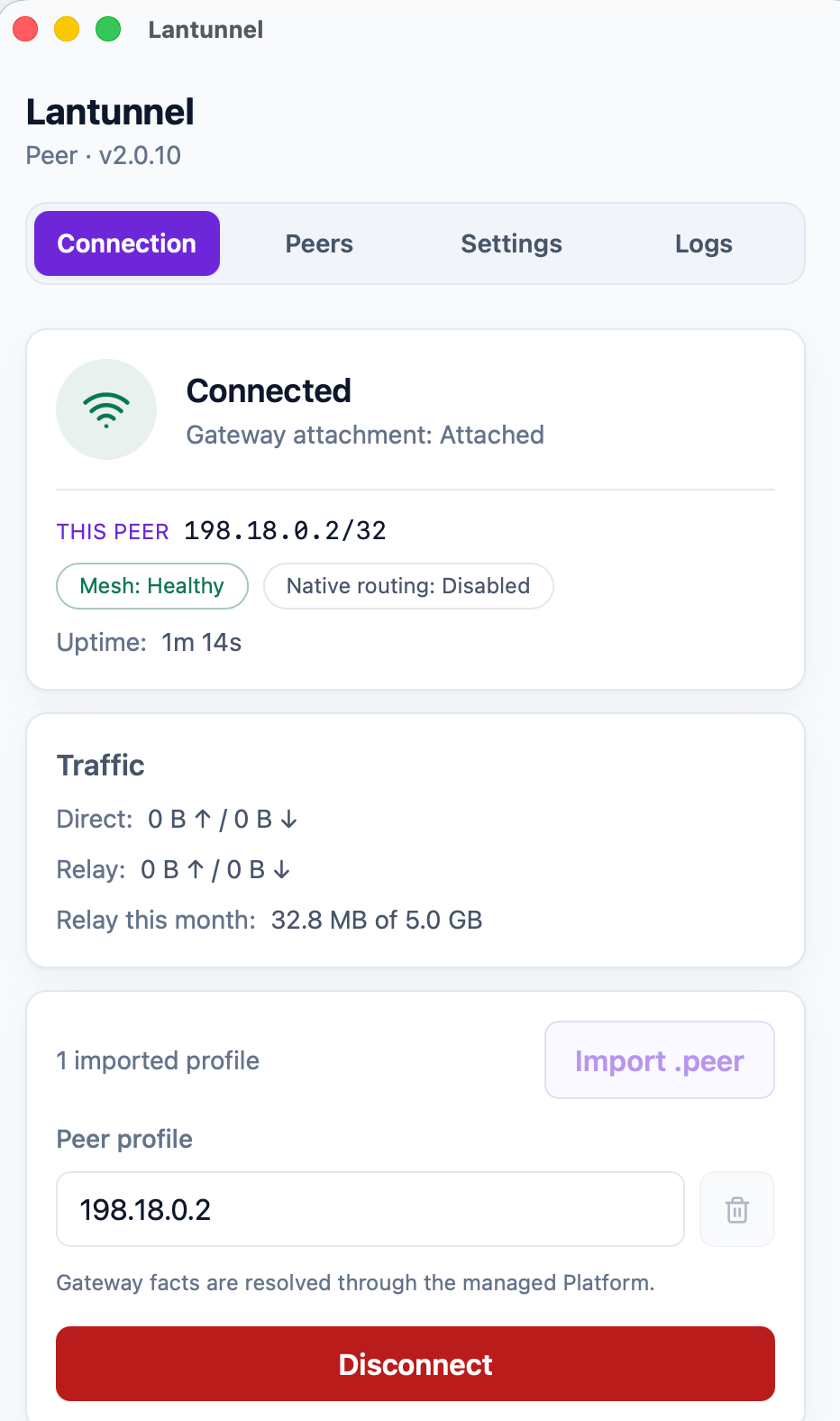 Connection State, this Peer's Overlay IP, and direct versus relayed bytes. |
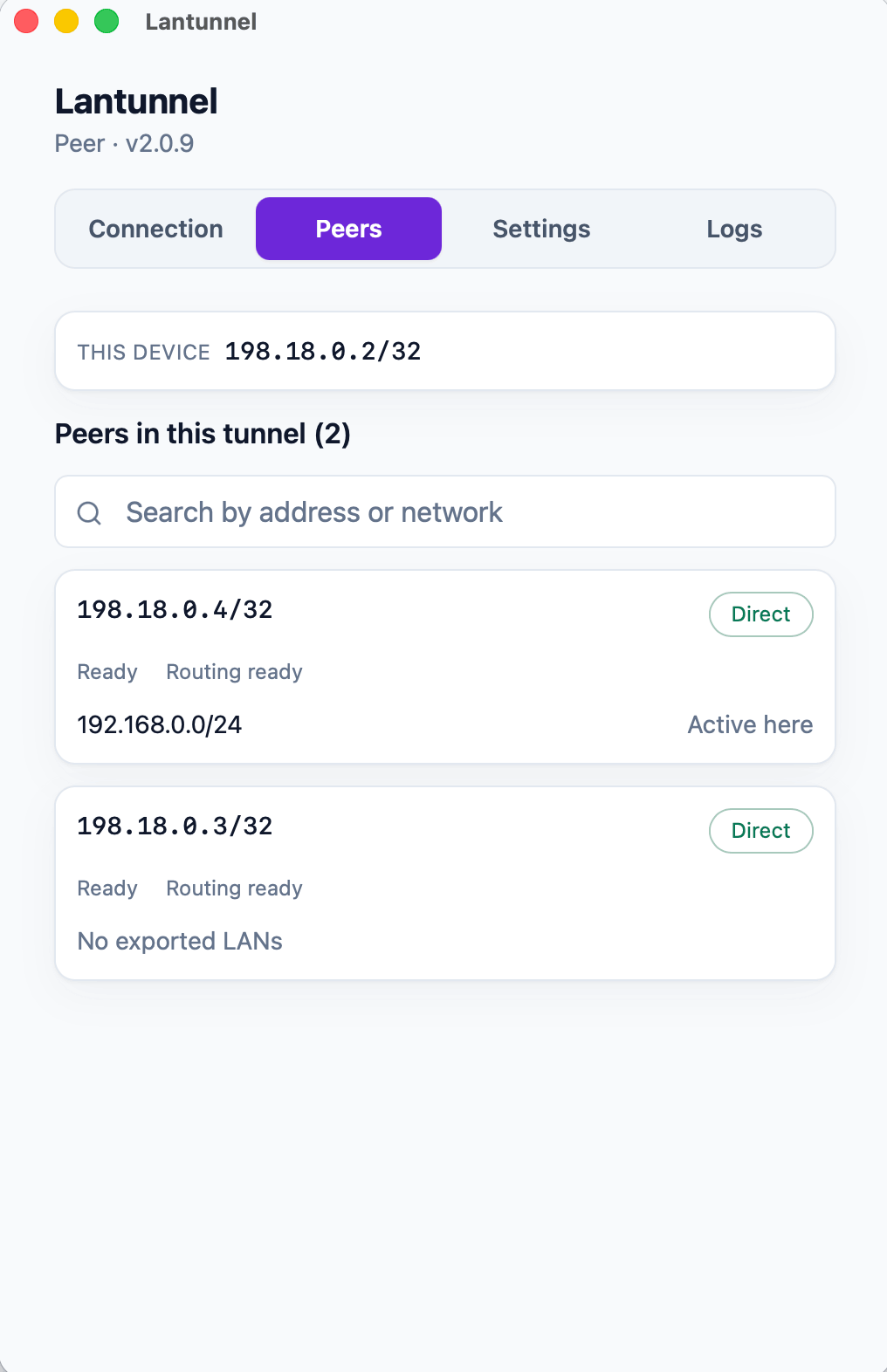 Peers Every Peer in the Tunnel, its Overlay IP, and the path in use. |
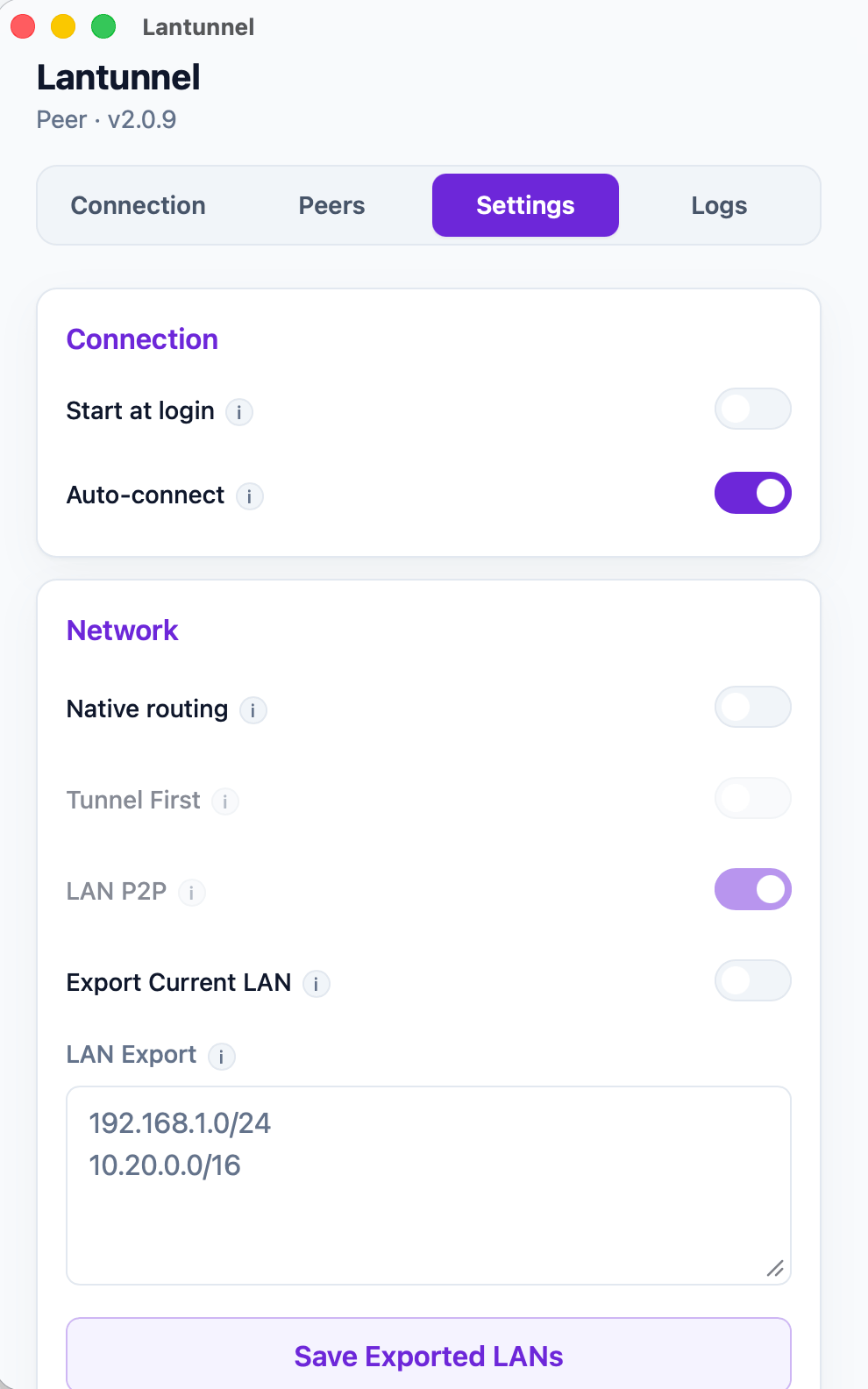 Settings Start at login, native routing, LAN export. |
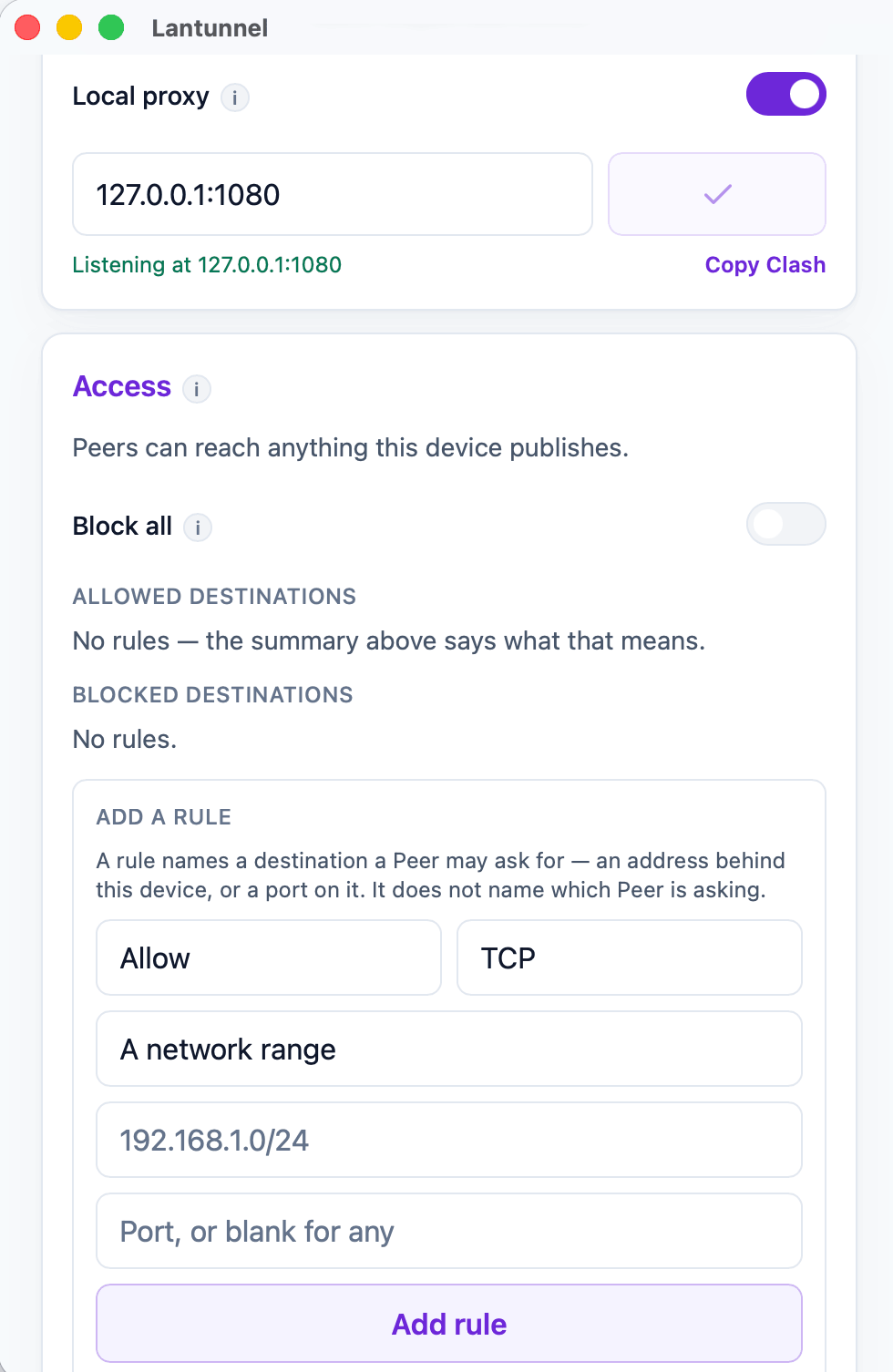 Access The loopback SOCKS5 listener and what this device will serve. |
What you get
| Direct-first | New flows try a direct peer-to-peer QUIC path with UDP hole punching. Relay is the fallback, not the default. |
| End-to-end encrypted | Relayed payloads are sealed with XChaCha20-Poly1305 under keys from an X25519 exchange between the two Peers. The Gateway relays bytes it cannot decrypt. |
| No port forwarding | Peers dial out. Nothing on your LAN needs an inbound rule, a public IP, or a hostname. |
| Whole-LAN reach | A Peer can export the private subnets it sits on, so one Client on the network makes the NAS, the printer, and the dashboard reachable to the rest of the Tunnel. |
| You own the ACL | Each Client decides what it will serve. Access policy lives on the target machine — never on the Gateway, never on a server. |
| One binary, UI or headless | lantunnel-client opens a desktop window by default and runs the exact same runtime under --headless on a server. |
| Everywhere | macOS, Windows, Linux, Android, and iOS. |
Things people actually use it for
- Game and media streaming — Sunshine/Moonlight, Jellyfin, Plex from the machine at home.
- Private AI and dev tools — Ollama, Open WebUI, an internal API, a staging box, a database that must never leave the LAN.
- Home and office services — NAS, Home Assistant, cameras, internal dashboards, SSH.
How it works
flowchart LR
    A["Peer A<br/>laptop"]
    B["Peer B<br/>home NAS"]
    GW["Gateway<br/>forwards ciphertext only<br/>it cannot read it"]
    A <== "① Direct QUIC (preferred)" ==> B
    A -. "② when direct fails" .-> GW
    GW -. "it goes by encrypted relay" .-> B
Three pieces, and that is the whole system:
lantunnel-clientruns on every device that joins. It imports one signed.peerprofile, attaches to the Gateway, and exposes a loopback SOCKS5 proxy plus optional native routes so ordinary apps reach the Tunnel without knowing it exists.lantunnel-gatewayis a rendezvous point and NAT-traversal signaler. It admits a Tunnel by holding its public.scopefile, helps Peers punch a direct path, and relays sealed bytes when they cannot. It never holds Peer private keys and never sees plaintext.lantunnel-admincreates the Tunnel offline. Two commands:init-tunnelmakes the owner file and the Gateway's public scope,add-peerissues one signed profile per device. It talks to nothing.
Identity is signed, not shared. There is no Tunnel password, no group secret, and no bearer token — every Peer holds its own Ed25519 key, proves possession of it on every attachment, and that key never leaves the machine that generated it.
📖 Architecture and concepts → · 📐 Wire protocol →
Quick start
The fast way — hosted Gateway
- Create your free Tunnel at lantunnel.app.
- Add a Peer for each device and download its
.peerprofile. - Install the Client from lantunnel.app/download and import the profile.
That's it. Point an app at 127.0.0.1:1080, or turn on native routing and use the LAN
addresses directly.
The self-hosted way — your Gateway, your rules
#    This creates configs/gateway.yaml, certs/server.crt, certs/server.key,
#    and state/scopes.d without contacting lantunnel.app.
lantunnel-gateway init --public-ip <PUBLIC_IP>
# Defaults: QUIC on UDP 8443 and mapping on UDP 8444.
# To use another mapping port, append --mapping-port <PORT> here and pass
# that same value to --gateway-mapping-port below.

# 2. Copy only certs/server.crt to the trusted owner machine, then create
#    the Tunnel there. The private key never leaves the Gateway host.
lantunnel-admin init-tunnel \
  --gateway-transport quic \
  --gateway-ip <PUBLIC_IP> \
  --gateway-port 8443 \
  --gateway-mapping-port 8444 \
  --gateway-cert ./server.crt
#   → <tunnel-id>.tunnel   keep this secret, it is the Tunnel's signing key
#   → <tunnel-id>.scope    public, this is all the Gateway ever needs

# 3. Issue one profile per device on the trusted owner machine.
lantunnel-admin add-peer --tunnel <tunnel-id>.tunnel --name laptop --output laptop.peer
lantunnel-admin add-peer --tunnel <tunnel-id>.tunnel --name nas    --output nas.peer

# 4. Copy only the public scope to the Gateway host, validate, and run.
mkdir -p state/scopes.d && cp <tunnel-id>.scope state/scopes.d/
lantunnel-gateway --config configs/gateway.yaml --check-config
lantunnel-gateway --config configs/gateway.yaml

# 5. On each device, import its own profile and connect.
lantunnel-client tunnel import ./laptop.peer
lantunnel-client                          # desktop UI
lantunnel-client connect '<tunnel_id>'    # same runtime, no window
Running the same init command again preserves the existing config, certificate, and key.
At the same config path, changed IP, transport, data-port, or mapping-port values are refused
rather than replacing the Gateway identity. With the same --config file, exact replay,
validation, and startup work from any directory.
One profile per device — a .peer is not meant to be copied around. Hostnames and publicly
trusted certificates remain available through the manual setup in the full usage guide.
📘 Full usage guide — installation, LAN exports, access rules, servers, mobile, troubleshooting →
What's in this repository
Everything needed to run Lantunnel yourself, under Apache-2.0:
| Path | What it is |
|---|---|
apps/lantunnel-client |
The Client. Tauri desktop UI + the headless runtime, one binary. |
apps/lantunnel-gateway |
The Gateway. |
apps/lantunnel-admin |
Offline provisioning: init-tunnel, add-peer. |
apps/android-proxy |
Android app (VpnService). |
apps/ios-proxy |
iOS app (NetworkExtension). |
crates/tp-* |
Shared implementation — protocol, transports, proxies, P2P, gateway and client engines. |
docs/PROTOCOL.md |
Normative wire format. |
CONTEXT.md |
Architecture and vocabulary. |
docs/USAGE.md |
How to actually use it. |
docs/BUILD_MOBILE.md |
Installing the Android APK, and building the iOS Client yourself. |
The hosted Lantunnel Platform at lantunnel.app — accounts, billing, managed Gateway fleet — is a separate closed-source service and is not in this repository. Nothing here depends on it. A self-hosted deployment never contacts it.
Building from source
Requires Rust 1.89+, protoc for the gRPC transport, and Node for the Client frontend.
# Gateway and provisioning tool
cargo build --release -p lantunnel-gateway
cargo build --release -p lantunnel-admin

# Client (build the frontend first)
npm --prefix apps/lantunnel-client/frontend ci
npm --prefix apps/lantunnel-client/frontend run build
cargo build --release -p lantunnel-client
On Linux the Client links against webkit2gtk, appindicator, and rsvg; see
.github/workflows/ci.yml for the exact -dev packages.
The Android Client ships as a signed APK on every release. The iOS Client has no download
— Apple binds the packet-tunnel entitlements to the developer account that signs the
build, so you build it under your own. Both are covered in
docs/BUILD_MOBILE.md.
Checks, and a three-Peer end-to-end acceptance that proves every directed TCP and UDP pair over Direct and then again over Encrypted Relay:
cargo fmt --all -- --check
cargo clippy --workspace --all-targets -- -D warnings
cargo test --workspace
tests/e2e/v2_docker/run.sh
Compatibility
Peers, Gateways, and profiles must come from the same 2.0.x line — the wire format is not
negotiated across versions. Coming from a 1.x install? Its profiles cannot be imported;
create new ones with lantunnel-admin.
Related projects
Reaching your own machines behind NAT is a crowded and friendly problem space. Lantunnel takes the peer-to-peer, end-to-end encrypted route; the projects below solve nearby problems in different ways, and several of them pair well with it.
Peer-to-peer and mesh networks
Same goal as Lantunnel — put your own machines on one private network instead of publishing them.
- Tailscale — WireGuard-based mesh; the client is open source, the coordination server is not.
- headscale — self-hosted, open-source implementation of the Tailscale control server.
- ZeroTier — layer-2 overlay network with global roots, written in C++.
- Nebula — certificate-based peer-to-peer overlay from Slack; no WireGuard, no central data path.
- NetBird — WireGuard overlay with SSO, MFA, and granular access policies; hosted or self-hosted.
- Netmaker — kernel-WireGuard mesh with a self-hosted server and admin UI.
- EasyTier — decentralized Rust mesh VPN with NAT traversal, subnet proxying, and a web console.
- innernet — small Rust WireGuard network that models access as CIDRs rather than ad-hoc ACLs.
- iroh — Rust library that gives your own application QUIC plus NAT traversal, dialing peers by public key.
- MeshLAN — self-hosted P2P-first virtual LAN built on Nebula, with service sharing and multiple relays.
Relay and reverse-proxy tunnels
The other answer to NAT: a public server in the middle that forwards to your LAN. Worth reaching for when you need to hand a URL or a port to someone who will never install a client.
- frp — the reference reverse proxy for exposing a service behind NAT, and the engine most of the tools below drive.
- MoonProxy — free, open-source (MIT) desktop GUI client for frp built on Tauri v2 + Rust + Vue 3, with visual proxy rules, real-time traffic monitoring, and one-click frpc start/stop on Windows and macOS.
- rathole — lightweight, high-performance Rust reverse proxy for NAT traversal.
- frp-panel — multi-node web control panel for managing frp servers and clients.
- chisel — fast TCP/UDP tunnel carried over HTTP, in a single Go binary.
- bore — minimal Rust CLI for exposing one localhost port through a public relay.
- zrok — sharing built on OpenZiti; public or private, ephemeral or reserved.
- sish — HTTP/WS/TCP tunnels to localhost over plain SSH, with nothing to install on the client.
- p2ptunnel — P2P TCP/UDP intranet penetration tunnel that connects directly, without a relay server.
- umbra — self-hosted TCP/UDP gateway for services behind NAT, with source-IP authorization and ticket-based visitor tunnels.
Lists and comparisons
- awesome-tunneling — the reference catalogue of tunneling and overlay-network options, self-hosted and commercial.
Maintain something that belongs here? Open an issue — we are happy to add it.
Comments